
-
Hey Guest. Check out your NeoGAF Wrapped 2025 results here!
You are using an out of date browser. It may not display this or other websites correctly.
You should upgrade or use an alternative browser.
You should upgrade or use an alternative browser.
I have a picture that is broken can I fix it?
- Thread starter jesu
- Start date
- Status
- Not open for further replies.

SallyIsNow
Banned
Is this Frog Fractions 2?
John Kowalski
Banned
whatever that is, it's really scared
Not without someone Photoshopping it back to life.
Anyone photoshop that back to life please?
blame space
Banned
If the thumbnail looks normal.. how big can you make the thumbnail?
The Omega Man
Member

There you go buddy, no need to thank me.
I just spat my drink out.

liliththepale
Banned
No. There's basically nothing that can be done. Theoretically, there might be a bit or two in the file that can be flipped and then everything else would sort itself out, but there's no way to know and it would be impossible to find anyway.
On the other hand, this would make a killer shirt print.
On the other hand, this would make a killer shirt print.
If the thumbnail looks normal.. how big can you make the thumbnail?
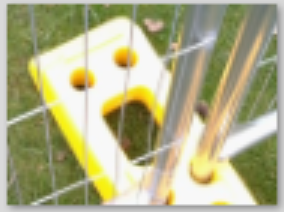
I dunno how to zoom in on a thumb nail, hang on.....
There you go buddy, no need to thank me.
Perfect, cheers!
Emperor Bohe
Member


There you go buddy, no need to thank me.
Is this one of those 3D sterographic things?!
edit: i think i see a dolphin
CyclopsRock
Member
Can you upload the actual jpeg file, without any resizing? The one in the OP looks like it's been blown up from a smaller image (and that's really unusually scaled noise - typically it's per-pixel noise, that seems - again - to be per-pixel noise that's been blown up).
blame space
Banned
You're gonna need to use the enhance button.
Can you upload the actual jpeg file, without any resizing? The one in the OP looks like it's been blown up from a smaller image (and that's really unusually scaled noise - typically it's per-pixel noise, that seems - again - to be per-pixel noise that's been blown up).
Imgur does its own thing with uploads I think.
liliththepale
Banned

Glycemic Beg
Banned
Have you tried turning your computer off and then back on again?

eot
Banned
Can you upload the actual jpeg file, without any resizing? The one in the OP looks like it's been blown up from a smaller image (and that's really unusually scaled noise - typically it's per-pixel noise, that seems - again - to be per-pixel noise that's been blown up).
I used imgur
Is there something else better I can try?
That's pretty good, cheers, I'll save that.
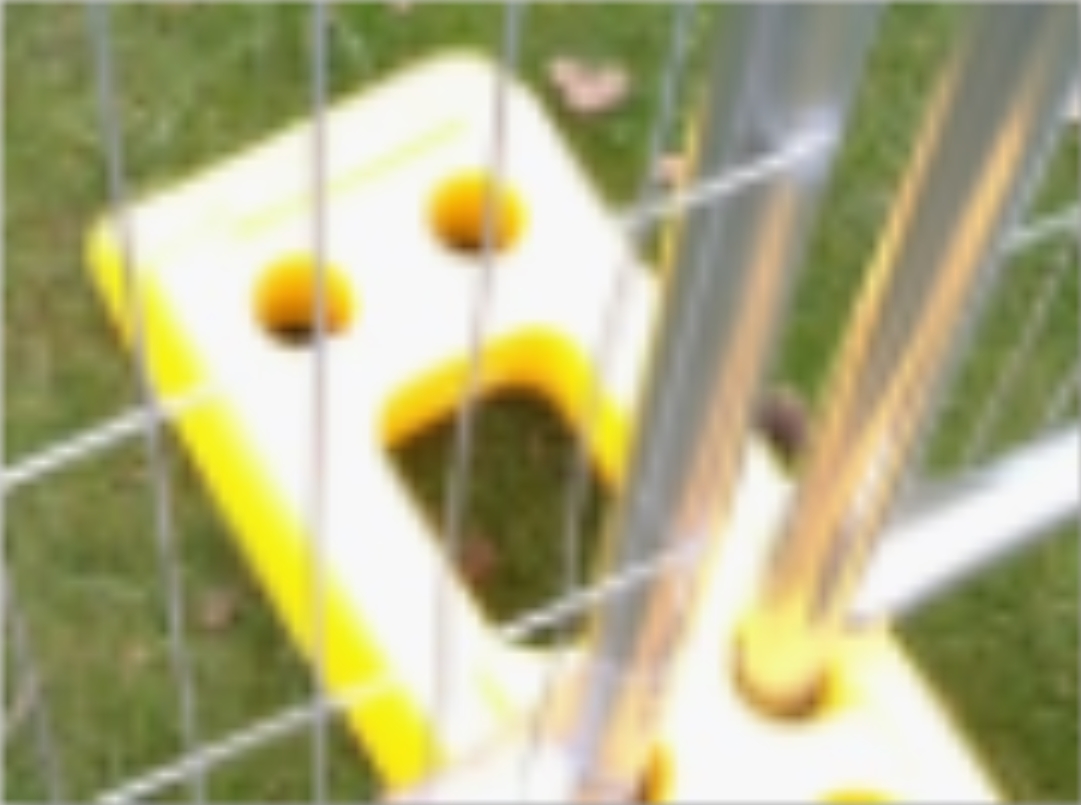
This is as good as I've gotten so far
Have you tried turning your computer off and then back on again?
No, I'll try that now,
I've experienced this exact same issue a few years back. Did you save it through Photoshop by any chance? Saving it to a networked drive / server?
I think the connection was sluggish and it didn't save properly causing the loss of information. The thumbnail, as you said, was normal. Sorry, as far as I know, there wasn't a solution. We lost about a week's worth of work too...
I think the connection was sluggish and it didn't save properly causing the loss of information. The thumbnail, as you said, was normal. Sorry, as far as I know, there wasn't a solution. We lost about a week's worth of work too...
blame space
Banned
Try renaming the file to a different extension like png or gif
liliththepale
Banned
That's pretty good, cheers, I'll save that.
There's not really anything else that can be done without reconstruction. There's enough information in the image that you could copy/paste and tweak other bits of the image to nearly recreate the original image, but it would take hours to do it well.
All I did here was take the thumbnail and blow it up over the corrupted parts. The thumbnail doesn't have any more information, hence why it's so blurry, and there's nothing that a computer can do to find that missing information. It can make educated guesses, like with a sharpening filter, but the "enhance" filter you see on cop shows doesn't actually exist. Getting a clearer picture at this point would involve making shit up, automated or manually added.
Hang on, Windows is updating....
No just from a phone to my PC, since then I've updated to Windows 10
Give me a sec...
edit, nah
I've experienced this exact same issue a few years back. Did you save it through Photoshop by any chance? Saving it to a networked drive / server?
I think the connection was sluggish and it didn't save properly causing the loss of information. The thumbnail, as you said, was normal. Sorry, as far as I know, there wasn't a solution. We lost about a week's worth of work too...
No just from a phone to my PC, since then I've updated to Windows 10
Try renaming the file to a different extension like png or gif
Give me a sec...
edit, nah
liliththepale
Banned
Glycemic Beg said:Have you tried turning your computer off and then back on again?
No, I'll try that now,
Hang on, Windows is updating....
Uh, that was a joke suggestion.
CyclopsRock
Member
I used imgur
Is there something else better I can try?
You can probably upload it to WeTransfer.com, even though it'll be small.
There's not really anything else that can be done without reconstruction. There's enough information in the image that you could copy/paste and tweak other bits of the image to nearly recreate the original image, but it would take hours to do it well.
All I did here was take the thumbnail and blow it up over the corrupted parts. The thumbnail doesn't have any more information, hence why it's so blurry, and there's nothing that a computer can do to find that missing information. It can make educated guesses, like with a sharpening filter, but the "enhance" filter you see on cop shows doesn't actually exist. Getting a clearer picture at this point would involve making shit up, automated or manually added.
The thumb nail doesn't have that funky scrambled shit though, so i thought it might be fixable with some programme I don't have.
Oh well, from now on I'll take every picture twice!
If it has a funny face.
Hang on, Windows is updating....
No just from a phone to my PC, since then I've updated to Windows 10
Give me a sec...
It must've lost info during the transfer process. Do you still have the original on your phone? Apart from that, there's no solution, information has been lost and there's no real way to find it.
Uh, that was a joke suggestion.
Yeah I know that's how I managed to reply whilst windows was allegedly updating

John Kowalski
Banned
what's it called to hide information in an image? i forget
liliththepale
Banned
The thumb nail doesn't have that funky scrambled shit though, so i thought it might be fixable with some programme I don't have.
Oh well, from now on I'll take every picture twice!
If it has a funny face.
Not how it works, unfortunately. The thumbnail is saved as separate data so it can be loaded more quickly than the large image and have a lower memory footprint. Otherwise file browsers would be a lot slower than they currently are. Something must have happened to the main image at some time after the thumbnail was saved.
what's it called to hide information in an image? i forget
You're probably thinking of metadata.
DarkHeartedKill
Member
There you go buddy, no need to thank me.
Goddamn, I love this kinda stuff lol.

Glycemic Beg
Banned
I apologize, OP, I thought the joke was obvious. At least I got you to update your computer?
You can probably upload it to WeTransfer.com, even though it'll be small.
Can't seem to get a public link out of that...
I emailed it to myself though.
That'll remind me tomorrow.
EightBitNate
Member
Why do you want that picture
MikeHattsu
Member
what's it called to hide information in an image? i forget
steganography?
Why do you want that picture
He pissed in its mouth, they have a connection.
John Kowalski
Banned
You're probably thinking of metadata.
No, that thing about editing like two bits out of every byte of an image and for example store a ton of text in those changed bits.
Wait, i remember, i was thinking of steganography.
steganography?
Yes! Maybe OP is getting secret messages from space.
- Status
- Not open for further replies.