Corporal.Hicks
Gold Member
These days gamers still have a choice, and can play old 240p / 480p era games on real CRTs. However, the reality is that all remaining CRTs will eventually die, probably within next 10-20 years. For this reason, I bought an unused (old stock) 15-inch CRT monitor. Although CTX is not a well-known brand, the monitor displays colours accurately and brightly, so I hope it will last me a long time. I also still use my old 21-inch philips 15kHz CRT TV from 2003, and the picture it displays is still very bright.
However, there is hope for those who want to play their favourite old games and achieve an authentic CRT look even without CRT display. I'm talking about CRT simulation. The pixel density of modern displays is so high that you can literally simulate a CRT display. I tried many CRT shaders and most look clearly inferior to my CRTs, but in this comparison, I will show a very special CRT shader called "Sony Megatron". This shader uses HDR mask and unlike standard SDR CRT masks, it doesn't use any tricks to create brightness, thus resolving all the associated issues. For those who are unaware, SDR CRT masks are limited to a 100-nits container. This means that gamma/bloom tricks are needed to compensate for brightness loss due to the phosphor mask, and that always affect the gamma and colours. I tried popular CRT shaders like retro-crisis, koko-aio, royale, cyberlab, guesthd and all of them had problems with strange colour tints, inaccurate and whashed out colours, blow out highlights, black crush in some games and lifted shadows in other games. Also these SDR CRT shaders are usually very complex and and include number of different settings (and hardware intensive as well), so I spent weeks adjusting their settings just to achieve somewhat acceptable results in one game. In other games, the results were inconsistent though, so I was never happy with this situation. The Sony Megatron HDR fixed all these problems and what's more, it's also very lightweight and simple to configure. I only had to configure it once, and the gamma and colours are now consistent in every game I run. The only parameter I change is TVL, I use TVL300 for 240p games, and TVL600 for 480p.
You would think that I have no reason to use CRT simulation when I can play 240p/480p games on real CRTs. Well, my CRT VGA monitor can display 320x240p natively (at 120Hz, as you need a minimum of 31kHz on a VGA monitor), but with sharp square pixels almost like an LCD. The picture also has thick black spaces between the scan lines. PVM enthusiasts love that look, but personally I'm distracted when half of the picture is made from thick black lines and square pixels. These old 240p games never looked like that on arcade monitors and especially not on SDR TV CRTs.
I'm also not entirely satisfied with the results on my SDR CRT TV with an RGB SCART connection. My 21'inch TV offers a big picture with no visible gaps between the scan lines (slot mask), so the pixel art blends at 240p as it should. However, for some strange reason, my CRT TV in RGB mode cannot use the sharpening settings. This results in a blurry and undefined image that doesn't look as impressive as the arcade monitors I grew up playing on. I need to use S-Video or composite singal to get sharpening sliders working, but these signals washed out the colurs and that's too noticeable to me. I had 4 other SD CRT TVs in the past and all of them had this limitation when you connected RGB, so I couldnt use sharpening sliders on any of them.
Interestingly CRT simulation enables me to combine the best of both worlds. I can get thick black spaces between scanlines (PVM like) if I want with 4K TVL600 or TVL800 mask, but I can also get image without noticeable gaps between scanlines with 4K 300 TVL mask. I think the latter offers the perfect combination for 240p games. The pixels blend together perfectly without looking blurry, which reminds me of the arcade monitors I grew up playing on.
And now I want to show comparison between my VGA monitor and CRT simulation. My CRT monitor is set to native 320x240p (thanks to 120Hz 31kHz trick). For CRT simulation I used my 4K 32'inch Gigabyte 240Hz QD-OLED monitor in peak HDR 1000 picture mode with Sony Megatron 2730QM CRT shader and following settings:
- 420 nits for paper white and 1000 for peaks.
- I tweaked the D65 white balance to 7300K as, on my monitor, this actually looks more like 6500K
I'm including high-resolution photos (each around 15–30 MB) to illustrate the differences, but I will also share my own impressions because what I see and what the camera captures not always look the same, especially when it comes to colours. The colours on my photos may look desaturated, or oversaturated, but they look amazing on both my CRT and OLED. I also recommend viewing these photos in 1:1 on a new tab, otherwise you will see a moiré pattern from the mask when resolution is downsampled.

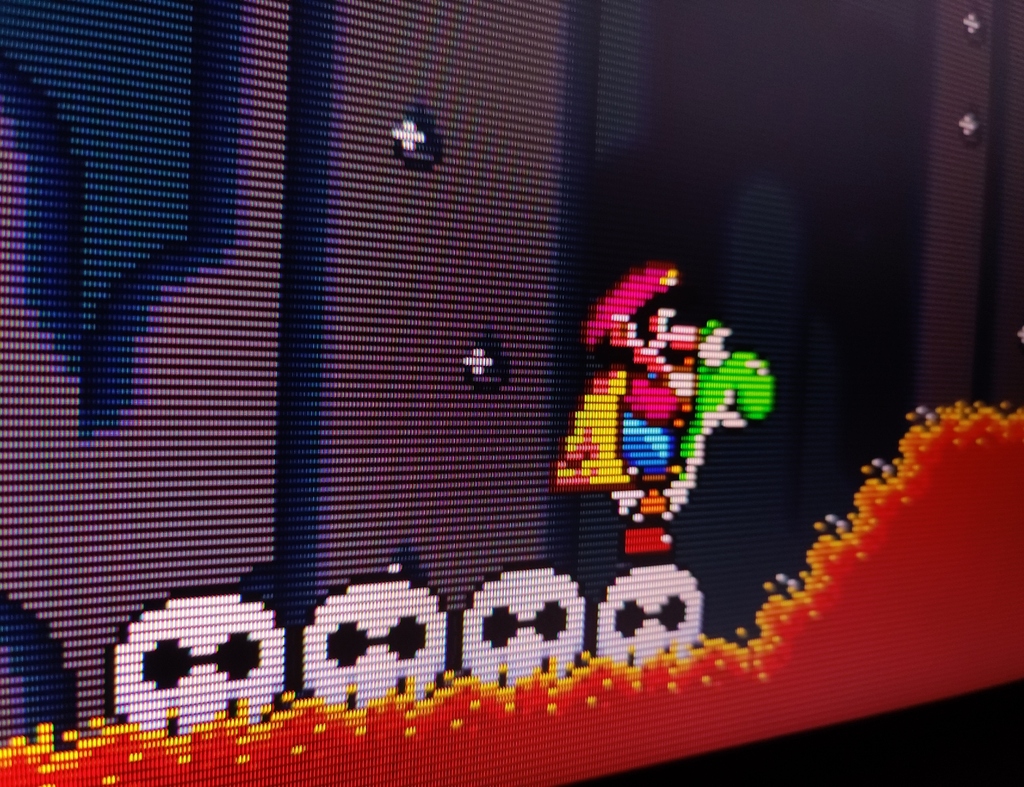
It's very difficult to capture what the human eye can see, but this photo from my CRT is just spot on — it accurately shows what I can see. The 240p looks sharp, but the image is too pixelated, and scanlines are too dark (or should I say the space between the scanlines is are very dark).
CRT simulation photo using Sony Megatron shader set to TVL300 settings.

In the photo, the phosphor mask is more noticeable compared to CRT. However my OLED monitor is simply much bigger compared to my CRT monitor (15 inch vs 32 inch), so that's the reason why. From a normal viewing distance, the TVL300 mask blends in perfectly and the image appears to my eyes way less pixelated compared to VGA monitor. Also I cant see dark scanlines (spaces between scanlines) and that was distracting on my CRT. The edges of sprites have such a strong contrast that they appear almost 3D in real life (thanks to that difference between 420 nits paper white and peak 1000 nits). Edges appear oversharpened in photographs, but my eyes dont see that sharpening in real life, it's only how camera interpreted that edge contrast. If someone prefers less contrasty edges, it's possible to lower beam sharpness in the shader settings, and that would create less contrasty edges.
Now lets look at CRT Simulation using TVL600

With the TVL600, the picture on my monitor resemble that of a CRT VGA monitor. Scanlines are noticeable (the gaps between the scan lines), and the pixelation has increased as well. Using the TVL800 or TVL1000 would make scanlines and the pixelation even more noticeable.
VGA CRT

CRT simulation TVL300

CRT Simulation TVL600

VGA CRT

CRT Simulation TVL300

CRT Simulation TVL600

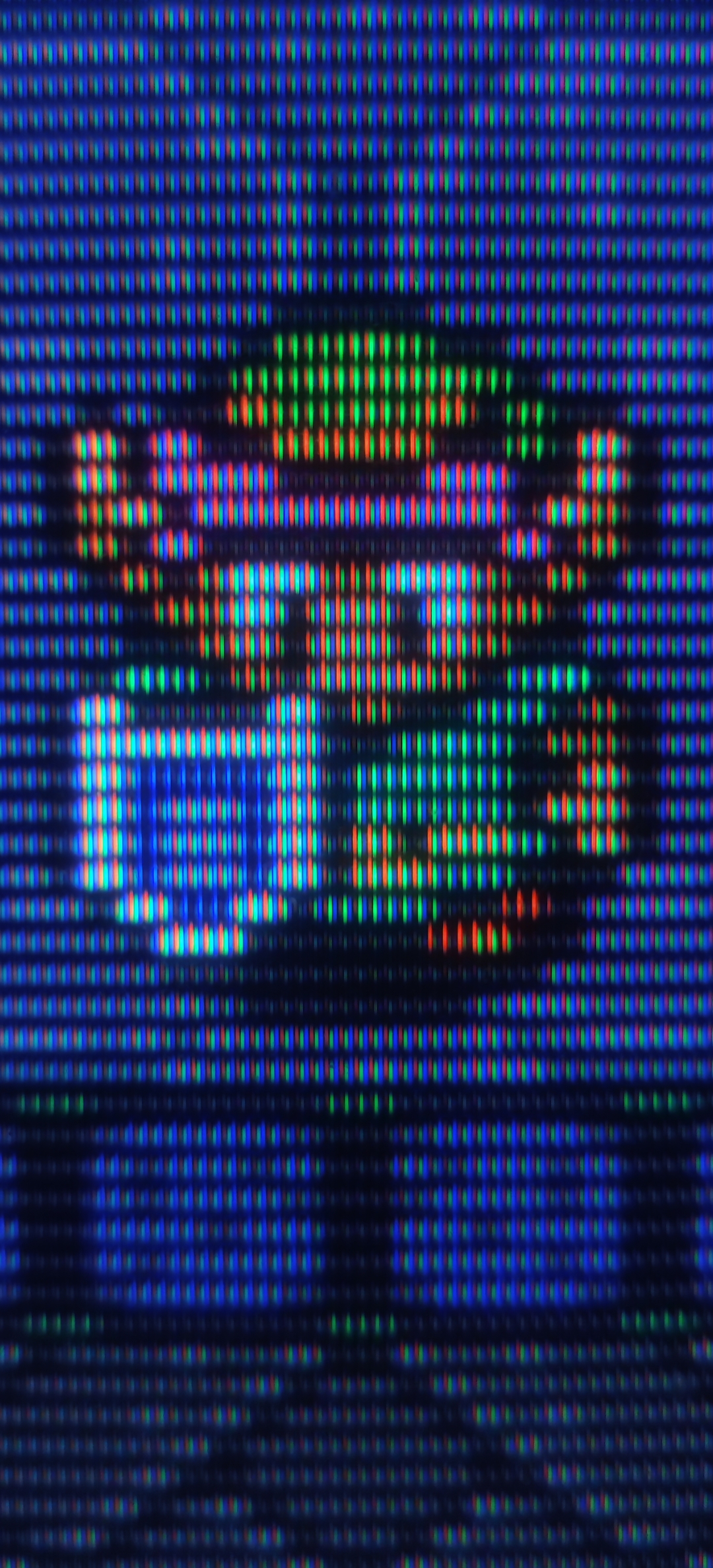
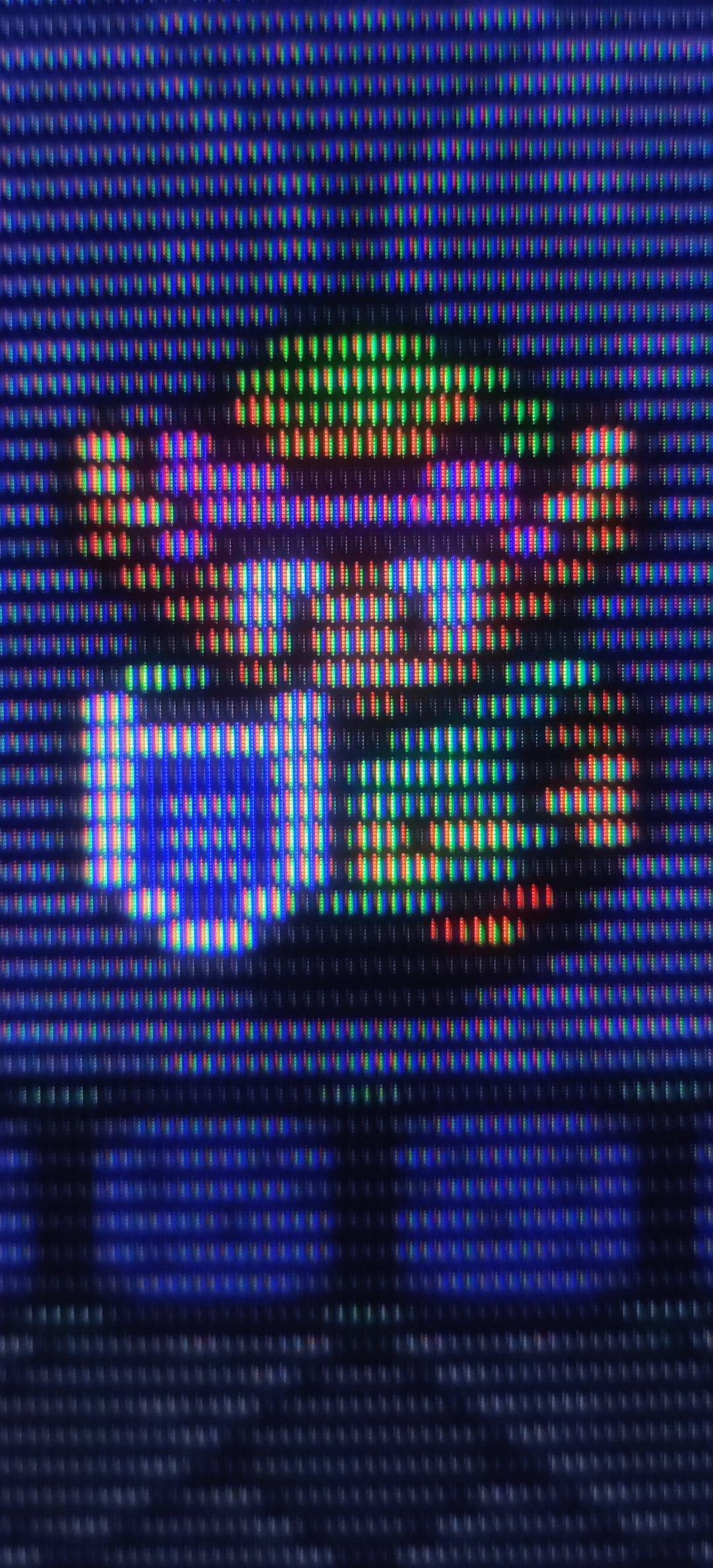
480p game on my CRT monitor

480p CRT simulation using TVL600

The 480p mode looks sharp on my CRT, but CRT simulation is even sharper probably thanks to OLED contrast. Colours may look more natural on CRT photo, but in real life colours look more impressive on OLED. From a normal viewing distance, that 480p on my OLED appears sharper and more pleasing than typical UE5 games upscaled to 4K on the PS5. It's crazy that modern games can use high resolutions like 1080p (2 million pixels) yet image look like a blurry mess to my eyes, while even 480p (6.6x less pixels) can look so sharp. Even at an insanely low resolution, the right display produces a sharp image.
I'm also including comparison photos from the creator of this Sony Megatron shader. This shader is pre-installed in the RetroArch emulator, and can be found in the 'HDR' folder.
 forums.libretro.com
Real Sony PVM 2730QM
CRT simulation using Sony Megatron Shader
The Sony Megatron shader is absolutely amazing, making other CRT shaders look like a joke (and not to mention it surpassed my real CRTs IMO). However, there's one big problem with it. Sony Megatron requires very bright display. My previous HDR400 monitor just wasnt bright enough for this shader. My OLED monitor offers usable brightness in 1000-nit peak mode with a 4K mask and especially during the night. However, I can see that the image could look even better (brighter) if the automatic brightness limiter (ABL) on my monitor wasn't kicking in. If I will use 1080p resolution and 1080p mask (sony megatron shader support both 4K and 1080p) image is much smaller (equivalent to 11'inch PVM), but ABL isnt limiting the brightness as much, so I can get even brighteer image than my real CRTs. That smaller 11-inch picture has something beautiful about it. Even up close, 240p games look razor sharp, and you don't see as many imperfections in game assets. I'm starting to understand why some people use small 9'inch PVM monitors, because that combination of small display size and low resolution is just perfect. I have used CRTs for 30 years, but none of them produced more pleasing results when displaying 240p games. The picture quality from 240p on such small 11'inch display is truly outstanding.

480p game "Blue Stinger" using 1080p TVL600 mask.

You have to zoom in to see the detail, but I think this photo accurately demonstrates the quality of 480p with a 1080p mask. The edges are razor sharp and the whole image looks fairly clean.
The TVL600 mask with a 1080p resolution had a slight blue tint because 1080p is not sufficient for a TVL600 mask. However, I was able to correct this using the shader settings by adjusting the RGB deconvergence settings. The blue tint disappeared completely and white balance looked natural to my eyes (6500K).
And bonus photos from my SDR CRT from PS2 version of metal slug 2 (scart RGB)
The picture is blurry compared to the CRT VGA and the Sony Megatron shader.
However, there is hope for those who want to play their favourite old games and achieve an authentic CRT look even without CRT display. I'm talking about CRT simulation. The pixel density of modern displays is so high that you can literally simulate a CRT display. I tried many CRT shaders and most look clearly inferior to my CRTs, but in this comparison, I will show a very special CRT shader called "Sony Megatron". This shader uses HDR mask and unlike standard SDR CRT masks, it doesn't use any tricks to create brightness, thus resolving all the associated issues. For those who are unaware, SDR CRT masks are limited to a 100-nits container. This means that gamma/bloom tricks are needed to compensate for brightness loss due to the phosphor mask, and that always affect the gamma and colours. I tried popular CRT shaders like retro-crisis, koko-aio, royale, cyberlab, guesthd and all of them had problems with strange colour tints, inaccurate and whashed out colours, blow out highlights, black crush in some games and lifted shadows in other games. Also these SDR CRT shaders are usually very complex and and include number of different settings (and hardware intensive as well), so I spent weeks adjusting their settings just to achieve somewhat acceptable results in one game. In other games, the results were inconsistent though, so I was never happy with this situation. The Sony Megatron HDR fixed all these problems and what's more, it's also very lightweight and simple to configure. I only had to configure it once, and the gamma and colours are now consistent in every game I run. The only parameter I change is TVL, I use TVL300 for 240p games, and TVL600 for 480p.
You would think that I have no reason to use CRT simulation when I can play 240p/480p games on real CRTs. Well, my CRT VGA monitor can display 320x240p natively (at 120Hz, as you need a minimum of 31kHz on a VGA monitor), but with sharp square pixels almost like an LCD. The picture also has thick black spaces between the scan lines. PVM enthusiasts love that look, but personally I'm distracted when half of the picture is made from thick black lines and square pixels. These old 240p games never looked like that on arcade monitors and especially not on SDR TV CRTs.
I'm also not entirely satisfied with the results on my SDR CRT TV with an RGB SCART connection. My 21'inch TV offers a big picture with no visible gaps between the scan lines (slot mask), so the pixel art blends at 240p as it should. However, for some strange reason, my CRT TV in RGB mode cannot use the sharpening settings. This results in a blurry and undefined image that doesn't look as impressive as the arcade monitors I grew up playing on. I need to use S-Video or composite singal to get sharpening sliders working, but these signals washed out the colurs and that's too noticeable to me. I had 4 other SD CRT TVs in the past and all of them had this limitation when you connected RGB, so I couldnt use sharpening sliders on any of them.
Interestingly CRT simulation enables me to combine the best of both worlds. I can get thick black spaces between scanlines (PVM like) if I want with 4K TVL600 or TVL800 mask, but I can also get image without noticeable gaps between scanlines with 4K 300 TVL mask. I think the latter offers the perfect combination for 240p games. The pixels blend together perfectly without looking blurry, which reminds me of the arcade monitors I grew up playing on.
And now I want to show comparison between my VGA monitor and CRT simulation. My CRT monitor is set to native 320x240p (thanks to 120Hz 31kHz trick). For CRT simulation I used my 4K 32'inch Gigabyte 240Hz QD-OLED monitor in peak HDR 1000 picture mode with Sony Megatron 2730QM CRT shader and following settings:
- 420 nits for paper white and 1000 for peaks.
- I tweaked the D65 white balance to 7300K as, on my monitor, this actually looks more like 6500K
I'm including high-resolution photos (each around 15–30 MB) to illustrate the differences, but I will also share my own impressions because what I see and what the camera captures not always look the same, especially when it comes to colours. The colours on my photos may look desaturated, or oversaturated, but they look amazing on both my CRT and OLED. I also recommend viewing these photos in 1:1 on a new tab, otherwise you will see a moiré pattern from the mask when resolution is downsampled.
It's very difficult to capture what the human eye can see, but this photo from my CRT is just spot on — it accurately shows what I can see. The 240p looks sharp, but the image is too pixelated, and scanlines are too dark (or should I say the space between the scanlines is are very dark).
CRT simulation photo using Sony Megatron shader set to TVL300 settings.
In the photo, the phosphor mask is more noticeable compared to CRT. However my OLED monitor is simply much bigger compared to my CRT monitor (15 inch vs 32 inch), so that's the reason why. From a normal viewing distance, the TVL300 mask blends in perfectly and the image appears to my eyes way less pixelated compared to VGA monitor. Also I cant see dark scanlines (spaces between scanlines) and that was distracting on my CRT. The edges of sprites have such a strong contrast that they appear almost 3D in real life (thanks to that difference between 420 nits paper white and peak 1000 nits). Edges appear oversharpened in photographs, but my eyes dont see that sharpening in real life, it's only how camera interpreted that edge contrast. If someone prefers less contrasty edges, it's possible to lower beam sharpness in the shader settings, and that would create less contrasty edges.
Now lets look at CRT Simulation using TVL600
With the TVL600, the picture on my monitor resemble that of a CRT VGA monitor. Scanlines are noticeable (the gaps between the scan lines), and the pixelation has increased as well. Using the TVL800 or TVL1000 would make scanlines and the pixelation even more noticeable.
VGA CRT
CRT simulation TVL300
CRT Simulation TVL600
VGA CRT
CRT Simulation TVL300
CRT Simulation TVL600
480p game on my CRT monitor
480p CRT simulation using TVL600
The 480p mode looks sharp on my CRT, but CRT simulation is even sharper probably thanks to OLED contrast. Colours may look more natural on CRT photo, but in real life colours look more impressive on OLED. From a normal viewing distance, that 480p on my OLED appears sharper and more pleasing than typical UE5 games upscaled to 4K on the PS5. It's crazy that modern games can use high resolutions like 1080p (2 million pixels) yet image look like a blurry mess to my eyes, while even 480p (6.6x less pixels) can look so sharp. Even at an insanely low resolution, the right display produces a sharp image.
I'm also including comparison photos from the creator of this Sony Megatron shader. This shader is pre-installed in the RetroArch emulator, and can be found in the 'HDR' folder.
Sony Megatron Colour Video Monitor
The Sony Megatron Colour Video Monitor was the greatest CRT Sony never made. Story At the end of the 90’s in an underground R&D bunker located several kilometers below the Sony Tokyo HQ , Sony engineers were developing a revolutionary new screen for CRT’s that could morph its physical...
forums.libretro.com
Real Sony PVM 2730QM
CRT simulation using Sony Megatron Shader
The Sony Megatron shader is absolutely amazing, making other CRT shaders look like a joke (and not to mention it surpassed my real CRTs IMO). However, there's one big problem with it. Sony Megatron requires very bright display. My previous HDR400 monitor just wasnt bright enough for this shader. My OLED monitor offers usable brightness in 1000-nit peak mode with a 4K mask and especially during the night. However, I can see that the image could look even better (brighter) if the automatic brightness limiter (ABL) on my monitor wasn't kicking in. If I will use 1080p resolution and 1080p mask (sony megatron shader support both 4K and 1080p) image is much smaller (equivalent to 11'inch PVM), but ABL isnt limiting the brightness as much, so I can get even brighteer image than my real CRTs. That smaller 11-inch picture has something beautiful about it. Even up close, 240p games look razor sharp, and you don't see as many imperfections in game assets. I'm starting to understand why some people use small 9'inch PVM monitors, because that combination of small display size and low resolution is just perfect. I have used CRTs for 30 years, but none of them produced more pleasing results when displaying 240p games. The picture quality from 240p on such small 11'inch display is truly outstanding.
480p game "Blue Stinger" using 1080p TVL600 mask.
You have to zoom in to see the detail, but I think this photo accurately demonstrates the quality of 480p with a 1080p mask. The edges are razor sharp and the whole image looks fairly clean.
The TVL600 mask with a 1080p resolution had a slight blue tint because 1080p is not sufficient for a TVL600 mask. However, I was able to correct this using the shader settings by adjusting the RGB deconvergence settings. The blue tint disappeared completely and white balance looked natural to my eyes (6500K).
And bonus photos from my SDR CRT from PS2 version of metal slug 2 (scart RGB)
The picture is blurry compared to the CRT VGA and the Sony Megatron shader.
Last edited:


 . A 27-inch 1440p OLED monitor would be perfect for you, especially since the latest 1440p OLEDs are brighter than ever (330 nits in 100% window and 1300-1500 nits in 2%). 1440p is enough for sony megatron 1080p mask/resolution, and a 27-inch screen is also the perfect size for a monitor IMO. I think my 32-inch monitor is slightly too big, but that's not a problem because I can easily adjust the viewing distance, or simply use a lower resolution. For example 1800p looks exactly the same size as my previous 27-inch 1440p monitor, and even 1600p is big enough.


 . People on this forum are so generous.