
• Hey Guest. Check out your NeoGAF Wrapped 2025 results here!

"I need a new PC!" 2010 Edition

I will finally buy a new PC this year and I´m going to start with a new 24" monitor.

I´m willing to spent around 200 EUR and for the moment this one is on the edge to be bought.
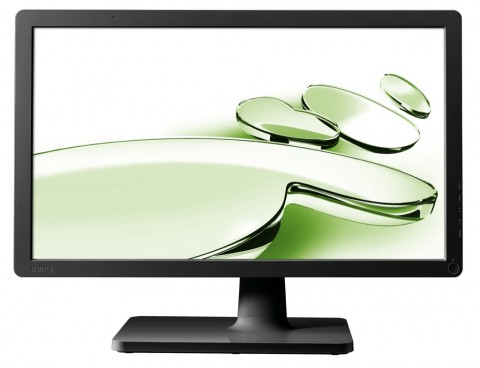

V2210_V2410Eco_front.jpg

Benq V2410 Eco

Does anyone know if its any good? It has a matt display and frame (I just don´t like these fingerprint magnets), 250 cd/m² and is LED backlight.
 
hi all,

I do not really need any advise on the new pc I'm building.
I have been building them myself for about 10 years now.

But I was just wondering, I want my new pc done on may 1st.
On the info you all have about the new Nvidea chip set/GPU do you think I'll be able to make a new intel/Nvidea system before then or does it look like it the first DX11 cards from them are hitting later?

Thanks for the info.
 
Okay so what's the deal with AA on ATI cards?

I have a 4870 and I can hardly get AA enabled on any games, particularly Unreal ones (as is well known) like Mass Effect and BioShock, but numerous others as well.

Even on the non-Unreal ones, enabling it through the CCC and telling it not to use the game's settings still doesn't seem to work in most cases. Is there any way to just FORCE this shit or what? It's pretty much fine when I'm playing on my 1920x1200 monitor, but when I'm playing on my 720p HDTV it sucks. I'm getting ready to just switch to Nvidia at this point since everyone seems to say it's much easier to do with whatever that application is, but that seems like a ridiculous waste of money when in most other respects my card can max out any game I have.
 
Traced-Velocity said:
GPU has never been overclocked. The scores from my old rig were taken just before I switched out the components, so I doubt it's an overheating issue. Temps haven't changed after putting in the new stuff.

I don't have any old data to compare my FPS in games, but if I were to take a shot in the dark, I would say it's about the same.

Downloaded CPU-Z, not sure if this is the right window or not, but if I'm looking at the right one, seems like it's set to 16x.
http://i50.tinypic.com/2mez4ow.jpg[IMG][/QUOTE]
Well I'd reinstall drivers if you haven't already.

Otherwise I can't think of anything right now.
[QUOTE=Chris Remo]Okay so what's the deal with AA on ATI cards?

I have a 4870 and I can hardly get AA enabled on any games, particularly Unreal ones (as is well known) like Mass Effect and BioShock, but numerous others as well.

Even on the non-Unreal ones, enabling it through the CCC and telling it not to use the game's settings still doesn't seem to work in most cases. Is there any way to just FORCE this shit or what? It's pretty much fine when I'm playing on my 1920x1200 monitor, but when I'm playing on my 720p HDTV it sucks. I'm getting ready to just switch to Nvidia at this point since everyone seems to say it's much easier to do with whatever that application is, but that seems like a ridiculous waste of money when in most other respects my card can max out any game I have.[/QUOTE]
You mean apart from naming ME2.exe to UE3.exe and forcing AA through control panel?

At least on nVidia side of things, or nHancer.
 
Hazaro said:
You mean apart from naming ME2.exe to UE3.exe and forcing AA through control panel?
Yes. That didn't work for me, but even if it did work, there are still non-UE3 games that don't seem to run with AA for me, regardless of my control panel settings.
 
So I've decided its about time to upgrade from my 6000+ X2 to a quad core processor. Problem is my Motherboard isn't compatible with quads. I also only have 2GB of ram and want to upgrade to 4, again, my MB only supports up to 2GB. With that I'm looking to get a new motherboard, new processor, new set of DDR3 ram, and possibly a new graphics card (although my OC'ed 4770 will suffice for the meantime if I can't budget for it but i do want to go back to Nvidia sooner rather than later because ATI's constant driver issues with certain games are doing my tits in). I will also upgrade to Windows 7 (but I can get that for next to nothing being a student so wont factor that into the cost).

Want to spend in the region of £300-£400 ($500-$600 to those of you in the US)

Can anyone reccomend some good motherboard bundles or would I just be better off buying everything seperately?

Also, how difficult/easy is it to swap a motherboard out? I will need to start afresh and do a clean OS install after wouldn't I? Any way to do this while keeping my data on my HDD's intact (would I need to redownload all of my Steam games??)?

Thanks GAF.
 
Gravijah said:
No idea where else to ask this so I figured this might be a good place :lol

I'm looking for a cable to hook my PS3/360 up to my PC monitor/laptop, what exactly should I be looking for? HDMI -> DVI? Any recommendations?


Your laptop screen will not have any video inputs (the monitor connections your see on your laptop are outputs only) so you won't be able to play your console on your laptop screen without some serious modification or buying additional equipment.

For your monitor- first make sure it's HDCP compliant - most monitors out in the past few years are, no problem. But if it's an older (square) monitor, it might not be.

To find out what cable you need, it depends on what inputs your monitor has. If it's a newer monitor, it might have HDMI on it, meaning you would use the same HDMI->HDMI that you use already on your HDTV.

If your monitor only has DVI, then yes, you will need a DVI->HDMI cable which can be purchased cheaply (don't pay more than $15) on amazon.com or other websites.
 
Kingston 4GB (2x2GB) DDR3 1600MHz/PC3-12800 HyperX Memory Kit CL9(9-9-9-27) - £90.16

AMD Phenom II X4 965 Black Edition 3.4GHz Socket AM3 8MB L3 Cache 125W Retail Box Processor - £136.95

Asus M4A79XTD EVO 790X Socket AM3 8 channel audio ATX Motherboard - £86.94

Cart total: £314.05

Come up with that so far. Does it look good/ok/rubbish? Any other reccomendations?

I'm tempted to get a SSD drive while I'm at it and use it as my OS drive...
 
GHG said:
I will also upgrade to Windows 7 (but I can get that for next to nothing being a student so wont factor that into the cost).

Also, how difficult/easy is it to swap a motherboard out? I will need to start afresh and do a clean OS install after wouldn't I? Any way to do this while keeping my data on my HDD's intact (would I need to redownload all of my Steam games??)?

Thanks GAF.

Swapping a motherboard only takes time, a bit of care into it and patience. If you want to be sure, pay the extra installing fee for a store to do it for you. I've always built my own systems, so the basic rules are just to be careful, read the manuals and if your not sure, ask someone. EDIT: Oh, and a fresh install of the OS is always recommended. Gets rid of the unnecessary clutter that builds up eventually. And you have wrong motherboard drivers there, Windows activation starts yelling because of it, etc...
Steam offers a backup option for games. Right-click game name and choose Backup files. I did this on XP. Takes a long time of course as Steam compresses the files. I upgraded to Win 7 64-bit Ultimate and tried to re-install from the backup, but Steam said no-can-do. Don't know what the problem was, but it was only for 1 game I decided to backup. Hope the option works for you better.
 
I got all the parts I need for my computer except the ram and I'm just collecting programs that I'd need. The only thing that I'm lost with is itunes. Is an itunes lite or anything like that for the PC? I forgot what I did before, but itunes on my current PC didn't have shit running in the background and everything worked fine except the itunes store. I don't want to infect my PC with vanilla itunes or quicktime.
 
Linkzg said:
I got all the parts I need for my computer except the ram and I'm just collecting programs that I'd need. The only thing that I'm lost with is itunes. Is an itunes lite or anything like that for the PC? I forgot what I did before, but itunes on my current PC didn't have shit running in the background and everything worked fine except the itunes store. I don't want to infect my PC with vanilla itunes or quicktime.


I think that's just the evolution of iTunes to the current version, it is extremely bloated unfortunately. There is no official iTunes lite but i know many programs like winamp are much lighter and will interface with your ipod too.

There's a good site that lets you download all the programs you choose (firefox, itunes, winamp, vlc, etc...) in one easy package... can't find it now but it was featured on lifehacker
 
anonymousAversa said:
I think that's just the evolution of iTunes to the current version, it is extremely bloated unfortunately. There is no official iTunes lite but i know many programs like winamp are much lighter and will interface with your ipod too.

There's a good site that lets you download all the programs you choose (firefox, itunes, winamp, vlc, etc...) in one easy package... can't find it now but it was featured on lifehacker
I believe you're referring to Ninite. It's absolutely amazing to use when you're on a fresh install of an OS.

Edit: Additionally, I just found out that my motherboard Asus P5N-E SLI doesn't play very well with quad-cores. My Q6600 has always worked well with it, but it takes an absolute shit when I try to overclock it even a little bit. It BSOD's or hangs at the Windows logo.

My question comes down to: will my 2.4Ghz Q6600 bottleneck my machine? I currently have an 8800GTS, but planned to upgrade to a mid-range DX11 card. Most likely, ATI at the rate that prices are going.

If yes, should I get an i5/i7 with my eventual new motherboard or should I stick it out longer with 775 and my presumably overclocked Q6600?
 
That site is pretty handy, thanks.

and newer versions of winamp let me do most things itunes can? all I really care about is transfering music to my ipod touch.

I'm pretty much set to put everything together on my PC once the ram arrives. I'm only getting 4 gigs right now even thought I'm going to windows 7 64. I can always upgrade later on. I've spent too much money as is to the point where I'm even passing on extra fans for the p183 and a new heatsink/cpu cooler.

And I hope the steam backup stuff isn't a pain. I just checked and luckily I only have one or two retail PC games installed (Mass Effect 2 and Bioshock 2), but i have like 100 gigs of steam games installed.
 
Linkzg said:
That site is pretty handy, thanks.

and newer versions of winamp let me do most things itunes can? all I really care about is transfering music to my ipod touch.

I'm pretty much set to put everything together on my PC once the ram arrives. I'm only getting 4 gigs right now even thought I'm going to windows 7 64. I can always upgrade later on. I've spent too much money as is to the point where I'm even passing on extra fans for the p183 and a new heatsink/cpu cooler.

And I hope the steam backup stuff isn't a pain. I just checked and luckily I only have one or two retail PC games installed (Mass Effect 2 and Bioshock 2), but i have like 100 gigs of steam games installed.
4gb is plenty. Pretty much the standard now, for gaming. I'm still scraping along at 2gb. RAM got expensive.
 
Too bad AMD has no desire to put out even one decent mobile CPU. They're years behind Intel in that regard. The best CPU available is like a 2.5Ghz dual core. Come on, man.

Pctx said:
So I'm assuming the newer 5870's/5850's will be able to run the modern games without any hitches... I mean.. I'm not expecting 60FPS--- anything above 45 FPS is decent for a notebook IMO.

So I guess I'll just hold off a few more weeks and see what drops. Wanna try and get the best thing out at the time anyways. :)
Well, they're straight-up downclocked 5770s, so expect ~5750 performance, to ~5770 if you overclock.
 
Should I use driver sweeper every time I update my video card drivers? Ive used it anytime I ran into issues but those turned out to be hardware related, Just wondering if I should do it anyway.
 
brain_stew said:
They're all seriously high quality parts, don't think you can go wrong, really.

Thanks for the feedback. I'd forgotten quite how tricky it can be doing a scratch build, and it's useful to have advice (and that little nudge over the edge to actually buy the damn thing!) :-)
 
Linkzg said:
That site is pretty handy, thanks.

and newer versions of winamp let me do most things itunes can? all I really care about is transfering music to my ipod touch.

And I hope the steam backup stuff isn't a pain. I just checked and luckily I only have one or two retail PC games installed (Mass Effect 2 and Bioshock 2), but i have like 100 gigs of steam games installed.

The way I have been transferring my steam in stalls is just installing steam to the new OS, then drag over the steam apps folder.
I used to do the compress thing, but steam would crap out trying to back up third party games :/

also don't forget to grab your save files from 'my documents'

also there is a version of switchless iTunes that doesn't run things like bonjour etc
http://www.ajuaonline.com/custom-installers/
been running fine for me the past 3 months
 
K.Jack said:
Well, they're straight-up downclocked 5770s, so expect ~5750 performance, to ~5770 if you overclock.
Wait... a 5850/5870 is a downclocked 5750/5770? That makes no sense.
3DMark%20Vantage%20Overall.png

Edit: I think you were referring to the mobile ones, yeah? That'll learn me for not following discussions :lol
 
Odious Tea said:
I believe you're referring to Ninite. It's absolutely amazing to use when you're on a fresh install of an OS.

Edit: Additionally, I just found out that my motherboard Asus P5N-E SLI doesn't play very well with quad-cores. My Q6600 has always worked well with it, but it takes an absolute shit when I try to overclock it even a little bit. It BSOD's or hangs at the Windows logo.

My question comes down to: will my 2.4Ghz Q6600 bottleneck my machine? I currently have an 8800GTS, but planned to upgrade to a mid-range DX11 card. Most likely, ATI at the rate that prices are going.

If yes, should I get an i5/i7 with my eventual new motherboard or should I stick it out longer with 775 and my presumably overclocked Q6600?
Bumping in hopes that my question gets answered.
 
Odious Tea said:
Bumping in hopes that my question gets answered.

Not really, but a quick overclock to ~3ghz sure as hell won't hurt. It'll eat up anything at that speed.

I just upgraded to a Q6600 (which I run @ 3.4ghz) and couldn't be happier. I'm now GPU constrained in pretty much everything with my heavily OCed GTX 260 (216).
 
brain_stew said:
Not really, but a quick overclock to ~3ghz sure as hell won't hurt. It'll eat up anything at that speed.
So, new LGA 775 and DX11 it is. It'll take me some time to get there, but I shall. New video card is priority, since my 8800GTS is reaching the end of its life. Overclocked the hell out of it, but it just can't handle 1920x1080. Thanks.

Which motherboard do you have Stew? And what video card would you recommend that's out now or will be in the near future (6 months, give or take)? I don't have a budget per se, but I'm not exactly rolling in the dough. Freshman college student working part time.
 
Odious Tea said:
So, new LGA 775 and DX11 it is. It'll take me some time to get there, but I shall. New video card is priority, since my 8800GTS is reaching the end of its life. Overclocked the hell out of it, but it just can't handle 1920x1080. Thanks.

I'd have a bit of a play with your current motherboard first, its probably just the odd setting that is messing up your OCs.

Are you manually setting the voltage?
Using slack memory timings (say 5-5-5-18)?
Disabled C1E and EIST?
Set your PCIe frequency to 100mhz?
Set your memory to 1:1 (may be labelled 2.0 or 2x)?
Tried upping your FSB and MCH voltage by one notch?
Tried giving your memory a little more juice?
Used a "generous" amount of voltage for lower clocks, like say 1.35v for 3ghz and under?

All of those can help you get stability and are worth trying.
 
TheExodu5 said:
Some CPUs are just awful overclockers. My friend's E6600 won't go past 2.5GHz.

Luck of the draw.

There's this as well but there's plenty of things you can try before giving up. Q6600s that can't hit 3ghz are very uncommon.
 
brain_stew said:
I'd have a bit of a play with your current motherboard first, its probably just the odd setting that is messing up your OCs.

Are you manually setting the voltage? Yes
Using slack memory timings (say 5-5-5-18)? Yes
Disabled C1E and EIST? Yes
Set your PCIe frequency to 100mhz? Yes
Set your memory to 1:1 (may be labelled 2.0 or 2x)? No, but I don't think it'd be safe. I have 800mhz DDR2.
Tried upping your FSB and MCH voltage by one notch? Yes
Tried giving your memory a little more juice? Yes
Used a "generous" amount of voltage for lower clocks, like say 1.35v for 3ghz and under? Yes. Up to 1.4v

All of those can help you get stability and are worth trying.
I've spent most of the day trying, but I really can't. It either reboots just after post or hangs on the Windows logo. I'm not entirely sure how this works. It seems that my motherboard uses an odd configuration. Apparently 1333fsb=3ghz.

I have a B3 Q6600, if that helps at all. And Googling throughout the day indicates that my P5N-E SLI is an awful pair with my Q6600, overclocking-wise.
 
TheExodu5 said:
Just saying I definitely wouldn't replace an LGA775 mobo.

I'd probably have to agree, though still even without an OC the Q6600 still fairs pretty well in modern games especially since optimisation for quad cores is near standard these days.
 
Odious Tea said:
I've spent most of the day trying, but I really can't. It either reboots just after post or hangs on the Windows logo. I'm not entirely sure how this works. It seems that my motherboard uses an odd configuration. Apparently 1333fsb=3ghz.

You really shouldn't be trying for 3ghz off the bat, just try going up to 2.6ghz or something first, its not surprising you failed with your first attempt at 3ghz. What voltage are you pumping through the chip?

Edit: A B3? Ah, they're not the phenomenal OCers that the G0s are. So start low, and work your way up gently.

Edit 2: And an Nvidia motherboard! :lol Yeah, that definitely doesn't seem like the best combo for some hardore OCing. I'd be tempted to just leave it, definitely wouldn't buy a new 775 board, I think you're selling your Q6600 short, even at stock its a pretty mighty little CPU.
 
brain_stew said:
You really shouldn't be trying for 3ghz off the bat, just try going up to 2.6ghz or something first, its not surprising you failed with your first attempt at 3ghz. What voltage are you pumping through the chip?
Tried up to 1.4v. What would the value be for 2.6ghz?
 
Odious Tea said:
Tried up to 1.4v. What would the value be for 2.6ghz?

Its all down to the individual chip but 1.4v is pretty high. The B3s are only specified for operation upto ~63 degrees C so heat is going to be a major issue with that much voltage being pushed.
 
brain_stew said:
Its all down to the individual chip but 1.4v is pretty high. The B3s are only specified for operation upto ~63 degrees C so heat is going to be a major issue with that much voltage being pushed.
At stock, I'm sitting at 40C idle and about 50C load.
 
brain_stew said:
In your BIOS. Stock Voltage = VID.
BIOS itself doesn't say, just AUTO. According to CPU-Z, 1.264-ish. :lol

Correction: VID is 1.325. Had to use CoreTemp to figure it out.
Update: I've managed to boot into Windows with up to 2.65-ishGHZ. I seem to have hit a wall, as everything past it will either restart after post or hang at the Windows logo.
Update 2: I've managed to boot in with 2.7ghz. Semi-happy with this, so far. But, I'd really like to hit 3ghz. Is there any particular reason that you and Exodus insist on not replacing my board?
 
GAF lords, I have a question for you.

I just upgraded to a Phenom II 945 and even when most everything is running smoothly, I've realised (by using fraps) my framerate seems to be locked at 60fps. For istance, while playing TF2 the framerate goes from 60 to 59. Sometimes you can see a small spike above, but once reached the 60fps spot, it doesn't go up except for the spikes. I know I don't need anything above 60fps, but one can wonder why this is happening.

My rig:

Phenom II 945
HD4850 1GB
4GB DDR2 800
Windows 7 x64 Ultimate

I'm using D3DOverrider (don't know if it may be causing this) and fraps. Catalyst 10.1 (I know there's .2, I'll have to upgrade).

Thanks in advance.
 
fresquito said:
On in every case. Both in-game and forced via D3DO. Should I turn off the in-game setting?

Yea, vsync limits your framerate to 60, induces a small amount of lag, and eliminates tearing.

You can turn off vsync and probably get a slightly smoother experience, but if you are playing on a LCD monitor, unless you're running 2 cables to your monitor, chances are it is only going to be displaying 60hz (fps) at its best anyway.

With D3DO working correctly, you should turn off in game buffering and vsync, to get triple buffering. If it doesn't detect your game (framerate is going over 60 or you see tearing) you'll need to stick with in game options.
 
Top Bottom