
-
Hey Guest. Check out your NeoGAF Wrapped 2025 results here!
You are using an out of date browser. It may not display this or other websites correctly.
You should upgrade or use an alternative browser.
You should upgrade or use an alternative browser.
"I need a new PC!" 2010 Edition
- Thread starter Spy
- Start date
Need some help trouble shooting, I've completed putting the parts together, but I am having trouble getting it to boot. Fans will kick on, but the bios screen will not come up. When it posts I think I hear one long beep and one short beep. In my motherboard's manual it says it means memory or motherboard error. Is there any way to know for sure which? And some in general things to look out for?

moojito
Member
zarkand said:Need some help trouble shooting, I've completed putting the parts together, but I am having trouble getting it to boot. Fans will kick on, but the bios screen will not come up. When it posts I think I hear one long beep and one short beep. In my motherboard's manual it says it means memory or motherboard error. Is there any way to know for sure which? And some in general things to look out for?
Best thing to do here is strip everything down the bare minimum. Power supply into the motherboard, cpu and fan on, gfx card (if it doesn't have on board video), one stick of ram. Power button wire from your case onto the motherboard. Nothing else. Add stuff from there!
zarkand said:Need some help trouble shooting, I've completed putting the parts together, but I am having trouble getting it to boot. Fans will kick on, but the bios screen will not come up. When it posts I think I hear one long beep and one short beep. In my motherboard's manual it says it means memory or motherboard error. Is there any way to know for sure which? And some in general things to look out for?
Make sure your memory is fitted in properly (press in the centre of the ram and there should be a click to tell you its in - I had this problem with my first rig as I just pushed the side of the stick rather than making sure the whole thing was in). Also consult your manual to make sure the ram is in the right slots for dual? ram. I would imagine it is a memory problem at the moment rather than a motherboard one.
Ok, WTF was that? I decided to intall the stock heatsink. But my PC kept shutting down, so, i checked the Bios and the CPU temp was over 80c! I installed my old now and now it sits comfortably in the 40s... The fan was working fine, but I distrusted that small ass heatsink. What could it be, guys?Lonely1 said:GAF, im currently installing my new q9400 on my rig. But I have noticed that my old heatsink (e6850 stock's) is a lot bigger than the one that came with my 9400. Should I install the new or keep the old one?
Druz said:I don't like when people list gaming as a necessity with a budget of 600 unless they're going to build it themselves.
I am going to build it myself, I need some help with picking out the parts and by gaming I meant World of Warcraft exclusively.

Druz
Member
A cheap gts 250 will destroy wow. Someone will have to help you find a cheapie case and processor because stuff adds up rather quickly.J.M.Reyes said:I am going to build it myself, I need some help with picking out the parts and by gaming I meant World of Warcraft exclusively.
Id get a 250(or ati equivilent) and an i5 and just get bare minimum everything else. HD is not important, a simple asus mobo would do. On a phone atm so I can't run through the numbers.
With the help of some e-friends, they totally helped me gather the parts together to start the process of FINALLY getting a up-to-date PC.
I've ordered most of the parts, and some have already arrived.
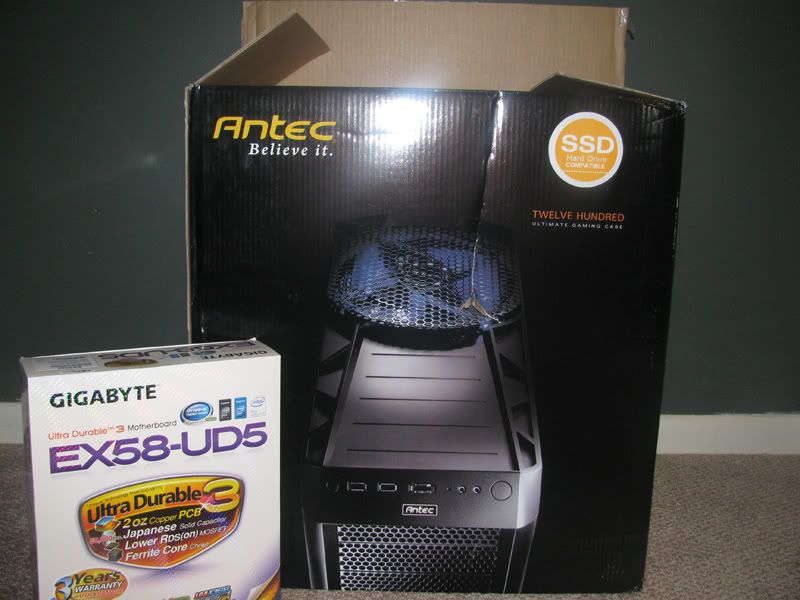
The final bits...
Sony Optiarc Drive (Link)
Intel 80GB SSD Harddrive (Link)
Western Digital 1TB Internal Harddrive (Link)
Antec Twelve Hundred Case (Link)
CORSAIR CMPSU-750TX Power Supply (Link)
Gigabyte ex58-HD5 motherboard (Link)
Intel i7 930 Processor - Quad Core x 2.8ghz (Link)
6GB of Corsair DDR3 RAM (Link)
Ati 5870 Graphics Card (Link)
+
Windows 7 (Link)
A Monitor (range $300 or so) that I haven't picked out yet
New KB+Mouse
New Speakers
All in all it's gonna cost me around $2500, but I know it's gonna feel good to finally have a PC that can let my inner graphics whore out again.
Also, a bit overwhelmed. Never really built my own PC and this stuff looks intimidating. Should be a fun experience. I won't be overclocking or anything, just playing it straight.
I've ordered most of the parts, and some have already arrived.
The final bits...
Sony Optiarc Drive (Link)
Intel 80GB SSD Harddrive (Link)
Western Digital 1TB Internal Harddrive (Link)
Antec Twelve Hundred Case (Link)
CORSAIR CMPSU-750TX Power Supply (Link)
Gigabyte ex58-HD5 motherboard (Link)
Intel i7 930 Processor - Quad Core x 2.8ghz (Link)
6GB of Corsair DDR3 RAM (Link)
Ati 5870 Graphics Card (Link)
+
Windows 7 (Link)
A Monitor (range $300 or so) that I haven't picked out yet
New KB+Mouse
New Speakers
All in all it's gonna cost me around $2500, but I know it's gonna feel good to finally have a PC that can let my inner graphics whore out again.
Also, a bit overwhelmed. Never really built my own PC and this stuff looks intimidating. Should be a fun experience. I won't be overclocking or anything, just playing it straight.
Druz
Member
Up to date? That machine kills. Be careful when putting stuff together and you'll learn a lot. Part to be careful with: processor and motherboard. Everything else you can relax around. I like those antec cases, I have the 902... interesting method for hds and drives.Amir0x said:With the help of some e-friends, they totally helped me gather the parts together to start the process of FINALLY getting a up-to-date PC.
I've ordered most of the parts, and some have already arrived.
The final bits...
Sony Optiarc Drive (Link)
Intel 80GB SSD Harddrive (Link)
Western Digital 1TB Internal Harddrive (Link)
Antec Twelve Hundred Case (Link)
CORSAIR CMPSU-750TX Power Supply (Link)
Gigabyte ex58-HD5 motherboard (Link)
Intel i7 930 Processor - Quad Core x 2.8ghz (Link)
6GB of Corsair DDR3 RAM (Link)
Ati 5870 Graphics Card (Link)
+
Windows 7 (Link)
A Monitor (range $300 or so) that I haven't picked out yet
New KB+Mouse
New Speakers
All in all it's gonna cost me around $2500, but I know it's gonna feel good to finally have a PC that can let my inner graphics whore out again.
Also, a bit overwhelmed. Never really built my own PC and this stuff looks intimidating. Should be a fun experience. I won't be overclocking or anything, just playing it straight.
Btw monitor: can I suggest the XL2370? I've had it for about a month and its amazing. $300 23inch 2ms 1920x1080 monitor with great colors. (Keep in mind its a TN panel, but a good one)
rohlfinator
Member
Got my new SSD yesterday, and I've been running with it for a while now and I'm pretty impressed. The effect is a little more subtle than I had expected, but it's sooo nice not to have to deal with the 2-3 second hard drive "hiccups" any more. My platter HDD even seems to be running a lot smoother now that it's not pulling the OS and games/media off the same disk.
I was a little worried about space, but so far I'm only using 16 out of 60GB with the OS and all my non-game apps installed, so I think I have some pretty good growing room.
Amir0x: Nice, balanced rig, that should serve you really well. :lol at the "SSD compatible" sticker on the case packaging.
I was a little worried about space, but so far I'm only using 16 out of 60GB with the OS and all my non-game apps installed, so I think I have some pretty good growing room.
Amir0x: Nice, balanced rig, that should serve you really well. :lol at the "SSD compatible" sticker on the case packaging.
BravoSuperStar
Member
SSD's are the cat's pajamas. I've gotten so spoiled by my intel 80gb. Hope you got the price drop, Amir0x. =)
Amir0x said:All in all it's gonna cost me around $2500, but I know it's gonna feel good to finally have a PC that can let my inner graphics whore out again.
Also, a bit overwhelmed. Never really built my own PC and this stuff looks intimidating. Should be a fun experience. I won't be overclocking or anything, just playing it straight.
amir0x with a god slaying rig, it seems so immediately right.
my only warning would be this: once raised, standards aren't reversible.
Thanks for the tip. Yeah, I got great help selecting the parts. I was told these things would all work together and fit in this massive case just fine, so I'm prepared :lolDruz said:Up to date? That machine kills. Be careful when putting stuff together and you'll learn a lot. Part to be careful with: processor and motherboard. Everything else you can relax around. I like those antec cases, I have the 902... interesting method for hds and drives.
It's just all so complicated looking though. I am going to piss myself if I break the fragile motherboard :lol
Druz said:Btw monitor: can I suggest the XL2370? I've had it for about a month and its amazing. $300 23inch 2ms 1920x1080 monitor with great colors. (Keep in mind its a TN panel, but a good one)
Sure, I'd love monitor suggestions. I couldn't settle on anything yet but since some of the parts (mainly the graphics card) are gonna take a week or two to arrive, I still have time to think about it. Thanks for the suggestion.
BravoSuperStar
Member
Amir0x said:Sure, I'd love monitor suggestions. I couldn't settle on anything yet but since some of the parts (mainly the graphics card) are gonna take a week or two to arrive, I still have time to think about it. Thanks for the suggestion.
If you want a good, affordable IPS panel I just bought one of these:
http://www.newegg.com/Product/Product.aspx?Item=N82E16824002524
So awesome, color clarity/purity really is above and beyond any TN panel i've used. Viewing angles are superb and I haven't seen any ghosting in games ive tried.
Scalemail Ted
Member
Whats the difference between the :
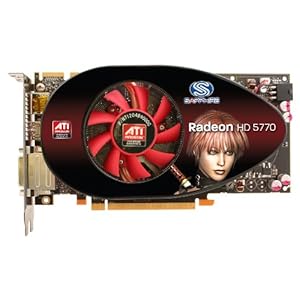
Sapphire Radeon HD 5770 100283-2L
VS.

Sapphire Radeon HD 5770 100283-3L
Sapphire Radeon HD 5770 100283-2L
VS.
Sapphire Radeon HD 5770 100283-3L
J.M.Reyes said:Hi guys, I want to upgrade my main computer (currently using a netbook -_-), I dont live in the U.S./Canada but I will be buying from U.S. based stores.
Budget: $500-$550 ($600 only if its really worth it)
Main Use(s): Web browsing, listening music, light programming, writing papers, gaming
Monitor Resolution: I already have an LG 22" LCD 1680x1050
List SPECIFIC games that you MUST be able to play: World of Warcraft, Source games and older
I dont need an OS since I got a copy of Vista 32, no mouse and kb either.
anyone?
BravoSuperStar
Member
Scalemail Ted said:Whats the difference between the :
Looks like a product refresh with a new heatsink/fan. Basically the same card but the 3l version looks to have a better cooler...
brain_stew
Member
Amir0x said:Thanks for the tip. Yeah, I got great help selecting the parts. I was told these things would all work together and fit in this massive case just fine, so I'm prepared :lol
It's just all so complicated looking though. I am going to piss myself if I break the fragile motherboard :lol
Sure, I'd love monitor suggestions. I couldn't settle on anything yet but since some of the parts (mainly the graphics card) are gonna take a week or two to arrive, I still have time to think about it. Thanks for the suggestion.
There's actually a couple of good rig building guides in the op, well worth reading. Its a lot easier than you think despite being overwhelming at first and motherboards aren't fragile at all, they can take a lot of force and expect to give it jus that when you're fitting the heatsink.

vodka-bull
Member
Got a new PC yesterday and it just feels so great 
Had a 6 year old Windows XP PC, then "upgraded" to a netbook since the PC didn't work anymore, had the netbook since last week as it died too, and finally got a new PC with Win7, 4GB RAM, nvidia GT250 and a X3 2900Mhz processor and it's just awesome how fast this it is.
Let's celebrate the next 6 years!
Had a 6 year old Windows XP PC, then "upgraded" to a netbook since the PC didn't work anymore, had the netbook since last week as it died too, and finally got a new PC with Win7, 4GB RAM, nvidia GT250 and a X3 2900Mhz processor and it's just awesome how fast this it is.
Let's celebrate the next 6 years!
Scalemail Ted
Member
BravoSuperStar said:Looks like a product refresh with a new heatsink/fan. Basically the same card but the 3l version looks to have a better cooler...
Thanks! I'm gonna order my new card tonite!
brain_stew
Member
Q8D3vil said:i need a good physx card to put it along with my gtx 295
psu is 1200W so it's all good
http://www.newegg.com/Product/Product.aspx?Item=N82E16814261059&cm_re=gt_240-_-14-261-059-_-Product
$70 with a free copy of SFIV. That's about as good a PhysX card as you're going to get.
big black woman
Member
Just got a new rig with an intel ssd. How can I make sure it's performing like it should? Hdd benchmarking software?
BravoSuperStar
Member
big black woman said:Just got a new rig with an intel ssd. How can I make sure it's performing like it should? Hdd benchmarking software?
Get crystal diskmark for benching and here is a command you can use to make sure TRIM is enabled (assuming your running it on Win7):
http://forums.legitreviews.com/about23670.html
ToiletofSadness
Member
I have an HP media server that runs Windows Home Server. What would you like to know?derder said:Does anyone here use WHS or Windows Server 2008/2003?
already own street fighter 4brain_stew said:http://www.newegg.com/Product/Product.aspx?Item=N82E16814261059&cm_re=gt_240-_-14-261-059-_-Product
$70 with a free copy of SFIV. That's about as good a PhysX card as you're going to get.
how about getting 9800 gt , will it make a difference ( 30 $ more is not an issue here ) . because am aiming for stable 60 fps in games like batman and hopefully Mafia II ( if it possible )
Do be careful, though. While trying to disconnect a particularly sticky connection from my laptop's motherboard, I managed to entirely rip it off. Fortunately, it was a component that was broken and irreplacable anyways, but I've always been a little more cautious since then.brain_stew said:There's actually a couple of good rig building guides in the op, well worth reading. Its a lot easier than you think despite being overwhelming at first and motherboards aren't fragile at all, they can take a lot of force and expect to give it jus that when you're fitting the heatsink.
brain_stew
Member
Q8D3vil said:already own street fighter 4
how about getting 9800 gt , will it make a difference ( 30 $ more is not an issue here ) . because am aiming for stable 60 fps in games like batman and hopefully Mafia II ( if it possible )
It won't make a difference to performance and it'll suck nearly two times as much power as well as costing more. Not worth it imo. A GT 220 is usually a fast enough PhysX card and this will be literally two times as quick for PhysX, a 9800GT is a much better gaming card but its not really any faster at PhysX.
so i got a couple of questions for you guys since im new to this pc gaming thing.
i got a amd phenom 2 x4 or something black edition 965 and because my budget wasent that high i got a 5770 ati radeon.
now here's my question i got a motherboard that supports crossfire and my idea was to get a new 5770 next month and put it so i have 2 5770 cards, i have 2 reasons for this.
first of all the 5850 was out of my budget for this month and i have no patience
and second of all the 5850 has a waiting period in holland of weeks if not months.
so my question is, will i get the same result from 2 5770 cards as i would get from 1 5850 card.
also with those specs in mind ( phenom 2 x4 black edition and a 5770 and 4gb ram ) can i play crysis and empire total war just cause 2 and dirt 2 on high ..?
i got a amd phenom 2 x4 or something black edition 965 and because my budget wasent that high i got a 5770 ati radeon.
now here's my question i got a motherboard that supports crossfire and my idea was to get a new 5770 next month and put it so i have 2 5770 cards, i have 2 reasons for this.
first of all the 5850 was out of my budget for this month and i have no patience
and second of all the 5850 has a waiting period in holland of weeks if not months.
so my question is, will i get the same result from 2 5770 cards as i would get from 1 5850 card.
also with those specs in mind ( phenom 2 x4 black edition and a 5770 and 4gb ram ) can i play crysis and empire total war just cause 2 and dirt 2 on high ..?

GHG
Member
brain_stew said:It won't make a difference to performance and it'll suck nearly two times as much power as well as costing more. Not worth it imo. A GT 220 is usually a fast enough PhysX card and this will be literally two times as quick for PhysX, a 9800GT is a much better gaming card but its not really any faster at PhysX.
Actually it should be faster. Its got more stream processors and thats pretty much the key thing when it comes to PhysX.
If he goes for the new green (eco or power saving) editions of the 9800GT that don't require a PCI-E power connector they wont take any more power than the GTS 240:
http://www.newegg.com/Product/Product.aspx?Item=N82E16814261046&cm_re=9800gt-_-14-261-046-_-Product
http://www.newegg.com/Product/Product.aspx?Item=N82E16814500142&cm_re=9800gt-_-14-500-142-_-Product
The Zotac would be the better choice if those because of the single slot cooler. Cost a bit more but its up to how much you think its worth.
D
Deleted member 1235
Unconfirmed Member
catfish said:think I'm finalized
My new HTPC. Will be used for playing HD media (blueray player coming later not purchased here) of all descriptions.
Anybody see any glaring issues here? Think everything should be compatible and cheap. the case comes with its own 350watt power supply.
Asrock M3A785GMH128M 785G / SB710 AM3 mATX 1 58.88 58.88
Antec Micro Fusion 350 - EC LP 1 80.22 80.22
AMD Athlon X2 240 2.8Ghz AM3 Box 1 43.39 43.39
WD Caviar Blue 640GB 16MB 7200rpm SATA 1 43.53 43.53
KHX1333C7D3/1GB 1333MHz DDR3 Non-ECC CL7 (7-7-7-20) 2 29.48 58.96
for a total of 339.13

sorry to quote myself guys, but I don't remember from my last build, with the processor I've ordered above, does it come with a stock fan and heatsink or do I need to buy that seperate? From memory my phenom II X4 came with a stock fan and heatsink and I didn't need to buy the goo either as there was some already on it.
This machine is only going to be for media playback so it shouldn't be getting heavily taxed which is why I'll go without purchasing a seperate one.
thanksActually it should be faster. Its got more stream processors and thats pretty much the key thing when it comes to PhysX.
If he goes for the new green (eco or power saving) editions of the 9800GT that don't require a PCI-E power connector they wont take any more power than the GTS 240:
http://www.newegg.com/Product/Produc...-046-_-Product
http://www.newegg.com/Product/Produc...-142-_-Product
The Zotac would be the better choice if those because of the single slot cooler. Cost a bit more but its up to how much you think its worth.
i may go with the second one .
also , one of my friend want to jump in the physx thing
but he have 750w PSU
can he handle i7 stock + gx 295 + 240 gt
thanks
Kabuki Waq
Member
Quick question guys. I already have a 5870 is it worth it to get another one and crossfire? are their any complications with certain games? is there a huge increase in performance?
catfish said:sorry to quote myself guys, but I don't remember from my last build, with the processor I've ordered above, does it come with a stock fan and heatsink or do I need to buy that seperate? From memory my phenom II X4 came with a stock fan and heatsink and I didn't need to buy the goo either as there was some already on it.
That should come with a stock hsf yes.
Kabuki Waq said:Quick question guys. I already have a 5870 is it worth it to get another one and crossfire? are their any complications with certain games? is there a huge increase in performance?
Depends, do you actually need the extra performance? If you do, then the performance increase will be decent in games that have good crossfire support, obviously older games won't support Crossfire as well but you shouldn't need crossfire for older games anyway.
brain_stew
Member
GHG said:Actually it should be faster. Its got more stream processors and thats pretty much the key thing when it comes to PhysX.
If he goes for the new green (eco or power saving) editions of the 9800GT that don't require a PCI-E power connector they wont take any more power than the GTS 240:
http://www.newegg.com/Product/Product.aspx?Item=N82E16814261046&cm_re=9800gt-_-14-261-046-_-Product
http://www.newegg.com/Product/Product.aspx?Item=N82E16814500142&cm_re=9800gt-_-14-500-142-_-Product
The Zotac would be the better choice if those because of the single slot cooler. Cost a bit more but its up to how much you think its worth.
Its not going to effect his framerate in PhysX games is the point and even the Eco version draws a lot more power than a standard GT 240 and they'll be noisier as well. Its just chucking money away for the sake of it imo.
The Omega Man
Member
Scalemail Ted said:Thanks! I'm gonna order my new card tonite!
I just got the same card, upgraded from a 8800 GTS 512, very good card and way faster that the nvidia card it replaced.

longdi
Banned
Amir0x said:With the help of some e-friends, they totally helped me gather the parts together to start the process of FINALLY getting a up-to-date PC.
I've ordered most of the parts, and some have already arrived.
The final bits...
Sony Optiarc Drive (Link)
Intel 80GB SSD Harddrive (Link)
Western Digital 1TB Internal Harddrive (Link)
Antec Twelve Hundred Case (Link)
CORSAIR CMPSU-750TX Power Supply (Link)
Gigabyte ex58-HD5 motherboard (Link)
Intel i7 930 Processor - Quad Core x 2.8ghz (Link)
6GB of Corsair DDR3 RAM (Link)
Ati 5870 Graphics Card (Link)
+
Windows 7 (Link)
A Monitor (range $300 or so) that I haven't picked out yet
New KB+Mouse
New Speakers
All in all it's gonna cost me around $2500, but I know it's gonna feel good to finally have a PC that can let my inner graphics whore out again.
Also, a bit overwhelmed. Never really built my own PC and this stuff looks intimidating. Should be a fun experience. I won't be overclocking or anything, just playing it straight.
wow monster rig!
buy a good heatsink and do a lite overclocking to 3.4ghz, just by changing the bclk. on one hand, you get free performance, and the other, a cooler quieter pc! It is a must for i7 chips, i think intel is forcing our hands by including their crappy and noisy stock heatsink!
get a good ips or spva monitor, forget about the cheaper tn panels.
GPU - $160 ($150 after rebate)J.M.Reyes said:anyone?
http://www.newegg.com/Product/Product.aspx?Item=N82E16814102873
CPU - $160
http://www.newegg.com/Product/Product.aspx?Item=N82E16819103808
Mobo - $95 ($85 after rebate)
http://www.newegg.com/Product/Product.aspx?Item=N82E16813128419
Case - $60
http://www.newegg.com/Product/Product.aspx?Item=N82E16811129042
PSU - $51 ($36 after rebate)
http://www.newegg.com/Product/Product.aspx?Item=N82E16817139008
HDD - $55
http://www.newegg.com/Product/Product.aspx?Item=N82E16822148395
DVD - $25
http://www.newegg.com/Product/Product.aspx?Item=N82E16827118030
--
$621 ($586 after rebate)
If you can't do rebates, the power supply could probably be switched out for something else.
I'm looking to build a new pc, got all the likely components ready to buy, but I'm a pc noob (first build), could anyone take a look at my basket and see if there are any compatibility issues or basically if it'll all fit in that case, etc? Would be greatly appreciated! 
Link to basket: here
Basket print screened in case link fails
Link to basket: here
Basket print screened in case link fails
Calibrated Chaos
Member
So there was a slight flood and water sprayed into the power strip in which my PC was plugged in. It was on at the time. I unplugged everything and turned it all off. Today it's a couple days later and I plugged the PC back into a new power strip. It seems okay? How can I check whether or not stuff is damaged? I ran arkham asylum for a few minutes and it didn't chug, defragged, copied some files. There doesn't seem to be any noticeable problems. What do you guys think?
Edit: Main reason I ask is that I'm looking to use some of these parts (like the power supply) for a new rig to save cash. But I wouldn't want to mess up any of my brand new components.
Edit: Main reason I ask is that I'm looking to use some of these parts (like the power supply) for a new rig to save cash. But I wouldn't want to mess up any of my brand new components.
Launch said:I'm looking to build a new pc, got all the likely components ready to buy, but I'm a pc noob (first build), could anyone take a look at my basket and see if there are any compatibility issues or basically if it'll all fit in that case, etc? Would be greatly appreciated!
Link to basket: here
Basket print screened in case link fails
Looks good to me, though I'm no expert. I think the general consensus is that this is the best sata harddrive at the moment for your money http://www.scan.co.uk/Products/1TB-...3-SATA-3Gb-s-7200rpm-32MB-Cache-89-ms-NCQ-OEM though. Everything is sure to fit in that case, make sure to get somebody else's advice as well though
Firestorm said:GPU - $160 ($150 after rebate)
http://www.newegg.com/Product/Product.aspx?Item=N82E16814102873
CPU - $160
http://www.newegg.com/Product/Product.aspx?Item=N82E16819103808
Mobo - $95 ($85 after rebate)
http://www.newegg.com/Product/Product.aspx?Item=N82E16813128419
Case - $60
http://www.newegg.com/Product/Product.aspx?Item=N82E16811129042
PSU - $51 ($36 after rebate)
http://www.newegg.com/Product/Product.aspx?Item=N82E16817139008
HDD - $55
http://www.newegg.com/Product/Product.aspx?Item=N82E16822148395
DVD - $25
http://www.newegg.com/Product/Product.aspx?Item=N82E16827118030
--
$621 ($586 after rebate)
If you can't do rebates, the power supply could probably be switched out for something else.
Thank you for that, can you recommend some RAM? It was left out from your list.
Sorry for the stupid question, but I am looking to possibly upgrade my GPU, I just want to know is my GTX280 really that outdated? And what would be a good starting card to get (looking towards ATI, as I have read that they have some amazing performance for less money). I am pretty sure that my GTX280 has 512mb of ram.
I was looking at the 5850, just to specify.
I was looking at the 5850, just to specify.
Well that was stupid of me. I guess I'm over $600 again =/J.M.Reyes said:Thank you for that, can you recommend some RAM? It was left out from your list.
RAM - $95
http://www.newegg.com/Product/Product.aspx?Item=N82E16820134792
Might need to step down to this CPU
CPU - $100
http://www.newegg.com/Product/Product.aspx?Item=N82E16819103704
Firestorm said:Well that was stupid of me. I guess I'm over $600 again =/
RAM - $95
http://www.newegg.com/Product/Product.aspx?Item=N82E16820134792
no worries, I can probably get up to $650 if its really worth it and your build seems so, thanks for your help