• Hey Guest. Check out your NeoGAF Wrapped 2025 results here!

"I need a new PC!" 2010 Edition

dr3upmushroom said:
This is possibly an insanely stupid question, but I think I may have figured out why I'm not getting video from my 5670. Both ends of the DVI cable I ordered have a horizontal strip of metal to the right of the pins, and my monitor has a corresponding horizontal hole for it to fit into. The card, however, has two strips in a t-shape with four squares in each of the T's quadrants.

So I'm thinking maybe the DVI cable needs to have those shapes as well, except that seems really confusing to me, since such a cable wouldn't even fit into my monitor and it seems like people would have a really hard time buying cables when there's multiple types of DVI and they need to make sure they get a cable that has a corresponding side for each device they plug it into.

Anyway, I'm probably just going to order a DVI-to-HDMI cable tomorrow anyway, but if anyone has any more advice on this I'd still appreciate hearing it. Again, the motherboard switches off integrated graphics when I plug the card in and the card's fan works when I power the computer on, so there's likely nothing wrong with the card, right?

Yeah it's something else wrong with your setup. Your GPU doesn't have to have the T cross on the DVI cable for it to work. I don't know what you've tried so far but go into your BIOS settings to disable the integrated video and it should automatically boot off the 5670 when it's plugged in.
 
Shambles said:
Yeah it's something else wrong with your setup. Your GPU doesn't have to have the T cross on the DVI cable for it to work. I don't know what you've tried so far but go into your BIOS settings to disable the integrated video and it should automatically boot off the 5670 when it's plugged in.
OK, this is another potentilly extremely stupid question, but I was under the impesssion that most pre-built PCs locked you out of the BIOS. I have an HP desktop, so do I still need to do this? How would I go about it?
 
Kintaro said:
So, does anyone in the thread use their PC for pretty much...everything? Movies (Blu Rays and such), music, gaming, so forth? I am still struggling to find a case with a small footprint, but will allow me to keep up with good video cards (like my GTX260) that tend to be longer than they probably should be. Not to mention be quiet when watching movies.

Anyone currently doing this? PC hooked up to TV for their entire entertainment needs? If so, help me out! =(

I use the HAF 922 mid-tower case. It's big enough that it can fit a 5970 but not super huge. I'm transfering over my 120+ Blu-Ray movies across 3 2TB HDD's and have a separate sound card going into my receiver for digital audio. So it's safe to say I use my PC for everything. I have the video card hooked up to my 27" monitor and to my 50" plasma for movie watching. HAF 922 fits my needs in that regard.

Finding a case that is super quiet with a decent amount of fan cooling is going to be tough. I know that the noise coming from 922 doesn't really bother me at all.
 
BigBlackGamer said:
I use the HAF 922 mid-tower case. It's big enough that it can fit a 5970 but not super huge. I'm transfering over my 120+ Blu-Ray movies across 3 2TB HDD's and have a separate sound card going into my receiver for digital audio. So it's safe to say I use my PC for everything. I have the video card hooked up to my 27" monitor and to my 50" plasma for movie watching. HAF 922 fits my needs in that regard.

Finding a case that is super quiet with a decent amount of fan cooling is going to be tough. I know that the noise coming from 922 doesn't really bother me at all.

I just bought the HAF 922 and I have to say it might be my favorite PC hardware purchase ever. I LOVE it.

EDIT: just read the post you quoted and it most certainly does not have a small footprint. it's really big.
 
dr3upmushroom said:
OK, this is another potentilly extremely stupid question, but I was under the impesssion that most pre-built PCs locked you out of the BIOS. I have an HP desktop, so do I still need to do this? How would I go about it?
When it first boots up, there's usually a logo screen and in the corner, it sometimes displays the key you need to hit to enter setup or config, it might be F2 or DEL or something else, just keep an eye out for it.

After that, just look for a setting for video that disables your integrated. There's always a setting for this on mobos with built in GPU's.
 
gregor7777 said:
I just bought the HAF 922 and I have to say it might be my favorite PC hardware purchase ever. I LOVE it.

EDIT: just read the post you quoted and it most certainly does not have a small footprint. it's really big.

I've been looking at it for a long time and the case has shrunk in size. now that I think about it the first day I got my 922 I did say "fuck this is big". :lol

still a great case though.
 
BigBlackGamer said:
I've been looking at it for a long time and the case has shrunk in size. now that I think about it the first day I got my 922 I did say "fuck this is big". :lol

still a great case though.

It may look smaller next to some full towers, but you'd be hard pressed to find a bigger mid tower.

It's nice and quiet too.
 
Kintaro said:
So, does anyone in the thread use their PC for pretty much...everything? Movies (Blu Rays and such), music, gaming, so forth? I am still struggling to find a case with a small footprint, but will allow me to keep up with good video cards (like my GTX260) that tend to be longer than they probably should be. Not to mention be quiet when watching movies.

Anyone currently doing this? PC hooked up to TV for their entire entertainment needs? If so, help me out! =(
A GTX 260 isn't ideal for quiet HTPC usage, not to mention you're using two to three times more wattage than you need. If quiet and compact really are your priorities, you might want a second unit dedicated to HTPC duties (SFF HTPC, laptop with 1080P playback over HDMI, PS3 slim).
 
TouchMyBox said:
I believe so, it's just a couple of wires, afterall. What cards are you running? Because Sideport is actually disabled on newer cards (at least, this is what I've read) because the extra bandwidth doesn't actually improve performance at all, and the PCI-E 2.0 bus is fast enough.

I'm using 4830's. Are you saying I don't need the Crossfire bridge?

EDIT: can't find anything that says I don't need them
 
dr3upmushroom said:
OK, this is another potentilly extremely stupid question, but I was under the impesssion that most pre-built PCs locked you out of the BIOS. I have an HP desktop, so do I still need to do this? How would I go about it?

You're thinking of overclocking, most OEM machines do not allow you to OC.
 
gregor7777 said:
Do you plan on overclocking? That CPU fan might not be the best choice. You'll have plenty of airflow in that case, however, so it might not be a huge issue.
I do plan on overclocking, but I don't think I'll be doing it for a while, so I think a $10 is fine for the moment.
 
gregor7777 said:
I'm using 4830's. Are you saying I don't need the Crossfire bridge?

EDIT: can't find anything that says I don't need them

Sideport is supported by the 4xxx series, but was initially disabled via the drivers. ATI said they might enable it later via a driver update, not sure if that ever happened though.

Can't hurt to have the bridges on or off either way.
 
TouchMyBox said:
Sideport is supported by the 4xxx series, but was initially disabled via the drivers. ATI said they might enable it later via a driver update, not sure if that ever happened though.

Can't hurt to have the bridges on or off either way.

Hmmm, yeah. I'll have to buy one then. I can't seem to find the one I thought I had.
 
MoFuzz said:
When it first boots up, there's usually a logo screen and in the corner, it sometimes displays the key you need to hit to enter setup or config, it might be F2 or DEL or something else, just keep an eye out for it.

After that, just look for a setting for video that disables your integrated. There's always a setting for this on mobos with built in GPU's.
Alright, I feel like I'm getting close here. The only option I see that has to do with graphics is "Onboard Video Adapter." The two options for this setting are "onboard" and "PCI." I assume this is what I'm looking for, but strangely it was already set to PCI, and that's what it's set at right now as I use my computer with the integrated graphics.

This is super frustrating, I feel like there's some extremely easy step somewhere I'm missing.

Alright, it looks like I can disable the integrated chipset though Devices Manager, but I'm not sure exactly what will happen when I do and I'm afraid I won't be able to get it back on again if I still can't get the card to work. Would there be a way to restore the integrated graphics if I do it within Windows and not in the BIOS?
 
gregor7777 said:
I just bought the HAF 922 and I have to say it might be my favorite PC hardware purchase ever. I LOVE it.

EDIT: just read the post you quoted and it most certainly does not have a small footprint. it's really big.

You know, I just saw this case at my local store. It IS nice. Similar in size to my Antec though, but I love the side loading hard drive trays which helped with cable clutter inside of the case (big problem of mine).

I think I'm going to get over the case thing and look for better ways to incorporate it into my home theater as is rather than spending a ton to try and shoehorn the PC into it.

Now I just need to look for a good BR drive and blu ray playback program. Perhaps a much bigger HDD for media and a super fast one for games.
 
Billychu said:
I'm sure no one minds if I just jump in here? I'm trying to build a PC to run Team Fortress 2 and Starcraft 2 at high settings, but not go over $1400 USD. Here's my current wishlist on Newegg:

Case
Mobo
CPU
RAM
PSU
CPU Fan
Storage and Backup
Disk Drive
http://www.newegg.com/Product/Product.aspx?Item=N82E16819115215
http://www.newegg.com/Product/Product.aspx?Item=N82E16813128412
http://www.newegg.com/Product/Product.aspx?Item=N82E16822152185
http://www.newegg.com/Product/Product.aspx?Item=N82E16835103057
No point in getting a 860 if you won't use the extra threads imo.
Also you don't really need a $230 motherboard.
Or a Antec 1200, a 900 is more than enough. You can also look at my case list a few posts up.

That's at least $250 saved right there.
GPU is up to you but a 5850 is nice. I'd get XFX.
http://www.newegg.com/Product/Product.aspx?Item=N82E16814150477
You'd only really need a 5770 to run SC II and TF2 on High if you are ok with FPS dips when you have 300 units or 300 demo nades on screen (although this might be more limited by CPU) I am not sure. SC II didn't take advantage of more cores in the BETA so we will see how optimized it is later.
dr3upmushroom said:
Alright, I feel like I'm getting close here. The only option I see that has to do with graphics is "Onboard Video Adapter." The two options for this setting are "onboard" and "PCI." I assume this is what I'm looking for, but strangely it was already set to PCI, and that's what it's set at right now as I use my computer with the integrated graphics.

This is super frustrating, I feel like there's some extremely easy step somewhere I'm missing.

Alright, it looks like I can disable the integrated chipset though Devices Manager, but I'm not sure exactly what will happen when I do and I'm afraid I won't be able to get it back on again if I still can't get the card to work. Would there be a way to restore the integrated graphics if I do it within Windows and not in the BIOS?
Just swap over the connection from onboard to GPU and vice versa? You can also reset the BIOS so it goes back to default via button or jumper.
 
gregor7777 said:
WHat are people using to monitor CPU/GPU temps these days?
I'm actually using sidebar gadgets for nvidia GPU and intel CPU monitoring. Have temps, clock speed, memory use, % load etc always there if needed.
 
Need opinion.

I have a micro ATX PC at the moment but want to go to something more substantial.

I have an Antec P180 mini, so styling is important to me. But it is always a trade off between Design and air flow. I LOVE the features of the Coolermaster HAF X, the looks.... not so much.

Cooler-Master_HAF-X_Computer_Case.jpg


Does any one know of a similar high air flow case that doesn't look like a prop from Aliens?
What I need is a Case with big fans so i can slow down the rotation, I like a quiet PC as mush as a pretty one. A 200mm in the front and on top are required, also a 140mm exhaust would be great (these are always the loudest fans on a PC). I am not a huge believer in side fans but I will not prejudice against them. MUST FIT A 5870.

Also does anyone know of a quiet 120mm fan?

Thanks GAFers.
 
Anyone using one of the 10k RPM hard drives as their main drive for Windows/Gaming? How is the performance? Pretty good? Thinking of stepping up to one of these since SSDs are just way out of my price range.
 
Kintaro said:
Anyone using one of the 10k RPM hard drives as their main drive for Windows/Gaming? How is the performance? Pretty good? Thinking of stepping up to one of these since SSDs are just way out of my price range.
1TB HDD's are faster in most applications now due to their insane platter density.
SSD's are becoming much cheaper however, you might want to look into this article.

http://www.anandtech.com/show/3756/2010-value-ssd-100-roundup-kingston-and-ocz-take-on-intel
 
Kintaro said:
So, does anyone in the thread use their PC for pretty much...everything? Movies (Blu Rays and such), music, gaming, so forth? I am still struggling to find a case with a small footprint, but will allow me to keep up with good video cards (like my GTX260) that tend to be longer than they probably should be. Not to mention be quiet when watching movies.

Anyone currently doing this? PC hooked up to TV for their entire entertainment needs? If so, help me out! =(

Mine is an HTPC but the case/noise solution for me was to simply buy a nice computer desk for the bedroom and run the HDMI through the wall to the living room TV/Reciever. I don't hear or see my PC when I'm in the living room. That might be a hassle for you if you use the PC for everything but, I have a PS3, X360, and DishHD.

You could get a cheap entertainment center or TV stand that has a place for you to hide the PC to help with noise.
 
I admit that I am not a PC gamer at all and if I spent the money I would create the ultimate emulation machine and buy all the console to PC ports on the PC. I have played Batman in 3D on max on my friends new rig and it was fucking crazy. The characters look like action figures popping out of the screen. WOW!!!. Not going to lie, I kinda want one now but have no room in my apartment for something that awesome unless I get a 3D TV. Damn PC's are fucking cool.
 
My current specs:
Intel C2D E8400 3GHz
ATI HD4850 512MB
6GB DDR2

Is there anything here that needs to be upgraded to keep my computer up to date?

Edit: The computer is used for gaming and video editing.
 
azentium said:
My current specs:
Intel C2D E8400 3GHz
ATI HD4850 512MB
6GB DDR2

Is there anything here that needs to be upgraded to keep my computer up to date?

Edit: The computer is used for gaming and video editing.


Quad core. Get a Q9550 off of ebay.
 
Where is the best place to get a reasonably priced gaming PC? I use to build them, but I no longer have the patience for it. I tried ibuypower.com last time and was very unsatisfied with the service (they shipped me a broken computer, and it took me 6 months to get it to work.)
 
R2D4 said:
Quad core. Get a Q9550 off of ebay.

Meh, even spenindg 150$ for a used Q9550 isn't really worth it now. Just OC your 8400 for now, and do a proper upgrade in 12 months or whenever you get sick of it. For gaming the 8400 will do you better, for video editing the C2Q is stronger. You still have a hell of a CPU once you clock that baby up to what it can do.
 
Alright, this is the last time I'll bug you guys. I figured out how to disable the integrated graphics, on HP computers for some reason they don't have that option in the bootup menu and you have to go computer-system properties-device manager and the option is in there. Unfortunately, the card still doesn't send video even with the integrated graphics disabled. As a last ditch effort, I'm going to uninstall all of the drivers for the integrated graphics as well, although to me it seems like just disabling it should be enough.

Just thought I'd ask one more time if anyone has any experience with HP computers. It seems like there's different direction for different models. I have a a6157c and Google isn't helping me find anything about it, so I'm guessing I'm going have to bite a bullet and call customer service, but I figured it was worth one last shot if anyone who reads this has experienced anything like this.
 
Hello all. AusGAF pointed me in this direction on what upgrades I should be looking into. I haven't been gaming on the PC in a long time, but thought I'd jump in with the Steam sale. My specs are:
- CPU - Intel(R) Core(TM)2 Quad CPU Q8400 @ 2.66GHz
- RAM - 4 GB (3.5 GB usable) DDR PC2-6400
- OS - Windows 7 Home Premium Edition (build 7600), 32-bit
- Video Card - Intel(R) 4 Series Express Chipset Family
- Sound Card - Realtek High Definition Audio
- Monitor - AOC LCD 223Vw 22", 1680x1050 resolution
- Motherboard - ASUSTeK P5G41-M LX (LGA775)

Do I only need to upgrade my video card? I was recommended an ATi Radeon 5850. I was told the XFX one was pretty good too. I'm looking to spend about $600 AU at the most. Anyone have suggestions on the video card or anything else that needs upgrading? I don't need to max everything. I just want to run games at a decent setting for games I don't get on a console (PS3). I'll probably look at overclocking in the future once I have everything else organised. Any help would be awesome.
 
TheFury said:
Hello all. AusGAF pointed me in this direction on what upgrades I should be looking into. I haven't been gaming on the PC in a long time, but thought I'd jump in with the Steam sale. My specs are:
- CPU - Intel(R) Core(TM)2 Quad CPU Q8400 @ 2.66GHz
- RAM - 4 GB (3.5 GB usable) DDR PC2-6400
- OS - Windows 7 Home Premium Edition (build 7600), 32-bit
- Video Card - Intel(R) 4 Series Express Chipset Family
- Sound Card - Realtek High Definition Audio
- Monitor - AOC LCD 223Vw 22", 1680x1050 resolution
- Motherboard - ASUSTeK P5G41-M LX (LGA775)

Do I only need to upgrade my video card? I was recommended an ATi Radeon 5850. I was told the XFX one was pretty good too. I'm looking to spend about $600 AU at the most. Anyone have suggestions on the video card or anything else that needs upgrading? I don't need to max everything. I just want to run games at a decent setting for games I don't get on a console (PS3). I'll probably look at overclocking in the future once I have everything else organised. Any help would be awesome.


The 5770 would probably even work for you. Unless you are planning to upgrade your monitor, it will be able to play almost every game on high settings. I personally would still get the 5850 if you have the budget to though (I'm not sure how much $600 AU is?). It would be more future proof, and run things even better.
 
AkIRA_22 said:
Need opinion.

I have a micro ATX PC at the moment but want to go to something more substantial.

I have an Antec P180 mini, so styling is important to me. But it is always a trade off between Design and air flow. I LOVE the features of the Coolermaster HAF X, the looks.... not so much.

Cooler-Master_HAF-X_Computer_Case.jpg


Does any one know of a similar high air flow case that doesn't look like a prop from Aliens?
What I need is a Case with big fans so i can slow down the rotation, I like a quiet PC as mush as a pretty one. A 200mm in the front and on top are required, also a 140mm exhaust would be great (these are always the loudest fans on a PC). I am not a huge believer in side fans but I will not prejudice against them. MUST FIT A 5870.

Also does anyone know of a quiet 120mm fan?

Thanks GAFers.

I will be doing a build with this case at the end of the July when it comes into the country
http://www.lian-li.com/v2/en/product/product06.php?pr_index=526&cl_index=1&sc_index=25&ss_index=62
I like it's simple looks
- 2 120mm fans at the front with dust covers (may have to swap them for better silenced fans by Noctua or scythe)
- Side loading HDD cage with rubber mounting
- no side grill or vents for dust to get, in so air flow is purely front to back (will be more of a positive air pressure flow I think, so dust control will be better)
- top ports and power buttons if you leaves you case on the floor (plus usb 3.0)
- and it has a hole for a 140mm fan if you want one.

I haven't been able to find any reviews on it yet because it is not readily available on most sites, but find out who supplies Lian Li in your country and flick them an email asking if they can bring them in.

I currently have a Lian Li case and love how it is all metal, simple looks, and barely any dust build up.
 
BrassMonkey1010 said:
The 5770 would probably even work for you. Unless you are planning to upgrade your monitor, it will be able to play almost every game on high settings. I personally would still get the 5850 if you have the budget to though (I'm not sure how much $600 AU is?). It would be more future proof, and run things even better.
I was told I could get a 5770, but I'm definitely leaning towards the 5850 so it'll last me longer. I'm undecided on whether I'll upgrade my monitor. If it falls within my price range and the graphics card is able to run at decent settings I'll look into it. Although, I'm not sure if it's worth it or not. $600 AU is $526 US at the moment. Assuming that's where you live. The 5850's cost about $400 here ($350 US). Thanks for the help.
 
I orderd a 1TB Caviar green 64mb cache HDD. How much difference is there in performance for games and other stuff compared to the faster HDD?
 
So I've been thinking about replacing my old awesome samsung 700nf crt.

Is the option of fixed pixel (setting the res lower than native spec without blurring out the image. Tradeoff is picture doesn't fill the whole display) is standard on all LCD monitors?

I'm thinking about 1080p panels with HDMI. Is it worth it or should I just get lower res with DVI input? (thinking about putting my PS3 & 360 on the monitor too for more up close experience)
 
Rate this build guys, thinking of upgrading to it from my aging but still fast but having trouble with games at native res (1440x900) E4300/4670 his radeon/250GB WD HD/2GB DDR2/Win XP home( :lol )/19" WS Acer LCD


Plan is to boot Win 7 Ultimate x64 from the Intel 40GB X25 and planning to OC the i3 to at least 3.6GHz (After breaking it in a lil bit)


LITE-ON 24X DVD Writer Black SATA Model iHAS424-98 LightScribe Support

Rosewill DESTROYER Black Gaming ATX Mid Tower (buying this over the Antec 300, very similar cases for half the price)

SAMSUNG Spinpoint F3 HD103SJ 1TB 7200 RPM 32MB Cache SATA 3.0Gb/s (buying it over the Caviar black that has 500GB only for the same price)

HIS IceQ 5 Radeon HD 5770 Turbo 1GB 128-bit GDDR5 PCI Express 2.1 x16 w/ Eyefinity (wanted to have Eyefinity at least, took it over the MSI hawk 5770)

COOLER MASTER Silent Pro 600 RS-600-AMBA-D3 600W ATX12V V2.3 SLI Certified CrossFire Ready 80 PLUS Certified Modular Active PFC Power Supply

G.SKILL ECO Series 4GB (2 x 2GB) 240-Pin DDR3 SDRAM DDR3 1600 (PC3 12800) Desktop Memory Model F3-12800CL7D-4GBECO

GIGABYTE GA-P55-USB3 LGA 1156 Intel P55 USB 3.0 ATX Intel Motherboard

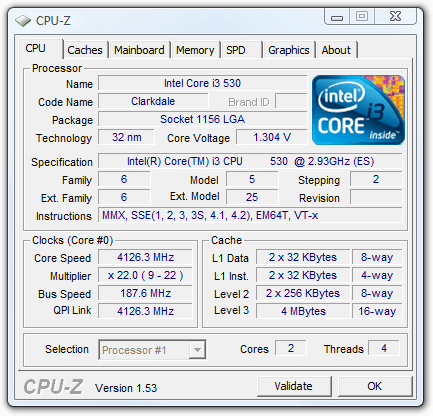
Intel Core i3-530 Clarkdale 2.93GHz 4MB L3 Cache LGA 1156 73W Dual-Core Desktop Processor BX80616I3530


Intel X25-V SSDSA2MP040G2R5 2.5" 40GB SATA II MLC Internal Solid State Drive (SSD)


ASUS VW246H Glossy Black 24" 2ms(GTG) HDMI Widescreen LCD Monitor 300 cd/m2 ASCR 20000:1 (1000:1) Built-in Speakers
Special savings w/ Bracket combo, ends 6/30


Grand Total: $1,072.03 shipped


Also I am buying a COOLER MASTER Hyper 212 but off Amazon since newegg is charging $50 for + shipping, I have prime and it's being sold for $29.99 over at Ama..


Any critique on this build? Switch some hardware for other recommendations? Does it look to to you Jebuses? :D This should destroy the shit out of my old PC right? I have never used the i3/5/7 line yet :lol


Oh and yes gaming would be the primary use for this, hence the i3 and the planned OC. Really fast DC cpu.


I wonder what my experience would be like with BFBC2 and TFC2 with this thing ..
 
an SSD, really? Seems like way overkill for a mid range setup like that. My money is that you will like your pc a lot more if you spent that money on upgrading the cpu/gpu.
 
Pikelet said:
an SSD, really? Seems like way overkill for a mid range setup like that. My money is that you will like your pc a lot more if you spent that money on upgrading the cpu/gpu.


The best ssd (not counting the size) @ $100 expensive for the benefits? c'mon lol..


It's just to have the OS boot up/installed on it and apps.

What would I upgrade the proc to or gpu for budget gaming that would yield a huge difference brought on by the SDD? Nothing unless I dropped the sdd and paid the difference for a better gpu but I don't think that it would outweight the benefits gained by the SSD holding Win7 and big apps and hell even some games. :lol

I thought of getting a i7 860 but since it's gaming I mainly want to do the dual core i3 should be a better choice at a much cheaper price.


Besides I can take that i3 and use it for a htpc later on.

Look at that monster

http://www.tomshardware.com/reviews/core-i3-gaming,2588.html

overclock_02.png
 
Hi guys, well been putting this off for about 6 months now but its officially time to get a new rig...

Ok so I have a list of recommended parts from my IT repair guy, they are as followed:

Case (Coolermaster Sileo) - http://www.ebuyer.com/product/167439

Mother Board (Gigabyte) - http://www.ebuyer.com/product/189288

CPU (Intel i5 750) - http://www.ebuyer.com/product/172755

Memory (Corsair 4GB 1600MHz) - http://www.ebuyer.com/product/173122

Graphics Card (Point of View GTX260) - http://www.ebuyer.com/product/200911

Hard Drive (Samsung EcoGreen 1TB) - http://www.ebuyer.com/product/164282

Optical Drive (LiteOn) - http://www.ebuyer.com/product/176026


Since receiving this list I have been doing a lot of price checking on numerous sites and in the process have come across possible alternatives.

For example the Coolermaster CM690 looks great - http://www.ebuyer.com/product/191197

For the Graphics cards I am totally lost, so many different versions out there I feel like im drowning. However going by a general popularity vote the Radeon HD 5850 seems preferable.

I may upgrade the hard drive to this, seems exactly the same just larger and only costs a small amount more - http://www.ebuyer.com/product/166989

I am actually fine with the CPU and RAM, the optical drive also seems fine.

However the motherboard is a mystery, I don't even know if it would still be compatible with the CM690 case, id be taking a gamble.

Its been over 5 years since I last did anything with my current rig so as you can imagine im well out of whack with the current state of hardware on the market.

I need a computer that can handle a lot of heavy video editing tasks as well as being totally acceptable for gaming on, just for stuff like TF2 on max and such.

Im really hoping to get my parts ordered soon before I go away so any help would be greatly appreciated. Ideally id like some opinions on the parts suggested above as well as some much needed guidance! Thanks guys.
 
gregor7777 said:
Awesome post, thanks!

Yeah, after seeing the HAF case in person I think I have to go with it. I want to make sure I never have to deal with airflow and cable management again. It looks like the winner. Those fans are freaking huge and it's very roomy for a mid-tower.
Good choice. I nearly opted for the 922 myself when I went to purchase my case.


slamskank said:
I ran out of room for hard drives in my p182 so I picked up a Fractal Define R2. Looks pretty much the same, but has 8 3.5" bays which I actually need now. I'll post pics when I get it next week.
Please do. I'd be very interested in hearing your take on the R2's build quality, sound deadening, features and so in comparison to the Antec. Also, I wonder if the bitumen used in that case gives of a noticeable scent.

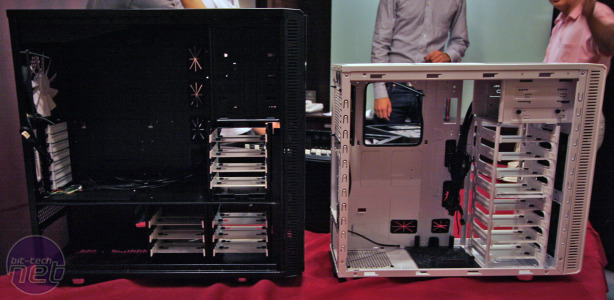
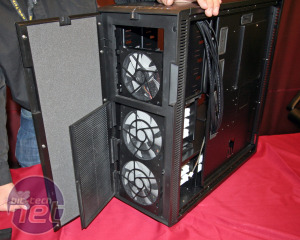
Fractal also has the Define R3 and Define XL cases coming out.

fractal-design-xl-4ws.jpg


fractal-design-xl-3s.jpg
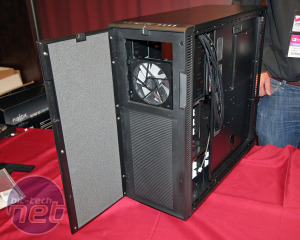
fractal-design-xl-2s.jpg
fractal-design-xl-1s.jpg
 
Top Bottom