• Hey Guest. Check out your NeoGAF Wrapped 2025 results here!

"I need a new PC!" 2010 Edition

Anyone have a link to the old thread where people recommended 10 programs to install on any new computer?

I can't seem to find it using the search function


I have windows 7 64-bit, I want to make use of it :D
 
Just got everything together and about to start building -

Parts from MSY/UMart Australia -

Asus P7P55D-E-Pro 4DDR3 FSB2133(OC)RAID GBLAN PCIEx16 SATA3
Intel Core i5 760 Processor LGA1156 2.80GHz 8MB Cache CPU
G Skill Trident 4GB (2 x 2GB) DDR3-1600 Dual Channel
Sapphire ATI HD5770 Vapor-X OC Ed 1G GDDR5 PCI-E
Samsung 1TB HDDSS006-ST SATA HDD
LG H22NS50 SATA 22X+- Super Multi DVDR Black
Fractal Design Define R2 Case Black
Asus P-55GA 500W PSU
Microsoft Windows 7 Home Premium 32bit OEM
Logitec G110 Gaming Keyboard

TOTAL : $1352

$50 over my budget but I really like the Fractal Design case so bumped it just a little bit -

2hwobol.jpg


Nice.

I have a Logitech G9x Mouse and needed to step up from my 5 year old wireless keyboard so added the G110 in too.

Also, I can't move up to Win7 64 as Yamaha doesn't support that O/S for firewire mixing desks(mLan) so looks like I'm stuck with that for now.

Time to migrate data from my Toshiba A200, fingers crossed all goes well :lol

 
Lads!

I got my ram sent to me now. And my GPUs are RMA'd and I'm just waiting for the new ones.
I'd like to prepare myself for the ram install.

I remember when checking BIOS a week or so ago there were a TON of memorysettings so I'm here to ask which settings to change when I install the new ram.

The only things I know about the corsair ram is that theyre 8500, 1066mhz, 5-5-5-15

Any idea what I'll have to change? Or is it complicated enough that I should wait until my pc is bootable until I ask this again ?XD

edit : oh and the voltage is 2.1
 
So, day two with new built computer and having a problem. For some reason after a little over 4 hours of uptime the computer decided to randomly shut itself off and then start back up again. And then it did it again in about the same time another ~4 hours later. Anyone have any idea what might be causing this?

A friend suggested I test for heat issues so I loaded up Prime95 to run a torture test and the computer never shut down after hitting max temps of around 70-74C. Not sure what might be the problem, whether its power/motherboard/cpu/memory/etc!

edit: just would like to note that when the computer did shut off I wasn't really doing anything intensive. The first time nothing was running except for probably steam (no games running though). The second time I only had firefox open
 
Mairu said:

This was exactly the same symptoms I had, and my problems were faulty ram and/or faulty GPUs

Not sure if its the same in your case but I suggest you run OCCT gpu test and see if theres anything wrong with the gpu.

It also has a PSU test if you believe that could be the prob
 
Mairu said:
So, day two with new built computer and having a problem. For some reason after a little over 4 hours of uptime the computer decided to randomly shut itself off and then start back up again. And then it did it again in about the same time another ~4 hours later. Anyone have any idea what might be causing this?

A friend suggested I test for heat issues so I loaded up Prime95 to run a torture test and the computer never shut down after hitting max temps of around 70-74C. Not sure what might be the problem, whether its power/motherboard/cpu/memory/etc!

edit: just would like to note that when the computer did shut off I wasn't really doing anything intensive. The first time nothing was running except for probably steam (no games running though). The second time I only had firefox open

You don't have windows update set to restart after an automatic update right?
 
rac said:
Is the AMD Phenom II X6 compatible with this http://www.microcenter.com/single_product_results.phtml?product_id=0315397 or should I stick with a x4?
AM3 is the socket type it supports so it will run on any AM3 cpu since the socket mounts are the same. So yes its fine.
Corky said:
I got my ram sent to me now. And my GPUs are RMA'd and I'm just waiting for the new ones.
I'd like to prepare myself for the ram install.

edit : oh and the voltage is 2.1
Just set the timings and speed to what the stickers on the RAM say.
Mairu said:
So, day two with new built computer and having a problem. For some reason after a little over 4 hours of uptime the computer decided to randomly shut itself off and then start back up again. And then it did it again in about the same time another ~4 hours later. Anyone have any idea what might be causing this?

A friend suggested I test for heat issues so I loaded up Prime95 to run a torture test and the computer never shut down after hitting max temps of around 70-74C. Not sure what might be the problem, whether its power/motherboard/cpu/memory/etc!

edit: just would like to note that when the computer did shut off I wasn't really doing anything intensive. The first time nothing was running except for probably steam (no games running though). The second time I only had firefox open
Turning off? Sounds like a PSU issue, might be mobo.

I'd triple check all your connections physically.

It's not BSOD or erroring?
 
Hazaro said:
Just set the timings and speed to what the stickers on the RAM say.
?

So all the other settings? Just have them on auto? I need to adjust the timings for both DIMM slots right?
 
PjotrStroganov said:
You don't have windows update set to restart after an automatic update right?
No update is set to notify but not download/install anything without me telling it to

Hazaro said:
Turning off? Sounds like a PSU issue, might be mobo.

I'd triple check all your connections physically.

It's not BSOD or erroring?
I'm running another test right now but after that I'll open it up and see if anything is loose (although I don't understand why if this was the case it wouldn't happen sooner than 4-5 hours)

No BSOD/errors but after this I just turned off the automatic restart after system failure in the Systems settings so I'm not sure if this is not the case. There were no messages in the Event Log about errors before the computer shut down, just notifications when I started it up that the system had unexpectedly shut down.
 
Corky said:
So all the other settings? Just have them on auto? I need to adjust the timings for both DIMM slots right?
RAM speed, RAM timings, voltage, and ratio are all your really need to set.
Mairu said:
No update is set to notify but not download/install anything without me telling it to

I'm running another test right now but after that I'll open it up and see if anything is loose (although I don't understand why if this was the case it wouldn't happen sooner than 4-5 hours)

No BSOD/errors but after this I just turned off the automatic restart after system failure in the Systems settings so I'm not sure if this is not the case. There were no messages in the Event Log about errors before the computer shut down, just notifications when I started it up that the system had unexpectedly shut down.
Well it's best to eliminate simple problems easily before you start delving into hardware faults, poking around you might find something, who knows.

Rebooting and checking your wires solves like 95% of all computer problems for real :lol

As for other tests all of them would imply a hardware fault (memtest, occt, prime, furmark, etc.)
If you did load your GPU (furmark) and ran a CPU load at the same time I'd imagine that would greatly load your PSU enough to test, temps might get a bit hot though.

It's possible your PSU just might be no good, what is it again?
 
Hazaro said:
RAM speed, RAM timings, voltage, and ratio are all your really need to set.
?

Oh, oki, I've heard of ram speed,timing and voltage but what is the ratio?
 
Hazaro said:
RAM speed, RAM timings, voltage, and ratio are all your really need to set.

Well it's best to eliminate simple problems easily before you start delving into hardware faults, poking around you might find something, who knows.

Rebooting and checking your wires solves like 95% of all computer problems for real :lol

As for other tests all of them would imply a hardware fault (memtest, occt, prime, furmark, etc.)
If you did load your GPU (furmark) and ran a CPU load at the same time I'd imagine that would greatly load your PSU enough to test, temps might get a bit hot though.

It's possible your PSU just might be no good, what is it again?
Corsair CMPSU-750TX 750-Watt TX Series 80 Plus Certified Power Supply compatible with Intel Core i7 and Core i5
 
I'm going to buy a mobo this week. I'm looking for one that can do 16x/16x crossfire but I don't want to pay for a Evga classified nor a Asus rampage 3 extreme. Is there a cheaper mobo that can do this and that also has good overclocking features (i7 socket)?
 
Corky said:
Oh, oki, I've heard of ram speed,timing and voltage but what is the ratio?
Ratio to bus speed (or BLCK on newer systems). I know on core2duos people said to set it 1:1 since it played a bit better, but it probably makes little difference.

Especially when CPUs today aren't really linked and running your 1600 DDR3 at 1:1 at 133 doesn't make sense, so you run it at 1:10 or 1:8. It's essentially the same thing as setting the speed.
Mairu said:
Corsair CMPSU-750TX 750-Watt TX Series 80 Plus Certified Power Supply compatible with Intel Core i7 and Core i5
Should be fine, lemons are rare with Corsair.
Dizzy-4U said:
I'm going to buy a mobo this week. I'm looking for one that can do 16x/16x crossfire but I don't want to pay for a Evga classified nor a Asus rampage 3 extreme. Is there a cheaper mobo that can do this and that also has good overclocking features (i7 socket)?
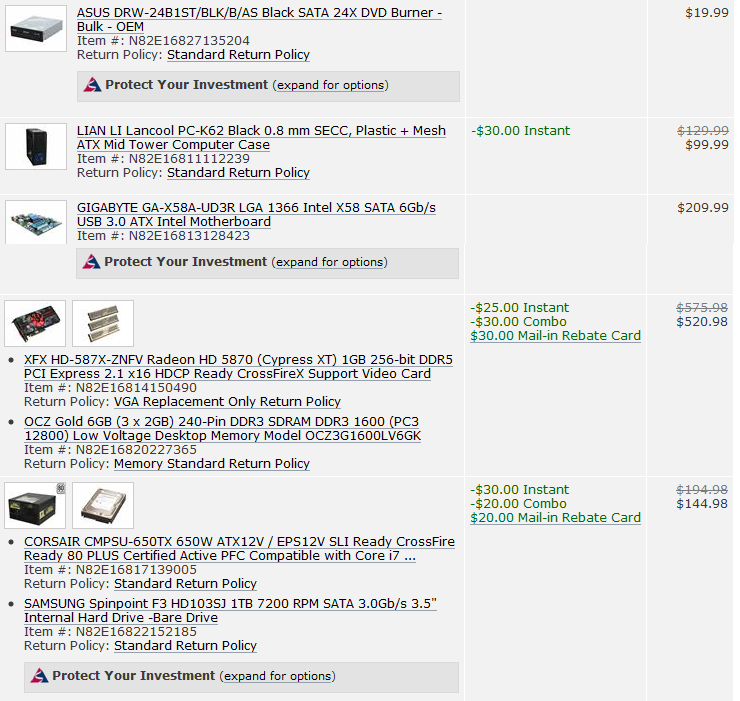
http://www.newegg.com/Product/Product.aspx?Item=N82E16813128423
or
http://www.newegg.com/Product/Product.aspx?Item=N82E16813131641
 
Hazaro said:
Ratio to bus speed (or BLCK on newer systems). I know on core2duos people said to set it 1:1 since it played a bit better, but it probably makes little difference.

Especially when CPUs today aren't really linked and running your 1600 DDR3 at 1:1 at 133 doesn't make sense, so you run it at 1:10 or 1:8. It's essentially the same thing as setting the speed.

thanks man, so I should set it at 1:10 ? <3
 
JSnake said:
DDR3 OCZ RAM and Gigabyte mobos do not play nice with each other
Is there any truth to this comment??

Also, if there's anything that I can be improved upon in the build I posted on the last page please let me know. I want more opinions. :D
 
Okay, so I finished running the first OCCT test (no errors) and turned off my computer to take a look inside. I couldn't find anything that seemed loose or unplugged or anything, everything seemed fine on the motherboard. Gonna go to sleep soon I think and just leave the computer on and see if anything shows up later when I wake up. Thanks for the help, hopefully I'll figure this out soon.
 
Weenerz said:
Got a great new job, and so I am in the process of spoiling myself very soon.

Intel Core i7-980XEE
ASUS Rampage III Extreme
EVGA GTX480 Two of these
Crucial Ballistix Tracer 12gb
Silverstone ST1500
Plextor 12X BR-R
OCZ Agility 2
Western Digital WD20EVDS
COOLER MASTER HAF 932

One thing that concerns me is will I need water cooling if I run two GTX480s? I plan on decking the case out with plenty of fans but will that be enough? I do not plan on overclocking the GPUs or the CPU.

Jesus that's nuts.

I think it's crazy getting a high end CPU like that and not even wanting to OC it though. I bet it can reach 4GHz fairly easily.
 
Hazaro said:
AM3 is the socket type it supports so it will run on any AM3 cpu since the socket mounts are the same. So yes its fine.
Thanks for the help and the guide. Without that I would've been screwed.
 
Hi guys, I need some help with my build. I'm building a rig (almost) exclusively for Final Fantasy XIV in September. Looking for any input on part incompatibility, better alternatives, other suggestions, etc. Current build is about $870 but I'm flexible give or take $100 if the advice is sound. Thanks for any help.

Note: I'm not really looking to overclock at this point.


CASE:
LIAN LI PC-A05NB Black Aluminum ATX Mini Tower Computer Case
$89.99

MOTHERBOARD:
GIGABYTE GA-790XTA-UD4 AM3 AMD 790X SATA 6Gb/s USB 3.0 ATX AMD Motherboard
$139.99

VIDEO CARD:
GIGABYTE GV-N460D5-768I-B GeForce GTX 460 (Fermi) 768MB 192-bit GDDR5 PCI Express 2.0 x16 HDCP Ready SLI Support Video Card
$199.99

POWER SUPPLY:
CORSAIR CMPSU-650TX 650W ATX12V / EPS12V SLI Ready CrossFire Ready 80 PLUS Certified Active PFC Compatible with Core i7 Power Supply
$89.99

PROCESSOR:
AMD Phenom II X4 955 Black Edition Deneb 3.2GHz Socket AM3 125W Quad-Core Processor HDZ955FBGMBOX
$159.99

MEMORY:
G.SKILL Ripjaws Series 8GB (2 x 4GB) 240-Pin DDR3 SDRAM DDR3 1333 (PC3 10666) Desktop Memory Model F3-10666CL9D-8GBRL
$189.99

HDD:
SATA one I already own, most likely

OS:
Windows 7 x64


Subtotal: $869.94
 
MomoPufflet said:
Hi guys, I need some help with my build. I'm building a rig (almost) exclusively for Final Fantasy XIV in September. Looking for any input on part incompatibility, better alternatives, other suggestions, etc. Current build is about $870 but I'm flexible give or take $100 if the advice is sound. Thanks for any help.

Note: I'm not really looking to overclock at this point.


CASE:
LIAN LI PC-A05NB Black Aluminum ATX Mini Tower Computer Case
$89.99

MOTHERBOARD:
GIGABYTE GA-790XTA-UD4 AM3 AMD 790X SATA 6Gb/s USB 3.0 ATX AMD Motherboard
$139.99

VIDEO CARD:
GIGABYTE GV-N460D5-768I-B GeForce GTX 460 (Fermi) 768MB 192-bit GDDR5 PCI Express 2.0 x16 HDCP Ready SLI Support Video Card
$199.99

POWER SUPPLY:
CORSAIR CMPSU-650TX 650W ATX12V / EPS12V SLI Ready CrossFire Ready 80 PLUS Certified Active PFC Compatible with Core i7 Power Supply
$89.99

PROCESSOR:
AMD Phenom II X4 955 Black Edition Deneb 3.2GHz Socket AM3 125W Quad-Core Processor HDZ955FBGMBOX
$159.99

MEMORY:
G.SKILL Ripjaws Series 8GB (2 x 4GB) 240-Pin DDR3 SDRAM DDR3 1333 (PC3 10666) Desktop Memory Model F3-10666CL9D-8GBRL
$189.99

HDD:
SATA one I already own, most likely

OS:
Windows 7 x64


Subtotal: $869.94

Would FFXIV really benefit from 8 GB ram? If not, you could save around $100 if you go with 4GB and you could spend some of that on the 1 GB GTX 460.
 
One more potential config question:

If my mainboard and CPU is an EVGA nforce 730a with Phenom 9600 quad core in it, would a Radeon 5750 w/ 1 gig be any real improvement over a 4850 w/ 512? Or does it seem like the CPU would bottleneck the 5750?
 
Toki767 said:
For those of you who don't want to build their own computers, Dell is offering a 25% Bing Cashback right now. Dell has that pretty high end Studio XPS 7100 with a Phenom X6 1055T and Radeon 5870 and blu-ray player for like 1200 with a 2 year warranty. After tax and 25% Cashback the total will be about 990ish. Probably well worth it for those in the states.

I actually took advantage of this, and the computer is enroute! Great deal, especially after the 25% cash back! Can't wait to receive it. Should be here on Monday.
 
Stormtrooper30 said:
Hmm, how much of a hassle would it be if I did pair the two together? I'll be $40 out if I try and use a different brand for my RAM.

If there's no other choice, then it shouldn't be too much of a problem. It's not a 100% chance that you'll have problems. But, you know, better safe than sorry.

I'd look for some G.Skill RAM. They're very affordable and very reliable.
 
LM4sure said:
I actually took advantage of this, and the computer is enroute! Great deal, especially after the 25% cash back! Can't wait to receive it. Should be here on Monday.

How do you get the 25% cash back?
 
Weenerz said:
Got a great new job, and so I am in the process of spoiling myself very soon.

Intel Core i7-980XEE
ASUS Rampage III Extreme
EVGA GTX480 Two of these
Crucial Ballistix Tracer 12gb
Silverstone ST1500
Plextor 12X BR-R
OCZ Agility 2
Western Digital WD20EVDS
COOLER MASTER HAF 932

One thing that concerns me is will I need water cooling if I run two GTX480s? I plan on decking the case out with plenty of fans but will that be enough? I do not plan on overclocking the GPUs or the CPU.

That made me chuckle because I got a new job just over a month ago and the first thing I spent my money on was a brand new PC :lol

Though, I went the AMD route and haven't regretted it yet.

One thing that I'm seeing a lot of is people coming in here thinking they need to drop $1200 to play SCII on Ultra. Honestly, it doesn't really seem like that demanding of a game. Granted, I'm playing it on my own super rig, but even on 1920x1080 it runs butter smooth on ultra and I only have a Geforce GTS 250 (1 GB) in my rig.
 
Nice monitor. Grab yourself a second one with your next pay check! Once you go dual monitors you'll wonder how you ever used just one...
 
1stStrike said:
Nice monitor. Grab yourself a second one with your next pay check! Once you go dual monitors you'll wonder how you ever used just one...

I had a giant 21" CRT plugged into my laptop for the longest time and had dual monitors that way and it was glorious. 2nd monitor is definitely in the future:D
 
sharkmuncher said:
I had a giant 21" CRT plugged into my laptop for the longest time and had dual monitors that way and it was glorious. 2nd monitor is definitely in the future:D

There ya go. I got a second one because I work from home and trying to multi-task on one monitor sucks. After the first day using it a giant beam of light shone down on me and I was like "What have I been missing all these years..."

Also, Ultramon is a must have for dual monitor setups.
 
1stStrike said:
Nice monitor. Grab yourself a second one with your next pay check! Once you go dual monitors you'll wonder how you ever used just one...

Except dual monitors are useless for gaming. Triple monitors or bust.

Though I say this as a dual monitor guy myself, but my second monitor is a 40 inch TV. :)
 
TouchMyBox said:
Except dual monitors are useless for gaming. Triple monitors or bust.

Though I say this as a dual monitor guy myself, but my second monitor is a 40 inch TV. :)

Doesn't really bother me as I do most of my gaming on my PS3 these days. I have two 23.6" monitors and I'll keep chats/internet browser and such on one and game on the other. I multitask all day at work so it bleeds over into everything else too. I can't ever do just one thing at a time... gotta always have something going on :P
 
Okay, update on system failure. I left the system on overnight, but it went into sleep mode so it was fine when I woke up and started it back up. But now, after playing SC2 for a couple of hours, the system just completely shut down instantaneously and did not reboot. I turned the power supply off and opened it up to see if anything looked wrong, and nothing seemed out of the ordinary. Resealed the case and was able to turn the computer back on and start it up. Pretty clueless on what the problem is. It seems like for this kind of problem the only explanation is a power issue. Is it possible I have a busted power supply? The system isn't BSODing, no error messages are appearing in Windows or in the Event Log and the system survived a few different CPU/GPU/memory tests.
 
leroidys said:
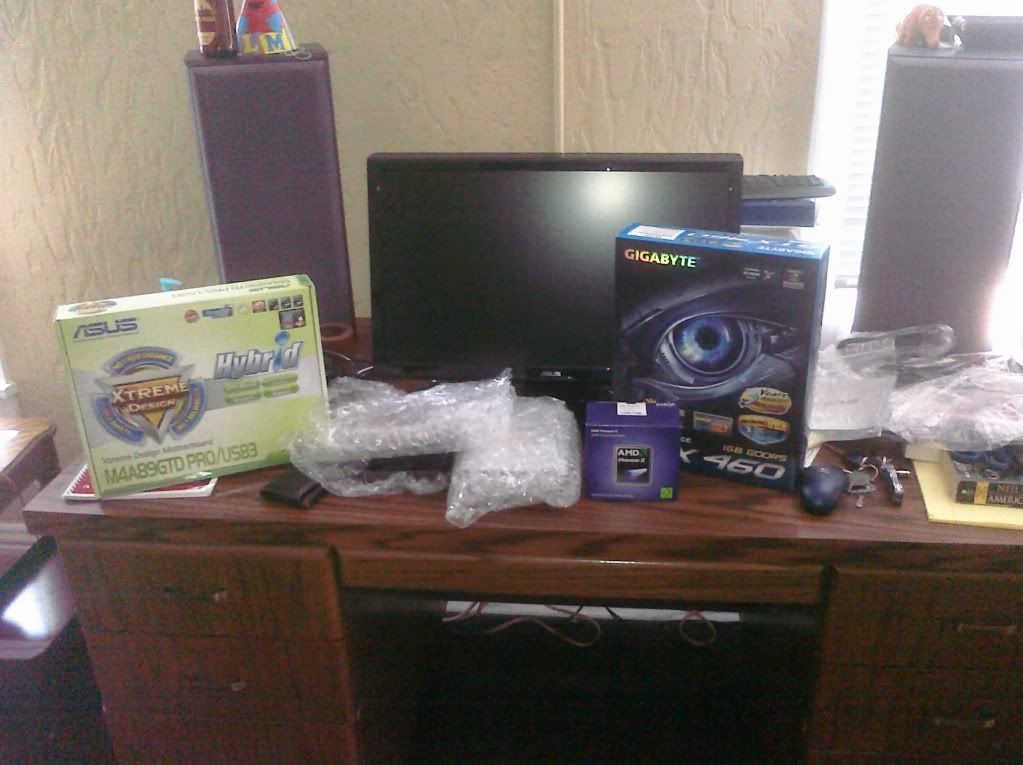
My stuff just showed up :D

Does anyone have a link to a good assembly guide? Anything I should know in particular?

Yes. Read the instruction books. Everything is pretty much color coded these days. If you read the books and do what they tell you to do then you can't go wrong (unless the book is wrong, which does happen).

Also, don't build your PC on a fuzzy carpet while wearing sweat pants and a fuzzy sweater. Static electricity is a bad thing. :D

Don't try to force the CPU in wrong. It just drops in (match up the arrows). I recommend putting the CPU, CPU fan and ram in before you attach the mobo to the case. It'll save you some frustration later.

Otherwise, it's really not that difficult.
 
Top Bottom