• Hey Guest. Check out your NeoGAF Wrapped 2025 results here!

"I need a new PC!" 2010 Edition

Dr.Acula said:
Rethink Gigabyte. A lot of people are having trouble with that model (click "feedback"), including myself.

Holy moly, wow.
This definitely made an impact with my decision! Sorry you're having problems with yours, mate, that gotta suck :/

Scratch the Gigabyte then, I'm going Asus!

Hazaro said:

Fuck yeah, so excited, I'm going in... wish me luck! :lol

my new rig AKA Hazaro's less than €1000 sinfonia della distruzione! said:
Case THERMALTAKE DH101
€ 116,49

ASUS Motherboard P7P55D-E PRO
€ 179,99

ANTEC PSU EarthWatts 650W
€ 75,89

INTEL Core i5 750 (Lynnfield) Quad Core 2,66 Ghz socket LGA1156 Boxed
€ 179,99

CORSAIR Dimm XMS3 4 Gb (2x2) ddr3 Dual Chan. 1333 Mhz Unbuff CL 9-9-9-24
€ 85,89

HDD SAMSUNG Spinpoint F3 1 Tb Sata 300 Buffer 32 Mb 7200 rpm
€ 67,89

ASUS GeForce GTX 460 1 Gb DDR5 Pci-E DirectCU Edition + free MAFIA II d/l ticket
€ 239,99

COOLERMASTER Hyper 212 Plus
€ 26,29

TOTAL (Tax@20% included) = €981 shipped

Can't wait!
I've also just cancelled my preorder for F1 2010 (PS3) and I'm hunting online for a PC retail sku deal... guess why :D
 
Deus Ex Machina said:
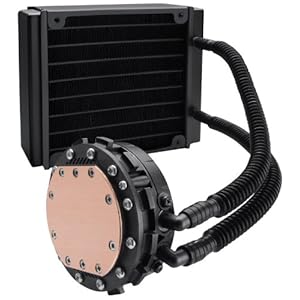
51Zh7ngAD7L._AA300_.jpg


I put my money behind Corsair H70. I'm using H50 right now and its amazing.

Finally a review that pits H70 against the top air coolers on the market.

http://www.pureoverclock.com/article1074.html
 
Yay!
So I got a WD caviar blue drive to hold me up while I RMA my F3 drive that died
It was running so well too, and I have downloaded my entire Steam catalogue, oh wells, live and let die. Hopefully my f3 comes in soon!
 
For anyone who cares, I brought my PC in to a shop to see if they could figure it out. The guy tested my memory and hard drive, everything passed. He changed the sata plug of my hard drive but beside that he couldn't find anything else wrong. Last few hours I've had 2 lock ups though...fuck this pc :(.
 
Fuck me, it just never ends.
FIRST:
They've e-mailed me that there's a 4-weeks waiting for the Coolermaster Hyper 212 plus, in stores in my city it costs almost €42 instead of €26, is it still worth it or should I change with something else similar (what that may be?).

Would one of these be as good?
Arctic Cooling Freezer 7 Pro Rev. 2 -€26
or
COOLERMASTER - Hyper TX3 -€15


There also 10 days waiting for the Antec Earthwatt 650W PSU, but I guess I'm waiting for that since it's a very good price compared to that of ebay.it or the stores around me.

SECOND:
They've also offered to upgrade me from the ASUS GT460 to the (who would've thought right? lol)
Sapphire HD5850 for €9,99 and still give me the Mafia II coupon... is it worth it or the GTX460 is still the better option? So sorry to bother you guys again with this shit about the graphics card, damn!
 
Alright GAF, I'm just about set to pull the trigger on this rig. Total price is about $890. Still could change some things though...what do you think?

wishlist.jpg


EDIT: Got the CPU fan because all the reviews for the 965 said the default heatsink is lawnmower loud.
 
Hello Gentlemen. Allow me to ask you a question about my two machines.

I would like to know, in your opinion, how my Sager NP9850 gaming notebook stacks up against my home desktop PC, particularly for gaming, and which do you feel gives better performance?


Here are the NP9850's basic specs:


Processor: 45nm Intel® Core™ 2 Duo Processor T9900 / 6MB L2 Cache, 3.06GHz, 1066MHz FSB

Video & Graphics Card: *Dual* Nvidia GeForce GTX 280M Graphics with 1GB DDR3 Video Memory in SLI Mode

Operating System: Genuine MS Windows® 7 Ultimate 32/64-Bit Edition

Memory: 8GB DDR3 SDRAM at 1333MHz - 2 X 4GB

Primary Hard Disk Drive: 160GB Intel SATA2 Solid State Disk Drive

2nd Hard Disk Drive: 500GB 7200rpm SATA 300

>>>>>>>>>>>>>>>>>>>>>>>>>

Desktop Basic specs:

#Operating System: Genuine MS Windows® 7 Ultimate 32/64-Bit Edition

#CPU: INTEL, Core™ 2 Duo E8500 Dual-Core, 3.16GHz, 1333MHz FSB, 6MB L2 Cache, 45nm, 65W, EM64T EIST VT XD, Retail

#Motherboard: ASUS, P5Q Pro, LGA775, Intel® P45, 1600MHz FSB, DDR2-1200 16GB /4, PCIe x16 CF /2, SATA 3.0 Gbit/s RAID 5 /8, HDA, GbLAN, FW /2, ATX, Retail

#GPU: SAPPHIRE, Vapor-X Radeon™ HD 5870 870MHz, 1GB GDDR5 5000MHz, PCIe x16 CrossFire, DVI /2, DP, HDMI

#Memory: OCZ, 4GB (2 x 2GB) Reaper HPC Edition PC2-8500 DDR2 1066MHz CL 5-5-5-18 2.1-2.3V SDRAM DIMM, Non-ECC

#Hard Disk Drives: 2X WESTERN DIGITAL, 640GB WD Caviar® SE16 (WD6400AAKS), SATA 3 Gb/s, 7200-RPM, 16MB cache
>>>>>>>>>>>>>>>>>>>>>>>>>


So, from a gaming perspective, which of these two machines should theoretically yield more performance?
 
From my layman perspective I'd guess the Desktop - the 5870's powerful and M GPUs don't quite yield the results of their desktop counterparts.
 
Didn't you ask that before? For gaming, the desktop. Dual SLI GTX280M's are supposed to be roughly equivalent to desktop dual SLI 9800 GTX+, which the desktop HD5870 should beat comfortably.
 
Dash Kappei said:
Fuck me, it just never ends.
FIRST:
They've e-mailed me that there's a 4-weeks waiting for the Coolermaster Hyper 212 plus, in stores in my city it costs almost €42 instead of €26, is it still worth it or should I change with something else similar (what that may be?).
There also 10 days waiting for the Antec Earthwatt 650W PSU, but I guess I'm waiting for that since it's a very good price compared to that of ebay.it or the stores around me.

SECOND:
They've also offered to upgrade me from the ASUS GT460 to the (who would've thought right? lol)
Sapphire HD5850 for €9,99 and still give me the Mafia II coupon... is it worth it or the GTX460 is still the better option? So sorry to bother you guys again with this shit about the graphics card, damn!

5850 is faster than the 460 i would do it if i were you
 
isamu said:
Hello Gentlemen. Allow me to ask you a question about my two machines.

I would like to know, in your opinion, how my Sager NP9850 gaming notebook stacks up against my home desktop PC, particularly for gaming, and which do you feel gives better performance?


So, from a gaming perspective, which of these two machines should theoretically yield more performance?
From your post it seems like you currently own both?

If so get some benchmarks and demos and see for your self.
 
Dash Kappei said:
Fuck me, it just never ends.
FIRST:
They've e-mailed me that there's a 4-weeks waiting for the Coolermaster Hyper 212 plus, in stores in my city it costs almost €42 instead of €26, is it still worth it or should I change with something else similar (what that may be?).
There also 10 days waiting for the Antec Earthwatt 650W PSU, but I guess I'm waiting for that since it's a very good price compared to that of ebay.it or the stores around me.

SECOND:
They've also offered to upgrade me from the ASUS GT460 to the (who would've thought right? lol)
Sapphire HD5850 for €9,99 and still give me the Mafia II coupon... is it worth it or the GTX460 is still the better option? So sorry to bother you guys again with this shit about the graphics card, damn!

I'd probably just get the H212+ local, but really it comes down to whether you can wait 4 weeks to save the cash. Stock HSF will be fine until then so that's totally your call.

As for the second, with cost out of the equation I'd personally take the 5850.
 
Omiee said:
5850 is faster than the 460 i would do it if i were you

Oh cool, the 460 was favored by GAF and Hazaro because I needed to spend a bit less and the 460 was, in fact, €30 less with a minimal margin on performances. Now that it's just a 10€ price difference it's a different matter I guess...
Since I'm getting the ASUS Motherboard P7P55D-E PRO, in the future could I get (hypotetically) two 5850 in SLI like I know I could with the 460 and would the performance improve as much as with 2x460?

Wallach said:
I'd probably just get the H212+ local, but really it comes down to whether you can wait 4 weeks to save the cash. Stock HSF will be fine until then so that's totally your call.

No, you're right, I'll do that then (get it local). If I decided to wait they'd hold up the order, so no rig at all for 4 weeks just to get the cpu cooler from them seems kinda stupid.

As for the second, with cost out of the equation I'd personally take the 5850.

Noted!
 
Hazaro said:
Incredibly small performance gains.

Get a GA-P55A-UD3 or P7P55D-E.
If you plan on 2 cards later get a P7P55D-E PRO
Antec 650W Earthwatts is a bit cheaper

well my store wont have the asus P7P55D-E pro for a while, so I think I'm going with the p55a-UD4 with my sli 460s, though I guess that wont be a problem at all.

So :

i5-760
Gigabyte P55A-UD4
and Corsair 4GB (2x2048MB) 1600MHz XMS3 DHX+

At a quick glance, good? Bad? Most importantly : compatible with eachother?
Shall I push the order button?
 
Corky said:
well my store wont have the asus P7P55D-E pro for a while, so I think I'm going with the p55a-UD4 with my sli 460s, though I guess that wont be a problem at all.

So :

i5-760
Gigabyte P55A-UD4
and Corsair 4GB (2x2048MB) 1600MHz XMS3 DHX+

At a quick glance, good? Bad? Most importantly : compatible with eachother?
Shall I push the order button?

I haven't done SLI in ages but looking at the UD4 I'd guess both cards would be running in 8X, though I don't think that would really matter.

Everything is fine compatibility wise.
 
Dash Kappei said:
Fuck me, it just never ends.
FIRST:
They've e-mailed me that there's a 4-weeks waiting for the Coolermaster Hyper 212 plus, in stores in my city it costs almost €42 instead of €26, is it still worth it or should I change with something else similar (what that may be?).

There also 10 days waiting for the Antec Earthwatt 650W PSU, but I guess I'm waiting for that since it's a very good price compared to that of ebay.it or the stores around me.

SECOND:
They've also offered to upgrade me from the ASUS GT460 to the (who would've thought right? lol)
Sapphire HD5850 for €9,99 and still give me the Mafia II coupon... is it worth it or the GTX460 is still the better option? So sorry to bother you guys again with this shit about the graphics card, damn!
The other 2 are not as good, and replacing the fan is harder.
You can also check for the following around you:
Scythe Mugen II (Needs the 1156 mount, should tell you), OCZ Vendetta II, Hyper N520. All around the same $ and performance. If not just grab the 212+.

Well Dirt 2 runs better on the 5850 so for just $10 more... I'd say get that. Not as quiet as the GTX 460 off the top of my head (you can check though!).
You can see why I didn't think it was worth $30 more here: (Note other reviews line up similar results as well) Overclock a nice 15-20% and you should be set. Maybe knock a setting or two down to high vs ULTRA.
GWAvp.gif


TheEastonator said:
Alright GAF, I'm just about set to pull the trigger on this rig. Total price is about $890. Still could change some things though...what do you think?

wishlist.jpg


EDIT: Got the CPU fan because all the reviews for the 965 said the default heatsink is lawnmower loud.
If you are spending $165 get an x6 1055T. Otherwise x4 635 more value.
Also combo the PSU and a Samsung F3 1TB. Save you $5 and you get a faster, larger drive.
Make sure that Arctic 64 is compatible with AM3.
Perhaps get an MX518 instead for a mouse? ;)
 
Hazaro said:
The other 2 are not as good, and replacing the fan is harder.
You can also check for the following around you:
Scythe Mugen II (Needs the 1156 mount, should tell you), OCZ Vendetta II, Hyper N520. All around the same $ and performance. If not just grab the 212+.

I'll cave in and go buy the 212+ in store.
Well Dirt 2 runs better on the 5850 so for just $10 more... I'd say get that. Not as quiet as the GTX 460 off the top of my head (you can check though!).

Ugh. I thought you weren't coming again itt, so I went and ordered already... oh well.

You can see why I didn't think it was worth $30 more here: (Note other reviews line up similar results as well)

LOL you were damn right, €30 for for 2 fps (lowest), fuck that :lol
I guess for just €10 its ok tho.

Overclock a nice 15-20% and you should be set. Maybe knock a setting or two down to high vs ULTRA.

I'll definitely look around on how to overclock the 5850, since as usual I'm clueless, but hopefully online I'll be able to find some good guides on how to do that.

Thanks again for everything mate!
Sucks I can't buy you a beer tho...
 
Dash Kappei said:
I'll definitely look around on how to overclock the 5850, since as usual I'm clueless, but hopefully online I'll be able to find some good guides on how to do that.

Thanks again for everything mate!
Sucks I can't buy you a beer tho...
Everything you need is in the OP.
Rivatuner, MSI afterburner, etc. Can set FAN profiles as well if it is too loud for your tastes.

If I ever swing by Italy I'll shoot you a PM :p
 
-COOLIO- said:
looks good to me.

but if youre just looking for a 4ghz quadcore and youre concerned about the mobo being obsolete soon, why not just go the i5 760 and GA-P55-UD3 route? it should save you about $160. is $200 for a mobo that wont last beyond 2011 worth it?

thats my 2 cents anyway :*

This is good advice, but there are already 6-core Westmere CPUs on socket 1366 (i7-900 series) and also 32nm quad-core Westmere Xeons. So I might still have some kind of possible future upgrade path by going with socket 1366 vs. going with socket 1156 (i5/i7-800 series) which is going to be guaranteed to be dead with no upgrade path by early next year when Sandy Bridge (socket 1155) debuts. Socket 1366 won't be replaced by socket 2011 until late, well, 2011. (Someone at Intel has a sense of humor when naming sockets. :lol) It's unlikely that there won't be ANY more new CPUs at all for 1366 between now and late next year, whereas we know for certain that 1156 is a dead end right now.

I ended up going with the more expensive route in the hopes that there will be nice 32nm Westmere-based quad-cores and 6-cores at a reasonable price for 1366 before it officially goes EOL late next year. Server sockets tend to be more long-lived than consumer sockets and so even in 2 years Newegg will likely still have a few 1366 32nm Westmere Xeons for sale whereas you won't be able to buy anything for 1156 in a year or so.
 
I had a crash on Windows 7 earlier while playing LOTRO. The error was 0x8000000000000002 Microsoft Windows Kernel Power, and the computer rebooted itself.

This is the first critical error I've had on Windows 7. Is this error generally a sign of a hardware failure, or should I not worry about it just yet? I'm going to test the memory tonight, but is there anything else I should do to diagnose the problem, if any?

Thanks :D
 
So, I'm about to pull the trigger on a Zotac gtx480 AMP.

I'm choosing to go with this instead of a 6xxx Radeon because I've had better luck with nVidia's cards in the past and I am more comfortable with their drivers.

2 questions:

a.) I have a 750w PSU. The card requires 600w. Will the fact that I have 12g memory, and an i7 920 affect the PSU requirement? Bear in mind, none of my components are overclocked.

b.) In the offchance I decide to change my mind last-minute and wait out AMD 6000 series Radeons, could i still use my current gtx 285 as a dedicated physx card?

By the way, thanks pc GAF for pointing me to the Zotac AMP. Reviews about its cooling are solid. I've had problems with overheating in the past (a different computer and case than the one I'm using now), and I've become really nervous about cooling and airflow.
 
ElJuice said:
I had a crash on Windows 7 earlier while playing LOTRO. The error was 0x8000000000000002 Microsoft Windows Kernel Power, and the computer rebooted itself.

This is the first critical error I've had on Windows 7. Is this error generally a sign of a hardware failure, or should I not worry about it just yet? I'm going to test the memory tonight, but is there anything else I should do to diagnose the problem, if any?

Thanks :D

That is a hardware fault. You running any OC? Could be just toeing the line of stability and it leaned a bit too far.

Generally what you'll want to look at first is temps and drivers aside from the memory test you're already planning. Make sure you're absolutely stable.
 
Nothing beats coming home to a big box from newegg and finding a DOA PSU stopping all progress on a amd/gtx460 build this thread made me order. I wonder what else is DOA.
 
Quick Question for all you guys....

Someone I know is looking to buy a computer (he has a really old HP slimline computer currently) and I told him that I was thinking about upgrading myself and I would sell him my "old" (i.e. current) computer that I'm looking to upgrade from at some point in the near future.

Specs:
  • Q6600 2.4ghz (stock)
  • 4GB DDR2
  • 8800GT 512MB
  • 320GB 7200.10 HDD
  • 24x DVD-burner

Now keep in my mind 2 things:

He is someone who never would build a computer by himself, he has no interest and is not really capable either. I'm not saying that to say that I'm going to "fleece" this guy, but that is just something that does not interest him.

Also, from my current system, I'd only be carrying over my graphics card (a recently purchased GTX 460) and all my hard drives (the 320 GB one I would give him is not currently being used by me).

What do you think would be a fair amount to ask for it?
 
Can overclocking a CPU cause stability problems that wouldn't be detected by Prime95 or Memtest? I overclocked my i5 750 to 3.4Ghz and it passed 18+ hours of torture in Prime95, but Crysis Wars will periodically freeze (not BSOD) when it didn't before. FFXIV beta crashes now as well. To rule out RAM I ran Memtest and it passed fine as well (not OC'ed). GPU is untouched.

Temps never going above 45~50ish at full load with H70. Did I mess something up though?
 
Wallach said:
I haven't done SLI in ages but looking at the UD4 I'd guess both cards would be running in 8X, though I don't think that would really matter.

Everything is fine compatibility wise.


Okey thanks :), I'll go on and order the ud4 and i5-760 with some corsair 1600mhz dhx+ ram.
 
MomoPufflet said:
Can overclocking a CPU cause stability problems that wouldn't be detected by Prime95 or Memtest? I overclocked my i5 750 to 3.4Ghz and it passed 18+ hours of torture in Prime95, but Crysis Wars will periodically freeze (not BSOD) when it didn't before. FFXIV beta crashes now as well. To rule out RAM I ran Memtest and it passed fine as well (not OC'ed). GPU is untouched.

Temps never going above 45~50ish at full load with H70. Did I mess something up though?

Absolutely. Give OCCT a try and run that for a few hours and see if it reports any errors. You probably didn't mess anything up. You may just need to adjust the voltage a bit to improve stability.
 
Gigabyte GA-P55A-UD4
Corsair 4GB (2x2048MB) 1600MHz XMS3
Intel Core i5 760, 2.8GHz
Gigabyte GeForce GTX 460 1GB OC
(Gigabyte GeForce GTX 460 1GB OC)


Ordered! Please god let this pc work good out of the box. Do I HAVE to fiddle with Bios-settings? Or just plug everything in and go? I guess I need an HDD format since I'm switching cpu / motherboard brand
 
Corky said:
Gigabyte GA-P55A-UD4
Corsair 4GB (2x2048MB) 1600MHz XMS3
Intel Core i5 760, 2.8GHz
Gigabyte GeForce GTX 460 1GB OC
(Gigabyte GeForce GTX 460 1GB OC)


Ordered! Please god let this pc work good out of the box. Do I HAVE to fiddle with Bios-settings? Or just plug everything in and go? I guess I need an HDD format since I'm switching cpu / motherboard brand
Well, I had very little trouble with it. Some advice: Get the latest bios version from the Gigabyte support page, copy it on a random usb flash drive. You can browse the usb drive from the bios, select the new bios image and update from there. They keep adding memory details so that the board can automatically setup the timing, etc. If the board isn't able to get the memory right, then it's also no biggy. You can always set it manually, it's pretty straight forward. Most other default bios settings are totally fine. I'd change the sata devices to AHCI and disable the turbo feature for USB3.0/SATA3, but that's it pretty much.
 
ChryZ said:
Well, I had very little trouble with it. Some advice: Get the latest bios version from the Gigabyte support page, copy it on a random usb flash drive. You can browse the usb drive from the bios, select the new bios image and update from there. They keep adding memory details so that the board can automatically setup the timing, etc. If the board isn't able to get the memory right, then it's also no biggy. You can always set it manually, it's pretty straight forward. Most other default bios settings are totally fine. I'd change the sata devices to AHCI and disable the turbo feature for USB3.0/SATA3, but that's it pretty much.

Oh what was the trouble you had mate? Is the bios-update easy to go through? I'm afraid of bios-flashing seing as I KNOW god will make my pc crash during the process :(.
 
Corky said:
Oh what was the trouble you had mate? Is the bios-update easy to go through? I'm afraid of bios-flashing seing as I KNOW god will make my pc crash during the process :(.
Common practice, always install the latest bios before moving on to setting up other stuff. My board came with F9, the latest version was F14. You can see on their download page that many improvements were made. It would be stupid not to take advantage of all that. Don't worry, flashing the bios takes like 30 seconds.
 
well i give up on the display thing, but i've got another question:

during gameplay sometimes i'll have random artifacts pop up on the screen; red, yellow, green dots, stretched pieces of things in the game, etc.
is it because my graphics card is overheating? i've got a 4850 OC'd to 1ghz, but it's never done this until recently. any solution?
 
//B1G said:
well i give up on the display thing, but i've got another question:

during gameplay sometimes i'll have random artifacts pop up on the screen; red, yellow, green dots, stretched pieces of things in the game, etc.
is it because my graphics card is overheating? i've got a 4850 OC'd to 1ghz, but it's never done this until recently. any solution?
Stretched polygons usually means there is something wrong with the core. I would think turning down your overclock would be the first troubleshooting step you would take, don't be stubborn about it.
 
ChryZ said:
Common practice, always install the latest bios before moving on to setting up other stuff. My board came with F9, the latest version was F14. You can see on their download page that many improvements were made. It would be stupid not to take advantage of all that. Don't worry, flashing the bios takes like 30 seconds.

Thanks, will come back and haunt you for more intel whenever I got my stuff :3.

Btw is there a foolproof step-by-step guide for installing new components ? I know the gist of it but since I've never built a pc from the "ground up" I dont want to run into problems that make me go "ooooooh I just forgot to connect the [x]cable derp! "
 
vazel said:
Stretched polygons usually means there is something wrong with the core. I would think turning down your overclock would be the first troubleshooting step you would take, don't be stubborn about it.
Fuck, man! I bought the PC overclocked and honestly I'm not too knowledgeable on the subject. I don know just about everything is OC'd though: I've got a 2.66 ghz quad-core processor OC'd to 3.2, and really don't know anything about the right ways to try lowering it.
What's a good guide and toolset?
Is this problem something that just happens with time? Like I said, I never had these problems before.
 
MikeE21286 said:
Quick Question for all you guys....

What do you think would be a fair amount to ask for it?
Based on current used internet prices + your setup work $400 with a bit extra on it. That's a bit conservative, you can go more.
It'll beat the crap out of most things he's had I'm sure.
cartoon_soldier said:
What is the opinion on MSI 460 cards?

And, significant difference between 760 VRAM vs 1GB VRAM 460s?
msi fine.
Speed, and amount of AA/triple buffer it can handle at higher resolutions.
//B1G said:
well i give up on the display thing, but i've got another question:

during gameplay sometimes i'll have random artifacts pop up on the screen; red, yellow, green dots, stretched pieces of things in the game, etc.
is it because my graphics card is overheating? i've got a 4850 OC'd to 1ghz, but it's never done this until recently. any solution?
Back down your GPU OC to 950 and see if it still happens. If it does, lower the memory clock down 50 or 100 MHz.

Run FURMARK or ATiTools or MSI KOMBUSTOR
 
So I just bought a SSD to add to my rig and I need some help or a guide on how to set it up as I am clueless. I have no idea how to set it up to have Windows 7 and 1 of my games run off my SSD and have everything else run off of my secondary HDD. I also already have Windows 7 currently installed and running on my secondary HDD, can I just re install Windows 7 on the SSD and reformat my HDD or will the product key not work? Any help will be much appreciated.
 
Hazaro said:
Based on current used internet prices + your setup work $400 with a bit extra on it. That's a bit conservative, you can go more.
It'll beat the crap out of most things he's had I'm sure.

Thanks for the response.
 
TheEastonator said:
Alright GAF, I'm just about set to pull the trigger on this rig. Total price is about $890. Still could change some things though...what do you think?

wishlist.jpg


EDIT: Got the CPU fan because all the reviews for the 965 said the default heatsink is lawnmower loud.

Hazaro said:
If you are spending $165 get an x6 1055T. Otherwise x4 635 more value.
Also combo the PSU and a Samsung F3 1TB. Save you $5 and you get a faster, larger drive.
Make sure that Arctic 64 is compatible with AM3.
Perhaps get an MX518 instead for a mouse? ;)

Mreh. I'm hesitant to spend the extra $30 for the 6-core - it seems it can easily be overclocked to match the clock speed of the 965, but I don't think I need six cores since I can't see any scenario where I'll be wanting to play two games and render a video at the same time or whatever. That and I'm hesitant to overclock to begin with, so I'd rather not pay more and rely on that to get my performance up to par. Is there any other reason to pony up the extra $30?

EDIT: On the other hand, the X6 appears to run cooler and use less power. How easy/risky is overclocking? I guess if I could have 6 cores at at least 3.5ghz it'd be worth $30 extra, but I still don't know.

(keep in mind I'm coming from a 2.6ghz Core 2 Duo, so the performance gains are already going to be substantial)

That being said, I'm starting to have second thoughts about my motherboard - it seems every single mobo has dozens of horror story reviews tied to it, so how can I decide on one? Not really sure what I should be looking for...
 
Hazaro said:
Back down your GPU OC to 950 and see if it still happens. If it does, lower the memory clock down 50 or 100 MHz.

Run FURMARK or ATiTools or MSI KOMBUSTOR

FURMARK isn't made for a 64-bit OS, ATiTools came up with nothing, and the MSI shit just really told me about my temp.
How do I back it down?
 
Corky said:
Thanks, will come back and haunt you for more intel whenever I got my stuff :3.

Btw is there a foolproof step-by-step guide for installing new components ? I know the gist of it but since I've never built a pc from the "ground up" I dont want to run into problems that make me go "ooooooh I just forgot to connect the [x]cable derp! "

Tested.com put up a 50min video of "How to build a gaming PC" back in April. I watched, and Will is quite thorough in his explanations. I'm at work right now, so I can't link you to the video directly.
 
Ok, got the following cart at NCIXUS right now.

The power supply has a 25$ mail in rebate on it too.

4mbea.jpg


Any suggestions?

Also, how hard would it be to upgrade to 8GB RAM with this? Just need to get a second dual channel memory kit, same model?

Thanks
 
MyOtherBike said:
Tested.com put up a 50min video of "How to build a gaming PC" back in April. I watched, and Will is quite thorough in his explanations. I'm at work right now, so I can't link you to the video directly.

cheers buddy, will have a look at that.
 
cartoon_soldier said:
Ok, got the following cart at NCIXUS right now.

The power supply has a 25$ mail in rebate on it too.

http://i54.tinypic.com/4mbea.jpg

Any suggestions?

Also, how hard would it be to upgrade to 8GB RAM with this? Just need to get a second dual channel memory kit, same model?

Thanks
Solid parts, but the pricing is a bit off. I'm sure someone will tell you to swap the HDD for a Samsung F3, but the Caviar Blacks are great drives too. Though costlier than the F3s, they also have a longer warranty. Both are great choices. That i5 760 and XMS3 ram kit are both $20-30 overpriced. What's the story there? That dual channel kit is at triple channel prices, or about the same cost as "higher end" dual channel kits. As for the case, for just a bit more you'd be better off with something like an Antec 300 or Cooler Master Centurion 590. Your components will thank you.

While you can mix and match ram modules (when you're ready for an increase), it really is best to try and keep them all as uniform as possible. Getting the same exact ram is usually a good idea to avoid any potential headaches.
 
Top Bottom