• Hey Guest. Check out your NeoGAF Wrapped 2025 results here!

"I need a new PC!" 2010 Edition

caliblue15 said:
They also have a 160gb SSD for $215, I don't think I need that big of a SSD though, as I only want to use it as an OS drive.

I can just use the heatsink that comes with the CPU, I don't need to buy one do i?

and will 650W still power the i7-970 and GTX 460 just fine?
Yes it will.
It can not be said enough: buy that CPU. The only thing even remotely close to that deal is the $200 i7 950 from Microcenter and that's "only" 4C/8T. With 6C/12T and 12MB of cache, you'll be as close to "future-proof" as possible, and gaming/editing/encoding/multi-tasking more efficiently, for far longer than anything else in that price range; AMD X6s included.

At the absolute minimum, you can hit 4.0GHZ with the 970. Going up to ~4.6GHz is just a matter of components and effort. The 5.0GHz range is also there if you'd like, though that's costly.

Out of Intel's initial wave of Sandy Bridge CPUs, about the only thing that can come close to the 970's performance potential, is a chip that's going to cost more than double what you can buy that 970 for as a retail edge member -- and that's "only" 4C/8T.

The slight increase in budget over a different socket is completely worth it in this case. It isn't like you need to buy one of those $500-700 motherboards either.

So yes, buy that CPU, clock it to 4.0GHz or higher, and you are set for years to come. What seems like a bit of overkill right now is going to pay dividends in the long run (even presently with some games/apps).
 
caliblue15 said:
Why do I have to go to 6GB, over the 4GB I have setup? Is it because it's a triple channel motherboard?

Grr, this just keeps adding up.. extra $100 at least.
You don't have to, but might as well :p
2x2GB dual channel is fine.
 
Argh, my PC gets a BSOD every time I plug in my 360 controller. I had been using my PS3 controller with the MotionInJoy driver but decided to switch back, so I uninstalled it and re-installed the 360 controller driver to be safe, but the problem still persists. Is there anything else I can try?
 
Not sure how to go about fixing that issue, but I'm sure it has to do with IO address allocation. I'm guessing the 360 controller address location may be overlapping with other used addresses (other IO, memory, etc...).
 
Yeah I guess the 360 and Motionjoy address spaces were overlapping. Good to know for future reference...these types of problems are not easy to fix.
 
Hazaro said:
Early next year with the introduction of Sandy Bridge and AM3+ chips if you are spending that much. Probably around April... if you can hold out that long.
Is that gonna be a significant upgrade from current cpus? Waiting half a year is pretty long :/

.nimrod said:
I plan to build a new pc for gaming but haven't done so in years (my last one was an Athlon64 3200+). I'm completely out of touch with the current hardware, so i've got a few questions.

My Budget: ~1000€ (~$1360)
Location: Germany (I'd rather buy my hardware from regional sellers for warranty reasons)
Main Use: Gaming, Microsoft Visual Studio, Photoshop
Monitor: 1080p TV, though i still need a good solution to combine mouse&keyboard with my comfy couch
Games that have to run perfectly fine: Black Ops, Bad Company 2, Batman AA, Mirrors Edge, Crysis, Battlefield 3 and a couple more

I want it to at least hold me over until the next console generation arrives.
I'd also like to be able to see all the PhysX shenanigans (Batman, Mirrors Edge) in full effect, is that possible with a single, reasonably priced graphics card?

Everybody in here seems to only recommend getting an i7 over an i5 if you really need it, but where does it make a difference? Is capturing videos using Fraps very cpu intensive and thus making an i7 the better choice for that?

When would be the best time to buy new Hardware: Now, after christmas or sometime next year?

Is it possible to build a silent pc with a 64GB SSD (for Win7 & some programs) within my budget? I definately don't want to upgrade it for quite some time.
Anyone?
 
.nimrod said:
Is that gonna be a significant upgrade from current cpus? Waiting half a year is pretty long :/

Anyone?
Well it'll have support for 8 core CPU's down the line so that might be something worth waiting for.
All current sockets should be dead (as in no more new CPU's) so it's hard to suggest that you go ahead and drop that much right now.

If you did though, an i7 + GTX 580 (Or the AMD 69__ card coming soon) with a 128GB SSD would round out your budget.
 
Hazaro said:
Well it'll have support for 8 core CPU's down the line so that might be something worth waiting for.
All current sockets should be dead (as in no more new CPU's) so it's hard to suggest that you go ahead and drop that much right now.

If you did though, an i7 + GTX 580 (Or the AMD 69__ card coming soon) with a 128GB SSD would round out your budget.
Thanks, do we know how much the Sandy Bridge cpus will cost and how much of an increase in performance there's gonna be for games (any benchmarks yet?)?
And is it likely for the i7 to get cheaper around christmas since the new cpus will come out?
 
.nimrod said:
Thanks, do we know how much the Sandy Bridge cpus will cost and how much of an increase in performance there's gonna be for games (any benchmarks yet?)?
And is it likely for the i7 to get cheaper around christmas since the new cpus will come out?
Cost? For the mid end (i5 range, 4 core) it'll probably slot in at ~$250 (my guess).
Increase you can see preliminary results here: http://www.anandtech.com/show/3871/the-sandy-bridge-preview-three-wins-in-a-row
It's an ES sample, typically retail processors are better (and overclock better..., but you'll need a 'K' unlocked processor)

When (Probably): http://images.anandtech.com/reviews/cpu/intel/sandybridge/preview/roadmap.png

Cheaper i7's? Not really. There might be marginal savings (as when you see a refresh on the same socket) but you still factor in the entire cost of the computer, the fact that SSD's will be cheaper, DDR3 pricing going down $10, GPU prices maybe down another $10, and it's all the same.

If there's any more word on SB or AM3+ I'd like to know.
 
Dagnabbit I'm confused ( shocker ) ...

What is TRIM? Is it a tool that I use? Is it an update to windows 7 ? is it built into my SSDs firmware?
 
Hazaro said:
Cost? For the mid end (i5 range, 4 core) it'll probably slot in at ~$250 (my guess).
Increase you can see preliminary results here: http://www.anandtech.com/show/3871/the-sandy-bridge-preview-three-wins-in-a-row
It's an ES sample, typically retail processors are better (and overclock better..., but you'll need a 'K' unlocked processor)

When (Probably): http://images.anandtech.com/reviews/cpu/intel/sandybridge/preview/roadmap.png

Cheaper i7's? Not really. There might be marginal savings (as when you see a refresh on the same socket) but you still factor in the entire cost of the computer, the fact that SSD's will be cheaper, DDR3 pricing going down $10, GPU prices maybe down another $10, and it's all the same.

If there's any more word on SB or AM3+ I'd like to know.
Thanks again, that article was pretty interesting.
So either i get an i5 now or a SB in about half a year. The i5/GTX460 combo seems to be the most recommended in this thread, is 60fps@1080p easily achieved for most games or are there already limitations with current games?

Also, is a single GTX460 enough for all the PhysX effects like in this video?

http://www.youtube.com/watch?v=6GyKCM-Bpuw#t=4m50s
 
Im building a PC for my brother buying second hand parts, i put them all together the other day, and i found the front fan was noisy as all hell (it didnt have a back fan in at the time), so i thought the fans crapping out and bought a couple of new ones. I put these both in, and both are just as noisy so i investigate.

Turns out, where i had them plugged into the motherboard (front fan on PWR_FAN, and the back one on SYS_FAN2), it causes them to both run at full RPM. I then saw a 4pin SYS_FAN1 on the motherboard so put the front fan on that, which now sounds perfect, normal speed, no noise, however the back fan still goes full whack and i dont have any other connecter available on the motherboard (and i seemingly cant adjust the RPM in the bios). The motherboard is a Gigabyte EP43-DS3.

Question is, what can i do to shut up that back fan ? :lol Looking around, the only option i can see is a Zalman Fan Mate 2 which would allow me to adjust the fan speed down a notch. But are there other options i could try ?
 
·feist· said:
One more thing, an i7 970 + GTX 460 isn't exactly an optimal match, but that doesn't matter. Buy that CPU.

Why isn't it an optimal match? :lol

I'll have a new setup with everything I need and final price later tonight, really waiting for black friday and cyber monday to hopefully offset some extra costs.
 
caliblue15 said:
Why isn't it an optimal match? :lol

I'll have a new setup with everything I need and final price later tonight, really waiting for black friday and cyber monday to hopefully offset some extra costs.

I think he means that said cpu is top of the line whereas a gtx 460 isn't necessarily
 
The Big Rig said:
Spinpoint F4 2TB for $79.99 with promo code SAMSUNG222.

http://www.newegg.com/Product/Produ...152245&cm_sp=DailyDeal-_-22-152-245-_-Product

Is this a good deal, or is there something I'm missing?

edit: yup, 5400prm :(
It may still be faster than your 7200RPM drives depending on when you bought them. It's not just about RPM but also data density. This Samsung 5400RPM drive is twice as fast as my WD 320GB 7200RPM drives I bought several years ago due to higher data density(those 2TB are stored on just three platters). My 320GB 7200RPM drives get 50MB/s average read speed while my Samsung 2TB drive gets 115MB/s average read speed.
 
.nimrod said:
Thanks, do we know how much the Sandy Bridge cpus will cost and how much of an increase in performance there's gonna be for games (any benchmarks yet?)?

There was an accidental listing by a retailer for the i5 2600K which was put at £170, which sounds reasonable if true. In terms of speed, these guys are claiming they can get a stable 4.5GHz from an i7, and 4.2 from an i5. What this will translate to in gaming terms we won't know untill we see the benchmarks.
 
A friend just bought a RadeonHD 6870 can someone recommend a good motherboard and processor?

Nothing expensive trying to keep his budget under $800 and the video card is $250.
 
Ogs said:
Im building a PC for my brother buying second hand parts, i put them all together the other day, and i found the front fan was noisy as all hell (it didnt have a back fan in at the time), so i thought the fans crapping out and bought a couple of new ones. I put these both in, and both are just as noisy so i investigate.

Turns out, where i had them plugged into the motherboard (front fan on PWR_FAN, and the back one on SYS_FAN2), it causes them to both run at full RPM. I then saw a 4pin SYS_FAN1 on the motherboard so put the front fan on that, which now sounds perfect, normal speed, no noise, however the back fan still goes full whack and i dont have any other connecter available on the motherboard (and i seemingly cant adjust the RPM in the bios). The motherboard is a Gigabyte EP43-DS3.

Question is, what can i do to shut up that back fan ? :lol Looking around, the only option i can see is a Zalman Fan Mate 2 which would allow me to adjust the fan speed down a notch. But are there other options i could try ?
Without the option to adjust speed via he motherboard, you're either going to need something like fan cable adapters that come with Noctuas, or a fan controller of some sort.

nh_u9b_lna_ulna.gif
 
caliblue15 said:
Why isn't it an optimal match? :lol

I'll have a new setup with everything I need and final price later tonight, really waiting for black friday and cyber monday to hopefully offset some extra costs.
Essentially what Corky said. Don't be deterred by that, though. It doesn't mean that you have to buy a $500 GPU or run multiple cards. You can get some nice gaming in, while having the option to add another card in the future, or upgrade to a faster GPU at some point without worrying about your CPU bottle-necking your PC anytime soon.
 
I have a friend who is thinking about migrating from an imac to a pc. But he's afraid of the size of the typical cpu tower (mine for example is a cmd 600). Is there any cpu tower that is small and slim (and still able to hold a core i7, 6gb ram, HD 6870 and etc)?

Thanks
 
I'm probably going to order a PC this weekend and I just want your approval. It needs to be close to $500 after rebates. The most demanding games I will play on it will be Metro 2033 and Crysis 2. If it can handle those games at 1280x720 to 1600x900 and you approve of the brands I'm good to go.

NeweggcomShoppingCart_1290377592430.png
 
Woooooo got the last two parts of my computer (cpu and cooler)! Now I just gotta build it once I get back up to school. Pics and spec list to come sometime next week when I get a chance.
 
luiztfc said:
I have a friend who is thinking about migrating from an imac to a pc. But he's afraid of the size of the typical cpu tower (mine for example is a cmd 600). Is there any cpu tower that is small and slim (and still able to hold a core i7, 6gb ram, HD 6870 and etc)?

Thanks
Is something like an Antec 300 / HAF 912 / CM 330 / CM 360 too large?
ChoklitReign said:
I'm probably going to order a PC this weekend and I just want your approval. It needs to be close to $500 after rebates. The most demanding games I will play on it will be Metro 2033 and Crysis 2. If it can handle those games at 1280x720 to 1600x900 and you approve of the brands I'm good to go.

NeweggcomShoppingCart_1290377592430.png
Well done!
For that price I don't have any real objections at all.

If the $115 AR GTX 460 is still on there you could add that to an OCZ 500/550W and it'll be about $20 more, but you'll have a much faster card.
 
ChoklitReign said:
I'm probably going to order a PC this weekend and I just want your approval. It needs to be close to $500 after rebates. The most demanding games I will play on it will be Metro 2033 and Crysis 2. If it can handle those games at 1280x720 to 1600x900 and you approve of the brands I'm good to go.
That's essentially my computer. Just so you know, the 2nd PCI Express 2.0 slot is 4x, but since you're getting a 5770, adding another one to that slot won't affect performance. Benchmark: http://www.overclock.net/ati/773426-crossfire-16xpci_e-slot-vs-4xpci_e-slot.html#post9957829
 
Angelus Errare said:
Anyone remember the name of the website that allows people to search and compare processor benchmarks? I could have sworn it was Tom's

This one?

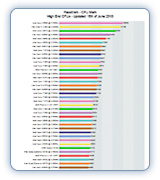
http://www.cpubenchmark.net/

Click GPU or CPU etc at the top for the charts.

They look like so:

high_end_thumbnail.jpg


Not sure I would use that over individual reviews at trusted sites though. Probably ok for ballpark areas though.
 
Le-mo said:
A few users recommended me to this thread so here it goes. I need help finding parts to build my first computer powerful enough to play Starcraft 2. I am completely new to this so I will need recommendation ranging from the type of screws to use to the most essential things. My budget is $550.
Anybody?
 
For what it's worth (if anyone's interested), my computer's specs are as follows:

1. AMD Phenom II X4 810 CPU (2.6 GHz)

2. Gigabyte motherboard (M61PME-S2P)

3. 4 GB of RAM

4. ATI (now AMD) Radeon 4670 (1 GB RAM) with HDMI/DVI/VGA capability

5. 500 GB hard drive (SATA)

6. Single internal floppy disk drive

7. Apacer internal card reader

8. DVD-RW drive

9. 350-watt PSU

10. Wacom Bamboo graphics tablet (I do digital painting and art on occasion)

11. Windows 7 Home Premium (64-bit)

I think this is a respectable setup. I play most of my games on 360, so the Radeon is fine.
 
Le-mo said:
The $550 build is a few posts above you man. That's the best you are going to get for $550.
(HAF, 5770, etc.)
Everything comes with the case / mobo.


1)Basic Desktop Questions
Budget: Price Range + Country
Main Use: Light Gaming, Gaming, Video editing, 3D work, general usage (Word, Web, 1080p playback)
Monitor Resolution: What resolution will you be looking to play your games at? Are you going to upgrade later?
List SPECIFIC games that you MUST be able to play: Self Explanatory

2)General Guide on what to buy
$500-$600 Budget build: http://imgur.com/gdc1C.png
1k build: To be updated

3)15 minute video how-to
http://vimeo.com/5685229
40 minute how-to
http://www.tested.com/news/video-how-to-build-the-best-1500-gaming-pc-step-by-step/152/

4)Prospective laptop buyers please fill this out and ask their forum as well.
http://forum.notebookreview.com/wha...ould-i-buy-form-must-read-before-posting.html
GAF notebook / laptop thread: http://www.neogaf.com/forum/showthread.php?t=386622
 
Just ordered that 460 for a family members build. It runs for 145$ AFTER MIR up north, grrrrr. I'd also have to start recommending people to the Phenom II X3 740. Triple core black edition with the L3 cache looks to be much stronger than the Athlon II 630 at the same price or sometimes even cheaper. Also has the potential to unlock into a full Phenom II X4. Unless you're doing tons of video encoding or something like that then I can't speak to the performance of the 740 vs 630. For gaming and everything else the 740 outperforms the 630.

DyobolikaL. said:

So he has 550$ for just the CPU/MB?
 
Yeah, even though the price has gone up to $95, I'd take an OEM X4 940 over any Athlon. Add a $15-20 92mm HSF and it's set.

You guys are tempting me to buy that GTX 460 and throw it into my HTPC, but it's overkill and my sensible side is on a hot streak.


DyobolikaL. said:
A friend just bought a RadeonHD 6870 can someone recommend a good motherboard and processor?

Nothing expensive trying to keep his budget under $800 and the video card is $250.
DyobolikaL. said:
A few posts above you:

http://www.neogaf.com/forum/showpost.php?p=24514267&postcount=17793
 
I would agree the X4 940 is a better option for those upgrading from a DDR2 system. Buy a decent cooler and all the X4 Phenoms overclock to pretty much the same place.

If anyone wanted ideas this is what I did for someone upgrading a very old system, hence the DDR3 related gear. Missing is Case/PSU.

2jdmgd5.jpg


I actually took that 1TB and swapped it out for a 1.5TB Caviar Green for 58$. It's not quite as fast but you're not going to notice much of a difference and within 2 years 80% of us will probably be moving our primary drives to a SSD anyways, making this HDD nothing but a storage drive a little down the road. Depending on your upgrade path as well you could swap the 2x2GB memory for 1x4GB if you plan on adding another 4GB stick down the road as memory prices come further down. You'll lose the dual channel memory in the mean time but when you get a 2nd 4GB stick you'll have an easier time overclocking than 4x2GB sticks. If you want to bring the cost down more swap the 460 for an older but better value part like the GTS 250/4850/4870 depending on current prices. Even at 115$ a 5770 isn't really worth it when the faster 4870 can be had for much cheaper, unless you want to run 3 displays off of one card. Also if you want a cheap upgrade from an old AMD2 part go with the Phenom X4 940. You won't have to buy a new motherboard or memory, but make sure your current motherboard will support the AMD3 chip. You can always cut costs by going with a cheaper mATX motherboard and while they are decent I personally don't agree with sacrificing SATA3/USB3 for 20-30$. I expect SSD technlogy to become a lot more affordable and a lot faster than SATA2 can handle. But for those with fewer options due to their budget it's a choice.
 
My Build as of now:

ASUS Sabertooth X58 LGA 1366 Intel X58 SATA 6Gb/s USB 3.0 ATX Intel Motherboard

http://www.newegg.com/Product/Product.aspx?Item=N82E16813131665

EVGA 01G-P3-1370-TR GeForce GTX 460 (Fermi) 1GB 256-bit GDDR5 PCI Express 2.0 x16 HDCP Ready SLI Support Video Card

http://www.newegg.com/Product/Product.aspx?Item=N82E16814130570

Antec EarthWatts EA650 650W Continuous Power ATX12V Ver.2.2 / EPS12V version 2.91 SLI Certified CrossFire Ready 80 PLUS Certified ...

http://www.newegg.com/Product/Product.aspx?Item=N82E16817371015

OCZ Vertex 2 OCZSSD2-2VTXE60G 2.5" 60GB SATA II MLC Internal Solid State Drive (SSD)

http://www.newegg.com/Product/Product.aspx?Item=N82E16820227550

G.SKILL 6GB (3 x 2GB) 240-Pin DDR3 SDRAM DDR3 1600 (PC3 12800) Triple Channel Kit Desktop Memory Model F3-12800CL9T-6GBNQ

http://www.newegg.com/Product/Product.aspx?Item=N82E16820231225

Western Digital Caviar Black WD1002FAEX 1TB 7200 RPM SATA 6.0Gb/s 3.5" Internal Hard Drive -Bare Drive

http://www.newegg.com/Product/Product.aspx?Item=N82E16822136533

LITE-ON DVD Writer - Bulk - Black SATA Model iHAS224-06 LightScribe Support - OEM

http://www.newegg.com/Product/Product.aspx?Item=N82E16827106333

Intel Core i7-970 Gulftown 3.2GHz LGA 1366 130W Six-Core Desktop Processor BX80613I7970

http://www.newegg.com/Product/Product.aspx?Item=N82E16819115066&cm_re=i7-970-_-19-115-066-_-Product

Total: $1107

I'm guessing I should just keep a eye out on these going on sale over black friday/cyber monday. Any suggestions on how to make it better and cheaper are appreciated as I've never built a computer before.
 
Top Bottom