• Hey Guest. Check out your NeoGAF Wrapped 2025 results here!

My Metroid GIF collection (NEW)

samusx

Banned
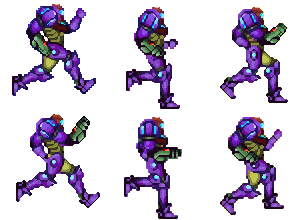
Samus-gravity-run.gif

A custom Samus sprite made for a new Metroid home brew game. (Not made by me, I forget who)
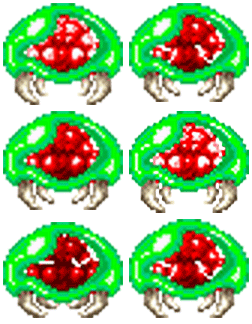
Metroid-bite.gif

Metroid: Zero Mission Metroid, made bigger and a little cleaner.
Baby-Metroid-2.gif

Baby Metroid from Super Metroid, cleaned up a bit and made bigger.

metroid-2.gif

Basic Super Metroid, Metroid.
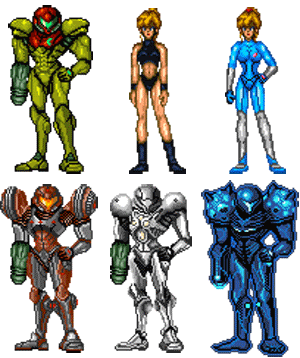
SamusX.gif

All suits from the Metroid games.
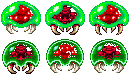
Metroid-breeds.gif

This is collection of different Metroid breeds that I have created.

I have been working on my collection for a little while, but I want to creat some more.

Anybody have any animated gifs or custom sprites that they made(FOR ANY GAME) ? Post them here.
 
What the hell are you talking about, it is now under the limits of image rules. It is 67x120 and it is only 51k. So where is the problem?
 
what you do...

resize the gif to 120 height and keep porportions

create a blank 90x120 image

paste the gif in the 90x120

not sure if it works for animated gifs though
 
With sprites, native res is the bare minimum. If you are going to scale up, you MUST do it at 200%, 400% etc. As well, hit ctrl+k and select 'nearest neighbour' as your interpolation option instead of bilinear or bicubic - this will cut out the nasty artifacting you get when you upscale sharp images.
 
OK, well I don't know what is going on, I have changed the res. in Photoshop to 120x64 and when I bring it here it gets bigger, what the hell? Why is GAF making the image bigger?
 
samusx said:
OK, well I don't know what is going on, I have changed the res. in Photoshop to 120x64 and when I bring it here it gets bigger, what the hell? Why is GAF making the image bigger?

Perhaps the cache on your image hosting isn't refreshing, try a different filename.
 
Well I have deleted the file from photobucket and reuploaded it many time, and everytime in photobucking the file says that it is 67x120, but when I post the link in GAF control panel for my avatar, it ends up bigger. WTF?

I even uploaded it under a different name, and still no go. DAMN!

Oh, and to Sho Nuff. I really don't get the joke, what are you supposed to be saying with that gif?
 
What's with the dumb filtering done on those? Are you running your emulator through a smudge filter? Bah.
 
samusx said:
Well I have deleted the file from photobucket and reuploaded it many time, and everytime in photobucking the file says that it is 67x120, but when I post the link in GAF control panel for my avatar, it ends up bigger. WTF?

I even uploaded it under a different name, and still no go. DAMN!

Oh, and to Sho Nuff. I really don't get the joke, what are you supposed to be saying with that gif?
It automatically gets stretched to 90 wide by the forum, so staying relative, it also goes back to 161 or whatever. Hold on a few.

Here you go:

SamusFiX.gif
 
Top Bottom