• Hey Guest. Check out your NeoGAF Wrapped 2025 results here!

Metal Gear Solid V: The Phantom Pain PC performance thread

Thanks very much for your tweaks btw, makes a great addition to the game!

I'm looking to implement SMAA instead of FXAA, what is the easiest way to go about this? Cheers!

In other news, is there anyway to force rain 100% of the time?
You have to edit game files to disable FXAA and then you can use ReShade 0.10.0 to enable SMAA. Any newer Reshade version won't work.
 
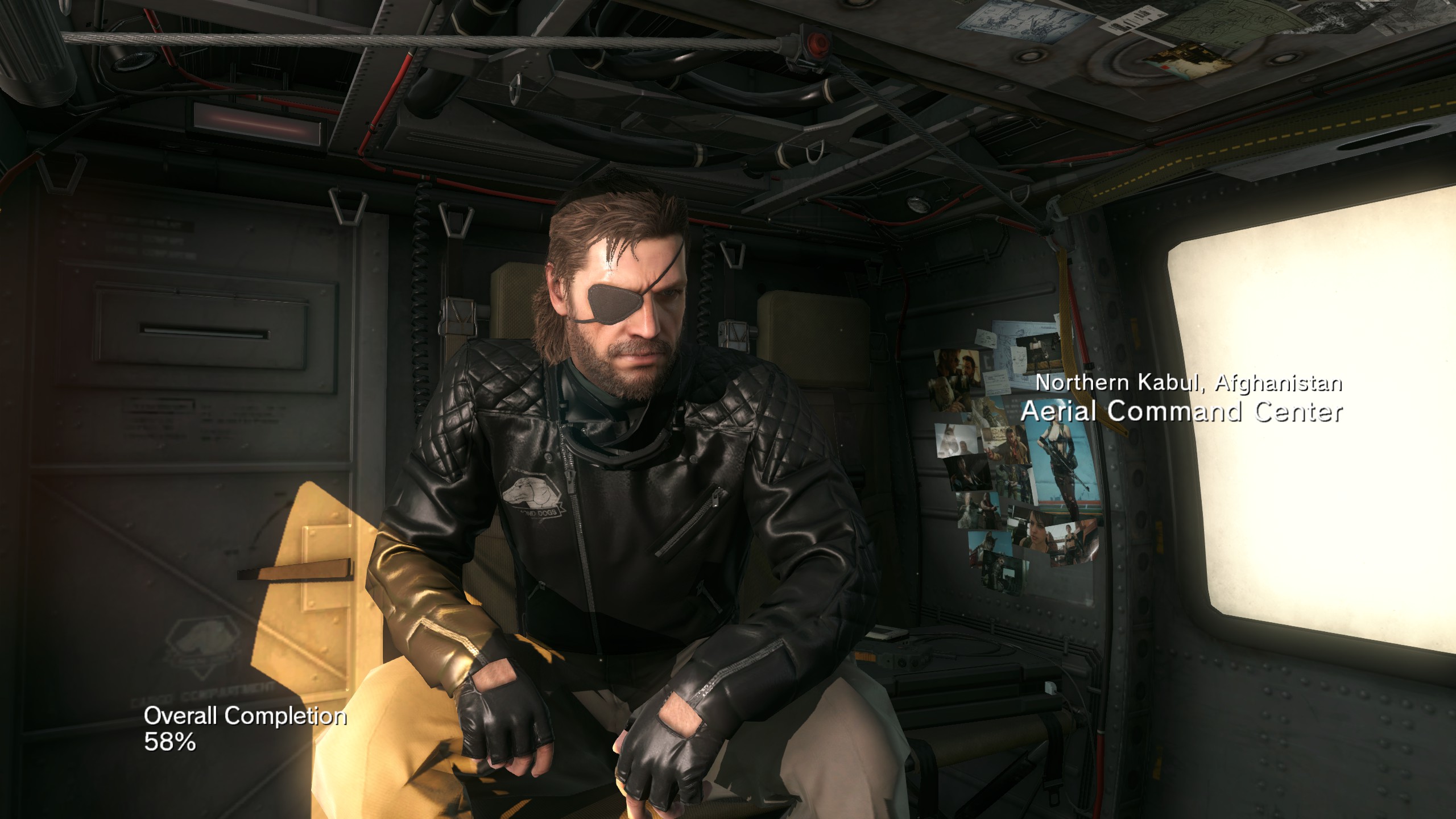
When I played through the game, it seemed to me that a lot times during cut-scenes the depth of field effect was missing. Now I look at DF's report and see this:
farz9Bk.jpg

MxIR45S.jpg


(they were comparing shadow quality here)

I wonder if the DOF effect is at times bugged if you set post processing to extra high. It works perfectly fine during gameplay though.
 
When I played through the game, it seemed to me that a lot times during cut-scenes the depth of field effect was missing. Now I look at DF's report and see this:

jpg


jpg


(they were comparing shadow quality here)

I wonder if the DOF effect is at times bugged if you set post processing to extra high. It works perfectly fine during gameplay though.

have to rehost them, they do not allow deep linking their images.

One thing to note about the extra DOF is that it uses a variable depth of field based upon distance and focus, the normal high depth of will not do this...
 
have to rehost them, they do not allow deep linking their images.

One thing to note about the extra DOF is that it uses a variable depth of field based upon distance and focus, the normal high depth of will not do this...

I rehosted them.

Well maybe they shouldn't have implemented DOF that way on Extra High, to me the effect was flat out missing a lot of the time. It does look much nicer than the regular one when it's actually working...
 
Is there a graphical glitch involving door textures? I have this issue where the lighting on a door switches immediately when you start to open it. That is, if I'm in a dark room and it's light outside, when I start pushing a door open slowly, its texture immediately jumps from 0% light to 100% light instead of gradually changing.

970 user here.
 
Trailer's two years old, and the game's out now. I'd say a random costume isn't exactly major spoiler territory anymore.

endgame spoiler:
it was also revealed that there's a Metal Gear in Metal Gear Solid V, still posting a picture of the thing stading inside motherbase is a huge spoiler. Same with the costume. It has to be a endgame item because I'm almost done with the game and still haven't got it. Like, would you still be cool if people would post pictures of the parasite suit?
 
endgame spoiler:
it was also revealed that there's a Metal Gear in Metal Gear Solid V, still posting a picture of the thing stading inside motherbase is a huge spoiler. Same with the costume. It has to be a endgame item because I'm almost done with the game and still haven't got it. Like, would you still be cool if people would post pictures of the parasite suit?

False equivalency. It's a costume, one which was shown two years ago. The
parasite suit
was not shown at all beforehand, nor was
Metal Gear shown in motherbase
(at least not entirely) beforehand.
 
This new patch: Anyone with AMD cards/CPUs report any drop in performance too? I'm away from my home atm (out of country), so I wanted to know if this means I'm going to have to lower one of my graphical settings just to make it tolerable.

Been playing @ 1366x768 on Extra High save for Shadows which are set to High. There were occassional dips during Mother Base at night but more or less it was 50-60~ish fps. I found out though that turning down lighting to High does make it consistently 60fps, but at the expense of not looking as good as the "PC screenshots" nvidia likes to taut.

Then again, I must be the only one here to have an all AMD setup.
XFX 7870 Core Edition (no OC)
AMD FX 4350 Black Edition @ 4.2Ghz (no OC)
16 GB RAM
Don't want to screw with OC due to it possibly causing hardware failure (don't tell me stuff like "it's easy to overclock..." because I bet ya I'm gonna screw up somehow, and only have a 500W power supply).
 
I would have had no idea it was a spoiler, and if it is then please no extra details on it.

I changed it to a URL
 
False equivalency. It's a costume, one which was shown two years ago. The
parasite suit
was not shown at all beforehand, nor was
Metal Gear shown in motherbase
(at least not entirely) beforehand.

it was only shown as a part of a cutscene, not as a costume. ffs.
 
Was shown in a cutscene being worn by the player character, appears as a costume in the final game. Hmm. Whataspoiler.

Okay,
I didn't know you could get it as a costume for gameplay. I'd like to have this found out by myself and not stumble upon it in a tech-centric thread. If that's not a spoiler I don't know anymore...
Anyway this is not the right place to talk about it.
 
I rehosted them.

Well maybe they shouldn't have implemented DOF that way on Extra High, to me the effect was flat out missing a lot of the time. It does look much nicer than the regular one when it's actually working...

It is working, and also working a more physically accurate manner. The thing is the default f-stop in the simulated camera lens on extra high is rather high in tpp... so objects become more defocused/more bokeh-like at a greater distance from the camera focal point.

They presumably did this due to all the complaints about how blurry big boss was in gameplay during the first game.

For example, look how blurry and bokeh-like the gun model is in MGS: GZ (with a low f-stop) YOu cannot even see the details of BB's gloves
mgsgroundzeroes_2015_j8s0n.png


vs TPP with its high f-stop: (glove detail, gun detail maintained, no upres artifacts from a lower resolution DOF)
mgsvtpp_2015_09_10_18uds9y.png


I can imagine most if not all cutscenes in TPP did not have a custom F-stop set up per scene or for different part of the scene just for the PC version.
 
It is working, and also working a more physically accurate manner. The thing is the default f-stop in the simulated camera lens on extra high is rather high in tpp... so objects become more defocused/more bokeh-like at a greater distance from the camera focal point.

They presumably did this due to all the complaints about how blurry big boss was in gameplay during the first game.

For example, look how blurry and bokeh-like the gun model is in MGS: GZ (with a low f-stop) YOu cannot even see the details of BB's gloves
mgsgroundzeroes_2015_j8s0n.png


vs TPP with its high f-stop: (glove detail, gun detail maintained, no upres artifacts from a lower resolution DOF)
mgsvtpp_2015_09_10_18uds9y.png


I can imagine most if not all cutscenes in TPP did not have a custom F-stop set up per scene or for different part of the scene just for the PC version.

I think I would've rather played the game with the regular DOF, too late for me now, I'm already done with the story. So many cut-scenes looked rather flat on PC.
 
I wish I could turn off depth of field for gameplay but have it remain on as intended during cutscenes. It's good during cutscenes but I prefer everything sharp while I play. And it gets funky often while I'm trying to aim through a few things and it can't decide what to focus on.

I also wish there were separate audio sliders for helicopter loudspeaker and typical music playback. If I turn it quiet enough that I can play and listen to idroid at the same time without completely losing my situational awareness, it's too quiet to be heard from the helicopter. If I turn it up so I can hear my battle music from the chopper as it comes in, it's now too loud for me to play from my idroid. Can't hear the truck coming up behind me.

Are either of these possible? Have I just missed something?
 
There is a scene on the R&D platform of mother base with Huey.

Where Huey is finishing building the battle gear where there are blue electrical flashes from the canon being primed

That was the only time I've had my frame rate tank to single digits from the steady 60 I was getting all game.

Anyone else?
 
I wish I could turn off depth of field for gameplay but have it remain on as intended during cutscenes. It's good during cutscenes but I prefer everything sharp while I play. And it gets funky often while I'm trying to aim through a few things and it can't decide what to focus on.

I also wish there were separate audio sliders for helicopter loudspeaker and typical music playback. If I turn it quiet enough that I can play and listen to idroid at the same time without completely losing my situational awareness, it's too quiet to be heard from the helicopter. If I turn it up so I can hear my battle music from the chopper as it comes in, it's now too loud for me to play from my idroid. Can't hear the truck coming up behind me.

Are either of these possible? Have I just missed something?
I think if you turn off DOF it will stay for the cutscenes but be off during gameplay. I cant really decide if i want it off or not to be honest.
 
There is a scene on the R&D platform of mother base with Huey.

Where Huey is finishing building the battle gear where there are blue electrical flashes from the canon being primed

That was the only time I've had my frame rate tank to single digits from the steady 60 I was getting all game.

Anyone else?

yes happened to me as well
 
There is a scene on the R&D platform of mother base with Huey.

Where Huey is finishing building the battle gear where there are blue electrical flashes from the canon being primed

That was the only time I've had my frame rate tank to single digits from the steady 60 I was getting all game.

Anyone else?

Yeah it was a disaster.
 
Anyway to remove building timers?

Not that I know of, but you can use Cheat Engine to run the game at 500x speed. You can run through a 2 hour timer in about 15 seconds. I usually do this while on Mother Base to hopefully raise some morale too!
 
I think if you turn off DOF it will stay for the cutscenes but be off during gameplay. I cant really decide if i want it off or not to be honest.

I heard another person say that as well, but then I read a performance article posted on GAF (I forget which site) that actually said performance during cutscenes was improved by turning off DOF and showed screenshots of cutscenes without DOF. So I dont know now.

Not that I know of, but you can use Cheat Engine to run the game at 500x speed. You can run through a 2 hour timer in about 15 seconds. I usually do this while on Mother Base to hopefully raise some morale too!

500x speed haha thats a damn leap
 
Hey guys, I tried skimming this thread and didn't see if this was answered elsewhere, but does anyone else have issues when a cutscene lets you look around with your mouse?

In the very first cutscene at the hospital it worked and was smooth as butter, but for every cutscene to happen after that it's it skips really badly whenever I try to look around.

Any ideas?
 
Not that I know of, but you can use Cheat Engine to run the game at 500x speed. You can run through a 2 hour timer in about 15 seconds. I usually do this while on Mother Base to hopefully raise some morale too!
I'm going to start abusing that then, fuck arbitrary unlock timers so much...

Performance has been great thus far.
BUT there's been something bugging me for a while:
Sometimes while playing, I get these seemingly random freezes. As in the entire game just freezes for 1 second or so, then it goes back to normal.

It's really annoying, and I have no idea what could it be. I close Chrome and everything else open before playing and still get it. At first I thought it was because I was downsampling (1440p) but it still happened with lower resolutions (1680x1050).

Anyone here had something similar?

GTX 970
8GB RAM
i5 4690
W10

Also the PC was recently(a month or so) formatted so... yeah.
I have the same specs (4690k and win 7 though) and haven't had any freezes except one time 30seconds before a windows update pop up appeared (2015 and windows update is still dicking with your pc while you're playing games sigh )

OT:
I increased the power limit and oced the memory on my gtx 970 and any fps dips I had seem gone.

There's one particular base in afghanistan (haven't been to africa yet) that just seems way more demanding than anything else in the game.
Usually my gpu would sit at 70-80 percent useage and the cpu at 30 with locked 60 fps but in that area it goes straight to 90-99 percent gpu useage and I was getting pretty sustained fps drops into the mid 50s.

Wasn't getting any performance drops where I'd previously get the odd dip today after the OC but I need to go back to that area to see if it's enough.

For some reason ANY dips at all are pretty annoying in this game.
Maybe it's just because I get so used to the flawless framerate that when it does drop it sticks out like a sore thumb.

Currently at 32 hours played and only 20 percent completion xD
I'm taking forever to progress through the story as I keep replaying older missions to try different tactics or try for an S rank (seems you really need to either perfect stealth it OR do several of the bonus objectives to get S ranks)

The game somehow keeps getting better and better and better and I just never get tired of the gorgeous graphics.

edit: it's this area that gave me issues: See that shit? a 68ms frame (and average 55 fps but it's mainly the terrible frametimes in this particular area)
http://abload.de/img/mgsvtpp_2015_09_10_01ncl7y.png (in this shot there's not much going on and it's still going to 99 percent gpu, I think there's a bug in this area or something because it's nothing special compared to all the other bases.
Does anyone else have poor fps in this area?

And here's my normal gpu useage in pretty much every other base or when overlooking really detailed areas
http://abload.de/img/mgsvtpp_2015_09_11_01o7xo7.png

Idk where you guys get the performance for that graphics mod unless you have 980tis
my 970 is just barely enough to guarantee 99 percent consistent 60 fps throughout the game at 1440p with hbao and with effects on high (and post process on low because fuck FXAA so much)

Question btw: do you guys bother with the volumetric clouds? I've never even looked up to notice them, do you get much performance back from turning them off?
 
There's a bug or something going on here. I'm playing mission 18 and I get a severe drop in framerate when extra high shadows are enabled. I'm talking 60 down to 15fps. I have no idea why it would drop so sharply.

3GB Amd R9 280 OC'd
i5 4690K
Win 10
8GB DDR3 RAM
 
There's a bug or something going on here. I'm playing mission 18 and I get a severe drop in framerate when extra high shadows are enabled. I'm talking 60 down to 15fps. I have no idea why it would drop so sharply.

3GB Amd R9 280 OC'd
i5 4690K
Win 10
8GB DDR3 RAM

Are you using the extended settings mod?

Either way, my guess is you're running out of VRAM. If your cards 3GB then it wouldn't be surprising for shadows to eat through that.
 
Are you using the extended settings mod?

Either way, my guess is you're running out of VRAM. If your cards 3GB then it wouldn't be surprising for shadows to eat through that.
No. I took that off. It did it yesterday randomly but it went away just now. It never did it before it was just random.
 
I think if you turn off DOF it will stay for the cutscenes but be off during gameplay. I cant really decide if i want it off or not to be honest.

It kinda bugs me when the game blurs out my character when crawling or when the camera gets too close but I love the DOF effect in binoculars so I leave it on.
 
There is a scene on the R&D platform of mother base with Huey.

Where Huey is finishing building the battle gear where there are blue electrical flashes from the canon being primed

That was the only time I've had my frame rate tank to single digits from the steady 60 I was getting all game.

Anyone else?
That scene, there's a scene with a certain npc doing exposition in the helo, the moment you set foot in Africa, and a brief dip when Ishmael rolls you under the bed in the prologue.

All tied to forced HBAO+
 
Holeeee shit at the cutscene after mission 29. That pretty much ran at 2fps the entire time.

This is a good port and all, but stuff like that really mires the experience. There's literally no reason that should have ran the way it did.
 
Holeeee shit at the cutscene after mission 29. That pretty much ran at 2fps the entire time.

This is a good port and all, but stuff like that really mires the experience. There's literally no reason that should have ran the way it did.

It's HBAO+ that causes the cutscene drops. Kinda hard to blame the port for an nVidia cock up.
 
i5-4590, 8 GB DDR3, and Gigabyte G1 970 GTX gets 60 FPS with all settings maxed at 1080p.

When Steam Link comes out I will have to see how the heck I can get 4K on my TV and see how performance is with streaming.
 
That scene, there's a scene with a certain npc doing exposition in the helo, the moment you set foot in Africa, and a brief dip when Ishmael rolls you under the bed in the prologue.

All tied to forced HBAO+

Exact same thing happened to me in all of the cutscenes and places you mentioned. I didn't know it was tied to HBAO+ though.
 
Holeeee shit at the cutscene after mission 29. That pretty much ran at 2fps the entire time.

This is a good port and all, but stuff like that really mires the experience. There's literally no reason that should have ran the way it did.

It's HBAO+ that causes the cutscene drops. Kinda hard to blame the port for an nVidia cock up.

I'm on mission 29, so the only way to get good performance out of that cutscene is to temporarily turn off hbao+?
 
Top Bottom