• Hey Guest. Check out your NeoGAF Wrapped 2025 results here!

ShaderBeam; a CRT beam emulator for your PC

VGEsoterica

Member
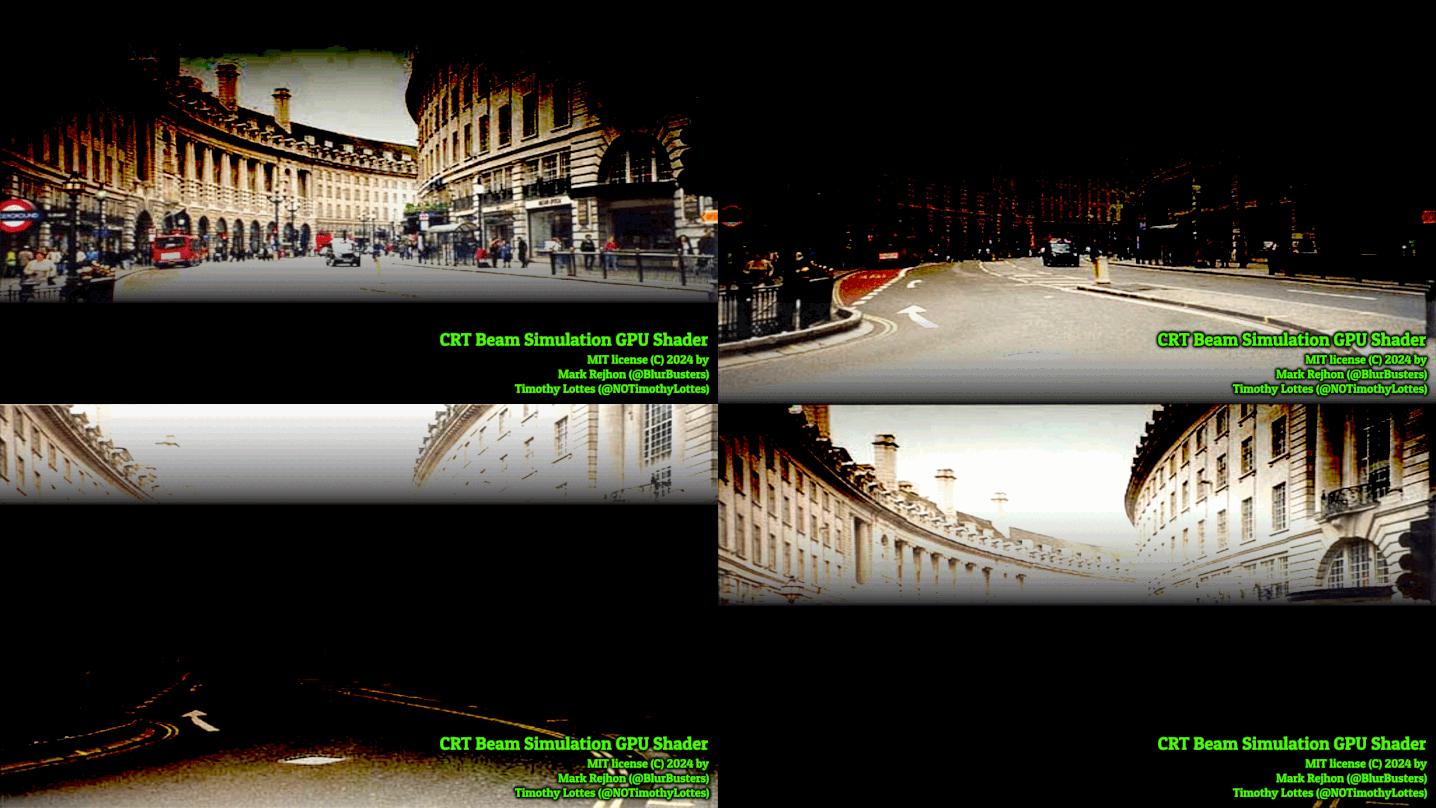
You need to have a 120Hz minimum panel and 240Hz would be even better but now we have ShaderBeam...a CRT beam emulator. Think BFI but less black frame insertion and more the beam draw pattern of a CRT TV on your gaming monitor or OLED tv. Really needs to be seen to be believed as it's a hell of an experience. About as good as you can get without some rich nerd restarting CRT production in some factory somewhere (which is always my dream)

 
Genuine question, how important is it that you always hit that 10 minute mark on your videos? Cause I find some of them tough to watch since there's usually obvious filler so you can hit the 10 minute mark. Is that so you get a mid ad roll or something? Just curious.

I feel like I would engage with and share the vids a lot more if they were shorter and more to the point.
 
Genuine question, how important is it that you always hit that 10 minute mark on your videos? Cause I find some of them tough to watch since there's usually obvious filler so you can hit the 10 minute mark. Is that so you get a mid ad roll or something? Just curious.

I feel like I would engage with and share the vids a lot more if they were shorter and more to the point.
this is a common misnomer; mid roll ads require a video of 8 minutes in length, not 10 minutes. So if I was trying to get mid rolls I'd stop at 8

10 is the length I enjoy working at. Intro, concept, explanation, vibe, use case, end. I may rearticulate a point earlier in the video but I like to introduce the idea, explain what it is/does, explain the technology, discuss "how it feels", talk about how one would use it then wrap it up
 
It's blurbusters' innovation that retroarch had already implemented too. Good to see it used more but no reason to pretend it's some unheard of unprecedented thing we just now see when it's been in use for about a year for clickbait. Well, the clickbait is the reason, you know what I mean.
 
Last edited:
The shader creates a yellow border around the screen. I had similar issues before with other shaders and it's apparently a Windows10 problem. Which means it's unusable in Windows 10, despite the author saying it's made for Windows 10 as well.

Hard pass.
 
Looks neat, curious how it will develop over time.

I'm thinking next year of selling my older 1440p monitor, moving my current 4k as a secondary, and going with an ultra-wide 240hz or higher OLED panel.
 
Nvidia's "smooth motion" works better for me for running locked 60fps content at 120fps and reducing blurring accordingly.

All without the requirements and jank these shaders come with. I mean they do work, i can see the remove of motion blur, but it's not worth all the added artifacts/bugs and the overall hassle. And i'm certainly not going to use Windows 11 for it.
 
I wish there was an easy way to connect a modern PC to this.

Edit: I managed to fix the horizontal stripes but holy hell it looks awful. The colors got much darker and more dithered.

It has to be just me because there is no way it looks like that and it got released.
It's a steep setup. If you just got that result it's not dialed in yet
 
It's a steep setup. If you just got that result it's not dialed in yet
I'm using the default options. I'm also seeing the same results in the testUFO demo.

There are also no instructions about how to dial it in and the darken image and dithering isn't mentioned in the troubleshooting section.

Also, it needs Windows 11. Which is the final nail in the coffin IMO.
 
this is a common misnomer; mid roll ads require a video of 8 minutes in length, not 10 minutes. So if I was trying to get mid rolls I'd stop at 8

10 is the length I enjoy working at. Intro, concept, explanation, vibe, use case, end. I may rearticulate a point earlier in the video but I like to introduce the idea, explain what it is/does, explain the technology, discuss "how it feels", talk about how one would use it then wrap it up
Thanks for explaining!
 
Ooh, definitely going to give this a try. I bought a CRT and a bunch of old retro consoles/games this year and am loving it, but it would be cool if I could produce a similar (better?) result on my high-end monitor and emulators.
 
This would be cool to use in combination with the megashaders and megabezels in RetroArch.

Though my hope is that the revival of interest in CRTs will just lead to some insane manufacturer creating brand new CRT screens.
 
I'm using the default options. I'm also seeing the same results in the testUFO demo.

There are also no instructions about how to dial it in and the darken image and dithering isn't mentioned in the troubleshooting section.

Also, it needs Windows 11. Which is the final nail in the coffin IMO.
You don't need Win 11. Win 10 is the same. It just forces an annoying yellow box around the capture window
 
I wish there was an easy way to connect a modern PC to this.

Edit: I managed to fix the horizontal stripes but holy hell it looks awful. The colors got much darker and more dithered.

It has to be just me because there is no way it looks like that and it got released.
I bought real consoles, but I'm quick to buy rep games if the price is stupid. Best little groove for my use.
 
Time to get a 480hz OLED, LCD is less than ideal, but the effect works.

The shader creates a yellow border around the screen. I had similar issues before with other shaders and it's apparently a Windows10 problem. Which means it's unusable in Windows 10, despite the author saying it's made for Windows 10 as well.

Hard pass.
It's a windows feature! A warning to show your screen is being captured.
Maybe you can turn it off? Dunno.
 
Genuine question, how important is it that you always hit that 10 minute mark on your videos? Cause I find some of them tough to watch since there's usually obvious filler so you can hit the 10 minute mark. Is that so you get a mid ad roll or something? Just curious.

I feel like I would engage with and share the vids a lot more if they were shorter and more to the point.
Yeah I usually drop off after a couple minutes.
 
I tried this on my 180hz IPS when it hit RA last year, but didn't manage to get rid of the annoying stuff before giving up. Maybe I'll have to give it another go some day.

I won't be using this unless a Linux version comes, so this may be off the table for me except for those rare occasions where I jump back to W11.
 
The blur busters demo looks fantastic, but playing a few games, I don't notice a difference in practice. Maybe it's just me, I do feel it in my eyes though, like the CRT days of old.
 
Last edited:
The blur busters demo looks fantastic, but playing a few games, I don't notice a difference in practice. Maybe it's just me, I do feel it in my eyes though, like the CRT days of old.
It is much more visible in things like panning demos -- e.g. DOTA2/LOL type maps -- and if you eye track mouselooks a lot more. Also, it's much more visible at 4:1 and bigger native:simulated Hz ratios.

For the "wow" factor, don't use weak 50%, use 75-90% blur reduction ratios. For example, a 720Hz OLED can reduce 72fps motion blur by 90% (720:72 ratio) or 60fps motion blur by 92% (720:60 ratio). So that's where your brand new 500 Hz OLED comes in useful -- good blur busting ratios for your 100fps content that now suddenly has 500fps-like motion clarity.

The shader creates a yellow border around the screen. I had similar issues before with other shaders and it's apparently a Windows10 problem. Which means it's unusable in Windows 10, despite the author saying it's made for Windows 10 as well. ard pass.
I'm trying to bring it to other platforms -- check out Open Source Display Shaders. Someone got Reshadeck running my CRT simulator at 45fps at 90Hz on the Steam Deck, but with a bit of fiddling. I hope other programmers come into the fold.

What's the difference between this and crt royale?
CRT Royale is a spatial filter (phosphor masks). My CRT beam simulator is a temporal filter (rolling scan flicker as software based motion blur reduction).

I tried this on my 180hz IPS when it hit RA last year, but didn't manage to get rid of the annoying stuff before giving up. Maybe I'll have to give it another go some day
You can use the new global mode feature (scan direction of 0) which simulates a mythical global-refresh CRT. Like a phosphor-BFI. My CRT simulator is capable of that, and that eliminates banding.

Try my new TestUFO CRT Simulator with Scan Direction 0, and watch your banding disappear. Same result in ShaderGlass.
 
Also, as a web-based trial, I have CRT Simulator in TestUFO too! Just quit all your browser tabs, close all windows, use single monitor mode, and give TestUFO all of your CPU/GPU and then at least you can see what CRT simulator looks like without installing software!

testufo.com/crt

You can customize scan direction (try scan direction 0 to remove the banding).

Your maximum blur reduction ratio will be native:simulated plus whatever GtG you have.

So a 120Hz LCD will reduce 60fps motion blur by 50% and diluted to 30% due to LCD GtG.

While a 480Hz OLED will reduce 60fps motion blur by almost 90%, due to the ginormous 480:60 ratio. Massively more "My First SSD"-style league of impressiveness, also explained in the "120 vs 480" article I have. (Given sufficient frame rate or such a subframe shader, 120 vs 480 OLED is more human visible than 60 vs 120 LCD, so the chasm becomes even bigger when 60 vs 480. Literally like VHS-versus-8K, rather than 720p-vs-1080p.

 
Last edited:
The blur busters demo looks fantastic, but playing a few games, I don't notice a difference in practice. Maybe it's just me, I do feel it in my eyes though, like the CRT days of old.
Depends on the game, Dynamite Headdy on the Megadrive is a good example. The blur is obvious on the various signs and ShaderBeam will show the difference. This image clarity helps a lot in SHMUPS.

 
Also, as a web-based trial, I have CRT Simulator in TestUFO too! Just quit all your browser tabs, close all windows, use single monitor mode, and give TestUFO all of your CPU/GPU and then at least you can see what CRT simulator looks like without installing software!

testufo.com/crt

You can customize scan direction (try scan direction 0 to remove the banding).

Your maximum blur reduction ratio will be native:simulated plus whatever GtG you have.

So a 120Hz LCD will reduce 60fps motion blur by 50% and diluted to 30% due to LCD GtG.

While a 480Hz OLED will reduce 60fps motion blur by almost 90%, due to the ginormous 480:60 ratio. Massively more "My First SSD"-style league of impressiveness, also explained in the "120 vs 480" article I have. (Given sufficient frame rate or such a subframe shader, 120 vs 480 OLED is more human visible than 60 vs 120 LCD, so the chasm becomes even bigger when 60 vs 480. Literally like VHS-versus-8K, rather than 720p-vs-1080p.
Brilliant stuff.

Would it ever be possible (perhaps the better word would be "viable") to bake this directly into a display?
 
Is this shader beam implementation in ShaderGlass better than the one in RetroArch? The CRT beam shader in RetroArch drastically reduced persistence blur in 60 Hz games (surpasing my plasma TV and almost matching my VGA CRT) , but I found it unusable on my 240 Hz OLED as I could see random flickering when the refresh rate was unstable and the brightness was significantly reduced. I had a much better experience with standard black frame insertion.
 
Last edited:
It's a steep setup. If you just got that result it's not dialed in yet
So it turns out half of the problems i have are because the panel i use is TN. Such panel has additional issues with these shaders, which aren't mentioned in the readme.

It's a crap shoot basically. Maybe it will work for you well enough, maybe it wont. I'll try again in 3 years after i get a new monitor and being forced to use Windows 11 or newer.


Is this shader beam implementation in ShaderGlass better than the one in RetroArch? The CRT beam shader in RetroArch drastically reduced persistence blur in 60 Hz games (surpasing my plasma TV and almost matching my VGA CRT) , but I found it unusable on my 240 Hz OLED TV as I could see random flickering when the refresh rate was unstable and the brightness was significantly reduced. I had a much better experience with standard black frame insertion.
I tried both and both have more or less the same issues for me. Reduced brightness, mangled colors and random flickering. I also had weird horizontal stripes, which is the only issue i managed to fix with this newer implementation. But still, too many issues and the image looks nasty.

Are you using a TN panel by any chance?
 
Last edited:
Genuine question, how important is it that you always hit that 10 minute mark on your videos? Cause I find some of them tough to watch since there's usually obvious filler so you can hit the 10 minute mark. Is that so you get a mid ad roll or something? Just curious.

I feel like I would engage with and share the vids a lot more if they were shorter and more to the point.
Mike & Wyatt's skits just drag on and on in a similar manner. If they'd make them 30-50% shorter they'd be much funnier and snappier. It feels like they fill out the time in each video with repetetive jokes to get a better ad time. I understand why a creator would want better ad revenue, but you need to build a proper structure from the start to motivate the length, instead of using fluff. Like, it's much better to have 15 minutes of material condensed to 10 minutes than 5 minutes stretched out.
 
Last edited:
Top Bottom