plumpblumpkin
Member
What i hate the most with TressFX enabled is when you aim down over the shoulder the Fps drops ridiculously...
It just ruins the combat..
It just ruins the combat..
Actually, it was the game update that did that, not the NVidia drivers.I hope this can help other slow ass players like me. SSAA does not black out cinematics with the latest nvidia drivers (314.21).

Actually, it was the game update that did that, not the NVidia drivers.
For TR is it better to use to DX10 folder of SMAA, or DX9?
Would anyone with a GTX670 be able to advise as to the best settings to maintain a consistent 60fps throughout the game?
Would anyone with a GTX670 be able to advise as to the best settings to maintain a consistent 60fps throughout the game?
Hair at Normal, shadows at Normal, Level of Detail at Normal, and Depth of Field off, AA off, max everything else and inject SMAA is what I do.
I just can't sacrifice all that beauty...lol

I've played a bit with everything maxed at 3200x1800, minus TressFX since I think it clashes horribly with the game, at 30fps. That's the other option.
Don't you find it sluggish, I did when I capped the game at 30fps, it was unbearable.
I much prefer setting a couple things to Normal so I can get 60fps to it, yes. Primarily the DOF, which I don't even think looks very good. Wish I could disable motion blur and keep the other post-processing effects, too.

Does anyone else get this TressFX glitch or is it just me? I still cannot play with it enabled on the latest patch and 314.21 drivers:
http://www.youtube.com/watch?v=D37fB2vg3BI
5760x1200 on a GTX Titan.
Edit: I don't get the glitch with single screen. Definitely something buggy with the nVidia Surround setup and TressFX.
I just finished installing the game and decided to try the benchmark.
I have an i5 2500k and a pretty old 8800GTX, and seeing as FireFox (and other programs) were using up about 3 of the 4GB of RAM XP has access to, that and another game running in the background had me expecting and unplayable slideshow, but with the graphics options all at default (turning off V-Sync, anti-aliasing and post-proccessing) at 1360x768, and I got around 88fps average, which was a big surprise.
I then saved and closed down the other game I was playing, freed up some more RAM and set everything to max minus V-Sync, and got...79fps. I'll be switching to my dual boot of Win7 to see if an extra 4GB of RAM and the OS can give me a little extra, but I'm once again surprised at how well my 8800GTX can handle the latest games.
Realistically though, how trustworthy is the benchmark in this game? The minimum fps on the last test was 58fps, but I expect there to be more taxing parts in the game than what the benchmark shows.

I just finished installing the game and decided to try the benchmark.
I have an i5 2500k and a pretty old 8800GTX, and seeing as FireFox (and other programs) were using up about 3 of the 4GB of RAM XP has access to, that and another game running in the background had me expecting and unplayable slideshow, but with the graphics options all at default (turning off V-Sync, anti-aliasing and post-proccessing) at 1360x768, and I got around 88fps average, which was a big surprise.
I then saved and closed down the other game I was playing, freed up some more RAM and set everything to max minus V-Sync, and got...79fps. I'll be switching to my dual boot of Win7 to see if an extra 4GB of RAM and the OS can give me a little extra, but I'm once again surprised at how well my 8800GTX can handle the latest games.
Realistically though, how trustworthy is the benchmark in this game? The minimum fps on the last test was 58fps, but I expect there to be more taxing parts in the game than what the benchmark shows.
It's not reliable whatsoever and is not indicative of what performance you'll get during gameplay. In the more taxing areas of the game, you have to turn tressfx off if you want 60 fps.
Seems reliable to me. During gameplay, I don't remember hitting the lowest FPS like what's seem in the benchmark.
Yeah, I know. I had a PC set up with the 8800GTX and an E6600 for a while, but the PSU gave out. Didn't have the money to replace it at the time, so I put together some older parts and used that for a year. When I finally got some cash together I replaced everything but the GPU.That's some seriously mismatched hardware

Yeah, I know. I had a PC set up with the 8800GTX and an E6600 for a while, but the PSU gave out. Didn't have the money to replace it at the time, so I put together some older parts and used that for a year. When I finally got some cash together I replaced everything but the GPU.
Just tried the benchmark on Win7 64bit, with the latest drivers anyway, and I'm getting an average 63.5fps, min 44fps. On comparison XP 32bit with old drivers is 80fps average, min 60fps. Same settings. Um...is this normal? Haven't really used Win7 for gaming much.

Damn, I still can't get 60fps CONSTANT even with these settings??
I have a gtx 680/3570k and using latest drivers/patch..
I get drops in fps during certain cutscenes and areas..
Play a bit further into the game, and you'll see. Even in Shanty Town, your fps are not lower than what's seen in the benchmark?
Lower DoF and SSAO.Damn, I still can't get 60fps CONSTANT even with these settings??
I have a gtx 680/3570k and using latest drivers/patch..
I get drops in fps during certain cutscenes and areas..
Isn't Valve dropping support for XP on Steam in August?
XP>Windows 7 with older GPU hardware for DX9 specific gaming. Also, the newer NVIDIA drivers aren't that great for ancient but still viable cards like your 8800 GTX, performance will obviously be better with older drivers. (Hell I'm still rocking a Radeon 4670 which works well enough for this game at a lower resolution like 1600x900 lol, also sticking with some old ass drivers for my card.)
Also, since the game only supports either DX9 or DX11 with no DX10 fallback path (unlike the all new Glacier Engine in Hitman Absolution which supports DX11/10 with a fallback path, this game uses a modified version of the engine used in Deus Ex:HR), the game defaults to DX9 on your 8800 GTX, which has a performance penalty in Windows 7 as compared to its implentation in XP. This penalty is even more pronounced in older hardware like yours but almost impossible to notice in most modern cards people are rocking nowadays.
Stick to XP for the performance in your very specific case. It's not like you can enable tesselation or TressFX or any of that fancy schamancy DX11 exclusive effects anyway. You can't even get the best DOF, SSAO, Reflections or even Shadows options in DX9, only on DX11.
It is known.
I have beaten the game twice. Second time, 100%. I was getting mostly 60fps on a Titan.

Play a bit further into the game, and you'll see. Even in Shanty Town, your fps are not lower than what's seen in the benchmark?
Disable DOF or at least turn it down to normal. You're practically losing fps to make things blurrier.Damn, I still can't get 60fps CONSTANT even with these settings??
I have a gtx 680/3570k and using latest drivers/patch..
I get drops in fps during certain cutscenes and areas..
Well, that's not the case with me, then. There are plenty of scenes/instances in the game where my fps during gameplay is FAR lower than the minimum from benchmark at the exact same settings.
Btw, what settings are you playing at on your Titan? I can't achieve 60 fps in certain scenes unless I lower the settings on my 680.


Performance is great thus far but I'm still crashing. Probably had about 4 hard locks in about 6 hours of play time. Not the end of the world but still a pain. Does the Hitman trick still work to mitigate them?
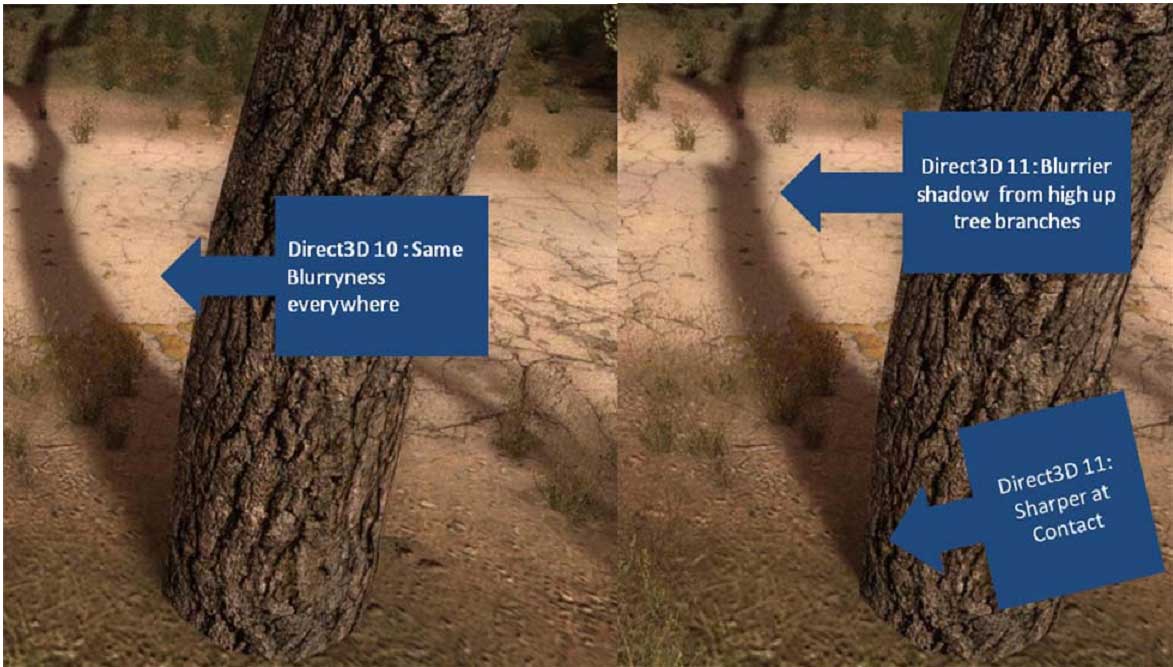
Ultra Shadows:
Normal Shadows:

Damn, that's quite impressive. Titan is a monster! I need to upgrade my gpu.
What cpu are you using with the Titan? Also, are you able to get nearly 100% gpu utilization with Titan in Shanty Town with your cpu?
Running 2600K@4.5GHz. In the Ultra Shadows pic, the GPU is running at 98%.
Ultra Shadows:
[IMG]http://i.imgur.com/6N0aMPt.jpg
Normal Shadows:
Even with the latest Nvidia driver and patch I got crashes after only a few minutes. After doing the Hitman trick, I played the game for an hour without any problems.