

You slay me, Sammy. You really do.
You are using an out of date browser. It may not display this or other websites correctly.
You should upgrade or use an alternative browser.
You should upgrade or use an alternative browser.
Wii U Firmware Update is live everywhere. Everyone calm down.
- Thread starter VideoMan
- Start date
bodeiseifer
Member

confirmed region locked still
AwakenedCloud
Member
Yeah but that's because it's just saving to a folder on your computer...I don't think Nintendo allows you to save anything. I really don't see what the issue is. The key difference is you have to upload it when you pause, you can't save them for later.
But that's the thing. How much better would this all be if they just had some type of online imagehosting/pinterest/tumblr that you just uploaded your pictures to at the system level. Even with the original Wii, Nitendo seemed to embrace picttures with the Photo Channel. All I'm saying that it'd be forward thinking of them to do something like Steam's solution, get more people using the feature, and maybe even get them some extra buzz on Social media sites.
Zoramon089
Banned
confirmed region locked still
Why wouldn't it still be?
KillerTravis
Banned
Really? MiiVerse was slower than it normally is; same with eShop. Not that it was fast anyway. Returning to the Wii U menu is still stupidly slow.
I really want to want to use my Wii U for Netflix and media playing but when it takes maybe 4 times the time to get into my content than it does on my Apple TV, it's a hard sell. My Apple TV isn't fast by any stretch but the time it takes to Boot Wii U, Load NetFlix, initialise NetFlix, select and play content it's bed time.
As expected, this update is about as minimal as anyone with realistic expectations thought it would be. People get so excited about account this, and super fast OS that, it's just silly. Lay off the drugs people and realise that whatever you wish for from Nintendo (Especially w.r.t. Wii U) you will get the most minimal version of it.
Do not, ever, under any circumstances, expect Nintendo to deliver excitement, interest and forward thinking features on their products.
OK I take it all back. Nintendo went above and beyond given this is the level of expectation and the sort of features that people expect from them.
Dude just sell your Wii U already. Goodness gracious!
KojiKnight
Member
confirmed region locked still
Was this ever in any doubt ever? If the system went region free, Nintendo would be tooting it's own horn pretty hard.
just coincidence that Netflix is only now just stalling out at the load screen and never actually loading?
edit: Must be. 5th try, 2 restarts, finally loaded. weird.
mine has been doing that for about a week. worked pretty flawlessly before that (just a couple times not loading or something). not sure what's up
This sounded pretty neat for me because I don't even have my Wii U hooked up to a TV..... you actually need your TV in order to select Wii mode to work on the Wii U pad. Real thoughtful fucking...............assholes
As mentioned, press b during start up, or you can press x to swap gamepad and TV screens on the Wii U menu.
Such rage, all for nothing! You'll fit in here on the internet quite well.

Cbajd5
Member
Why wouldn't it still be?
BECAUSE MAGIC
Hold B during system start up.
"The Wii Menu could not be started Select Try Again on the TV. The Wii U screen will need to be displayed on the TV until the Wii Menu opens."
Anyone else getting this bullshit?
Coldnoodle
Member
Really? MiiVerse was slower than it normally is; same with eShop. Not that it was fast anyway. Returning to the Wii U menu is still stupidly slow.
I really want to want to use my Wii U for Netflix and media playing but when it takes maybe 4 times the time to get into my content than it does on my Apple TV, it's a hard sell. My Apple TV isn't fast by any stretch but the time it takes to Boot Wii U, Load NetFlix, initialise NetFlix, select and play content it's bed time.
As expected, this update is about as minimal as anyone with realistic expectations thought it would be. People get so excited about account this, and super fast OS that, it's just silly. Lay off the drugs people and realise that whatever you wish for from Nintendo (Especially w.r.t. Wii U) you will get the most minimal version of it.
Do not, ever, under any circumstances, expect Nintendo to deliver excitement, interest and forward thinking features on their products.
OK I take it all back. Nintendo went above and beyond given this is the level of expectation and the sort of features that people expect from them.
It's like BurntPork reincarnated.
Lupin the Third
Member
That's a bit frustrating. Means that it CAN read gamepad input. Hopefully Classic Controller support will be something we get in the future.
I'm sure that message is just like how the Remote Control feature works: the GamePad can overlay text onto the streamed image without the Wii U itself being involved.
Edit: Also there was some talk earlier of GamePad controls being sent via hi-speed WiFi, which means Wii Mode couldn't be programmed to detect them anyway.
Mihael Mello Keehl
Banned
I dont get the friend update, how does it work?
March of the Crabs
Member
eShop music sounds the same to me?
Yeah I'm still jammin to the same eShop tune as well.

WHAT?!?! YES!!!
WTF?
omg no kidding, maybe I won't sell my wii u
EDIT: provided I can use the gamepad as the controller
Holy shit
Megaton. This is amazing.
WHAT?!!?!
I CAN PLAY XENOBLADE IN BED?!?
OH MY FUCK
MEGATOOOOOON!!!!!!!
WII GAMES HAVE OFF TV PLAY?! HOLY FUCKING SHITING FUCK!
PLEASE DONT BE TROLLING
Holy goddamn woah, that's so so sooooo awesome.
YESSSSSSSSSS-AH.
HOYL SHIT wii mode on WII U GAMEPAD omg
METROID PRIME ON THE SHITTER
THIS!! THIS SO MUCH!! THANK YOU BASED NINTENDO!
HOLY SHIT
Bull.
>StreetsAhead
>Wait...he's not one to bullshit
>*clicks link*
I'M HYPERVENTILATING GUYS
That's amazing. I think I can justify buying a Wii U now, since I have like 75 wii games.
My dick...guys I think my dick fell off.
no fucking way. NO. FUCKING. WAY.
I will play all of the Wii games. All of them you guys.
Oh, god! Oh, god! Now I'm going insane!
...
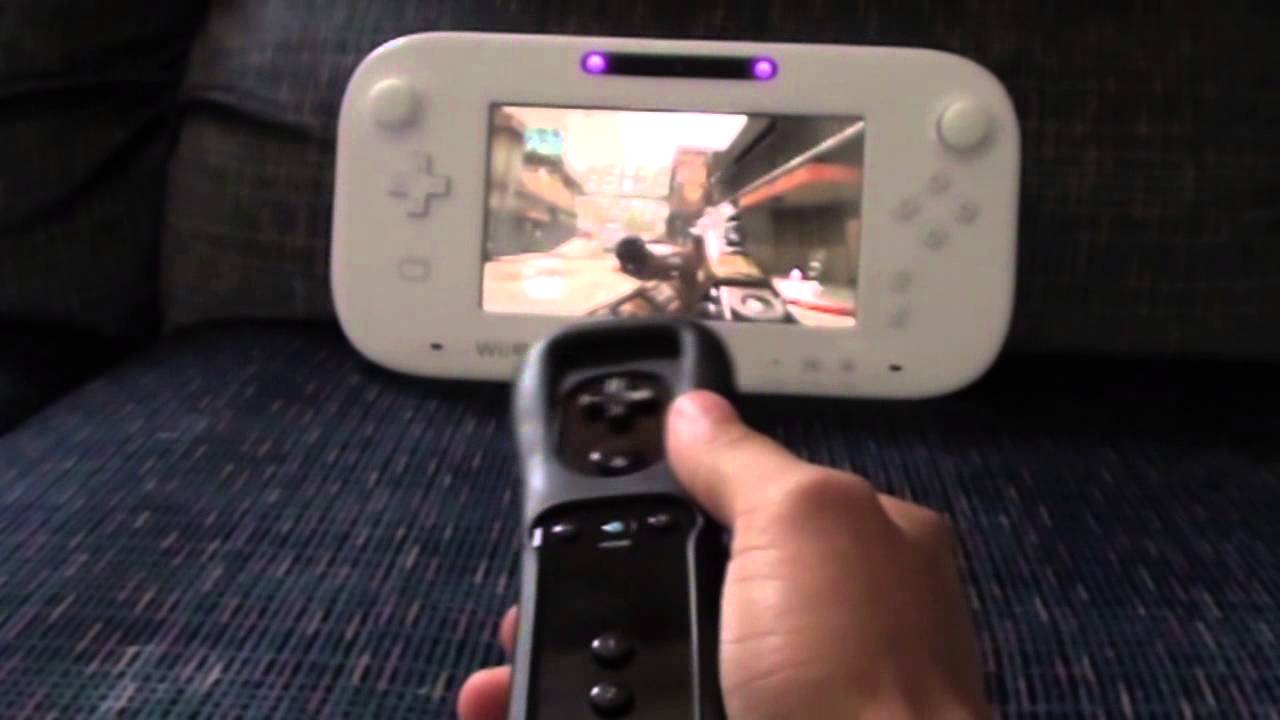
eShop music sounds the same to me?
This is the EU/AU version. It is no longer the old tropical theme to me.
Also when launching it started up with a simple slot machine idle animation/match 3.
"The Wii Menu could not be started Select Try Again on the TV. The Wii U screen will need to be displayed on the TV until the Wii Menu opens."
Anyone else getting this bullshit?
Try hitting the display on the top right corner to see if you can access it from the gamepad.
Mihael Mello Keehl
Banned
nevermind just a icon i think
Oh yeah, it was on that one Wii U game. Never mind. Excitement justifiably gone. Thank you.
I dont get the friend update, how does it work?
The easy way. Just select the friend's list, select 'Register friend'. Type in the NNID of the friend, no naughty messages and wait for confirmation.
http://www.youtube.com/watch?v=xRVtQ7EfGC8#t=121
Here is a video showing how you can post images to social media sites easy
Here is a video showing how you can post images to social media sites easy
Nintendo trolling so hard.
Christberg
Member
Thank you based downloading from sleep mode...
Installing now
Installing now
Either Nintendo just don't want to or it is not possible because of the emulated Wii system environment. The Wii U Pro Controller is from the beginning on not usable while in Wii mode and nothing has been done about that.Aw man that sucks, still it's a step forward and I honestly wasn't expecting them to add this kind of functionality at all so I'm quite surprised. Hope they add that sort of support soon. I mean it shouldn't be that hard considering that the gamepad has all of the classic controller buttons.
In case you are asking about the lighting, it is ambilight which is build into higher class Philips TVs.How...

Bel_Air_Jeff
Banned
Club Nintendo is down
Account system incoming.. something fishy is going on here! plz nintendo.
Mihael Mello Keehl
Banned
They need instagramhttp://www.youtube.com/watch?v=xRVtQ7EfGC8#t=121
Here is a video showing how you can post images to social media sites easy
Seriously. I don't see how this is ideal at all. The screen is so small. You can't even play up close as you'll need space for the Wiimote.
plagiarize
Banned
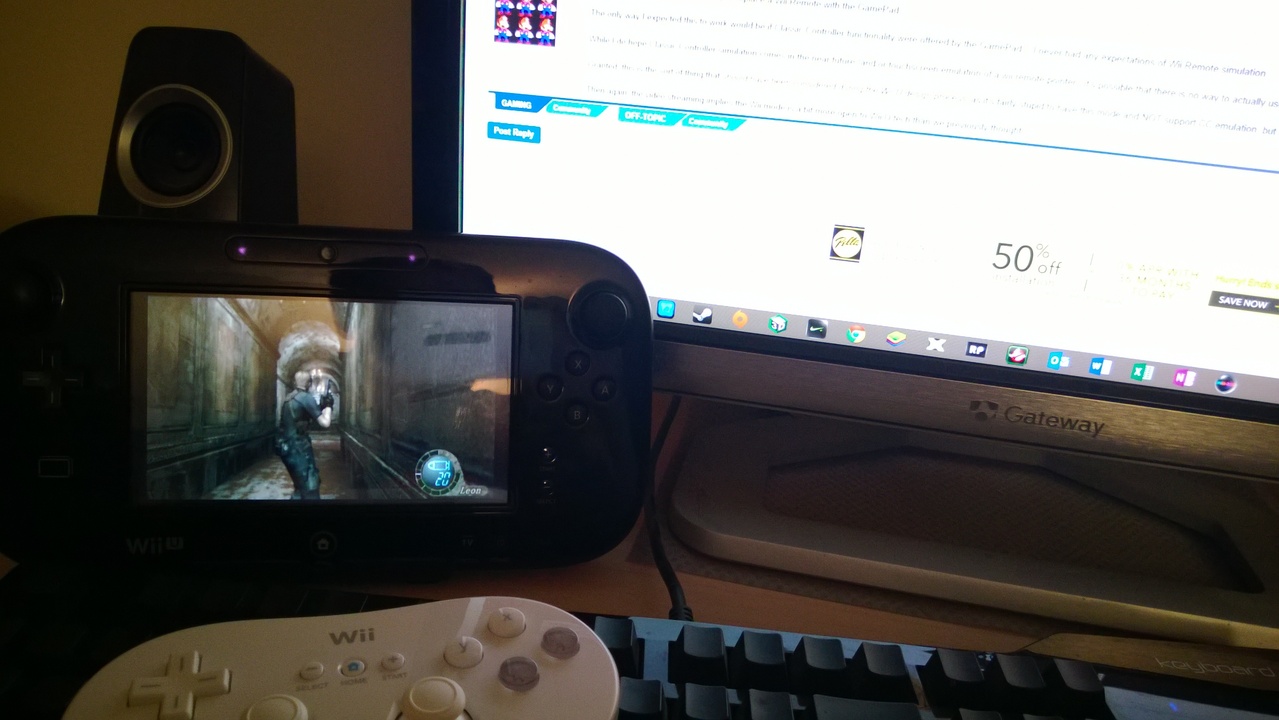
happiness.

KojiKnight
Member
Either Nintendo just don't want to or it is not possible because of the emulated Wii system environment. The Wii U Pro Controller is from the beginning on not usable while in Wii mode and nothing has been done about that.
It's completely doable. If the system can in any way act/react to the buttons pressed on the system (and it does, it pulls up a warning about the games requiring a controller) it would be very easy to hook those calls to a CC equivalent button.
This was done intentionally, but who knows for what reason. Maybe lack of testing? Unforeseen compatibility issue? Or maybe they are waiting to enable it for some reason. Who knows?
Club Nintendo is down
Couldn't they just be updated the prizes or something?
Plinko
Wildcard berths that can't beat teams without a winning record should have homefield advantage
"The Wii Menu could not be started Select Try Again on the TV. The Wii U screen will need to be displayed on the TV until the Wii Menu opens."
Anyone else getting this bullshit?
I got it and couldn't start it until I turned the TV input was changed to Wii U.
Trevelyan9999
Banned
Did this coincide with the Netflix update giving it 5.1? I haven't able to access it to try it myself.I think the sound update is the biggest news.
happiness.
This (along with split audio/video) is the reason I'm liking this update. Yeah it won't be practical for pointer games but for anything with a classic controller? Hell yeah.
So you can't use the gamepad to control the Wii stuff? I wanted to play wii virtual console games with just the gamepad but it looks like I won't be able to.
Excitement gone.
I would imagine that they excluded this because there wouldn't be a point for people to update their Wii VC to Wii U. (Besides Miiverse)
Maybe they'll do something like that once they have unified accounts.
Did this coincide with the Netflix update giving it 5.1? I haven't able to access it to try it myself.
Not sure about Netflix thing. But a lot of people (myself included) are going to be very happy they can finally output audio with apart from HDMI. Hopefully Netflix will play in 5.1 now, too, since you'll be able to use a non-HDMI audio to your 5.1 speakers. I think that's what the problem was before.
I would imagine that they excluded this because there wouldn't be a point for people to update their Wii VC to Wii U. (Besides Miiverse)
Maybe they'll do something like that once they have unified accounts.
I'd be fine with that if the offerings on the Wii U VC weren't so terrible. The only way for me to play the SNES version of Chrono Trigger on a handheld is with a cracked PSP even though I have both a Wii U and 3DS. That's insane.