• Hey Guest. Check out your NeoGAF Wrapped 2025 results here!

NVIDIA DLSS 4.5 to feature 2nd Gen Transformer model and Dynamic 6x Frame Generation

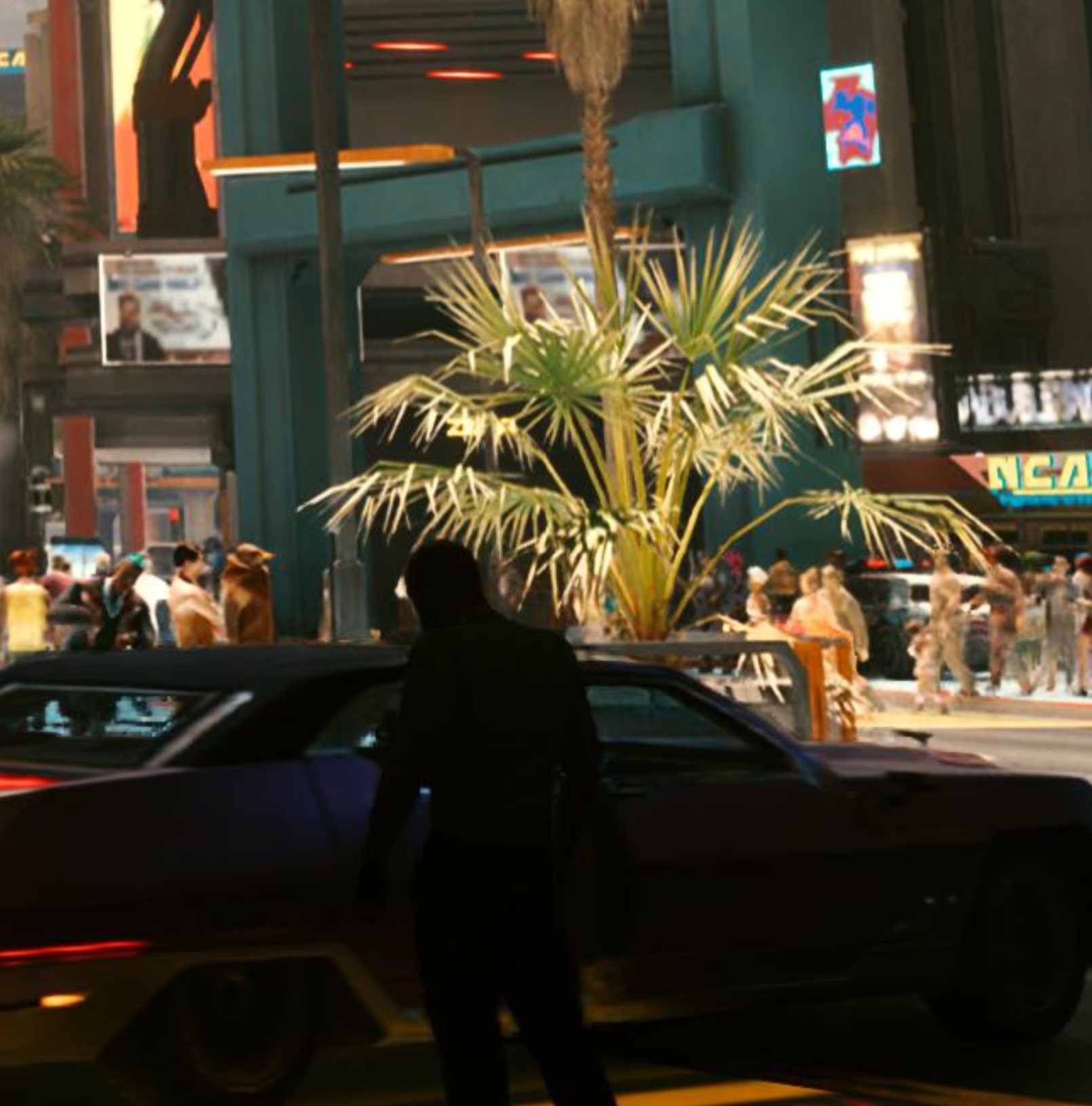
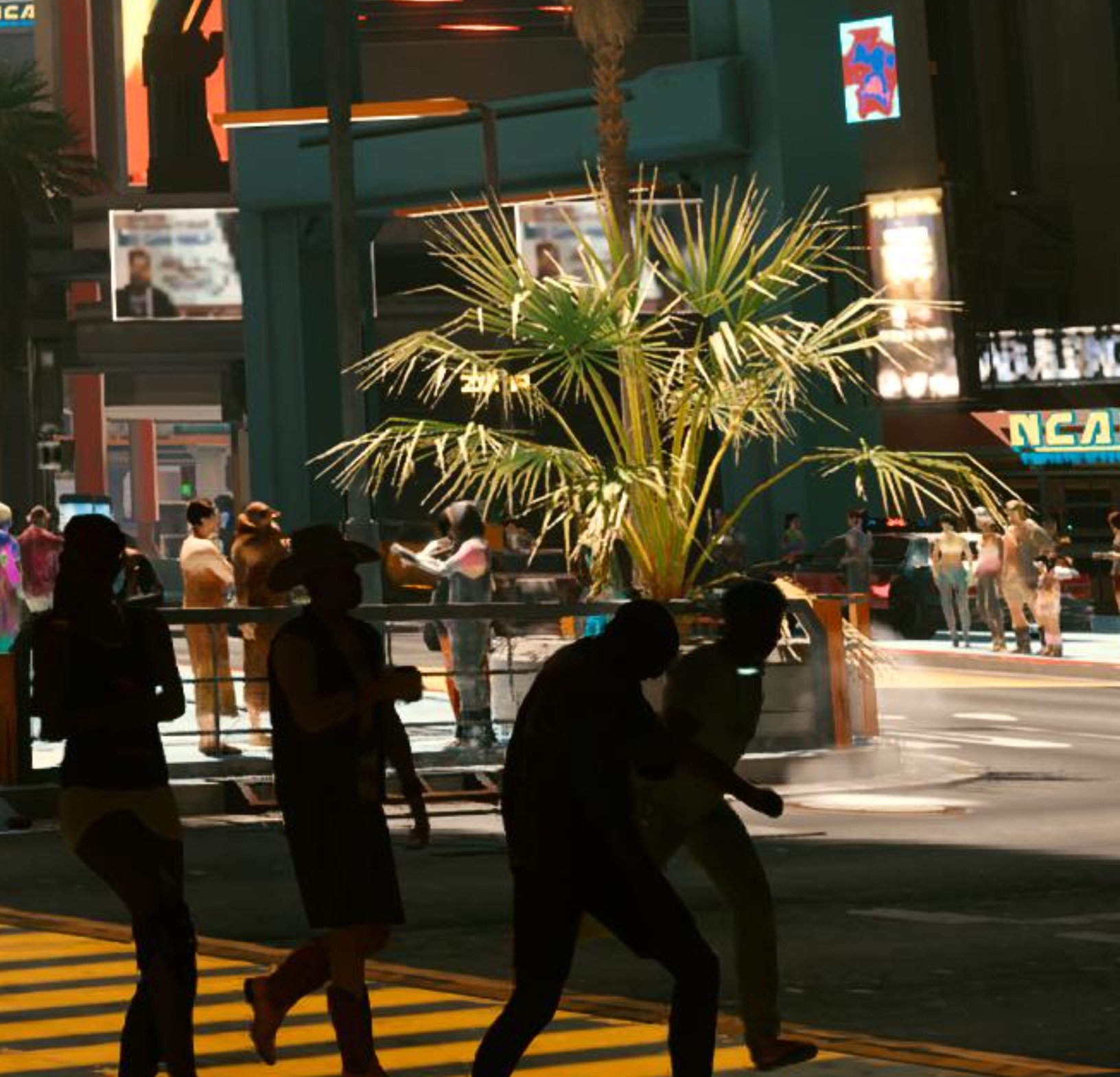
Even in games where you can adjust sharpening, dlss 4.5 offers an oversharpened image most of the time.
I used the same ingame DLSS sharpening settings (35%) for both.

DLSS Quality 4.5


DLSS Quality 4.0


IMO games like Asseto Corsa Rally, Cyberpunk, MGS3 Delta, Doom The Dark Ages have the perfect amount of sharpeneing mask with the latest DLSS 4.5, at least when I view them on my 4K screen with is set to neutral sharpening settings (0%). If I had set monitor sharpness (and especially TV) to 50% these images could end up oversharpened.

I However found games where DLSS 4.5 was CLEARLY oversharpened (I saw contrast outlines/halos around the edges) even on my monitor, for example black myth wukong.
 
Last edited:
Even in games where you can adjust sharpening, dlss 4.5 offers an oversharpened image most of the time.
I used the same ingame DLSS sharpening settings (35%) for both.

DLSS Quality 4.5


DLSS Qualiry 4.0


Asseto Corsa Rally, Cyberpunk, MGS3 Delta, Doom The Dark Ages has the perfect amount of sharpeneing mask with the latest DLSS 4.5, at lesst when I view them on my 4K screen with is set to neutral sharpening settings (0%). If I had set monitor sharpness (and especially TV) to 50% these images could end up oversharpened.

I However found games where DLSS 4.5 was CLEARLY oversharpened (contrast outlines/halos around the edges) even on my monitor, for example black myth wukong.

DLSS 4.5 seems to be less sharpened at higher resolutions (4k), but the sharpening becomes apparent if you use it at lower resolutions.
 
Last edited:
set to neutral sharpening settings (0%)
Yes I would always do this. The base image of DLSS 4.5 is more than sharp enough.

GTA5 Enhanced Edition is another great looking game with the new DLSS. Looks absolutely phenomenally clean and you need to search for shimmering/jaggies with a microscope at 4k. Crazy when I remember that I played this on PS3 at sub 30fps at 720p back in the day.
 
Last edited:
So, 4.5 disables RR in Cyberpunk? Sounds like way too big a trade-off. RR is practically mandatory in that game.

It's kind of the opposite. Turning on RR in Cyberpunk (or any game) disables DLSS 4.5 and reverts you back to 4.0. That's because the RR model hasn't been updated to 4.5 yet. No doubt it's coming though.
 
Last edited:
It's kind of the opposite. Turning on RR in Cyberpunk (or any game) disables DLSS 4.5 and reverts you back to 4.0. That's because the RR model hasn't been updated to 4.5 yet. No doubt it's coming though.
Yeah, in that case it's unusable for me. Turning off RR with path tracing makes the image way too unstable, with reflections and lighting boiling/sizzling all over.
 
Yeah, in that case it's unusable for me. Turning off RR with path tracing makes the image way too unstable, with reflections and lighting boiling/sizzling all over.

I agree that I'd still take RR over DLSS 4.5. Still plenty of games to take advantage of DLSS 4.5 though. Pretty small selection of games have RR (and very few are impacted by RR as dramatically as Cyberpunk).
 
It's been fun going back to some older games and throwing DLSS 4.5 into the mix.

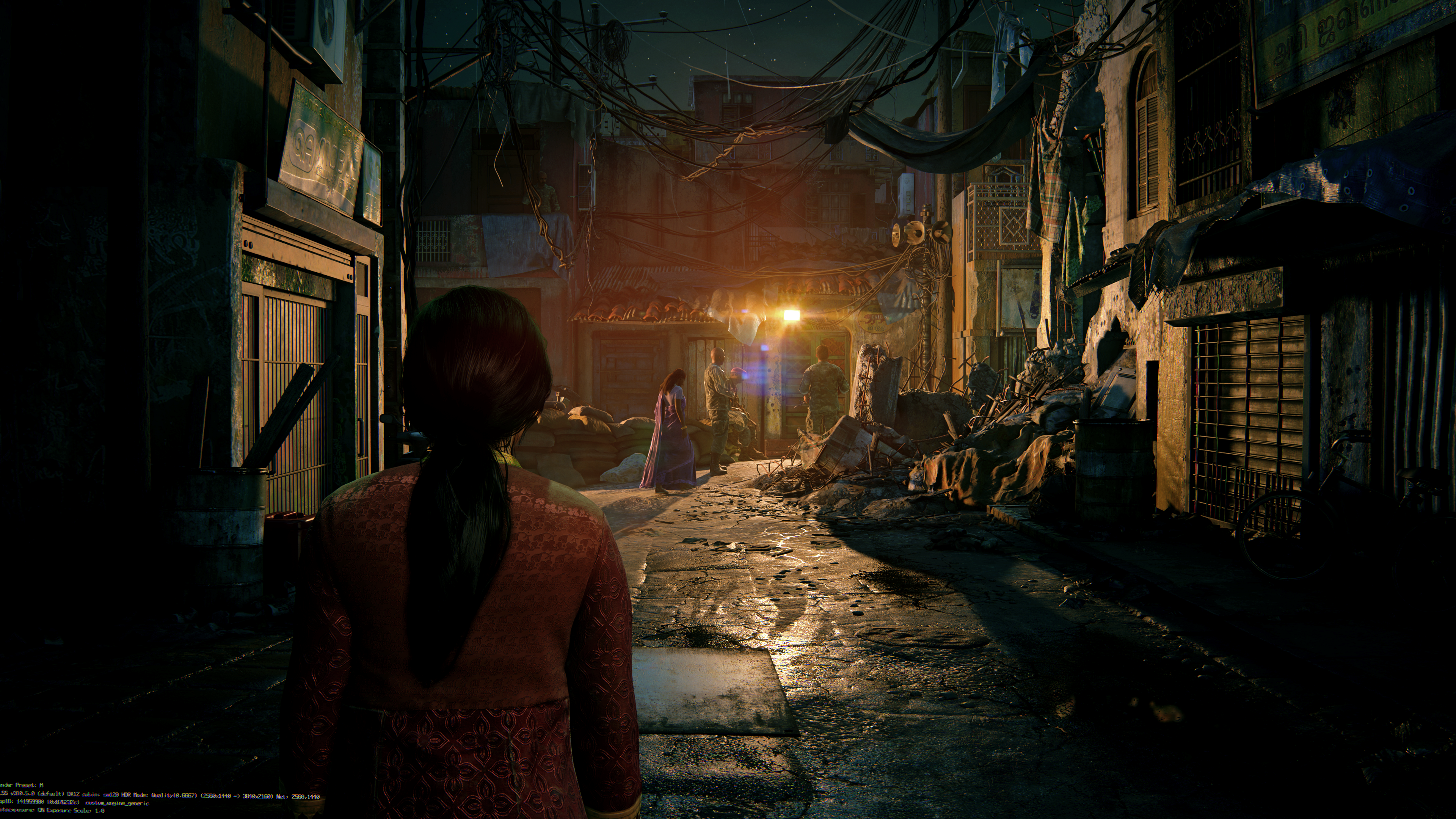
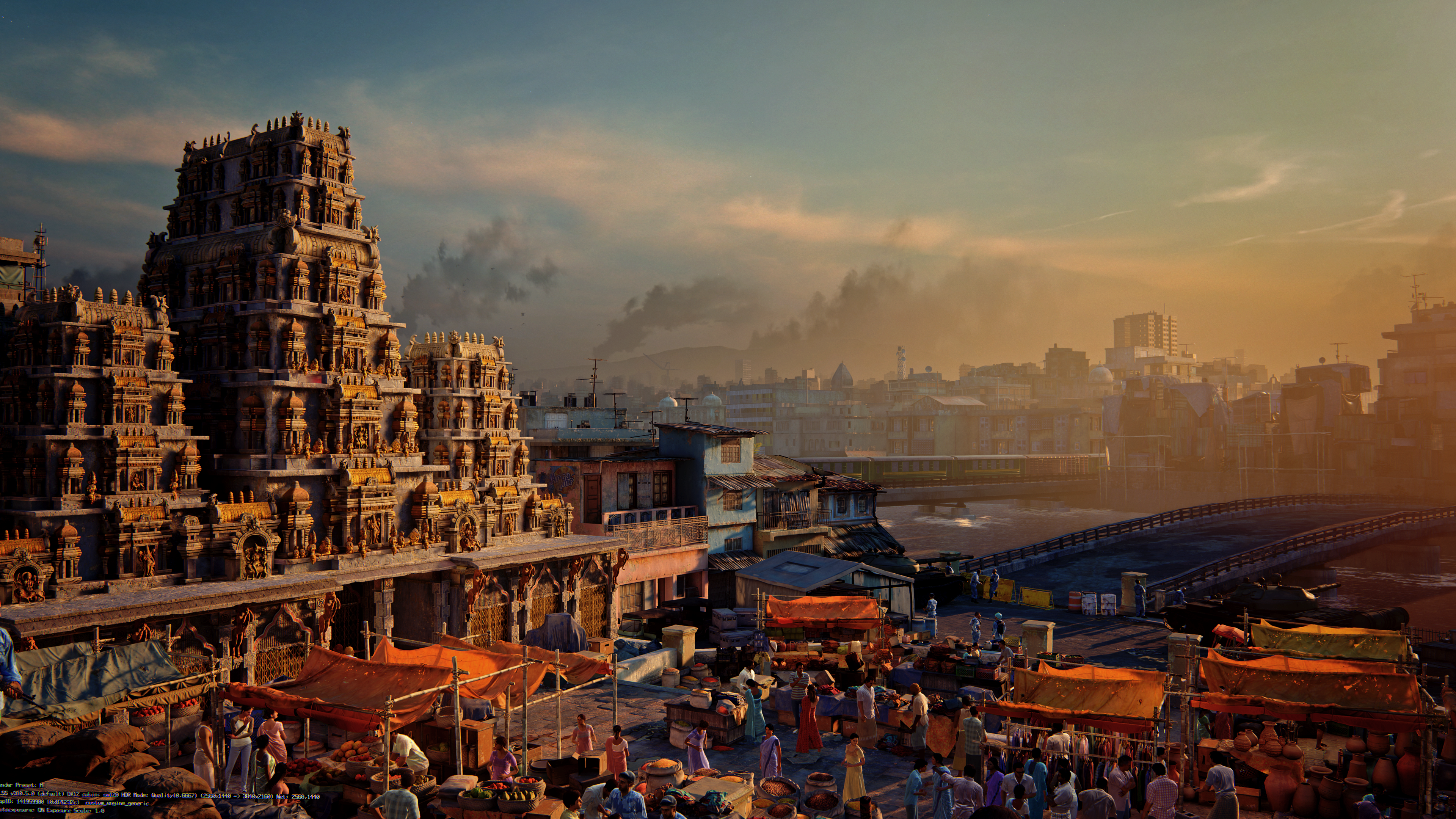
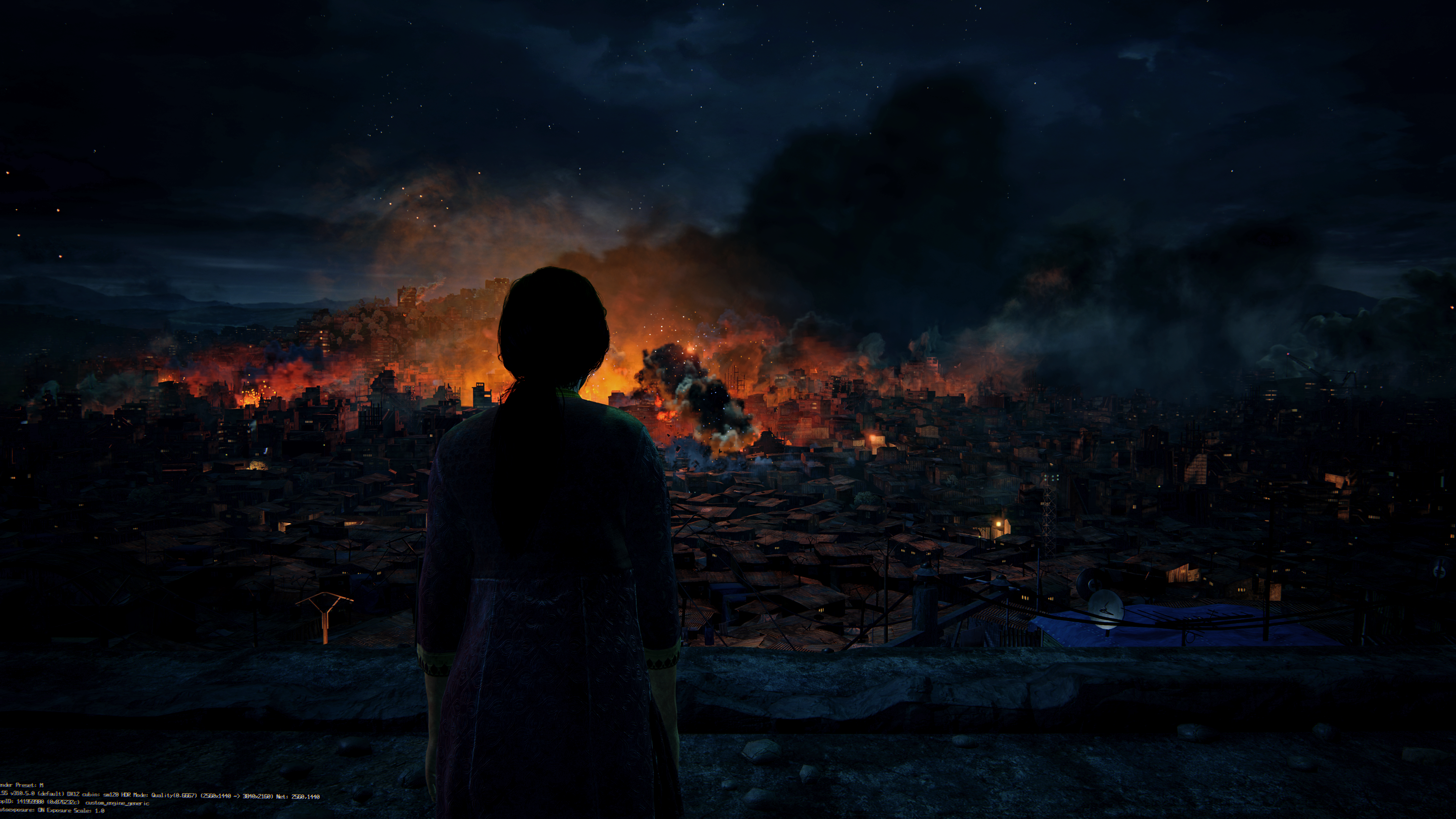
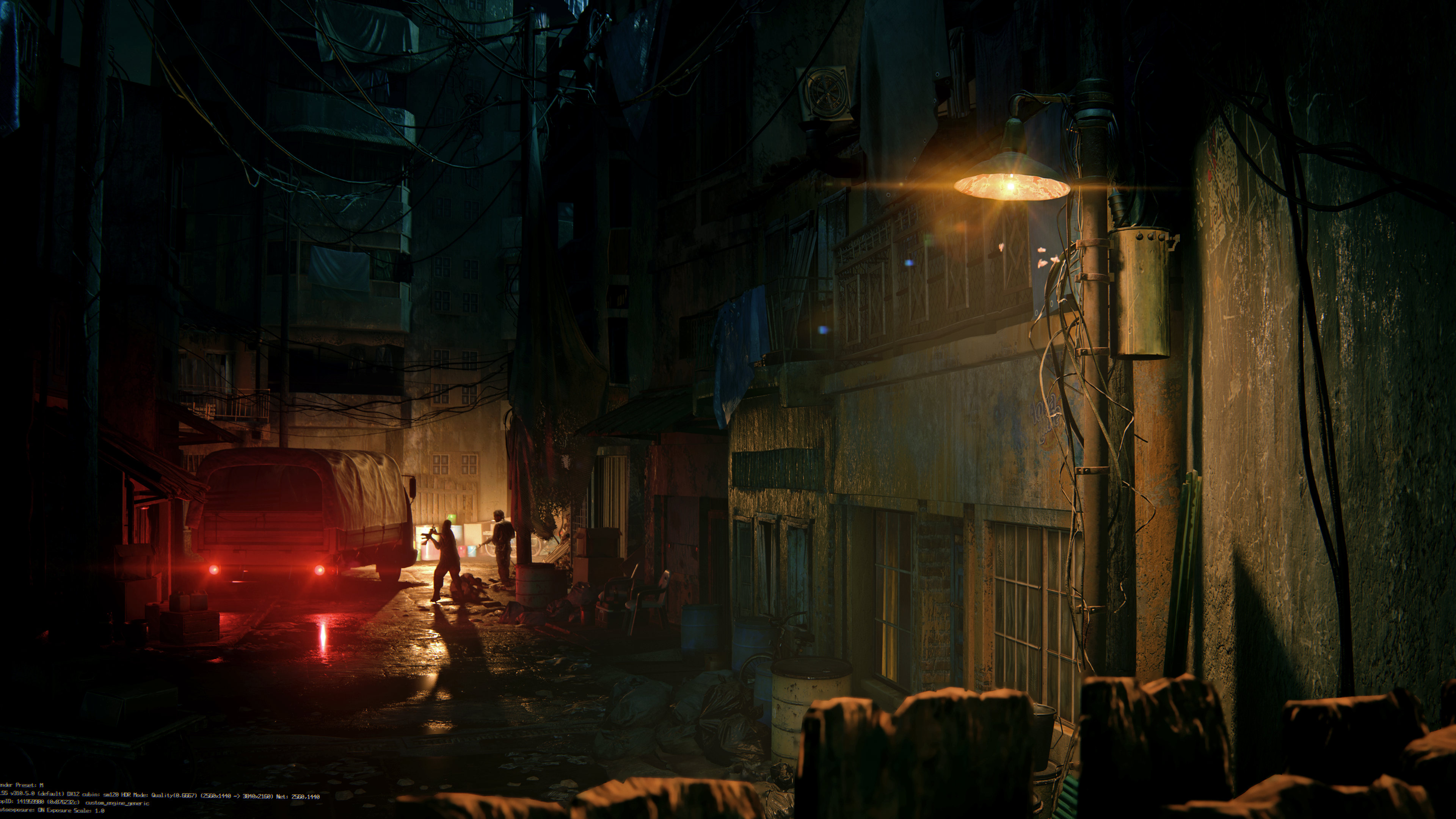
Uncharted 4 / Lost Legacy looks amazing:

dfICRbD1dgtDO1rP.png
MmfHpTuGlHSmRIAt.png
Y8smgHAnApjul2hA.png
i6ZxPSSb7F539Xtt.png
 
So, 4.5 disables RR in Cyberpunk? Sounds like way too big a trade-off. RR is practically mandatory in that game.
People say that ray reconstruction disables DLSS 4.5, because that's what DLSS overlay says (as soon as I enable ray reconstruction DLSS preset is changed to "D"), but even with RR enabled in Cyberpunk, I can see a clear improvement in image quality compared to previous 4.0. There is also an additional performance cost, which leads me to believe that DLSS 4.5 isn't fully disabled with RR turned on.
 
Thanks bro.

DO you usually update the framegen version aswell?

Only when I plan to use it, so rarely.

People say that ray reconstruction disables DLSS 4.5, because that's what DLSS overlay says (as soon as I enable ray reconstruction DLSS preset is changed to "D"), but even with RR enabled in Cyberpunk, I can see a clear improvement in image quality compared to previous 4.0. There is also an additional performance cost, which leads me to believe that DLSS 4.5 isn't fully disabled with RR turned on.

Cyberpunk still looks good with RR but difference in sharpness is big, so RR forces some older preset for Super Resolution:

tRAKKebqjo5hEXPC.jpg
506rr112FW8bYcu3.jpg


bp0yx2E.jpeg
Q6yERiV.jpeg
 
People say that ray reconstruction disables DLSS 4.5, because that's what DLSS overlay says (as soon as I enable ray reconstruction DLSS preset is changed to "D"), but even with RR enabled in Cyberpunk, I can see a clear improvement in image quality compared to previous 4.0. There is also an additional performance cost, which leads me to believe that DLSS 4.5 isn't fully disabled with RR turned on.

Maybe IQ is better even with RR on, but it's definitely not as good as with it off with DLSS 4.5. At least in the 1:1 comparisons I did with Avatar.
 
Last edited:
Whats this about Ray Reconstruction changing upscaling modes when selected? Whats that about?
In Cyberpunk Ray Reconstruction is almost required to prevent reflections from looking smeary. When I turn on Ray Reconstruction it cleans up the image.
 
Whats this about Ray Reconstruction changing upscaling modes when selected? Whats that about?
In Cyberpunk Ray Reconstruction is almost required to prevent reflections from looking smeary. When I turn on Ray Reconstruction it cleans up the image.

Ray Reconstruction hasn't been updated to DLSS 4.5 yet. Still on 4.0. That's pretty much the gist of it.
 
Hopefully Nvidia is listening and fast tracks an update to RR and adds a sharpness slider that goes into the negatives. Hard to be hopeful when gaming isn't a high priority for them though.
 
Only when I plan to use it, so rarely.


Cyberpunk still looks good with RR but difference in sharpness is big, so RR forces some older preset for Super Resolution:

tRAKKebqjo5hEXPC.jpg
506rr112FW8bYcu3.jpg


bp0yx2E.jpeg
Q6yERiV.jpeg
The difference is clearly noticeable in your screenshots, so you must be right. I didn't see that blur, probably because I tested DLSSQ and Ultra Quality, both of which look sharp with the latest DLSS override.
 
PSSR was losing to DLSS2/3. They did fucking nothing to improve it in 14 months (we had two transformer models released in that time and FSR4)...
In some selective games that DF like to focus on and rarely with comparative RTX 3070 hardware, yes.

My youngest got a Pro at xmas and I've been far more impressed with Spider-man remaster using PSSR or on Demon's Souls than anything I saw using DLSS4 or under. DLSS might have less noise or more resolution in some fx, but it is all for nothing if the overall presentation is noisy IMO, of which Spider-man, GT7 and Demon's Souls are all clean as a whistle with PSSR, so I do think we are always holding up pixel peeping, while failing to see the overall presentation on a large TV which is PSSR's target device - rather than some tiny 32" monitor or less.

So IMO why do they need to do loads to it at this point? Better they find a way to get it into more games like Elden Ring, Astro Bot, etc so it provides more performance/FPS with the same clarity, because in any games implementing well it looks great at 65" IMO and it does feel like it is being maligned unfairly out of context.

From what I've seen of PSSR in real-time done well, PSSR2/FSR4 on Pro is going to impress your average customer and may actually trigger a healthy bump in Pro sales this year.
 
Last edited:

I've done some extensive testing with L & M now using all modes Performance, Balanced and Quality levels and the image is way too oversharpend now regardless of quality setting and I can see it in every game I've tested.
It's causing very obvious white haloing around edges. It's horrible. L is better than M, but still too sharp.

Preset J produces the best image at all levels still. K is not far behind.

Curious to see how far away those who like L & M sit from their displays? I can see how it would be alright if you were maybe across the room, but sitting fairly close like I do, nah I just am not seeing the benefits that some are.
 
In some selective games that DF like to focus on and rarely with comparative RTX 3070 hardware, yes.

My youngest got a Pro at xmas and I've been far more impressed with Spider-man remaster using PSSR or on Demon's Souls than anything I saw using DLSS4 or under. DLSS might have less noise or more resolution in some fx, but it is all for nothing if the overall presentation is noisy IMO, of which Spider-man, GT7 and Demon's Souls are all clean as a whistle with PSSR, so I do think we are always holding up pixel peeping, while failing to see the overall presentation on a large TV which is PSSR's target device - rather than some tiny 32" monitor or less.

So IMO why do they need to do loads to it at this point? Better they find a way to get it into more games like Elden Ring, Astro Bot, etc so it provides more performance/FPS with the same clarity, because in any games implementing well it looks great at 65" IMO and it does feel like it is being maligned unfairly out of context.

From what I've seen of PSSR in real-time done well, PSSR2/FSR4 on Pro is going to impress your average customer and may actually trigger a healthy bump in Pro sales this year.

giphy.gif


question, if preset L is optimized for ultra performance mode and still look good, is it more expensive to run in higher quality mode than M?

Yes, it's the most compute expensive DLSS version (so far).

I've done some extensive testing with L & M now using all modes Performance, Balanced and Quality levels and the image is way too oversharpend now regardless of quality setting and I can see it in every game I've tested.
It's causing very obvious white haloing around edges. It's horrible. L is better than M, but still too sharp.

Preset J produces the best image at all levels still. K is not far behind.

Curious to see how far away those who like L & M sit from their displays? I can see how it would be alright if you were maybe across the room, but sitting fairly close like I do, nah I just am not seeing the benefits that some are.

I have 55" 4K tv and sit ~2 meters from it. M sharpness is very good with Performance mode.
 
I have 55" 4K tv and sit ~2 meters from it. M sharpness is very good with Performance mode.
Yeah I would imagine around 2 meters would look alright at that distance I suppose. I have a 42" 4k TV and pretty much use it as a monitor, sitting less than a meter in front of it.
 
Yeah I would imagine around 2 meters would look alright at that distance I suppose. I have a 42" 4k TV and pretty much use it as a monitor, sitting less than a meter in front of it.
i have a 28 inch 4K monitor and sitting less than a meter in front of it (around 70-80 cm)

4K dlss performance with preset M looks great to me. maybe pixel density helps, no clue. i even find 1440p dlss performance quite decent in this setup

preset M looks great in control as well. almost no artifacts and a clean presentation. 1440p dlss performance with ultra ray tracing. i don't really feel like there's any sharpening involved here :pie_thinking:

CLxV5pE.jpeg

4VWelqB.png

MunnU9w.jpeg
 
Last edited:
For anyone wanting to play with this stuff, you should absolutely be using DLSS swapper instead of the other methods. It's far better than using the app, and it's easier than both the app or using Inspector to change settings. I've used have a dozen ways to swap DLSS files and force presets and it is by far the best, i honestly don't know why anyone uses anything else at this point.

Also, after more testing it's a god damn shame that consoles are saddled with AMD Gpus. I've been playing around with Ultra Performance mode and it looks better than the majority of my PS5 Pro games that have to use large amount of scaling to keep performance up.
I However found games where DLSS 4.5 was CLEARLY oversharpened (I saw contrast outlines/halos around the edges) even on my monitor, for example black myth wukong.
Wukong uses aggressive sharpening, just like E33. Hell, they were too sharp when I played them with the old model and I used mods to remove the sharpening. Games that don't use sharpening to this level have been perfectly fine with 4.5.
In some selective games that DF like to focus on and rarely with comparative RTX 3070 hardware, yes.

My youngest got a Pro at xmas and I've been far more impressed with Spider-man remaster using PSSR or on Demon's Souls than anything I saw using DLSS4 or under. DLSS might have less noise or more resolution in some fx, but it is all for nothing if the overall presentation is noisy IMO, of which Spider-man, GT7 and Demon's Souls are all clean as a whistle with PSSR, so I do think we are always holding up pixel peeping, while failing to see the overall presentation on a large TV which is PSSR's target device - rather than some tiny 32" monitor or less.

So IMO why do they need to do loads to it at this point? Better they find a way to get it into more games like Elden Ring, Astro Bot, etc so it provides more performance/FPS with the same clarity, because in any games implementing well it looks great at 65" IMO and it does feel like it is being maligned unfairly out of context.

From what I've seen of PSSR in real-time done well, PSSR2/FSR4 on Pro is going to impress your average customer and may actually trigger a healthy bump in Pro sales this year.
The games you mentioned were already pristine way before PSSR was a thing. You aren't impressed with the PSSR in those games, you're just impressed at how ridiculously good they have looked since launch because they are first party titles. And as a PS5 Pro owner myself, when you compare like for like, PSSR gets beaten by DLSS 3.5 overall, and in every aspect by 4.0 and now 4.5. This is on a 77" OLED, not on a 32" monitor, and the difference between the two in most cases is substantial. Go test games that actually need really good scaling, like Silent Hill or Dragons Dogma 2 or Alan Wake 2, where I can literally run Ultra Performance DLSS 4.5 (720p) and have it look better than the higher base resolutions on PS5 Pro with PSSR. The problem with PSSR and FSR, in general, is that it only really looks good on games that need it the least, mostly first party titles already running at higher resolutions. Once games start really needing it to clean up the image or to scale from significantly lower resolution than native it kind of falls apart. As of today it's two generations behind and by the time PSSR 2.0 releases it might be even more. And if that wasn't bad enough, they literally have to go back in and patch it for every game, which isn't going to happen for most titles, which means 99% of our catalogue won't improve along with it.
 
Yeah I would imagine around 2 meters would look alright at that distance I suppose. I have a 42" 4k TV and pretty much use it as a monitor, sitting less than a meter in front of it.
Are you sure you don't have sharpness up on the TV? I also thought image was over sharpened, but I forgot that I bumped it up like 10 points in OSD, and most issues went away once I set it back to 0.

I have a 42" LG C3 that I use as a monitor.
 
Last edited:
black myth wukong observations

preset M is much better than native TSR and native preset E when it comes to handling these particles from a distance


however preset M exhibits a weird shimmering issue with certain types of foliage in this game. to rule out 1440p, I tested 4K DLSS performance and it still happened. I first show 1440p dlss quality with preset E and then 4K dlss performance with preset M

 
Last edited:
black myth wukong observations

preset M is much better than native TSR and native preset E when it comes to handling these particles from a distance


however preset M exhibits a weird shimmering issue with certain types of foliage in this game. to rule out 1440p, I tested 4K DLSS performance and it still happened. I first show 1440p dlss quality with preset E and then 4K dlss performance with preset M


What about 4K DLSS Quality? I feel like 1440p quality and 4k performance are virtually the same thing from a DLSS/resolution standpoint.
 
Last edited:
Ok i tried profile M with cyberpunk with both perf mode and balance mode and...it's not over-sharpened at all...

I'm gonna try quality today to see if i can see the over-sharpening...
 
Are you sure you don't have sharpness up on the TV? I also thought image was over sharpened, but I forgot that I bumped it up like 10 points in OSD, and most issues went away once I set it back to 0.

I have a 42" LG C3 that I use as a monitor.
100% my C4's sharpness is at 0.

Maybe it's just the games I'm trying it on. I'll do more testing today
 
100% my C4's sharpness is at 0.

Maybe it's just the games I'm trying it on. I'll do more testing today

If you are testing with Unreal-engine games, they are sharpened by default via .ini. If you additionally use preset M the game may look oversharpened as a result.

E.g. see the guide to reduce sharpness in Arc Raiders, should also apply to other UE-games:


First, Find Your Config File

You need to find the folder where your personal settings are stored. It's buried in your AppData folder, which is usually hidden.

The easiest way to get there is to press your Windows key, then copy and paste the entire line below into the search/run box and hit Enter.

%userprofile%\AppData\Local\PioneerGame\Saved\Config\WindowsClient

This will open the exact folder you need. In there, you're looking for a file named GameUserSettings.ini. Double-click it, and it should open right up in Notepad.

Add the Magic Lines

Scroll all the way to the very bottom of that text file. You're going to add two new lines right at the end.

Just copy and paste this block of text exactly as it appears:

[SystemSettings] r.tonemapper.sharpen=0.5

This is the magic part. That 0.5 value cuts the game's sharpening strength in half. I'm running this on a 1440p monitor with DLAA, and it looks absolutely perfect.

If you want to adjust it, you can. A value of 0 will remove sharpening entirely (which I find a bit too soft), and 1 is the default. I'd stick with something between 0.4 and 0.7 to find your sweet spot.
 
Last edited:
I've done some extensive testing with L & M now using all modes Performance, Balanced and Quality levels and the image is way too oversharpend now regardless of quality setting and I can see it in every game I've tested.
It's causing very obvious white haloing around edges. It's horrible. L is better than M, but still too sharp.

Preset J produces the best image at all levels still. K is not far behind.

Curious to see how far away those who like L & M sit from their displays? I can see how it would be alright if you were maybe across the room, but sitting fairly close like I do, nah I just am not seeing the benefits that some are.
It's odd that a bunch of people are finding it too sharp. I am not. I see real detail, and I'm not seeing the haloing or ringing that you see in games where you whack up the sharpness slider. This model does change the look of highlights and seriously improves HDR because of it.
 
It's odd that a bunch of people are finding it too sharp. I am not. I see real detail, and I'm not seeing the haloing or ringing that you see in games where you whack up the sharpness slider. This model does change the look of highlights and seriously improves HDR because of it.

I guess some got used to the softness of TAA or preset K and now they think preset M which is just sharp as it should be is "oversharpened".
 
Last edited:
I guess some got used to the softness of TAA or preset K and now they think preset M which is just sharp as it should be is "oversharpened".
The softness of TAA was crazy (aliasing is gone, but now it looks like 1080p!) but that was years ago, surely. And I remember that K itself brought a decent bump in sharpness from CNN.
 
Ok i tried profile M with cyberpunk with both perf mode and balance mode and...it's not over-sharpened at all...

I'm gonna try quality today to see if i can see the over-sharpening...

I run everything with sharpness sliders set to 0 and I also don't think anything is oversharpened.

Wukong was oversharpened by default and devs added slider to that in some patch, E33 is also oversharpened by default (internal UE5 sharpening).

Rebirth looks very good, same for FFXVI:

2XOzuZ2.jpeg
dpHoNWP.jpeg
 
I run everything with sharpness sliders set to 0 and I also don't think anything is oversharpened.

Wukong was oversharpened by default and devs added slider to that in some patch, E33 is also oversharpened by default (internal UE5 sharpening).

Rebirth looks very good, same for FFXVI:

2XOzuZ2.jpeg
dpHoNWP.jpeg
Can't see your imgur images in the UK.
 
Top Bottom