
-
Hey Guest. Check out your NeoGAF Wrapped 2025 results here!
You are using an out of date browser. It may not display this or other websites correctly.
You should upgrade or use an alternative browser.
You should upgrade or use an alternative browser.
Great Hard Drive deal today!!!!!!! (Need help though)
- Thread starter KarishBHR
- Start date
- Status
- Not open for further replies.


pestul said:If it supports ATA100 that's good enough... what do you have?
The Epox EP-8K9A2+
http://www.epox.com/USA/product.asp?id=EP-8K9A2plus
It supports ATA 133

ok so I installed, tried to to copy the files from one to the other, and it wouldnt boot... so I did a fresh install with windows xp pro.. so my 250 is blank other than xp... but I have so many program and stuff from the other hd that I want on the new 250... so how do I copy all that shit?
Christoff Yurievich
Member
I am having this exact problem. The program says it copied the old hard drive to the new one, but when I try and boot it hangs on "welcome" and there is no more hard drive activity. wth?KarishBHR said:ok so I installed, tried to to copy the files from one to the other, and it wouldnt boot... so I did a fresh install with windows xp pro.. so my 250 is blank other than xp... but I have so many program and stuff from the other hd that I want on the new 250... so how do I copy all that shit?
and this is a WD drive (turns out they use the same program as Maxtor to do the copying with almost the exact GUI). BB had a deal last week with a WD 160GB drive for $40 after rebates...well there was a coupon you could download that would give you $20 off the price of a hard drive so I'm going to end up with a $20 160GB hard drive.
KarishBHR said:ok so I installed, tried to to copy the files from one to the other, and it wouldnt boot... so I did a fresh install with windows xp pro.. so my 250 is blank other than xp... but I have so many program and stuff from the other hd that I want on the new 250... so how do I copy all that shit?
Well.. if you've created a second installation on the second drive, then you basically need to get to reinstalling everything. Some stuff you can just drag and copy over in Windows Explorer and have work.
If that doesn't sound appealing to you, then your best bet is to nuke that new installation and find the proper way to copy everything over. Last time I did it, I looked up the cmd/DOS Prompt commands.. have to add some extra switches and things to make the drive properly bootable with the system files and all.
ChrisReid said:Well.. if you've created a second installation on the second drive, then you basically need to get to reinstalling everything. Some stuff you can just drag and copy over in Windows Explorer and have work.
but games and apps wont work... for the most part?
KarishBHR said:but games and apps wont work... for the most part?
They might, but without a reinstallation, you've got no registry entries. Some things need that to function properly, some things will create their own associations and some things will just sort of work without them.
XCOPY C:\*.* D:\ /c/h/e/k/r
I think that's what I used last time. Original drive is C, new drive is D. The switches there copy attributes, read-only files, all sub-directories, hidden files, system files and tell it to ignore errors.
WordAssassin
Member
Oh dammit, that is a very sweet deal. Is there any way to... I dunno, mod it so it can be used with my laptop? (Like, turning it into an external hdd?)
WordAssassin said:Oh dammit, that is a very sweet deal. Is there any way to... I dunno, mod it so it can be used with my laptop? (Like, turning it into an external hdd?)
Yeah
http://www.newegg.com/Product/Product.asp?Item=N82E16817155505
Christoff Yurievich
Member
I decided to just say fuckit and make it an external drive. So I got the requisite shiny silver box and hooked it up. after much blood, sweat and tears it was up and working. However, when I turned my computer on today it is not registering as being there at all. I checked it's firewire cable and it was firmly connected. There was power getting to it as I could feel it humming along. I even tried switching out the firewire for the USB 2.0 cable, nada. what did I do and does this mean my entire MP3 collection is kaput?
btw, I added nothing. all I did was the "safely remove hardware" thing so the drive would spin down before I turned the computer off. did I effectively turn the hard drive off forever and now I have no way of starting it again?
btw, I added nothing. all I did was the "safely remove hardware" thing so the drive would spin down before I turned the computer off. did I effectively turn the hard drive off forever and now I have no way of starting it again?
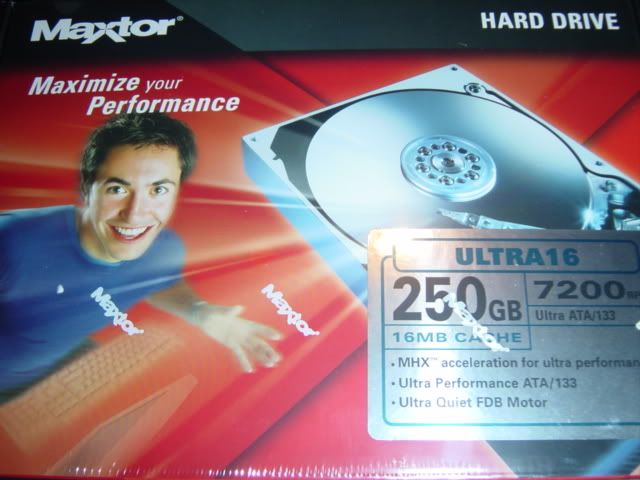
My Maxtor 120gb after a good 3 years is starting to show signs of failure (hard drive locks up when seeking in mp3's sometimes, at times it does not work at all). I built a comp for someone in my family with an 80gb Maxtor drive, and it failed, so I had to get it replaced and it seems like it's headed down the same path. :\
I would stick with Western Digital, or if you have the cash, Seagate.
My WD Raptor is loud as all hell, but fast and reliable.
I would stick with Western Digital, or if you have the cash, Seagate.
My WD Raptor is loud as all hell, but fast and reliable.
- Status
- Not open for further replies.