
You'll be comfortable at 1680x1050, 30fps.speculawyer said:Really? Ouch. That is not even HDTV (1080p) resolution. And that was the high-end of the cards the have on sale.
-
Hey Guest. Check out your NeoGAF Wrapped 2025 results here!
You are using an out of date browser. It may not display this or other websites correctly.
You should upgrade or use an alternative browser.
You should upgrade or use an alternative browser.
"I need a new PC!" 2010 Edition
- Thread starter Spy
- Start date
I've been having trouble with my Sapphire HD5770 card. Once the drivers installed I would get a black screen and it would never reach the windows 7 desktop.
Anyway, upon closer examination, I noticed the PCI-e power cord in the case that I used (which was from my old ATI 1950xt) is a PCI-e 1.0 cable. The number of pins is the same as the cable that comes with the new card, but one of the yellow strings doesn't loop (from one slot in the back of the pin to another) like it does in the new card's cable. Could this be why after the driver installs I get a black screen?
The reason I just don't swap it out and experiement is because the new cable is really short and all the cords going into my PSU (OCZ GameXStream 700W ATX12V) seem different (maybe wrapped in something) and I'm damned if I know how to get the PSU open (all the cords go through a hole). As I'm sure you've figured out by now I did not build the system myself
Thoughts?
EDIT: I re-installed my old video card and it seems to work OK.
Anyway, upon closer examination, I noticed the PCI-e power cord in the case that I used (which was from my old ATI 1950xt) is a PCI-e 1.0 cable. The number of pins is the same as the cable that comes with the new card, but one of the yellow strings doesn't loop (from one slot in the back of the pin to another) like it does in the new card's cable. Could this be why after the driver installs I get a black screen?
The reason I just don't swap it out and experiement is because the new cable is really short and all the cords going into my PSU (OCZ GameXStream 700W ATX12V) seem different (maybe wrapped in something) and I'm damned if I know how to get the PSU open (all the cords go through a hole). As I'm sure you've figured out by now I did not build the system myself
Thoughts?
EDIT: I re-installed my old video card and it seems to work OK.
speculawyer
Member
Well . . . the HDTV is native 1920x1080p. :-/K.Jack said:You'll be comfortable at 1680x1050, 30fps.
I use 1360x768 for games, but only tried adjusting my desktop resolution through Windows. Either way, still got the borders. Going to try fixing it in CCC now.brain_stew said:Why are you outputting 720p to a HDTV? Use its native resolution (probably 1360x768).
No good. Gone through all resolutions in the CCC and am still having the same issue. Windows defaults to 1280x720, but adjusting that only manages to change the position of the borders around my screen. The only options I'm given when connected by HDMI on my TV menu as far as screen size goes are "16:9," "wide fit," "4:3," and "just scan." Been going back and forth between 16:9 and just scan hoping for a change, but have no improvement.
Doing more research now and it seems Samsung's series 4 TVs have a native res of 720p. I can't figure out what I'm doing differently between this PC and the last one I had connected to my TV.
BravoSuperStar
Member
Crunched said:I use 1360x768 for games, but only tried adjusting my desktop resolution through Windows. Either way, still got the borders. Going to try fixing it in CCC now.
No good. Gone through all resolutions in the CCC and am still having the same issue. Windows defaults to 1280x720, but adjusting that only manages to change the position of the borders around my screen. The only options I'm given when connected by HDMI on my TV menu as far as screen size goes are "16:9," "wide fit," "4:3," and "just scan." Been going back and forth between 16:9 and just scan hoping for a change, but have no improvement.
When its connected with HDMI you sometimes need to adjust the scaling option in CCC, you have to go to "desktops and displays" and then "configure" on the pulldown menu for your TV. Check the scaling tab there, if your TV doesn't overscan this is probably why you have borders. Something to try anyway since you've tried all resolutions etc it sounds like.
Metalic Sand
who is Emo-Beas?
speculawyer said:Well . . . the HDTV is native 1920x1080p. :-/
You're going to want a 4870/GTX 260 atleast then.
You would regret the GTS 250 for 1080p.
Gully State
Member
I have a question regarding V-sync. Isn't it not supposed to matter if your framerate is under 60? The reason I ask is b/c with Dirt 2, turning it off results in a framerate increase from 30-> 50...
When I'm hooked up our 67" 1080p Samsung, 1600x900 still looks perfect. I was shocked the first time I lowered the res, because I'm used to my notebook's LCD, where anything below native res is total crap.speculawyer said:Well . . . the HDTV is native 1920x1080p. :-/
Thank you, that fixed it. Looks much better now.SuperEnemyCrab said:When its connected with HDMI you sometimes need to adjust the scaling option in CCC, you have to go to "desktops and displays" and then "configure" on the pulldown menu for your TV. Check the scaling tab there, if your TV doesn't overscan this is probably why you have borders. Something to try anyway since you've tried all resolutions etc it sounds like.
Anyone have experience with Scythe Ultra Kaze fans? I'm thinking about picking up a couple at newegg. They're only $10 each and it seems like they move a significant amount of air. I just got back to my apartment after being home for winter break, and the room my PC is in now is very stuffy and warm. Temps went up about 6-7C just because of that. I figure a little more airflow couldn't hurt. My CPU is running at about 36-41C with a 3.5GHz OC (1.9 vcore). I'd like it to be a little cooler than that, especially considering the temps I was getting before I moved it (as low as 26C with an ambient temp of around 20-22C). Right now I'm using a Noctua NH-U12P with two attached fans and my antec 1200 case with the exhaust fans all turned up to their highest setting. I've installed one extra intake fan blowing onto the CPU from an old MGE viper case, but I have no idea how good the fan itself is (was a friend's PC). HWmonitor says it typically spins at about 1088 rpm, but goes as high as 2300. My noctua fans get about 1383 at their best; I've seen one of them break 1400 only once while running prime95.
One more question: anyone else notice a huge increase in temps when pushing an i7 920 past 3.5Ghz? It seems like I jump at least 4C regardless of any other conditions just by pushing my BCLK from 175 to 180.
Hello good denizens of the PC thread.
A simple, but nebulous question from someone who hasn't been an active PC gamer for about five years:
Are there any significant GPU and/or CPU advancements coming to market in the near future that would make building a slick gaming rig right now foolish?
Worth waiting, say, a few months for?
I know this question is terribly open-ended, but all opinions will be greatly appreciated.
Many thanks!
A simple, but nebulous question from someone who hasn't been an active PC gamer for about five years:
Are there any significant GPU and/or CPU advancements coming to market in the near future that would make building a slick gaming rig right now foolish?
Worth waiting, say, a few months for?
I know this question is terribly open-ended, but all opinions will be greatly appreciated.
Many thanks!
Aokage said:Hello good denizens of the PC thread.
A simple, but nebulous question from someone who hasn't been an active PC gamer for about five years:
Are there any significant GPU and/or CPU advancements coming to market in the near future that would make building a slick gaming rig right now foolish?
Worth waiting, say, a few months for?
I know this question is terribly open-ended, but all opinions will be greatly appreciated.
Many thanks!
Well NVIDIA is (hopefully) going to release their next generation of graphics card by spring time, but it seems there was a delay due to heat problems. I suggest waiting until then, and many of the previous generation and ATI's 5000 series will go down when NVIDIA comes back to compete.
If you have a C2Q or C2D, I suggest waiting until the next CPU release by Intel. Since the gains from C2Q to i7 is not at such an improvement that would warrant so much money being spent.
Also you should note, that power consumption and heat will be a major factor in these new cards from NVIDIA. Plus there aren't any benchmarks, which most likely means that it won't be anything groundbreaking. Factor in they will cost a boat load, around $500 or more. Think of it as about 30% better than the GTX285 and more power consumption than ATI's 5950. The main reason to wait for NVIDIA is because once it is out, prices will go down for the 5000 series and the 200 series.

Himajin
Member
Metalic Sand said:I use a GTS 250. Great for 1440x900. Anything higher and your looking at lower settings.
Metalic Sand said:You would regret the GTS 250 for 1080p.
Games are perfectly playable at 1080p with a GTS 250. Will you get 60fps in all games? No, but the vast majority of games are smooth enough to enjoy with this card unless your PC is being held back by other hardware, even when you turn up the AA/AF a bit.
Smash88 said:Great info
Thanks! If we're just talking pure performance, is there any compelling reason to wait for the GeForce 300 series?
Would there be a marked difference versus dual 5970s (which is what I'm leaning towards at the moment)?
Sand says you might need lower settings, no biggie.Himajin said:Games are perfectly playable at 1080p with a GTS 250. Will you get 60fps in all games? No, but the vast majority of games are smooth enough to enjoy with this card unless your PC is being held back by other hardware, even when you turn up the AA/AF a bit.
--
(Click v)
Dell Home has the 5850 in stock at $280 WITH a 10% code "1SC0KPSK$BN10J"
That makes it $252
Aokage said:Thanks! If we're just talking pure performance, is there any compelling reason to wait for the GeForce 300 series?
Would there be a marked difference versus dual 5970s (which is what I'm leaning towards at the moment)?
Pure performance-wise, no.
At best, it will be close to a 5870, performance wise. Some sources have been saying, performance estimates put it at a 20-40% advantage over HD5870.
When you look at it, for it being in development for so long, and only that much of a gain, plus you must factor in heat, cost, and power consumption, it just isn't worth it.
For your second question, dual 5970s will destroy a GT300.
I'm just saying to wait for a price drop which should be by late spring, maybe earlier. All depends on when NVIDIA release their cards.
Hazaro said:Sand says you might need lower settings, no biggie.
--
(Click v)
Dell Home has the 5850 in stock at $280 WITH a 10% code "1SC0KPSK$BN10J"
That makes it $252
Word on the street is Visiontek is likely not going to be operating in the USA at the end of 2010. So I dunno if it would be worth buying.
Also, fuck Dell. $20 for tax? Blow me.
I thought Visiontek was ATI's in house brand?vocab said:Word on the street is Visiontek is likely not going to be operating in the USA at the end of 2010. So I dunno if it would be worth buying.
Firestorm said:I thought Visiontek was ATI's in house brand?
I dunno
From the front page of Hardocp
Rumor has it that this week NVIDIA will let it officially be known that XFX's European operations will cease to be an NVIDIA Approved Partner. This means that XFX will lose all underlying NVIDIA support on GPU allocation and new product launches...including Fermi. It also looks as if Visiontek will be kicked out of a MAJOR USA e-tailer, which will probably decimate Visiontek's business. We will be seeing other major changes in video card sales this year here in the USA as well. The video card manufacturer landscape will be very different in the USA this year. Expect to see two or three major brands fall by the wayside when it comes to NVIDIA and AMD GPUs.
Aokage said:Thanks! If we're just talking pure performance, is there any compelling reason to wait for the GeForce 300 series?
Would there be a marked difference versus dual 5970s (which is what I'm leaning towards at the moment)?
Dual 5970s make for a ridiculously powerful setup, to the point of overkill for most. Whatever Nvidia comes out with won't be able to touch that, single-card wise anyway. I'm curious, though, what kind of resolution do you plan on gaming at? I game at 2560x1600 and one 5970 is more than enough. I can max out all games at this res and up AA to at least 4x and the card never struggles, apart from Crysis but it runs fine without AA.
To put things into perspective, I could only justify going with dual 5970s if I had 3 30" or 24" monitors in an Eyefinity configuration.
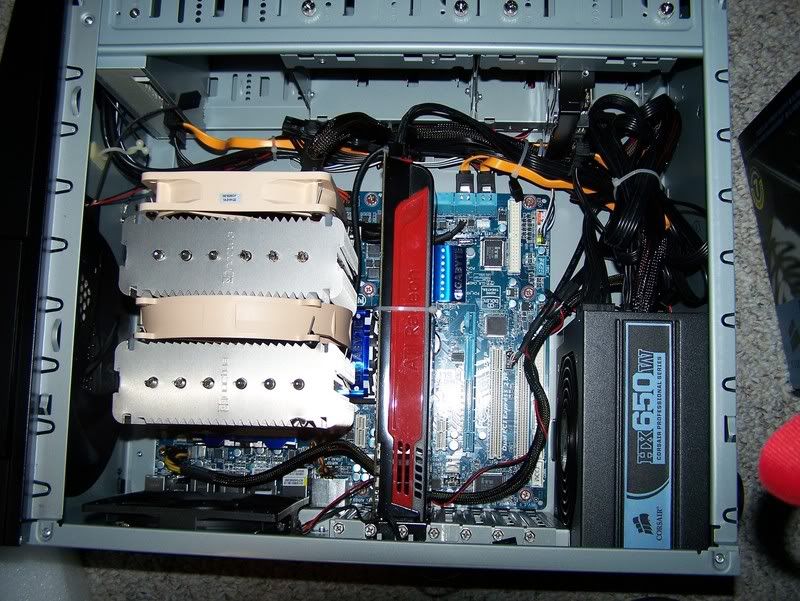
Well, I'm still working out the kinks of switching to a new pc and OS. I can play basically any game on this thing without any trouble (tried fallout 3, free copy of dirt 2, mass effect, crysis, and even supreme commander so far). The tiny downside though, software wise , I like 90% of the world had a .. er shall we say unfavourable copy of photoshop. Seems there's a much newer version out to toy around with.
The bigger hassle is my ancient webcam and scanner are incompatible with windows 7, I tried doing the "set compatibility to windows xp for all the driver exe's" but that didn't work. Windows still detects the scanner seperatly from the software and the software won't detect the scanner. The webcam I care less about to be honest, I barely used the thing.
Anyway, yeah, it's a good computer so far. Still have to get off my lazy ass and backup the old pc's contents to transfer onto this one which is a mild pain in the ass but do-able.
Which way does gaf think is faster- burning a couple dvd's or plugging the old pc into the network and setting everything to share on LAN... would the latter method even work going from xp up to vista... ?
<3brain_stew said:ATI 5770 (5850 if budget allows)
500w PSU from a decent brand
AMD Athlon ii X3 435 (Phenom ii X4 925 if budget allows)
4GB DDR3
770 AM3 DDR3 motherboard (probably from Gigabyte or MSI)
500GB Samsung F3
That should cover it on a very reasonable budget.
thaaaaanks, i'll start the googling.

4 questions:
1)"500w PSU from a decent brand" -- is this the power supply?A decent brand is, like, coolermaster?
2)wich case should i get?It's important?Or i should just go with the cheapest?
3)monitor?I only have an iMac (wich i will continue to use as a normal computer, for working, drawing in PS etc)right now, so i'll have to take a monitor too.
4)after a quick googling, i've seen that 4GB DDR3 rams higly vary on the price, from like 97£ to 132£... is there a lot of difference?
There isn't much difference on RAM. Stay away from OCZ as their RAM seems to be faulty. Corsair, G.SKILL, Mushkin, Kingston are all good.
Yes, PSU is power supply unit. Corsair, Seasonic, Antec are usually my picks there but I don't know too much about the more budget ones.
Antec 300, Coolermaster 330, and Coolermaster CM 690 seem to be favourites in the lower end.
What would your budget be anyway? The Athlon II X3 i a bit of a lower end CPU. If you could afford it, you could always go Intel i5.
Yes, PSU is power supply unit. Corsair, Seasonic, Antec are usually my picks there but I don't know too much about the more budget ones.
Antec 300, Coolermaster 330, and Coolermaster CM 690 seem to be favourites in the lower end.
What would your budget be anyway? The Athlon II X3 i a bit of a lower end CPU. If you could afford it, you could always go Intel i5.
Okay GAF I'm thinking of upgrading my PC soon and need some recommendations. Here's my current set up.
EVGA GeForce 9600 GT 512MB 256-bit GDDR3
Rosewill 500 W
Foxconn P45A-S LGA 775 Intel P45 ATX Intel Motherboard
Intel Core 2 Duo E8500 Wolfdale 3.16GHz
What would you recommend for the CPU and graphics card? Also, apparently one of my ram sticks has a 5-5-5-15 and the other has a 6-6-6-18 setting. When I get more should I make them match one and then only use RAM with that timing? Oh, I'm also running at 1920x1080 resolution so I want to be able to handle games like that at a good resolution. I'm probably looking at ~600 for the CPU, Mobo and card.
EVGA GeForce 9600 GT 512MB 256-bit GDDR3
Rosewill 500 W
Foxconn P45A-S LGA 775 Intel P45 ATX Intel Motherboard
Intel Core 2 Duo E8500 Wolfdale 3.16GHz
What would you recommend for the CPU and graphics card? Also, apparently one of my ram sticks has a 5-5-5-15 and the other has a 6-6-6-18 setting. When I get more should I make them match one and then only use RAM with that timing? Oh, I'm also running at 1920x1080 resolution so I want to be able to handle games like that at a good resolution. I'm probably looking at ~600 for the CPU, Mobo and card.
brain_stew
Member
Alucrid said:Okay GAF I'm thinking of upgrading my PC soon and need some recommendations. Here's my current set up.
EVGA GeForce 9600 GT 512MB 256-bit GDDR3
Rosewill 500 W
Foxconn P45A-S LGA 775 Intel P45 ATX Intel Motherboard
Intel Core 2 Duo E8500 Wolfdale 3.16GHz
What would you recommend for the CPU and graphics card? Also, apparently one of my ram sticks has a 5-5-5-15 and the other has a 6-6-6-18 setting. When I get more should I make them match one and then only use RAM with that timing? Oh, I'm also running at 1920x1080 resolution so I want to be able to handle games like that at a good resolution. I'm probably looking at ~600 for the CPU, Mobo and card.
I wouldn't recommend any CPU upgrade, an OC attempt, yeah, but not a replacement.
A 5850 is what you want.
brain_stew said:I wouldn't recommend any CPU upgrade, an OC attempt, yeah, but not a replacement.
A 5850 is what you want.
Don't think so? I thought games were being optimized nowadays to run on a quad core? I haven't overclocked it but yeah, I'll look into it. As for the 5850 I've always been an nVidia guy but I can try something new. :lol Thanks for the recommendation, I'll check it out.
brain_stew
Member
Alucrid said:Don't think so? I thought games were being optimized nowadays to run on a quad core? I haven't overclocked it but yeah, I'll look into it. As for the 5850 I've always been an nVidia guy but I can try something new. :lol Thanks for the recommendation, I'll check it out.
Sure they are, but that doesn't mean a ~4ghz 45nm Core 2 won't see you well. To get a decent quad without sacrificing dual threaded performance you'd need new RAM and a new motherboard. Just not worth it for the small gains.
Nvidia don't offer any card that will meet your performance requirements, and won't for another 4 months at least. ATI is your only real option if you want to upgrade in the near future.
Pick up this cooler if you decide to OC (and you should):
http://www.newegg.com/Product/Product.aspx?Item=N82E16835207004&Tpk=sunbeam 120mm
brain_stew said:Sure they are, but that doesn't mean a ~4ghz 45nm Core 2 won't see you well. To get a decent quad without sacrificing dual threaded performance you'd need new RAM and a new motherboard. Just not worth it for the small gains.
Ah, okay I see your point there. As for overclocking, is there any good guides out there for it?
Well currently I have an ARCTIC COOLING Freezer 7 Pro in my PC right now, so I figure that will be fine, right?
brain_stew
Member
Alucrid said:Ah, okay I see your point there. As for overclocking, is there any good guides out there for it?
Well currently I have an ARCTIC COOLING Freezer 7 Pro in my PC right now, so I figure that will be fine, right?
Indeed it will. OCing Core 2 chips is a piece of piss really, there's thorough guides out there (probably some in the op) but you'll have to search them. www.overclock.net will see you well.
brain_stew said:Indeed it will. OCing Core 2 chips is a piece of piss really, there's thorough guides out there (probably some in the op) but you'll have to search them. www.overclock.net will see you well.
Thanks for the info. I'll start looking it up now.
brain_stew
Member
Alucrid said:Thanks for the info. I'll start looking it up now.
If you just want the numbers of what you need to alter in the BIOS to give you a near guaranteed 3.8ghz on that chip, I can help you out?
PCI-e frequancy @ 100mhz
C1E and EIST to off
Set memory multiplier to "1:1" (may be labelled 2.0, its the setting that runs your memory at 800mhz, assuming that's the speed of your RAM)
CPU VID voltage to 1.35v
FSB to 400mhz
Multiplier left @ 9.5
Then boot up and test it in OCCT, you're very likely to pass it just fine. You can fine tune and tweak from there, by trying to get the voltage down, aiming for 4ghz and maybe OCing your RAM and/or running it at tighter timings but its upto you. Just setting them in your BIOS should work and get you 3.8ghz with 5 minutes work.
You should really put the hours in researching and taking it easy but this is the easy way out, and ha a high chance of success and instant benefits.
Hey PCGAF, I've stayed away from these threads for the most part because they make me want to spend money I don't have, but now I've got some money and I need a better rig for Z brush and maya and Gaming and what not.
I've got a 2 year old DELL XPS with an 8800GT and Intel Core 2 Quad Processor Q6600. I would like to upgrade to an i5 and a better GPU, but from what I understand I'd need a new mobo as well to interface with the newer CPU.
pricerange for mobo, gpu and core i5: 600-650
questions:
1. what's the best bang for the buck mobo?
2. Since its a Dell XPS will taking out their proprietary mobo fuck with my system?
3. When I got the 8800GT it was by far the most practical cost/power card on the market. Is there a similarly great package out there right now that wont poon my wallet?
4. How shitty/not shitty is my current CPU, and is it bottlenecking my GPU at all?
I've got a 2 year old DELL XPS with an 8800GT and Intel Core 2 Quad Processor Q6600. I would like to upgrade to an i5 and a better GPU, but from what I understand I'd need a new mobo as well to interface with the newer CPU.
pricerange for mobo, gpu and core i5: 600-650
questions:
1. what's the best bang for the buck mobo?
2. Since its a Dell XPS will taking out their proprietary mobo fuck with my system?
3. When I got the 8800GT it was by far the most practical cost/power card on the market. Is there a similarly great package out there right now that wont poon my wallet?
4. How shitty/not shitty is my current CPU, and is it bottlenecking my GPU at all?
brain_stew
Member
Kodiak said:Hey PCGAF, I've stayed away from these threads for the most part because they make me want to spend money I don't have, but now I've got some money and I need a better rig for Z brush and maya and Gaming and what not.
I've got a 2 year old DELL XPS with an 8800GT and Intel Core 2 Quad Processor Q6600. I would like to upgrade to an i5 and a better GPU, but from what I understand I'd need a new mobo as well to interface with the newer CPU.
pricerange for mobo, gpu and core i5: 600-650
questions:
1. what's the best bang for the buck mobo?
2. Since its a Dell XPS will taking out their proprietary mobo fuck with my system?
3. When I got the 8800GT it was by far the most practical cost/power card on the market. Is there a similarly great package out there right now that wont poon my wallet?
4. How shitty/not shitty is my current CPU, and is it bottlenecking my GPU at all?
You'll need new RAM as well, so it probably aint happening with that budget.
I'd personally just perform the BSEL mod to bring that chip upto 3ghz and buy a new GPU.
See here:
http://www.overclockers.com/forums/attachment.php?attachmentid=62946&stc=1&d=1204094697
http://www.overclockers.com/forums/showthread.php?p=5508420
Thanks to you, tooFirestorm said:There isn't much difference on RAM. Stay away from OCZ as their RAM seems to be faulty. Corsair, G.SKILL, Mushkin, Kingston are all good.
Yes, PSU is power supply unit. Corsair, Seasonic, Antec are usually my picks there but I don't know too much about the more budget ones.
Antec 300, Coolermaster 330, and Coolermaster CM 690 seem to be favourites in the lower end.
What would your budget be anyway? The Athlon II X3 i a bit of a lower end CPU. If you could afford it, you could always go Intel i5.
As i said in the other post, i didn't really set a budget, i just felt the need to go back to PCgaming, after 5 or so years.
So i'm just starting to "look around".
A could go into Intel i5.. i found it at eprice.com for 164(236 USD).. in the same website, they have a AMD - Processor Phenom II X4 965 3,4 Ghz socket AM3 125 Watt for 169(243 USD).
http://www.eprice.it/Microprocessori-INTEL/s-2328476
http://www.eprice.it/Microprocessori-AMD/s-2363345?metb=ATG
It's in Italian, but you can easily read the specs, anyway, i could go with something like this, i just didn't made any plan, yet.. if that make any sense. :lol
As for the monitor, what price are we talking about? 100, 200, 500?For a decent one(just not to waste the other specs).
brain_stew said:You'll need new RAM as well, so it probably aint happening with that budget.
I'd personally just perform the BSEL mod to bring that chip upto 3ghz and buy a new GPU.
See here:
http://www.overclockers.com/forums/attachment.php?attachmentid=62946&stc=1&d=1204094697
http://www.overclockers.com/forums/showthread.php?p=5508420
err... not gonna risk wrecking my shit by attempt a mod like that
brain_stew
Member
Kodiak said:err... not gonna risk wrecking my shit by attempt a mod like that
There's really no danger of damaging anythig but its your choice. Considering you were going to dump the CPU anyway, I don't see what you've got to lose?
I use a Gigabyte GA EP45-UD3P as my motherboard with the same CPU. Get the 5850 video card posted earlier from Dell.samven582 said:I started to build my new pc last year but never finished. Here what I have so far:
Intel Q9550
G.skill 4gb ram
Western Digital Black 640GB
Cooler Master CM690 Advance II
What do you guys recommend for a motherboard, PSU, Video card, DVD Drive? My budget is $400
I'm looking for a cheap processor thats fast and cheap (Around £100 mark). Would I need quad core to run Crysis on max or would a Dual Core do the job?
I've found both these for £100
Intel Core i3 530 2.93GHz
AMD Phenom II X3 Tri Core 720 Black Edition 2.80GHz
Which is the better?
I've found both these for £100
Intel Core i3 530 2.93GHz
AMD Phenom II X3 Tri Core 720 Black Edition 2.80GHz
Which is the better?
evil solrac v3.0
Member
ok, i downloaded Nhancer, but there's so many choices i'm kinda at a loss at what to do? what menus should i be generally be looking at to improve performance?
What about iOmega?Caj814 said:anyone know of any decent external HDDs at 50-100 GB for a reasonable price?I need a new one for a project that is coming up but I don't need it to be overkill (in the TBs) since the drive will be solely for this project.
http://go.iomega.com/it/?partner=4730
I have one for my iMac and it works great, with Firewire.
Thinking about getting this Asus notebook for $999 USD
http://www.bestbuy.com/site/Asus+-+...lack/9556125.p?id=1218124208054&skuId=9556125
Model: G72GX-RBBX05 |
Intel® Core2 Duo mobile processor P8700
6GB DDR2 memory
NVIDIA GeForce GTX 260M graphics
Microsoft Windows 7 Home Premium Edition 64-bit
500GB Serial ATA hard drive (5400 rpm)
It's a tough decision. My desktop is shot. I only play world of warcraft. I know I could build nice desktop for 1,000. But, I need something mobile for school(computer science).
http://www.bestbuy.com/site/Asus+-+...lack/9556125.p?id=1218124208054&skuId=9556125
Model: G72GX-RBBX05 |
Intel® Core2 Duo mobile processor P8700
6GB DDR2 memory
NVIDIA GeForce GTX 260M graphics
Microsoft Windows 7 Home Premium Edition 64-bit
500GB Serial ATA hard drive (5400 rpm)
It's a tough decision. My desktop is shot. I only play world of warcraft. I know I could build nice desktop for 1,000. But, I need something mobile for school(computer science).
Quick question about the Antec 300 case.
I am really worried about dust so I taped a single piece of paper to the left side of the case over the big fan slot that is optional. The two front intakes have a dust filter so that is great no worries there.
Is this safe to do for a temp fix? Until I can rig up some type of dust filter to put over it?
I am really worried about dust so I taped a single piece of paper to the left side of the case over the big fan slot that is optional. The two front intakes have a dust filter so that is great no worries there.
Is this safe to do for a temp fix? Until I can rig up some type of dust filter to put over it?
That's not mobile! It's 9 freakin lbs and has a battery life of an hour. If you only play WoW, get something cheaper and smaller.DeathNote said:It's a tough decision. My desktop is shot. I only play world of warcraft. I know I could build nice desktop for 1,000. But, I need something mobile for school(computer science).
The problem is that you gave him a voltmod without any indication of his hardware/cooling config. His PSU/motherboard may not respond well to a voltmod even if said voltmod worked for you. If he wants to OC, he should be finding his own specifications; not all processors are created equal.brain_stew said:There's really no danger of damaging anythig but its your choice. Considering you were going to dump the CPU anyway, I don't see what you've got to lose?
brain_stew
Member
Fugu said:The problem is that you gave him a voltmod without any indication of his hardware/cooling config. His PSU/motherboard may not respond well to a voltmod even if said voltmod worked for you. If he wants to OC, he should be finding his own specifications; not all processors are created equal.
Its not a voltmod, it'll just run his FSB at 333mhz, if the chip can't take it he removes the tape and loses nothing. Its just the same as setting your FSB to a higher setting on an enthusiast motherboard and doing that has never damaged anything.
The stock Intel cooler can manage a 3ghz Q6600 easily enough.
I need some advice on laptops. My parents are buying me a laptop and have given me a $1200 (Australian dollars) budget. I do want to play games on it but I also have to take it to university.
I'm considering getting the 15.6" HP Pavilion DV6-1247TX (VK011PA) and then upgrading the battery.
Any advice or recommendations for a first time laptop buyer?
I'm considering getting the 15.6" HP Pavilion DV6-1247TX (VK011PA) and then upgrading the battery.
Any advice or recommendations for a first time laptop buyer?
pseudocaesar
Member
What is the best mobo that is compatible with my CPU (Phenom II X4 940 Black), is it compatible with AM3? Im getting Win 7 and figure I will get some new Ram and get DDR3 (I have like DDR2 800 atm).