
Given the choice between a single, more-powerful card, and two cards in CF, I'd always recommend the single card. Compatibility issues, and I'd say that a 5850 is more powerful than two 4860s, without seeing benchs for it.btrick said:How do you guys feel about some fo these New Egg combo deals?
I was thinking about building a desktop with an i5 processor and a radeon 5850..
but how would this compare? for $1,224.97
http://www.newegg.com/Product/Combo...Combo.311768&cm_sp=DailyDeal-_-311768-_-Combo
-
Hey Guest. Check out your NeoGAF Wrapped 2025 results here!
You are using an out of date browser. It may not display this or other websites correctly.
You should upgrade or use an alternative browser.
You should upgrade or use an alternative browser.
"I need a new PC!" 2010 Edition
- Thread starter Spy
- Start date
mikespit1200 said:Not sure if anyone here would know this yet, but will the rumored AMD Phenom X6 chips run on the AM3 socket? Would be sweet to pick up a cheap triple core now and still have room to upgrade later on.
it says AM3 here
http://www.techpowerup.com/113955/Phenom_II_X6_Series_Details_Surface_Slated_for_May_2010.html
Yay, my i5 750, Radeon 5850 pc (well, the parts) are here. Now I only need a guide to know in which order to fit the stuff in the case and a couple of case fans and a beefier cpu cooler. But the coolers can wait, it´s winter and it added around 30 cm of snow today :lol
Noctua 12 cm fans would be good, right? CPU cooler?
And thanks GAF, my quest to have a playable rig is almost complete
Edit: Am I fucked? The 5850 needs two 6pin cables, my Coolermaster StealthXstream only has one 6 pin cable. The card comes with two "2 four pin to one 6 pin" converters, but their quick install guide says this
"Bad power connection:
XFX does not support the use of two 4-Pin to one 6-Pin power cable converter for these graphics cards. They are only designed to work with high perfomance power supplies usng 6-Pin PCI Express power cable"
So I´m not supposed to use the converters they gave me?!
If that´s the case, please recommend me a new PSU with two 6-Pin cables. The Antec Earthwatts, which looks nice as well, has only one 6-Pin cable as well. Fuuu.gif
Noctua 12 cm fans would be good, right? CPU cooler?
And thanks GAF, my quest to have a playable rig is almost complete
Edit: Am I fucked? The 5850 needs two 6pin cables, my Coolermaster StealthXstream only has one 6 pin cable. The card comes with two "2 four pin to one 6 pin" converters, but their quick install guide says this
"Bad power connection:
XFX does not support the use of two 4-Pin to one 6-Pin power cable converter for these graphics cards. They are only designed to work with high perfomance power supplies usng 6-Pin PCI Express power cable"
So I´m not supposed to use the converters they gave me?!
If that´s the case, please recommend me a new PSU with two 6-Pin cables. The Antec Earthwatts, which looks nice as well, has only one 6-Pin cable as well. Fuuu.gif
Fio said:asdad123 and Baker, thanks for your help. I believe I'll end up buying a the Asus G60VX-RBBX05 model.
If you do get the G60, check out this thread on notebookreview.
Its for the G51, but the G60 is the same apart from the processor. The thread will tell you everything you need to know to get the most out of your laptop. (How to OC your CPU/GPU and how to undervolt your GPU/CPU to lower temps)
Enjoy the laptop if you get it. I love my G51
brain_stew
Member
mikespit1200 said:Not sure if anyone here would know this yet, but will the rumored AMD Phenom X6 chips run on the AM3 socket? Would be sweet to pick up a cheap triple core now and still have room to upgrade later on.
Both the 6 core Phenom iis and the next generation Bulldozer chips will all be using the AM3 platform, yes. It'll require a BIOS update (for the Bulldozer's at least) but as long as you go with a decent motherboard brand (say MSI/ASUS/Gigabyte etc.) then that shouldn't be an issue. At the very least all AMD CPUs through 2011 will be targetting socket AM3, possibly longer.
Not sorry fot he bump 
Anyone? New PSU or is it just to cover their asses?
I just need this answered, I now remember the order of putting things in. I´m dying over here with anticipation :lol
Only thing I don´t know (except for the converter thing) is about applying the thermal paste. A thin, even layer right? But how am I supposed to spread the paste on the CPU, certainly not with my fingers? Just a small dab in the middle and the cooler will spread it when pushing down?
myself said:Edit: Am I fucked? The 5850 needs two 6pin cables, my Coolermaster StealthXstream only has one 6 pin cable. The card comes with two "2 four pin to one 6 pin" converters, but their quick install guide says this
"Bad power connection:
XFX does not support the use of two 4-Pin to one 6-Pin power cable converter for these graphics cards. They are only designed to work with high perfomance power supplies usng 6-Pin PCI Express power cable"
So I´m not supposed to use the converters they gave me?!
If that´s the case, please recommend me a new PSU with two 6-Pin cables. The Antec Earthwatts, which looks nice as well, has only one 6-Pin cable as well. Fuuu.gif
Anyone? New PSU or is it just to cover their asses?
I just need this answered, I now remember the order of putting things in. I´m dying over here with anticipation :lol
Only thing I don´t know (except for the converter thing) is about applying the thermal paste. A thin, even layer right? But how am I supposed to spread the paste on the CPU, certainly not with my fingers? Just a small dab in the middle and the cooler will spread it when pushing down?
BravoSuperStar
Member
Binabik15 said:Not sorry fot he bump
Anyone? New PSU or is it just to cover their asses?
I just need this answered, I now remember the order of putting things in. I´m dying over here with anticipation :lol
Only thing I don´t know (except for the converter thing) is about applying the thermal paste. A thin, even layer right? But how am I supposed to spread the paste on the CPU, certainly not with my fingers? Just a small dab in the middle and the cooler will spread it when pushing down?
don't worry about the 4pin to 6pin PCIe adapter, it will work. The CPU cooler should come with thermal paste pre-applied, but if not just put a small dab in the center and spread it around.
It's usually fine to just dab a bit of paste in the middle and let the heatsink do the work in spreading it when it gets fastened down. Some people try to do the ole "paper-thin layer" spread out with a credit card, but meh. Hell, Intel themselves said to just draw a line down the middle (where the cores are) and throw the heatsink on.
Excellent. The thermal paste thing is because I bought some Arctic cooling paste, was so cheap and people recommended it. I just looked at the cooler that came with the i5, there´s tree stripes of green-grey stuff on it. Should I scrape it off or leave it and save the paste for the heatsink I´ll buy in a couple of months?
Now I´ll either succeed or fail miserably, throw my (at this time probably half empty) case through the window and break my hands by punching the wall :lol
Now I´ll either succeed or fail miserably, throw my (at this time probably half empty) case through the window and break my hands by punching the wall :lol
Yeah go ahead and put that on. There's no way you'll run out of paste for 2 applications. A small tube should probably be enough for almost 10 applications.
Scrape off what's there...use q-tips and rubbing alcohol to remove everything.
Apply a small strip (about the volume of a grain of rice) on the top of your CPU. Seat the heatsink down and twist it back and forth a bit to get rid of air bubbles and spread it a bit.
MX-2 is pretty much the best paste out there, and is non conductive so you can't screw up anything.
Scrape off what's there...use q-tips and rubbing alcohol to remove everything.
Apply a small strip (about the volume of a grain of rice) on the top of your CPU. Seat the heatsink down and twist it back and forth a bit to get rid of air bubbles and spread it a bit.
MX-2 is pretty much the best paste out there, and is non conductive so you can't screw up anything.
So I've just finished putting together my pc, and attached the dvi lead. The message appears on the monitor 'no video input'. Any idea what this might be?
Thanks for the help in advance.
EDIT I've noticed that the fan at the rear of the gpu (no sure whether this means that the gpu is therefore fine) is working so it could be a motherboard issue?
Thanks for the help in advance.
EDIT I've noticed that the fan at the rear of the gpu (no sure whether this means that the gpu is therefore fine) is working so it could be a motherboard issue?
Have you tried comparing card dimensions? For instance, you can try a general Google search for your case or a more specific one. A general search will give you a wide range of links and reviews (as well as images through the image search), but a specific search should hopefully help you narrow down a comparable build. See which Nvidia or ATI cards have similar dimensions to yours and just do a combined search of case and card combos for all links and images. Should help you get a rough idea of what you may be facing.Oni Jazar said:How do I find out if a particular case can handle a big video card? I'm looking at the Apevia X-Dreamer 3 Mid-Tower and The official specs don't say how long a vid card can be and the only review I found doesn't mention it either. This is a good picture of the inside. I'm wondering if it can fit a 5870 ATI which is about 10.5" - 10.75"

MoFuzz
Member
If there's multiple inputs on your monitor, you'll have to switch it over to DVI.Façade said:So I've just finished putting together my pc, and attached the dvi lead. The message appears on the monitor 'no video input'. Any idea what this might be?
Thanks for the help in advance.
EDIT I've noticed that the fan at the rear of the gpu (no sure whether this means that the gpu is therefore fine) is working so it could be a motherboard issue?
Elementary stuff I know, but sometimes we forget the simple things.
TheExodu5 said:Did you connect the extra power connectors to your video card (if applicable)?
Did you connect both the 4-pin and 12-pin power connectors to your motherboard?
Yeah I did both of those. In fact, I connected the 8-pin instead of the 4-pin. There was a black protector on top of 4 of the pins but I took it off and connected all 8, is this a problem?
MoFuzz said:If there's multiple inputs on your monitor, you'll have to switch it overt to DVI.
Elementary stuff but sometimes we forget the simple things.
Yeah I did that but no luck :/
Soo I´ve hit the first hurdle. Coolermaster´s manual is non-existant and Gigabyte´s doenst´t cover this.

Those little metal dicks on the I/O plate, do I cut them off? And this metal ring looks like it could be there to support the mobo and the plastic thing could have something to with the ring, but I´m not sure.
I need to get the mobo in there quick, I don´t want to have it lying around. Plus I want to be done today :/
Next time I´ll buy the case with the best manual, price and looks be damned.
Those little metal dicks on the I/O plate, do I cut them off? And this metal ring looks like it could be there to support the mobo and the plastic thing could have something to with the ring, but I´m not sure.
I need to get the mobo in there quick, I don´t want to have it lying around. Plus I want to be done today :/
Next time I´ll buy the case with the best manual, price and looks be damned.
Ok, so I'm on the verge of pulling the trigger on a mid-tower in the $100 range. I had more or less settled on the Antec Nine Hundred Two:
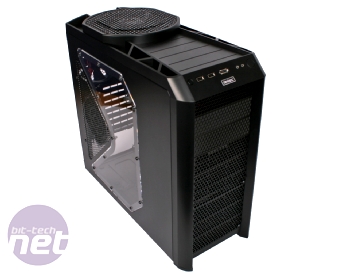
http://www.newegg.com/Product/Product.aspx?Item=N82E16811129058
...but I'm now considering going with the Cooler Master CM690 II Advanced Black

http://www.newegg.com/Product/Product.aspx?Item=N82E16811119216
...because of the airflow options and some of the other design features.
So, before I go ahead and order I was just wondering if any of you had any thoughts on these two cases or any other good options. For the price and flexibility, the Cooler Master looks like it may be hard to beat.
http://www.newegg.com/Product/Product.aspx?Item=N82E16811129058
...but I'm now considering going with the Cooler Master CM690 II Advanced Black
http://www.newegg.com/Product/Product.aspx?Item=N82E16811119216
...because of the airflow options and some of the other design features.
So, before I go ahead and order I was just wondering if any of you had any thoughts on these two cases or any other good options. For the price and flexibility, the Cooler Master looks like it may be hard to beat.
Hi guys, total sponger here so apologies already .
I'm looking to build something that can go under my Sony Bravia 42" and run HD streaming video, music, and games at about a 360 level for as cheap as possible. I've also been told by the missus to move my classic console collection into the attic /) so want to emulate pretty much every console out there so I don't have to give up my 16 bit gaming fix .
Requirements are:
- Small (no optical drive needed, I have an external for installing things and a PS3 for playing Blu-Rays/DVDs and plan to use noCD cracks for my games that aren't Steam)
- Outputs in 1080p to my TV, plays games at a level that will hopefully match my PS3
What's the minimum budget I will be looking at? Can I do this for like £400? Also, can anyone recommend some good small cases that will not look out of place under the TV.
Finally, what's the best software to pull all of this together into a neat little package? I want something I can control through a 360 pad and can handle email/emus/IM/browser/Skype/media management. XBMC looks like the ticket, but am I missing something?
Basically I want to make my own custom console :lol Any help would be greatly appreciated.
I'm looking to build something that can go under my Sony Bravia 42" and run HD streaming video, music, and games at about a 360 level for as cheap as possible. I've also been told by the missus to move my classic console collection into the attic
/) so want to emulate pretty much every console out there so I don't have to give up my 16 bit gaming fix .Requirements are:
- Small (no optical drive needed, I have an external for installing things and a PS3 for playing Blu-Rays/DVDs and plan to use noCD cracks for my games that aren't Steam)
- Outputs in 1080p to my TV, plays games at a level that will hopefully match my PS3
What's the minimum budget I will be looking at? Can I do this for like £400? Also, can anyone recommend some good small cases that will not look out of place under the TV.
Finally, what's the best software to pull all of this together into a neat little package? I want something I can control through a 360 pad and can handle email/emus/IM/browser/Skype/media management. XBMC looks like the ticket, but am I missing something?
Basically I want to make my own custom console :lol Any help would be greatly appreciated.
I'd recommend taking a look at the budget build listed in the OP and seeing how much those parts would cost from some of the UK stores also listed in the OP. From Canada myself so I don't know exactly how prices translate from USD->GBP.Bert said:Hi guys, total sponger here so apologies already .
I'm looking to build something that can go under my Sony Bravia 42" and run HD streaming video, music, and games at about a 360 level for as cheap as possible. I've also been told by the missus to move my classic console collection into the attic
Requirements are:
- Small (no optical drive needed, I have an external for installing things and a PS3 for playing Blu-Rays/DVDs and plan to use noCD cracks for my games that aren't Steam)
- Outputs in 1080p to my TV, plays games at a level that will hopefully match my PS3
What's the minimum budget I will be looking at? Can I do this for like £400? Also, can anyone recommend some good small cases that will not look out of place under the TV.
Finally, what's the best software to pull all of this together into a neat little package? I want something I can control through a 360 pad and can handle email/emus/IM/browser/Skype/media management. XBMC looks like the ticket, but am I missing something?
Basically I want to make my own custom console :lol Any help would be greatly appreciated.
And for the HTPC stuff, here's this great thread which should be added to the OP.
drhankmccoyphd
Member
Made a couple of tweaks to the core parts I'm going to put in my new budget gaming rig. HDD, Optical, case and Win7 are spoken for and I'll grab a video card some time in the next few weeks depending on what the 5830 looks like. Went with the X3 to keep costs low throw the savings into a video card or an X6 later on. How does this look?
Pretty stoked since it seems like ALL the parts I want are on sale at the same time for around $325 with $55 (!) in Mail in Rebates.
http://www.newegg.com/Product/Product.aspx?Item=N82E16813128392
http://www.newegg.com/Product/Product.aspx?Item=N82E16817341016
http://www.newegg.com/Product/Product.aspx?Item=N82E16835103065
http://www.newegg.com/Product/ComboDealDetails.aspx?ItemList=Combo.313938
http://www.newegg.com/Product/ComboDealDetails.aspx?ItemList=Combo.313938
Pretty stoked since it seems like ALL the parts I want are on sale at the same time for around $325 with $55 (!) in Mail in Rebates.
http://www.newegg.com/Product/Product.aspx?Item=N82E16813128392
http://www.newegg.com/Product/Product.aspx?Item=N82E16817341016
http://www.newegg.com/Product/Product.aspx?Item=N82E16835103065
http://www.newegg.com/Product/ComboDealDetails.aspx?ItemList=Combo.313938
http://www.newegg.com/Product/ComboDealDetails.aspx?ItemList=Combo.313938
Glass Brain
Member
·feist· said:Ok, so I'm on the verge of pulling the trigger on a mid-tower in the $100 range. I had more or less settled on the Antec Nine Hundred Two:
http://www.newegg.com/Product/Product.aspx?Item=N82E16811129058
...but I'm now considering going with the Cooler Master CM690 II Advanced Black
http://www.newegg.com/Product/Product.aspx?Item=N82E16811119216
...because of the airflow options and some of the other design features.
So, before I go ahead and order I was just wondering if any of you had any thoughts on these two cases or any other good options. For the price and flexibility, the Cooler Master looks like it may be hard to beat.
I built a pc wednesday with the CM690 II. I love it. My last pc had an original 690. Ask me questions. I can take pics.

Can´t they write their manuals for retards?!
I have a 4 Pin thing in the circeled socket, is this okay? The only thing I have with 8 is the 6+2 PCI-express cable.
Now I only have a HD Audio + AC ´97, a Pow Led+, a Pow-, a HDD Led , a Power SW, a Reset SW and a Speaker cable to plug in...somewhere. I can find anything in the manual that explain wtf is going on here. There´s a section called Front Panel Header and a colourful area on the mobo that might be it, but the cable names are different and the colour code is off. The four pin area is orange, but the only four pin thing comming out of the case is the speaker cable and it´s yellow. The manual casually tells me to sort it out myself. Fuuuuck.
And then the HDD, which Sata slot? The DVD drive?
And then I´ll have to install a god damn OS someday to use this thing, fuck, fuck, fuck.
This isn´t learning by doing if the manual is working against you. I´ll never get another pc until I´m rich enough to pay someone to build, install and turn the damn pc on and off for me.:lol
I NEED SCISSORS
Banned
That's awesome to hear. This means I can keep using my new heatsink on a future CPU, and I won't need to upgrade my mobo at all.brain_stew said:Both the 6 core Phenom iis and the next generation Bulldozer chips will all be using the AM3 platform, yes. It'll require a BIOS update (for the Bulldozer's at least) but as long as you go with a decent motherboard brand (say MSI/ASUS/Gigabyte etc.) then that shouldn't be an issue. At the very least all AMD CPUs through 2011 will be targetting socket AM3, possibly longer.
brain_stew
Member
Bert said:Hi guys, total sponger here so apologies already .
I'm looking to build something that can go under my Sony Bravia 42" and run HD streaming video, music, and games at about a 360 level for as cheap as possible. I've also been told by the missus to move my classic console collection into the attic
Requirements are:
- Small (no optical drive needed, I have an external for installing things and a PS3 for playing Blu-Rays/DVDs and plan to use noCD cracks for my games that aren't Steam)
- Outputs in 1080p to my TV, plays games at a level that will hopefully match my PS3
What's the minimum budget I will be looking at? Can I do this for like £400? Also, can anyone recommend some good small cases that will not look out of place under the TV.
Finally, what's the best software to pull all of this together into a neat little package? I want something I can control through a 360 pad and can handle email/emus/IM/browser/Skype/media management. XBMC looks like the ticket, but am I missing something?
Basically I want to make my own custom console :lol Any help would be greatly appreciated.
How about this?
http://www.ebuyer.com/product/173978
http://www.ebuyer.com/product/178943
http://www.ebuyer.com/product/130946
http://www.ebuyer.com/product/176043
http://www.ebuyer.com/product/124228
http://www.ebuyer.com/product/191864
Even at 1080p that machine will run games at much better settings and framerates than a PS3 would at 720p. We have a HTPC thread if you can search for it, or it might be linked in the op.
The case comes with an integrates PSU which is both efficient and enough to power a pretty nice rig:


I NEED SCISSORS
Banned
I just had a thought. The naming standards of CPUs have been like this: dual-core, tri-core, quad core..... will a 6 core CPU be called sex-core?
MoFuzz
Member
Take a deep breath and relax buddy, you'll get through this with some pointers. No PC build is without a few snags here and there, you learn as you go.Binabik15 said:Now I only have a HD Audio + AC ´97, a Pow Led+, a Pow-, a HDD Led , a Power SW, a Reset SW and a Speaker cable to plug in...somewhere. I can find anything in the manual that explain wtf is going on here. There´s a section called Front Panel Header and a colourful area on the mobo that might be it, but the cable names are different and the colour code is off. The four pin area is orange, but the only four pin thing comming out of the case is the speaker cable and it´s yellow. The manual casually tells me to sort it out myself. Fuuuuck.
And then the HDD, which Sata slot? The DVD drive?
First of all, the a Pow Led+, a Pow-, a HDD Led , a Power SW, a Reset SW and a Speaker cable are all in two little rows of pins usually in the corner of the board. Don't worry about colour co-ordination, just match the label on each cable with the the jumper diagram in the motherboard manual. Some may have a few pins less or a few more, but don't worry about it. Try doing it by elimination: plug the pins that match the label exactly first, then you'll be able to figure out the ones leftover that may have a slightly different name. Four pins is usually for the speaker, so you're on the right track there.
Just so you know, the only one that needs to be plugged in correctly at first is the power sw, as that lets you turn the thing on obviously. All the other stuff you can fudge with later if you get it wrong the first time.
If you aren't planning to use a RAID setup for the hard drive(s) just plug it into SATA 0 or SATA 1. DVD drive goes into the one next to it (either 1 or 2)
I was just thinking about this exact same thing two days ago. It'll be interesting to see what AMD and Intel's marketing teams come up with.I NEED SCISSORS said:I just had a thought. The naming standards of CPUs have been like this: dual-core, tri-core, quad core..... will a 6 core CPU be called sex-core?
No way they'll leave it at sex-core though, awesome as that would be.

Manp
Member
you are NOT supposed to bend them.Binabik15 said:Those little metal dicks on the I/O plate, do I cut them off? And this metal ring looks like it could be there to support the mobo and the plastic thing could have something to with the ring, but I´m not sure.
the metal ring is actually a ferrite ring. you don't really need it.
Can´t they write their manuals for retards?!
I have a 4 Pin thing in the circeled socket, is this okay? The only thing I have with 8 is the 6+2 PCI-express cable.
if you mean the 8 pin socket on the motherboard then you don't have to use PCI Express power connectors on that!
if your PSU only has a 4 pin connector for the motherboard (if it's new it should really have both a 4 and a 8 pin power connector or an 8 pin connector that can be split in two) then connect that to the 8 pin connector on the MB using only half of it (the half that fits of course, it can only be inserted in one way)
oh god :lolNow I only have a HD Audio + AC ´97, a Pow Led+, a Pow-, a HDD Led , a Power SW, a Reset SW and a Speaker cable to plug in...somewhere. I can find anything in the manual that explain wtf is going on here. There´s a section called Front Panel Header and a colourful area on the mobo that might be it, but the cable names are different and the colour code is off. The four pin area is orange, but the only four pin thing comming out of the case is the speaker cable and it´s yellow. The manual casually tells me to sort it out myself. Fuuuuck.
so let's start with the basic. every connector from the case should have two wires, one white (-) one colored (+). the speaker is the only one that doesn't follow this rule: black = - and red = +.
this should put you on the right way. every connector from the case should be marked. you have one for HDD Led, one for power led, one for reset and one for the power switch. they should match with the front header section of the motherboard's manual that should also tell you which pin on the mb is + and which is - for every connector (again HDD Led, power led, reset and power switch).
you're likely not going to toast anything if you mess with them (leds will probably just not light up) but take your time to get them right.
it's not strictly necessary to connect them to power on the pc to test, just shortcut for a second the two pins on the motherboard marked as power switch with a screw driver and the mb will happily turn on. you need a steady hand of course so it may not be worth the risk if you're at your first build :lol
And then the HDD, which Sata slot? The DVD drive?
sata0 hdd
sata1 dvd
Ok I ordered my PC. It wasn't the cheapest but it's the most top of the line system I've ever owned. The water cooling is free I hope it doesn't bite me in the butt.
CPU: Intel(R) CoreT i7-920 2.66 GHz 8M L3 Cache LGA1366
POWERSUPPLY: #635 Watts Power Supplies (Sigma Shark SP-635W PSU - SLI Ready)
MOTHERBOARD: (3-Way SLI Support) GigaByte GA-X58A-UD3R Intel X58 Chipset SLI/CrossFireX Ultra DurableT3 Mainboard Triple-Channel DDR3/1600 ATX Mainboard w/ 7.1 Dobly Audio, eSATA, GbLAN, USB3.0, 2 x SATA-III RAID, IEEE1394a, 4 Gen2 PCIe, 2 PCIe X1 & 1 PCI
VIDEO: ATI Radeon HD 5870 PCI-E 16X 1GB DDR5
MEMORY: 6GB (2GBx3) DDR3/1600MHz Triple Channel Memory Module
CD: Lite-On IHOS 104 4X Blu-Ray Player
CD2: LG 22X DVD+/-R/+/-RW + CD-R/RW Dual Layer Drive
CAS: Apevia X-Dreamer 3 Mid-Tower Gaming Case w/ Side-Panel Window & Temperature Display (Black Color with Black Ring & Blue LED Fan)
FAN: #Asetek LCLC 120 Liquid Cooling System 120MM Radiator & Fan (Extreme Cooling Performance + Extreme Silent at 20dBA)
HDD: Single Hard Drive (80 GB Intel X25-M 2.5 inch SATA Gaming MLC Solid State Disk
HDD2: Single Hard Drive (1.5TB (1.5TBx1) SATA-II 3.0Gb/s 32MB Cache 7200RPM HDD)
MONITOR: ToC Samsung 22" LCD HDTV
OS: Microsoft(R) Windows(R) 7 Home Premium (64-bit Edition)
FLASHMEDIA: INTERNAL 12in1 Flash Media Reader/Writer (BLACK COLOR)
NETWORK: Onboard Gigabit LAN Network
SOUND: HIGH DEFINITION ON-BOARD 7.1 AUDIO
CPU: Intel(R) CoreT i7-920 2.66 GHz 8M L3 Cache LGA1366
POWERSUPPLY: #635 Watts Power Supplies (Sigma Shark SP-635W PSU - SLI Ready)
MOTHERBOARD: (3-Way SLI Support) GigaByte GA-X58A-UD3R Intel X58 Chipset SLI/CrossFireX Ultra DurableT3 Mainboard Triple-Channel DDR3/1600 ATX Mainboard w/ 7.1 Dobly Audio, eSATA, GbLAN, USB3.0, 2 x SATA-III RAID, IEEE1394a, 4 Gen2 PCIe, 2 PCIe X1 & 1 PCI
VIDEO: ATI Radeon HD 5870 PCI-E 16X 1GB DDR5
MEMORY: 6GB (2GBx3) DDR3/1600MHz Triple Channel Memory Module
CD: Lite-On IHOS 104 4X Blu-Ray Player
CD2: LG 22X DVD+/-R/+/-RW + CD-R/RW Dual Layer Drive
CAS: Apevia X-Dreamer 3 Mid-Tower Gaming Case w/ Side-Panel Window & Temperature Display (Black Color with Black Ring & Blue LED Fan)
FAN: #Asetek LCLC 120 Liquid Cooling System 120MM Radiator & Fan (Extreme Cooling Performance + Extreme Silent at 20dBA)
HDD: Single Hard Drive (80 GB Intel X25-M 2.5 inch SATA Gaming MLC Solid State Disk
HDD2: Single Hard Drive (1.5TB (1.5TBx1) SATA-II 3.0Gb/s 32MB Cache 7200RPM HDD)
MONITOR: ToC Samsung 22" LCD HDTV
OS: Microsoft(R) Windows(R) 7 Home Premium (64-bit Edition)
FLASHMEDIA: INTERNAL 12in1 Flash Media Reader/Writer (BLACK COLOR)
NETWORK: Onboard Gigabit LAN Network
SOUND: HIGH DEFINITION ON-BOARD 7.1 AUDIO
QuiteWhittle
Member
Hexa-core.I NEED SCISSORS said:I just had a thought. The naming standards of CPUs have been like this: dual-core, tri-core, quad core..... will a 6 core CPU be called sex-core?
Manp
Member
proud owner of the original 690 dark black here:Glass Brain said:I built a pc wednesday with the CM690 II. I love it. My last pc had an original 690. Ask me questions. I can take pics.

love it!
let me brag a bit, i love my baby
Having a browse around I think I'm right in saying that an aux power cable needs to be attached to the motherboard from the graphics card? At the moment I have attached two pci connectors to the 5850 and that's it, not sure how I would attach the aux power cable provided with the card to the motherboard?
brain_stew
Member
Façade said:Having a browse around I think I'm right in saying that an aux power cable needs to be attached to the motherboard from the graphics card? At the moment I have attached two pci connectors to the 5850 and that's it, not sure how I would attach the aux power cable provided with the card to the motherboard?
Nope. You should have two cables from your PSU to your GPU and that's it. Nothing should be going from the GPU to the motherboard, the PCIe slot sorts that out.
brain_stew said:Nope. You should have two cables from your PSU to your GPU and that's it. Nothing should be going from the GPU to the motherboard, the PCIe slot sorts that out.
hmm struggling to identify the problem in that case. Should the motherboard make any beeps when starting up, because it's not at the moment?

Fixed1979
Member
Manp said:proud owner of the original 690 dark black here:
love it!
Nice clean build, congrats.
brain_stew
Member
Façade said:hmm struggling to identify the problem in that case. Should the motherboard make any beeps when starting up, because it's not at the moment?
You'd tried using a different port? Different cable? Different monitor?
Does the GPU fan rev up?
HomerSimpson-Man
Member
Picked myself a Phenom II x3 720 Black Edition after work today.
It was on sale at the Microcenter for only $99.95, too good to pass up.
I'm tempting to place it in my current AM2+ rig right now, but I want to order the newer AM3 board and take advantage of DDR3 RAM, plus with any luck I just might unlock the 4th core, if not, hey, I'll be content with overclocking this little guy to 3.7Ghz.
It was on sale at the Microcenter for only $99.95, too good to pass up.
I'm tempting to place it in my current AM2+ rig right now, but I want to order the newer AM3 board and take advantage of DDR3 RAM, plus with any luck I just might unlock the 4th core, if not, hey, I'll be content with overclocking this little guy to 3.7Ghz.
Same things came with my cooler master. They were listed on the sparse manual that came with it. The ring is some magnetic cabling surround or something, didn't use it. Can't remember what the plastic thong was for, didn't use that either. I didn't bend those metal flaps, I believe they are to help guide the conectors so the plate is not loose at the back.Binabik15 said:Soo I´ve hit the first hurdle. Coolermaster´s manual is non-existant and Gigabyte´s doenst´t cover this.
http://i46.tinypic.com/20iyrzp.jpg[/IMG]
Those little metal dicks on the I/O plate, do I cut them off? And this metal ring looks like it could be there to support the mobo and the plastic thing could have something to with the ring, but I´m not sure.
I need to get the mobo in there quick, I don´t want to have it lying around. Plus I want to be done today :/
Next time I´ll buy the case with the best manual, price and looks be damned.
brain_stew said:You'd tried using a different port? Different cable? Different monitor?
Does the GPU fan rev up?
Tried a different port and monitor with no luck and not sure about a different cable, only two on my psu.
Not sure how powerful the fan is meant to be, but there is a minimal amount of air coming out the back of the gpu, don't know whether it's just the fans pushing that air out or the gpu itself.
brain_stew
Member
HomerSimpson-Man said:Picked myself a Phenom II x3 720 Black Edition after work today.
It was on sale at the Microcenter for only $99.95, too good to pass up.
I'm tempting to place it in my current AM2+ rig right now, but I want to order the newer AM3 board and take advantage of DDR3 RAM, plus with any luck I just might unlock the 4th core, if not, hey, I'll be content with overclocking this little guy to 3.7Ghz.
You won't see any tangible performance advantage from DDR3. Just plunk it in your current rig.
I'd love to see any you have, actually. I'm particularly interested in how people are doing their cable management. The case seems to support Cooler Master's Cross Flow FanGlass Brain said:I built a pc wednesday with the CM690 II. I love it. My last pc had an original 690. Ask me questions. I can take pics.
http://www.atruereview.com/cm_stacker/computer_case3.php
but that opening for it appears to also be the primary area for running your cables. I guess that may not be such a big deal though, since there's still an opening right below the cpu that one could place an intake and have it blow across the mobo.
If I'm not mistaken, the Dark Black was limited to a few hundred examples so feel free to brag. Your case and build look great. I generally don't like their mid/lower-end cases as far as aesthetics go, but this model looks nice and clean while still having good cooling and layout options.Manp said:proud owner of the original 690 dark black here:
http://i45.tinypic.com/28vgk6a.jpg
love it!
let me brag a bit, i love my baby
Between the two of you, or any other owners, I'd love to hear your thoughts on build quality, sound and cooling characteristics. I've recently become increasingly preoccupied with temps so I'm always interested in the size, number and placement of fans that people are running.
·feist· said:Between the two of you, or any other owners, I'd love to hear your thoughts on build quality, sound and cooling characteristics. I've recently become increasingly preoccupied with temps so I'm always interested in the size, number and placement of fans that people are running.
I think it's a great case for the money, but I'll go over the few problems I've had with it.
Side panel fans are very loud. There's some vibration in the panel that makes a 1200rpm side panel fan sound louder than any other fan in the case. I stuck a Noctua fan with the ultra-quiet adapter (makes it spin at 900rpm) and now it's whisper quiet again. The Noctua looks really out of place.
I'm not a fan of the hard drive bays. They seem to have worked well with the poster above, but in my case, it's really hard to connect 3 hard drives into one power line from my PSU. Since the power connectors need to be in the back, and I need to connect 3 drives to the same line, I can't pull them out enough to plug the damn things in. I nearly destroyed one of my HDDs when I pulled one out as it tugged on the other HDD's power connector.
Is there an easier way to access this? Can I come in from behind somehow?
....Welp I'm screwed, tuition wise :lol


P183 Case. Was choosing between the Antec 900 and this. The Antec 900 might be a fan beast, meaning that it has a ton of fans that circulate air, but it doesn't mean it's good at cooling those chambers, as seen in the P183. Where each chamber, hard drive, mobo, psu are seperated. Which is what I like about it. Each compartment is getting cooled individually.
The MX-2 and the Xigametk are self explanatory.
Kidding of course!
P183 Case. Was choosing between the Antec 900 and this. The Antec 900 might be a fan beast, meaning that it has a ton of fans that circulate air, but it doesn't mean it's good at cooling those chambers, as seen in the P183. Where each chamber, hard drive, mobo, psu are seperated. Which is what I like about it. Each compartment is getting cooled individually.
The MX-2 and the Xigametk are self explanatory.

TheExodu5 said:So my friend's looking at buying a new PC for BF2. That means quad-core is a must.
What are the best quadcores to get for gaming right now? I'm pretty sure i7 920 is out, since 1366 isn't worth the cost for games, correct?
i5-750, i7-860, or Pii X4 965