• Hey Guest. Check out your NeoGAF Wrapped 2025 results here!

"I need a new PC!" 2010 Edition

MomoPufflet said:
If I buy another HDD (same model) will I be able to easily create a RAID 0 or will I have to reformat again?
I think data will be lost. Reformatting you should do anyway imo to have a nice clean slate.
If you ware interested in performance an SSD is a better choice and you don't have to deal with RAID.
Acosta said:
Guys, one simple question. My old computer's 8800 died, what would be the more optimal way of replacing it?

It´s a small case with cheap pieces, basically a kind of Frankenstein monster I use to not dump immediately my old hardware when I replace it, but that gives me little room and the new cards are too big for it. Would be better going for another 8800 or would you reccomend anything else on that range of prize/size?
If you do some throwaway gaming on it, this card has insane value for the money right now.
http://www.newegg.com/Product/Product.aspx?Item=N82E16814131179
 
Upgraded my E6750 to a Q9400 and nice. I'm able to put all non-sliders on max in GTA IV and still get a very nice framerate and in Red Faction: GW I can max it and runs like butter.

Both of those games have my Gigabyte 460 GTX running in the 95-99 load range. Finally a reason to overclock. Just wish the 460s would get their fans unlocked from 70 percent max. If I'm going to be running this card full tilt, it'd be nice if I could scale the fan upwards when needed.

Saw a thread somewhere where Gigabyte had a bios update that unlocked the fan, but it's been pulled. There's a link for another download, but I'm not voiding the warranty by installing something not on their site.
 
So my GTX 460 arrived just now. Upgrading from a Radeon 4850.

Now I know it can be a bitch switching from an ATI to Nvidia (prob moreso for Vista) card, so can anyone just tell me the proper steps for making sure all traces ATI are wiped from my system? Reformatting is not an option.

Also which utility programs will I want to have with the new card?

I'm a total nvidia noob here so the help is appreciated!
 
1-D_FTW said:
Upgraded my E6750 to a Q9400 and nice. I'm able to put all non-sliders on max in GTA IV and still get a very nice framerate and in Red Faction: GW I can max it and runs like butter.

Both of those games have my Gigabyte 460 GTX running in the 95-99 load range. Finally a reason to overclock. Just wish the 460s would get their fans unlocked from 70 percent max. If I'm going to be running this card full tilt, it'd be nice if I could scale the fan upwards when needed.

Saw a thread somewhere where Gigabyte had a bios update that unlocked the fan, but it's been pulled. There's a link for another download, but I'm not voiding the warranty by installing something not on their site.
99F right? :p
Outdoor Miner said:
So my GTX 460 arrived just now. Upgrading from a Radeon 4850.

Now I know it can be a bitch switching from an ATI to Nvidia (prob moreso for Vista) card, so can anyone just tell me the proper steps for making sure all traces ATI are wiped from my system? Reformatting is not an option.

Also which utility programs will I want to have with the new card?

I'm a total nvidia noob here so the help is appreciated!
http://downloads.guru3d.com/download.php?det=745

RivaTuner (eVGA Precision, MSI AFterBurner [Voltage ups])
D3DOverrider / nHancer
 
Install DriverSweeper. Uninstall all your ATI drivers. Restart into Safe Mode. Load Driver Sweeper. Have it delete all ATI boxes (unless you have an ATI chipset on your motherboard, then only select the GPU boxes). Reboot in Windows. Install the latest Nvidia driver.

Hazaro said:
99F right? :p

Usage. 95-99 load usage. Highest temp I think I've gotten is 67C.
 
Hazaro said:
I think data will be lost. Reformatting you should do anyway imo to have a nice clean slate.
If you ware interested in performance an SSD is a better choice and you don't have to deal with RAID.

I have one 150GB Velociraptor currently and was considering adding another one to enhance performance even more. A quality SSD is a little out of my pricerange right now and 150GB is kind of perfect for my needs. It's still a new install so reformatting isn't a huge deal, I was just curious.
 
Fredescu said:
No worries. Don't feel so bad, I've built heaps of systems and I still consider a first time boot up a bit of a victory :)

QFT....it´s like the moment of truth...does it work or not....then YES! (most of the times)

Btw, Section 8 is for 7.5GBP, is that worth it? heard it was broken?
 
Report: Intel Slashing Chip Prices

By Zewde Yeraswork, ChannelWeb, September 22, 2010, 1300 hrs

In a report this week, a Canaccord Genuity analyst said Intel has dramatically cut its microprocessors and chipset prices to boost demand, US’ premier financial magazine Barron's reported.

Intel was said to have cut prices by 50 percent on Atom, Core i3, Core i5 and Core i7 chips and by 15 percent for other chipsets. The move was meant to fuel short-term demand, though a reduction in prices would mostly result from computer builders stocking up, according to the report.

"We maintain our rating and lower our estimates and price target following recent checks into demand and pricing. We believe Intel has dramatically lowered prices for microprocessors and chipsets in a bid to stimulate demand, offset effects of iPad, and clear inventory," Analyst Bobby Burleson said in the report, according to Barron's.

The Canaccord report surfaced amid murmurings that Apple's iPad may be cutting into traditional notebook sales. This could be directly hurting Intel's business since the iPad features an ARM-based design instead of Intel's chip architecture.

While it isn't clear whether the cuts are the result of such concern, OEMs aside from Apple are cutting orders. On the other hand, Intel regularly reduces the prices of chips on slower models ahead of major releases.

An Intel spokesperson declined to comment on the report, citing Intel’s quiet period in advance of its third quarter.

“We don’t have any comment on pricing beyond our public 1KU price list posted on intc.com,” the spokesperson said in an e-mail.

Acer, Lenovo and Hewlett-Packard have all recently lowered notebook prices, and yet, Burleson says notebook manufacturers still aren't seeing a significant rise demand in both Q3 and Q4. High-end buyers are expected to hold off on Intel chips until the release of Sandy Bridge in Q1 of FY2011-12.

Burleson predicts Q4 will see a pause in demand, as high-end notebook customers wait for volume shipments of the new Sandy Bridge processor and low-end customers digest inventory.

http://www.crn.in/Hardware-022Sep010-Report-Intel-Slashing-Chip-Prices.aspx

 
Hazaro said:
I don't expect AM3+ CPU's to tear down any walls and also be modest, looking towards value again. I might be wrong, who knows.
I'm trying to remain optimistic. For AMD's sake, and for the benefit of all enthusiasts, I'm hoping that Bulldozer can compete based more on performance than just value. We'll see.


Bulldozer will sample next quarter, says AMD

by Cyril Kowaliski — 10:30 AM on September 20, 2010

Processors based on AMD's Bulldozer architecture might ship sooner rather than later. When we discussed the architecture last month, we noted that AMD already had Bulldozer chips up and running internally. Now, TechEye quotes AMD's John Fruehe as saying the chipmaker will "start to sample Bulldozer cores in the fourth quarter of this year."

If I'm not mistaken, that means AMD will begin to send out Bulldozer-based engineering samples to its partners for testing and validation. In turn, that schedule implies the first Bulldozer designs must be pretty far along.

How far along? That's hard to say for sure, but we can extrapolate based on past releases. With AMD's Magny-Cours 12-core design, for instance, Fruehe told The Register in November of last year that samples were already out, and we saw the first chips officially released at the end of March. Bulldozer could take a little longer to hit the streets, since it's, after all, a whole new architecture—but a launch by next summer wouldn't surprise me.

http://www.techreport.com/discussions.x/19666


AMD's Bulldozer architecture revealed
Some more specifics on a new concept in CPU layout


http://www.techreport.com/articles.x/19514


AMD to sample Bulldozer in Q4
IDF 2010Confident it can take on Intel


http://www.techeye.net/chips/amd-to-sample-bulldozer-in-q4
 
Well. That was quick.

boxes.png


Won't have time tonight sadly. I'll verify all the parts are present and go over the documentation. And then, tomorrow I build! MWA HA HA!!

The Hyper 212+ won't come until Monday though, so I'll use the stock Heat Sink for this weekend and just not bother setting up anything with overclocking. I'll last a couple days. :lol
 
RurouniZel said:
Well. That was quick.

boxes.png


Won't have time tonight sadly. I'll verify all the parts are present and go over the documentation. And then, tomorrow I build! MWA HA HA!!

The Hyper 212+ won't come until Monday though, so I'll use the stock Heat Sink for this weekend and just not bother setting up anything with overclocking. I'll last a couple days. :lol

I can't think of anything more annoying than putting one heatsink on only having to take it off later. Ugh, I hate doing heatsinks period.

Interesting about those Intel price drops. If they're happening I hope they filter down to the consumer price soon. I'm debating between an i5-750 or an i7-870 for $100 more. Aside from clocks the i7 obviously has hyperthreading, which doesn't seem to be a big deal in games at the moment, but I've yet to find a definitive answer as to whether Lightroom 3 takes advantage of it.
 
·feist· said:
Report: Intel Slashing Chip Prices

By Zewde Yeraswork, ChannelWeb, September 22, 2010, 1300 hrs

In a report this week, a Canaccord Genuity analyst said Intel has dramatically cut its microprocessors and chipset prices to boost demand, US’ premier financial magazine Barron's reported.

Intel was said to have cut prices by 50 percent on Atom, Core i3, Core i5 and Core i7 chips and by 15 percent for other chipsets. The move was meant to fuel short-term demand, though a reduction in prices would mostly result from computer builders stocking up, according to the report.

"We maintain our rating and lower our estimates and price target following recent checks into demand and pricing. We believe Intel has dramatically lowered prices for microprocessors and chipsets in a bid to stimulate demand, offset effects of iPad, and clear inventory," Analyst Bobby Burleson said in the report, according to Barron's.

The Canaccord report surfaced amid murmurings that Apple's iPad may be cutting into traditional notebook sales. This could be directly hurting Intel's business since the iPad features an ARM-based design instead of Intel's chip architecture.

While it isn't clear whether the cuts are the result of such concern, OEMs aside from Apple are cutting orders. On the other hand, Intel regularly reduces the prices of chips on slower models ahead of major releases.

An Intel spokesperson declined to comment on the report, citing Intel’s quiet period in advance of its third quarter.

“We don’t have any comment on pricing beyond our public 1KU price list posted on intc.com,” the spokesperson said in an e-mail.

Acer, Lenovo and Hewlett-Packard have all recently lowered notebook prices, and yet, Burleson says notebook manufacturers still aren't seeing a significant rise demand in both Q3 and Q4. High-end buyers are expected to hold off on Intel chips until the release of Sandy Bridge in Q1 of FY2011-12.

Burleson predicts Q4 will see a pause in demand, as high-end notebook customers wait for volume shipments of the new Sandy Bridge processor and low-end customers digest inventory.

http://www.crn.in/Hardware-022Sep010-Report-Intel-Slashing-Chip-Prices.aspx
Does this mean we'll see $100 Core i5s? A man can dream.
 
I'm approaching this thread from an entirely different perspective than most...I'm not a PC gamer, but an animation student about to start into the beefier programs like Maya, and UDK.

Theres a $500 rig at Best Buy that looks alright, but I'm sure someone can beat it in terms of price/power in this thread. I'm looking to code some serious work soon, and I need a better computer.

http://www.bestbuy.com/site/Asus+-+...rive/9965845.p?id=1218202473514&skuId=9965845
 
I don't know much about Maya and UDK, but that Intel Media Graphics Accelerator is going to let you down quite a bit. If you can check to see if you can get that then drop in a halfway decent video card in there, you may be better off. It's also using a last-gen CPU in there, if I'm not mistaken. Maybe that won't hurt you now, but it might for future use.
 
Ok guys I'm going fucking crazy.
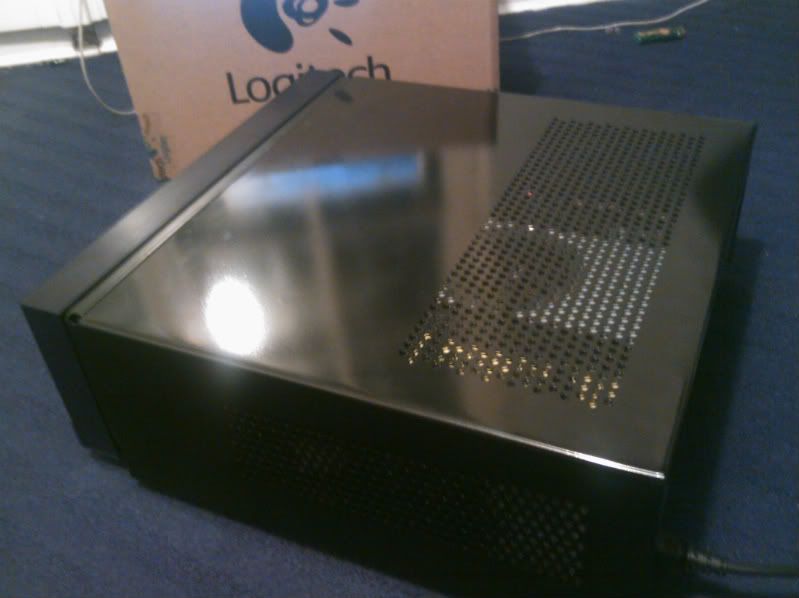
Finished building my rig, all working great until... I decide I'm finally done with it and to actually put the top cover/shell/enclosure (whatever the name!) on my case (Therlmaltake DH101 htpc case, so it stays horizontal) and close it for good. Ah! Done! What a fool I was :lol As soon as I turned it on again, it powered on but oly to shut itself off immediately after, and it just kept turning itself on and off at regular intervals of like 5 seconds, non-stop, until I decided to switch off the 0/| on the back of the case's PSU. The mobo doesn't give me any beep warnings as well, to help understand what's going on, so I'm clueless.
The crazy thing is that just placing the top enclosure on the case (to have it at least semi-closed) does nothing bad: the system turns on as it should and everything goes smooth. It's only when I actually go for the "clamps" to insert the top shell properly into the case's "skeleton" that the thing goes batshit crazy, even without placing the screws in.
What the hell is going on here?!

Damn I hate this shit :-/

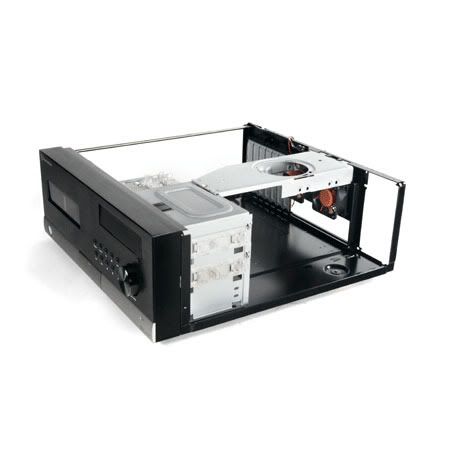
This is a pic of the case without the top shell which is causing me problems:
ThermaltakeDH101-2.jpg
 
anyone every run across this problem...?

when using the Nvidia Control Panel I've been creating profiles (for dual monitor setup and what not) and whenever I load the profile it says "error loading profile". I'd like to have several profile setup for easy use, but none of them will ever load :\
 
N00bish question, I apologize, but: Can I put a PCI Express 2.0 x16 video card in a motherboard's PCIe (x16 graphics) port?


[edit] You know what, let me be more direct. I want to buy this computer from HP's website and then put this video card into it. Can I do that?
 
Hey gaf,was planning on building a PC sometime in the near future, but I was wondering if waiting for Sandy Bridge will be worth it? I have time and I'm in no rush to get a new Comp and is Sandy Bridge expected in late 2011 or early 2011?
 
Dash Kappei said:
Ok guys I'm going fucking crazy.
Finished building my rig, all working great until... I decide I'm finally done with it and to actually put the top cover/shell/enclosure (whatever the name!) on my case (Therlmaltake DH101 htpc case, so it stays horizontal) and close it for good. Ah! Done! What a fool I was :lol As soon as I turned it on again, it powered on but oly to shut itself off immediately after, and it just kept turning itself on and off at regular intervals of like 5 seconds, non-stop, until I decided to switch off the 0/| on the back of the case's PSU. The mobo doesn't give me any beep warnings as well, to help understand what's going on, so I'm clueless.
The crazy thing is that just placing the top enclosure on the case (to have it at least semi-closed) does nothing bad: the system turns on as it should and everything goes smooth. It's only when I actually go for the "clamps" to insert the top shell properly into the case's "skeleton" that the thing goes batshit crazy, even without placing the screws in.
What the hell is going on here?!

Damn I hate this shit :-/

This is a pic of the case without the top shell which is causing me problems:
ThermaltakeDH101-2.jpg

How does the motherboard sit in that case? Is the top making contact with the edge of the motherboard when you close it up? I suppose it's possible that a ground plane on the motherboard extends out to the edge of the PCB and is exposed and you could be grounding one of the PSU rails. I've had boards come back with that issue (the ground plane extending all the way to the edge) when I didn't check behind my board layout guy close enough, though I'm not sure it should happen in a product that's been coming off the assembly line for a while.
 
teiresias said:
How does the motherboard sit in that case? Is the top making contact with the edge of the motherboard when you close it up? I suppose it's possible that a ground plane on the motherboard extends out to the edge of the PCB and is exposed and you could be grounding one of the PSU rails. I've had boards come back with that issue (the ground plane extending all the way to the edge) when I didn't check behind my board layout guy close enough, though I'm not sure it should happen in a product that's been coming off the assembly line for a while.

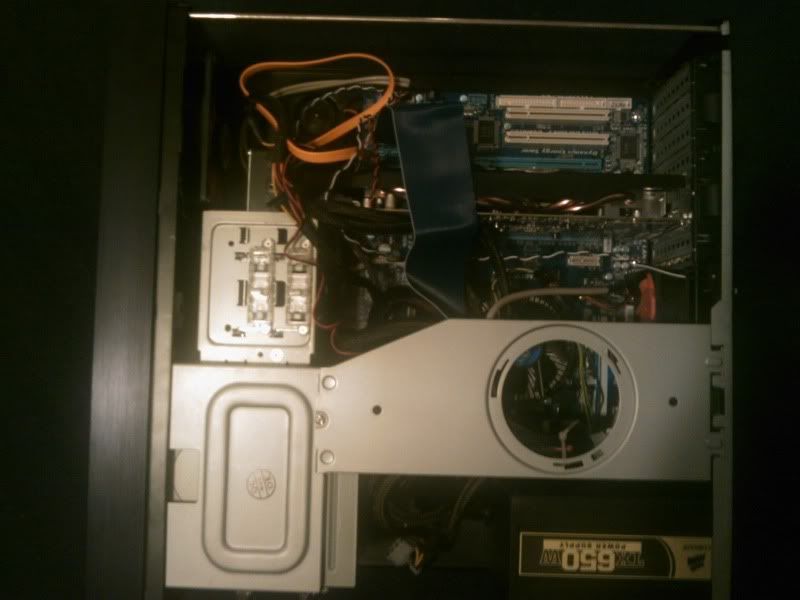
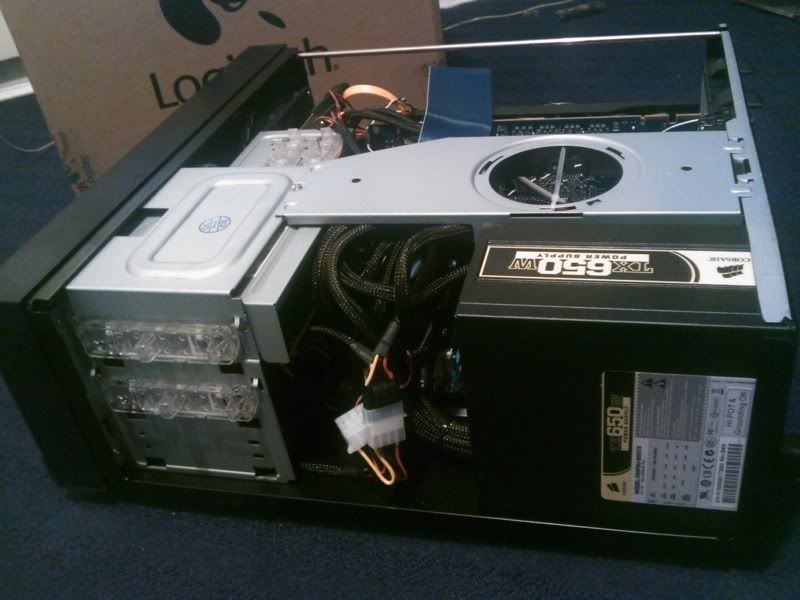
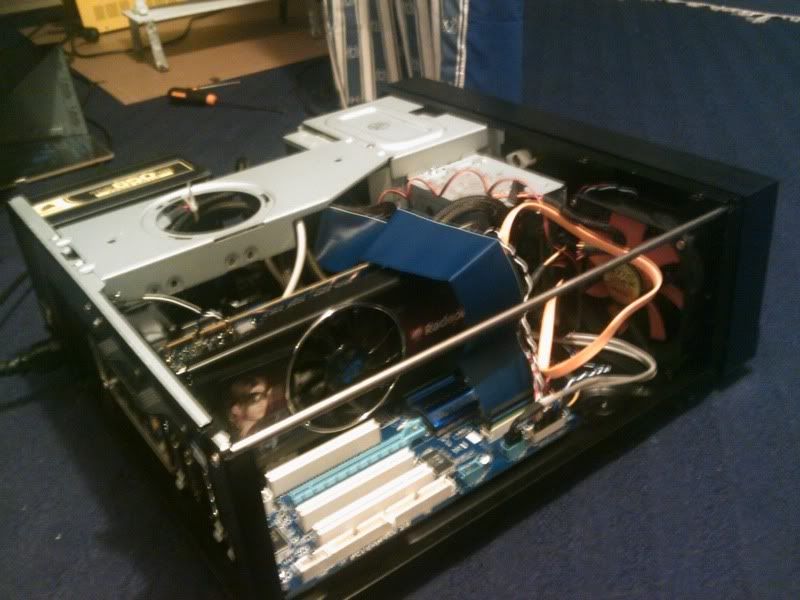
No contact between the mobo and the case as far as I'm concerned, there's plenty enough on the left side and well the right side you could fit a whole fist in there.
I've took some shots with my shitty cellphone cam: In the last pic you can actually see what I meant: aside from not being slided all thru the "rails", it's almost closed all the way... and yet it works perfectly. But then if I push a couple of inches further and properly lock it... bam! :/

casedh101.jpg

casedh101a.jpg

casedh101b.jpg

IMG_0431-1.jpg
 
So whats the best value 5770 out and available now? Now that Ive got one Apple one, I figure Ill crossfire with a PC version if I can.
 
shaowebb said:
I'm approaching this thread from an entirely different perspective than most...I'm not a PC gamer, but an animation student about to start into the beefier programs like Maya, and UDK.

Theres a $500 rig at Best Buy that looks alright, but I'm sure someone can beat it in terms of price/power in this thread. I'm looking to code some serious work soon, and I need a better computer.

http://www.bestbuy.com/site/Asus+-+...rive/9965845.p?id=1218202473514&skuId=9965845
Nononono. That rig is garbage.

You'll want something like this. Stretching for a i5-750 and a cheapo H55 board if possible.
http://i36.tinypic.com/33ubz2q.jpg
Mr Sandman said:
Is 2 inches from the GPU fan to the case enough room for a non over clocked GTX460 (768MB)?
More than enough.
Borman said:
So whats the best value 5770 out and available now? Now that Ive got one Apple one, I figure Ill crossfire with a PC version if I can.
Any brand is fine, just check you can xfire with them on your mobo. Nab a cheap one (Probably Sapphire 1GB)
 
Well after my 1st night of GTX 460 gaming I have to say I'm quite pleased. The 460 only occasionally ever went over 70% usage during my Bad Company 2 session with 4xAA, 16xAA and nearly everything on high. I didn't realize how much of a bottleneck my CPU (E8400 @ 3.0 GHz) was. It's been a great CPU for gaming thus far, but it is starting to get left behind now that games are utilizing quad-cores.

Great to hear Intel dropping prices across the board on their current gen cpu's then! I might grab an i5-7xx or an i7-9xx if I spot an insane deal.
 
My cpu (AMD Phenom 2 x4 945 AM3) has been running fairly hot with the stock heatsink and fan, what aftermarket cooler would you guys recommend? Preferably under 50 bucks
 
Mr Nightman said:
My cpu (AMD Phenom 2 x4 945 AM3) has been running fairly hot with the stock heatsink and fan, what aftermarket cooler would you guys recommend? Preferably under 50 bucks
212+, n520, vendetta ii, scythe mugen II

Check to make sure am3 compat. iirc most of them are
 
Dash Kappei said:
Thanks mate, I really appreciate your dedication! :D

Yeah, I guess the 360pad emulation is there for that purpose... and it'll probably be the reason why Microsoft will never ever digital sign those drivers :lol

Got to love when companies are continually trying to screw the customers to assert more power under the guise of doing it for 'our protection'.

I just tried rebooting normally and it appears the drivers are still working. I'm in the game controller panel and the controller came up when I pushed the PS button and it's showing the button presses. Looks like everything should be peachy even with daily reboots.
 
Would something like this do ok for gaming for a while?

COMPUCASE HEC 6C28B Black Mid-Tower Case, No PSU, ATX

HEC Orion HP 585D 585W Power Supply, 24-pin ATX, ATX12V, Dual 80mm Fans, OEM

ASUS P6T SE, LGA1366, Intel® X58, 6400 MT/s QPI, DDR3-2000 (O.C.) 24GB /6, PCIe x16 CF /3, SATA 3 Gb/s RAID 5 /6, HDA, GbLAN, FW /2, ATX, Retail

INTEL Core™ i7-950 Quad-Core 3.06GHz, LGA1366, 4.8 GT/s QPI, 8MB L3 Cache, 45nm, 130W, EM64T EIST VT XD, Retail

KINGSTON 6GB (3 x 2GB) ValueRAM PC3-10600 DDR3 1333MHz CL9 (9-9-9) 1.5V SDRAM DIMM, Non-ECC

GIGABYTE GV-R585OC-1GD, Radeon™ HD 5850 765MHz, 1GB GDDR5 4000MHz, PCIe x16 CrossFire, DVI /2, HDMI, DP, Retail

SAMSUNG 500GB SpinPoint F3, SATA 3 Gb/s, 7200-RPM, 16MB Cache, OEM

RAID No RAID, Independent HDD Drives

SONY AD-7260S Black 24x DVD±R/RW Dual-Layer Burner, SATA, OEM

MICROSOFT Windows 7 Home Premium 64-bit Edition, OEM

SUBTOTAL: $1229.75


Price is like 100 bucks or so outside of my budget, but I dont know where I could scale it back at. And I tried.....tried like hell to find the basic same build cheaper than it is there on AVA Direct, but I swear it doesn't exist. Their prices curbstomp everything but building it yourself (which I'm not going to do). That has a crappy looking case, a crappy looking PS that might not even be compatible and a crappy dvd burner because Im trying to keep the cost down. I would cut the OS out and buy it later if I wasnt so worried about having to manually install the OS and drivers correctly and shit in Win7. To hell with that, let someone who knows actually knows how do it for me. :lol
 
Puncture said:
Would something like this do ok for gaming for a while?


Price is like 100 bucks or so outside of my budget, but I dont know where I could scale it back at. And I tried.....tried like hell to find the basic same build cheaper than it is there on AVA Direct, but I swear it doesn't exist. Their prices curbstomp everything but building it yourself (which I'm not going to do). That has a crappy looking case, a crappy looking PS that might not even be compatible and a crappy dvd burner because Im trying to keep the cost down. I would cut the OS out and buy it later if I wasnt so worried about having to manually install the OS and drivers correctly and shit in Win7. To hell with that, let someone who knows actually knows how do it for me. :lol

No need to worry about a manual windows 7 install, its pretty much put the cd in, reboot, allow it to load, click through some on screen menus, and bam it installs itself, hell even has most drivers already built in for many different components.
 
Quick question.

I'm going to start installing all of the parts tonight, and I was curious. Is it better to install the parts onto the motherboard before or after I've put it in the case? I'm guessing it's better to put the graphics card in after, but is it better to install the processor and ram etc. first? Does it matter?
 
RurouniZel said:
Quick question.

I'm going to start installing all of the parts tonight, and I was curious. Is it better to install the parts onto the motherboard before or after I've put it in the case? I'm guessing it's better to put the graphics card in after, but is it better to install the processor and ram etc. first? Does it matter?


I believe there's a techreport (?) video in this thread where a guy assembles a computer over an hour or so, and that was the way he did; with the motherboard out of the case and on a flat surface, you can more comfortably push in the RAM and the CPU.
 
Puncture said:
Would something like this do ok for gaming for a while?


Price is like 100 bucks or so outside of my budget, but I dont know where I could scale it back at. And I tried.....tried like hell to find the basic same build cheaper than it is there on AVA Direct, but I swear it doesn't exist. Their prices curbstomp everything but building it yourself (which I'm not going to do). That has a crappy looking case, a crappy looking PS that might not even be compatible and a crappy dvd burner because Im trying to keep the cost down. I would cut the OS out and buy it later if I wasnt so worried about having to manually install the OS and drivers correctly and shit in Win7. To hell with that, let someone who knows actually knows how do it for me. :lol
You can get an i5-750, a good mobo, and a 460 for something like $1,055 on AVA iirc. Someone here ordered that.

RurouniZel said:
Quick question.

I'm going to start installing all of the parts tonight, and I was curious. Is it better to install the parts onto the motherboard before or after I've put it in the case? I'm guessing it's better to put the graphics card in after, but is it better to install the processor and ram etc. first? Does it matter?

3) 15 minute video how-to
http://vimeo.com/5685229
40 minute how-to
http://www.tested.com/news/video-how-to-build-the-best-1500-gaming-pc-step-by-step/152/

I install cpu, HEATSINK, RAM. Then put motherboard in.
Of course my case is so big that I don't have to, but for most it is far easier.
After that I'd run the PSU motherboard connections and you can piece whatever you want after that.
 
Looking to build from scratch. Not got any form of finalised list yet but any opinions on these anyone, like where a potential bottleneck might be or what other components would complement them?

Antec 300 (seems the staple these days)
MSI P55A-G55 Intel P55 (Socket 1156) Mobo
i5 760 2.8GHz
G.Skill Ripjaw 8GB (2x4GB) DDR3 PC3-10666C9 1333MHz Dual Channel Kit (Don't think much needs more than 4GB these days, but I really have no clue about memory so this is completely up for debate)

I'm in the UK but generally I'm building towards a sub-$1000 system as I'm probably going to need to buy a new monitor too so will have to fund that (hence why I doubt I'll go with 8GB memory)
 
GAF, I have problems setting up my rig correctly. I just need to configure my gtx 460 correctly I think.
My computer is plugged to my hdtv via a dvi-hdmi cable. And I'm trying to output the sound from my GPU to my sound receiver (via mini-hdmi to hdmi cable) like brain_stew said in a previous topic.
The thing is, everytime I plug the mini hdmi wire to my tv there's a problem with my display, I have black borders that appear on my tv and no sound is coming out from my speakers. It's like there's two video signals running at the same time. Is there something that I need to configure in the nvidia control panel or windows 7 (it's my first time using this OS btw, so i'm still a noob at it).
Any ideas?
I tried using the optical output from my motherboard to the sound receiver and I have no problems with it tough.
 
I have been playing Civ 5 and it starts running pretty slow the further i get into the game. I was wondering if upgrading my video card would fix this problem or if my oldish processor would be a bottleneck.

Specs:

AMD Athlon X2 4600+ Dual Core 2.4GHz
2 Gigs of Ram
GeForce 7600 GT

Someone mentioned a few posts back the the 4850 is the best value right now. Would that be a good upgrade for me or should I look to replace the entire system at this point?
 
Is my PC "outdated" for new releases?

Motherboard: Gigabyte EP45-UD3LR
Processor: Intel Core 2 Duo E7500 2.93GHz
Graphics: Nvidia Geforce GTS 250
RAM: 4GB DDR2

Is there something I should exchange?
 
MDSLKTR said:
GAF, I have problems setting up my rig correctly. I just need to configure my gtx 460 correctly I think.
My computer is plugged to my hdtv via a dvi-hdmi cable. And I'm trying to output the sound from my GPU to my sound receiver (via mini-hdmi to hdmi cable) like brain_stew said in a previous topic.
The thing is, everytime I plug the mini hdmi wire to my tv there's a problem with my display, I have black borders that appear on my tv and no sound is coming out from my speakers. It's like there's two video signals running at the same time. Is there something that I need to configure in the nvidia control panel or windows 7 (it's my first time using this OS btw, so i'm still a noob at it).
Any ideas?
I tried using the optical output from my motherboard to the sound receiver and I have no problems with it tough.

I'm running a gtx480 through a Yamaha HDMI receiver

basically

1.install latest (beta?) drivers from nvidia.com
2.select correct source on receiver/TV (my receiver auto detects if sound is coming from hdmi or optical)
3.select your TV's resolution in the nvidia control panel ( 1080p or 1920*1080, 60 hz for a 1080p TV that is recognized as monitor)
4.select sound configuration in nvidia control panel, which will open the windows sound panel where you can make the Nvidia HDMI sound device your preferred output device, and run the setup to select the amount of speakers etc

since you are running 2 cables it gets a bit more complicated ... for one I don't know if you are able to output sound to a receiver without having a TV attached to it, as in my experience the videocard recognizes the TV and not the receiver that's in the middle of the chain

when you go to setup multiple screens or something, do you see only your TV or does the receiver or something show up as well?

as my receiver only outputs sound when the video signal is 720p/1080i/1080p (so no sound if I send 1600*900 pixels through), I'd say your best bet is to select multiple screen, put the receiver output in clone-mode from TV, send them both 1080p video and hope that your hdmi sound is sent to both as well

(460->receiver->TV is not an option I suppose?)
 
Ok, so I found out that my front intake fan on my HTPC is turned the wrong way, so that it blows wind outward. The temperatures in the BIOS seem fine, and the wind coming out of the back also feel fine. There is also another intake fan on the sides, which is blowing wind inwards. This isn't bad now, but will this be bad in the future?? It's a 15 minute fix at best, but the HTPC is sitting snugly under my tv and I really don't wanna yank it out.
 
Is he saying that he has 2 HDMI cables from his PC to tv, and receiver, if so.

Configure your resolution to 1080P.
Right click on the speaker by the clock and select "Playback Devices"
In there you should see HDMI output and select that one as primary device.

Otherwise, it would help to explain a bit better what you are doing. I for an example have:

HDMI from my VGA to the TV in 1080P
Coaxial cable from the mobo directly to my receiver which transfers all sounds, DD, DTS, HD and MA using proper codecs. To use the coax cable, I must select Digital Output on my end of playback devices, that way I get full sound pass through.

But to "hear" the movies in Digital even though you have selected digital, you need a codec like:

Ac3Filter. Goto AC3Filterconfig in your start menu, then select use SPDIF, that way it passes the digital sound to your receiver.

The second option is much more simple and way more effective and no need to hassle between sound devices all the time.

Get XBMC. Goto System, System, Audio Output, Set Audio Output to digital and enable DD and DTS. And set the Autio Output mode to Digital Output. That way it always sets it automatically for you.

You can even go to Video Output and set it to use your secondary display automatically for you. Just select under display and set to to display X and "1920x1080 @ 60hz"

That way, each time you start up XBMC, it starts on your TV, not your monitor and it is automatically set to Digital output.

Pure awesome. (btw, if your mobo has coax, but your receiver does not, you can then get a coax 2 toslink adapter)
 
got an AMD 6400+... want to upgrade CPU/Mobo to a more powerful AMD chip but don't want to re-install everything. Will Windows 7 play nice??

I've read it's hit or miss...
 
open_mouth_ said:
got an AMD 6400+... want to upgrade CPU/Mobo to a more powerful AMD chip but don't want to re-install everything. Will Windows 7 play nice??

I've read it's hit or miss...

never experienced any problems on my end, only when you exchange, only start with cpu and mobo. If you change too much at once, it could bother you.
 
If you force v-sync in both d3doverrider and in the game itself (example: Crysis) will you get more of a performance hit than if you only had it turned on in the game? Can any other graphical or performance issues be caused by doubling up d3d options?

I realize you can just remove certain games from the app list in d3d, I'm asking hypothetically to understand better.
 
OK guys, I'm having some trouble with the computer I just built:

- No signal detected on my monitor
- The front panel stuff is not working (speaker, LED lights) but it powers on.. but obviously I'm not getting post beeps


Here was my build per Neogaf and Techradar (sans the monitor, picked that up myself):

Processor - AMD Athlon II X4 635
Motherboard - MSI 870
Memory - Crucial 2GB (2 x 1GB) DDR3-1333
Graphics - Sapphire Radeon HD 5670
Storage - F3 500GB
Drive - Samsung SH-S223L
Enclosure - CoolerMaster 310 / 320 / 330 case
Power supply - Antec EarthWatts Green 380W
Monitor - MNTR EMACHINE|LCD 23" 5MS E233HBD

The fans all come on. The 4 LED lights on my mobo light up, which according to the manual supposedly means the mobo is fine.

-I have confirmed that the monitor does work (plugged it into my laptop using the same cable + a converter to my laptop)
-Everything seems to be securely attached in its proper place, as per the manual (VGA card in the x16 pci-e slot, RAM in the correct slots, etc, all power and data cables seem to be in)
-I have tried booting it with just one stick of memory, and I've switched both out
-I've tried a different graphics card, and it didn't help
-I've tried booting it with the drives detached
-The motherboard IS on its risers, and I've tried to boot it from outside the case, so it's not grounding itself on anything in the case

So what is most likely the issue? Bad processor or motherboard? Bad/weak PSU? I haven't tried using the PSU that came with the case yet (perhaps I should try that next?)

I really have no clue GAF. I've done what troubleshooting I can, but I'm really no pro at this. What else can I do to try and diagnose it?

Also, will Newegg reimburse me for whatever the problem ends up being? I'd hate to have just bought a 100 dollar paperweight... I don't know, maybe I wasn't gentle enough with something (though I tried to be extremely cautious, touching metal on my case almost constantly).

Please help GAF, this is sooo frustrating :(

Edit: I own a multimeter, but I've never used it on anything as complex looking as the innards of a computer (just used it a couple times while working on my car), but yeah.. if a multimeter check would be useful somewhere or someway, I could try that..
 
IrishNinja said:
ugh, this sucks. i just spent the last hour looking for any kind've laptop with 17"+ screen, dualcore around 2.5/turbo to 3.0ghz+, and a half-decent video card, and came up empty. tons of quads at like 1.6, nothing with numbers (even on turbo) close to or above 3.0...dell's page sucks, and i thought i had a good rig setup at HP until it said the only vid card option was Nvidia GT 230M, which reviews paint as fucking dismal for modern pc gaming:lol

am i being overly specific here? is there not much market/demand for desktop replacements with high-end GPUs and processors that are/can be made to be over 3ghz? still defaulting with the G73, but GAF's dolphin thread has several guys talking about running it at 3.4ghz/etc and i can't believe that's not an option with gaming laptops unless i want to take a massive hit to the GPU's power.

You do realise those "1.6ghz" quads can turbo as high as 2.8ghz when only using 1 or 2 threads right?

No laptop with an i7 720m is going to be CPU bottlenecked.
 
MomoPufflet said:
If you force v-sync in both d3doverrider and in the game itself (example: Crysis) will you get more of a performance hit than if you only had it turned on in the game? Can any other graphical or performance issues be caused by doubling up d3d options?

I realize you can just remove certain games from the app list in d3d, I'm asking hypothetically to understand better.

I thought it was generally accepted that D3D has less of a performance hit for v-sync. You don't want to enable both. D3D is triple buffering v-sync. So it's redundant to enable v-sync in a game.

Of course, it's been a while since I've played Crysis. Maybe they offer triple buffering v-sync and it's more efficient than going through D3Doverrider.
 
So Ive been enjoying my new PC that I built back in July alot, but there are a couple things that have been nagging me. Mostly its my fps in some games that I think should be getting a solid 60 fps in...

Here are my specs:

Intel i7-930 2.8 (overclocked to 3.0 (no errors at all after running multiple tests))

EVGA x58 Motherboard

G SKILL 3x2GB 1600 RAM

XFX ATI HD 5850 (overclocked to 775 MHz clock and 1125 MHz memory clock through CCC)


So in Starcraft 2, it runs usually at 60 on Ultra... except on some single player maps that have alot of stuff going on in the environment, it gets worse when there are many units on screen (dips to around 40 in some spots) I can understand why there would be a dip when theres so much going on in a RTS game, but after hearing people say that their 5850 performs flawlessly with SC2, it makes no sense to me.

Maybe Im just being overly picky, but after spending around 1000 bucks on this thing, its disheartening to have SC2 (and even 25 man wow raids) dip below 60 fps, when they are generally not that hard on a system.

All Valve games run at 60 fps easy, with not a single dip, even Mass Effect 2 and Civ 5 run perfectly as well.


Any thoughts?
 
Rrang129 said:
So Ive been enjoying my new PC that I built back in July alot, but there are a couple things that have been nagging me. Mostly its my fps in some games that I think should be getting a solid 60 fps in...

Here are my specs:

Intel i7-930 2.8 (overclocked to 3.0 (no errors at all after running multiple tests))

EVGA x58 Motherboard

G SKILL 3x2GB 1600 RAM

XFX ATI HD 5850 (overclocked to 775 MHz clock and 1125 MHz memory clock through CCC)


So in Starcraft 2, it runs usually at 60 on Ultra... except on some single player maps that have alot of stuff going on in the environment, it gets worse when there are many units on screen (dips to around 40 in some spots) I can understand why there would be a dip when theres so much going on in a RTS game, but after hearing people say that their 5850 performs flawlessly with SC2, it makes no sense to me.

Maybe Im just being overly picky, but after spending around 1000 bucks on this thing, its disheartening to have SC2 (and even 25 man wow raids) dip below 60 fps, when they are generally not that hard on a system.

All Valve games run at 60 fps easy, with not a single dip, even Mass Effect 2 and Civ 5 run perfectly as well.


Any thoughts?

I'm on one map in particular in Starcraft that runs like a dog. I think it's either because people aren't susceptible to framerates or they're just focused on the online portion and haven't gone through all the single-player maps.

I'm really at a loss for any other explanation. Because my computer runs all other games with framerates that are in line with benchmarks. But SC2 has some maps with serious issues. I find it hard to believe there's anything special that makes my computer struggle when the majority don't.
 
Top Bottom