
• Hey Guest. Check out your NeoGAF Wrapped 2025 results here!

"I need a new PC!" 2010 Edition

Just bought most of my new computer. Will be heading on vacation for about two weeks soon, so I only picked up things that were on sale now / I didn't expect to have a lowered price later on.

Have:

Case: Antec Nine Hundred
CPU: Intel i5 760
Motherboard: Asus P7P55D-E Pro
Ram: 4GB Corsair XMS3 DDR3 1600
SSD: 80GB Intel X-25M
HDD: 1TB Black Caviar
Drive: LG Super Multi Blu-Ray Disc Rewriter

Will Get:

Graphics Card: ATI 6870
Power Supply: Corsair HX Series 650W (out of stock where I was)
Cooler: ???
OS: Windows 7 (hopefully at a good price from my college)

Looking forward to putting this all together eventually. I may just put in an old graphics card and power supply for now to test all the parts, but I think I'll have more choice and better prices in a couple of weeks for the graphics card especially.
 
TheExodu5 said:
The HAF has a button for the LED. The LED is extremely muted though and is actually quite subtle. Very nice effect.

My CM 690 has no switch for the LED, but it's also pretty subtle, so it hasn't bothered me at all.
CM 690 II has a button for it.
 
Sinatar said:
If you don't even know what overclocking is and think that turning to GAF for advice on the subject is a good idea then I can say with absolute certainty that you should not overclock anything ever. Just pretend it doesn't exist.

That's a silly thought. Everyone starts somewhere and overclocking on both the GPU and CPU has never been so newbie friendly. If you're not overclocking you're not getting the full value of what you paid for.

If you want to see where to start just google for any overclocking based on what gear you have. Whatever you're running someone else has already posted about it.
 
TheExodu5 said:
Back to my own case dilemma...I'm also strongly considering going with the Corsair 700D or 800D. Love the look...and I suppose I could give water cooling a shot one of these days. Air cooling performance probably isn't that great in the case, but I can assume that water cooling performance would be phenomenal for a fully contained system.

Can't say enough good things about my 800D. I think there's a pic in this thread of my setup. It was so bloody easy to get going and water cooling ready. My biggest concern was installing my SSD drive, and that was as easy as anything else.
Everyone's biggest "complaint" is airflow. There's lots of room for installing fans in this case and I haven't had any head problems.

EDIT:
Old pic.
101_0296.jpg
 
Frack. While I was playing Left 4 Dead 2 yesterday, my computer restarted itself and wouldn't display anything at all. I thought maybe the video card overheated. I try again this morning and it still doesn't work. I just borrowed a friend's old 8800 and stuck it in, but same thing.

Is my motherboard dead?

There's 6 LEDs that say "Phase LEDs" and all are on when I try to boot =/

Motherboard: Gigabyte GA EP45-UD3P.
 
WEGGLES said:
For an email and internet type machine, is $40 enough to spend on a video card?

I'm looking for something that wouldn't need to be upgraded for a while for a PC for my mom. No idea what to look for in a low end card. (I'm assuming all I'd need is a low end card.)
Yes.
Keep in mind that even an on-board/on-chip solution would be more than enough for a machine of that type. You don't need a discrete card at all since AMD, Intel and Nvidia have options that would suit her well, and have enough power to easily decode 1080p material.

Kurashima said:
Just bought most of my new computer. Will be heading on vacation for about two weeks soon, so I only picked up things that were on sale now / I didn't expect to have a lowered price later on.

Have:

Case: Antex Nine Hundred
CPU: Intel i5 760
Motherboard: Asus P7P55D-E Pro
Ram: 4GB Corsair XMS3 DDR3 1600
SSD: 80GB Intel X-25M
HDD: 1TB Black Caviar
Drive: LG Super Multi Blu-Ray Disc Rewriter

Will Get:

Graphics Card: ATI 6870
Power Supply: Corsair HX Series 650W (out of stock where I was)
Cooler: ???
OS: Windows 7 (hopefully at a good price from my college)

Looking forward to putting this all together eventually. I may just put in an old graphics card and power supply for now to test all the parts, but I think I'll have more choice and better prices in a couple of weeks for the graphics card especially.
For its price, the Hyper 212+ is hard to beat. Beyond that, it would depend on your cooler budget and just how high you plan on overclocking -- if at all.

GPU wise, you could save some money with a 6850 and just overclock that.
 
Fixed1979 said:
Can't say enough good things about my 800D. I think there's a pic in this thread of my setup. It was so bloody easy to get going and water cooling ready. My biggest concern was installing my SSD drive, and that was as easy as anything else.
Everyone's biggest "complaint" is airflow. There's lots of room for installing fans in this case and I haven't had any head problems.

EDIT:
Old pic.
101_0296.jpg

Yeah I'm pretty sure I need this case. God it's so damned nice.
 
·feist· said:
Yes.
Keep in mind that even an on-board/on-chip solution would be more than enough for a machine of that type. You don't need a discrete card at all since AMD, Intel and Nvidia have options that would suit her well, and have enough power to easily decode 1080p material.
Ah, well, that said...

What would be better?

i5 750 + An onboard 4250

or

AMD Phenom II X4 955 Black Edition and a 4650?

They both come to about the same amount.
 
WEGGLES said:
For an email and internet type machine, is $40 enough to spend on a video card?

I'm looking for something that wouldn't need to be upgraded for a while for a PC for my mom. No idea what to look for in a low end card. (I'm assuming all I'd need is a low end card.)

Get her something quiet that doesn't draw much current, assuming the card is for a PC that's prebuilt like dell or something. Also, I'm hoping her PC is PCIe and not AGP.

Maybe look for a DDR3 version of a 4670
 
WEGGLES said:
Ah, well, that said...

What would be better?

i5 750 + An onboard 4250

or

AMD Phenom II X4 955 Black Edition and a 4650?

They both come to about the same amount.
Maybe like an x4 640 and a 9400/5450
x2 250 even.
 
zaidr said:
Hey guys. What kind of a system would I need to run GTAIV with the high res texture mods that make it look REAL? I currently have a pentium dual core 2160 oc'ed to 2.9ghz, 2gb ddr2 ram, and a 8800gt. It runs alright, but stutters a lot, and there a LOT of pop in.
Thanks.

Sorry, didn't get a reply. Reposting in hopes of some help.
 
Jin34 said:
I'm looking at it on Newegg and wow it seems like a case of the promotional materials used to make it stand out made me not like it, they exaggerated the way the case looks on the box.

Edit: Does the HAF come with dust filters for all the perforations it has? Didn't seem like it for the side panel.


And there's the rub. I was personally going to get a Haf932 also. But the HAF932 and 922 do NOT have air filters for all of the intake fans and the meshed 5.25 bays. There is just no way I would take a case without filters on all intakes. I can live without a filter on the bottom where the power supply sits, but every other intake should have a filter. For that reason (and because I couldn't afford a Corsair 800D) I went with a CoolerMaster Storm Sniper. Will fit any of the largest GPUS, has like 3 200mm fans stock and a 140 on the back, fits all the largest CPU coolers WITH the side fan attached, has filters over every piece of mesh AND on all of the intakes in the thing and you have a button to turn off all of the led's.

But I swear sometime late next year when Sandy bridge is out and hopefully PCIe3.0 boards are out too (would be nice to be able to get a board that supports both) Ill be getting a new mobo, processor, and an additional SSD along with that Corsair 800D. That case is remarkable. Seriously look at this:

http://www.youtube.com/watch?v=oX87TPid_po
 
And just when I removed the 800D from my air-cooled memory, you guys are trying to re-indoctrinate me...


WEGGLES said:
Ah, well, that said...

What would be better?

i5 750 + An onboard 4250

or

AMD Phenom II X4 955 Black Edition and a 4650?

They both come to about the same amount.
Huh???

Like Hazaro mentioned, you can opt for a lower-end CPU and have plenty of power with longevity. You don't need to go above $100 on the CPU. I'd only get that 955 if it was at OEM prices. Otherwise, there's no reason to go above an X4 640-level chip. Both the 955 and 750 are complete overkill for her, but combined with an mATX motherboard that has HDMI/DVI, and at least 5.1 audio, she'd rip through anything for years to come.

Sub $100 AMD tri- or quad-core sounds like the way to go.


WEGGLES said:
With the x4 640, how long until she'd need a new PC vs the x4 955?
That mostly depends on her usage. I doubt she's going to encode, do editing work and heavy multi-tasking so a 640 should last her a good while.

Hate to do the "but if you wait" thing in this case, but if she isn't in immediate need of a new PC, it may be worth it for you to check out a lower-end Sandy Bridge and AMD Fusion.
 
zaidr said:
Hey guys. What kind of a system would I need to run GTAIV with the high res texture mods that make it look REAL? I currently have a pentium dual core 2160 oc'ed to 2.9ghz, 2gb ddr2 ram, and a 8800gt. It runs alright, but stutters a lot, and there a LOT of pop in.
Thanks.
zaidr said:
Sorry, didn't get a reply. Reposting in hopes of some help.
Despite the overclock your CPU is likely the main thing hampering your overall performance (not just in GTA). 2GB of ram isn't exactly plentiful either, though. Upgrading and staying on your current socket would call for something like a used Q6600 (then clocked to 3.0-3.6 depending on voltage/temps), $140-180 GPU, and perhaps selling your current 2GB to buy 2x2GB (instead of mixing ram). Cheapest option, but still a lot to spend on an older socket. If GTA is really the only thing that you're unsatisfied with, don't waste your money, there are brand new CPUs right around the corner.
 
Hazaro said:
1)Basic Desktop Questions
Budget: Price Range + Country
Main Use: Light Gaming, Gaming, Video editing, 3D work, general usage (Word, Web, 1080p playback)
Monitor Resolution: What resolution will you be looking to play your games at? Are you going to upgrade later?
List SPECIFIC games that you MUST be able to play: Self Explanatory

Budget: Between $1,600-$2,000
Main use: Gaming, maybe some video editing, general usage. I want it to be versatile enough to do many things well
Monitor Resolution: Ideally I want to run games at max resolution. I'm not really into upgrading later on.
Specific Games: Crysis, Metro 2033, S.T.A.L.K.E.R., Starcraft II, Diablo III,American Mcgee's Alice 2, RAGE, The Witcher 1-2, The Old Republic, Left 4 Dead series, alot of older PC titles (Hexen, Quake, System Shock, thief, deus ex, etc.), Civilization V, Tomb Raider Series.
 
Res of 1920x1080? 2560? Do you expect 8xAA / 16xAF 60 FPS solid on all your titles?

Also if you can wait then it would be good. Two new CPU lines right around the corner (year). Dropping that much right now would be ok, but you are limiting your upgrade choices down the line.
 
·feist· said:
Hate to do the "but if you wait" thing in this case, but if she isn't in immediate need of a new PC, it may be worth it for you to check out a lower-end Sandy Bridge and AMD Fusion.
How long of a wait?

I'm looking for this as an xmas present. Shes in need of a new PC. She's been using a Compaq she got 4 years ago for $300. It's running poorly. It's loud. It's not worth fixing.

My dad just asked me to look into what we could do for ~$600, so there isn't a super huge rush.
 
Get a simple (cute?) mATX system with an x4 640 in it. I'd spring for a separate GPU as well since I'm not that big a fan of onboard since they can be a tad flaky.

While a integrated solution might be better, this will work just as fine.
 
Hazaro said:
Get a simple (cute?) mATX system with an x4 640 in it. I'd spring for a separate GPU as well since I'm not that big a fan of onboard since they can be a tad flaky.

While a integrated solution might be better, this will work just as fine.
Yeah, micro atx was always intended.

I have a feeling it'd be hard to convince my dad a $99 cpu will get the job done, so it may be worth spending the extra $40 to save a hassle. :lol
 
WEGGLES said:
How long of a wait?

I'm looking for this as an xmas present. Shes in need of a new PC. She's been using a Compaq she got 4 years ago for $300. It's running poorly. It's loud. It's not worth fixing.

My dad just asked me to look into what we could do for ~$600, so there isn't a super huge rush.
Not soon enough for your build. Sandy Bridge is slated for around January and Fusion has apparently fallen back in time. At this rate, it won't really start rolling out until the 2nd/3rd quarter or so.

For that price range, Hazaro's AMD build should work for you. You can play around with it a bit: if you don't get a discreet GPU, perhaps use the money saved towards a faster CPU (though it's not needed) or better PC case for quieter performance. Of course, you won't be running a lot of hot components so you could always just stick with a $40-60 enclosure and just reduce fan speeds.

Although it's "overpriced" for that budget and level of components, something like an Antec Mini P180 would be a great long-term investment for her if you had some financial wiggle room. It's a quiet, quality mATX case that you could reuse in any of her future builds. Unfortunately, it isn't on sale anymore.

Available in black or white.

http://www.newegg.com/Product/Product.aspx?Item=N82E16811129044&cm_re=p180-_-11-129-044-_-Product
 
·feist· said:
OEM

$90 AMD Phenom II X4 940 Black Edition Deneb 3.0GHz
http://www.newegg.com/Product/Product.aspx?Item=N82E16819103644

$30 Hyper 212+ and you're set.
That could work. Though likely won't fit in a micro atx case. Is there something like this for Socket AM3?
http://www.newegg.com/Product/Product.aspx?Item=N82E16835106152

Also, I'm going with a SSD for this build, so that factors into the budget as well. I figure the extra cost of the SSD can come from the GPU, since she really won't need anything special.
 
·feist· said:
Despite the overclock your CPU is likely the main thing hampering your overall performance (not just in GTA). 2GB of ram isn't exactly plentiful either, though. Upgrading and staying on your current socket would call for something like a used Q6600 (then clocked to 3.0-3.6 depending on voltage/temps), $140-180 GPU, and perhaps selling your current 2GB to buy 2x2GB (instead of mixing ram). Cheapest option, but still a lot to spend on an older socket. If GTA is really the only thing that you're unsatisfied with, don't waste your money, there are brand new CPUs right around the corner.

Thanks for the reply. It seems if you're not talking about the latest hardware in this thread, you don't get much play...:lol

It isn't that GTA is the only game that is giving me trouble. Its the game I want to hold as a barometer against the upgrade (or new pc, whichever one would be the better buy). As in, what kind of a system could get GTAIV to work well with the high res texture packs on a 1680x1050 screen? I wanted to see if its worth it to spend the money, or wait a bit until prices lower on the kind of parts that COULD get GTAIV running pefectly.
 
Fixed1979 said:
Can't say enough good things about my 800D. I think there's a pic in this thread of my setup. It was so bloody easy to get going and water cooling ready. My biggest concern was installing my SSD drive, and that was as easy as anything else.
Everyone's biggest "complaint" is airflow. There's lots of room for installing fans in this case and I haven't had any head problems.

EDIT:
Old pic.

The Beast

Jeeeesus that thing looks huge :o
 
a pair of Asus 470 1200MB, in SLI... What is that gonna give you in terms of future proof when you want to do 2560x1600 rez gaming? Do you think it will already chug in next years big games like Crysis 2, and Shogun 2 Total War?
 
After running my new machine for a few days, here's my results...

I used Hazaro's $500-600 build except that I opted for the Radeon HD 6850. In short, I am extremely pleased with this build. Keep in mind though that I haven't been PC gaming since Freespace 2 so it won't take much to wow me.

First off the 6850 I bought was made by XFX. It was the only card Newegg had in stock at the time and cost $10-20 more than the other brands (of course the cheaper ones are back in stock now!). The one good thing that the XFX has over the other brands is that it does carry a full (limited) lifetime warranty that is transferable once. The one somewhat negative side to the XFX is the lack of cables/adapters. It comes with none, so keep that in mind if you purchase it. It also had the "70% fan" bug in which the fan never drops below 70% usage. There is a patch for it (albeit not as simple as some folks would like) and you are immediately notified of the need to patch and provided a simple link to download it once you've registered your card with XFX. The warmest I've seen the card get under super-high settings gameplay is 60 degrees Celsius.

As far as performance goes, all the games I've tried have run pretty good on this setup at stupid high settings. In CCC, I've turned on MLAA, set 8xAA, set 8xAF, set texture filtering quality to High and enabled surface format optimization, set wait for vertical refresh to always on, set AA mode to super-sample and enabled triple buffering. Here's my results with the few games I have thus far...

Guild Wars - max settings - avg. 50 FPS
Lord of the Rings Online (Hi Res ver.) - max settings - avg. 70 FPS
Minecraft - far distance and fancy graphics - avg. 55 FPS
Runes of Magic - max settings - 18 FPS (surprised by this one)
S.T.A.L.K.E.R. Call of Pripyat - max settings - 60 FPS

Now that I've tested that, I'm turning all the super-high settings on my 6850 back off. I'm using my Vizio 42" through an HDMI cable and sitting about 8 feet away from the TV. I can tell no difference with MLAA/AA/AF running at super-high settings from the card or not. I usually leave things in CCC set at "application controlled" and then turn everything up in the games. If I was playing on a standard sized PC flat panel, I'm sure I'd see the jaggies, but not 8 feet away.

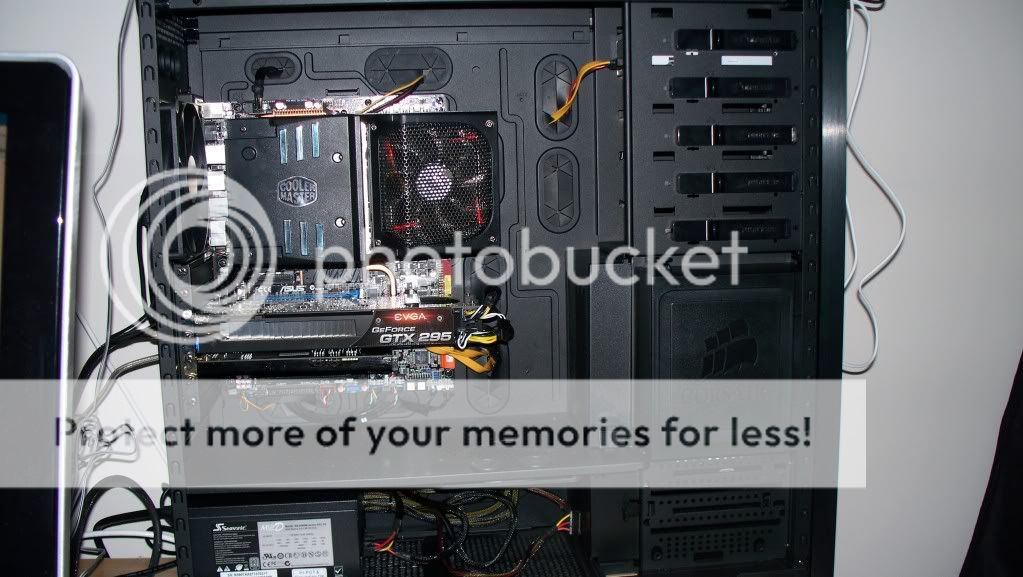
Also, as requested earlier, here's a pic of inside of the case. There's a yard stick placed at the bottom to help with measurements/scale.

I also ran Futuremark's free 3DMark benchmarking tool for the heck of it. Results here.
 
gotee12 said:
After running my new machine for a few days, here's my results...

I used Hazaro's $500-600 build except that I opted for the Radeon HD 6850. In short, I am extremely pleased with this build. Keep in mind though that I haven't been PC gaming since Freespace 2 so it won't take much to wow me.

First off the 6850 I bought was made by XFX. It was the only card Newegg had in stock at the time and cost $10-20 more than the other brands (of course the cheaper ones are back in stock now!). The one good thing that the XFX has over the other brands is that it does carry a full (limited) lifetime warranty that is transferable once. The one somewhat negative side to the XFX is the lack of cables/adapters. It comes with none, so keep that in mind if you purchase it. It also had the "70% fan" bug in which the fan never drops below 70% usage. There is a patch for it (albeit not as simple as some folks would like) and you are immediately notified of the need to patch and provided a simple link to download it once you've registered your card with XFX. The warmest I've seen the card get under super-high settings gameplay is 60 Celsius.

As far as performance goes, all the games I've tried have run pretty good on this setup at stupid high settings. In CCC, I've turned on MLAA, set 8xAA, set 8xAF, set texture filtering quality to High and enabled surface format optimization, set wait for vertical refresh to always on, and set AA mode to super-sample. Here's my results with the few games I have thus far...

Guild Wars - max settings - avg. 50 FPS
Lord of the Rings Online (Hi Res ver.) - max settings - avg. 70 FPS
Minecraft - far distance and fancy graphics - avg. 55 FPS
Runes of Magic - max settings - 18 FPS (surprised by this one)
S.T.A.L.K.E.R. Call of Pripyat - max settings - 60 FPS

Now that I've tested that, I'm turning all the super-high settings on my 6850 back off. I'm using my Vizio 42" through an HDMI cable and sitting about 8 feet away from the TV. I can tell no difference with MLAA/AA/AF running at super-high settings from the card or not. I usually leave things in CCC set at "application controlled" and then turn everything up in the games. If I was playing on a standard sized PC flat panel, I'm sure I'd see the jaggies, but not 8 feet away.

Also, as requested earlier, here's a pic of inside of the case. There's a yard stick placed at the bottom to help with measurements/scale.

I also ran Futuremark's free 3DMark benchmarking tool for the heck of it. Results here.

Cool post mate! You should try to see how your system fairs with Vindictus, as it's free2play, and has nice graphics!


But mate, why did you download 3Dmark 03? You should try 06 or Vantage:D
 
Vigilant Walrus said:
But mate, why did you download 3Dmark 03? You should try 06 or Vantage:D

Cuz I haven't been on the PC gaming scene since Freespace 2! Google led me to 3DMark! I'll give Vantage a try later on and post back then. Thanx for the help Vigilant.
 
gotee12 said:
After running my new machine for a few days, here's my results...

I used Hazaro's $500-600 build except that I opted for the Radeon HD 6850. In short, I am extremely pleased with this build.
The one somewhat negative side to the XFX is the lack of cables/adapters. It comes with none, so keep that in mind if you purchase it. It also had the "70% fan" bug in which the fan never drops below 70% usage. There is a patch for it (albeit not as simple as some folks would like) and you are immediately notified of the need to patch and provided a simple link to download it once you've registered your card with XFX. The warmest I've seen the card get under super-high settings gameplay is 60 degrees Celsius.

As far as performance goes, all the games I've tried have run pretty good on this setup at stupid high settings. In CCC, I've turned on MLAA, set 8xAA, set 8xAF, set texture filtering quality to High and enabled surface format optimization, set wait for vertical refresh to always on, set AA mode to super-sample and enabled triple buffering. Here's my results with the few games I have thus far...

Guild Wars - max settings - avg. 50 FPS
Lord of the Rings Online (Hi Res ver.) - max settings - avg. 70 FPS
Minecraft - far distance and fancy graphics - avg. 55 FPS
Runes of Magic - max settings - 18 FPS (surprised by this one)
S.T.A.L.K.E.R. Call of Pripyat - max settings - 60 FPS

Now that I've tested that, I'm turning all the super-high settings on my 6850 back off. I'm using my Vizio 42" through an HDMI cable and sitting about 8 feet away from the TV. I can tell no difference with MLAA/AA/AF running at super-high settings from the card or not. I usually leave things in CCC set at "application controlled" and then turn everything up in the games. If I was playing on a standard sized PC flat panel, I'm sure I'd see the jaggies, but not 8 feet away.

Also, as requested earlier, here's a pic of inside of the case. There's a yard stick placed at the bottom to help with measurements/scale.
Thanks, looks like a nice simple system that packs a lot of power behind it.

If you could run Prime95 for about 20 minutes and give me a load temp on the CPU that'd be great as well.

Running 2/4xAA and 16xAF (nearly no hit on this) along with triple buffering will probably be a good bet on your set.
 
gotee12 said:
Cuz I haven't been on the PC gaming scene since Freespace 2! Google led me to 3DMark! I'll give Vantage a try later on and post back then. Thanx for the help Vigilant.

congrats on the build. be sure to download steam if you haven't yet :D
 
WEGGLES said:
That could work. Though likely won't fit in a micro atx case. Is there something like this for Socket AM3?
http://www.newegg.com/Product/Product.aspx?Item=N82E16835106152

Also, I'm going with a SSD for this build, so that factors into the budget as well. I figure the extra cost of the SSD can come from the GPU, since she really won't need anything special.
Wait, are you going for one of those slim mATX enclosures?
While you save desk space, you are severely limited in cooling, choice of components, upgrades and future usage.

Thermaltake themselves have a low profile cooler that could work:

http://www.newegg.com/Product/Product.aspx?Item=N82E16835106137

There are a lot of other options, too. Bear in mind that on average, low-profile 92mm/120mm/140mm HSFs are relatively expensive and poorer performing than their tower equivalents. Granted, she won't exactly be stressing whatever you build her, but the cooler everything is, then, generally, the better performing and longer lasting the PC will be.

For what they are, those down-firing coolers get to be fairly expensive.

http://www.newegg.com/Product/Product.aspx?Item=N82E16835608019

An SSD is costly for that build, but it's a great choice if she isn't going to be saving a lot of music, along with photos/videos of family-related functions.
 
zaidr said:
Thanks for the reply. It seems if you're not talking about the latest hardware in this thread, you don't get much play...:lol

It isn't that GTA is the only game that is giving me trouble. Its the game I want to hold as a barometer against the upgrade (or new pc, whichever one would be the better buy). As in, what kind of a system could get GTAIV to work well with the high res texture packs on a 1680x1050 screen? I wanted to see if its worth it to spend the money, or wait a bit until prices lower on the kind of parts that COULD get GTAIV running pefectly.
The same socket upgrades I mentioned earlier would do the trick. Again, it's up to you to decide if the few hundred it would take is worth it, or if you'd be better off holding that money, adding to it, and building a system based on a new socket.
 
·feist· said:
Wait, are you going for one of those slim mATX enclosures?
While you save desk space, you are severely limited in cooling, choice of components, upgrades and future usage.

Thermaltake themselves have a low profile cooler that could work:

http://www.newegg.com/Product/Product.aspx?Item=N82E16835106137

There are a lot of other options, too. Bear in mind that on average, low-profile 92mm/120mm/140mm HSFs are relatively expensive and poorer performing than their tower equivalents. Granted, she won't exactly be stressing whatever you build her, but the cooler everything is, then, generally, the better performing and longer lasting the PC will be.

For what they are, those down-firing coolers get to be fairly expensive.

http://www.newegg.com/Product/Product.aspx?Item=N82E16835608019

An SSD is costly for that build, but it's a great choice if she isn't going to be saving a lot of music, along with photos/videos of family-related functions.
Here's the case I plan to use, though not vertically oriented.

http://www.newegg.com/Product/Product.aspx?Item=N82E16811154087

If the time comes to upgrade sooner than expected, I don't think it will be a big issue to buy a larger case if we need it, down the road.

A lot of the mATX cases are kind-of fugly :{, while it's no prize winning pig, it's at least decent looking.
 
I can't believe they didn't put some filters on a case with so many perforations and that has such huge fans, what a fail. Also why does the Corsair 600T have poor airflow? I was looking at that case too and really liked everything I've seen about it.
 
Thanks for the advice feist, Hyper 212 is I think what I'll go with. Will wait to see what prices and options on cards are when I return, closer to the end of November.

Going tomorrow to return my Antec 900 case though. After reading more reviews, think I'm going to go with the HAF 922. Seemingly more room, better cable management, and supposedly quieter, with pretty much the same airflow. Also will end up being cheaper than the 900 I bought! Have the option to go with the 932 as well, though I don't know whether it's worth it or not. I'm thinking besides a bit more room, the bigger fans will also mean it's quieter? Though it does have an extra one, I believe. . .
 
Bigger fans are quieter. They have to do less to move the same amount of air.

A tiny fan will have to spin a lot faster than a large fan for the same cooling.
 
I just noticed something weird. In the PC I built for my cousin, the PSU would squeal in the STALKER (Call of Pripyat) intro movies. So I went and replaced the PSU...same problem. I now tried to boot STALKER in my machine, and I also get the squealing from my PSU. This happens during the intro movies and in the menus, BTW. I have no clue how a game can make the PSU make such a noise.

Tested PSUs are Corsair 650TX, and Enermax Modu82+ 625W.
 
Can anyone suggest a card that is on today's market that is comparable to the 8800 GTX? I'm having issues with crashes and things not loading (Steam, and anything related to it.) I've run out of ideas on how to fix it without reformatting and/or reinstalling windows, so I want to try a new card and see if that fixes my issues.

Or if anyone has any ideas, that would be cool.

Here is a screen of my specs.

http://i752.photobucket.com/albums/xx161/FOOTE1/pctest.jpg?t=1288615071
 
FOOTE said:
Can anyone suggest a card that is on today's market that is comparable to the 8800 GTX? I'm having issues with crashes and things not loading (Steam, and anything related to it.) I've run out of ideas on how to fix it without reformatting and/or reinstalling windows, so I want to try a new card and see if that fixes my issues.

Or if anyone has any ideas, that would be cool.

Here is a screen of my specs.

http://i752.photobucket.com/albums/xx161/FOOTE1/pctest.jpg?t=1288615071

I seriously doubt it's anything but a software issue.
 
WEGGLES said:
That wouldn't be any cheaper/better off. I don't see the option for a solid state drive in there, so that's an extra $100+ on top of the price, and what I have picked out is a bit better. And doesn't have any of Dell's pre-installed junk.
Well building it yourself is better, but if you want those exact parts with no hassle and a warranty it's there for you.
TheExodu5 said:
I just noticed something weird. In the PC I built for my cousin, the PSU would squeal in the STALKER (Call of Pripyat) intro movies. So I went and replaced the PSU...same problem. I now tried to boot STALKER in my machine, and I also get the squealing from my PSU. This happens during the intro movies and in the menus, BTW. I have no clue how a game can make the PSU make such a noise.

Tested PSUs are Corsair 650TX, and Enermax Modu82+ 625W.
I have no idea. The answer is that it's probably coil whine, but why it would happen only on that game I don't know.
Obviously your copy of STALKER is from the zone.
FOOTE said:
Can anyone suggest a card that is on today's market that is comparable to the 8800 GTX?
4870/GTX 260/5770.
Buying a GTX 460 or 6850 is what you'd most likely be looking at.
 
Im looking to upgrade a pretty decent system I have right now to something that will allow me to get another 3-4 years out of it (minor upgrades)

Here is my request but Im so lost in all the specs..


Here is what I would LIKE in the new system

Gaming, Video Editing, and Streaming upto 1080p content around the house on multiple devices 24/7.


1. Quietest BEST GRAPHICS CARD- I have a 4890 1gig. Looking to upgrade and SILENT I can not stand LOUD FANS!

#2. I already own a 120 SSD drive so that will come over (but I need a fast drive for all the games (os gets the 120)

#3. Motherboard / Processor I have Phenom X4 955 now with a Asus m2 SLI deluxe current and 8 gigs of 1333 RAM

I own windows 7 x64 and will be keeping that :)

I also need a nice case (I prefer a smaller footprint for the system if possible as well)

Can anyone help me out? PM or leave in here as well please!

thanks

I was looking at an Phenom 2 6 core but Im hearing nothing uses it really and in games the i5/i7 is a better choice! Also I have a 50meg ISP so I want to maximize that so I guess I need a gig nic card as well?

I dont want to spend 1000 on the processors but I want a good bump over what I got. Also not sure which AMD or Nvidia is best for gaming now! but motherboard would need to be dependent on that I guess.

Current Benchmarks for Windows


Uploaded with ImageShack.us
Gotta fix that 5.9 im on SSD for christ sake!
 
1) Aftermarket is what you want. GPU wise the 6870 is leading, but nVidia will have a GTX 580 out soon that should be faster than that.
2) The 1TB drives from WD and Samsung are pretty solid right now
3) I'd wait it out. Both Intel and AMD are releasing new sockets and CPUs in a few months. The x4 Phenom is fairly solid chip. Upgrading do an x6 is not worth it, and neither is an i5/i7 if you are looking at the higher end.

Cases were listed with full images a page or so back.
 
Dorfdad said:
Gotta fix that 5.9 im on SSD for christ sake!

Not that Windows scores mean much but 5.9 on an SSD doesn't make any sense at all, you should be up around everything else at leat 7.1-7.3.
 
Top Bottom