• Hey Guest. Check out your NeoGAF Wrapped 2025 results here!

"I need a new PC!" 2010 Edition

Fixed1979 said:
Not that Windows scores mean much but 5.9 on an SSD doesn't make any sense at all, you should be up around everything else at leat 7.1-7.3.

I think that bench bases the score on sequential read. Therefore, slower SSDs will score no better than regular HDDs, even though they're a hell of a lot faster in practice.
 
TheExodu5 said:
I think that bench bases the score on sequential read. Therefore, slower SSDs will score no better than regular HDDs, even though they're a hell of a lot faster in practice.

I'm pretty sure my score went from like 5.4 to 7.2 when I replaced my generic WD 7200RPM with an 80gig Intel SSD...could be wrong though.
 
TheExodu5 said:
I think that bench bases the score on sequential read. Therefore, slower SSDs will score no better than regular HDDs, even though they're a hell of a lot faster in practice.
Most SSD read speeds range from 80MB/s (standard 7200 rpm) to over 300MB/s (C300).
That's without the insane access times as well. Makes it really hard to wait out for the new models...

Updated for Q4 2010 (Pre-Sandy Bride / AM3+)

1)Basic Desktop Questions
Budget: Price Range + Country
Main Use: Light Gaming, Gaming, Video editing, 3D work, general usage (Word, Web, 1080p playback)
Monitor Resolution: What resolution will you be looking to play your games at? Are you going to upgrade later?
List SPECIFIC games that you MUST be able to play: Self Explanatory

2)General Guide on what to buy
$500-$600 Budget build: http://imgur.com/gdc1C.png
1k build: To be updated

3)15 minute video how-to
http://vimeo.com/5685229
40 minute how-to
http://www.tested.com/news/video-how-to-build-the-best-1500-gaming-pc-step-by-step/152/

4)Prospective laptop buyers please fill this out and ask their forum as well.
http://forum.notebookreview.com/wha...ould-i-buy-form-must-read-before-posting.html
GAF notebook / laptop thread: http://www.neogaf.com/forum/showthread.php?t=386622

gdc1C.png
 
msv said:
I've got the same case, and it's a stereo jack. I don't see why they would put a mono cable in there, so check if you've put it in the proper connector. Which motherboard do you have?

Sorry for the late reply, I have an MSI GD-70 890FX
 
Firestorm said:
Frack. While I was playing Left 4 Dead 2 yesterday, my computer restarted itself and wouldn't display anything at all. I thought maybe the video card overheated. I try again this morning and it still doesn't work. I just borrowed a friend's old 8800 and stuck it in, but same thing.

Is my motherboard dead?

There's 6 LEDs that say "Phase LEDs" and all are on when I try to boot =/

Motherboard: Gigabyte GA EP45-UD3P.
This sounds like it'll be tricky to troubleshoot without extra parts. Is it powering up at all? i.e. fans spinning but no display or is it not even starting up at all? Might be the PSU or the motherboard if it's not even turning on. Possibly damage through some kind of electrical short?
 
Hazaro said:
Most SSD read speeds range from 80MB/s (standard 7200 rpm) to over 300MB/s (C300).
That's without the insane access times as well. Makes it really hard to wait out for the new models...

Updated for Q4 2010 (Pre-Sandy Bride / AM3+)

1)Basic Desktop Questions
Budget: Price Range + Country
Main Use: Light Gaming, Gaming, Video editing, 3D work, general usage (Word, Web, 1080p playback)
Monitor Resolution: What resolution will you be looking to play your games at? Are you going to upgrade later?
List SPECIFIC games that you MUST be able to play: Self Explanatory

2)General Guide on what to buy
$500-$600 Budget build: http://imgur.com/gdc1C.png
1k build: To be updated

3)15 minute video how-to
http://vimeo.com/5685229
40 minute how-to
http://www.tested.com/news/video-how-to-build-the-best-1500-gaming-pc-step-by-step/152/

4)Prospective laptop buyers please fill this out and ask their forum as well.
http://forum.notebookreview.com/wha...ould-i-buy-form-must-read-before-posting.html
GAF notebook / laptop thread: http://www.neogaf.com/forum/showthread.php?t=386622

http://imgur.com/gdc1C.png[IMG][/QUOTE]

I don't think that power supply is combo'd with that hard drive anymore so you might have to reorganize the build
 
so is there a real reason to upgrade an ati 4890 right now? if so what would be the logical noticable bump up without spending 600 for a video card?
 
Hey guys, looking into a new computer. Here is what I came up with:

Computer.jpg


What else would I need to get this running from scratch? What could I potentially save some money on? Any brand recommendations?

Requirements:

Intel i7 quad core processor running at 3ghz or better
6gb ram (prefer triple channel)
middle of the road video card (I understand the 460 is a good bang for your buck)

I like a fairly normal looking case, none of the "extreme" bullshit with lights and crap I don't need. My friend actually has the one in the pic, and I've seen it in person, I like the interior layout a lot, hard drive bay especially. I'm going to be using it for games (FF14 is probably the most demanding thing I'll be playing for a while) and media. I don't need a monitor.

I'm actually looking to make a decision soon because my video card fan is currently making a nice grinding noise and I have 230$ in newegg store credit due to a failed processor upgrade (wasn't compatible with my mobo) and this is as good an excuse as any just get a new one.

Help.
 
If you're spending that much then you might as well get a 6850. Its poorly balanced otherwise.

With the same budget I'd take an i5-760 + ~$100 motherboard and get myself a nice SSD, it'll make a much bigger difference. The CPU isn't the bottleneck for very much these days. We're way past the point of diminishing returns but mechanical HDDs are dog slow.

A particular CPU and clockspeed aren't "requirements."

What software are you using that demands that hardware specifically?
 
Basic Desktop Questions
Budget: $600-$700. will be buying in the US.
Main Use: World of Warcraft computer, programming, music and movies, general internet usage
Monitor Resolution: What resolution will you be looking to play your games at? Are you going to upgrade later? Im gonna buy at least a 22"-24" 1680x1050 or 1900x1200 (or whatever resolutions is the next one on monitors)
List SPECIFIC games that you MUST be able to play: World of Warcraft mainly, source games, maybe Civ 5

I used to think wow required a less mainstream computer but a friend tells me they are upgrading the graphics engine for the next expansion so I want to be ready for that. The computer does not need to include a monitor, kb, mouse or OS which will be bought separately from the budget of the tower. For the tower I need everything, will not be reusing any parts.
 
sestrugen said:
Basic Desktop Questions
Budget: $600-$700. will be buying in the US.
Main Use: World of Warcraft computer, programming, music and movies, general internet usage
Monitor Resolution: What resolution will you be looking to play your games at? Are you going to upgrade later? Im gonna buy at least a 22"-24" 1680x1050 or 1900x1200 (or whatever resolutions is the next one on monitors)
List SPECIFIC games that you MUST be able to play: World of Warcraft mainly, source games, maybe Civ 5

I used to think wow required a less mainstream computer but a friend tells me they are upgrading the graphics engine for the next expansion so I want to be ready for that. The computer does not need to include a monitor, kb, mouse or OS which will be bought separately from the budget of the tower. For the tower I need everything, will not be reusing any parts.
Take the budget build above and sub in an i5-760 with a Gigabyte UD3 board.
Upgrade the GPU to a GTX 460 (or 6850) and it should put you right at $700.
MMO's are quite CPU hungry.
Dorfdad said:
so is there a real reason to upgrade an ati 4890 right now? if so what would be the logical noticable bump up without spending 600 for a video card?
Not really. You can wait a month and see how the GTX 580 fares.
 
I have 2 9800GT's and one of them died. Could anyone recommend a good replacement? Also can you use two different cards in SLI? Price range is somewhere around $200. Thanks in advance.
 
Tiamatsword22 said:
I have 2 9800GT's and one of them died. Could anyone recommend a good replacement? Also can you use two different cards in SLI? Price range is somewhere around $200. Thanks in advance.
No.
460/6850
 
I've been coming to this thread for nearly a year asking questions and posting my opinions on certain things so I thought I'd share with you guys what I'm working with and what I've done in the past few weeks

I started my build in May
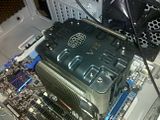

I ended putting the heatsink fan upside down, this particular one really frustrated me
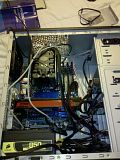
Finally, after doing such a poor job building this thing it was beginning to look like something functional
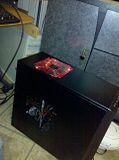

I started it up a few times and eventually found out that I had some cooling issues (averaging 90C)

Being fed up with this thing I put it away and didn't touch until about August. I decided to apply new thermal paste and re-seat the heat sink fan. Remembering the frustration I had the first go round I decided to leave the motherboard in the chassis and re-install the heat sink fan with the chassis standing up (bad idea)
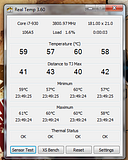

After doing that, it seemed to be a little better so I decided to over clock. I was at 60C on idle. This was when I decided to be ambitious. I made time to actually plan what I was going to do. I took it apart. Remembering where everything went and buying cable ties (yes, I know I should've organized this in the first place but with how the chassis is configured it was a little difficult and I was way too frustrated to bother)
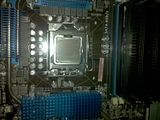

I then looked up why it was running so hot. I followed the directions I saw on youtube about how to apply arctic silver 5 and from what I thought, I thought I did a great job.

It turns out I should've followed the directions on the Arctic Silver website (application of thermal paste differs depending on the cpu you have installed)

After re-applying appropriately and re organizing the wires I now have this
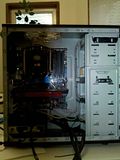


Now to get the temps to see if I did this right.
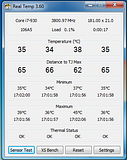


Long story short- Thank you guys.

I'm still in the process of trying to overclock to 4.0GHz (stable)

 
brain_stew said:
If you're spending that much then you might as well get a 6850. Its poorly balanced otherwise.

With the same budget I'd take an i5-760 + ~$100 motherboard and get myself a nice SSD, it'll make a much bigger difference. The CPU isn't the bottleneck for very much these days. We're way past the point of diminishing returns but mechanical HDDs are dog slow.

A particular CPU and clockspeed aren't "requirements."

What software are you using that demands that hardware specifically?

FF14 is the most recent game I'm playing on the pc. I'll be playing diablo III as well most likely when it's out.

I prefer nvidia for video cards. I've never had anything but issues with ati in the past. Are you saying the 460 would be under powered given the rest of the con

SSD is too expensive for me. I'm trying to keep things close to or below 1000$ My current build is a little over, so I'm looking for suggestions on how to save while keeping the above "requirements" in mind.
 
MomoPufflet said:
Urgh, I think I want an SSD. Looking at either a Crucial C300 or a Gskill Phoenix. Is there anything on the horizon that might be worth waiting for (other than price drops) or should I just jump in now?

IMO, the difference from going from a solid-state HDD to SSD is infinitely larger than any difference you could achieve from going from one good SSD to a better one. I could see the argument in why not wait for the absolute perfect moment, especially if it's just a matter of a month or two, but I think unless you have specific needs, any good SSD will suit your thirst for speed.


pancakesandsex said:
FF14 is the most recent game I'm playing on the pc. I'll be playing diablo III as well most likely when it's out.

I prefer nvidia for video cards. I've never had anything but issues with ati in the past. Are you saying the 460 would be under powered given the rest of the con

SSD is too expensive for me. I'm trying to keep things close to or below 1000$ My current build is a little over, so I'm looking for suggestions on how to save while keeping the above "requirements" in mind.

The SSD linked above I just clicked was $135! How could that be too expensive? It's going to deliver a far better speed improvement across your whole system than any CPU or GPU or RAM or other upgrade could offer. I guess if you can only have a single drive, then it gets expensive, but as long as you can use a SSD for the OS and a game or two as well as your basic software programs, and a second 2TB drive for the rest of your games/media, it seems so incredibly cheap to me, for what you get.
 
Minsc said:
IMO, the difference from going from a solid-state HDD to SSD is infinitely larger than any difference you could achieve from going from one good SSD to a better one. I could see the argument in why not wait for the absolute perfect moment, especially if it's just a matter of a month or two, but I think unless you have specific needs, any good SSD will suit your thirst for speed.


The SSD linked above I just clicked was $135! How could that be too expensive? It's going to deliver a far better speed improvement across your whole system than any CPU or GPU or RAM or other upgrade could offer. I guess if you can only have a single drive, then it gets expensive, but as long as you can use a SSD for the OS and a game or two as well as your basic software programs, and a second 2TB drive for the rest of your games/media, it seems so incredibly cheap to me, for what you get.

Storage/price ratio is not where I want it to be.
 
I just realized the C300 SSD I linked a few posts ago is SATA III-- it seems my motherboard only supports SATA II. What's the fastest SATA II SSD under $200 with TRIM? (has to be at least 60GB, preferably more) Looking at OCZ Agility 2 right now...
 
pancakesandsex said:
FF14 is the most recent game I'm playing on the pc. I'll be playing diablo III as well most likely when it's out.

FF14 is just about the most demanding game on the PC though. You'll need all the GPU you can get.


I prefer nvidia for video cards. I've never had anything but issues with ati in the past. Are you saying the 460 would be under powered given the rest of the con

Yes it would. If for whatever reason you ant to pass up the 6850 (and unlike just a year or two ago there's very little reason to ignore AMD's cards, these days) then get an OCed 1GB GTX 460.

SSD is too expensive for me. I'm trying to keep things close to or below 1000$ My current build is a little over, so I'm looking for suggestions on how to save while keeping the above "requirements" in mind

The changes I suggested would actually cost you less overall and offering a better balanced rig.

.

.
 
pancakesandsex said:
Storage/price ratio is not where I want it to be.

Its the single most cost effective upgrade you can make to a modern rig. Unless you're running a 3D renderer every night, then you will most definitely notice the difference from an SSD over a faster CPU on a rig like that. Modern CPUs are much faster than most people will ever need, they're just not the bottleneck in a modern system in all but a few rare examples.

I'm not suggesting ditching the mechanical drive, this is in addition and getting a slightly slower CPU/Mobo combo will allow you to do that while saving a little cash.
 
brain_stew said:
Its the single most cost effective upgrade you can make to a modern rig. Unless you're running a 3D renderer every night, then you will most definitely notice the difference from an SSD over a faster CPU on a rig like that. Modern CPUs are much faster than most people will ever need, they're just not the bottleneck in a modern system in all but a few rare examples.

I'm not suggesting ditching the mechanical drive, this is in addition and getting a slightly slower CPU/Mobo combo will allow you to do that while saving a little cash.

I'm going to be migrating 2 large sata II drives over from my old machine that I used as media and game drives respectively. I use my C drive exclusively for OS, business apps (office, etc), and music. I understand the benefits of the SSD drive but it's not conducive to the way I currently do things, so I'm looking to get a better deal in other areas. I decided to go with a moderately sized sata III drive to use as an OS drive, perhaps I will migrate to SSD in a future upgrade. I'm not looking to start an argument over the merits of SSD, don't take this the wrong way. I would appreciate any other advice you could give.
 
MomoPufflet said:
I just realized the C300 SSD I linked a few posts ago is SATA III-- it seems my motherboard only supports SATA II. What's the fastest SATA II SSD under $200 with TRIM? (has to be at least 60GB, preferably more) Looking at OCZ Agility 2 right now...
C300 in terms of read speed.
The SATA 3 will work, but just run at SATA 2 speeds (around 270MB/s depending on your controller). If you had SATA 3 it might be able to run at 300-330MB/s.
 
pancakesandsex said:
II use my C drive exclusively for OS, business apps (office, etc), and music. I understand the benefits of the SSD drive but it's not conducive to the way I currently do things, so I'm looking to get a better deal in other areas.

An SSD sounds exactly conductive to the way you do stuff. The perfect example of how to use an SSD is to put just your OS, business apps, and nothing else on it. That method maximizes your system performance and minimizes the cost, as you don't need a huge SSD to hold windows and a handful of apps.

And it'd be one of the most reliable things in your machine, as opposed to a mechanical drive hosting your OS that could fail without warning.

I understand your reluctance to buy one, wanting to build the best gaming machine you can on a budget (even if that budget is 1K), so a SSD wouldn't really fit in (though they do help things load faster and give you less drops due to that) because you'd be better served with a faster GPU.

But a PC without an SSD to me is a PC that is incomplete. They make everything you do from day to day go so much faster, and for less than the price of a "cheap" video card. And they basically never go bad or get outdated, at least for a good decade.

I'm still of the mind frame that there are few/no parts to a PC that you can purchase that will give you better performance for your money and hold up over time better than a SSD used for the OS.
 
If I was able to simply migrate my OS to a SSD, I'd consider the purchase. I really don't feel like reinstalling Windows. Right now, my system partition contains my OS and all of my applications. It would take more than a simple backup and restore to move just the OS to the SSD.
 
So I have the money right now to do this, but havent gamed on pc in 20 years. Can someone help me? I just bought a panasonic vt25, so it needs to have the nvidia 3d stuff and obviously its meant for comfy couch surround sound etc.

The objective is to be able to play crysis and especially BF3 at max settings in 3d. Dell has some nice looking laptops with the 3d nvidia stuff, but im guessing people here will steer me away from getting a laptop. I feel like I might be able to get by with my droid 2 for mobile web viewing and attachments.
 
Felix Lighter said:
If I was able to simply migrate my OS to a SSD, I'd consider the purchase. I really don't feel like reinstalling Windows. Right now, my system partition contains my OS and all of my applications. It would take more than a simple backup and restore to move just the OS to the SSD.
Reinstalling your OS really isn't such a big deal, but if you'd rather not go through the process, why not just use cloning?

Windows 7's backup/restore utility is supposed to be solid with a fair amount of options. I can't attest to that since I use Acronis. Quick, simple and your new OS drive boots up even with things like desktop sticky notes still in place.

Quick link
http://www.velocityreviews.com/forums/t731289-clone-win7-partition-to-ssd.html

Just search for "clone hdd to ssd" and you'll get a number of options.
 
Minsc said:
An SSD sounds exactly conductive to the way you do stuff. The perfect example of how to use an SSD is to put just your OS, business apps, and nothing else on it. That method maximizes your system performance and minimizes the cost, as you don't need a huge SSD to hold windows and a handful of apps.

And it'd be one of the most reliable things in your machine, as opposed to a mechanical drive hosting your OS that could fail without warning.

I understand your reluctance to buy one, wanting to build the best gaming machine you can on a budget (even if that budget is 1K), so a SSD wouldn't really fit in (though they do help things load faster and give you less drops due to that) because you'd be better served with a faster GPU.

But a PC without an SSD to me is a PC that is incomplete. They make everything you do from day to day go so much faster, and for less than the price of a "cheap" video card. And they basically never go bad or get outdated, at least for a good decade.

I'm still of the mind frame that there are few/no parts to a PC that you can purchase that will give you better performance for your money and hold up over time better than a SSD used for the OS.

Noted.

Moving on from this, are there any other suggestions you can offer to the build I posted above?
 
·feist· said:
Reinstalling your OS really isn't such a big deal, but if you'd rather not go through the process, why not just use cloning?

Windows 7's backup/restore utility is supposed to be solid with a fair amount of options. I can't attest to that since I use Acronis. Quick, simple and your new OS drive boots up even with things like desktop sticky notes still in place.

Quick link
http://www.velocityreviews.com/forums/t731289-clone-win7-partition-to-ssd.html

Just search for "clone hdd to ssd" and you'll get a number of options.

Thanks, I'll definitely look into it. My concern is all of the applications I already have installed on my OS partition. I guess if I moved my Steam installation first, it would make a huge difference. I just want to avoid spending a whole weekend getting everything back up and running.
 
pancakesandsex said:
I'm going to be migrating 2 large sata II drives over from my old machine that I used as media and game drives respectively. I use my C drive exclusively for OS, business apps (office, etc), and music. I understand the benefits of the SSD drive but it's not conducive to the way I currently do things, so I'm looking to get a better deal in other areas. I decided to go with a moderately sized sata III drive to use as an OS drive, perhaps I will migrate to SSD in a future upgrade. I'm not looking to start an argument over the merits of SSD, don't take this the wrong way. I would appreciate any other advice you could give.

Acyually that sounds like you're perfectly suited for an SSD.

If you've already got a couple of mechanical drives for storage, you'd be crazy to go with anything other than an SSD. Your business applications aren't going to take up over a 128GB.

I really can not state how big of an upgrade it is.
 
brain_stew said:
Acyually that sounds like you're perfectly suited for an SSD.

If you've already got a couple of mechanical drives for storage, you'd be crazy to go with anything other than an SSD. Your business applications aren't going to take up over a 128GB.

I really can not state how big of an upgrade it is.

Currently using 186/291gb for that exact purpose. Do you have any other suggestions for that build?
 
Feorax said:
OK PC GAF, thinking of maybe picking one of these up sometime around Christmas.

http://www.novatech.co.uk/novatech/prods/monitors/24inchmonitors/acer/et.ug5he.004.html

It's to replace my Samsung 1440 x 900 19" HDTV I'm using at the moment. Ill be hooking a PS3 and a 360 up to it as well as my PC.

Any thoughts?

Spending nearly £300 on a TN panel seems utterly insane to me, but if you want to use 3D Vision you're going to have to pay a premium. Your PS3 and 360 will look no better on this monitor than any generic ~£100 1080p monitor. It'll still be a shitty 60hz TN panel when used with them.

If you're not using 3D Vision, then considering you're using this with consoles as well, you'd be much better off with a 32" 1080p HDTV imo and you've got the budget to manage it.
 
I will gift someone like brain stew something nice on steam if they help me. I just need help with the ordering and selection of parts.
 
Felix Lighter said:
Thanks, I'll definitely look into it. My concern is all of the applications I already have installed on my OS partition. I guess if I moved my Steam installation first, it would make a huge difference. I just want to avoid spending a whole weekend getting everything back up and running.
I can't speak to Steam specifically, but most every application should be as is. One of the few things you may need to account for is if you have a system with multiple drives and various partitions per drive. Depending on how do or don't change things, as long as your applications know where to look for data, and where to write to everything should be normal. You can do a backup before cloning, but even that isn't really necessary. If anything were to happen with the cloned drive, the original source drive already serves as a backup.


Kurashima said:
Thanks for the advice feist, Hyper 212 is I think what I'll go with. Will wait to see what prices and options on cards are when I return, closer to the end of November.

Going tomorrow to return my Antec 900 case though. After reading more reviews, think I'm going to go with the HAF 922. Seemingly more room, better cable management, and supposedly quieter, with pretty much the same airflow. Also will end up being cheaper than the 900 I bought! Have the option to go with the 932 as well, though I don't know whether it's worth it or not. I'm thinking besides a bit more room, the bigger fans will also mean it's quieter? Though it does have an extra one, I believe. . .
Cable management is easily one of the weakest aspects of the 300/900/900 II series. Unless you really need the extra space and/or plan on doing an elaborate water-cooling set-up, stick with the 922 over the 932.

Good luck.
 
WEGGLES said:
Oh cool! For Neweggs black november thing, today all PC cases are free shipping :D I guess I'll order that $39.99 case and save the $9.99 shipping...

http://www.newegg.com/Product/Product.aspx?Item=N82E16811154087


...oh... now the case is $49.99


6fPYl.jpg
Newegg has to be one of the most consistent culprits when it comes to this practice. At times they'll do something like drop the price on an item, and then raise it from free (or very low cost) shipping to effectively negate the perceived savings. At least they didn't increase the price nearly 70% over MSRP like they've done in the past.


WEGGLES said:
Here's the case I plan to use, though not vertically oriented.

http://www.newegg.com/Product/Product.aspx?Item=N82E16811154087

If the time comes to upgrade sooner than expected, I don't think it will be a big issue to buy a larger case if we need it, down the road.

A lot of the mATX cases are kind-of fugly :{, while it's no prize winning pig, it's at least decent looking.
Personally, I'd never run a 125/130w CPU and other components in a case of that type, with a PSU like that. Not that you can't, just that it isn't exactly optimal. If you wanted to build a stylish/cutesy/compact PC for her you could have even gone with a mini-ITX motherboard and something like a Silverstone SG05/SG06

http://www.newegg.com/Product/Product.aspx?Item=N82E16811163149&Tpk=sg05
http://www.newegg.com/Product/Product.aspx?Item=N82E16811163151&Tpk=sg06

She'd get a compact system that's better cooled than those slim mATX enclosures, and she'd also likely have wireless included. There are a lot of Intel options to choose from. On the AMD side, MINIX is the most prominent mini-ITX manufacturer. Larger companies like Asus are also releasing AMD boards that support up to 95w quad- and hexa-cores. People have also run 125w chips on some of these boards, but that isn't advisable.
 
So here is the dell laptop, for 2 thousand. Windows 7 ultimate, Intel core i7-840qm 8mb cache, nvidia geforce 425m 2 gb graphics, tv tuner, 8gb shared dual chanel ddr3 memory, 500 gb 7200 sata hd, bluetooth 3.0, 9 cell battery,backlit keyboard, 8x cd/dvd burner.

Any feedback would be greatly apreciated. Any thing I need or don't need?
 
Jtrizzy said:
So here is the dell laptop, for 2 thousand. Windows 7 ultimate, Intel core i7-840qm 8mb cache, nvidia geforce 425m 2 gb graphics, tv tuner, 8gb shared dual chanel ddr3 memory, 500 gb 7200 sata hd, bluetooth 3.0, 9 cell battery,backlit keyboard, 8x cd/dvd burner.

Any feedback would be greatly apreciated. Any thing I need or don't need?

Honestly, you're really going to want to go with a desktop, especially if you're looking to max out games like Crysis in 3D. Would you be willing to build your own PC?

Really, you should wait and see how the GTX 580 ends up.
 
pancakesandsex said:
Noted.

Moving on from this, are there any other suggestions you can offer to the build I posted above?
Stew covered it
·feist· said:
Personally, I'd never run a 125/130w CPU and other components in a case of that type, with a PSU like that. Not that you can't, just that it isn't exactly optimal. If you wanted to build a stylish/cutesy/compact PC for her you could have even gone with a mini-ITX motherboard and something like a Silverstone SG05/SG06

http://www.newegg.com/Product/Product.aspx?Item=N82E16811163149&Tpk=sg05
http://www.newegg.com/Product/Product.aspx?Item=N82E16811163151&Tpk=sg06

She'd get a compact system that's better cooled than those slim mATX enclosures, and she'd also likely have wireless included. There are a lot of Intel options to choose from. On the AMD side, MINIX is the most prominent mini-ITX manufacturer. Larger companies like Asus are also releasing AMD boards that support up to 95w quad- and hexa-cores. People have also run 125w chips on some of these boards, but that isn't advisable.
x4 640 is 95W iirc. Even a wimpy 275W would run that and a low end card fine.
 
Felix Lighter said:
Honestly, you're really going to want to go with a desktop, especially if you're looking to max out games like Crysis in 3D. Would you be willing to build your own PC?

Really, you should wait and see how the GTX 580 ends up.
Yeah I have a friend who can help me put it together, I just need some assistance picking out the components. So how much would a desktop to max out crysis and bf3 in 3d cost? Im hooking it up to the panasonic vt25 plasma, so the max resolution will be 1080p I guess.
 
Jtrizzy said:
Yeah I have a friend who can help me put it together, I just need some assistance picking out the components. So how much would a desktop to max out crysis and bf3 in 3d cost? Im hooking it up to the panasonic vt25 plasma, so the max resolution will be 1080p I guess.
Probably around $2,000 if you want 60FPS (Hahahaha) in 3D. $1,000 of that towards graphics cards. :lol

I'd go for a desktop and laptop solution as well, a nice solid 6-700 laptop and about 1k for a nice solid desktop.
 
I think I also read somewhere that these tvs can't do 1080p 60fps in 3d...even though I have the best one available. I guess I can wait on the gtx 580 if it releases soon, but I want to pull the trigger asap before I spend the money on something else lol.

So I don't really want to spend 2k on a desktop though I've also got to factor in wireless mouse and keyboard.
 
Jtrizzy said:
I think I also read somewhere that these tvs can't do 1080p 60fps in 3d...even though I have the best one available. I guess I can wait on the gtx 580 if it releases soon, but I want to pull the trigger asap before I spend the money on something else lol.

So I don't really want to spend 2k on a desktop though I've also got to factor in wireless mouse and keyboard.
If you are serious about dropping over $1,300 on a desktop you should wait for the new CPU's as well.

Playing PC games in 3D on a TV and only getting 30FPS is no fun. Are you sure it can't support 60FPs in 3D? I'd imagine it would be a 120Hz capable (unless it's one of those motion interpolation ones).
An i5 system + GTX580 is a really capable system though, no problem with 60FPS at 1080
 
Yeah, Crysis, maxed, at 60, in 3D is a tall, pricey order. Also, a $2,000 laptop with a 425m?

There's a lot of speculation, but the GTX580 may not be available until sometime between the end of the year, or mid-January.


Hazaro said:
Stew covered it

x4 640 is 95W iirc. Even a wimpy 275W would run that and a low end card fine.
Correct, but if you recall, he wasn't convinced that the 640 was enough (for whatever reason) and was considering a 940/955BE type chip. The PSU's potential quality/efficiency is what I'm unsure of. More than that, though, is having hot parts in that kind of enclosure. You can run like that for years and years without problems, of course, but I wouldn't.
 
Jtrizzy said:
13 to 15 hundred is my sweet spot. So is it not possible to pre order the gtx 580?

We don't even know much about it. Expect another couple months before it's released. It could be before Christmas but I wouldn't bet on it.
 
Shambles said:
We don't even know much about it. Expect another couple months before it's released. It could be before Christmas but I wouldn't bet on it.
I'm expecting it this year, but that's just based on what I feel.
 
Top Bottom