
I'm confused guys, help. 45 foot hdmi came in today so I hooked up my gpu to 1080p samsung dlp. GPU is xfx 6870. I should be able to play most games at 1080P (60fps right?) But I can't figure this ish out. Batman AA, MW2 stay locked @ 30fps and dip below as well. I want to cry. Same thing with TF2. Ahhh.
-
Hey Guest. Check out your NeoGAF Wrapped 2025 results here!
You are using an out of date browser. It may not display this or other websites correctly.
You should upgrade or use an alternative browser.
You should upgrade or use an alternative browser.
"I need a new PC!" 2010 Edition
- Thread starter Spy
- Start date
opticalmace
Member
Turn off V sync? What are your system specs? Do you have the latest drivers? Are you running AA?Kaako said:I'm confused guys, help. 45 foot hdmi came in today so I hooked up my gpu to 1080p samsung dlp. GPU is xfx 6870. I should be able to play most games at 1080P (60fps right?) But I can't figure this ish out. Batman AA, MW2 stay locked @ 30fps and dip below as well. I want to cry. Same thing with TF2. Ahhh.

Minsc
Gold Member
Make sure you have PhysX off too. Make sure to set the 2nd display as "duplicate" and "primary" and use D3DOverrider for vsync. You should be getting in the 100s for Batman AA if I had to guess, it's not a very demanding game, even maxed (not counting PhysX). Yup, was right, 100+ fps w/ 8xAA too.
Core i7-950 @ 4Ghzopticalmace said:Turn off V sync? What are your system specs? Do you have the latest drivers? Are you running AA?
6 gigs ddr3
2 x 1TB Samsung F3
XFX 6870
Win7 Home premium.
Got the latest 10.10d catalyst driver/hotfix but didn't uninstall the old ones.
Gonna try all with aa off, same with v-sync. Should I enable GPU scaling or not as well for hdtv?
Edit: Will try that as well, Minsc. Thanks <3.
Yeah it looks like the tvs can only handle 60 fps 720p for 3d. That doesnt seem too bad. I already bought the tv and its not going back so...Ill still be able to play games maxed out without 3d anyway. So far I am enjoying sony 3d games, but the resolution hit is noticeable. Not sure exacty what it is though.
Here is an article, maybe someone could explain what he's saying
http://www.nvnews.net/vbulletin/showthread.php?t=156712
Here is an article, maybe someone could explain what he's saying
http://www.nvnews.net/vbulletin/showthread.php?t=156712

pancakesandsex
Member
Hazaro said:Stew covered it
x4 640 is 95W iirc. Even a wimpy 275W would run that and a low end card fine.
Wait what? I'm not sure what you mean?
1)Basic Desktop Questions
Budget: $1500-$1600 + Canada
Main Use: Gaming, Programming, Video editing
Monitor Resolution: Prolly 1920 x 1080. Im planning on getting a new monitor also so this could change
List SPECIFIC games that you MUST be able to play: Civ V, most new games coming out within the next couple years really.
I'm in my first year learning computer programing right now and am in need of a new pc. I am mostly going to use it for programming and gaming but I will sometimes do some video editing as well. I dont know to much about building a comp so any help would be greatly appreciated.
Thanks in advance.
Budget: $1500-$1600 + Canada
Main Use: Gaming, Programming, Video editing
Monitor Resolution: Prolly 1920 x 1080. Im planning on getting a new monitor also so this could change
List SPECIFIC games that you MUST be able to play: Civ V, most new games coming out within the next couple years really.
I'm in my first year learning computer programing right now and am in need of a new pc. I am mostly going to use it for programming and gaming but I will sometimes do some video editing as well. I dont know to much about building a comp so any help would be greatly appreciated.
Thanks in advance.
opticalmace
Member
He was responding to -feist-'s comment about WEGGLES's build. They were questioning whether the 275W PSU he intended to get would be sufficient for his CPU, but Hazaro pointed out it's the lower-power CPU, so it should be OK.pancakesandsex said:Wait what? I'm not sure what you mean?
(As far as I can tell from scrolling up.)

IrishNinja
Member
hey GAF, bit've PC help if you could...system in my living room is giving me woes, here be the specs:
2.13 gigahertz Intel Core 2 Duo
Windows 7
4 gigs RAM, @ 750 GB HDD (> 10 gigs available)
NVIDIA GeForce 7600 GT
(belarc profile doesnt seem to note PSU)
right, so, this happened once before, can't recall what made it work: i start it up, hard drive light/fan goes on, short time later, it's quiet, no lights, but my keyboard is lit up. the mouse, on a USB hub, is not. sound is on, so i can tell it's not going into windows (i think...) but no image whatsoever.
there's 2 DVI outs in the back, ive tried with both. the cable goes to an HDMI slot on my plasma that's verified working with the PS3, and even then, ive tried other slots...no picture. I just got done moving, so i thought: maybe my vid card came loose? took that out, put it back in firmly, checked the RAM, nothing changed.
again, i recall this happening over a year ago or so not long after tossing the parts in, no idea what i did but it resolved itself. ive held the power button down on the case to try that, just shuts it off/sleep mode or something. could i be booting into some kind've sleep mode? again, ive checked cables and such, nothing seems to give me picture. what does this sound like to you? appreciate any help i can get here, GAF.
2.13 gigahertz Intel Core 2 Duo
Windows 7
4 gigs RAM, @ 750 GB HDD (> 10 gigs available)
NVIDIA GeForce 7600 GT
(belarc profile doesnt seem to note PSU)
right, so, this happened once before, can't recall what made it work: i start it up, hard drive light/fan goes on, short time later, it's quiet, no lights, but my keyboard is lit up. the mouse, on a USB hub, is not. sound is on, so i can tell it's not going into windows (i think...) but no image whatsoever.
there's 2 DVI outs in the back, ive tried with both. the cable goes to an HDMI slot on my plasma that's verified working with the PS3, and even then, ive tried other slots...no picture. I just got done moving, so i thought: maybe my vid card came loose? took that out, put it back in firmly, checked the RAM, nothing changed.
again, i recall this happening over a year ago or so not long after tossing the parts in, no idea what i did but it resolved itself. ive held the power button down on the case to try that, just shuts it off/sleep mode or something. could i be booting into some kind've sleep mode? again, ive checked cables and such, nothing seems to give me picture. what does this sound like to you? appreciate any help i can get here, GAF.
My PC unexpectedly rebooted again (posted about the same problem a month or two back). It was almost like the power went out, then it comes back on and restarts into Windows.
I noticed that I have a ton of Ace Event Log errors, and about 20 each time I start Windows. The computer just 'dying' like it did makes me assume there's a PSU problem, but could a GPU or memory issue cause something like this? Memtest comes up clean. I can't think of a good way to diagnose this problem.
Thanks for any advice
I noticed that I have a ton of Ace Event Log errors, and about 20 each time I start Windows. The computer just 'dying' like it did makes me assume there's a PSU problem, but could a GPU or memory issue cause something like this? Memtest comes up clean. I can't think of a good way to diagnose this problem.
Thanks for any advice
Servizio
I don't really need a tag, but I figured I'd get one to make people jealous. Is it working?
ElJuice said:My PC unexpectedly rebooted again (posted about the same problem a month or two back). It was almost like the power went out, then it comes back on and restarts into Windows.
I noticed that I have a ton of Ace Event Log errors, and about 20 each time I start Windows. The computer just 'dying' like it did makes me assume there's a PSU problem, but could a GPU or memory issue cause something like this? Memtest comes up clean. I can't think of a good way to diagnose this problem.
Thanks for any advice
That sounds like it might be an over heating issue. You can try some temperature monitoring programs, or CPU stressor programs that also monitor (and shut down the tests) temps. The inside of your rig might be dusty, or in a poorly ventilated area too.
opticalmace
Member
What are your system specs? Do you have an AMD/ATI card? If so what driver/CCC version?ElJuice said:My PC unexpectedly rebooted again (posted about the same problem a month or two back). It was almost like the power went out, then it comes back on and restarts into Windows.
I noticed that I have a ton of Ace Event Log errors, and about 20 each time I start Windows. The computer just 'dying' like it did makes me assume there's a PSU problem, but could a GPU or memory issue cause something like this? Memtest comes up clean. I can't think of a good way to diagnose this problem.
Thanks for any advice
Servizio said:That sounds like it might be an over heating issue. You can try some temperature monitoring programs, or CPU stressor programs that also monitor (and shut down the tests) temps. The inside of your rig might be dusty, or in a poorly ventilated area too.
Thanks. I've been monitoring that since the first incident, and I've not seen any strange temps. It happened twice in 2 months, once while in game, once while essentially idle.
opticalmace said:What are your system specs? Do you have an AMD/ATI card? If so what driver/CCC version?
Yep, I have an AMD card. I was using 10.4, then after this last issue, I switched over to 10.10. This is the first time I had seen the event log, and I was surprised to see so many logged errors. I assume this is unusual, but I don't have a baseline for my system since I didn't check prior to the crashes.
pancakesandsex
Member
opticalmace said:He was responding to -feist-'s comment about WEGGLES's build. They were questioning whether the 275W PSU he intended to get would be sufficient for his CPU, but Hazaro pointed out it's the lower-power CPU, so it should be OK.
(As far as I can tell from scrolling up.)
He quoted me too before he referenced that and I'm not sure why?
opticalmace
Member
So what hardware do you have? Particularly your PSU. And like the other guy said, tell us your temperatures.ElJuice said:Thanks. I've been monitoring that since the first incident, and I've not seen any strange temps. It happened twice in 2 months, once while in game, once while essentially idle.
Yep, I have an AMD card. I was using 10.4, then after this last issue, I switched over to 10.10. This is the first time I had seen the event log, and I was surprised to see so many logged errors. I assume this is unusual, but I don't have a baseline for my system since I didn't check prior to the crashes.
If it starts to happen more often check your connections on the motherboard. I had a similar issue and it turned out that the 24-pin ATX cable became slightly loose after I moved my PC to another room.ElJuice said:Thanks. I've been monitoring that since the first incident, and I've not seen any strange temps. It happened twice in 2 months, once while in game, once while essentially idle.
Yep, I have an AMD card. I was using 10.4, then after this last issue, I switched over to 10.10. This is the first time I had seen the event log, and I was surprised to see so many logged errors. I assume this is unusual, but I don't have a baseline for my system since I didn't check prior to the crashes.
Just saying that brain_stew covered that you should sway to an i5 and upgrade to a 6850.pancakesandsex said:Wait what? I'm not sure what you mean?
You should also get a 1TB drive as well since it's cheaper and faster and has more space.
the wd6400aaks is a solid drive (I have one) but there's no reason not to get a 1TB Samsung F3 or WD 1TB.
Need it now or can you wait a few months? Do you know if any programs you use will take advantage of Hyper Threading?Smo21 said:I'm in my first year learning computer programing right now and am in need of a new pc. I am mostly going to use it for programming and gaming but I will sometimes do some video editing as well. I dont know to much about building a comp so any help would be greatly appreciated.
Thanks in advance.
Reset your BIOS, check the boot order, check your connections (make sure they are secure)IrishNinja said:right, so, this happened once before, can't recall what made it work: i start it up, hard drive light/fan goes on, short time later, it's quiet, no lights, but my keyboard is lit up. the mouse, on a USB hub, is not. sound is on, so i can tell it's not going into windows (i think...) but no image whatsoever.
again, i recall this happening over a year ago or so not long after tossing the parts in, no idea what i did but it resolved itself. ive held the power button down on the case to try that, just shuts it off/sleep mode or something. could i be booting into some kind've sleep mode? again, ive checked cables and such, nothing seems to give me picture. what does this sound like to you? appreciate any help i can get here, GAF.
pancakesandsex
Member
Hazaro said:Just saying that brain_stew covered that you should sway to an i5 and upgrade to a 6850.
You should also get a 1TB drive as well since it's cheaper and faster and has more space.
the wd6400aaks is a solid drive (I have one) but there's no reason not to get a 1TB Samsung F3 or WD 1TB.
I was looking for sort of a compromise between storage and speed. Since SSD is way out of my price range for my storage needs, I thought I'd go with a moderately sized SATA III drive when I made the build (I have 2 ports on the mobo, might as well use one)). I have 2 additional sata II drives I'll be migrating over for about 1.8 tb total of media/game storage space. Will I see a difference on a sata III vs a sata II or should I not bother and go with a cheaper drive?
Speaking of drives I just realized I forgot to include an optical drive. Wow those are cheap now.
Ok guys, regarding my framerate problem hahaha. I tried everything and saw no luck. Seemed like every single damn game was locked @ 30fps or below. So I went in CCC again and saw that my dumbass forgot to set things back to default after I had fiddled with all the AA options. I had cranked up all the AA options and what not to max. :lol
I set back to default and viola. All titles now run like they should on my 6870. I also cranked up gpu clocks to 950MHZ and 1095MHZ (memory). Temp right now is 54 Celsius. I could probably crank it higher but I'm very satisfied as it is already. Thank you guys for all the help. Lesson learned.
I set back to default and viola. All titles now run like they should on my 6870. I also cranked up gpu clocks to 950MHZ and 1095MHZ (memory). Temp right now is 54 Celsius. I could probably crank it higher but I'm very satisfied as it is already. Thank you guys for all the help. Lesson learned.
Need mobo advice for my bro. He was gifted an i7 860 (socket 1156) and he's not sure what mobo to get with it. He was on newegg looking at some ASUS ROG mobo for 230, but I told him to pass off on it. It didn't have USB 3.0 or SATA III. He asked for my help and my criteria in looking for one was: Does it have USB 3.0? Does it have SATA III? Does it have PCIe 2.0 x16 (2 preferably). Other than that, I'm not sure what else te use in my decision. Here is a link to newegg showing their only mobos with SATA III and USB 3.0 for LGA1156
http://preview.tinyurl.com/3xhtt7x
I told him that I like the MSI P55-GD85 in terms of features to $$ ratio, but I differ to the judgement of PC-Age to give me the best answer. He was willing to consider a $230 mobo, but would rather spend as little as possible. He's going for 3x2GB of G.Skill RAM and a Radeon 6850 or 6870. He'll be getting an SSD early next year.
http://preview.tinyurl.com/3xhtt7x
I told him that I like the MSI P55-GD85 in terms of features to $$ ratio, but I differ to the judgement of PC-Age to give me the best answer. He was willing to consider a $230 mobo, but would rather spend as little as possible. He's going for 3x2GB of G.Skill RAM and a Radeon 6850 or 6870. He'll be getting an SSD early next year.
The P55 mobos have dual-channel memory controllers, not triple channel. So he would want to change that 3x2GB RAM to something that uses two sticks.Niblet said:Need mobo advice for my bro. He was gifted an i7 860 (socket 1156) and he's not sure what mobo to get with it. He was on newegg looking at some ASUS ROG mobo for 230, but I told him to pass off on it. It didn't have USB 3.0 or SATA III. He asked for my help and my criteria in looking for one was: Does it have USB 3.0? Does it have SATA III? Does it have PCIe 2.0 x16 (2 preferably). Other than that, I'm not sure what else te use in my decision. Here is a link to newegg showing their only mobos with SATA III and USB 3.0 for LGA1156
http://preview.tinyurl.com/3xhtt7x
I told him that I like the MSI P55-GD85 in terms of features to $$ ratio, but I differ to the judgement of PC-Age to give me the best answer. He was willing to consider a $230 mobo, but would rather spend as little as possible. He's going for 3x2GB of G.Skill RAM and a Radeon 6850 or 6870. He'll be getting an SSD early next year.
I just mentioned the 1TB drive since I saw you had a 640GB on there. No point in not getting a 1TB drive. Faster, same price, more storage.pancakesandsex said:I was looking for sort of a compromise between storage and speed. Since SSD is way out of my price range for my storage needs, I thought I'd go with a moderately sized SATA III drive when I made the build (I have 2 ports on the mobo, might as well use one)). I have 2 additional sata II drives I'll be migrating over for about 1.8 tb total of media/game storage space. Will I see a difference on a sata III vs a sata II or should I not bother and go with a cheaper drive?
Speaking of drives I just realized I forgot to include an optical drive. Wow those are cheap now.
SATA III vs II will be 0 difference unless you are at the highest of current SSD's (See: C300)
2x PCI-E (16x) + 1156 don't really go together.Niblet said:Need mobo advice for my bro. He was gifted an i7 860 (socket 1156) and he's not sure what mobo to get with it.
Does it have PCIe 2.0 x16 (2 preferably)
I told him that I like the MSI P55-GD85 in terms of features to $$ ratio, but I differ to the judgement of PC-Age to give me the best answer. He was willing to consider a $230 mobo, but would rather spend as little as possible.
He's going for 3x2GB of G.Skill RAM and a Radeon 6850 or 6870. He'll be getting an SSD early next year.
Best well priced answer is this: ASUS P7P55D-E Pro - http://www.newegg.com/Product/Product.aspx?Item=N82E16813131621
The way 1156 is it doesn't have the bandwidth for dual 2.0 16x lanes so mobo makers had to add or take bandwith from the PCI-E one. The PRO has such a chip and there's another solution gigabyte did but I can't remember which boards have it.
8x/8x is fine and there's barely any performance hit. You can have a look at techpowerup's articles on impact of lanes. It was pretty recent.
1156 is all dual channel RAM. Even thought the chip is an 'i7' it's on 1156 so it's 2x2GB for him.
*It's only 8x/8x with 2 cards of course. Otherwise it's 16x(2.0) on the first slot.
It's iffy.teiresias said:Does the "multi-core rendering" implementation in Source just suck or is something wrong in that it actually lowers my performance in half-life 2?

poppabk
Cheeks Spread for Digital Only Future
So does anyone have any recommendations (or warnings) for USB soundcards. I am picking up some new headphones (HA RX700) and would like a better soundcard than my onboard IDT high definition audio. I would really like to have high quality positional audio. I was thinking something like this:
http://www.amazon.com/Creative-Soundblaster-Audio-System-SB1290/dp/tech-data/B0044DEDC0/ref=de_a_smtd
or this
http://www.amazon.com/Creative-Soundblaster-Surround-System-SB1095/dp/tech-data/B0044DEDCA/ref=de_a_smtd
But have no idea if it is worth the extra money over something like this:
http://www.amazon.com/SIIG-CE-S00012-S2-USB-Soundwave-Rohs/dp/B000IF2EHE/ref=cm_cr_pr_product_top
Anyone have experience with usb soundcards? This will purely be for headphones, don't care about speaker performance at all.
http://www.amazon.com/Creative-Soundblaster-Audio-System-SB1290/dp/tech-data/B0044DEDC0/ref=de_a_smtd
or this
http://www.amazon.com/Creative-Soundblaster-Surround-System-SB1095/dp/tech-data/B0044DEDCA/ref=de_a_smtd
But have no idea if it is worth the extra money over something like this:
http://www.amazon.com/SIIG-CE-S00012-S2-USB-Soundwave-Rohs/dp/B000IF2EHE/ref=cm_cr_pr_product_top
Anyone have experience with usb soundcards? This will purely be for headphones, don't care about speaker performance at all.
Ask head-fipoppabk said:So does anyone have any recommendations (or warnings) for USB soundcards?
Man, I just struck gold. Earlier today I won an auction for a Radeon 5970 with 1,5 years of warranty left (a 6 month old card). The card retails for 600 euros over here, anyone wanna guess how much I got it for?
It's going to be a nice upgrade from the old 4870 with 512mb ram, but I might have to look in to getting a new case and psu now :lol . The rest of my hardware is going to be a bottleneck but I was planning on building a new pc from scratch anyway soonish.
EDIT: Any recommendations for a reasonably priced ATX case that fits a 5970?
264 goddamn euros! It was a quick two or three day auction that I just happened to come across today and I was prepared to pay up to 300 but only had to bid once.
It's going to be a nice upgrade from the old 4870 with 512mb ram, but I might have to look in to getting a new case and psu now :lol . The rest of my hardware is going to be a bottleneck but I was planning on building a new pc from scratch anyway soonish.
EDIT: Any recommendations for a reasonably priced ATX case that fits a 5970?
http://www.neogaf.com/forum/showpost.php?p=24126899&postcount=16723Arucardo said:Man, I just struck gold. Earlier today I won an auction for a Radeon 5970 with 1,5 years of warranty left (a 6 month old card). The card retails for 600 euros over here, anyone wanna guess how much I got it for?
264 goddamn euros! It was a quick two or three day auction that I just happened to come across today and I was prepared to pay up to 300 but only had to bid once.
It's going to be a nice upgrade from the old 4870 with 512mb ram, but I might have to look in to getting a new case and psu now :lol . The rest of my hardware is going to be a bottleneck but I was planning on building a new pc from scratch anyway soonish.
EDIT: Any recommendations for a reasonably priced ATX case that fits a 5970?
http://www.neogaf.com/forum/showpost.php?p=24128914&postcount=16732
http://www.neogaf.com/forum/showpost.php?p=24128955&postcount=16733
http://www.neogaf.com/forum/showpost.php?p=24130545&postcount=16755
http://www.neogaf.com/forum/showpost.php?p=24126757&postcount=16720
poppabk
Cheeks Spread for Digital Only Future
Yeah, if I have to read the word soundstage one more time i may blow my brains out. Looking into it further it is possible my onboard will do the job, it is Dolby Home Theater branded which means it is supposed to have Dolby Digital Live and Dolby Headphone capabilities. I kind of expected that this would be more apparent in say the sound card setup - I can activate Dolby Sound Space Expander which I am guessing is dolby headphone, no mention of Dolby Digital Live at all.Hazaro said:Ask head-fi

MoFuzz
Member
It's definitely not as well optimized for multicores as opposed to newer engines. Source is at least 6 years old after all.teiresias said:Does the "multi-core rendering" implementation in Source just suck or is something wrong in that it actually lowers my performance in half-life 2?
I definitely read in forums that a few people experienced worse performance with it on. Not sure if it's a bug in the engine itself or something that could be fixed by updating your game files...
For myself, it works as advertised and I get improved performance with it on.
I'm going crazy here. My audio crackles even when using a external USB soundcard. Sometimes it's barely noticeable and other times it's really easy to spot, especially when listening to music.
I'm running Windows 7 Pro 64Bit and I have a Asus P7P55D motherboard with the latest audio drivers. I've updated the drivers, disabled all enhancements, disabled all the onboard audio and only used the USB (and vice versa) and I've changed the quality of the output... nothing solved the problem.
I'm running Windows 7 Pro 64Bit and I have a Asus P7P55D motherboard with the latest audio drivers. I've updated the drivers, disabled all enhancements, disabled all the onboard audio and only used the USB (and vice versa) and I've changed the quality of the output... nothing solved the problem.
MoFuzz
Member
It might be the headphones/speakers that you are using or the cables attached to it. Have you tried swapping them out for a different pair/set?Cdammen said:I'm going crazy here. My audio crackles even when using a external USB soundcard. Sometimes it's barely noticeable and other times it's really easy to spot, especially when listening to music.
I'm running Windows 7 Pro 64Bit and I have a Asus P7P55D motherboard with the latest audio drivers. I've updated the drivers, disabled all enhancements, disabled all the onboard audio and only used the USB (and vice versa) and I've changed the quality of the output... nothing solved the problem.
It could also be the output on the motherboard/tower is not properly shielded, do you have another jack you can try elsewhere on the PC?
cartman414
Member
At this point, partially attributed to me saving money in general right now, I'm waiting until next year at the very least, when the Sandy Bridge CPUs start coming out, and hopefully we start seeing some more PCIe SSD action.
For anyone who's familiar, how is overclocking with the i7-875K? Thinking of getting its eventual replacement, and for just $50 over the locked equivalent 870, I've heard some great things.
For anyone who's familiar, how is overclocking with the i7-875K? Thinking of getting its eventual replacement, and for just $50 over the locked equivalent 870, I've heard some great things.
Cdammen said:I'm going crazy here. My audio crackles even when using a external USB soundcard. Sometimes it's barely noticeable and other times it's really easy to spot, especially when listening to music.
I'm running Windows 7 Pro 64Bit and I have a Asus P7P55D motherboard with the latest audio drivers. I've updated the drivers, disabled all enhancements, disabled all the onboard audio and only used the USB (and vice versa) and I've changed the quality of the output... nothing solved the problem.
By crackling do you mean the type of static you hear from interference? I have the same problem with my computer despite wether I go through the mobo, sound card, or routing it through either to the front header. I've replaced the header as well and still have the problem. I can only guess that there is improper insulation as the post above states. I would assume it's the motherboard or possibly the GPU. Having the issue with an external sound card is odd though. Try moving the external sound card around while listening and see if it affects the static. By moving the cord to the front header in my case I was able to determine that the closer to the motherboard/CPU, the worse the static got. My webcam doesn't get audio interference over the mic but I'm sure it would as well if i placed it closer to the case.
SilverStone Raven RV02Arucardo said:Thanks a ton .feist. . I was looking at a Fractal Design R3 but it seems the 5970 won't fit without taking a part of the HD rack off, I guess I need to go bigger.

Corsair 600T
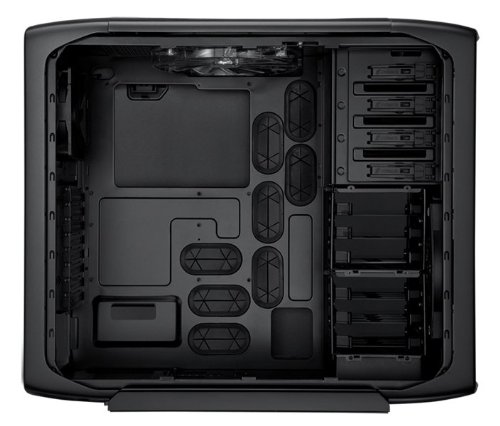
Cooler Master HAF-X

NZXT also has some cases that would fit the bill:
http://www.newegg.com/Product/Produ...Category=7&Manufactory=2120&SpeTabStoreType=1
Complex Shadow
Cudi Lame
guys i need help i have a new computer with which is 64 bit and my old computer which is 32 bit. can i take the hardrive from my old computer(x86) and hook it up to my new computer(x64)?
I think I've fixed it. Must've been something with my CPUs economy/enviro settings, I've set it to high performance (Turbo) and the crackling seems to be gone.
Yeah I thought it had something to do with bad shielding...

Thanks for the help guys!
It's not the headphones or the speakers, I've checked, they work perfectly with my other computer.MoFuzz said:It might be the headphones/speakers that you are using or the cables attached to it. Have you tried swapping them out for a different pair/set?
It could also be the output on the motherboard/tower is not properly shielded, do you have another jack you can try elsewhere on the PC?
Yeah I thought it had something to do with bad shielding...
...great point. I'll try this and see if it helps. I really would like to pin point this problem even if it seems to be fixed. And no, not like the crackling you get with interference, it's more like skipping but it's really fast so it sounds like crackleShambles said:By crackling do you mean the type of static you hear from interference? I have the same problem with my computer despite wether I go through the mobo, sound card, or routing it through either to the front header. I've replaced the header as well and still have the problem. I can only guess that there is improper insulation as the post above states. I would assume it's the motherboard or possibly the GPU. Having the issue with an external sound card is odd though. Try moving the external sound card around while listening and see if it affects the static. By moving the cord to the front header in my case I was able to determine that the closer to the motherboard/CPU, the worse the static got. My webcam doesn't get audio interference over the mic but I'm sure it would as well if i placed it closer to the case.
Thanks for the help guys!
Mr Nightman
Banned
Should be fine, what type of hardware you wanting to use?shadowcomplex said:guys i need help i have a new computer with which is 64 bit and my old computer which is 32 bit. can i take the hardrive from my old computer(x86) and hook it up to my new computer(x64)?
Complex Shadow
Cudi Lame
Well it's not the hardware that worries me but it's an i5 with 4 gigs. It's just that my old hardrive was screwing up and I got a new bigger one and I thougt i would start using 64 bit. I never knew you could emulate 32 on a 64 :lolMr Nightman said:Should be fine, what type of hardware you wanting to use?
Sorry for all the spelling mistakes. Using my phone. ATM.
Mr Nightman
Banned
Well pretty much in this day and age, all cpu's are actually 64 bit. Were you just worried your hardware wouldn't be compatible or what? I am sorry, just a bit lost with what your concern isshadowcomplex said:Well it's not the hardware that worries me but it's an i5 with 4 gigs. It's just that my old hardrive was screwing up and I got a new bigger one and I thougt i would start using 64 bit. I never knew you could emulate 32 on a 64 :lol
Sorry for all the spelling mistakes. Using my phone. ATM.
pancakesandsex
Member
Hazaro said:I just mentioned the 1TB drive since I saw you had a 640GB on there. No point in not getting a 1TB drive. Faster, same price, more storage.
SATA III vs II will be 0 difference unless you are at the highest of current SSD's (See: C300)
Thanks, I'll bump that back down to a sata II and save a few bucks.
How do you feel about seagate? I've had pretty decent luck with them in general.
Looking at this one: http://www.newegg.com/Product/Product.aspx?Item=N82E16822148433 Same price as the other one but the seek time is half the F3 you suggested. Assuming they have substituted "latency" for seek time.
Also this guy if I wanna go a bit smaller:
http://www.newegg.com/Product/Product.aspx?Item=N82E16822148395
MyOtherBike
Member
Kaako said:Ok guys, regarding my framerate problem hahaha. I tried everything and saw no luck. Seemed like every single damn game was locked @ 30fps or below. So I went in CCC again and saw that my dumbass forgot to set things back to default after I had fiddled with all the AA options. I had cranked up all the AA options and what not to max. :lol
I set back to default and viola. All titles now run like they should on my 6870. I also cranked up gpu clocks to 950MHZ and 1095MHZ (memory). Temp right now is 54 Celsius. I could probably crank it higher but I'm very satisfied as it is already. Thank you guys for all the help. Lesson learned.
Thanks for posting how the issue was solved. It sounds EXACTLY like the kind of problem I would gotten myself into and not be able to resolve it.
Now my question: I'm getting a Zotac AMP GTX 480 for the Holidays. It's replacing a gtx 285. I have a 750w psu and a i7 920 2.66 processor. Is there anything I'm going to need or do when I get the new card?
If they are both nVidia cards, do I even need to bother doing a driver wipe?
Complex Shadow
Cudi Lame
Yea I found that put when I was like 16. But I used some important 32bit only software. I thought i couldn't install it on a 64 bit machine.Mr Nightman said:Well pretty much in this day and age, all cpu's are actually 64 bit. Were you just worried your hardware wouldn't be compatible or what? I am sorry, just a bit lost with what your concern is
Mr Nightman
Banned
Ok now with programs I am not too sure, want to say a 32bit program won't work on 64, but I am clueless on it. Any other gaffers have some truth to share? :lolshadowcomplex said:Yea I found that put when I was like 16. But I used some important 32bit only software. I thought i couldn't install it on a 64 bit machine.
Seagate is fine but the F3 is the best drive for the money right now. Listed seek/latency for HDD is BS.pancakesandsex said:Thanks, I'll bump that back down to a sata II and save a few bucks.
How do you feel about seagate? I've had pretty decent luck with them in general.
Looking at this one: http://www.newegg.com/Product/Product.aspx?Item=N82E16822148433 Same price as the other one but the seek time is half the F3 you suggested. Assuming they have substituted "latency" for seek time.
Also this guy if I wanna go a bit smaller:
http://www.newegg.com/Product/Product.aspx?Item=N82E16822148395
Most are 8-12ms http://techreport.com/r.x/seagate-barracuda-720012/hdtach-access.gif
*a 64bit OS has both 64bit and 32bit stuff so you are fine. Win7 has tw folders for that stuff.
I'm not an OS person though.
You fine by a long shot. It'll add about 60W under load.MyOtherBike said:Now my question: I'm getting a Zotac AMP GTX 480 for the Holidays. It's replacing a gtx 285. I have a 750w psu and a i7 920 2.66 processor. Is there anything I'm going to need or do when I get the new card?
If they are both nVidia cards, do I even need to bother doing a driver wipe?
Reinstalling is never a bad idea imo.
Yup no prob. I felt so stupid but 10x more relieved knowing that it was a user mistake and not the hardware/software's fault. Regarding your questions, your psu is definitely more than enough for that gpu. I know the 480s are somewhat power hungry but you won't need to worry about that unless you plan on SLI.MyOtherBike said:Thanks for posting how the issue was solved. It sounds EXACTLY like the kind of problem I would gotten myself into and not be able to resolve it.
Now my question: I'm getting a Zotac AMP GTX 480 for the Holidays. It's replacing a gtx 285. I have a 750w psu and a i7 920 2.66 processor. Is there anything I'm going to need or do when I get the new card?
If they are both nVidia cards, do I even need to bother doing a driver wipe?
I'd probably just get the newest drivers for the 480 after I've installed the card. If it works properly, I'd leave it alone. If it doesn't then I'd go for the full driver sweep and driver re-install. *awaits pc-gaf to correct me if I'm wrong*
Complex Shadow
Cudi Lame
Oh god i am screwed??Mr Nightman said:Ok now with programs I am not too sure, want to say a 32bit program won't work on 64, but I am clueless on it. Any other gaffers have some truth to share? :lol
MrBelmontvedere
Member
Mr Nightman said:Ok now with programs I am not too sure, want to say a 32bit program won't work on 64, but I am clueless on it. Any other gaffers have some truth to share? :lol
it depends on the OS you're using. Windows provides backwards compatibility one step back, so 64-bit Windows is compatible with 32-bit programs.