• Hey Guest. Check out your NeoGAF Wrapped 2025 results here!

"I need a new PC!" 2010 Edition

Felix Lighter said:
Damn, I shouldn't have watched that video. The SSD I just bought will only disappoint now, though I could never justify that price.


Which ssd did you get. My c300 launches WMC and boots just as fast as the video there. I think perhaps theres some diminishing returns on these read speeds. I boot up with FF Outlook MWB Peerblock etc and dont have any wait time either, however I cant TOUCH 600 fucking meg reads that shit was insane. But dont be surprised if you get great responsiveness similar to what was shown their on your current ssd.
 
Anyone have a decent reference design for a reasonable workhorse computer?

Gaming is not a priority ... at all. It will be for various productivity type uses - development, music and art production, ripping, etc. The development would benefit from virtual machines, so multiple processors and lots of RAM makes sense. Also multiple monitors would be helpful. 2 at least, but 3 would be nice.
 
Ashhong said:
Damn that is ice cold :lol Although I can't say that I wouldn't do the same given the opportunity....but I would definitely feel bad about it!

I do trust me I do. But his purchase funds my purchase for my computer so in the end it evens out? :lol
 
Metalic Sand said:
How the hell did you pull that off?

Edit: Ohh its a mac version?
The guy bought it since it's cheaper than buying it from Apple...but didn't realize he could buy it for cheaper on ebay for what, 50$? :lol

Almost makes me want to get an 8800 and have a go haha
 
Not sure if this is the best thread to ask in but I dont know of any others:

When using FRAPs, do some games tend to work better with it than others? I can take screengrabs on Borderlands and its completely seamless...you wouldnt even know that Im taking screens. In Tomb Raider Underworld, however, Im getting a quick 1 second pause with every screengrab. Is this normal? Its the first time Im seeing it happen with FRAPs.

And for reference, FRAPS is installed on my SSD (C:). Tomb Raider is installed on D: and my screengrab folder is on G:.
 
squatingyeti said:
So, any opinions from anyone on choosing between the GTX 460 1GB and the HD6850? They both look like a nice option for me.
I'd go with the 460 myself. Overclock the crap out of it too.
Salaadin said:
Not sure if this is the best thread to ask in but I dont know of any others:

When using FRAPs, do some games tend to work better with it than others? I can take screengrabs on Borderlands and its completely seamless...you wouldnt even know that Im taking screens. In Tomb Raider Underworld, however, Im getting a quick 1 second pause with every screengrab. Is this normal? Its the first time Im seeing it happen with FRAPs.

And for reference, FRAPS is installed on my SSD (C:). Tomb Raider is installed on D: and my screengrab folder is on G:.
Is F5 also quick save? Try using png or bmp capture as well.
 
squatingyeti said:
So, any opinions from anyone on choosing between the GTX 460 1GB and the HD6850? They both look like a nice option for me.

It's a toss up. Personally, I prefer NVidia for greater backwards compatibility with OpenGL titles, and generally better driver support (though they've gotten worse recently).

Both cards are roughly the same speed, depending on the game, with the 6850 being a percent or two faster. They both also overclock by about 30% assuming proper cooling. 6850 uses a bit less power.

Either way, I'd go Gigabyte/Asus/MSI with one of their non-reference coolers, as they will run much cooler and quieter than the stock coolers.
 
TheExodu5 said:
It's a toss up. Personally, I prefer NVidia for greater backwards compatibility with OpenGL titles, and generally better driver support (though they've gotten worse recently).

Both cards are roughly the same speed, depending on the game, with the 6850 being a percent or two faster. They both also overclock by about 30% assuming proper cooling. 6850 uses a bit less power.
460 will net you 15-25%, the 6850 about the same.
6850 about 10W less on load. Keep in mind an overclocked 460 will eat more power the faster it is of course.
 
Puncture said:
Which ssd did you get. My c300 launches WMC and boots just as fast as the video there. I think perhaps theres some diminishing returns on these read speeds. I boot up with FF Outlook MWB Peerblock etc and dont have any wait time either, however I cant TOUCH 600 fucking meg reads that shit was insane. But dont be surprised if you get great responsiveness similar to what was shown their on your current ssd.

I went with the OCZ Agility 2 120 GB . I don't think it performs quite as well as the C300 but it was $189 after mail in rebate, which I thought was a decent enough deal.

It just shipped out of NJ, should be here tomorrow or Wednesday.
 
Hazaro said:
460 will net you 15-25%, the 6850 about the same.
6850 about 10W less on load. Keep in mind an overclocked 460 will eat more power the faster it is of course.

Same with the 6850, as they both require volt modding to reach those overclocks.
 
Hazaro said:
Is F5 also quick save? Try using png or bmp capture as well.


I have my screenshot hotkey set to Prt Scr. I also tried bmp and png...same issue.

EDIT: You got me thinking....maybe it was Prt Scr doing it and not FRAPs. I changed the hotkey and that was it. Problem solved. Thanks :D
 
Felix Lighter said:
I went with the OCZ Agility 2 120 GB . I don't think it performs quite as well as the C300 but it was $189 after mail in rebate, which I thought was a decent enough deal.

It just shipped out of NJ, should be here tomorrow or Wednesday.
you'd get roughly the same performance by buying multiple SSDs and running them in RAID. i don't think that performance is beyond the capabilities of SATA(2?)
 
Temps within windows are reporting 22C which is more in line with what I expect. I'll have to compare to BIOS readings again.

I notice that I can't control the voltage of the GTX 460 with MSI Afterburner. I know the card can do it because I was messing with it in my personal rig. Why would I not be able to tweak GPU voltage on a different MB/CPU?

:lol Edit: Nevermind it's an option in the settings. I guess the other version I downloaded started with it enabled.
 
Ok here's a new thing. After trying to unlock the 4th core during boot I get a written error saying "The current CPU can't use ASUS Core Unlocker!" as if it's not even trying. If I'm right a failed unlock shows in a failed boot or system instability, not as a written error during POST right? Google is just spewing me chinese and russian sites for this :S
 
Hey, PC-GAF. It's been about 2 years and change since my last desktop, and recent struggles getting Black Ops to play nicely with my system (plus some good BF deals) have me itching to begin the upgrade process. So far, I've acquired the following:

Corsair 750w PSU
8GB G.Skill DDR3 1600 RAM (4x2GB, more on why later)
EVGA NVIDIA 470 GTX OC
1.5 TB Seagate Barracuda HDD @ 7200 RPM
Leftover Antec 900 case
Leftover Tuniq 120 CPU fan

Now, I was originally going to hop on the i5-760 bandwagon with this build, but NewEgg ran out of their awesome $175 deal on the chip, so I decided to hold off. Basically, my thoughts were like this:

1. Go i5 build and plan to overclock. Save money on not going X58 and use it to get a SSD boot drive or potentially put it towards an early investment in another 470 GTX (only running at x8 on P55 is a bummer, but not terrible). Use all 8GB of RAM, which is what Tom's recommends now.

2. Future-proof a bit and go X58. Ensure full SLI support if/when I buy another 470 down the line. Use 6GB of the 8GB RAM. Maybe splurge and still get that SSD, but not as likely.

From what I've read the 750w Corsair will be enough for two 470s, if only just. However, I've really put the brakes on this decision because I wanted to know what the consensus was on Sandy Bridge. Obviously, only the K line would be of interest to me as a builder (can't imagine building a machine for myself and not OCing it), but is it really worth the added cost of the parts?

For the record, I currently game on a 1680 resolution monitor (will upgrade soon to 1080p, but not higher), and ideally want to keep my costs below $1500 or so at the absolute high end.

Thoughts?
 
Hey PC-GAF, just installed and started playing Metro 2033 on my new rig (yay Steam sales :D )

This is the first game I have played that I haven't been able to just set all my settings to maximum and go at 60 fps no problem! Kind of cool actually, seeing a game actually push my system (GTX 460 1G, Core i5 760, 4G ram) :D

I just thought I would post it here, since it seems the Metro 2033 thread doesn't get a lot of action...

I am able to run the game at 60 fps (45 ish in larger firefights) with these settings... seem normal?

1920 x 1080
Normal
DX11
AAA
AF16X

That seem about right to you all? The game runs and looks great, I was just wondering if there is maybe another configuration that would be better, i just quickly set these up.
 
The GTX 570 is supposedly going to be released December 7 to coincide with World of Warcraft: Cataclysm

http://www.sweclockers.com/nyhet/13132-geforce-gtx-570-samma-dag-som-cataclysm

2hpt44m.png
 
So im back here and want to thank everyone for their help! I've been working like crazy lately so i havent kept up with this thread much over the past week or so, but black friday netted me great deals on items i've already had in my cart on newegg. The wait was worth it.

Whats a great keyboard to get to compliment a great gaming setup. I dont want anything too flashy or expensive, I just want a comfortable and quiet keyboard, doesnt have to be too cheap either. Anyway recommendations? I also didnt dare to miss out on the logitech 518 Mouse :)
 
Okay, so I keep going back and forth on this. I'd like to get a BD-ROM drive in order to watch Blu Ray movies on my desktop, but I'm having trouble deciding which one to get. I've narrowed it down to the following:

LITE-ON Black 4X Blu-ray Reader SATA Model iHOS104-06 - OEM - 49.99

LITE-ON Black 4X Blu-ray Disc Reader SATA Model iHOS104-08 - 64.99

SAMSUNG Black Blu-ray Combo Drive - Bulk SATA Model SH-B083L/BSBP LightScribe Support - OEM - 69.00

Anyone have any longer-term experience with any of these drives? Also, anything I should watch out for or is it as easy as connected it and turning on the computer? I'm running Windows 7 Home Premium 64bit, FWIW.

Thanks in advance.

Edit: Now looking at this one as well: http://www.tigerdirect.com/applications/searchtools/item-details.asp?EdpNo=5611949
 
Well I got my gtx 460 today, only to find it made my system blue screen during windows start up. THe bluescreen error mentions that my mobo is not acpi compliant. Put my old card back in and it went away. Any ideas what it could be?
 
crisdecuba said:
Okay, so I keep going back and forth on this. I'd like to get a BD-ROM drive in order to watch Blu Ray movies on my desktop
Also, anything I should watch out for or is it as easy as connected it and turning on the computer? I'm running Windows 7 Home Premium 64bit, FWIW.
Make sure whatever drive you buy comes with software--there is not yet any free software (no, not even Windows Media Center) that will play back Blu-ray discs.
 
My SSD should be arriving today and I was wondering what games would make sense to install on the drive? It's 120 GB, so there should be room for a handful on top of the OS but space is obviously precious.
 
·feist· said:
The GTX 570 is supposedly going to be released December 7 to coincide with World of Warcraft: Cataclysm

http://www.sweclockers.com/nyhet/13132-geforce-gtx-570-samma-dag-som-cataclysm

2hpt44m.png

Specs looks great but will come down to price.

Mr Nightman said:
Well I got my gtx 460 today, only to find it made my system blue screen during windows start up. THe bluescreen error mentions that my mobo is not acpi compliant. Put my old card back in and it went away. Any ideas what it could be?

Did you get a SSD too? that error is not for your gpu, its to do with Sata drivers.
 
posted this in the WoW thread, figured I'd post here.

(probably) stupid tech question: So when viewing my system's detailed specs I saw this:

Total available graphics memory 1791mb
Dedicated graphics memory 512mb
Shared system memory 1279mb

Now is there anyway to allocate the shared system memory into graphics to improve performance, or will this screw with other things? I assume this would be changed in the BIOS, but I'm not sure if I'm talking nonsense here or if this is something I should just leave alone
 
Wow it's been awhile since i built my last computer and wow was it a chore :O, especially wondering if i installed the Hyper 212+ incorrectly. Still waiting on the 460 GTX to arrive
 
d[-_-]b said:
Wow it's been awhile since i built my last computer and wow was it a chore :O, especially wondering if i installed the Hyper 212+ incorrectly. Still waiting on the 460 GTX to arrive

Installing my heat sink was by far the worst part of building my PC. I can't believe I didn't smash my screw driver through the motherboard or crush the CPU.
 
Felix Lighter said:
Installing my heat sink was by far the worst part of building my PC. I can't believe I didn't smash my screw driver through the motherboard or crush the CPU.
I was worried that i was doing it wrong because the screw placement had to be adjusted for the Hyper 212+, how tight should the screws be was another problem.
 
Memory Question for the Group:

I got a nForce 780i Motherboard and am looking to do a very needed upgrade from 2G of RAM to 4G. My board will only do DDR2-800 at max, so I've been perusing Newegg for some options and here is what I've found:

Corsair
Adata
Kingston
G.Skill
Crucial

Now, I know for the most part memory is memory, but a big delineator for me is the company with regards to overall quality and support. So, thoughts on these particular options or opinions on the particular companies? Price is ranging from ~$90 with Kingston down to ~$60 with Adata or G.Skill, so price is only a factor in saving a little bit of money. Thanks!

EDIT: Similar to ZZMitch, I got Metro and am unhappy playing at anything under Very High and I'm getting alot of slowdown on High (at 1680X1050, AF16, and AAA). With a Q9850 OCed to 3.0g and a GTX 275, I'm usually killing just about anything so, I'm thinking it has to be that puny 2 gigs of RAM I've got. Been meaning to replace it, but Metro did the public service of moving it to the front burner.
 
Felix Lighter said:
Installing my heat sink was by far the worst part of building my PC. I can't believe I didn't smash my screw driver through the motherboard or crush the CPU.

The Scythe Shuriken on a AM2+ mobo was surprisingly easy. No pressing on top of the motherboard, only on the sides of the brackers. Completely tool-less also, but not with those messy push-pins the 775 has.
 
Sanjay said:
Specs looks great but will come down to price.


Did you get a SSD too? that error is not for your gpu, its to do with Sata drivers.
No just installed the new card, have a 320gb WD HDD with windows 7 Professional installed
 
Mr Nightman said:
No just installed the new card, have a 320gb WD HDD with windows 7 Professional installed

Is it an ASUS mobo? Just doing some searching on the topic makes it sound like there is some kind of known problem between that line of cards and some ASUS boards. Maybe resolved in a BIOS update.
 
Wallach said:
Is it an ASUS mobo? Just doing some searching on the topic makes it sound like there is some kind of known problem between that line of cards and some ASUS boards. Maybe resolved in a BIOS update.
Its an Asrock motherboard. Just wierd since I could boot into ubnuntu just fine with the gtx 460, but trying windows would give me the blue screen with that error
 
So I ended up ordering that Intel SSD that was on sale and I should be getting it in the next couple of days.

Before I install it I'd like to clarify a few things. Anyone have any tips or links to guides on how to best optimize Windows for the SSD? I've found a couple of things searching on google, but I appreciate GAF's advice on this <3

When it comes to games is there some sort of "rule" to go by as far as what kind of games that would benefit from installing on the SSD vs games that would not have any negligible gain (I heard MMOs are better on the SSD.)

I currently have 2 1TB F3s in my desktop... After I reinstall windows onto the SSD would it be beneficial to put these 2 HDs in some sort of RAID 0(?) setup?

Any other input or tips from people who know the best way to run your system with an SSD is highly appreciated
 
Eiji said:
Ok, I want to replace my current E4500 @ 3.3GHz + 8800GT setup with the following:

i7 860 - OC'd to 4GHz
Asus Sabretooth 55i Socket 1156 Mobo
Cooler Master Hyper 212 Plus HSF
G.Skill Eco Series 4GB (2x2GB) DDR3 PC3-12800C7 1600MHz Dual Channel Kit
Gigabyte ATI Radeon HD 5850 1GB
Corsair 650W PSU


So, what do you think?

The rest of the components will be re-used from my old-ish PC though I do want to replace the case with a nice black aluminium case. Any recommendations?

I currently have an aluminium silver CoolerMaster Cavalier case but now everything else like monitor, keyboard, mouse and speakers are black:

http://www.coolermaster.com/product.php?product_id=71

I'm thinking of buying the parts in January after the release of Sandy Bridge and the new Radeon HD 6xxx series for price drops on the older range :D

?
 
edit: the Cooler Master Cavalier only has an aluminum front, the chassis is steel. Lian-Li is all aluminum, which means it's lighter. Personally though, I find their aluminum too thin and flimsy, although they are a very respectable case manufacturer.

edit2: is there a reason you want aluminum? Not saying that's bad...just want to make sure you're not confusing aluminum with steel. :P

Looks good.

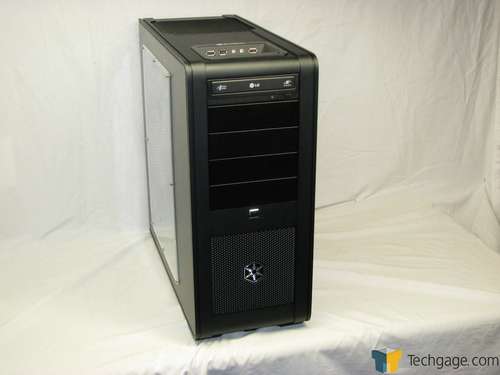
As for the case, your choices are going to be Silverstone or Lian-Li.

The Silverstone FT02 is quite popular. It's a mix of steel and aluminum. What sets it apart is the fact that the motherboard is rotated 90 degrees. As such, it's probably the best air cooling case on the market. Now, personally, I prefer the interior aesthetics of a regular case, but everyone has their own taste.

ft02_inst1.jpg


silverstone_ft02_forums.jpg


I quite like the look of the older FT01:

silverstone_ft01_01_thumb.jpg


Sadly, it's an older case which means it's a little behind the curve in terms of design (not the best cable management, no cpu cutout:

Case_Silverstone_Fortress01_Full.jpg
 
How do you guys go about dust management? I have intake screens on all fans and on the powersupply, but dust is still a bitch. How much do you crack open the case and compress air everything? How do you handle dust in the power supply?
 
I'm building my first computer and now I'm stuck. While installing the video card, only one side snaps all the way down while the other side (with the display outputs) do not. Is this normal?
 
That Silverstone case is pretty interesting. Makes me wonder why someone didn't think of rotating all that stuff 90 degrees long before now. I got so interested I had to go do some looking at those cases (and others by Silverstone) on Newegg and Amazon and although I really like what I see I don't know if I could justify spending $200-$250 on just a case.
 
Le-mo said:
I'm building my first computer and now I'm stuck. While installing the video card, only one side snaps all the way down while the other side (with the display outputs) do not. Is this normal?
I'm not sure what you are saying, buy you should have the PCI slot cover parts (silver end) alligned with the PCI-E slot and it should just press into it easily.
 
Hazaro said:
I'm not sure what you are saying, buy you should have the PCI slot cover parts (silver end) alligned with the PCI-E slot and it should just press into it easily.
It does press in, but not all the way. While the other end pressed in all the way.
 
Le-mo said:
It does press in, but not all the way. While the other end pressed in all the way.
So 1 of the silver metal PCI slot covers slots in, but the other doesn't?
Bend it to fit then (METAL PART, not the gold contacts). Is there a screw in the way?

As long as your card sits (and locks) into the PCI-E slot you are fine. It's easier to do when the motherboard is facing up as well.
 
TheExodu5 said:
Man, I really want Antec to release an updated version to the P193. Black interior and perpendicular drive bays, please!

I love my P193. I just wish i knew about the need for a lower height cpu cooler before buying it. I had to take the giant fan off just to fit the side panel on. With my next build i will know better, I intend to keep this case for as long as possible.
 
Hazaro said:
So 1 of the silver metal PCI slot covers slots in, but the other doesn't?
Bend it to fit then (METAL PART, not the gold contacts). Is there a screw in the way?

As long as your card sits (and locks) into the PCI-E slot you are fine. It's easier to do when the motherboard is facing up as well.
I think I got it. It won't matter if its slightly not aligned perfectly right? The motherboard and video card each came with a CD do I need to install the CD's? If I do, do I do it after I install Windows or before?
 
Le-mo said:
I think I got it. It won't matter if its slightly not aligned perfectly right? The motherboard and video card each came with a CD do I need to install the CD's? If I do, do I do it after I install Windows or before?
You might have 1-4mm of sway. Usually I use a case screw and tighten the card into the case. As long as the card is clicked in you are fine.

Before you boot it up, manually trace all power connections and make sure they are plugged into snugly.
http://vimeo.com/5685229
Watch that as well to make sure you covered everything.

Make sure your 20+4 pin mobo is plugged in. MAKE SURE YOUR OTHER 2x2 power connector is attached to the motherboard (usually near CPU socket), and make sure your GPU is plugged in as well. Last thing is to make sure the power / Reset switches are in right.

*Computer needs an OS to do stuff, so Windows install -> install motherboard drivers on CD -> download GPU drivers from website
 
Top Bottom