
Metalic Sand
who is Emo-Beas?
Angelus Errare said:And I sold my old 8800GT (G92) for $220 today
How the hell did you pull that off?
Edit: Ohh its a mac version?
Angelus Errare said:And I sold my old 8800GT (G92) for $220 today
Felix Lighter said:Damn, I shouldn't have watched that video. The SSD I just bought will only disappoint now, though I could never justify that price.
Ashhong said:Damn that is ice cold :lol Although I can't say that I wouldn't do the same given the opportunity....but I would definitely feel bad about it!
Metalic Sand said:How the hell did you pull that off?
Edit: Ohh its a mac version?
Hazaro said:!
GTX 460 1GB / HD6850. Yes. Best value is a GTX 460 768MB ~$120-$130
 . Tomb Raider is installed on D: and my screengrab folder is on G:.
I'd go with the 460 myself. Overclock the crap out of it too.squatingyeti said:So, any opinions from anyone on choosing between the GTX 460 1GB and the HD6850? They both look like a nice option for me.
Is F5 also quick save? Try using png or bmp capture as well.Salaadin said:Not sure if this is the best thread to ask in but I dont know of any others:
When using FRAPs, do some games tend to work better with it than others? I can take screengrabs on Borderlands and its completely seamless...you wouldnt even know that Im taking screens. In Tomb Raider Underworld, however, Im getting a quick 1 second pause with every screengrab. Is this normal? Its the first time Im seeing it happen with FRAPs.
And for reference, FRAPS is installed on my SSD (C
squatingyeti said:So, any opinions from anyone on choosing between the GTX 460 1GB and the HD6850? They both look like a nice option for me.
460 will net you 15-25%, the 6850 about the same.TheExodu5 said:It's a toss up. Personally, I prefer NVidia for greater backwards compatibility with OpenGL titles, and generally better driver support (though they've gotten worse recently).
Both cards are roughly the same speed, depending on the game, with the 6850 being a percent or two faster. They both also overclock by about 30% assuming proper cooling. 6850 uses a bit less power.
Puncture said:Which ssd did you get. My c300 launches WMC and boots just as fast as the video there. I think perhaps theres some diminishing returns on these read speeds. I boot up with FF Outlook MWB Peerblock etc and dont have any wait time either, however I cant TOUCH 600 fucking meg reads that shit was insane. But dont be surprised if you get great responsiveness similar to what was shown their on your current ssd.
Hazaro said:460 will net you 15-25%, the 6850 about the same.
6850 about 10W less on load. Keep in mind an overclocked 460 will eat more power the faster it is of course.
Hazaro said:460 will net you 15-25%, the 6850 about the same.
6850 about 10W less on load. Keep in mind an overclocked 460 will eat more power the faster it is of course.
Hazaro said:Is F5 also quick save? Try using png or bmp capture as well.
you'd get roughly the same performance by buying multiple SSDs and running them in RAID. i don't think that performance is beyond the capabilities of SATA(2?)Felix Lighter said:I went with the OCZ Agility 2 120 GB . I don't think it performs quite as well as the C300 but it was $189 after mail in rebate, which I thought was a decent enough deal.
It just shipped out of NJ, should be here tomorrow or Wednesday.
) 
crisdecuba said:Okay, so I keep going back and forth on this. I'd like to get a BD-ROM drive in order to watch Blu Ray movies on my desktop
Make sure whatever drive you buy comes with software--there is not yet any free software (no, not even Windows Media Center) that will play back Blu-ray discs.Also, anything I should watch out for or is it as easy as connected it and turning on the computer? I'm running Windows 7 Home Premium 64bit, FWIW.
·feist· said:The GTX 570 is supposedly going to be released December 7 to coincide with World of Warcraft: Cataclysm
http://www.sweclockers.com/nyhet/13132-geforce-gtx-570-samma-dag-som-cataclysm
Mr Nightman said:Well I got my gtx 460 today, only to find it made my system blue screen during windows start up. THe bluescreen error mentions that my mobo is not acpi compliant. Put my old card back in and it went away. Any ideas what it could be?
d[-_-]b said:Wow it's been awhile since i built my last computer and wow was it a chore :O, especially wondering if i installed the Hyper 212+ incorrectly. Still waiting on the 460 GTX to arrive
I was worried that i was doing it wrong because the screw placement had to be adjusted for the Hyper 212+, how tight should the screws be was another problem.Felix Lighter said:Installing my heat sink was by far the worst part of building my PC. I can't believe I didn't smash my screw driver through the motherboard or crush the CPU.
Felix Lighter said:Installing my heat sink was by far the worst part of building my PC. I can't believe I didn't smash my screw driver through the motherboard or crush the CPU.
No just installed the new card, have a 320gb WD HDD with windows 7 Professional installedSanjay said:Specs looks great but will come down to price.
Did you get a SSD too? that error is not for your gpu, its to do with Sata drivers.
Mr Nightman said:No just installed the new card, have a 320gb WD HDD with windows 7 Professional installed
Its an Asrock motherboard. Just wierd since I could boot into ubnuntu just fine with the gtx 460, but trying windows would give me the blue screen with that errorWallach said:Is it an ASUS mobo? Just doing some searching on the topic makes it sound like there is some kind of known problem between that line of cards and some ASUS boards. Maybe resolved in a BIOS update.
Eiji said:Ok, I want to replace my current E4500 @ 3.3GHz + 8800GT setup with the following:
i7 860 - OC'd to 4GHz
Asus Sabretooth 55i Socket 1156 Mobo
Cooler Master Hyper 212 Plus HSF
G.Skill Eco Series 4GB (2x2GB) DDR3 PC3-12800C7 1600MHz Dual Channel Kit
Gigabyte ATI Radeon HD 5850 1GB
Corsair 650W PSU
So, what do you think?
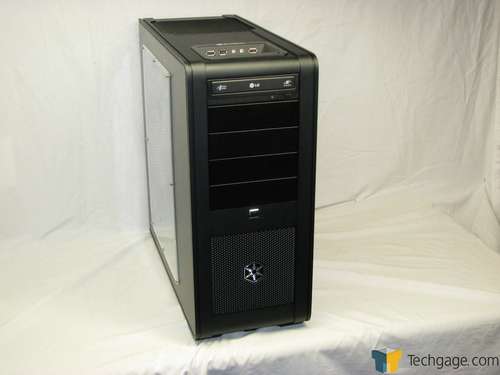
The rest of the components will be re-used from my old-ish PC though I do want to replace the case with a nice black aluminium case. Any recommendations?
I currently have an aluminium silver CoolerMaster Cavalier case but now everything else like monitor, keyboard, mouse and speakers are black:
http://www.coolermaster.com/product.php?product_id=71
I'm thinking of buying the parts in January after the release of Sandy Bridge and the new Radeon HD 6xxx series for price drops on the older range



I'm not sure what you are saying, buy you should have the PCI slot cover parts (silver end) alligned with the PCI-E slot and it should just press into it easily.Le-mo said:I'm building my first computer and now I'm stuck. While installing the video card, only one side snaps all the way down while the other side (with the display outputs) do not. Is this normal?
It does press in, but not all the way. While the other end pressed in all the way.Hazaro said:I'm not sure what you are saying, buy you should have the PCI slot cover parts (silver end) alligned with the PCI-E slot and it should just press into it easily.
So 1 of the silver metal PCI slot covers slots in, but the other doesn't?Le-mo said:It does press in, but not all the way. While the other end pressed in all the way.
TheExodu5 said:Man, I really want Antec to release an updated version to the P193. Black interior and perpendicular drive bays, please!
I think I got it. It won't matter if its slightly not aligned perfectly right? The motherboard and video card each came with a CD do I need to install the CD's? If I do, do I do it after I install Windows or before?Hazaro said:So 1 of the silver metal PCI slot covers slots in, but the other doesn't?
Bend it to fit then (METAL PART, not the gold contacts). Is there a screw in the way?
As long as your card sits (and locks) into the PCI-E slot you are fine. It's easier to do when the motherboard is facing up as well.
You might have 1-4mm of sway. Usually I use a case screw and tighten the card into the case. As long as the card is clicked in you are fine.Le-mo said:I think I got it. It won't matter if its slightly not aligned perfectly right? The motherboard and video card each came with a CD do I need to install the CD's? If I do, do I do it after I install Windows or before?