• Hey Guest. Check out your NeoGAF Wrapped 2025 results here!

"I need a new PC!" 2010 Edition

power supply is a Delta Electronics? Model # DPS-400RB A. Can't seem to find a power switch on it...


edit: The machine I'm working with is a Gateway FX7026. Bought it a couple years ago. Thought this would do the trick, but I'm kind of thinking I should have just started building something from scratch.
 
Vik_Vaughn said:
Yep, that's it. What's the worst that can happen here? Can I ruin any of this stuff?

Naw. Even if it crashes, no permanent damage will be done. There will just be errors because it can't draw enough power to do everything. 400W MIGHT(HUGE might) allow it to run some, but you want at least 500-600W.
 
Thanks a bunch for the help, guys. I actually ended up with a functioning computer after all this which I'm extremely happy about.

Ok, so an update. I fired it all up, installed the driver on the disk it came with, and fired up Just Cause 2 after I rebooted and everything. Left the settings the way they were for my 8800, and just upped the resolution to 1920X1200. Ran smooth as butter. Played for a bit, then decided to go back and tweak some stuff. I ended up just hitting 'optimal settings' and it raised a bunch of stuff to Very High, which I was quite pleased with. Went back to the game, it ran for a couple seconds, then my PC shut off :lol. Guess I'll be needing that power supply. So, now that you know my rig, can anyone recommend a good power supply? Thanks again.
 
I figured this might be as good of a thread as any...one good thing about not having heat on in my apartment is that my 5850 is running 32C idle right now, and my CPU is 39C. :lol

Regarding maxing Crysis, I think CPU can be a bottleneck, so you need to compare those too.
 
I'm soooo fucked. >_<
I got infected with the new 64bit version of tidserv rootkit malware, and now I'm stuck in an infinite loop of blu screens. Malwarebytes reported a positive on a file I had just downloaded (it was part of a language pack for Sam&Max Hit the Road -Lucas Art's game- which I owned original since forever -but in english- and, fuck me, I wanted my Dad to enjoy it too)... since I'm motherfucking dumb I didn't pay attention enough while multitasking and I hit "ignore" instead of "remove".. and here I am now, pc got blue screen'ed and rebooted again and again with blu screens.
_original

Safe mode wouldn't boot as well, and trying to do system restore was failing as well.
I managed to get it with Malwarebytes in safe mode after doing a System restore (default, called by the safe mode itself, since trying it myself with previous restoration points always failed). If I switch off the pc and reobot I/m once again stuck and I can't get even into safe mode, unless I do that system restoration called by the os while loading.

Again, Malwarebytes got it in quarantine in safe mode, but it doesn't help since it keeps doing its dirty job.
I'm scared to definitely delete rootkit.tdss since you can do a lot of damage and render the os unbootable by doing the wrong thing.

I have read a lot on the past hour but most of the best ones are related to the 32bit version and about the Windows Update which revealed, back then, how many and many systems were infected (WU also got the blame at first, but it wasn't the case in the end).
The 64 bit version's even worse since it infects the Master Boot Record.

It seems some people suggest to use Hitman Pro as the safest and most reliable way to remove the fucker.

Any idea?
Please? -__-

P.S.
Sorry to hijack the thread with this post, but I'm kinda desperate at the moment and, since you guys (Hazaro first and foremost, then Stallion, Stew and some others as well) helped me to get together the new pc a few months ago and I can't find a more appropriate thread on GAF... I trust you guys better.

 
Rezbit said:
Thanks for the help (and reassurances!) team. One last question before I order, just looking at the P55 motherboards - was going to go with this Asus one for $116AU, but I then saw this ASRock one for $109AU, which seems to have more features but I'm not really knowledgeable on them. I've also never heard of ASRock. Should I stick with the ASUS?
ASRock P55PRO-USB3 is fine. Cheaper and has USB 3. They've been around a long time.
Vik_Vaughn said:
Thanks a bunch for the help, guys. I actually ended up with a functioning computer after all this which I'm extremely happy about.

Ok, so an update. I fired it all up, installed the driver on the disk it came with, and fired up Just Cause 2 after I rebooted and everything. Left the settings the way they were for my 8800, and just upped the resolution to 1920X1200. Ran smooth as butter. Played for a bit, then decided to go back and tweak some stuff. I ended up just hitting 'optimal settings' and it raised a bunch of stuff to Very High, which I was quite pleased with. Went back to the game, it ran for a couple seconds, then my PC shut off :lol. Guess I'll be needing that power supply. So, now that you know my rig, can anyone recommend a good power supply? Thanks again.
http://www.newegg.com/Product/Product.aspx?Item=N82E16817139005
 
Hazaro said:
MBR is a bitch. I got mine screwed (Pretty sure it was my fault messing around with installs and partitions or something), but I got it back somehow. Can't help ya.

Oh my god if even YOU can't help me I think I might just say it bye-bye :( :(

You don't remeber a thing on how you wiped it and recovered?
 
Dash Kappei said:
Oh my god if even YOU can't help me I think I might just say it bye-bye :( :(

You don't remeber a thing on how you wiped it and recovered?
Haha nope :lol
HDD, OS, Partitions, RAID not my thing. No affect on gaming value.
 
Fredescu said:
Can't you do a chkdsk /fixmbr from the recovery console for mbr related issues? Maybe it affects the backup copy too though, who knows.

I have now idea, fuck me and my ignorance and newbieness with command prompt.

Maybe Kaspersky's TDSSKiller?
 
I would definitely try Kaspersky's utility first. If it were as simple as a chkdsk /fixmbr I'm sure every site you've been to would have suggested it.
 
Dash Kappei said:
I have now idea, fuck me and my ignorance and newbieness with command prompt.

Maybe Kaspersky's TDSSKiller?
I've successfully used Avira's rescue cd at work a couple of times. Edit: download the ISO, not the sfx...

http://www.avira.com/en/support-download-avira-antivir-rescue-system

I've also used the rootkit removers in UBCD4Win (google it, lotta work in building that ISO). It was a few years ago but it worked then back when rootkits were still "new"...

I've also used ComboFix. If you can still get into safe mode, it would probably be the first thing I'd try.

http://www.bleepingcomputer.com/combofix/how-to-use-combofix
 
gotee12 said:
I've successfully used Avira's rescue cd at work a couple of times.

http://www.avira.com/en/support-download-avira-antivir-rescue-system

I'll do that, thanks!
I've also used the rootkit removers in UBCD4Win (google it, lotta work in building that ISO). It was a few years ago but it worked then back when rootkits were still "new"...

I doubt that it'll work here tho, 64bit rootkit's "new".

EDIT:
Oh, I see that it's always updated!
Awesome, going to d/l now, thanks dude.

Fredescu said:
I would definitely try Kaspersky's utility first. If it were as simple as a chkdsk /fixmbr I'm sure every site you've been to would have suggested it.

Yeah it seems it doesn't work but it might help on 32bit OSes, problem is that it doesn't work at all on 64bit OSes, I googled and read on it in the meantime. :/
I'll look into it a bit more and after that Im going in with Rootkiller.
:fingers crossed:

Did i mention that this my first serious virus EVER and that I've gotten like five or so blue-screens in more than 20years of Windows?
The most were with '95 and shitty 98 ME, ZERO with 2K server and XP and one with Vista... while My 64bit W7 Ultimate is just a few months old... yeah it's my fault but fuck this security holes -__-
 
Dash Kappei said:
Yeah I was more referring to the last time I'd used UBCD4Win for rootkits, not the age of the pattern files themselves. The malware scanners are kept up to date with the release of ubcd and you can update the patterns fully from within each malware app once it's up and running. The patterns are usually only a day or two old once updated. Sometimes only hours old, it just depends.
 
gotee12 said:
Yeah I was more referring to the last time I'd used UBCD4Win for rootkits, not the age of the pattern files themselves. The malware scanners are kept up to date with the release of ubcd

Yeah I've seen that now, thanks again mate!
I'll report back once I've tried a couple of things and hopefully succeded, it might help some fellas around here if it were to happen to someone else around GAF.
 
Seems a bit steep. I guess I'm still waiting for that new video card or whatever it is that releases in January, but I'm so hyped about getting my first real gaming PC.

I just hope it isn't too difficult to put these parts together when I get them. How is it compared to a big Lego set? I can do hard lego sets.

Aside from assembling the thing, my major concern is finding an affordable monitor. I have a 1080p set way close to my PC nook but I'll need a dedicated screen just for the PC. Hopefully I can find a decent one from under $200. KBM won't be an issue and I'll just get a set of headphones for speakers, but a decent screen is a major concern.

Dang. I'm very excited about getting into PC gaming but it's gonna take a lot of work to get there.
 
Snuggler said:
Seems a bit steep. I guess I'm still waiting for that new video card or whatever it is that releases in January, but I'm so hyped about getting my first real gaming PC.

I just hope it isn't too difficult to put these parts together when I get them. How is it compared to a big Lego set? I can do hard lego sets.

Aside from assembling the thing, my major concern is finding an affordable monitor. I have a 1080p set way close to my PC nook but I'll need a dedicated screen just for the PC. Hopefully I can find a decent one from under $200. KBM won't be an issue and I'll just get a set of headphones for speakers, but a decent screen is a major concern.

Dang. I'm very excited about getting into PC gaming but it's gonna take a lot of work to get there.
Pretty easy. Just take each plug and make sure it goes somewhere. Triple check your connections by hand.
Plenty of 22-24" LCDs to pick from.

1)Basic Desktop Questions
Budget: Price Range + Country
Main Use: Light Gaming, Gaming, Video editing, 3D work, general usage (Word, Web, 1080p playback)
Monitor Resolution: What resolution will you be looking to play your games at? Are you going to upgrade later?
List SPECIFIC games that you MUST be able to play: Self Explanatory

2)General Guide on what to buy
$500-$600 Budget build: http://imgur.com/gdc1C.png
1k build: To be updated

3)15 minute video how-to
http://vimeo.com/5685229
40 minute how-to
http://www.tested.com/news/video-how-to-build-the-best-1500-gaming-pc-step-by-step/152/

4)Prospective laptop buyers please fill this out and ask their forum as well.
http://forum.notebookreview.com/wha...ould-i-buy-form-must-read-before-posting.html
GAF notebook / laptop thread: http://www.neogaf.com/forum/showthread.php?t=386622
 
thanks, I just bookmarked your post

I have a lot of work ahead of me but I am so excited to get a gaming capable PC, it's gonna feel so right
 
Only suggestions are to start with Heatsink -> CPU -> RAM -> put in case -> PSU. Then you can do whatever.
Nintendo Playstation said:
Is the dual GPU not worth it? What advantages does the 6970 have? Any specific recommendations? I can't find a store listing for any 6970 card anywhere.
It releases really soon. 6970 should be a better value, 6950 too.
http://www.neogaf.com/forum/showthread.php?t=415310

Dual GPU always has problems, unless you are spending $600+ I'd say to go for single GPU.
 
Thanks for the help Hazaro!

I don't know if I can wait for the 6970. I understand dual-gpu cards might have some kinks, but I'm hoping drivers can sort that out. After reading a bunch of reviews for the 5970, people liked the card (price aside) unless they had heat issues. With a HAF 932, I don't think that'll be a problem. I might try waiting.
 
I need some help regarding a two year old PC.

I'm on the verge of upgrading my PC -Intel 35DP35 MoBo, Intel Core 2 Duo 3.0 Ghz. 4GB RAM, Radeon 4870, 500GB HDD-. I've decided I'm upgrading my RAM, video card and getting an SSD, but I have some questions:

-After two years I found out that my two RAM sticks I've been using have different latencies. Although I thought I bought the same 2 GB DDR2 800Mhz Kingston Value RAM sticks, one has a 5-5-5-18 timing and the other 6-6-6-18. Because RAM tweaking is not my strong suit at all and my MoBo has little RAM control options, I just let the MoBo decide what was the best way to manage my RAM and it was using 5-6-6-18 timings. I don't know how much this is affecting the performance of my RAM.

The possible scenarios are either getting 2 more RAM sticks -making sure I get the ones with a 5-5-5-18 timing out of the box-, upgrading my box to 8 GB DDR2 800Mhz Kingston Value RAM letting my MoBo decide which timings are the best for what's currently pugged -5-6-6-18 I presume?- and later trying to tweak as much as I can OR getting 4GB worth of Kingston HyperX RAM and completely replace the sticks I already have with something with better(?) performance and correct timing. I don't know how much performance increase should I expect from getting "high end" RAM.

-I'm thinking of getting a Kingston SSDNow V+ 64GB and using it as a Windows+some heavy duty programs and let my 500GB HD handle my files and most games. Is the performance boost worth it? Does anybody have before-and-after SSD experiences?

Thanks for everything!
 
Don't bother upgrading your RAM. If it's working, it is fine.
It's unlikely you need more than 4GB. If you did, you'd know.
GPU wise the GTX 460 / 6850 are good buys. A bit steeper and you get into GTX 570 / 6950 / 6970 / GTX 580 territory.
SSD's are most certainly worth the investment. The Vertex 2, C300, and Intel's are all good, but there will be a refresh in Q1 of 2011 where we should see SSD prices plummet (or at least see capacities double).
 
YES!!

I got my RMA'd mobo back yesterday, and hooked everything up again. Turned on ACHI and flipped the OC switch for my ram, and all 6gb are being read now! No random BSODs either. Such a relief...

I'll post pics, spec lists, and pricing when I get around to it. I got a lot of file moving and reformatting and setting things up to do between two different computers right now :(
 
Snuggler said:
Seems a bit steep. I guess I'm still waiting for that new video card or whatever it is that releases in January, but I'm so hyped about getting my first real gaming PC.

I just hope it isn't too difficult to put these parts together when I get them. How is it compared to a big Lego set? I can do hard lego sets.

Aside from assembling the thing, my major concern is finding an affordable monitor. I have a 1080p set way close to my PC nook but I'll need a dedicated screen just for the PC. Hopefully I can find a decent one from under $200. KBM won't be an issue and I'll just get a set of headphones for speakers, but a decent screen is a major concern.

Dang. I'm very excited about getting into PC gaming but it's gonna take a lot of work to get there.


That video Hazaro linked to was a great watch. He speeds through the BIOS a bit, but does a great job explaining wiring. For monitors, might I recommend:

ASUS VH242H Black 23.6" 5ms HDMI Full 1080P Widescreen LCD Monitor 300 cd/m2 1000:1 (ASCR 20000:1) Built in Speaker = $179.99

BTW, I threw together this worksheet to help with building a machine. Here it is via Google Docs if interested. On the Front Tab, just change the number on the far left to change your options.
 
Guys, would it be worth upgrading my ram? I've got room for two more sticks, so maybe add 1 or 2 2GB sticks. Current specs:

Q9300 Quad @2.5Ghz
4GB DDR2 Ram
GTX 465 1GB
 
JoeBoy101 said:
That video Hazaro linked to was a great watch. He speeds through the BIOS a bit, but does a great job explaining wiring. For monitors, might I recommend:

ASUS VH242H Black 23.6" 5ms HDMI Full 1080P Widescreen LCD Monitor 300 cd/m2 1000:1 (ASCR 20000:1) Built in Speaker = $179.99

BTW, I threw together this worksheet to help with building a machine. Here it is via Google Docs if interested. On the Front Tab, just change the number on the far left to change your options.

i recommend a 2ms response time, but that's just me.
 
Vik_Vaughn said:
Guys, would it be worth upgrading my ram? I've got room for two more sticks, so maybe add 1 or 2 2GB sticks. Current specs:

Q9300 Quad @2.5Ghz
4GB DDR2 Ram
GTX 465 1GB
Do you multitask a lot? Do any editing, encoding, or browser based work applications that take up a great deal of memory? More than likely, you don't need the extra ram. To get a better idea of your specific needs, you can monitor your usage for a day or so. Just open up Task Manager or any other program that tracks memory usage. If the reading is high and/or you feel like your performance is being hindered, then yes, adding more ram would be beneficial. It's best to use identical modules, or at least, same size/speed/timing/voltage.


Speaking of Q9300s, for Zaraki_Kenpachi, or anyone else who is looking for a cheap 775 upgrade, Microcenter is selling it for $100, in store only.

70kefr.png


http://www.microcenter.com/single_product_results.phtml?product_id=0328258

It's a better buy than the $90 Q8300 they have, and while it doesn't clock as easily as the Q6600 or Q9x50s, it also costs far less for a new chip than those other quads go for on the used market. Despite the low multiplier, a decent motherboard and component combo should be able to do ~3.6GHz without much trouble.

As always with Microcenter and Fry's, if you don't live near one, try to utilize friends and family who do.
 
Way overpriced for what it is, and the TX unit is better. I don't see any indication that the TX Hazaro recommended is out of stock. What do you mean by delay?

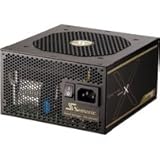
If you're going to spend ~$100 on a PSU, you'd be hard pressed to beat this:
31MwQY99z1L._SL160_AA160_.jpg

SeaSonic X650 $95.99 + free shipping
http://www.newegg.com/Product/Product.aspx?Item=N82E16817151088&Tpk=x650

Fully modular and a good bit better than that GS PSU. For example, this Bronze-rated M12II is a cut above that GS, and the Gold-rated X_50s, X_60s, etc. top that.
 
I ahve never overclocked my GPU before, and I wanted to do it today because i would like to get some increased performance out of some of my games (Metro 2033, just Cause 2)

I have a GTX 460 1G and I am using MSI Afterburner. I set the core clock to 852mhz, the shader clock to 1704mhz and the memory clock to 2201mhz. Does that seem ok?
 
ZZMitch said:
I ahve never overclocked my GPU before, and I wanted to do it today because i would like to get some increased performance out of some of my games (Metro 2033, just Cause 2)

I have a GTX 460 1G and I am using MSI Afterburner. I set the core clock to 852mhz, the shader clock to 1704mhz and the memory clock to 2201mhz. Does that seem ok?

run kombustor and see if your card crashes or not.. Think the memory clock is a little high, think I had it right at 1500 after that it would always crash, but i didn't play with voltages. I have 850 stable and want to go higher.
 
caliblue15 said:
run kombustor and see if your card crashes or not.. Think the memory clock is a little high, think I had it right at 1500 after that it would always crash, but i didn't play with voltages. I have 850 stable and want to go higher.

I will give that a try, thanks.

Well it crashed after a minute, pretty much right after I opened my web browser :D The temp seemed to top off at about 70C

And my memory clock comes at 1800 default.
 
ZZMitch said:
I will give that a try, thanks.

Well it crashed after a minute, pretty much right after I opened my web browser :D The temp seemed to top off at about 70C

And my memory clock comes at 1800 default.

what's ur voltage at, i might have detailed it wrong, I haven't played with mine for awhile waiting till after my finals tomorrow. But just mess with the settings, use kombustor and see if it crashes, next thing is your temps.
 
caliblue15 said:
what's ur voltage at, i might have detailed it wrong, I haven't played with mine for awhile waiting till after my finals tomorrow. But just mess with the settings, use kombustor and see if it crashes, next thing is your temps.

Core voltage is at 1025mv
 
Top Bottom