
Panajev2001a
GAF's Pleasant Genius
Without Detail-Map:
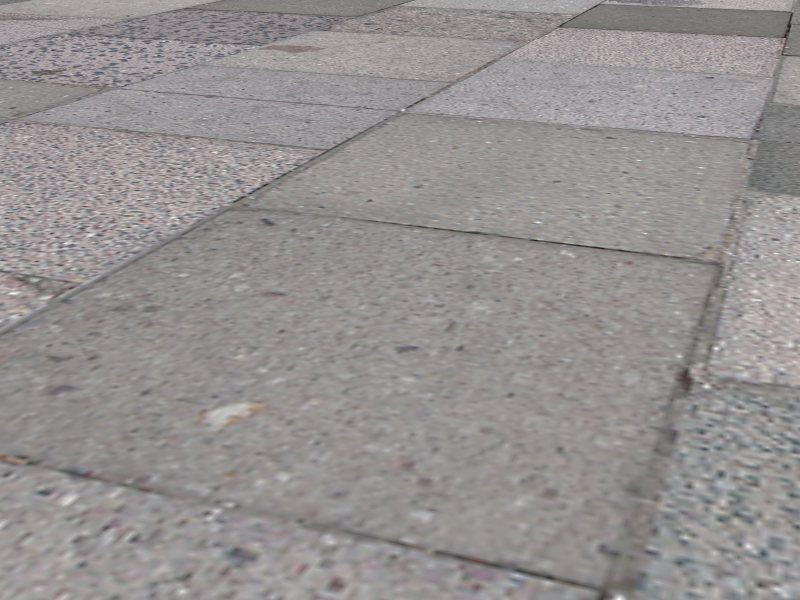
With a Detail-Map (made simply of PURE NOISE: you could do a custom one to mimic the type of surface you want and obtain an even better result):

Credits go to Aths from Beyond3D's forums.
With a Detail-Map (made simply of PURE NOISE: you could do a custom one to mimic the type of surface you want and obtain an even better result):
Credits go to Aths from Beyond3D's forums.
Unreal Tech Page said:A detail texture is a very small, fine pattern which is faded in as you approach a surface, for example wood grain, or imperfections in stone. When you import a detail texture, you need to set its Scale value to a small number (typically 0.25nm) to specify its scaling relative to whatever texture it applies to.
Detail textures and macrotextures modulate (multiply) the surface they're applied to. By modulating, they have the ability to scale the surface's brightness up or down. Colors with RGB brightness values from 0-127 darken the surface; 128 has no effect; and 129-255 brighten the surface. Therefore, when drawing microtextures and macrotextures, it is important that you design them with their brightnesses in the proper range so they affect surfaces naturally. If a detail texture's average brightness deviates too far from 128, then surfaces will appear to brighten or darken as you approach them.


 .
. .
.