
LiberaTeExInferis
Member
Yessir. Much needed feature.
Wait..I asked this in the previous page.
And we will get surround sound for WiiU games?I doubt it..
Yessir. Much needed feature.
Devolution is working. Just had to revalidate my discs.
It's forcing 4:3 now, so I don't see a way to do widescreen anymore. No big deal, it was hacky anyways.

Wait..I asked this in the previous page.
And we will get surround sound for WiiU games?I doubt it..
FYI: I checked this am. Not preloaded but downloading for me.
Thanks for the tip! I'll do the 'Wii to Wii U switcheroo' this weekend!Nope, it shouldn't be too late. However, make sure that you update both system's firmwares before you proceed. I know the Wii recieved several updated after the Wii U launched and hetherto.
Disappointing you can't use the gamepad for Wii games that actually have classic controller support. Still it is nice to be able to use the Wii U gamepad as a second TV to play Wii games if you are in a situation where the TV simply isn't useable. Though this might be only really viable when it comes to virtual console games and other Wii games that use the classic controller. Even though you can use the Wii remote you likely have to be really close to the gamepad. It on a table right in front of you or in your lap. It might be more comfortable sitting that class using the classic controller. Going to try it out with The Last Story tonight as I watch something else on TV.
Does this update increase the speed of the OS the way the past update did? That's really the most important thing and what I was looking forward to. Well that and folders.
http://www.webkit.org/perf/sunspider-1.0.1/sunspider-1.0.1/results.html?{%22v%22:%20%22sunspider-1.0.1%22,%20%223d-cube%22:%5B109,108,108,109,109,109,108,109,109,108%5D,%223d-morph%22:%5B96,97,96,96,97,96,96,96,96,96%5D,%223d-raytrace%22:%5B141,142,141,142,141,141,142,141,141,141%5D,%22access-binary-trees%22:%5B53,55,54,55,54,55,54,55,54,54%5D,%22access-fannkuch%22:%5B122,122,122,122,123,122,122,122,122,123%5D,%22access-nbody%22:%5B84,84,85,85,84,84,84,84,85,85%5D,%22access-nsieve%22:%5B34,35,34,34,35,35,35,35,35,34%5D,%22bitops-3bit-bits-in-byte%22:%5B25,25,25,25,25,25,25,25,25,25%5D,%22bitops-bits-in-byte%22:%5B32,32,31,32,32,32,31,32,31,32%5D,%22bitops-bitwise-and%22:%5B45,45,45,45,45,45,44,45,45,44%5D,%22bitops-nsieve-bits%22:%5B59,60,60,60,60,60,60,60,60,60%5D,%22controlflow-recursive%22:%5B19,19,19,19,19,18,19,18,19,19%5D,%22crypto-aes%22:%5B116,116,116,115,117,116,117,116,116,116%5D,%22crypto-md5%22:%5B49,49,49,49,48,49,49,49,49,49%5D,%22crypto-sha1%22:%5B34,34,35,35,34,35,35,34,35,34%5D,%22date-forCould someone run Sunspider and any other browser benchmarks that work with the new update? I want to know if they finally got Javascript performance better than smartphone level.
RESULTS (means and 95% confidence intervals)
--------------------------------------------
Total: 2491.2ms +/- 0.1%
--------------------------------------------
If this is the big 'summer' update, it's kind of disappointing.
Adding HDMI + Other for audio is great, but should have been there from day one. The Wii on the GamePad is cool, but it just gives you a tiny screen to play on and you can't use it comfortably with just the GamePad for VC and others. You still have the stupid process to get into the Wii mode.
The game boots are definitely faster, but it still takes around 15+ seconds to go from Settings to the Wii U menu.
Still no folders.
No account system.
So we got a slight boost in menu, some cool half-baked features...and that's about it.

sorry if old!
noticed because of: http://www.neogaf.com/forum/showpost.php?p=84182855&postcount=5388
edit: oh my .... of course this has been discussed JUST a few posts earlierhahaha
If this is the big 'summer' update, it's kind of disappointing.
Adding HDMI + Other for audio is great, but should have been there from day one. The Wii on the GamePad is cool, but it just gives you a tiny screen to play on and you can't use it comfortably with just the GamePad for VC and others. You still have the stupid process to get into the Wii mode.
The game boots are definitely faster, but it still takes around 15+ seconds to go from Settings to the Wii U menu.
Still no folders.
No account system.
So we got a slight boost in menu, some cool half-baked features...and that's about it.
I'm quite surprised it's still not any better, I wonder when they will update the webkit engine to the many new releases.
These days, smartphones are starting to near 400ms...
These little updates to the Wii Mode make me warm and fuzzy.
Even if they are small things (putting Pro-Logic back [which costs them money, no?], fixing the aspect ratio thing), it shows that Nintendo still cares about backwards compatibility. If they're willing to keep tinkering with it, maybe they will eventually find a way to get Game Pad and Controller Pro support linked to Wii's Classic Controller input.
It was already on the disc!?!? Fake DLC?!?!So awesome that this update was automatically downloaded and ready for install when I just turned on my system now..
The WiiU downloads updates to the system and games while it's off now.It was already on the disc!?!? Fake DLC?!?!
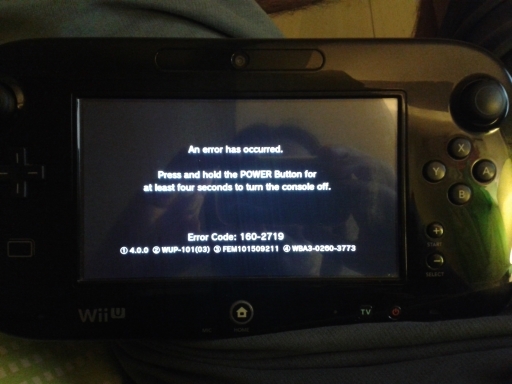
Hey guys, I have a question for you. The firmware update seems to have broken my Wii U.
I can't get sound out of my TV. I have the system hooked up through HDMI and checked the settings to make sure it's outputting audio through HDMI, but I'm greeted with neverending silence.
Any ideas?
The Wii offscreen update was a nice suprise, forgot all about that being a possibility. Very useful to me, although its annoying it seems you require the TV to be on in order to boot up the Wii menu which is a pain, when the point of it to me is so I can play Wii games if my brother is playing something else, so not so great if I need the TV as well to access it..
Just played The Last Story using Wii mode: Seems the more significant frame hiccups have been smoothened out since the update. (I know for a fact that the tiger scene in the beginning using to make things come to a crawl), but nothing so far has been uber dippy like I recall.) It helps too that the loading screens are somewhat brief thanks to the Wii U's disc drive.
By no means I am saying it's always a constant perfect 30fps, but for the most part it runs smoothly enough that I even forget I was testing the thing and before you know it I finished one of the subquests.
The Wii offscreen update was a nice suprise, forgot all about that being a possibility. Very useful to me, although its annoying it seems you require the TV to be on in order to boot up the Wii menu which is a pain, when the point of it to me is so I can play Wii games if my brother is playing something else, so not so great if I need the TV as well to access it.
Are you sure about that? I unplugged the HDMI cable from the console to try it, and it asked me for a TV connection, despite me pressing the B button.(!) You do NOT need to do that! (!)
If you do the instant-Wii-Mode boot while you're starting up the Wii U, it goes into Wii Mode without requiring the TV to be on! If you happen to already have the Wii U booted up, just turn it off and turn it back on and hold B during the splash screen. It's way way easier than turning the TV on.
I really need to make a Wii U FAQ thread with all these things nobody realizes they can do...
(!) You do NOT need to do that! (!)
If you do the instant-Wii-Mode boot while you're starting up the Wii U, it goes into Wii Mode without requiring the TV to be on! If you happen to already have the Wii U booted up, just turn it off and turn it back on and hold B during the splash screen. It's way way easier than turning the TV on.
I really need to make a Wii U FAQ thread with all these things nobody realizes they can do...
(!) You do NOT need to do that! (!)
If you do the instant-Wii-Mode boot while you're starting up the Wii U, it goes into Wii Mode without requiring the TV to be on! If you happen to already have the Wii U booted up, just turn it off and turn it back on and hold B during the splash screen. It's way way easier than turning the TV on.
I really need to make a Wii U FAQ thread with all these things nobody realizes they can do...
Adding HDMI + Other for audio is great, but should have been there from day one. The Wii on the GamePad is cool, but it just gives you a tiny screen to play on and you can't use it comfortably with just the GamePad for VC and others. You still have the stupid process to get into the Wii mode.
You must not have the TV output set on HDMI for this to work
edit: nope. connection type: HDMI. you guys must be doing something wrong.
guys, please: what about YOUTUBE? is it working now?
YES
3 videos already and im fine here. Long videos, short videos, no problem.
Is your hmdi unplugged from the console/TV?
Why would I unplug it?
So was there no speed bump for the front end UI in this one? I thought that's something that was coming.
Ran a few before/after stopwatch tests on this October patch. Seems loading times have indeed been improved on official apps/functions:
Settings: 20 -> 9 seconds
Returning to main menu: 30 -> 21
Daily Log: 12 -> 9
Miiverse: 9 -> 7
eShop: 22 -> 16
Youtube app stays the same at 7 seconds to load - but then most people use the superior internet browser for youtube anyway =) It's getting better - Nintendo have been busy bees.


