Wireless (WiFi) Online Gaming Setup

Mejilan

Running off of Custom Firmware
Ok. So this technology will probably soon (within the next year or two) become a very big issue with lots of people. So I'm curious. I have a DSL connection, with a DSL modem and an entry level Linksys router.

What EXACTLY do I need to turn my apartment into a "hotspot"? I generally know about the b, a, and g wireless protocols, but a quick summary won't hurt. (b and g are primarily the ones to consider, no?)

I was browsing compusa for some Linksys wireless router solutions and noticed the following products:
* Wireless-G Broadband Adaptor, 802.11g, b (WRT54G) $69.99
* Wireless-G USB Network Adaptor, 802.11g (WUSB54G-CU) $59.99
* Wireless-G Broadband Adaptor with SpeedBooster, 802.11g, b (WRT54GS-CU) $89.99

I guess what I'm asking is, which one is best, why, and what else will I need to complete my hookups? Thanks!
 
Unless you need it right now, I would wait. Prices will probably fall even more and get more competitive when all the new consoles incorporate wireless features.

There may even be packages made/licensed by the console companies themselves. Or some functionality might be built into the consoles, negating the need to purchase extra hardware.

I like the D-Link brand myself. There's not much to it, really. Just get a wireless router and a wireless bridge of the same brand (makes setup easier), and make sure it's 802.11g. Then follow the setup instructions.
 
Mejilan said:
Ok. So this technology will probably soon (within the next year or two) become a very big issue with lots of people. So I'm curious. I have a DSL connection, with a DSL modem and an entry level Linksys router.

What EXACTLY do I need to turn my apartment into a "hotspot"? I generally know about the b, a, and g wireless protocols, but a quick summary won't hurt. (b and g are primarily the ones to consider, no?)

I was browsing compusa for some Linksys wireless router solutions and noticed the following products:
* Wireless-G Broadband Adaptor, 802.11g, b (WRT54G) $69.99
* Wireless-G USB Network Adaptor, 802.11g (WUSB54G-CU) $59.99
* Wireless-G Broadband Adaptor with SpeedBooster, 802.11g, b (WRT54GS-CU) $89.99

I guess what I'm asking is, which one is best, why, and what else will I need to complete my hookups? Thanks!
You definitely don't want the a protocol, as it only works in one room.

I'd recommend g, but wait for prices to drop
 
What's a bridge? Would I need special equipment for my GCN and PS2? Aside from the BBAs I already have for 'em, that is.
 
Think of the router as the "broadcaster" that takes in the wired broadband connection and transmits it, and the bridge as the "receiver" than then feeds it to your consoles.

The only special equipment you'd need for the Cube and PS2 would be their respective broadband adaptors, and cables to attach from the bridge.
 
Although we don't know exactly how the various consoles are going to incorporate/configure WiFi into their setups, you shouldn't need to buy a wireless bridge for the Revolution/DS based on what we know.

You get a wireless router, and hook it up directly to your high speed modem. If the wireless connection isn't enabled by default (most are enabled, haven't seen one that isn't) log into the router by connecting via cable to it, and finding out what your default gateway is (ipconfig/all in winxp command prompt) and type the ip in your web browser (usually it'll be something like 192.168.0.1 or 192.168.1.1, but there is no real standard, so find out before you try - it should also be in the router's manual). You'll login with the user/pass (usually admin/admin, admin/(blank) or admin/password, but again, consult your manual) and locate the wireless settings page in the interface. This is where you can enable WEP and adjust various settings including your SSID, which you are probably going to want to change as it is the name of your wireless network and because most people don't change it, you will see a lot of "default" and "linksys" networks and without making yours unique, it will be hard to tell which is yours because you will see a ton with the same name. Once it's all configured, all you need to do is get on your wireless equipped device and browse for nearby wireless networks and you should see yours. If your network is secure (you've enabled WEP and specified a password), then you will need to put in the password and connect, but otherwise, you can connect right away and you're done!

That's it.
 
To say that I am EXTREMELY lucky and greatful to be working in a building all by myself right in the middle of the only FREE WiFi Hotspot district in Ventura County(Los Angeles) and an area that is hardly populated during the times I'm there....would be an UNDERSTATEMENT!

LIFE...IS....GOOD

But here's my question you guys....


1)Can any of you describe the experience of what it's like gaming online through WiFi Hotspots?

2)How fast are typical hotspot connections? 100Mbs down? 50Mbs down? What about upload speed?

3)How's the lag, or lack therof?

4)Last question....if I bring my Xbox to work with a wireless WiFi router, can I get on Live in my hoptspot area?
 
Alright, so Wireless Routers seem to range from $50-$80 bucks. How much does a Bridge go for?
 
About the same. But I was able to find a quality D-Link g Wireless router for around $40 to $50 at Fry's with a $20 mail-in rebate. Bridge are a bit more.
 
Thanks for the all the help. I'm not just doing this preemptively, for my DS or eventually the Revo. I've got a PS2, GCN, laptop, and new desktop, so it'd be nice to be able to split the connection, wirelessly, 4 ways without running cables everywhere.

A router and a bridge, huh? Great.
 
I turned on the wi-fi switch on my PSP and there's someone in my building with a Linksys. I can use this person's connection, but it shows it's about 40-45%. Is this strong enough for playing online?
 
The only reason you'd need a bridge is if the wireless device couldn't see your wireless network from where you've got it set up and you needed to increase the range to see it. In that situation, you could set up a bridge closer to the wireless router in order to get a better signal. Unless that is a problem, you don't need a bridge. Just a wireless router should be enough
 
So can anybody here recommend a router? Or just give a thumbs up/down for these...

http://www.amazon.com/exec/obidos/t...1523-5278224?v=glance&s=electronics&n=1194496

http://www.amazon.com/exec/obidos/t...1523-5278224?v=glance&s=electronics&n=1194496

I don't think I need a bridge... I'm getting this mainly for security though as I heard a software firewall isn't enough and 'NAT' technology would help a lot.

Btw the first router's description doesn't mention anything about NAT. Should I just assume it's there? It's not mentioned in a lot of product description at newegg too so it's either not in most routers or there is a better alternative? [/hopeless n00b]
 
isamu said:
1)Can any of you describe the experience of what it's like gaming online through WiFi Hotspots?
Much like any other connection, except no wires.

2)How fast are typical hotspot connections? 100Mbs down? 50Mbs down? What about upload speed?
I use 54Mbps, which is the fastest common one. There are faster ones that are at the high end of the product range, and there is a slower common one too.

3)How's the lag, or lack therof?
Pretty unnoticeable for regular use, but I haven't done any hardcore gaming over mine. Should be ok, all things considered. I have friends that use wireless for Xbox Live, on Halo 2 and DOA, and they have no issues.

4)Last question....if I bring my Xbox to work with a wireless WiFi router, can I get on Live in my hoptspot area?
Should be able to.
 
Jonnyram said:
Much like any other connection, except no wires.

I use 54Mbps, which is the fastest common one. There are faster ones that are at the high end of the product range, and there is a slower common one too.

Pretty unnoticeable for regular use, but I haven't done any hardcore gaming over mine. Should be ok, all things considered. I have friends that use wireless for Xbox Live, on Halo 2 and DOA, and they have no issues.

Should be able to.


Fuck yeah!!!!

Teddman........
 
Chrono said:
So can anybody here recommend a router? Or just give a thumbs up/down for these...

Bother of those would be good choices. To be honest, I'd go with the second choice as "Speed Booster" sounds like a gimmick rather than a necessary feature. I've got that exact router here and it works like a charm. If you're not sure whether that feature is worth it or not, do a search for reviews to see what the consensus is.
 
I recommend the Belkin -G routers. I've dealt with Linksys, Netgear, Microsoft, and Belkin and I've found Belkin to be the a)most compatible, b) most reliable, and c)probably cheaper than any of the others.

I've got a Belkin Router upstairs connected to my PC and Cable modem, there is another one downstairs on the entertainment center set to Access Point mode. I've bridged the two together wirelessly. The one on the Entertainment center hooks to my Xbox, PS2, and GC. All can get online just fine (and simultaneously, I might add) with no hassles and no wires running downstairs. It's beautiful. Works like a charm for Xbox Live as well, I've played Halo2 EXTENSIVELY over this connection and have had no lag issues that weren't the result of particular cheating methods.

The cost? I got both routers for $15 after rebate each, something like that at CompUSA. Much cheaper than any of the dedicated bridges or "gaming adapters" that are sold.

I've owned the Linksys G gaming adapter, it works okay but is a pain in the butt, especially if using more than one system to go online. It ran hot and would require power cycles every few days. They released a firmware update a few months back that essentially broke the G compatibility of the adapter. They will not make the old firmware available. Linksys sucks.

The Xbox wireless G adapter works great, but you have to have an Xbox to configure it, and again, you are limited to one system at a time and having to swap wires.

Both of the above are more expensive than buying the two routers and bridging them together, and the routers can each support 4 wired devices. It's just the best way.
 
be a little bit careful and plan what you will want to connect. If you only want to share internet, then a simple 'g' setup should be fine. But things like DS and PSP, or other 'b' devices, will slow the whole network down when they are on.

Also, if you want to transfer big files between two wireless devices (eg Xbox and PC, or two PCs), then wireless (even g) is a lot slower in the real world than a 100Mb wire (you'll get about 20-30Mb from a g network)

I got the new belkin 'pre-n' setup to upgrade my b network. This uses multiple antennas, and importantly, doesn't get affected by 'b' devices in the area. So my PC talks to the router at full speed (I get about 35Mb/s transfer, which is very good for wireless), and I can still use my wireless printer and old laptop card.

Pre-N is still expensive, but there should be some more similar things on the market soon to push prices down.
 
isamu said:
Fuck yeah!!!!

Teddman........
I can also vouch that gaming over wifi is just fine. In fact, I got my router awhile ago and it's only 802.11b with 11Mb transfer, though the bridge is 802.11g compatible. Runs just fine even though it's not top of the line.

My internet connection is only 3Mb down, 256k up, so 11Mb is plenty of bandwidth considering.

EDIT: Also check this GA thread on the same subject, some good info in there:
http://www.ga-forum.com/showthread.php?t=38730

I recommend this D-link bridge, it's advertised as being great for console gaming and worked perfectly with auto setup for both my PS2 and Xbox.
 
GaimeGuy said:
You definitely don't want the a protocol, as it only works in one room.

I'd recommend g, but wait for prices to drop


you can buy repeaters to get the wireless working in all the rooms of your house.
i dont know any of the brands though so your gonna have to look up wireless repeaters in search
 
Afro Thunder said:

That's a veritable wealth of information, thank you Afro.

I'm using a Linksys wired router now, and when I upgrade, will likely do so with Linksys brands.

I bought a brand new computer about a month ago, should I know whether it has built in support for wireless routers, or will I need to buy some sort of adaptor?
 
Teddman said:
Unless you need it right now, I would wait. Prices will probably fall even more and get more competitive when all the new consoles incorporate wireless features.

There may even be packages made/licensed by the console companies themselves. Or some functionality might be built into the consoles, negating the need to purchase extra hardware.

I like the D-Link brand myself. There's not much to it, really. Just get a wireless router and a wireless bridge of the same brand (makes setup easier), and make sure it's 802.11g. Then follow the setup instructions.

Completely agree with Teddman, but I have to comment on D-Link network hardware...

I would avoid D-Link, in my experience it's not very good. Setup pages on the router itself are not very polished and somewhat confusing if you're not already a networking expert, and the hardware itself doesn't seem very stable. My story is that I got a 802.11G router and network card from them - I chose them because at the time my notebook only had 802.11B and I wanted to use their proprietary 108mbps mode...

The router now sits in a box because the radio transmitter died in it (so it's only good as a wired router now). It's probably still under warranty but with wireless routers being so cheap now, I decided to replace it (with a Buffalo - solid, but the Engrish in the config menus is even worse than the D-Link)...

The network card has also been problematic, the WPA support in the drivers was a joke and I had to buy 3rd party client software (Odyssey)...the drivers are also incredibly unstable (BSOD's when connecting to certain other brands of routers - hell, I even had BSOD's connecting to the D-Link router with certain driver revisions!) so I completely can't recommend them. The only thing keeping the network card in my notebook is the fact that I bought a desktop wi-fi card and took it apart so I could install the mini-PCI card on it in my notebook...and now it's kinda hard to get mini-PCI network cards (current gen desktop cards are no longer mini-PCI cards on adapters)
 
Argyle said:
I got a 802.11G router and network card from them - I chose them because at the time my notebook only had 802.11B and I wanted to use their proprietary 108mbps mode...

Wait a minute so lemme ask you a question....

If I'm in a public WiFi out door hot spot while using my laptop, even if I have a WiFi PCMCIA card installed, will I still need a router to get online? Or will the PCMCIA card connect directly online via the WiFi hotspot?
 
Here is a question I need help with. I have a 3 level house: basement, main level, and upstair. If was to put a wireless router in my basement just to play PSP online with, would I be able to use the PSP online on the upstairs level? Or would I need additional equipment to do that?
 
Gunstar77 said:
Here is a question I need help with. I have a 3 level house: basement, main level, and upstair. If was to put a wireless router in my basement just to play PSP online with, would I be able to use the PSP online on the upstairs level? Or would I need additional equipment to do that?


Common practice in your setup would be to locate the router/access point on the main level. That way the signal will only have to travel through one floor no matter where you play your PSP. If you have to put the router in the basement, you may want to purchase a repeater and place it on the main floor so that your upstairs is sure to get good coverage.
 
*bangs head on desk*

So I got my wireless router today and was thinking, wait, if I plug in my modem in there how is the wireless going to get picked up by my PC? I look in my brand new case, and guess what? NO WIRLESS NETWORK CARD. I thought it'd be one of those things supported in my motherboard but looking at pictures of the wireless adaptors with the antennas, there's no way my motherboard would help.

And you guy made it sound so cheap/easy! BOO! Now I have to buy a wireless adaptor. I think I'll skip it but I already spent cash for the router.. *sigh*

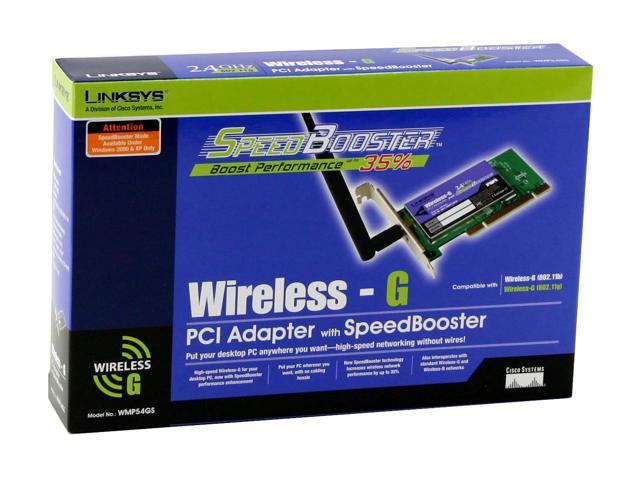
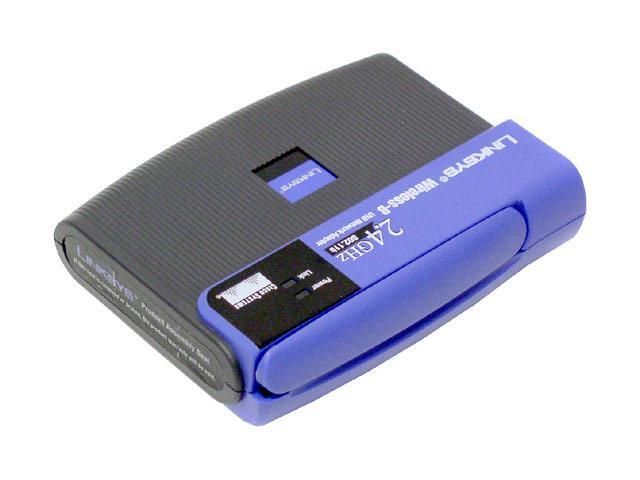
So, usb or pci? I'm clueless.

33-124-139-04.JPG


http://www.newegg.com/app/ViewProductDesc.asp?description=33-124-139&depa=0

33-124-103-14.JPG


http://www.newegg.com/app/ViewProductDesc.asp?description=33-124-103&depa=0
 
Ah, so we'd need wireless network adaptors for our PCs and laptops? On top of the router itself?

Jeez. I too thought it was easier, and cheaper. Just get a wireless router, a bridge, and boom.
 
Mejilan said:
Jeez. I too thought it was easier, and cheaper. Just get a wireless router, a bridge, and boom.
Usually, that is the case. If your PC is in the same room as the router, you can just run a cable from the router to it, negating the need for a wireless card. Most wireless routers are designed with this in mind actually, you use the PC hardline connected to the router to configure it.

As for laptops, just about every new one in the last couple years, except for cheapo models, already have a wireless card built in. So it's not as big a factor as it'd seem.
 
Teddman said:
Usually, that is the case. If your PC is in the same room as the router, you can just run a cable from the router to it, negating the need for a wireless card. Most wireless routers are designed with this in mind actually, you use the PC hardline connected to the router to configure it.

uh, what's the point of having a wireless router then? o_O

The one I got doesn't have a cable I can connect to the PC. blah.
 
*bump*

So is there NO CHANCE that my motherboard supports this? Do I have to get a wireless adaptor/network card/whatever? Are there ANY motherboards that support wireless or does every get cards?

oh and any idea on where to get cables to run from my router to the pc? the linksys I have does have slots so I don't have to use wireless but I don't have any cables.. if I know what they're called I could search for them at newegg but I don't.
 
Ok so where can I find cables? My router didn't come with one (since the main point of it was wireless and not using wireless is extra I guess) and I can only find wireless antennas in the new egg network accessories section. =\
 
Chrono said:
uh, what's the point of having a wireless router then? o_O

The one I got doesn't have a cable I can connect to the PC. blah.

Do you plan to be packing your desktop around the house? Mine sits in one spot, right beside the cable modem and router. So, it's connected to the network via wires. The laptop, and soon the PSP, are connected wirelessly.
 
Ok one more question: my router setup cd comes with norton secuirty, should I just ignore it since I already have a firewall or is the one packaged with the router just for the router and doesn't interfere with the 'main' one or something like that...
 
Chrono said:
Ok so where can I find cables? My router didn't come with one (since the main point of it was wireless and not using wireless is extra I guess) and I can only find wireless antennas in the new egg network accessories section. =\

You need the exact same kind of cable you used to connect the DSL/cable modem to the router itself. A standard ethernet cable. You can get them anywhere. Wal-Mart if you have to.
 
Seth C said:
Do you plan to be packing your desktop around the house? Mine sits in one spot, right beside the cable modem and router. So, it's connected to the network via wires. The laptop, and soon the PSP, are connected wirelessly.

I just want to make sure that I HAVE to get a network adaptor for wireless connections correct?

Edit: ok thanks for the info. I didn't know it was called an ethernet cable.. :o
 
Chrono said:
Ok one more question: my router setup cd comes with norton secuirty, should I just ignore it since I already have a firewall or is the one packaged with the router just for the router and doesn't interfere with the 'main' one or something like that...

The router should have a built-in hardware firewall. Norton is just some bonus software they include. If you run your own firewall on your PC, no need for Norton.
 
Chrono said:
I just want to make sure that I HAVE to get a network adaptor for wireless connections correct?

Edit: ok thanks for the info. I didn't know it was called an ethernet cable.. :o

Yes, if you want your desktop to be wireless, you'll almost certainly need a wireless adapter for it. Honestly, I wouldn't bother. The cable modem is likely to be right beside the desktop anyway, so just connect the desktop via an ethernet cable and be done with it. I only use wireless for devices I'll be moving around.
 
So, I bought a Linksys Wireless-G adaptor for my laptop, and a Linksys Wireless-G Router today. Took about an hour to get the router up and running with my DSL, and an additional 15 minutes to get the laptop to find that connection. I opted OUT of getting a bridge or a PC adaptor for the simple reason that my GameCube, PS2, and desktop are all in my room, so I'd rather just hardwire them to the 4 ethernet slots in the back of the router. My laptop, on the other hand, maintains a 100% signal strength in my room, and in the furthest corners of my apartment, drops to only 80% at it's weakest.

I done good, no?

:-D

Thanks to everyone for their help and advice.

Now, I'm curious about how I can take the next step and network the desktop and laptop together into a true network, so that they can share data, and whatnot. Both are running Win XP Pro SP2. Any ideas?
 
Mejilan said:
So, I bought a Linksys Wireless-G adaptor for my laptop, and a Linksys Wireless-G Router today. Took about an hour to get the router up and running with my DSL, and an additional 15 minutes to get the laptop to find that connection. I opted OUT of getting a bridge or a PC adaptor for the simple reason that my GameCube, PS2, and desktop are all in my room, so I'd rather just hardwire them to the 4 ethernet slots in the back of the router. My laptop, on the other hand, maintains a 100% signal strength in my room, and in the furthest corners of my apartment, drops to only 80% at it's weakest.

I done good, no?

:-D

Thanks to everyone for their help and advice.

Now, I'm curious about how I can take the next step and network the desktop and laptop together into a true network, so that they can share data, and whatnot. Both are running Win XP Pro SP2. Any ideas?


What kind of pings are you getting with the 80% signal strength?

Also , what kind of ping can I expect to get if I'm say, 50ft away from the center of the community wifi hotpot I'm at?
 
Top Bottom