
-
Hey Guest. Check out your NeoGAF Wrapped 2025 results here!
You are using an out of date browser. It may not display this or other websites correctly.
You should upgrade or use an alternative browser.
You should upgrade or use an alternative browser.
Wireless (WiFi) Online Gaming Setup
- Thread starter Mejilan
- Start date
Alright, I got a network up and running, attempting to get file and print sharing between the two comps, wirelessly.
I ran the Network Setup Wizard on the desktop, and it created a floppy disk that I used to get the network going on the laptop as well (both Win XP Pro SP2.) Now, I can access the shared docs of both computers through the desktop (the gateway.) But I CANNOT access the shared docs of the desktop on the laptop. Any ideas?
I ran the Network Setup Wizard on the desktop, and it created a floppy disk that I used to get the network going on the laptop as well (both Win XP Pro SP2.) Now, I can access the shared docs of both computers through the desktop (the gateway.) But I CANNOT access the shared docs of the desktop on the laptop. Any ideas?
Mejilan said:I ran the Network Setup Wizard on the desktop, and it created a floppy disk
OT but this reminded me about something: Does a new PC these days need a floppy disk driver? There are several times, looking into computer parts manuals, that creating a floppy disk was recommended.
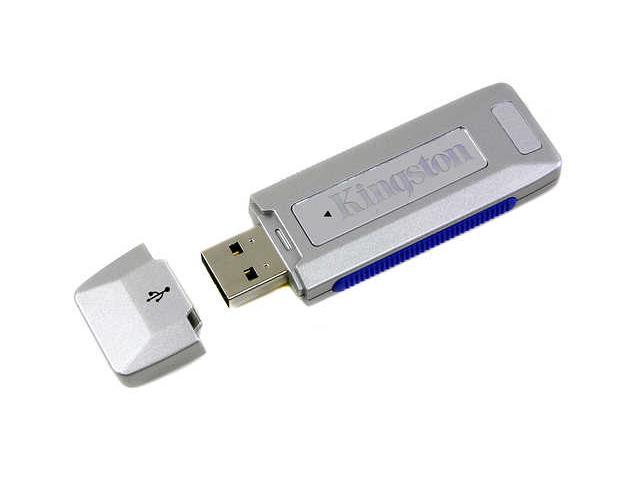
Can't I just use a thumbdrive/usb flash drive or even a DVD-RW instead?
Edit: like one of these. http://www.newegg.com/app/ViewProductDesc.asp?description=20-189-011&depa=0
Mejilan said:I opted for a floppy drive on my brand new computer because it only cost like an extra 10 bucks.
lol I just checked newegg and they're like 8 dollars. Never knew they were this cheap. :lol
I'll get one now but if I can use a USB flash drive instead it'll be much easier. Installing drives in my case is torture. I actually cut a bit of the sides with a box cutter to fit in the dvd-rw.

Mejilan said:This is my first time setting up or working with a wireless connection, so I know nothing about range limitations.
Not sure what you want me to ping, exactly.
O.K. nevermind then

isamu: That would depend on the speed of your main connection and the speed of your ISP's links to the outside net, among other things. It doesn't depend so much on the signal strength you're getting, unless that is down to next to nothing. A 11Mbps (802.11b) link will give you sufficient pings for online gaming, even at diminished strength. Remember, your average cable modem is only getting 1.5Mbps downstream and 384kbps upstream (yeah, I know, some are at 3Mbps or 5Mbps now). A lack of a large amount of over-capacity behind your router is not going to mess with the relatively small pipe in front of your router. That's like a short guy trying to compensate for being short by buying a monster truck.
Chrono: You can put a bootable OS onto a USB stick, since USB stuff can boot (like a Mac booting from a Firewire drive), but I don't know how widely supported that is. Buy the floppy drive anyway. It's kind of hard to put the 6 Windows XP boot floppies on a USB stick.
Broadband adapter -> Router -> PCs/consoles/laptops
Turn off Internet Sharing on the PC. Tell the laptop to go with DHCP in the TCP/IP settings for the wireless adapter. You should be able to see the computers in Network Neighborhood. If not, just access the computers manually by typing their Samba (aka SMB, Windows Networking) address in the address line in Explorer:
\\computername\share
To access a drive as the admin: \\computername\c$ (or whatever drive letter, followed by $) - this will ask for a username/password
Need to know more? Hit up this Google search.
Chrono: You can put a bootable OS onto a USB stick, since USB stuff can boot (like a Mac booting from a Firewire drive), but I don't know how widely supported that is. Buy the floppy drive anyway. It's kind of hard to put the 6 Windows XP boot floppies on a USB stick.
Do what?Mejilan said:I ran the Network Setup Wizard on the desktop, and it created a floppy disk that I used to get the network going on the laptop as well (both Win XP Pro SP2.) Now, I can access the shared docs of both computers through the desktop (the gateway.) But I CANNOT access the shared docs of the desktop on the laptop. Any ideas?
Why are you sharing the network through the PC? The gateway should be the router.So, I bought a Linksys Wireless-G adaptor for my laptop, and a Linksys Wireless-G Router today.
Broadband adapter -> Router -> PCs/consoles/laptops
Turn off Internet Sharing on the PC. Tell the laptop to go with DHCP in the TCP/IP settings for the wireless adapter. You should be able to see the computers in Network Neighborhood. If not, just access the computers manually by typing their Samba (aka SMB, Windows Networking) address in the address line in Explorer:
\\computername\share
To access a drive as the admin: \\computername\c$ (or whatever drive letter, followed by $) - this will ask for a username/password
Need to know more? Hit up this Google search.
Oh yeah, almost forgot -
Teddman: DLink sucks. Sorry.
Everyone should buy Motorola or Linksys. Netgear also sucks. Neither shall you buy Hawking, nor Airlink! SMC is right out!
You need a router with WPA. Don't use WEP, it's easy to crack. I've had good times with this router. Buy it!
Teddman: DLink sucks. Sorry.
Everyone should buy Motorola or Linksys. Netgear also sucks. Neither shall you buy Hawking, nor Airlink! SMC is right out!
You need a router with WPA. Don't use WEP, it's easy to crack. I've had good times with this router. Buy it!
Lhadatt said:isamu: That would depend on the speed of your main connection and the speed of your ISP's links to the outside net, among other things. It doesn't depend so much on the signal strength you're getting, unless that is down to next to nothing. A 11Mbps (802.11b) link will give you sufficient pings for online gaming, even at diminished strength. Remember, your average cable modem is only getting 1.5Mbps downstream and 384kbps upstream (yeah, I know, some are at 3Mbps or 5Mbps now). A lack of a large amount of over-capacity behind your router is not going to mess with the relatively small pipe in front of your router. That's like a short guy trying to compensate for being short by buying a monster truck.
Thanks Lhadatt. Let me ask you question. If I am at a hot spot with my laptop, will I still need a router to access the net? Why are putting a router into the equasion?
isamu: No, you don't need a router when you're on someone else's hotspot. It's the router or wireless access point that is creating the hotspot in the first place, so it's already there for you. The only reason you personally would need a router in your home or office is if you were making your own hotspot with your own Internet connection.
What you can now try is network printing. Share the printer on the desktop, then install it on the laptop via the network. Then you can print directly from the laptop (assuming the desktop is on). I think you can probably figure it out. Later on, you can get a cheap ethernet-based print server, so your printer can be independant of the desktop. Get cracking!
Sorry about the tutorials. I literally just put in a simple search string and gave you the results. You should probably search for some more tutorials to find out what else you can do with your network, it's pretty neat stuff. Example: Since MacOS X has Samba, I can share files between my Macs and my PC. I can download movies on my PC and copy them over to Misato (my media Mac), or I can boot iTunes on the PC and play my MP3s via Rendevous on iTunes on Misato - which is hooked up to my TV/stereo system.Mejilan said:Thank you Lhadatt. I disabled ICS, and unshared my folders. Then I tweaked my networking properties settings, and I just managed to get something on my laptop to print out on the printer connected to the desktop. I guess that's it, eh?
What you can now try is network printing. Share the printer on the desktop, then install it on the laptop via the network. Then you can print directly from the laptop (assuming the desktop is on). I think you can probably figure it out. Later on, you can get a cheap ethernet-based print server, so your printer can be independant of the desktop. Get cracking!
inpHilltr8r
Member
Ahh, nothing beats the joy of setting up a home network. Other than maybe nailing your nuts to a plank.
I know it's probably been answered, but I just wanted to ask some direct to the point questions.
A) Will putting my linksys g wireless router here (check picture) cause problems?
It would be where my current wired router is:

(so as you can see, there's a wireless keyboard/mouse station, a speaker, a monitor and the computer all nearby)
B) I only want to use the "wireless" part of my router for PSP, so is it easy to look up the PSP Mac address and filter wireless access by mac address? Can you enable mac address filtering on the wireless aspect and not the wired (my ideal)?
A) Will putting my linksys g wireless router here (check picture) cause problems?
It would be where my current wired router is:
(so as you can see, there's a wireless keyboard/mouse station, a speaker, a monitor and the computer all nearby)
B) I only want to use the "wireless" part of my router for PSP, so is it easy to look up the PSP Mac address and filter wireless access by mac address? Can you enable mac address filtering on the wireless aspect and not the wired (my ideal)?

Smiles and Cries
Member
How can I use Apple Airport Basestation for things like this?
Lhadatt said:What you can now try is network printing. Share the printer on the desktop, then install it on the laptop via the network. Then you can print directly from the laptop (assuming the desktop is on). I think you can probably figure it out. Later on, you can get a cheap ethernet-based print server, so your printer can be independant of the desktop. Get cracking!
Once again, thanks for your help. But you surely realize, that the very quote of mine that you quoted mentioned that I had already SUCCEEDED in getting network printing to work. Weeee!!
You should NEVER have to use the Network Setup Wizard. I hate that thing.
I'm not sure what kind of setup you are trying to accomplish, I don't know how to get Xbox or PS2's online for instance, but I assume they work the same way. Just get a wireless router, plug everything in, and it should work.
I'm not sure what kind of setup you are trying to accomplish, I don't know how to get Xbox or PS2's online for instance, but I assume they work the same way. Just get a wireless router, plug everything in, and it should work.
Pellham said:You should NEVER have to use the Network Setup Wizard. I hate that thing.
I'm not sure what kind of setup you are trying to accomplish, I don't know how to get Xbox or PS2's online for instance, but I assume they work the same way. Just get a wireless router, plug everything in, and it should work.
Learned my lesson! My PS2 is actually with Sony getting repaired (again, 2nd time in 2 months) so I haven't really tried to hook it up yet.
Pell, do you know why, despite establishing a static IP, forwarding ports through the router, and even lowering my firewalls (temporarily, in desperation), I can't seem to properly open up a port? My bittorrent connections are ass because I cannot properly open up a port. I had accomplished this rather easily with my Linksys wired router a few weeks ago, but with the new wireless router... no dice.
Pell, do you know why, despite establishing a static IP, forwarding ports through the router, and even lowering my firewalls (temporarily, in desperation), I can't seem to properly open up a port? My bittorrent connections are ass because I cannot properly open up a port. I had accomplished this rather easily with my Linksys wired router a few weeks ago, but with the new wireless router... no dice.
There shouldn't be any difference, configuration-wise, between either router, unless your wireless router is a crap brand (i.e. Belkin). I dunno, I have marginal BT connections on my netgear at home, but BT plain didn't work until I set up port forwarding. So if it does work, even poorly, then it sounds like you have everything set up right.
There's a guide in OT about improving BT, you could check that out. Some suggestions include port triggering and UnPnP.
I went from a linksys wired to a linksys wireless. I got the wired to open up a port without a problem, but despite doing the same things with the wireless router, it's not open. This means, as far as BT is concerned, that I can only connect to local seeds, not remote. This severely limits my connection, and is just not fun. Testing various ports using an internet web service, I've determined that the ports are not properly opening up. It is very frustrating.
I just reviewed my wireless network, and noticed that it was non-secured! Yikes. Just spent 20 minutes applying WPA encryption AND MAC address filtering. Now, the only MAC that can connect to my network is that of my laptop's wireless adaptor.
Yay.
I just reviewed my wireless network, and noticed that it was non-secured! Yikes. Just spent 20 minutes applying WPA encryption AND MAC address filtering. Now, the only MAC that can connect to my network is that of my laptop's wireless adaptor.
Yay.
*slams head against wall repeatedly*
When I set up my comp's new static IP, I forgot to change the port forwarded ip value to reflect it.
THAT'S why my ports were still showing up as closed, and THAT'S why I haven't been able to get optimal (green) BT speeds, instead the crappy yellow.
I don't believe it was such a stupid oversight.
When I set up my comp's new static IP, I forgot to change the port forwarded ip value to reflect it.
THAT'S why my ports were still showing up as closed, and THAT'S why I haven't been able to get optimal (green) BT speeds, instead the crappy yellow.
I don't believe it was such a stupid oversight.
Noting to be sorry about, I've had no problems at all with my D-Link gear.Lhadatt said:Oh yeah, almost forgot -
Teddman: DLink sucks. Sorry.
Everyone should buy Motorola or Linksys.
D-Link's products have roughly the same consumer satisfaction ratings as Linksys at Amazon and Epinions. Really, most name-brand routers & bridges these days are about the same in functionality.
I have a question.
My network (wired and wireless, though the majority of the connection are wired) is setup to do dynamic IP allocation via DHCP. Is it possible for me to setup certain computers that I need to forward ports to with a static IP and continue to use DHCP so long as I set the available IP range for the DHCP server not to interfere with the static IP addresses I assign? I ask because my dad really likes to use DHCP for some reason, but I need to have a static IP to better forward ports (port triggering seems pretty sketchy on this router and has never worked properly) for my PC and I'd like my Linux install on the PS2 to have a static IP as well for when I try to log into it with either VPN or SSH.
Thanks.
I don't think you should have any problems aside from maybe needing to try a different channel for the wireless router's signal in case the mouse and keyboard interfere (that's more likely to be an issue if you have wireless phones in the house though).
I don't know about getting the PSP mac address, but filtering MAC addresses is a relatively simple procedure in my netgear router. On my router it's listed under the wireless options and the only IP addresses I have in the list that are acceptable are the machines that are connecting wirelessly and it's never tried to deny network access to any of my wired machines, so IP filtering is only for the wireless part of the system. It really, from a security standpoint, isn't applicable to wired networks given its purpose anyway (it might be useful if you were a corporation with alot of unregulated networking ports spread about a large area that someone could plug into, but for a home network that's not generally the case).
My network (wired and wireless, though the majority of the connection are wired) is setup to do dynamic IP allocation via DHCP. Is it possible for me to setup certain computers that I need to forward ports to with a static IP and continue to use DHCP so long as I set the available IP range for the DHCP server not to interfere with the static IP addresses I assign? I ask because my dad really likes to use DHCP for some reason, but I need to have a static IP to better forward ports (port triggering seems pretty sketchy on this router and has never worked properly) for my PC and I'd like my Linux install on the PS2 to have a static IP as well for when I try to log into it with either VPN or SSH.
Thanks.
Tabris said:I know it's probably been answered, but I just wanted to ask some direct to the point questions.
A) Will putting my linksys g wireless router here (check picture) cause problems?
It would be where my current wired router is:
(so as you can see, there's a wireless keyboard/mouse station, a speaker, a monitor and the computer all nearby)
I don't think you should have any problems aside from maybe needing to try a different channel for the wireless router's signal in case the mouse and keyboard interfere (that's more likely to be an issue if you have wireless phones in the house though).
Tabris said:B) I only want to use the "wireless" part of my router for PSP, so is it easy to look up the PSP Mac address and filter wireless access by mac address? Can you enable mac address filtering on the wireless aspect and not the wired (my ideal)?
I don't know about getting the PSP mac address, but filtering MAC addresses is a relatively simple procedure in my netgear router. On my router it's listed under the wireless options and the only IP addresses I have in the list that are acceptable are the machines that are connecting wirelessly and it's never tried to deny network access to any of my wired machines, so IP filtering is only for the wireless part of the system. It really, from a security standpoint, isn't applicable to wired networks given its purpose anyway (it might be useful if you were a corporation with alot of unregulated networking ports spread about a large area that someone could plug into, but for a home network that's not generally the case).
Teddman said:Noting to be sorry about, I've had no problems at all with my D-Link gear.
D-Link's products have roughly the same consumer satisfaction ratings as Linksys at Amazon and Epinions. Really, most name-brand routers & bridges these days are about the same in functionality.
I have a D-Link as well... (the same set-up you have) and have had less problems with it than the Linksys router I used to have. I think they are pretty much all the same now.
ManaByte said:Can an AirPort base station be used to pick up a wireless signal with the PSP?
I don't see why not - it's just a fancily-named wireless router.
Sullichin said:I don't see why not - it's just a fancily-named wireless router.
Well, it took a bit of work, but I got my airport reconfigured from my old DSL setup to my new Cable setup and I now have wireless ready for the PSP!
i guess this is a good thread to ask so here's my noobish questions regarding the ds and psp wireless online.
i currently have a nintendo ds. when it supposedly goes "online" via wi fi, will i be able to simply connect to other users as long as i have the same game? in other words, i won't need to be 50 ft away from them?
basically, this is also my question for my upcoming psp purchase. will i for example be able to buy twisted metal and find people online to play?
thanks and pardon my noobishness with the wi fi stuff, i'm used to being connected to cable.
i currently have a nintendo ds. when it supposedly goes "online" via wi fi, will i be able to simply connect to other users as long as i have the same game? in other words, i won't need to be 50 ft away from them?
basically, this is also my question for my upcoming psp purchase. will i for example be able to buy twisted metal and find people online to play?
thanks and pardon my noobishness with the wi fi stuff, i'm used to being connected to cable.
Tabris said:If I have mac address filtering, any reason I need to use any kind of security protocol? Or can I just leave it completly open?
I know it leaves it open for mac spoofing, and I am in an apartment building, but I really doubt anyone is going to try that.
Most wireless routers have built in encryption you can activate.
I might as well repost here:
Oddly, I don't have a router at my house, but I got my PSP to detect my Linksys game adaptor by inputting these values into the PSP:
Encryption: None
IP Address: 192.168.0.100
Net Mask: 255.255.255.0
Default Router: 192.168.0.1
Primary DNS: 192.168.0.1
Secondary DNS: 0.0.0.0
Proxy Server: Do not Use
Now, when I do a test connection, my PSP will detect the PSP but will list Internet Connection failed. It has to do something with the DNS values because when I try to do a system update, it will say there is a DNS error message. I can login to Twisted Metal's Infrastructure LAN mode easily but won't connect to Infrastructure at home. At work, I can connect fine to the router we have here but again I can't join any game nor no one can join any game I host. Can anyone help me out with the DNS error when I try to connect at home?
Oddly, I don't have a router at my house, but I got my PSP to detect my Linksys game adaptor by inputting these values into the PSP:
Encryption: None
IP Address: 192.168.0.100
Net Mask: 255.255.255.0
Default Router: 192.168.0.1
Primary DNS: 192.168.0.1
Secondary DNS: 0.0.0.0
Proxy Server: Do not Use
Now, when I do a test connection, my PSP will detect the PSP but will list Internet Connection failed. It has to do something with the DNS values because when I try to do a system update, it will say there is a DNS error message. I can login to Twisted Metal's Infrastructure LAN mode easily but won't connect to Infrastructure at home. At work, I can connect fine to the router we have here but again I can't join any game nor no one can join any game I host. Can anyone help me out with the DNS error when I try to connect at home?
i currently have a nintendo ds. when it supposedly goes "online" via wi fi, will i be able to simply connect to other users as long as i have the same game? in other words, i won't need to be 50 ft away from them?
That's the assumption that everyone is making right now. I'd be willing to bet on it. After all, the PSP can do it, why can't the DS? If it's a software issue, then games that will support it will come included with the software (but the software may already be built into the DS, just that no current games are using it - though this is probably a remote possibility since it should have out-of-the-box web surfing like the PSP if that was the case).
Defensor said:I might as well repost here:
Oddly, I don't have a router at my house, but I got my PSP to detect my Linksys game adaptor by inputting these values into the PSP:
Encryption: None
IP Address: 192.168.0.100
Net Mask: 255.255.255.0
Default Router: 192.168.0.1
Primary DNS: 192.168.0.1
Secondary DNS: 0.0.0.0
Proxy Server: Do not Use
Now, when I do a test connection, my PSP will detect the PSP but will list Internet Connection failed. It has to do something with the DNS values because when I try to do a system update, it will say there is a DNS error message. I can login to Twisted Metal's Infrastructure LAN mode easily but won't connect to Infrastructure at home. At work, I can connect fine to the router we have here but again I can't join any game nor no one can join any game I host. Can anyone help me out with the DNS error when I try to connect at home?
Can you set up the PSP to automatically detect the IPs like you can with nearly every other internet device on the planet?
Apharmd Battler
Member
inpHilltr8r said:Ahh, nothing beats the joy of setting up a home network. Other than maybe nailing your nuts to a plank.
LOL!!!
Heh, gotcha. I thought you were copying the file over to the PC that your printer was connected to, then printing from there. Glad you figured it out.Mejilan said:Once again, thanks for your help. But you surely realize, that the very quote of mine that you quoted mentioned that I had already SUCCEEDED in getting network printing to work. Weeee!!
I'm not sure if I need help but I really, really need any of you guys to give this the thumbs up or down.
Ok so I think I setup my router. I'm not sure what the hell happened honestly. I don't have more than one PC so I can't test a network. I'm also not using wireless (that's for later when i get PSP/xbox/whatever) so the only reason I'm using it is for NAT security.
I did the cd setup and it say by the end, after going though all the steps with no problems, that I need to reset it and call customer service... so I decided to do it from the maual (there are two options: setup from cd or manually by yourself) and I called roadrunner to see if I have a dynamic or static IP address (it's dynamic).
Now by this time, the internet is WORKING though my router. I can browse and everything. @_@
I go to the address the manual tells me to and pretty much type nothing as everyting is there.. I guess if my connection was static I'd need to type in domains or whatever but now i didn't have to...
I changed the password under admin... no way to add a user name. I can acess just fine while leaving it blank. -_-
I finish setup and save... and I'm still browsing the net like before. Anything different? I have no idea. Am I much more secure now that I have both a software and hardware firewall? No idea..
Oh and I can do a 'ping' from my options in setup-- what is that? And if I'm on a dynamic IP address how do I know which address to type/ping?
I really need an in-depth guide that explains everything from the roots and how everything works. Blindly following instructions and hoping just doesn't cut it. Then again having a good understanding might require a degree in this stuff so maybe a guide won't help. :lol
Ok so I think I setup my router. I'm not sure what the hell happened honestly. I don't have more than one PC so I can't test a network. I'm also not using wireless (that's for later when i get PSP/xbox/whatever) so the only reason I'm using it is for NAT security.
I did the cd setup and it say by the end, after going though all the steps with no problems, that I need to reset it and call customer service... so I decided to do it from the maual (there are two options: setup from cd or manually by yourself) and I called roadrunner to see if I have a dynamic or static IP address (it's dynamic).
Now by this time, the internet is WORKING though my router. I can browse and everything. @_@
I go to the address the manual tells me to and pretty much type nothing as everyting is there.. I guess if my connection was static I'd need to type in domains or whatever but now i didn't have to...
I changed the password under admin... no way to add a user name. I can acess just fine while leaving it blank. -_-
I finish setup and save... and I'm still browsing the net like before. Anything different? I have no idea. Am I much more secure now that I have both a software and hardware firewall? No idea..
Oh and I can do a 'ping' from my options in setup-- what is that? And if I'm on a dynamic IP address how do I know which address to type/ping?
I really need an in-depth guide that explains everything from the roots and how everything works. Blindly following instructions and hoping just doesn't cut it. Then again having a good understanding might require a degree in this stuff so maybe a guide won't help. :lol
From what I heard having a combination of a software and hardware firewalls is the best. There are things that a hardware firewall can't do and vice versa... that's what a lot of people told me so I got a router.
I just downloaded a bunch of stuff in irc and bittorent, and was disappointed that everything worked. :lol
Honestly I could've done these things before doing setup so I have no idea if the router is actually doing anything. >_>;
I just downloaded a bunch of stuff in irc and bittorent, and was disappointed that everything worked. :lol
Honestly I could've done these things before doing setup so I have no idea if the router is actually doing anything. >_>;
Yeah I'm pretty paranoid. It's just how I am really and since my last PC was somehow seriously messed up because of a virus or whatever it was (couldn't search, access windows explorer, etc.. ) I'm even more paranoid. What I know is that they dont interfere with each other so why not have both? Pc-cillin only takes a small icon at the bottom and updates automatically. Ill just leave it there.
Btw anybody knows if I should check this 3rd option This is from the firewall menu in the security option.
Firewall Protection: Enable Disable (its enabled)
checked - Block Anonymous Internet Requests
checked - Filter Multicast
UNchecked - Filter Internet NAT Redirection
checked - Filter IDENT(Port 113)
Btw anybody knows if I should check this 3rd option This is from the firewall menu in the security option.
Firewall Protection: Enable Disable (its enabled)
checked - Block Anonymous Internet Requests
checked - Filter Multicast
UNchecked - Filter Internet NAT Redirection
checked - Filter IDENT(Port 113)