• Hey Guest. Check out your NeoGAF Wrapped 2025 results here!

Yet another HDTV help thread (looking for smallish HDTV)

Aruarian Reflection

Chauffeur de la gdlk
Ok, so I know practically nothing about HDTVs and I'm hoping somebody can give me a few pointers to start my search, because I just went to BestBuy.com and there's so many choices that it's intimidating.

This is my situation: I'm a college student and switch apartments every year, so I'm looking for something relatively lightweight. Also, the TV will be used in a small apartment room so I'm looking for something 30" and smaller probably. This will be used pretty much exclusively for games (Xbox360 and beyond) but it wouldn't hurt if I can watch HDTV channels.

Basically, I'm looking for something cheap and "temporary" that will last me a few years until I settle down and can look into those 40"+ models. I'd say $1,000 will be my maximum, although I would prefer if it were cheaper than that. Thanks for any help, it's much appreciated.

(btw are there any good HDTV info/buying guides out there?)
 
Best Buy is garbage. Unless you have some major incentive, get a set elsewhere.

My recommendations:

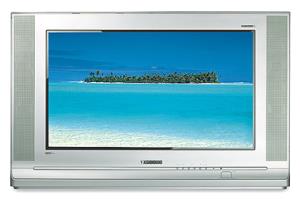
30 or 34" Panasonic Tau 16:9 (~$800 for 30", ~$1200 for 34")
CT_34WX15.jpg


Great set, HDMI, amazing sound for the built in speakers... All around great bang for the buck, no complaints.

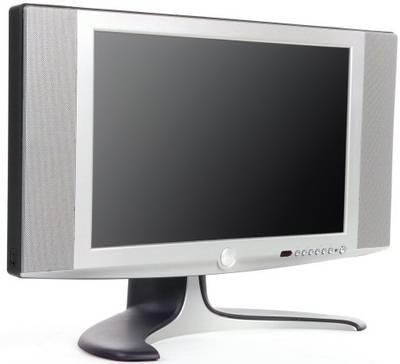
Here's something that's half the price, but still a great set and can be used as a monitor (has DVI-D)

Dell W1700 or Dell W1900 (Both have Faroudja processing for great colors/image)

W1700
w1700.jpg


W1900
48260_5465949075.jpg
 
The only reason I was browsing around Bestbuy.com was I had no idea how to start =/

Anyway, thanks for the picks. Would getting a LCD TV be better for my needs? (lightweight and smallish)
 
I bought the 32" version of this TV at Best Buy a few weeks back, and so far I love it. I did a bunch of research online before I bought, and it got exceptional ratings, especially for the money, from the guys over in the AVS Forums. I got it on sale for $890, which I thought was a steal for a 32" LCD, but the 27" model was $650 at the time, and is also rated well. It has a lot of nice features, good resolution, and plenty of inputs, and should do well as a game TV and for watching what ever you wan.

http://www.bestbuy.com/site/olspage.jsp?skuId=6998412&type=product&cmp=++&id=1099396524530
 
Kung Fu Jedi said:
I bought the 32" version of this TV at Best Buy a few weeks back, and so far I love it. I did a bunch of research online before I bought, and it got exceptional ratings, especially for the money, from the guys over in the AVS Forums. I got it on sale for $890, which I thought was a steal for a 32" LCD, but the 27" model was $650 at the time, and is also rated well. It has a lot of nice features, good resolution, and plenty of inputs, and should do well as a game TV and for watching what ever you wan.

http://www.bestbuy.com/site/olspage.jsp?skuId=6998412&type=product&cmp=++&id=1099396524530


That lists no HDMI connection... does the DVI port do the same thing on that set?
 
No direct view set is light...

I think LCD would be best for you. Just know what their inherent differences are before going the LCD route. Some of the stuff on the market is straight garbage, especially w/ OTA broadcasts and cable.

You can get those dells for cheap. I only paid ~$400 for my W1700.

That lists no HDMI connection... does the DVI port do the same thing on that set?

DVI-D and HDMI are the same. Different connecters (obviously) and HDMI carries sound. Both are HDCP compliant...
 
DaCocoBrova said:
DVI-D and HDMI are the same. Different connecters (obviously) and HDMI carries sound. Both are HDCP compliant...


Ah, alright, thanks for the info. I'm typically pretty fluent in this area of tech, but HDCP still confuses me :)
 
Actually, I'm starting to really consider a LCD TV that doubles as a PC monitor (such as those Dells). I think I can get more use out of those, is that a good decision? I really doubt I'll be watching HDTV programming anytime soon, and those seem to be small and light.
 
LCD sounds like a great choice over a CRT if you have to constantly move around.

I have a 30 inch Toshiba and that thing is pretty damn heavy.
 
I wouldn't buy an LCD TV to use as a computer monitor (the resolution for computer usage sucks - 1280x768 for Dell TVs). I did buy a Dell 2405FPW, though, which has a native resolution of 1920x1200 (16:10). The downside is that the 360 isn't going to run at native resolution and while the DVI input has a chip that supports HDCP it's not enabled. It's one hell of a computer monitor, though.
 
Suikoguy said:
HDCP still confuses me :)

HDCP, or High Definition Content Protection, is one of the important features to look for in an HDTV. Eventually I would expect that it will be required for your TV to support this in order to display any HD content, if that isn't the case already. Since HDCP is just an encryption method, it is not restricted to one particular type of connector, and so both DVI-D and HDMI can use it. However, since the DVI standard was created before HDMI and HDCP became commonplace, the presence of a DVI port does not guarantee support for HDCP.

Another thing to look out for, if you're buying a fixed-pixel display (e.g. LCD), is the vertical resolution. Ideally it should match one or other of the two HD resolutions (720 or 1080) since if it is somewhere inbetween (for example, 768) then scaling will be occurring 100% of the time and you will never get the maximum amount of picture quality. You could also consider taking into account the type of content you anticipate watching on it - for example, if you think you'll mainly view 720p content then a set with 720 lines may be a better option than one with 1080 lines.
 
Danj said:
Another thing to look out for, if you're buying a fixed-pixel display (e.g. LCD), is the vertical resolution. Ideally it should match one or other of the two HD resolutions (720 or 1080) since if it is somewhere inbetween (for example, 768) then scaling will be occurring 100% of the time

I believe you can use utilities like powerstrip to force your graphx card to output at diff resolutions, like 1366x768, but i don't know for sure
 
i got a question concerning HDTVs...

how are mitsubishi sets? i ask cause it looks like i may be able to get an awesome deal on these.
 
What's the general consensus on Philips' sets? I was looking at one of their widescreen CRT sets at Walmart and it had a really nice picture, the only other set with equal picture quality was a Panasonic. But the Panny cost a bit more and didn't have the built-in digital tuner. I wish I could link to the set I'm talking about, but it's not listed on Walmart's site.
 
op_ivy said:
i got a question concerning HDTVs...

how are mitsubishi sets? i ask cause it looks like i may be able to get an awesome deal on these.

When I got my Mits 3 years ago, they were rated tops in the middle class (affordable) TV's. Mits and Toshibas are both very good.


I just bought this TV from Staples for my bedroom. It's only $400 and is a PC/TV like you were looking for. I'm happy with the picture although the factory settings were way off. I calibrated contrast/brightness/etc. with my Avia DVD. The reason I chose this was because I had $300 worth of credit at Staples and this was the cheapest HDTV they had :) Something like this should last you a few years without breaking your bank account.

http://www.staples.com/webapp/wcs/s...01&catalogId=10051&langId=-1&productId=130623

s0087766_enl.jpg
 
samsung-26-inch-hdtv-front-main.jpg


I just picked up this 26 inch Samsung HDTV at Target last night on clearance for $175 (original MSRP was $700). It's not state of the art like the plasmas and LCDs, but it's exactly what I wanted. I'm finally experiencing my anamorphic DVDs as they were meant to be seen, and it rocks.
 
distantmantra said:
samsung-26-inch-hdtv-front-main.jpg


I just picked up this 26 inch Samsung HDTV at Target last night on clearance for $175 (original MSRP was $700). It's not state of the art like the plasmas and LCDs, but it's exactly what I wanted. I'm finally experiencing my anamorphic DVDs as they were meant to be seen, and it rocks.

Wow, thats a hell of a deal. Congrats
 
Suikoguy said:
Wow, thats a hell of a deal. Congrats

Thanks. I'm having a lot of fun watching DVDs in the correct aspect ratio, but it's driving my fiance (and myself a little bit) nuts watching TV in the 4:3 box or slightly stretched to fill the screen. We have digital cable, but I don't think Comcast gave us a box for HDTV, and I'm not keen on spending more a month for it. I guess we'll adjust.
 
I've owned the Westinghouse 27" for about 1 1/2 months, and I love it. DVDs look great - the LOST season set had amazing picture quality. HDTV is gorgeous, depending on the signal - CSI is impressive, and HD movies on HBO-HD make you never want to go back to SD broadcasts. SD broadcasts look okay, some channels are better than others - but you're never going to get the best picture out of an HDTV watching an SD broadcast, no matter what. Games, of course, depend on the type of resolution supported. Incredible Hulk: Ultimate Destruction looks fantastic in 720p, but Darkwatch looks like shit since it doesn't even support 480p resolution. I paid a little under $700 for mine at Best Buy, but if you look around a little you can find it for as low as $650. The DVI input is indeed HDCP compliant. I use a HDMI to DVI converter cable I picked up for $40 to watch HDTV cable through. My only complaints are that the speakers aren't the greatest, the remote is a little finicky, and I wish I'd had the money to buy a bigger set. But I can live with the size for a year or so until prices come down on the bigger HDTV sets.
 
distantmantra said:
Thanks. I'm having a lot of fun watching DVDs in the correct aspect ratio, but it's driving my fiance (and myself a little bit) nuts watching TV in the 4:3 box or slightly stretched to fill the screen. We have digital cable, but I don't think Comcast gave us a box for HDTV, and I'm not keen on spending more a month for it. I guess we'll adjust.

Give it a couple weeks and you won't even think about it. Also, the Comcast HD box is only $5 a month. The HD-DVR is $10 a month. Well worth the money. Now when I watch TV, the first thing I check is my DVR to see if any shows recorded, the 2nd thing I check is the HD channels, and lastly I'll resort to standard definition channels. I rarely make it past step 1... step 3 happens only about 1% of the time. :D
 
I just picked up this 26 inch Samsung HDTV at Target last night on clearance for $175 (original MSRP was $700). It's not state of the art like the plasmas and LCDs, but it's exactly what I wanted. I'm finally experiencing my anamorphic DVDs as they were meant to be seen, and it rocks.

That's ridiculous. I'm checking my target. I can always use another TV... somewhere.
 
if you are looking for a 30"-primarily for DVD and gaming like I was. This is what I picked up and I couldn't be happier.

Samsung Flat Tube CRT

7045397_ra.jpg


It's a CRT which has much better color representation but the tube is so small it looks like a plasma or LCD at first glance.

It has an HD tuner built in (I don't watch much TV, but thinking about getting a HD antenna for football)

It natively supports 480i, 720p, and 1080i - all autosensing. This is important because the vast majority of HDTV's in that size - upconvert a 720 signal to 1081...thus making it look like crap. And with next-gen games mostly coming in at 720, you needn't worry about it.

It retails for $999 both Best Buy and Circuit City have had it on sale for $899. Or if your like me and you have a friend that works at Best Buy they can get it for you for $642.

Sony 30XS955

720p games on the Xbox did not look anywhwere near as good on this set as they did on the Samsung. They are relatively the same price skip the Sony.
 
Ecrofirt said:
Sony 30XS955

It's about $1000, but it's donig to be well worth it. You'll get fantastic picture quality.

This is probably the best 30" HDTV you can get but its freaking heavy and bulky.

Oh yeah, you can probably find it as low as 850 at certain circuit city and best buys around. Out of all the TVs I've seen both LCDs, CRTs, etc. this one stood out as the best in IQ, if it wasn't for its bulkiness, I'd buy this one and just save up for a HD projector.
 
bantha said:
It natively supports 480i, 720p, and 1080i - all autosensing. This is important because the vast majority of HDTV's in that size - upconvert a 720 signal to 1081...thus making it look like crap. And with next-gen games mostly coming in at 720, you needn't worry about it.

It supports a 720p signal, but it won't display 720p. It is converting it to 1080i just like most other CRTs.
 
It supports a 720p signal, but it won't display 720p. It is converting it to 1080i just like most other CRTs

No it displays in 720p. I did my research it is not upscanning. If I had a scanner I would show you the manual. There is an insert about Samsungs partnership with Xbox 360.
 
bantha said:
No it displays in 720p. I did my research it is not upscanning. If I had a scanner I would show you the manual. There is an insert about Samsungs partnership with Xbox 360.

I am 99 percent sure that no consumer CRT today can display a native 720p signal. It's can take the signal but it's highly likely to convert to 1080i.

As for this specific model, it appears Samsung may have made a mistake on its data sheet

See this thread on avsforum

http://www.avsforum.com/avs-vb/showthread.php?t=553392&page=1
Someone posted this,

avsforum said:
Regarding the Samsung sets (TXR2678WH & the 30" SlimFit), I have been trying to get additional confirmation to the e-mail that's already been received. I placed a couple of calls to Samsung CSRs and they denied that the sets displayed 720p. I read the Data Sheet to them and they felt it was a mistake. I asked to speak to engineering. Same story. Finally, I got the engineering type (which as it turns out, since it's a weekend, he's just a Dynaflat specialist) to read the data sheet. He saw the text and went very silent for awhile. He took my e-mail address and said he'd have product engineering e-mail me on Monday. I'll post the results as soon as I get them
Cheers!

It seems highly likely the Samsung marketers screwed up and meant to say it supported 720p rather than displayed it...
It really makes little difference anyway as on that size TV the difference is not really noticeable...
 
Eel O'Brian said:
I've owned the Westinghouse 27" for about 1 1/2 months, and I love it. DVDs look great - the LOST season set had amazing picture quality. HDTV is gorgeous, depending on the signal - CSI is impressive, and HD movies on HBO-HD make you never want to go back to SD broadcasts. SD broadcasts look okay, some channels are better than others - but you're never going to get the best picture out of an HDTV watching an SD broadcast, no matter what. Games, of course, depend on the type of resolution supported. Incredible Hulk: Ultimate Destruction looks fantastic in 720p, but Darkwatch looks like shit since it doesn't even support 480p resolution. I paid a little under $700 for mine at Best Buy, but if you look around a little you can find it for as low as $650. The DVI input is indeed HDCP compliant. I use a HDMI to DVI converter cable I picked up for $40 to watch HDTV cable through. My only complaints are that the speakers aren't the greatest, the remote is a little finicky, and I wish I'd had the money to buy a bigger set. But I can live with the size for a year or so until prices come down on the bigger HDTV sets.


Actually, I found the built in speakers to be pretty decent for a set like this.

Of course, the YSP-800 is in a whole different league though. Just a great piece of tech IMO. Yeah, not quite the replacement for a full blown 5.1 speaker setup but great for a bedroom.
 
Vandiger said:
This is probably the best 30" HDTV you can get but its freaking heavy and bulky.

Oh yeah, you can probably find it as low as 850 at certain circuit city and best buys around. Out of all the TVs I've seen both LCDs, CRTs, etc. this one stood out as the best in IQ, if it wasn't for its bulkiness, I'd buy this one and just save up for a HD projector.

The set is ~150 lbs, if I recall.

It's just about the top of the line 30" CRT you can get as far as image quality, as it uses Sony's Super Fine Pitch.
 
Yeah, I actually like the speaker in my 32" Westinghouse quite a bit. It's loud and clear and does a nice job.

On a side note, DirecTV is coming out tomorrow to hook up m y HD dish and HD-Tivo. Can't wait to REALLY put this TV through it's paces. HD NFL Sunday Ticket in two days! :D
 
I am 99 percent sure that no consumer CRT today can display a native 720p signal (I think it's technically not feasible). It's can take the signal but it's highly likely to convert to 1080i.

There are CRT that display 720p. they are hard to find because of cost, and the Samsung is 200 more than other brands of the same size and spec.

Also read the rest of the forum you pointed out.
justsc,I have a hd up conversion dvd player and i havwe it set to 720p and the image shows up,that's how i know it does 720p.
it shows a 720p option

Either way the if it is scanning then it is doing it worlds better than Sony or Toshiba. I had a friend go with me to Best Buy and check it out with my XB and some 720 games. He does HT installations for new home contractors in Pine Isle, FL. Those rich m@th&r Fu*%ers wil buy anything they tell him.
 
bantha said:
There are CRT that display 720p. they are hard to find because of cost, and the Samsung is 200 more than other brands of the same size and spec.

Also read the rest of the forum you pointed out.


Either way the if it is scanning then it is doing it worlds better than Sony or Toshiba. I had a friend go with me to Best Buy and check it out with my XB and some 720 games. He does HT installations for new home contractors in Pine Isle, FL. Those rich m@th&r Fu*%ers wil buy anything they tell him.


The only CRT I've heard that does it is some Princeton monitor that is impossible to find. From what I hear most CRT's just can't display the number of pixels necessary, I read somewhere that the Samsung does not have 1280 horizontal pixels (i.e can't display 1280x720 progressive natively). As far as reading the rest of the forum, you might want to as well, because as many stated, simply being able to display a 720p image is not the same as displaying it in native res. You could set a dvd player to upconvert to 720p, than the samsung would accept it and upconvert (same with Xbox). Doesn't mean it's actually displaying at 720p. Not a big deal anyway, like I said and you said the scaling is barely noticeably and I'm sure it looks great.
 
distantmantra said:
Thanks. I'm having a lot of fun watching DVDs in the correct aspect ratio, but it's driving my fiance (and myself a little bit) nuts watching TV in the 4:3 box or slightly stretched to fill the screen. We have digital cable, but I don't think Comcast gave us a box for HDTV, and I'm not keen on spending more a month for it. I guess we'll adjust.

HD box from Comcast is only $5/mo (that's $5 total, not $5 in addition to whatever you're paying for your digital box). $10/mo will get you the awesome Motorola DCT6412 dual-tuner HD-DVR. The interface isn't quite as good as a real Tivo, but being able to record two HD programs at the same time, while watching a third HD program from the HDD for only $10/mo is awesome.
 
If all Xbox 360 games output a 720p signal, and I want the best picture quality possible, with no scaling or conversion whatsoever, wouldn't it make sense to shop for an LCD TV?
 
Shawn said:
If all Xbox 360 games output a 720p signal, and I want the best picture quality possible, with no scaling or conversion whatsoever, wouldn't it make sense to shop for an LCD TV?
But doesn't LCD color representation suck?
 
Shawn said:
If all Xbox 360 games output a 720p signal, and I want the best picture quality possible, with no scaling or conversion whatsoever, wouldn't it make sense to shop for an LCD TV?

Well, depending on the size you're looking for, I'm pretty sure most LCD Projection, DLP, and LCoS sets run 1280x720 native (some newer ones are 1080p native). But the smallest size for these is 42-inches usually.
 
bantha said:
...thus making it look like crap.

The reason that your set is $200 more than comparable sets is because it has a flat tube, not because it can do 720p natively (it can't). Still, looks like a great TV.

But now you know that decent scalers don't look like crap converting 720p to 1080i or vice versa. Most people won't notice the difference, unless the scaler is quite bad.

And LOLZORS at the idiot who set his up-converting DVD player to 720p and got it to display on this set. Well no shit, we already know it will display a pic input to it at 720p. Now you've just got scaling going on twice instead of once, with your DVD scaling the image from 480p or 480i to 720p, and then you're sending it to your TV and having it upconvert it to 1080i. Just because it displays an image doesn't mean it's doing it natively. Good Lord, so much fear and misunderstanding on this topic...
 
GitarooMan said:
The only CRT I've heard that does it is some Princeton monitor that is impossible to find. From what I hear most CRT's just can't display the number of pixels necessary, I read somewhere that the Samsung does not have 1280 horizontal pixels (i.e can't display 1280x720 progressive natively). As far as reading the rest of the forum, you might want to as well, because as many stated, simply being able to display a 720p image is not the same as displaying it in native res. You could set a dvd player to upconvert to 720p, than the samsung would accept it and upconvert (same with Xbox). Doesn't mean it's actually displaying at 720p. Not a big deal anyway, like I said and you said the scaling is barely noticeably and I'm sure it looks great.

Yes.

The Sony BVMD monitors do 720p natively as well, but they are quite expensive; meant for the commercial market. The 32" version is like $30,000+ IIRC.

If someone could prove that Samsung did 720p natively, I'd pick one up in a flash.
 
Well, depending on the size you're looking for, I'm pretty sure most LCD Projection, DLP, and LCoS sets run 1280x720 native (some newer ones are 1080p native). But the smallest size for these is 42-inches usually.
What about the 17, 19, 20, and 23-inch LCD HDTV's? Don't they run 720p native?
 
Shawn said:
What about the 17, 19, 20, and 23-inch LCD HDTV's? Don't they run 720p native?

I'm not sure, I know some of them run at 1366x768, there are proabably some that run at 1280x720. Important to note the scaling (from 768p to 720p for example) really isn't noticeable on these smaller TVs, if it's a quality LCD it will look very nice.
 
This one looks nice I think. No?
Samsung LTP227W 22" HD-Ready Flat-Panel LCD TV
B00021UKQG.01._SCLZZZZZZZ_.jpg


Screen size: 22 inches TV type: LCD flat screen HDTV capable: Yes Aspect ratio: 4:3, 16:9 Speaker wattage per channel: 5 watts Number of speakers: 2 Comb filter: 3D digital Scan velocity modulation: Yes Line doubling: Yes Includes DVD player: No Includes VCR: No Signal type: Standard NTSC, HD-ready, PC-ready Auto channel setup: Yes Closed captioning: Yes Last-channel recall: Yes Multilingual menu: Yes Parental control: Yes Picture-in-picture (PIP): Yes Remote control: Yes SAP: Yes Sleep timer: Yes Surround sound: Yes VGA/SVGA input: No Audio outputs: No Audio inputs: 2 Video outputs: No Video inputs: 5 Headphone jack: Yes Component video: 2 Composite video: 2 S-video: 1 RF: 1 Monitor: No Color temperature control: Yes Front AV jacks: No Side AV jacks: No Sound leveler system: Yes Item width: 23.58 inches (without stand) Item height: 16.45 inches (without stand) Item depth: 4.43 inches (without stand) Item weight: 18.21 pounds (without stand) Warranty: 1 year parts and labor In the box: TV, remote control, 2 AAA batteries, power cord, RF cable cord, user's manual
 
I picked up component cables for my Xbox and DVD player, but I couldn't find one for the PS2, and it currently looks like ass through regular A/V cables on the Samsung. Would I be alright using S-video for my PS2 or should I track down a component cable? I've heard conflicting reports.
 
I have a question about all this 720p being upscale to 1080i and how will it affect 720p games. Will the game still play in progressive scan even though its being display in 1080i mode? And I also read that 1080i mode only run at 29.x fps, will 60 fps games run at 30 fps? I know, stupid question but I don't know much about HDTV and would like know this before I purchase a CRT HDTV.
 
Top Bottom