AMD Radeon 9070XT review thread

Its booting and working but since i'm in CSM node, i receive alerts from Adrenaline saying that CSM is unsupported, and i need to switch to UEFI + can't use resizable bar, but performance wise... the GPU is beast!

I have to find a way to "transplant" my Windows from SSD1 with data to a SSD2 with data, format the SSD1 and then install the SO again.

all of that without losing data :)
 
Last edited:
My pc already shows in gpt partition but i can boot in uefi mode, which is necessary for resizable bar.
If the boot drive is in GPT you have to see an EFI partiton. Use the disk management tool to make sure. It's also useful to know which number each drive is, something needed for MBR2GPT.
Its booting and working but since i'm in CSM node, i receive alerts from Adrenaline saying that CSM is unsupported, and i need to switch to UEFI + can't use resizable bar, but performance wise... the GPU is beast!

I have to find a way to "transplant" my Windows from SSD1 with data to a SSD2 with data, format the SSD1 and then install the SO again.

all of that without losing data :)
It's weird if your boot drive is already in GPT.
I recently changed a MBR boot drive to GPT with not data loss, mainly to get rid of the CSM alerts. The graphics card worked fine regardless.
It's an easy process using the built in MBR2GPT tool (Windows 10/11).
You can use that same tool to validate the drive before doing anything else to tell whether the disk is eligible for conversion or not.
 
If the boot drive is in GPT you have to see an EFI partiton. Use the disk management tool to make sure. It's also useful to know which number each drive is, something needed for MBR2GPT.

It's weird if your boot drive is already in GPT.
I recently changed a MBR boot drive to GPT with not data loss, mainly to get rid of the CSM alerts. The graphics card worked fine regardless.
It's an easy process using the built in MBR2GPT tool (Windows 10/11).
You can use that same tool to validate the drive before doing anything else to tell whether the disk is eligible for conversion or not.

Take a look at this shit. Yeah, i used Mbr2gpt before. But now Mbr2gpt can't validate disk0 or 1 because both disks are already on GPT

9FZS2uw.jpeg


Yet... i still can't boot in UEFI!
 
after patch?

No. New version for amdxcffx64.dll (4.0.3)
It's 55Mb. Compared to the 12Mb of 4.0.2
I had to get into safe mode, and replace the file in the Windows directory.

I just used Ghost of Tsushima as an example, because it's one of the few games that shows the exact FSR4 version that the driver is using.
 
Last edited:
I swapped the 4070 super for an rx 9700xt. Used DDu for driver removal and got the newest Adrenaline. I immediately noticed that even Windows is a little darker. I tried both HDMI ports with two different cables.

I didn't think anything of it until I started playing Arc Raiders and could hardly see anything in darker spots. Unfortunately, this affects all games. I don't know if it comes across that way in the pictures, but it wasn't that dark before with the old card. I can get it a little bit better with Adrenaline dynamic contrast but still looks off.

Ordered new Dp 2.1 cable will be here in few days. Monitor is an Dell U2422HE. Also tried to get it brighter with the monitor settings, didnt help either. Any ideas what else i could try?

ag94V4YmcDb1kg2a.jpg
ab5nZBiepPWezSHC.jpg
 
Open the Adrenalin Control Panel and check if there is anything strange.
This is how I have mine.
Note that I have Custom Color enabled with Color temperature disable, to do an SRGB clamp.

Also check if you have an ICC profile installed. And if Windows Auto Color Management is enabled.

OFTX5eNlvqofLbYR.png
 
Last edited:
I swapped the 4070 super for an rx 9700xt. Used DDu for driver removal and got the newest Adrenaline. I immediately noticed that even Windows is a little darker. I tried both HDMI ports with two different cables.

I didn't think anything of it until I started playing Arc Raiders and could hardly see anything in darker spots. Unfortunately, this affects all games. I don't know if it comes across that way in the pictures, but it wasn't that dark before with the old card. I can get it a little bit better with Adrenaline dynamic contrast but still looks off.

Ordered new Dp 2.1 cable will be here in few days. Monitor is an Dell U2422HE. Also tried to get it brighter with the monitor settings, didnt help either. Any ideas what else i could try?

ag94V4YmcDb1kg2a.jpg
ab5nZBiepPWezSHC.jpg

Crushed blacks, probably HDMI black level problem.

Limited or Full, try messing with options on your display or change this in the driver (Pixel format option seen on picture posted by winjer winjer ). You should be able to see all squares here:

UA9iJqTAXaPIwJu2.png
 
Last edited:
Open the Adrenalin Control Panel and check if there is anything strange.
This is how I have mine.
Note that I have Custom Color enabled with Color temperature disable, to do an SRGB clamp.

Also check if you have an ICC profile installed. And if Windows Auto Color Management is enabled.

OFTX5eNlvqofLbYR.png
Pretty much the same. Only Gpu scaling is always on, even if i turn it off.
Crushed blacks, probably HDMI black level problem.

Limited or Full, try messing with options on your display or change this in the driver (Pixel format option seen on picture posted by winjer winjer ). You should be able to see all squares here:

UA9iJqTAXaPIwJu2.png

Turned dynamic contrast off, and i cant see until 6.
 
Last edited:
Yes, it is brighter, but the colors look very pale.

My case was similar, but I always found that NVIDIA brightness were a bit off (over brighted with washed up colors), specially at lower resolutions (1080p).
I use my Tv on a 4k 43' tv.

Did you turn HDR on?

Ps. i would leave a 4:4:4 10bit, HDR On and increase the contrast and brightness on the driver's custom colors/ monitor-tv settings.
 
My case was similar, but I always found that NVIDIA brightness were a bit off (over brighted with washed up colors), specially at lower resolutions (1080p).
I use my Tv on a 4k 43' tv.

Did you turn HDR on?

Ps. i would leave a 4:4:4 10bit, HDR On and increase the contrast and brightness on the driver's custom colors/ monitor-tv settings.
I play at 1080p on a monitor. It does not support hdr. And i only have an 8bit option.
Yeah, so remain with Full RGB. Maybe restore default settings on your display and start from that.
I did the factory reset on the monitor.
 
I play at 1080p on a monitor. It does not support hdr. And i only have an 8bit option.

I did the factory reset on the monitor.
When I had my old 1080p 8bit monitor, my PS5 always set an limited RGB with autosettings - and full RGB was indeed more punchy but the darks were too dark when I tried to force it for shit and giggles basically.

What model and brand of monitor do you have?

Edit: But it doesn't make any sense, if it was okay on Nvidia.

Edit 2: AI says that by default AMD drivers default to Full RGB, while Nvidia to Limited RGB btw.
 
Last edited:
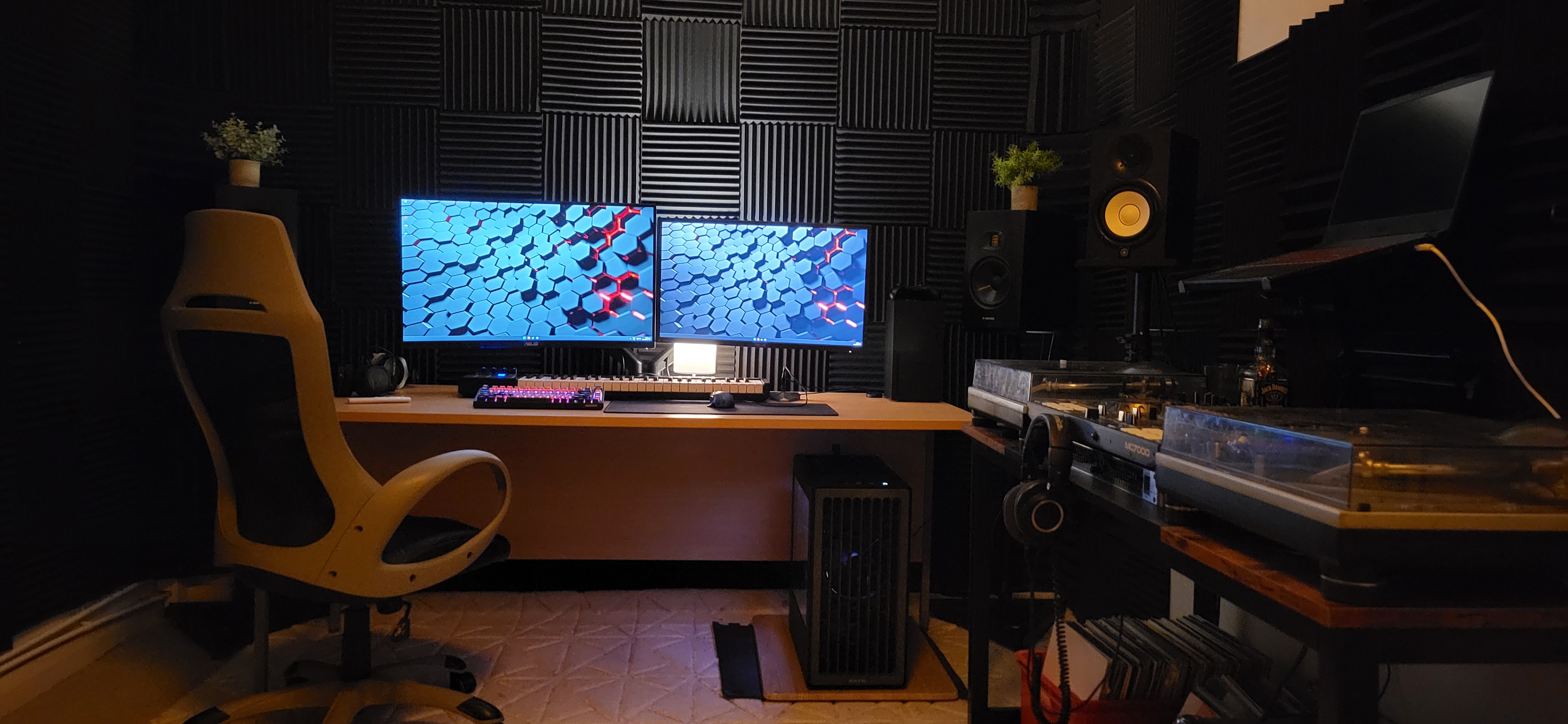
I play at 1080p on a monitor. It does not support hdr. And i only have an 8bit option.

I did the factory reset on the monitor.

So if everything is correct on monitor side and drivers are default (8 bit, Full RGB with stock contrast/brightness/color settings) only thing that is left is just adjusting brightness in games. Most games have good brightness sliders (even with helpful images). But why there is difference between AMD and Nvidia - I have no idea.

When I had my old 1080p 8bit monitor, my PS5 always set an limited RGB with autosettings - and full RGB was indeed more punchy but the darks were too dark when I tried to force it for shit and giggles basically.

What model and brand of monitor do you have?

Edit: But it doesn't make any sense, if it was okay on Nvidia.

Edit 2: AI says that by default AMD drivers default to Full RGB, while Nvidia to Limited RGB btw.

Nvidia does this with tvs but shouldn't with monitors.
 
So if everything is correct on monitor side and drivers are default (8 bit, Full RGB with stock contrast/brightness/color settings) only thing that is left is just adjusting brightness in games. Most games have good brightness sliders (even with helpful images). But why there is difference between AMD and Nvidia - I have no idea.
This +1. I have an fairly new Mini LED monitor now, and besides calibrating it to not crush blacks and over brighten stuff, I still end up configuring brightness in games regardless.

Maybe some calibration images from rtings would show Spyxos Spyxos how his monitor handles black levels and brightness. I would have to google images I have used for calibration.
Nvidia does this with tvs but shouldn't with monitors.
Good to know.

Edit:

Found it. Whole article and how to set things up:


Black level test pattern:

Brightness test pattern:
 
Last edited:
When I had my old 1080p 8bit monitor, my PS5 always set an limited RGB with autosettings - and full RGB was indeed more punchy but the darks were too dark when I tried to force it for shit and giggles basically.

What model and brand of monitor do you have?

Edit: But it doesn't make any sense, if it was okay on Nvidia.

Edit 2: AI says that by default AMD drivers default to Full RGB, while Nvidia to Limited RGB btw.
Its an Dell U2422HE. The Picture kinda reminds me of an Energy save mode that the monitor has activated itself, but I couldn't find anything about it in the monitor menu.
So if everything is correct on monitor side and drivers are default (8 bit, Full RGB with stock contrast/brightness/color settings) only thing that is left is just adjusting brightness in games. Most games have good brightness sliders (even with helpful images). But why there is difference between AMD and Nvidia - I have no idea.


Nvidia does this with tvs but shouldn't with monitors.
Yea, I set it brighter in every game. The problem is Arc Raiders, because it doesn't allow you to do that and I end up running around like a blind mole.
I'm still hoping that it may be due to the HDMI cable, and I want to try a DisplayPortcable 2.1
This +1. I have an fairly new Mini LED monitor now, and besides calibrating it to not crush blacks and over brighten stuff, I still end up configuring brightness in games regardless.

Maybe some calibration images from rtings would show Spyxos Spyxos how his monitor handles black levels and brightness. I would have to google images I have used for calibration.

Good to know.

Edit:

Found it. Whole article and how to set things up:


Black level test pattern:

Brightness test pattern:

Thx, gonna check it out tomorrow.
 
Last edited:
Adrenalin 25.12.1 (WHQL Recommended) are now available.


Highlights

  • New Features
    • Support for AMD FSR™ "Redstone"
  • New Product Support
    • AMD Radeon™ AI PRO R9600D
    • AMD Radeon™ AI PRO R9700S
  • Fixed Issues
    • Radeon Anti-Lag 2 option may not be available while playing Counter-Strike 2 (DX11) with Radeon Anti-Lag 2 enabled on some AMD Graphics Products, such as the Radeon™ RX 9070 XT.
    • Intermittent system crashes may be observed while using some high-bandwidth HDMI 2.1 displays during display standby.
    • Intermittent application freeze when using the in-game Radeon™ Overlay.
    • Intermittent application crash when playing ARC Raiders on the Blue Gate map on Radeon™ RX 9000 series products.
  • Intermittent application crash or driver timeout may be observed while loading a saved game in Cyberpunk 2077 with Path Tracing enabled. AMD is actively working on a resolution with the developer to be released as soon as possible.
  • Intermittent application crash or driver timeout may be observed while playing Battlefield™ 6 on AMD Ryzen AI 9 HX 370.
  • Intermittent application crash or driver timeout may be observed while playing Roblox Player (Car Zone Racing & Drifting) when task switching between media on Radeon™ RX 7000 series products.
  • Texture flickering or corruption may appear while playing Battlefield™ 6 with AMD Record and Stream on some AMD Graphics Products.
  • Some shadows may not render correctly while playing Call of Duty®: Black Ops 7 on some AMD Graphics Products. AMD is actively working on a resolution with the developer to be released as soon as possible.
 
Last edited:
Top Bottom