• Hey Guest. Check out your NeoGAF Wrapped 2025 results here!

NVIDIA DLSS 4.5 to feature 2nd Gen Transformer model and Dynamic 6x Frame Generation

It's the future whether you like it or not. I love DLSS, best AI feature for me except maybe the videos of cats playing music or shooting guns outside people's houses at 2am
Yeah DLSS is black magic. Although this release seems like a bit of a shit show. Lucky for me I'm an old cunt and can't see any differences between 4. & 4.5 so im sticking with 4.
 
Honestly it's a cluster fuck and I have no idea why they even rolled this out if there's so many stipulations. As a 5090 owner I'm sticking with forcing Model M though.

Why not use preset L if you have spare FPS? Seems it offers the highest quality, but is the heaviest model (hence the general recommendation to stick to Ultra Performance).
 
Is frame gen instead of native frame rate and AI upscaling instead of native resolution a bad trend or a true next generation of gaming?
It's inevitable, you're not going to get 240/480/720/1040 native frames in triple A games. Especially not on a console. Only games like Silksong in terms of complexity will be able to do it.
Have you seen a game running at a base 120fps and 2x framegen? I reckon you'd be a believer if you did. Hell, seeing Sonic Mania with lossless scaling's 4x FG and integrer scaling mode running at 240 fps is legit mindblowing.
 
It's inevitable, you're not going to get 240/480/720/1040 native frames in triple A games. Especially not on a console. Only games like Silksong in terms of complexity will be able to do it.
Have you seen a game running at a base 120fps and 2x framegen? I reckon you'd be a believer if you did. Hell, seeing Sonic Mania with lossless scaling's 4x FG and integrer scaling mode running at 240 fps is legit mindblowing.
Im playing Arc Raider atm at max settings x2FG at 240fps.... on a laptop. Shits amazing.
 
Im a newbie with Nvidia app and presets too. How does it all work?

Sounds like presets are global underlying, so somewhere in nvidia app, I select preset L, and in games i choose the DLSS levels like performance/quality/ultra? This will let Nvidia AI apply L's magic accordingly to the DLSS levels you chose?

Wow pc gaming is getting complicated

And Nvidia is just leaving the presets in alphabetical order? How does one know which is the better one? The later alphabet is always the newer/better/heavier on resources?
 
Last edited:
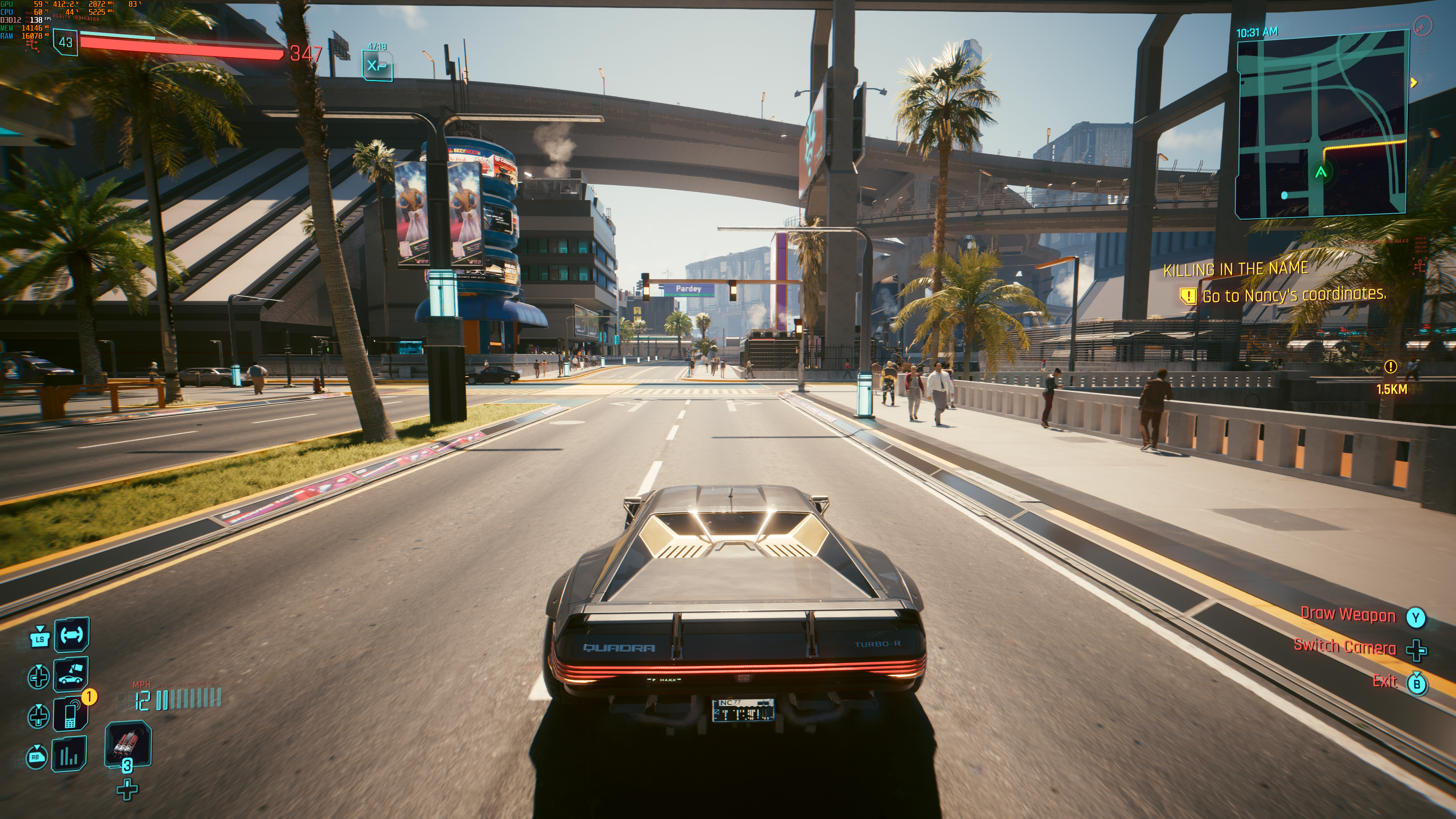
Cyberpunk 4k maxed out PT with Model M performance and Ray Reconstruction disabled. 2x frame gen to hit locked 138fps. It is nice but not in the mood to play it again , that's for sure.
MT1VHvzNnonEy4aT.png
 
I hated that they add a sharpness filter so now IDK people saying its better is because the sharpness filter or the DLSS itself now .
:messenger_grinning_sweat:
Yeah, that's a good and legitimite question. But from what i have read ghosting is also better and that you can't force through sharpness filter.
 
Last edited:
Just got home from work, excited for new DLSS updates, but like many others, a bit confused. So I have a 5090 and use a 4k OLED monitor. I have been using DLAA in games, but typically I choose quality. Not even sure that's correct, regardless do I just select the M preset for best results? Thanks in advance.
 
Im a newbie with Nvidia app and presets too. How does it all work?

Sounds like presets are global underlying, so somewhere in nvidia app, I select preset L, and in games i choose the DLSS levels like performance/quality/ultra? This will let Nvidia AI apply L's magic accordingly to the DLSS levels you chose?

Wow pc gaming is getting complicated

And Nvidia is just leaving the presets in alphabetical order? How does one know which is the better one? The later alphabet is always the newer/better/heavier on resources?
The presets are essentially same as the DLSS version.
Preset K is DLSS 4.0
Preset M is DLSS 4.5
Preset L is DLSS 4.5 but specifically optimized for those who use Ultra Performance mode.
 
So yeah, new DLSS eliminates some issues that were 4.0 exclusive:

DLSS3 (E) and DLSS4 (J):


DLSS 4.5 (M):


Weird ghosting that was present with shadows on DLSS4 (but not on DLSS3) is gone now.

So here's Nvidia's "final say" with DLSS 4.5:


official-nvidia-dlss-4-5-super-resolution-faq-v0-a2rijlgossbg1.png


  • Even though it's 20 Series and 30 Series compatible, there's a massive performance hit because they don't support FP8 precision
    • In my mind, there's no point in even considering using DLSS 4.5 for these older cards
  • Model M (as well as L) benefits over past models in any mode, but the performance hit is significant enough, even on 40 and 50 Series cards, that Nvidia still recommends DLSS 4 for DLAA/DLSS Quality/DLSS Balanced for the best quality/performance ratio
    • So Model M is indeed "better", but the performance hit is too large for Nvidia to recommended it with the higher quality scaling options
  • Ray Reconstruction has not been updated to DLSS 4.5, so if you turn it on in any game, you will be held back to DLSS 4.0/1st gen transformer architecture regardless of your other settings
    • This is just dumb. Why release DLSS 4.5 if it's not ready across all of the RTX featuresets?


Long story short is if you have the head room, Model M does appear to be the way to go for increased image quality, motion clarity, and temporal stability. But the performance hit is large enough that Nvidia doesn't feel comfortable advertising it as the "set it and forget it" model.


Honestly it's a cluster fuck and I have no idea why they even rolled this out if there's so many stipulations. As a 5090 owner I'm sticking with forcing Model M though.

So I guess this confirms that when you use RR DLSS returns to 4.0 mode. Pretty much what my first testing showed in Cyberpunk yamaci17 yamaci17 Looks like any improvements I saw are just placebo effect (or new 310.5 RR file produces better results with Ray Reconstruction).
 
Last edited:
Im a newbie with Nvidia app and presets too. How does it all work?

Sounds like presets are global underlying, so somewhere in nvidia app, I select preset L, and in games i choose the DLSS levels like performance/quality/ultra? This will let Nvidia AI apply L's magic accordingly to the DLSS levels you chose?

Wow pc gaming is getting complicated

And Nvidia is just leaving the presets in alphabetical order? How does one know which is the better one? The later alphabet is always the newer/better/heavier on resources?

In theory, you shouldn't worry about it, at all. Just pick your performance mode and stick with it . The developer guidelines and the drivers take care of the rest.

It's only when you're really interested in digging deep that the perfection-FOMO starts to creep in.
 
Last edited:
In theory, you shouldn't worry about it, at all. Just pick your performance mode and stick with it . The developer guidelines and the drivers take care of the rest.

It's only when you're really interested in digging deep that the perfection-FOMO starts to creep in.

So i just need to install nvidia app, opt in beta and update the app, and it will just work

In any dlss game, i just set to performance in game menus, and boom, the drivers will be smart enough to use the G2 transformer magic?
 
Last edited:
So i just need to install nvidia app, opt in beta and update the app, and it will just work

In any dlss game, i just set to performance in game menus, and boom, the drivers will be smart enough to use the G2 transformer magic?
No. If you want to use the new model M for 4k performance or L for 4k ultraperformance you have to select them manually in nvidia app per game or globally. If you leave it by default then the game uses what the developers picked.
 
So i just need to install nvidia app, opt in beta and update the app, and it will just work

In game, I just use my preferred DLSS levels or performance, and boom, the drivers will be smart enough to use the G2 transformer magic?

Well, actually, I think I'm contributing to the confusion by not clearly stating what I'm talking about. My apologies :messenger_frowning_

If you want the presets to be set correctly automatically the only way is to wait for the developers to patch the game itself for their updated 4.5 SDK.

But if you don't want to wait, then, as people said, the option is to go into the beta Nvidia app and set the model to "latest", and override the performance mode to either performance or ultra-performance.
 
Last edited:
Well, actually, I think I'm contributing to the confusion...

If you want the presets to be set correctly automatically the only way is to wait for the developers to patch the game for their updated 4.5 SDK.

But if you don't want to wait, then the easiest option is to go into the beta Nvidia app and set the model to "latest", AND override the performance mode to either performance or ultra-performance.

HOWEVER, that will force the 4.5 model onto whatever you select as the performance mode, including "quality" if that's the setting. Which isn't optimal if performance is important.

My apologies, I'm probably drunk.
I think wast majority of devs never go back to update their DLSS to a newer version. Especially if it's 1-2 year old game already.

I hope they update Ray Reconstruction to gen 2 soon, so we can use it along with DLSS 4.5.
 
I think wast majority of devs never go back to update their DLSS to a newer version. Especially if it's 1-2 year old game already.

I hope they update Ray Reconstruction to gen 2 soon, so we can use it along with DLSS 4.5.
Good point.
 
I have a question, I use DLSS4 at 1080p on my RTX 4060 laptop. Even on a 27" 4k screen, the results are really good. Will Quality on 4.5 perform as good as Quality on 4? If not what will Balanced in 4.5 be like?
From what I gather, 4.5 provides a clearer picture by eliminating some shimmer, ghosting, and aliasing issues, but it will come at the cost of some frames. Up to you if the new image is worth the fps hit. I have no idea atm what the best option is, it is pretty confusing.
 
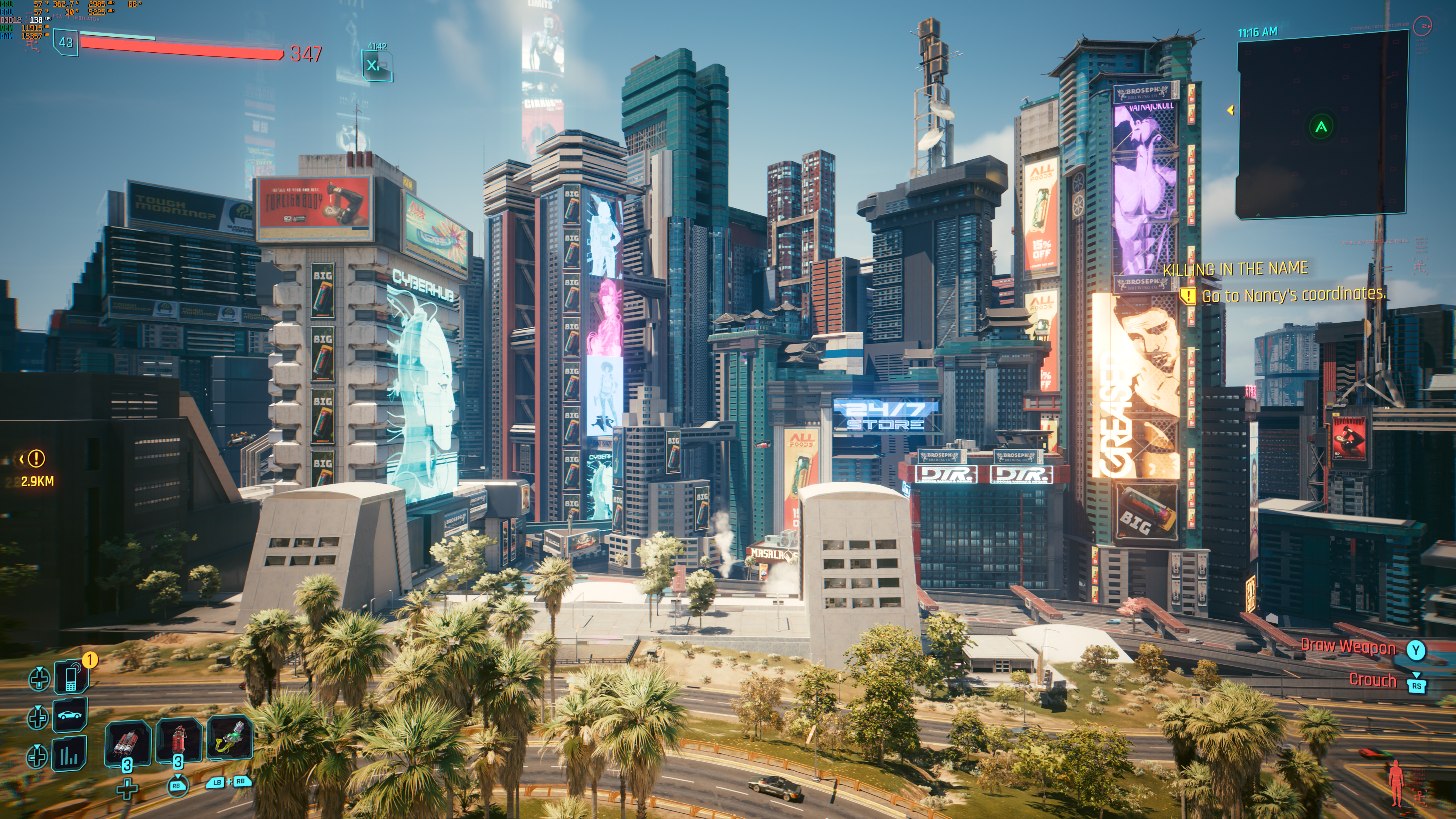
I have to say, Cyberpunk with 40% scaling (to 4K), path tracing and M preset looks better than the same settings using preset K, and performance difference is very small:

65.08FPS to 64.34FPS drop (benchmark) while everything looks sharper and more stable. I'm impressed.

YCIcYUQ.jpeg
I noticed that Cyberpunk uses the D preset, but I'm not sure if it's the new Transformer 2 model. I saw the same performance with the D preset and the old K/J transformer presets even at higher internal resolutions (DLSSQ and DLAA). However, I must admit that the D preset looks superb. I don't know if that's the result of the new DLL 310.5 or an updated RR DLL. Previously, ray reconstruction made the image look terrible. The fine details of the textures were filtered (DNR'ed), and, on top of that, there was some strange contrast-adaptive sharpening that made the image look overprocessed. Now, with RR, textures have fine details, and the whole image looks much more pleasing to the eye (more natural).
 
I noticed that Cyberpunk uses the D preset, but I'm not sure if it's the new Transformer 2 model. I saw the same performance with the D preset and the old K/J transformer presets even at higher internal resolutions (DLSSQ and DLAA). However, I must admit that the D preset looks superb. I don't know if that's the result of the new DLL 310.5 or an updated RR DLL. Previously, ray reconstruction made the image look terrible. The fine details of the textures were filtered (DNR'ed), and, on top of that, there was some strange contrast-adaptive sharpening that made the image look overprocessed. Now, with RR, textures have fine details, and the whole image looks much more pleasing to the eye (more natural).

Yeah I think game looks better with the newest RR file but at the same time nvidia confirmed that new transformer don't work when enabling RR in game so who knows...

So to use dlss4 now i have to chose K instead of latest because latest is 4.5??!

Bojji Bojji help.

C, D, E for CNN (DLSS3)
J, K - Transformer 1 (DLSS4)
L, M - Transformer 2 (DLSS4.5)

They are over-complicating this a bit but manual switch of presets will do the job. If you set to "latest" it will default to M profile.
 
Last edited:
Yeah I think game looks better with the newest RR file but at the same time nvidia confirmed that new transformer don't work when enabling RR in game so who knows...


C, D, E for CNN (DLSS3)
J, K - Transformer 1 (DLSS4)
L, M - Transformer 2 (DLSS4.5)

They are over-complicating this a bit but manual switch of presets will do the job. If you set to "latest" it will default to M profile.
Is it true that dlss swapper work much better than the nvidia app?

I don't wanna have multiple apps to handle a fucking upscaling :lollipop_squinting:
 
Yeah DLSS is black magic. Although this release seems like a bit of a shit show. Lucky for me I'm an old cunt and can't see any differences between 4. & 4.5 so im sticking with 4.

If people are being honest with themselves the differences are academic only. 4.0 already nailed upscaling tech for the vast majority.
 
Yeah DLSS is black magic. Although this release seems like a bit of a shit show. Lucky for me I'm an old cunt and can't see any differences between 4. & 4.5 so im sticking with 4.
Apparently 4 would keep some of our frames. 4.5 is about image quality. I've been hung up on image quality almost the entirety of my PC building "career" but, now... I prioritize frames. I have the fucking luxury of having both frames and image quality. I will never bitch.
I feel this is for those who don't have top end hardware and want more image quality while sacrificing some FPS.
And, after 9 pages, I am probably not the only one to come to this conclusion, by themselves.
 
I wonder how long until rendering stops making native stuff anymore at all. I guess AI image creation might get soon to a state where basically a kids sketch (some rough wireframe) for all frames will be enough to create some nice fauxK image with all objects just being splat into the pic incl some natural lighting and reflections as well. Physics also just being calculated by some AI estimation of how things should move.
 
Apparently 4 would keep some of our frames. 4.5 is about image quality. I've been hung up on image quality almost the entirety of my PC building "career" but, now... I prioritize frames. I have the fucking luxury of having both frames and image quality. I will never bitch.
I feel this is for those who don't have top end hardware and want more image quality while sacrificing some FPS.
And, after 9 pages, I am probably not the only one to come to this conclusion, by themselves.

Yeah not complaining myself. I have some decent hardware and DLSS and frame gen have been great.
It's a beta.
I'm aware.
 
I noticed that Cyberpunk uses the D preset, but I'm not sure if it's the new Transformer 2 model. I saw the same performance with the D preset and the old K/J transformer presets even at higher internal resolutions (DLSSQ and DLAA). However, I must admit that the D preset looks superb. I don't know if that's the result of the new DLL 310.5 or an updated RR DLL. Previously, ray reconstruction made the image look terrible. The fine details of the textures were filtered (DNR'ed), and, on top of that, there was some strange contrast-adaptive sharpening that made the image look overprocessed. Now, with RR, textures have fine details, and the whole image looks much more pleasing to the eye (more natural).
it has been that way since the dlss 4 ray reconstruction is released, it's not a new improvement, it was there at dlss 4 launch

 
it has been that way since the dlss 4 ray reconstruction is released, it's not a new improvement, it was there at dlss 4 launch

I tested the previous DLSS with a transformer model, but ray reconstruction still made the image appear overprocessed. Only the latest 310.5 DLSS (with all components—SR, RR, and FG—enabled) produced an acceptable image with ray reconstruction.
 
Yeah I think game looks better with the newest RR file but at the same time nvidia confirmed that new transformer don't work when enabling RR in game so who knows...


C, D, E for CNN (DLSS3)
J, K - Transformer 1 (DLSS4)
L, M - Transformer 2 (DLSS4.5)

They are over-complicating this a bit but manual switch of presets will do the job. If you set to "latest" it will default to M profile.
Thanks, friend! I was wondering what the D presets meant, and now I know that these C, D, and E presets were made with DLSS3 in mind. It seems Nvidia simply refined their quality with the latest DLL update. The latest DLLs aren't making use of the Transformer 2 model, but I still noticed the benefits once I started Cyberpunk. The RR soap that I always hated was gone, and the fine details in the textures started to stand out. There's also a noticeable improvement in the motion quality of FGx2 on my card. I was already happy with previous versions of DLSS FG, but the fast 180-degree camera turns in games like Black Myth: Wukong showed a transparent ghost of my character previously. Now, that ghost is gone when I selected use the latest FG in nvidia app. Even though Nvidia isn't using a Transformer 2 model for every DLSS component in the latest version, the differences are still noticeable.
 
Thanks, friend! I was wondering what the D presets meant, and now I know that these C, D, and E presets were made with DLSS3 in mind. It seems Nvidia simply refined their quality with the latest DLL update. The latest DLLs aren't making use of the Transformer 2 model, but I still noticed the benefits once I started Cyberpunk. The RR soap that I always hated was gone, and the fine details in the textures started to stand out. There's also a noticeable improvement in the motion quality of FGx2 on my card. I was already happy with previous versions of DLSS FG, but the fast 180-degree camera turns in games like Black Myth: Wukong showed a transparent ghost of my character previously. Now, that ghost is gone when I selected use the latest FG in nvidia app. Even though Nvidia isn't using a Transformer 2 model for every DLSS component in the latest version, the differences are still noticeable.

Actually when it comes to D preset showing up in cyberpunk (and Indiana Jones) when using ray Reconstruction - it's not DLSS3 preset. I thought this as well before I discovered that even fucking Ray Reconstruction has presets! You can change them in DLSS swapper. D and E, I have no idea what's the difference.

That DLSS info HUD shows RR preset (when normally it's for SR), while game still uses 4.0 transformer model for Super Resolution.
 
Is it true that dlss swapper work much better than the nvidia app?

I don't wanna have multiple apps to handle a fucking upscaling :lollipop_squinting:

How do you check what dlss version you are using ingame with nvidia app?

Is it like the g-sync mark option for when you are not sure if gsync is on or off?

I use DLSS swapper most of the time. It offers tons of option while it's very clean and easy to navigate.

You change .dll file in your game (lastest is usually the best) and adjust presets and that's it. You can totally avoid Nvidia app and uninstall it.

With this application (swapper) you can also force that "dlss HUD" to show up what version game is using currently.
 
Last edited:
Looks like the DLSS 4.5 performance hit on a 5090 @ 4K is indeed very small (2-5%), even at DLSS Quality:


Seems like a no-brainer for 5090 owners @ 4K. Not sure about others.
 
Last edited:
I use DLSS swapper most of the time. It offers tons of option while it's very clean and easy to navigate.

You change .dll file in your game (lastest is usually the best) and adjust presets and that's it. You can totally avoid Nvidia app and uninstall it.

With this application (swapper) you can also force that "dlss HUD" to show up what version game is using currently.
I used swapper once in the past and the game didn't even started, i had a black screen.

If i have to study what precise dlss version i need for every damn game to even start, i think the app may be more secure proof for a fucking noob like me...

Did the fixed that and now the app only install something that actually work for the game or is it still more for experienced users that know exactly what version of dlss to use?
 
Last edited:
It's an actual fucking scam:

Step 1: initial DLSS Buzzword 4.0 release. Hidden truth: it's botched deliberately, with some IQ downsides baked in.
Step 2: sell hardware that supports the initial release well.
Step 3: announce an 'improved' Buzzword 4.5 version of it. "It's for the better": the performance is 1% to 5% worse, but the customers won't mind this because IQ is 'improved', wink-wink.
Step 4: introduce new hardware that supports DLSS Buzzword 5.0: the performance is 5% to 10% worse compared to 4.5, but holy shit the pixels now dance or something, it's +9999% image quality!
Step 5: collect huge margins because the PC gamer Stans and Joes won't even look at RTX Basic_Crap anymore, since that 10% drop makes it inconvenient, and oh boy do they have a solution for this little problem: RTX Super_Duper.
 
It's an actual fucking scam:

Step 1: initial DLSS Buzzword 4.0 release. Hidden truth: it's botched deliberately, with some IQ downsides baked in.
Step 2: sell hardware that supports the initial release well.
Step 3: announce an 'improved' Buzzword 4.5 version of it. "It's for the better": the performance is 1% to 5% worse, but the customers won't mind this because IQ is 'improved', wink-wink.
Step 4: introduce new hardware that supports DLSS Buzzword 5.0: the performance is 5% to 10% worse compared to 4.5, but holy shit the pixels now dance or something, it's +9999% image quality!
Step 5: collect huge margins because the PC gamer Stans and Joes won't even look at RTX Basic_Crap anymore, since that 10% drop makes it inconvenient, and oh boy do they have a solution for this little problem: RTX Super_Duper.

Go Away What GIF
 
Top Bottom