
-
Hey Guest. Check out your NeoGAF Wrapped 2025 results here!
You are using an out of date browser. It may not display this or other websites correctly.
You should upgrade or use an alternative browser.
You should upgrade or use an alternative browser.
For those worried about OLED burn-in
- Thread starter Ocean Dweller
- Start date


Bojji
Gold Member
Clearly I'm no tech expert, as half the stuff you're talking about goes right over my head. I've just heard people complaining about frame rates on oled TV's when it comes to gaming. As I understand it, a lot of console games are still 30 fps so that seems problematic for OLED tvs. Then there's the prices...
The tv I picked up was only $500 and has most of the gaming features you mentioned and looks fantastic (at least to me) and I'm not sure what tech it uses (TCL QM7).
Most console games on PS5 and SX are 60fps (probably close to 90% even) and this trend will continue on PS6. Problem is with older games locked to 30fps that never got patches. No such issue on PC.


Gamezone
Gold Member
1200 hours of Apex Legends, no issue so far.If you play a lot of different games then oled is fine, if you play the same games all the time for multiple hours a day then oled is not fine (particularly blizzard stuff, their huds are way too bright).

MrAlwaysRight
Member
This is my 55" B7 I used as a full time PC monitor for 2 years at 140nits, I also played a wide variety of HDR games, tv, movies, and videos on this one maxed out. Probably got 20,000 hours or more on this thing.

Full size link: https://ibb.co/v6vJFmrq
Now do Blue, Teal, Purple and Green.

S0ULZB0URNE
Member
The "organic" nature of OLED's diodes age faster(especially the blue diodes)than non OLED's.CRT pixels and plasma pixels aren't organic but they have the same problem
It's not the "organic" nature of these emissive displays that causes burn-in
The holy grail remains designing an emissive display with pixels that wear in a different way from progressive brightness loss. MicroLED is such a technology but it's been extremely difficult to find a way to miniaturize it in a way to produce a screen smaller than 110 inches or mass produce it at a price that normal people can pay
All modern displays have issues but not all issues are the same.
Not getting into the mess that was Plasma TV's.
Was significantly better especially with monitors although OLED has improved.I have a mini LED display. It's better for displaying text and code than a lot of LG OLED panels I tested before that...
I hear and believe what you say you experienced but still disagree.I worked with every QD-OLED panelled TV from Samsung and Sony since their inception in 2021/22 and on the shop floor the ambient black level raise was evident on all of them.
The lights in the shop were suspended 20+ feet above the TVs so there was no direct light on the screen. Thats why its called ambient black level raise.
I sometimes did afterhours sessions with staff or customers where the lights were severely dimmed and you could still see it.
Samsung use of the matte coating on the S95C/D/F made it even more obvious for sure, but the Sony was still affected.
I dont think its the end of rhe world or anything, but it is there.
I haven't noticed this in real time use ever.
When the sun peaked through the window I did and my setup had to be moved but that was with light shining directly on the screen.
Last edited:

Meicyn
Member
This was a very longwinded technical explanation rationalizing your specific use-case. And it's fine, you want to stick to 140 nits because you're in a dark room and don't want ABL kicking in all the time, cool. I'm well aware of the human eye's perception of brightness on a display relative to the environment. But you're missing the point, entirely.These generations of OLED panels (B7 and C1) max out around 140 nits full field in SDR if memory serves, any higher and you'll start seeing ABL fluctuations (particularly with PC use). Microsoft's HDR to SDR translation is also completely broken on Windows, they use some bizarre piecewise gamma function that completely fucks up the lower range of the curve, noticeably raises blacks/shadow detail and generally washes out the image. You want to run Windows desktop in SDR at all times, and only turn on HDR manually to play games or videos. That's why so much use is in SDR at 140 nits, but it also happens to be a comfortable level in a moderately lit room and is bright for a blacked out room. Basically all SDR TV's used to run around 140 - 180 nits in their bright accurate modes (40 - 50 foot lamberts). Low light modes and SDR technical specification is 100 nits or 30 foot lamberts.
That is strictly for PC desktop use though, this particular B7 also has many thousands of hours of maxed out 100 OLED light, high peak panel brightness HDR use with PC and console games, which would be like 650 or 700 nits on the B7.
It's in a bedroom now and full screen white at 140 nits will literally blind you in the dark, genuinely hurts your eyes if you fall asleep and wake up to it. You guys are wildly underestimating how bright 140 nits full field actually is, our perception of brightness is logarithmic. The only scenario you wouldn't quantify it as bright is in a room with open windows on a sunny day.
Not a typo, that is strictly for PC desktop use, which should always be in SDR (see reasons above). The S95B also maxes out around 150 nits on full field white in SDR and would only look around 20-30% brighter if you completely maxed out its SDR mode (our perception of light is logarithmic and 150 nits is much closer to the leveling off peak of the curve than the steep bottom). Most HDR games and movies actually sit primarily around the 150-300 nits APL range, the obscene values are only for specular highlights.
If you advertise a TV or monitor display to be the best for gamers, a hobby notorious for bright HUDs and static imagery… and folks can have screen burn in occur by using the display out of the box with default settings while performing activities that posed no issue on other displays… one might consider that a dealbreaker. Maybe not for you, but definitely for me.
You came in and questioned what people were doing to their displays, essentially framing the discussion as though they were abusing their OLEDs. The reality is much more simple, they turned it on and used it. They didn't alter their behaviors, and they shouldn't have to. It's why I dropped the Steve Jobs reference in my initial reply to you. His insistence at the time that the phone was fine and folks were "holding it wrong" was bog standard out of touch silicon valley psycho shit. Folks were holding the phone the way they always did, which was no problem on any other phone. It was an engineering/tech problem, but naturally, there was an Apple defense force ready to blame users much like what you are doing here.
The risk of burn in decreases with each iteration, but it still exists and is mostly a matter of how perceptive individuals are. You don't get the same amount if extremes as first gen OLED displays had, but you still have uneven pixel wear nonetheless such as
 kevboard
is experiencing. Some will see it, others don't mind it, it is what it is. But please folks, stop running a defense force and quit blaming users for using their display as advertised.
kevboard
is experiencing. Some will see it, others don't mind it, it is what it is. But please folks, stop running a defense force and quit blaming users for using their display as advertised.
Kuranghi
Member
I hear and believe what you say you experienced but still disagree.
I haven't noticed this in real time use ever.
When the sun peaked through the window I did and my setup had to be moved but that was with light shining directly on the screen.
Its in a house with much less light than the shop and you don't have a WOLED panel OLED next to it to compare so it's not going to be evident at all.
I had them all lined up in the shop so could scrutinise them, like i said i dont think its something to care about at all.
Its just every time I didn't mention these things people came back and said "why didn't you tell me" so when I talk about TVs outside the job I tend to keep doing it.
No one ever came back about this ambient black level raise, the main one they came back about was me not explaining how OLEDs PRT means panning shots in 24/25/29.976/30fps content looks juddery without motion smoothing so if the customer preferred that off I would say its better to leave it on minimum at least.
I have the ZD9 still that i do most things on but I also have an Sony AF9 OLED which I use to watch certain films that just dont look the nearly as good without OLEDs per pixel dimming, eg the recent Nosferatu. I despise MEMC and I have it set to minimum on the AF9 because its unpleasant without it imo.
Almost everything I still watch on the ZD9, I just prefer the motion - no MEMC engaged and it looks phenomenal, the blur between frames is near perfect to blend them at 24fps or in 30fps games with poor or no screen-based motion blur - fullscreen brightness in HDR games and average picture level generally vs the OLED.
I'm sure recent OLEDs are way better in terms of fullscreen brightness than my AF9 but the 25% and 50% windows are still subpar imo.

Insane Metal
Member
There's always a trade-off.
But it's really, REALLY hard to let go of OLED once you experience those inky black blacks.
But it's really, REALLY hard to let go of OLED once you experience those inky black blacks.

MacReady13
Member
I have the 55 inch CX as well. Put in countless thousands of hours. Zero issues whatsoever. Brilliant TV.I got 7k+ hours down on my 77" CX, no sign of burn-in, and I'm still totally happy with it. I'll only replace it when it breaks, the picture quality is still excellent and I doubt a C5 offers a big difference.

rodrigolfp
Haptic Gamepads 4 Life
"you are more likely to have a backlight die on an LED which is arguably way worse than burn in."
I easily changed backlights on 2 TVs already and they are normal again. Can I easily change the burned leds???
I easily changed backlights on 2 TVs already and they are normal again. Can I easily change the burned leds???
Last edited:

Zacfoldor
Gold Member
I'm sad OCD and this doesn't bother me.
If you understand what burn in is you will not get it or worry about it.
It's a type of uneven wear but in order to not worry about it you have to understand uneven wear and how it is and isn't applicable to your panel.
Mixed content won't get it. Black bars won't cause it. There are likely at least 3 active countermeasures happening to prevent it at any time on an LG. You need to understand them.
It's not an issue unless you are weird and also the only one using the TV. You would need to create a perfect environment for it to happen and then not allow anyone else to ever use the set for any other mixed content. Like if you watch youtube on your gaming set that's mixed content. Fuck, if you ever change fucking games, that's mixed content, so there is just nothing to worry about. I worried about it too, when I was young, before I learned. Other parts of the set will fuck up first. Power supply. If you play one game only then by all means don't get an OLED. However, modern games often have dynamic UIs. Yotei for example was UI-less for much of the game. You will never burn-in on Yotei, ever. Using it as a PC monitor. It's good to go mate, just game occasionally or watch youtube in full screen from time to time, these things are awesome and not as delicate as you think and they use them in handhelds with no issue.
If you understand what burn in is you will not get it or worry about it.
It's a type of uneven wear but in order to not worry about it you have to understand uneven wear and how it is and isn't applicable to your panel.
Mixed content won't get it. Black bars won't cause it. There are likely at least 3 active countermeasures happening to prevent it at any time on an LG. You need to understand them.
It's not an issue unless you are weird and also the only one using the TV. You would need to create a perfect environment for it to happen and then not allow anyone else to ever use the set for any other mixed content. Like if you watch youtube on your gaming set that's mixed content. Fuck, if you ever change fucking games, that's mixed content, so there is just nothing to worry about. I worried about it too, when I was young, before I learned. Other parts of the set will fuck up first. Power supply. If you play one game only then by all means don't get an OLED. However, modern games often have dynamic UIs. Yotei for example was UI-less for much of the game. You will never burn-in on Yotei, ever. Using it as a PC monitor. It's good to go mate, just game occasionally or watch youtube in full screen from time to time, these things are awesome and not as delicate as you think and they use them in handhelds with no issue.
Last edited:


vodka-bull
Member
I guess some people are unlucky and get burn-in. Others are unlucky and get a pile of bird shit dropped on their head. It happens. But I still wouldn't stay at home just because, under very, very unlikely circumstances, a bird might shit on my head.

DenchDeckard
Moderated wildly
Had My LG CX since launch with thousands of hours of gaming and 0 issues.
Ive never worried about it.
Ive never worried about it.
Last edited:

SaturnSaturn
Member
OLED burn in does happen for sure! i have had two oleds now, my c9 got tons of pixel death top and bottom also. I will never buy anything else than mini-led, got a c845 that's got superb motion in games and movies with bfi and interpolation. and a standard led from philips with memc/interpolation for game mode in a spare room. My C3 has been relegated to the bedroom where i only use it for movies.
Most oled fanatics will straight up lie since they are emotionaly invested in the panel, usually one of the only nice things they have bought for themselves. "nooo, just run it at 25 percent brightness" "you got burn in? huh guess you where unlucky", "ehm... no oled pixels dont die, why do you go online and just lie!", "lol why would you play GAMES with HUD elements on your OLED"
oleds also has abl, why buy a TV or monitor for over 1 grand when you have to baby it? its honestly totaly insane, mini led gets you 95 percent of the way there, but it also has way better motion (comparable to my plasma vt60, had them side by side. on 120fps with bfi and interpolation it smashes the plasma to bits, destroys it.). has way better brightness in sdr and hdr, and no burn in risk. never going back to oled.
oled motion in motion is AWFUL since they cut the hardware that could get bfi at 120hz. every single decent mini led has bfi at 120 hz, and on top of that on the entire mid-high TCL range you can use interpolation on top of it with next to no input lag, its pretty much a modern day crt in terms of motion in games if you can run it at 120hz.
Also in my country you get a free 5 years warranty no matter what on your TV, BUT oleds has no warranty for burn in, you cant even buy additional warranty. so it makes EVEN less sense to buy one here as once you get it your fucked. Here its better to just buy a cheap mini led and drive it hard, and if it breaks in 4-5 years you get a new one for free.
Most oled fanatics will straight up lie since they are emotionaly invested in the panel, usually one of the only nice things they have bought for themselves. "nooo, just run it at 25 percent brightness" "you got burn in? huh guess you where unlucky", "ehm... no oled pixels dont die, why do you go online and just lie!", "lol why would you play GAMES with HUD elements on your OLED"
oleds also has abl, why buy a TV or monitor for over 1 grand when you have to baby it? its honestly totaly insane, mini led gets you 95 percent of the way there, but it also has way better motion (comparable to my plasma vt60, had them side by side. on 120fps with bfi and interpolation it smashes the plasma to bits, destroys it.). has way better brightness in sdr and hdr, and no burn in risk. never going back to oled.
oled motion in motion is AWFUL since they cut the hardware that could get bfi at 120hz. every single decent mini led has bfi at 120 hz, and on top of that on the entire mid-high TCL range you can use interpolation on top of it with next to no input lag, its pretty much a modern day crt in terms of motion in games if you can run it at 120hz.
Also in my country you get a free 5 years warranty no matter what on your TV, BUT oleds has no warranty for burn in, you cant even buy additional warranty. so it makes EVEN less sense to buy one here as once you get it your fucked. Here its better to just buy a cheap mini led and drive it hard, and if it breaks in 4-5 years you get a new one for free.
Last edited:

Ulysses 31
Member
Getting burn-in is not a matter of luck but a matter of having a lot of static content on display for long periods of time.I guess some people are unlucky and get burn-in. Others are unlucky and get a pile of bird shit dropped on their head. It happens. But I still wouldn't stay at home just because, under very, very unlikely circumstances, a bird might shit on my head.
LG CX. 12k+ hours. No burn in. I do have that dead pixels issue at the edge of bezels, but it's only noticeable when looking for them or when you're up close. Otherwise it's still as good as it was the day I got it.
And I kinda abuse it with the Retrotink with the BFI and and the CRT simulation stuffs.
And I kinda abuse it with the Retrotink with the BFI and and the CRT simulation stuffs.
Last edited:
vodka-bull
Member
I recently checked my LG CX, it has between 7,000 and 8,000 hours on it by now, and the picture still looks like it did on day one.Had My LG CX since launch with thousands of hours of gaming and 0 issues.
Ive never worried about it.
Bojji
Gold Member
I like miniLED cause you get really awesome HDR brightness. Makes HDR more useable in a bright room.
If somone mainly use TV in the bright room yes. It also create awesome backlight bleed visible in a dark room.
It was always about what environment people mainly use their screens in. But I guess top OLEDs are now bright enough for sunny rooms and top mini LEDs have good enough backlight system to show good looking content in dark rooms...
Last edited:

Tomorrow
Member
i've got 2 LG oleds which i've had now for 4 and 5 years. even have an OLED pc monitor which i've had now for about 1.5 years.
5 year old oled looks just as good as it does the day i got it. no burn in. can't see any difference in brightness or overall image quality. it does however have a lot of dead pixels around the edges but i can only see them if i am standing near the tv. not ready to replace it yet but will might in the next year or so if the pixel situation gets worse.
4 year old oled is absolutely fine. could have just came out the box.
monitor. no burn in or dead pixels but maybe a few months ago i started notcing a "dirty screen effect" which mostly only noticeable on light images or when moving things about. doesn't bother me 99% of the time.
as for all the countless other OLED products i've owned...never had an issue.
5 year old oled looks just as good as it does the day i got it. no burn in. can't see any difference in brightness or overall image quality. it does however have a lot of dead pixels around the edges but i can only see them if i am standing near the tv. not ready to replace it yet but will might in the next year or so if the pixel situation gets worse.
4 year old oled is absolutely fine. could have just came out the box.
monitor. no burn in or dead pixels but maybe a few months ago i started notcing a "dirty screen effect" which mostly only noticeable on light images or when moving things about. doesn't bother me 99% of the time.
as for all the countless other OLED products i've owned...never had an issue.

Liopleurodon
Member
Owned an OLED once, and never again.

ThroatPie
Member
burn in hasn't really been an issue since the 7 series LGs. The 8 serie added some things and tweaked the settings to help mitigate it. HDTVtest did a long video on it years ago.
When I had my B6 and C7 I would get image retention especially on yellow static images but after the 8 series came out I never had those problems.
Never had burn in after years of gaming on different OLEDs but it was a concern on earlier models.
When I had my B6 and C7 I would get image retention especially on yellow static images but after the 8 series came out I never had those problems.
Never had burn in after years of gaming on different OLEDs but it was a concern on earlier models.

MarV0
Member
Top mini-leds are much more expensive than OLEDs. OLEDs have become the poor mans choice which why they have amassed so many rabid fanboys. Burn in essentially means "buy cheap buy twice".Buncha poors in this thread. "I drive a lot because it's my hobby and my tires wore out! Why can't someone figure this out yet?!"
Last edited:

kiphalfton
Member
Sucks that OLED has the issues it has, however, nothing else really compares. So I guess it is what it is that it has a shorter effective lifespan.

Mozza
Member
Which ones are more expensive, and by how much?Top mini-leds are more expensive than OLEDs. OLEDs have become the poor mans choice which why they have amassed so many rabid fanboys. Burn in essentially means "buy cheap buy twice".
Mozza
Member
I think on the more modern sets the issue is overblown.Sucks that OLED has the issues it has, however, nothing else really compares. So I guess it is what it is that it has a shorter effective lifespan.
Bojji
Gold Member
Top mini-leds are much more expensive than OLEDs. OLEDs have become the poor mans choice which why they have amassed so many rabid fanboys. Burn in essentially means "buy cheap buy twice".
You pay more for ancient tech that tries super hard to mimic a fraction of OLEDs power. Great choice!
Mozza
Member
So true, whichever way you dress it up it's still an LCD display. The black levels and HDR are simply made for OLED screens, and look better.You pay more for ancient tech that tries super hard to mimic a fraction of OLEDs power. Great choice!

Mithos
Member
When OLED that are 10+ years old that have been mistreated still have no image retention or burn ins are a thing it will be great.
<- LCD TV, 2014 model, still no image retention or burn ins, even though a few times during winter months it's been turned ON without a screen saver or anything for 24/7 for weeks or even months...
<- LCD TV, 2014 model, still no image retention or burn ins, even though a few times during winter months it's been turned ON without a screen saver or anything for 24/7 for weeks or even months...
Tomorrow
Member
Mini LEDs are rubbish though in terms of image quality.Top mini-leds are much more expensive than OLEDs. OLEDs have become the poor mans choice which why they have amassed so many rabid fanboys. Burn in essentially means "buy cheap buy twice".
Funnily enough, my first OLED tv cost me £1,800 which is the most i've ever paid in my life for a TV. until then i think the most I paid was £600. The tv I owned before my OLED i paid £340 for it. the £600 TV was a plasma and had a fuck load of burn on it. the £340 tv almost immediately had Dirty Screen Effect and then lost a lot of brightness and got annoying banding/flickering issues. apart from the dead pixels on my OLED it still looks as good as it did when i got it. to me i wouldn't say OLED is a poor man's choice. it's the most money i've spent on a tv and it cost more than 3-4 tv's i've purchased in the past. so yeah, i could spend £1,800 on a tv that's gonna hold up for 5-6 years or buy 2-3 tvs that don't last as long.
it feels like i'm feeding a troll and i know fanboys (of any product) can be annoying but OLED is technically the best quality display you can buy (for the average person) right now.
is it perfect? no. burn in DOES exist but over time has gradually become less of an issue. i was so worried about it i got a 5 year extra warranty (which now seems like a waste of money because i've got no burn in yet). older models, like the one i've got, have other issues like dead pixels/banding (again i've got dead pixels) but seems this has been fixed/improvement in newer models. also another thing i don't like about OLED is that the image looks like it's stuttering, not sure the proper term, when displaying low fps. i've kind of got used to it now but i'd like the image to be more smoother at low fps.
until Micro LED becomes affordable then I'm going to keep buying OLEDs.
MarV0
Member
Imagine thinking that degrading organic material is the future and not liquid crystalsSo true, whichever way you dress it up it's still an LCD display. The black levels and HDR are simply made for OLED screens, and look better.

Remember those gas filled TVs? It is comical how similar Plasma and OLED fanboys are even if they are from different generations.
Last edited:
Bojji
Gold Member
Imagine thinking that degrading organic material is the future and not liquid crystals
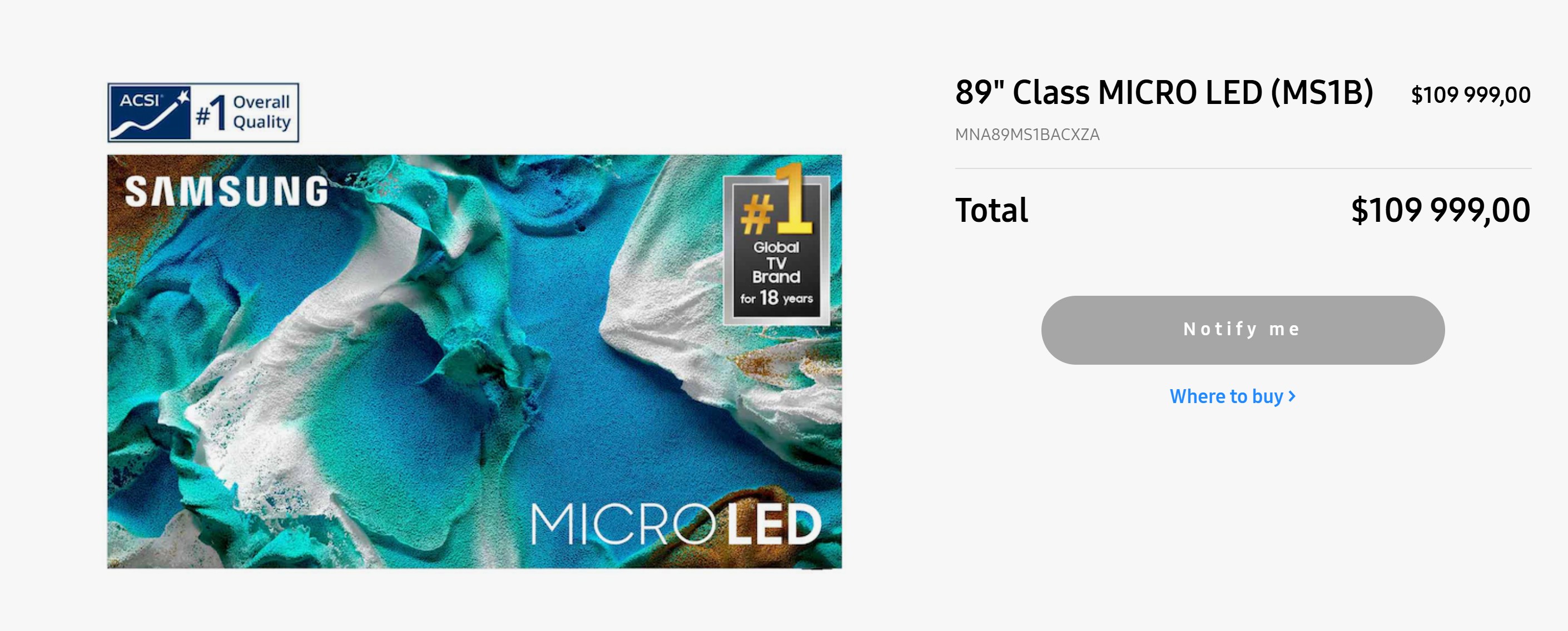
Synthetic micro leds are the future - it's like OLED (self emitting) but has no downsides.
But that price...
Last edited:

Myuni
Member
The mileage on my 'Philips OLED 55POS9002/12' I bought back in 2018 is 9401 hours.
I use it for gaming, streaming, and occasional PC office tasks.
No burn-in, no banding, but about 13 (black) dead pixels, all located close to the edges.
From my usual viewing distance of about 10 feet, I do not notice them at all, thankfully.
13 dead pixels from a total of 8.294.400 (0,000157%) after 8 years/ 9401 hours is pretty good. Got lucky, I guess.
But the true OLED prodigy has got to be my 'Samsung Galaxy Tab S2'.
It turns 10 this year. Not a single dead pixel, and I use it on a daily basis. Its operation hours should be way past the 10.000 threshold by now.
I use it for gaming, streaming, and occasional PC office tasks.
No burn-in, no banding, but about 13 (black) dead pixels, all located close to the edges.
From my usual viewing distance of about 10 feet, I do not notice them at all, thankfully.
13 dead pixels from a total of 8.294.400 (0,000157%) after 8 years/ 9401 hours is pretty good. Got lucky, I guess.
But the true OLED prodigy has got to be my 'Samsung Galaxy Tab S2'.
It turns 10 this year. Not a single dead pixel, and I use it on a daily basis. Its operation hours should be way past the 10.000 threshold by now.

Griffon
Member
I admit, I don't really care about the black levels and I'd rather have a screen that won't progressively destroy itself over 5 years.
But... I can't fucking stand latency, and Oled is the best game in town when it comes to response time. I've seens plenty of big LCD screens with dogshit lag and I'd rather have an OLED just for that.
But... I can't fucking stand latency, and Oled is the best game in town when it comes to response time. I've seens plenty of big LCD screens with dogshit lag and I'd rather have an OLED just for that.
Last edited:

Corporal.Hicks
Member
Hardware Unboxed burn-in stress test of the third-generation QD-OLED monitor suggests that I have nothing to worry about for the next few years. Samsung claims that their fourth-generation QD-OLED monitors are twice as reliable and the latest fifth-generation panels should be even more reliable.
Even if my third-generation QD-OLED monitor eventually burns in, I will just replace it with a newer panel. Happiness is priceless, and I just can't go back to LCD technology. Looking at the picture on my LCD monitor for hours every day was disgusting torture.
Even if my third-generation QD-OLED monitor eventually burns in, I will just replace it with a newer panel. Happiness is priceless, and I just can't go back to LCD technology. Looking at the picture on my LCD monitor for hours every day was disgusting torture.

DenchDeckard
Moderated wildly
I recently checked my LG CX, it has between 7,000 and 8,000 hours on it by now, and the picture still looks like it did on day one.
Same for me with the picture. Looks as good as it did after I'd broken it in for a hundred ours or so.
Or if anything is degrading, my eyes can't recognise it.
Mozza
Member
Bargin, I am off to buy two of them lol.Synthetic micro leds are the future - it's like OLED (self emitting) but has no downsides.
But that price...
My 65" LG CX (from 2020?) is doing only ok now. No burn-in, but...
The corners are starting to die out - if the pixels aren't black already they're losing color.
"Fortunately" it's not the most noticeable. Plenty of movie and streaming content is either letterboxed or dark, and in game content it's beyond the HUD or obscured from vignettes/chromatic aberration. But when there's bright full screen content, you will notice that the corners are starting to look ever so slightly rounded...
Makes me excited for a G6 Upgrade this year. I have a 48" C1 in my office and a 48" C3 in my primary. I'm far more concerned about the quality of HDMI 2.1 Audio Receivers than I am OLED burn-in across any brand because my Onkyo is about the biggest piece of shit I've ever purchased, between the long boot up times, random blacking out, powering off immediately after powering on... I could go on.
The corners are starting to die out - if the pixels aren't black already they're losing color.
"Fortunately" it's not the most noticeable. Plenty of movie and streaming content is either letterboxed or dark, and in game content it's beyond the HUD or obscured from vignettes/chromatic aberration. But when there's bright full screen content, you will notice that the corners are starting to look ever so slightly rounded...
Makes me excited for a G6 Upgrade this year. I have a 48" C1 in my office and a 48" C3 in my primary. I'm far more concerned about the quality of HDMI 2.1 Audio Receivers than I am OLED burn-in across any brand because my Onkyo is about the biggest piece of shit I've ever purchased, between the long boot up times, random blacking out, powering off immediately after powering on... I could go on.
Kuranghi
Member
But... I can't fucking stand latency, and Oled is the best game in town when it comes to response time. I've seens plenty of big LCD screens with dogshit lag and I'd rather have an OLED just for that.
Do you mean less smearing from the lower pixel response time when you say latency? Or do you mean input lag?


Griffon
Member
Input lag above all.Do you mean less smearing from the lower pixel response time when you say latency? Or do you mean input lag?
Kuranghi
Member
Input lag above all.
You're confusing different things, OLEDs do have really low pixel response time, but that PRT value doesn't have much to do with the input latency you'll experience, the amount of image processing going on and the max refresh rate of the screen are more what determines how much input lag a TV adds to the rest of the chain of lag: From the console/PC, the engine, the controller, etc. You can see here the input lag on a 2025 MiniLED isn't meaningfully different than a 2025 OLED:
0.7ms of extra lag on the QN90F at 4K60 and 4K120, then its actually lower on the QN90F at max refresh rate because its 165hz vs 144hz refresh rate. So the QN90F, an LCD, would give you the lowest input lag of all 2025 TVs. Even the worst 2024 and 2025 models add around 9ms, mostly Sonys because they tend to leave more image processing turned on in Game mode. Anything above that is due to it having a wireless video transfer from an external box or because its an 8K native panel.
If you mean PRT then yes an OLED TV is way faster than any LCD TV and therefore has less pixel smearing. How fast the pixels change could affect your reaction time and therefore make it seem like theres more input lag, but thats a different story. I've heard this said so many times I have to set it straight:
Response Time ≠ Input Lag
Last edited:
Bojji
Gold Member
You're confusing different things, OLEDs do have really low pixel response time, but that PRT value doesn't have much to do with the input latency you'll experience, the amount of image processing going on and the max refresh rate of the screen are more what determines how much input lag a TV adds to the rest of the chain of lag: From the console/PC, the engine, the controller, etc. You can see here the input lag on a 2025 MiniLED isn't meaningfully different than a 2025 OLED:
0.7ms of extra lag on the QN90F at 4K60 and 4K120, then its actually lower on the QN90F at max refresh rate because its 165hz vs 144hz refresh rate. So the QN90F, an LCD, would give you the lowest input lag of all 2025 TVs. Even the worst 2024 and 2025 models add around 9ms, mostly Sonys because they tend to leave more image processing turned on in Game mode. Anything above that is due to it having a wireless video transfer from an external box or because its an 8K native panel.
If you mean PRT then yes an OLED TV is way faster than any LCD TV and therefore has less pixel smearing. How fast the pixels change could affect your reaction time and therefore make it seem like theres more input lag, but thats a different story. I've heard this said so many times I have to set it straight:
Response Time ≠ Input Lag
Yep, Sony OLEDs for example still have input lag much higher than LG or Samsung (despite using the same panel).