• Hey Guest. Check out your NeoGAF Wrapped 2025 results here!

NeoGAF Drawing-a-Day Thread

can peeps help EmptySpace out?

there's a wacom bamboo capture (new) selling for $39 @ ebay, and there's the just-released, newer wacom intuos that costs $79 which one to buy? EmptySpace fears that the older bamboo tablet won't be a good investment and that somehow the rebranded small intuos tablet is better at something. there's also a used wacom bamboo capture pen and touch currently at $0.99 bid.

EmptySpace is also a total beginner when it comes to drawing using computers, so there's that.

As a beginner you just can´t go wrong with the bamboo line. Monoprice which is even cheaper is also a good brand, however the battery needed for the stylus can make it heavier and a bit uncomfortable to hold compared to the lightweight Wacom stylus.

As for today, I made this sketch.

tumblr_mv3z5ti1KY1sl6pc8o1_1280.jpg
 
can peeps help EmptySpace out?

there's a wacom bamboo capture (new) selling for $39 @ ebay, and there's the just-released, newer wacom intuos that costs $79 which one to buy? EmptySpace fears that the older bamboo tablet won't be a good investment and that somehow the rebranded small intuos tablet is better at something. there's also a used wacom bamboo capture pen and touch currently at $0.99 bid.

EmptySpace is also a total beginner when it comes to drawing using computers, so there's that.
Bamboo is fine for your needs, but the Intuos is the better investment, especially if the drawing space is bigger and $79 is pretty cheap for one, I think (I paid near $300 for mine if i remember correctly.. lol). I'd say to buy whichever one has bigger drawing space because I can tell you I got more hand cramps and soreness from the smaller sizes when I first began (4x5 active area sizes suck--get at least 6x8).


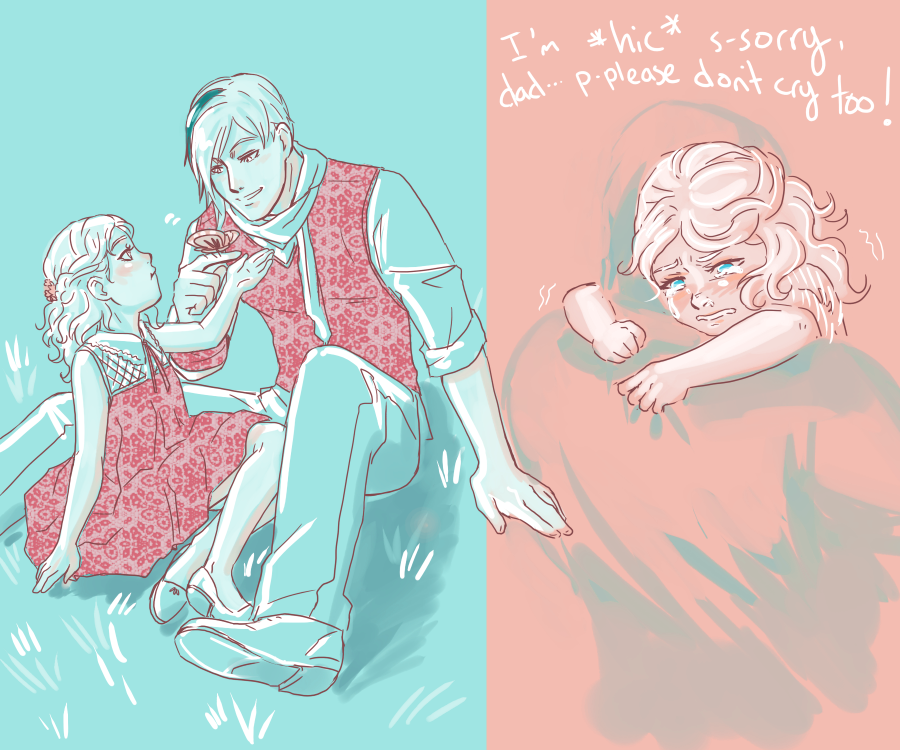
I don't remember the last thing I posted.. but.. here's what I drew in the last week~

Hweahah.. kids are cute and them being sad is also cute and heartbreaking..
impossibly_hard_by_meibatsu-d6r4tdm.png


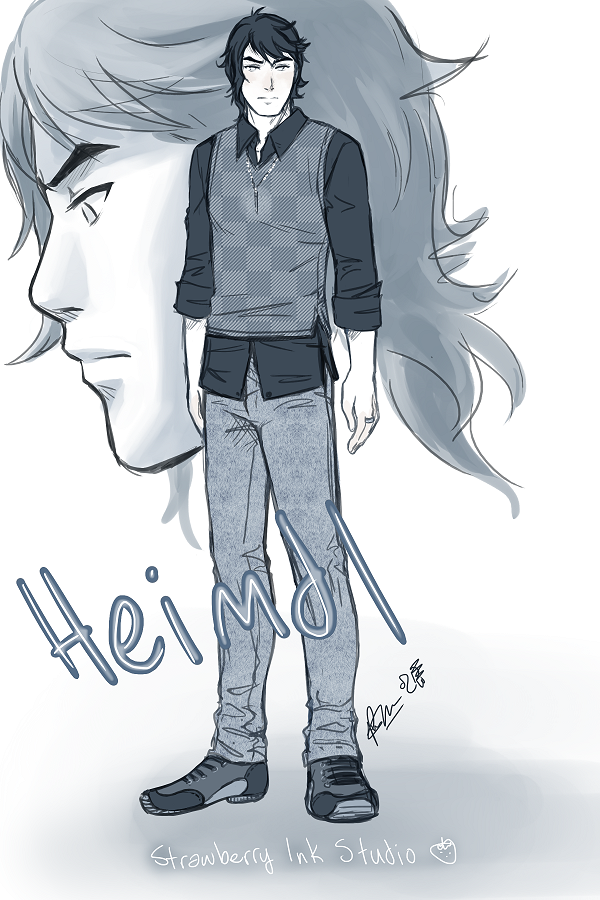
I missed drawing him so I drew him lol
heimdl_in_skinny_jeans_i_guess_by_meibatsu-d6r5jgl.png


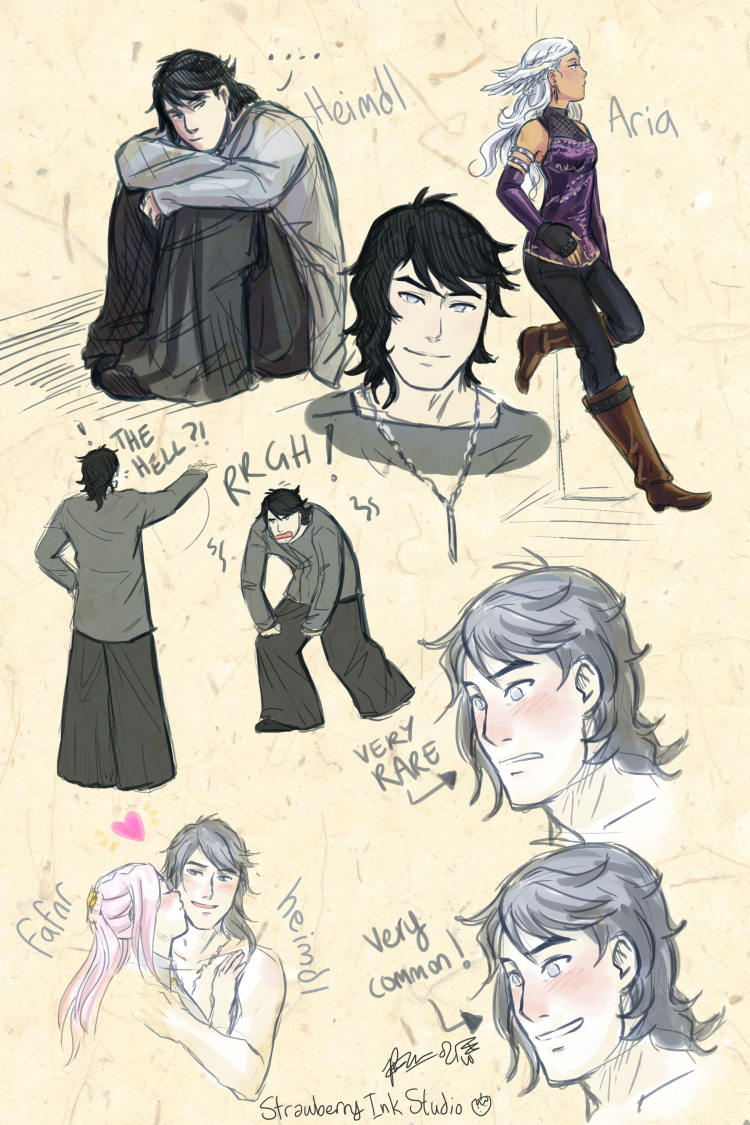
And then I drew him some more plus a coloured image of that kid grown into a young lady
getting_heimdl_out_of_my_system___aria_and_fafnr__by_meibatsu-d6r5jqe.png


I am pretty sure everything took 2-3 hours each. >_>
Paint Tool SAI, Intuos 3 (medium size/6x8).
 
I hope this is the right place for this -- it's not a drawing but it is a question about drawing techniques.

I'm interested in the workflow for blocking out basic colors, composition, etc. then progressively fleshing it out in great detail. I'm pretty new to digital painting and I'm sure layers are involved, but was curious how I go about it.

I'm assuming I create a new layer for each "stage" of fleshing out the painting. Should the new layer be transparent or a copy of the underlying layer? If transparent, then I'd have to re-paint everything (but in more detail) each time, right? Or do people just paint in greater detail in some areas and leave the underlying bits showing through?

I know it's a basic question, sorry...
 
Another SAI sketch for another day:

Kl4mJbq.jpg
.

I hope this is the right place for this -- it's not a drawing but it is a question about drawing techniques.

I'm interested in the workflow for blocking out basic colors, composition, etc. then progressively fleshing it out in great detail. I'm pretty new to digital painting and I'm sure layers are involved, but was curious how I go about it.

I'm assuming I create a new layer for each "stage" of fleshing out the painting. Should the new layer be transparent or a copy of the underlying layer? If transparent, then I'd have to re-paint everything (but in more detail) each time, right? Or do people just paint in greater detail in some areas and leave the underlying bits showing through?

I know it's a basic question, sorry...

I've been told that there's not a definitive way to paint.
In my case I like to use as few layers as possible, it gives painting a very natural feeling (like sculpting) for instance the above sketch was made in a single layer, the previous one uses 3 (background, bazooka, right arm: basically I only add layers when the location of the objects forces me to do so)

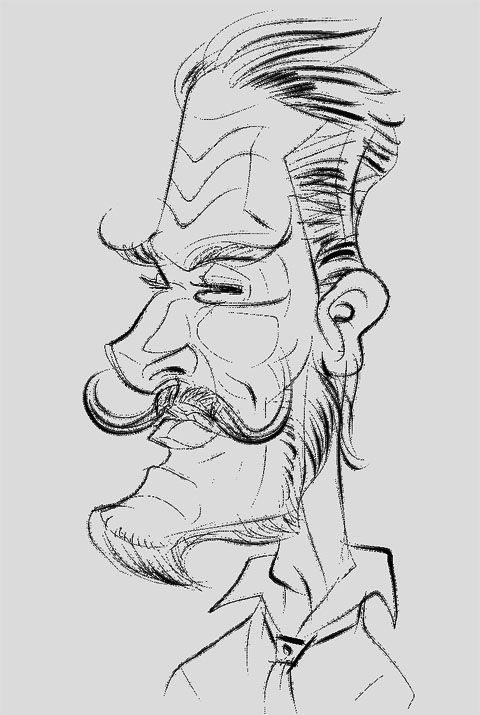
Needed to take a break from the Halloween stuff.


20/30 mins each. 5 minutes or less each on the animal studies.

The expressions even those of the animals have a certain sense of dignity. I like your sketches a lot.
 
With Halloween around the corner I want to make a horror themed drawing each day :) Normally I go way overboard of making it look to smooth so tried to force myself to not do that for once :)

This one is from yesterday:

SVJKlX1.png


And this morning I made this one:

dWAx3hZ.png
 
^ I really like how that one turned out~! Watery reflections are so nice~~
Although I'd like to suggest if you could resize your images down to 1500pixels in width at most? It's hard to appreciate a thumbnail and also hard to appreciate the full resolution image when you have to scroll so much around the screen. Like I think 35% of that size would work and you can link to the full size pic (maybe other browsers auto-resize to fir the window, but mine doesn't!).

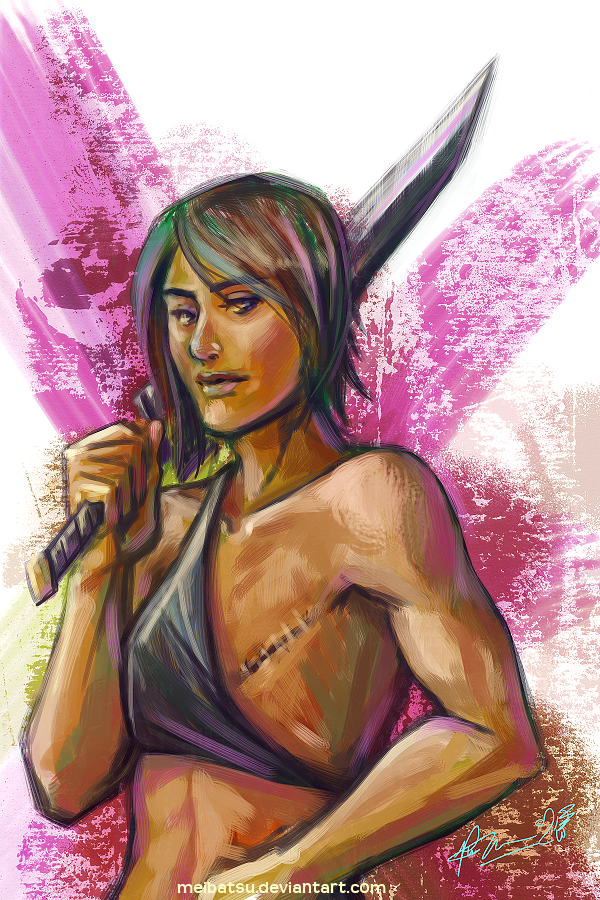
I have stayed awake for over 28 hours now because I am bad at priorities, but I did draw this in Paint Tool SAI:
_draw_something_cool____ok_so_here_s_kat_by_meibatsu-d6rtsx1.png

Decided one of my heroic characters ends up going through having and ridding herself of breast cancer because I figured I don't really have characters that do go through these kind of experiences (I usually reserve it to mental trauma or acute physical trauma like a chopped off limb instead).
Anyway, I am not 100% sure how a surgical scar after a mastectomy would look but I was too tired to bother googling it and went off of vague memory.
 
I've been told that there's not a definitive way to paint.
In my case I like to use as few layers as possible, it gives painting a very natural feeling (like sculpting) for instance the above sketch was made in a single layer, the previous one uses 3 (background, bazooka, right arm: basically I only add layers when the location of the objects forces me to do so)

That's cool -- I could see how using fewer layers would interfere less with the "flow" of painting.
 
I'm still wrapping my head around digital painting. I never did much painting on canvas (at least outside of art class in high school... 12 odd year ago) so it's almost like I'm learning from scratch.

power_girl_colored_by_otakugamer-d6ryr5a.jpg


I just did this. I don't really consider it finished but I wanted to start somewhere. Am I right to assume that I need to let go of my black outline ? the total volume of the image should manage to appear full of depth without it ?

Obviously whatever tiny amount of technique I have going on here is miniscule, just scribbling on top of scribbling really but that seems to be the right direction.
 
What software does everyone use? Been using gimp for years as it is free and I'm pretty crap. However I'm starting to feel its limitations. I don't like the idea of dropping hundreds of dollars on photoshop or corel. I've tried clip studio and artrage. Since it seems like it'll be quite the investment time-wise to learn these I'm wondering if there aren't better options?
 
Ah, Clip Studio = Manga studio. Good to know. The demo looked quite good but haven't really done anything in it yet. Thanks.

Yeah, that's probably best bang for your buck. SAI is good too, but has less features than MS5. And with Clip Studio/MS5, there is an official method of purchase for US buyers too.
 
Love your face paintings. Can't do likeness to save my life. I have to exaggerate of I have NO fun.

FreshPaint-47-20131026-1219_zps1ef00775.jpg~original

Thanks. You seem to perform quite well at line work, that's something I have not been able to get around so far, all my line work looks horrid. I need to approach everything as a painting in order to get decent results.

tumblr_mvcfegFVXD1rom6duo1_1280.jpg


3-4 hours? not sure

The back part of the skull seems a bit too long, I like the colors though. If this due to your stylization please disregard my comment.

Btw, I will be working on this for a while, so expect some edits.

61cA4in.jpg
 
Thanks. You seem to perform quite well at line work, that's something I have not been able to get around so far, all my line work looks horrid. I need to approach everything as a painting in order to get decent results.

Btw, I will be working on this for a while, so expect some edits.

DQdMRqx.jpg

Apparently only the line art part of my brain is functional.

Look forward to you refining that piece.
 
Another SAI sketch for another day:

The expressions even those of the animals have a certain sense of dignity. I like your sketches a lot.

Thanks, I really appreciate this coming from such a diligent worker. I look forward to these new portraits you're working on and their progress.


Back to the Halloween stuff. I'm about sick of these now haha. Should'nt have taken on so many. I have only one more left.

ibtF6iqL5Aua7s.png


I've given up timing these as I've been pretty out of whack with my schedule, but this was something around 5/6 hours give or take. To be honest I think my lazyness and desperation to get these done is showing a bit.
 
Day 35:


Medium: Canvas, oil paints
Time: 2-3 hours overall in a 2 week period.
Notes: First time using oil paints and it is VERY different than what I use on artrage 4. Nevertheless, I'm kind of proud of it considering it's my first attempt ever. The canvas size is pretty small. If you stack four quarters along the edge, you get an idea how small this painting really is. Title is "Dark Winter" (it doesn't fit, I know).

^ I really like how that one turned out~! Watery reflections are so nice~~
Although I'd like to suggest if you could resize your images down to 1500pixels in width at most? It's hard to appreciate a thumbnail and also hard to appreciate the full resolution image when you have to scroll so much around the screen. Like I think 35% of that size would work and you can link to the full size pic (maybe other browsers auto-resize to fir the window, but mine doesn't!).

I'll keep this in mind with next paintings (not this one since it's a photo.)
 
As a beginner you just can´t go wrong with the bamboo line. Monoprice which is even cheaper is also a good brand, however the battery needed for the stylus can make it heavier and a bit uncomfortable to hold compared to the lightweight Wacom stylus.

As for today, I made this sketch.

thank you. bought this monoprice tablet.
5.5x4 drawing tablet for only $38 shipped to canada.
http://www.monoprice.com/Product?p_id=5552&seq=1&format=2

excited to draw some things. will share some day.
 
So it was been quite a while, since my last post. Haven't had much spare time. At anyrate, I really can't take credit for the image I'm about to post. It is essentially a redrawing of some concept art from Assassin's Creed 4. Being short on time I tried to make it more of a color study then anything else. I really don't like leaving drawings unfinished. I'm not very good with my color pallet, typically sticking to greys and such, I wanted to branch out and decided to attempt to stick too a pastel theme.

144_max.jpg


About an hour in gimp, using a Tursion tablet.
 
I'm still working on my other project, but I wanted to post some of my daily pixel art I made to play with lighting and new styles.

This one was an experiment to get a better handle on reflection and lighting.
'Neil the Astronaut' was made to try out a new style and to mess with colors. It looks like an old Game Boy Color game. lol
 
Finally

irjkcuL5QdT1v.png


I'm done with this shit.

Supposed to be the Headless Horseman, but...couldn't jsut draw the body without the characters head? About 5 hours again on this one. And somehow stayed frustration free. Perhaps because I know it's the last one and I can get back to my pencil work stuff. Hope you guys have a happy Halloween by the way.
 
I hope this is the right place for this -- it's not a drawing but it is a question about drawing techniques.

I'm interested in the workflow for blocking out basic colors, composition, etc. then progressively fleshing it out in great detail. I'm pretty new to digital painting and I'm sure layers are involved, but was curious how I go about it.

I'm assuming I create a new layer for each "stage" of fleshing out the painting. Should the new layer be transparent or a copy of the underlying layer? If transparent, then I'd have to re-paint everything (but in more detail) each time, right? Or do people just paint in greater detail in some areas and leave the underlying bits showing through?

I know it's a basic question, sorry...

Whether you're doing everything on one layer, multiple layers, or on a physical paper or canvas, it's a good general guideline to only do one color at a time. Do your base color first, then your darker colors, then your highlights. Or you can do your highlights first if you're working with certain mediums such as colored pencil (since it's harder to go over dark colors with light ones). Digitally, here's what my layers usually look like:


1) Linework
5) MISC (aesthetic details)
6) Highlight (lighter hue with LUMINOSITY or SCREEN Layer Setting on)
4) Textures
3) >Shadow (darker hue or same blue with MULTIPLY/DARKEN Layer Setting on)
2) Base Color (blue)

I have them numbered in the order of how I do them, but the way they're stacked is how they end up looking. If you're not using lines, one shade of your Base Color is what I would do first. Then I'd apply shadows, and then put anything else on that section before I do the final highlights.

In simpler terms, do one shade of color at a time and build or sculpt up from there. You don't necessarily need to mess with transparency (everything can be 100% opacity), but you can make your highlights or shadows slightly transparent depending on how intense you need them to be.

Again, this is just what I've learned and grown accustomed to doing, so you can always develop your own way.

 
Top Bottom