*rubs face tiredly* Alright. I'm having a very bizarre black crush issue with Dark Souls 3 and I have no idea how to fix it, nor have I encountered anything like this in the many years I've been a PC gamer. I've tried to fix it within the 2.5 hours I've played the game to no avail. This will require a little bit of imagination on everyone's part, but bare with me, as I should've also taken an offscreen photo via smartphone or something, and I can get long winded.
I'm running an AMD R9 390 (using latest AMD drivers 16.4.1 - hotfix) using a BenQ XL2730Z 1440p/144hz/Freesync monitor, which I
have calibrated to correct gamma/brightness/contrast/color settings. I do not have this black crush issue with any other game that I've played on this monitor (which I bought in January) - Rise of the Tomb Raider was fine, I've gone through Darkest Dungeon (which you can imagine is naturally dark), Hyper Light Drifter, Shadowrun: Hong Kong, and Ryse. All of those games gave me the correct blackness levels with no difference between what's on my monitor and what my Steam screenshots show me when I was playing through them.
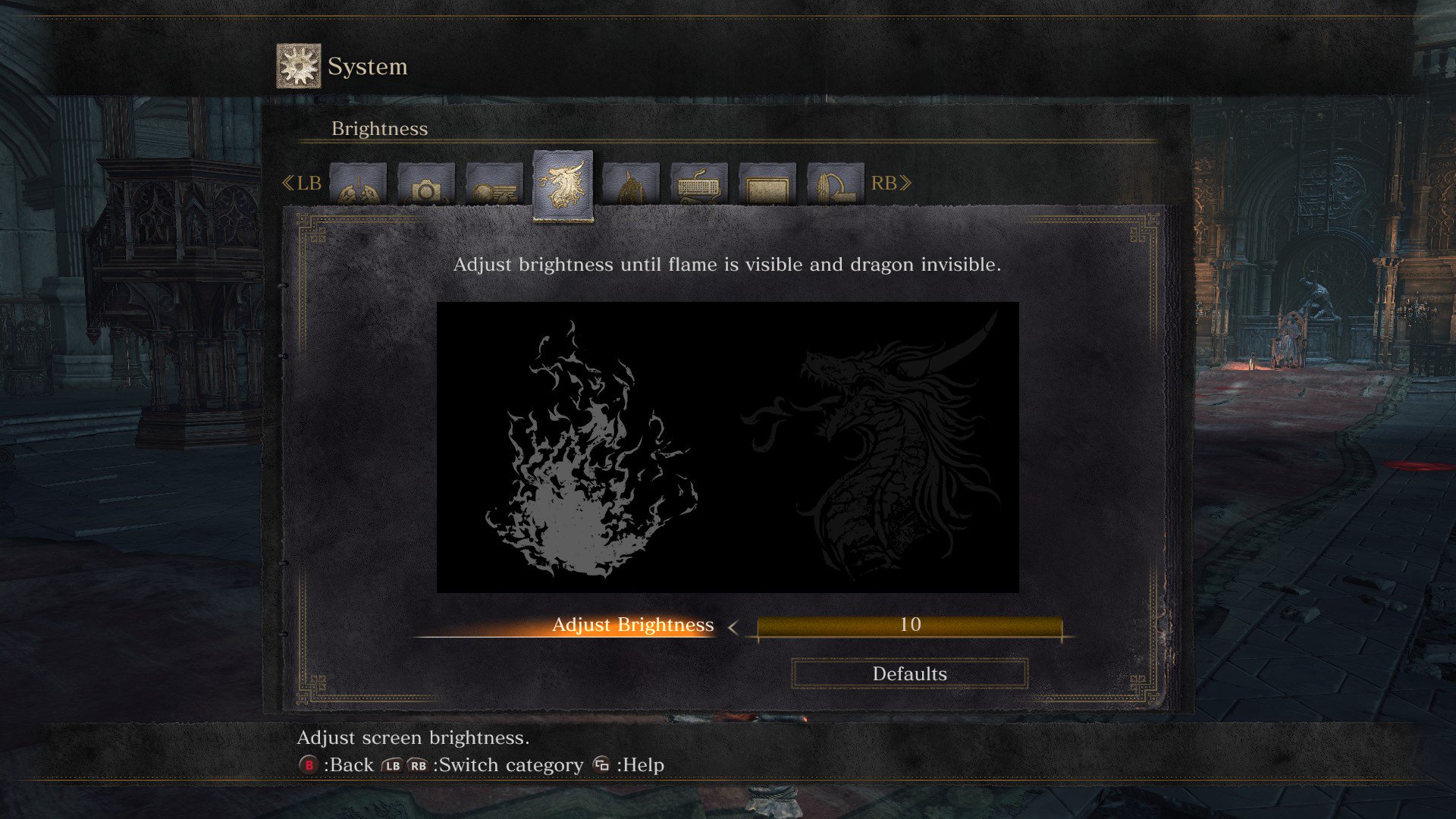
However, Dark Souls 3 is a whole 'nother story. Here's a Steam screenshot of the brightness settings on Dark Souls 3:
Now, in the screenshot you can semi-see the dragon on the right. The reason I have the brightness turned alllll the way up is because I can't see it all when I'm actually in the game on my monitor. Even if I max out my contrast and brightness settings on my monitor, it stays a pitch black square where the dragon head should pop up. The odd thing is, when I started my New Game, and it asks you to adjust the brightness, I
could see the dragon head, set it to a good brightness level and started the game. When I got into the game proper, however, and I started checking out the settings, I noticed my brightness was all fucked up and the dragon head was just...gone.
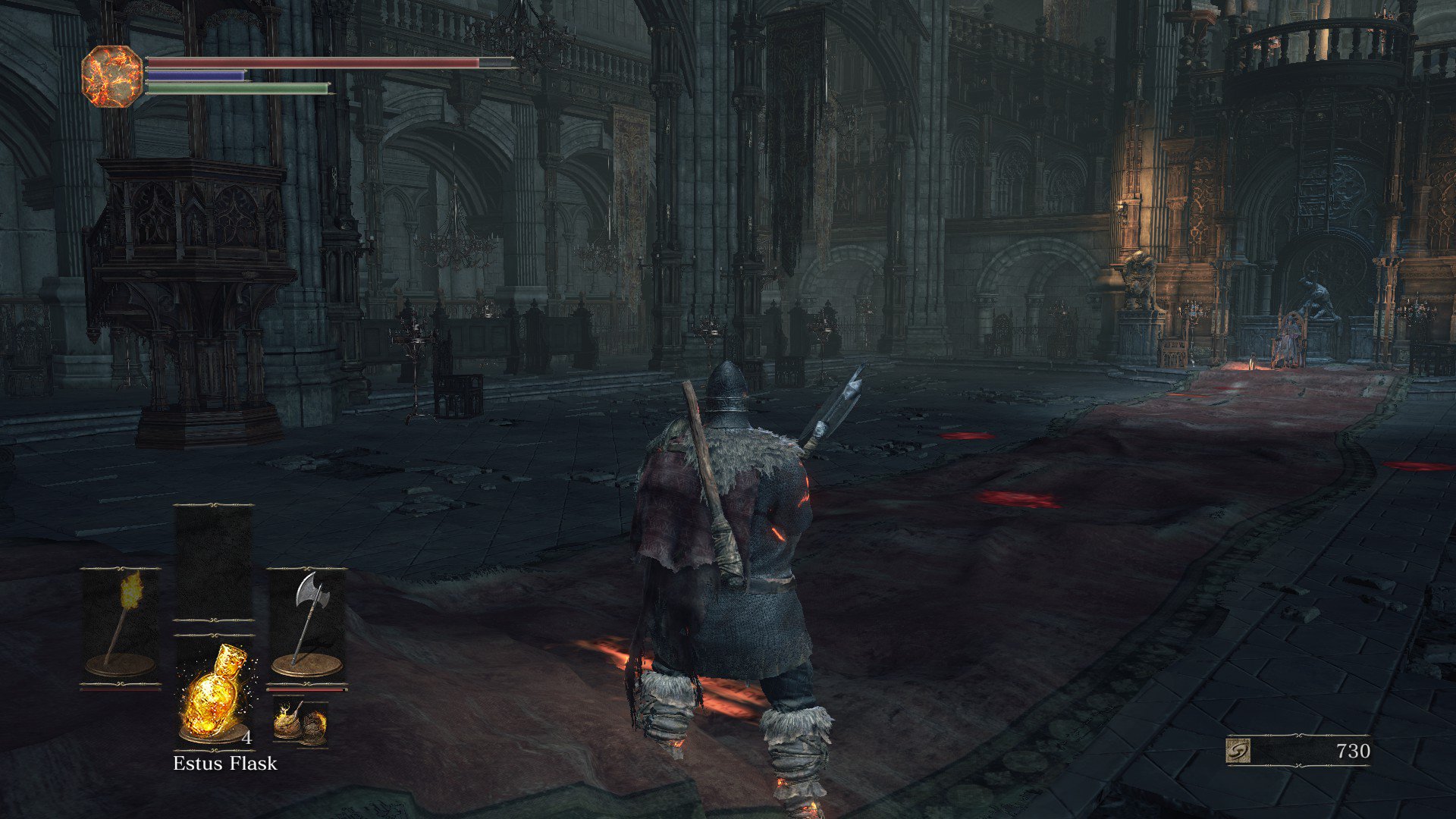
Here's another screenshot:
That's the Way of the Blue covenant room. In my screenshot, it looks fine. You can actually see every bit of the room. However, on my monitor, it's just one big black blob basically. The pillars are obscured by darkness, I can barely see the chairs, and I can't make out any of the intricate details. I have to use a torch just to see in that room if I'm not near the other light sources. In most of the darker parts of the early game, I also had to use a torch just to see.
So that's what I'm dealing with. I have absolutely no idea why Dark Souls 3 is giving me this black crush issue that looks just fine in the screenshots I take (and want the game to look like) but looks absolutely atrocious in game. It's not unplayable, but it is IQ destroying, and giving me a bit of a headache when I play for too long. I've tried adjusting my monitor settings within game to high brightness/contrast/gamma, adjusting blackness levels, etc to absolutely no avail. It just won't lighten up in the game no matter what I do.
Thoughts? Edit: One thing I didn't try to do is turn off Freesync. I can't imagine Freesync is messing with the game like this, but I suppose I can try it.