
-
Hey Guest. Check out your NeoGAF Wrapped 2025 results here!
You are using an out of date browser. It may not display this or other websites correctly.
You should upgrade or use an alternative browser.
You should upgrade or use an alternative browser.
"I need a new PC!" 2010 Edition
- Thread starter Spy
- Start date
At $460 for 2 right now it's not a bad option. They scale amazing but you will always deal with the troubles of a dual card setup. They can range from 10% faster to something like 40% faster... until they hit a brick wall due to RAM limits (If you are playing at higher than 1920x1080)h0pper said:Hazaro, how do you feel about dual 460's? I'm hearing it's not worth it, but I wanted a good opinion and you seem to be a guru around here.
A GTX480 can be had for $412 on newegg right now and it's not that far behind.
Honestly if you are spending $400+ on a GPU I'd check websites like Guru3D for benchmarks on what games you will be playing. Depending what res/settings/games you are playing it's a toss up.
Heck even check what a single 460 can do right now. That way you have the option to SLi later when it'll be more cost effective and you need the horsepower.
Overclock with an aftermarket cooler. My E7200 is at 3.8Ghz. Works damn well.Loxley said:Hey guys, I'm in need of a processor upgrade; currently I'm using an Intel Core2 Duo E700 2.6 GHz. Part of the reason I want to specifically replace my processor is because about a year ago I upgraded my video card from a 9500GT to a 9800GTX, and lately my CPU just hasn't been able to keep up with my GPU.
*Oh, price wise, my budget is essentially $100. I'm willing to go maybe $10-$20 over, but I'd prefer to keep the price around $100 max
Just check your motherboard can support 2 cards.h0pper said:ok, great. really appreciate the help guys. I think I'm going to go with the single 460 and in the future, if I want to grab another, I will.
Hazaro said:Just check your motherboard can support 2 cards.
will do.
I like running 2-3 games at the same time so I can chat with friends in WOW, HON, and now SC2. Since SC2 hit, i've seen my memory usage go as high as 3.7 GB. I have 4 GB of RAM right now and was wondering if ordering another 4 and doubling up will improve my Alt-Tabbing performance (which i value a LOT).
Thoughts on going above 4GB just for alttabbing?
Thoughts on going above 4GB just for alttabbing?
Hazaro said:Overclock with an aftermarket cooler. My E7200 is at 3.8Ghz. Works damn well.
Hehe, I guess I should point out that my knowledge of PC's and how they work internally doesn't really extend beyond "I can open my tower up and identify each individual part". I'm seriously a real novice when it comes to the technical side of things, especially with regards to changing things in the BIOS menus and such. Hell I only learned what "overclock" meant just a few months ago and I've been gaming on a PC for over seven years now :lol
So suffice to say I've never actually tried to overclock anything before because I've always been too nervous to try; just worried that my lack of real knowledge might cause me to accidentally fuck up my system pretty badly.
Milabrega said:Going to get this CPU/Mobo Combo, this hard drive and this PSU.
I want to get a 5770, just don't know which brand to go with any in put? I'm going 5770 over 460 to save money both in upfront costs and power consumption. 5770's running cooler and quieter is a plus too.
Also indecisive as to what case to buy and what kind of 4gb memory I should buy. Any input there would be appreciated.
Hazaro said:G.Skill 1600
Also unless you can get a 5770 at $120-$130 I'd say the GTX460's that have been popping up on sale already are a much, much better value in the long run.
The mobo in the combo doesn't support DDR3 1600 if I'm reading it right.
http://download.gigabyte.us/FileList/Memory/mb_memory_ga-p55-usb3.pdfMilabrega said:The mobo in the combo doesn't support DDR3 1600 if I'm reading it right.
If it can support over 2000 there should 0 reason it cannot support 1600.
Pretty much any decent mobo you can buy will run 2000 just fine. It's more a thing of manufacturers not updating / getting certified when their boards come out (RAM makers getting faster).
BigBlackGamer
Member
Ordered the parts for my second build
i7 930
XFX Radeon HD 5870 x2
P6X58D-E Motherboard
Corsair Dominator RAM - 6GB, 1600MHz
Intel X25-M SATA Solid State Drive - 80GB
Western Digital Caviar Black - 1TB
Corsair HX 850W Modular Power Supply
Asus Xonar Essence STx Sound Card (Got some AV40's coming in as well)
CM690 II Advanced Case
H50 CPU Cooler (Push/Pull With Nocturna Fan)
x7 Extra Case Fans Bringing the Total to 10
should get it on Wednesday. will post pics. super excited. this build will be my first overclock as well.
i7 930
XFX Radeon HD 5870 x2
P6X58D-E Motherboard
Corsair Dominator RAM - 6GB, 1600MHz
Intel X25-M SATA Solid State Drive - 80GB
Western Digital Caviar Black - 1TB
Corsair HX 850W Modular Power Supply
Asus Xonar Essence STx Sound Card (Got some AV40's coming in as well)
CM690 II Advanced Case
H50 CPU Cooler (Push/Pull With Nocturna Fan)
x7 Extra Case Fans Bringing the Total to 10
should get it on Wednesday. will post pics. super excited. this build will be my first overclock as well.
Loxley said:Hehe, I guess I should point out that my knowledge of PC's and how they work internally doesn't really extend beyond "I can open my tower up and identify each individual part". I'm seriously a real novice when it comes to the technical side of things, especially with regards to changing things in the BIOS menus and such. Hell I only learned what "overclock" meant just a few months ago and I've been gaming on a PC for over seven years now :lol
So suffice to say I've never actually tried to overclock anything before because I've always been too nervous to try; just worried that my lack of real knowledge might cause me to accidentally fuck up my system pretty badly.
Overclocking is a trial and error process. It's tempting to just see what other people have overclocked their processors to and to just up yours to that, but not every CPU is the same.
Example:
Dude> "Whoa, I just OC'd my CPU to 4 ghz on air! Rad dude!"
You> "Oh fuck I OC'd my CPU to 4 ghz and my CPU fried!"
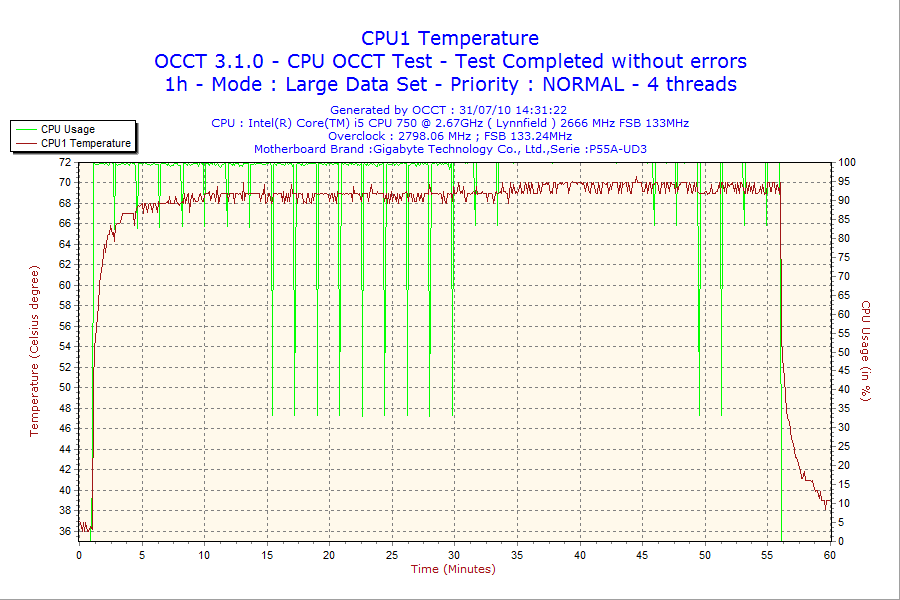
Doesn't always work out. Go in small increments, run a stability test (OCCT is great for this) and then keep going from there. Same with the graphics card.
Also, you can google for similar builds (even look on youtube) and see what other people have set their voltages and such at to give you an idea of what you can do.
With voltages just go up one increment until you're stable.1stStrike said:Overclocking is a trial and error process. It's tempting to just see what other people have overclocked their processors to and to just up yours to that, but not every CPU is the same.
Example:
Dude> "Whoa, I just OC'd my CPU to 4 ghz on air! Rad dude!"
You> "Oh fuck I OC'd my CPU to 4 ghz and my CPU fried!"
Doesn't always work out. Go in small increments, run a stability test (OCCT is great for this) and then keep going from there. Same with the graphics card.
Also, you can google for similar builds (even look on youtube) and see what other people have set their voltages and such at to give you an idea of what you can do.
Great case. I have it. Love it. Looks awesome. Mesh allows for tons of airflow and plenty of room inside.BigBlackGamer said:Ordered the parts for my second build
i7 930
XFX Radeon HD 5870 x2
P6X58D-E Motherboard
Corsair Dominator RAM - 6GB, 1600MHz
Intel X25-M SATA Solid State Drive - 80GB
Western Digital Caviar Black - 1TB
Corsair HX 850W Modular Power Supply
Asus Xonar Essence STx Sound Card (Got some AV40's coming in as well)
CM690 II Advanced Case
H50 CPU Cooler (Push/Pull With Nocturna Fan)
x7 Extra Case Fans Bringing the Total to 10
should get it on Wednesday. will post pics. super excited. this build will be my first overclock as well.
BigBlackGamer
Member
yea my first build was with a HAF 922. really can't go wrong with Cooler Master. The black interior pretty much sold me on the cm690 II. Also the design is much better then the HAF series IMO. The kick ass cooling was the icing on the cake.
hey guys, i'm going abroad next month and i need a laptop which is able to play some games. unfortunately my budget ist not big enough for a real gaming latop.
i browsed the web and found this one: TOSHIBA Satellite L500-1TC
* Intel Pentium Dual Core T4400 2x 2,20 GHz
* 320GB HDD, 4096MB Ram
* ATI Radeon HD 4650 1024MB Ram
* HDMI, WLan
* Windows 7 Home Premium 64 Bit
of course the battery is not that great (2.5h) but the specs looks quite ok for 540. what do you think. i don't wanna play all the new games. just some world of warcraft, football manager, pro evolution soccer or some downloadble games from steam (like braid or stuff like this)
i browsed the web and found this one: TOSHIBA Satellite L500-1TC
* Intel Pentium Dual Core T4400 2x 2,20 GHz
* 320GB HDD, 4096MB Ram
* ATI Radeon HD 4650 1024MB Ram
* HDMI, WLan
* Windows 7 Home Premium 64 Bit
of course the battery is not that great (2.5h) but the specs looks quite ok for 540. what do you think. i don't wanna play all the new games. just some world of warcraft, football manager, pro evolution soccer or some downloadble games from steam (like braid or stuff like this)
How's the HDD dock on the top of the case? Are the included fans okay or did you relaced them? The 140mm front fan, can you switch off its blue light?WEGGLES said:Great case. I have it. Love it. Looks awesome. Mesh allows for tons of airflow and plenty of room inside.
I got the Basic, so It's not a dock, just a ramp on top :lolChryZ said:How's the HDD dock on the top of the case? Are the included fans okay or did you relaced them? The 140mm front fan, can you switch off its blue light?
But from what I can tell, you just put a drive in the spot and it works totally fine. It doesn't bother me too much with the lack of a dock, it has an ESATA port ontop, and there are 6 tool less hard drive cages, so it wouldn't take that long to pop the side off and do it properly.
The cooling that comes with it seems sufficient, but there is tons of places for more fans if you need them. And yes the blue light has a button built into the case to turn it off.
CrushDance
Banned
Sorry, yes I did. But I'm thinking there's no point going with that since 775 is basically done. I'm set on the Asus Rampage Extreme but I can't find it at all online in Canada. It seems Asus isn't making them anymore or that nobody is carrying them. I'll have to search again tomorrow.·feist· said:Did you see my reply to one of your previous posts?
http://www.neogaf.com/forum/showpost.php?p=22619771&postcount=10774
If you have 12GB of RAM I'd sell that with your Q6___ to fund a nice AM3/i5 rig.CrushDance said:Sorry, yes I did. But I'm thinking there's no point going with that since 775 is basically done. I'm set on the Asus Rampage Extreme but I can't find it at all online in Canada. It seems Asus isn't making them anymore or that nobody is carrying them. I'll have to search again tomorrow.
775 is old news.
tweak guides appears to have done something recently that you may want to read. http://www.tweakguides.com/Graphics_1.html i was looking for their fps and refresh rate guide for you but it seems to be replaced by this more detailed article.luiztfc said:Can you guys explain to me what visual effects cause input lag? Also, can you link me something to explain the visual effects/optionss on pc (for example, AA).
I have a 5770, i7 720 and 4gb pc.
Excellent, their guides are great.Grayman said:tweak guides appears to have done something recently that you may want to read. http://www.tweakguides.com/Graphics_1.html i was looking for their fps and refresh rate guide for you but it seems to be replaced by this more detailed article.
Stormtrooper30
Member
Thanks for the help Hazaro. I'm going to try and scrounge some money together to get a new rig. Guess I might as well learn how to build one while I'm at it.
DrForester
Kills Photobucket
Should have place my order last night. Apparently a bunch of combo deals expired today 
The HP setup is completely ridiculous. A six core CPU with 9GB RAM and a 5570 will struggle to run any moderrn game at anything approaching decent settings at a decent res with a decent framerate. The newegg setup's performance will be a lot better as long as you put in a decent videocard such as a GTX460. Just whatever you do don't get the HP.caliblue15 said:Alright, trying a second build that's a little cheaper. Also want to see the advantages of going with this newegg setup over the HP setup I have below it. Thanks, never built a machine before.


Same here. Now I am searching for a mobo/cpu combo that's just as good. Anyone know a nice i5 board that supports gskill 1600? The Asus that is currently paired up with the i5 760 apparently has problems with that brand/speed.DrForester said:Should have place my order last night. Apparently a bunch of combo deals expired today
DenogginizerOS
BenjaminBirdie's Thomas Jefferson
So, I cancelled the order I had with EVGA for the EE GTX 460 due to the concern people have raised over the noise. However, in talking with EVGA, they insist that these reports are more rumor than fact. Has anyone here received an EE and found the noise to be excessive to the point it being a dealbreaker? I can get this card with a coupon for $199 with free 3-day shipping and I am looking at about a 20% gain over my GTX 260 that is slightly overclocked.
DrForester
Kills Photobucket
alanias said:Same here. Now I am searching for a mobo/cpu combo that's just as good. Anyone know a nice i5 board that supports gskill 1600? The Asus that is currently paired up with the i5 760 apparently has problems with that brand/speed.
I'm going to stick with the asus one I had a combo with. Was only $15. My big loss was my case/SU $40 combo
http://www.newegg.com/Product/Product.aspx?Item=N82E16813131621
Okay.
Old And Busted:
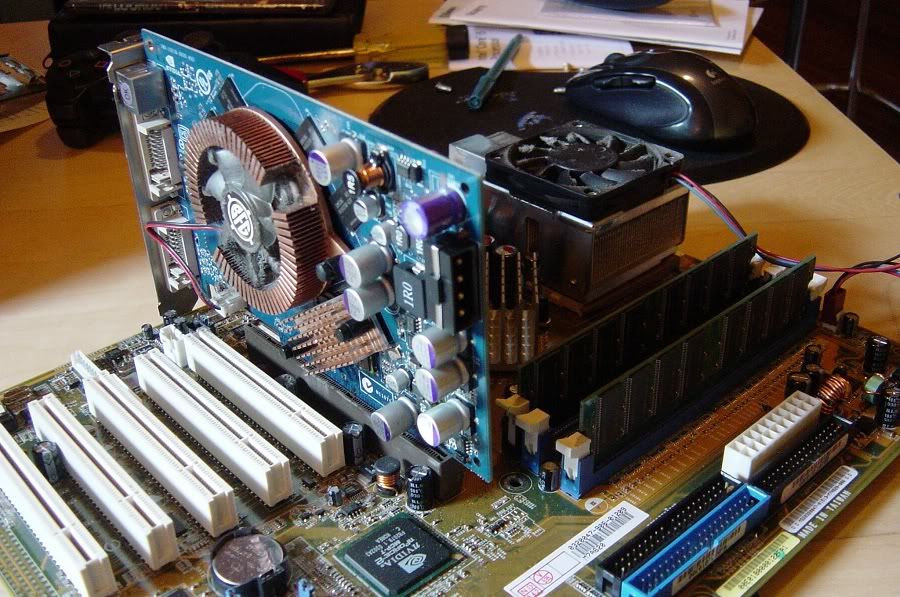
Asus A7N8X Deluxe
2x512 Kingston DDR333
Athlon XP 2100+
BFG 6600GT
40 Gig Western Digital Caviar
250 GB Seagate Barracuda
Case fan that came with the case
??? Case
Enermax Liberty ELT500AWT 500W power supply
A procession of Logitech mouses
Logitech Elite Keyboard
LG L1752TX
New Hotness:
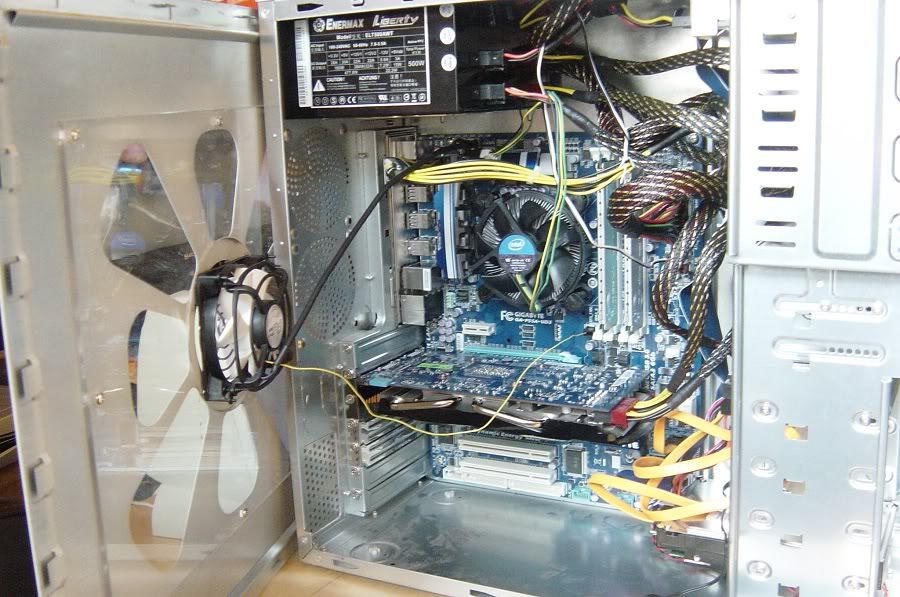
Gigabyte GA-P55A-UD3
2x2 GB G.Skill Eco DDR3 Ram @ 1333 7-7-7-21 (F3-10666CL7D-4GBEC0)
Intel i5 750
Gigagyte GTX460 1GB
60 GB OCZ Vertex II
250 GB Seagate Barracuda (from my previous machine)
Arctic F8 Pro PWM case fan
??? Case (from my previous machine)
Enermax Liberty ELT500AWT 500W power supply (from my previous machine)
Logitech M510
Logitech Elite Keyboard (from my previous machine)
LG L1752TX (from my previous machine)


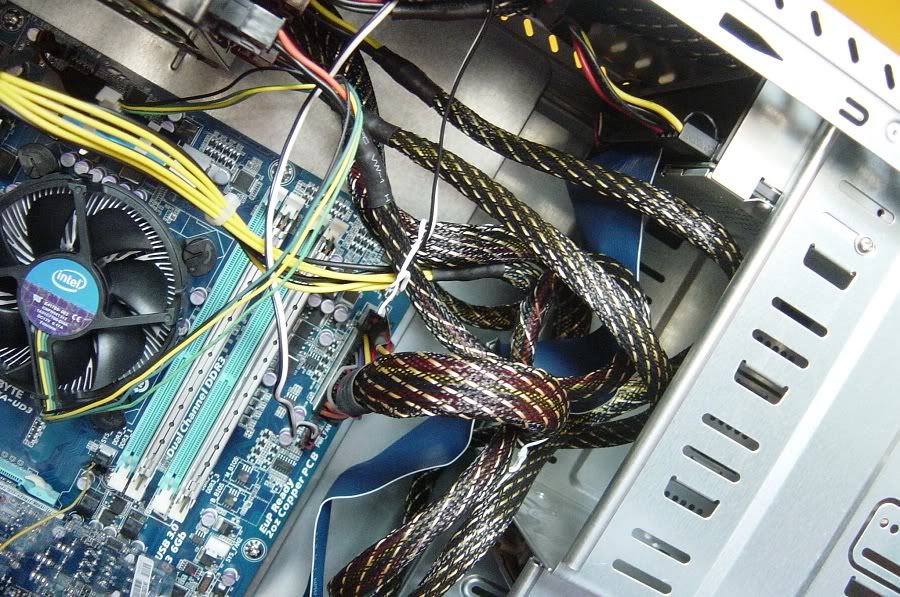
Horrible cabling job:
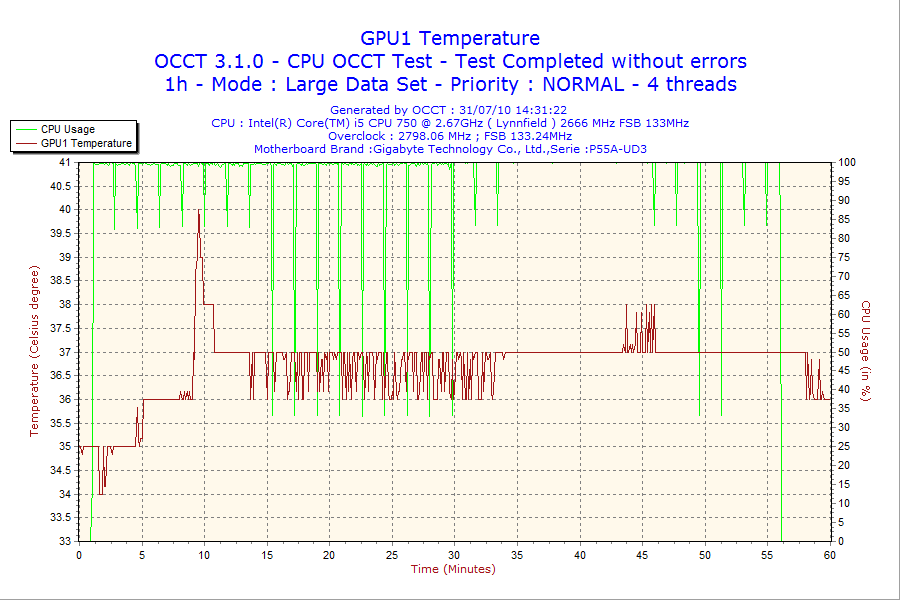
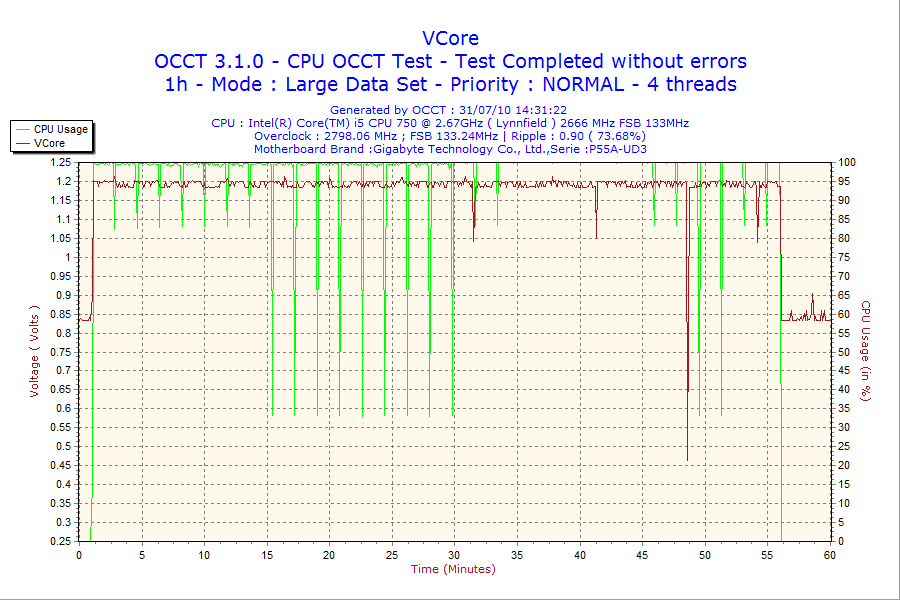
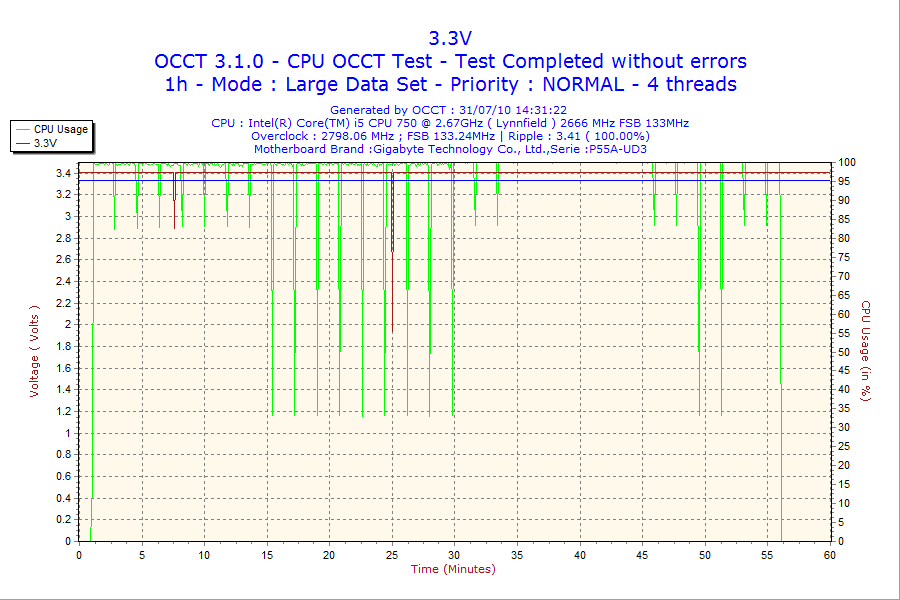
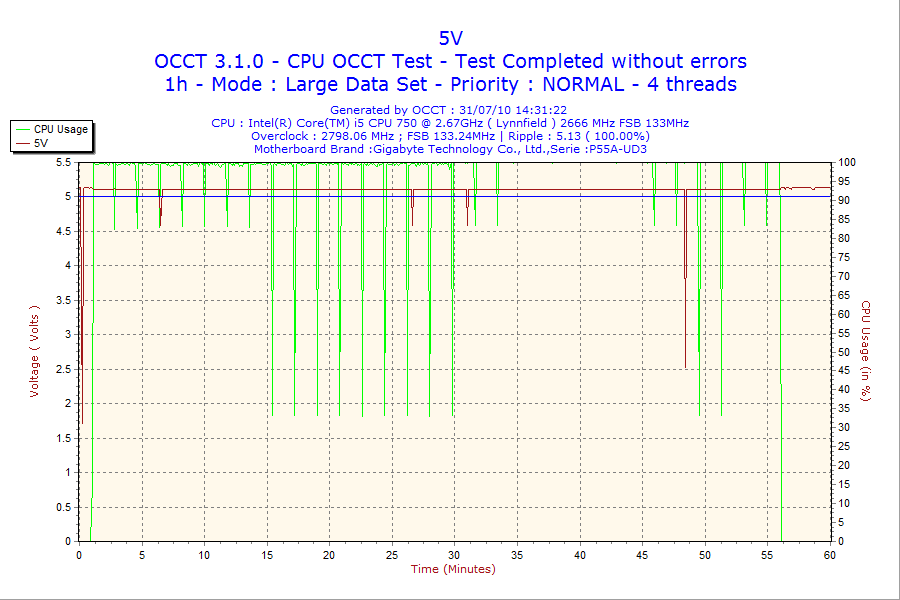
Old And Busted:
Asus A7N8X Deluxe
2x512 Kingston DDR333
Athlon XP 2100+
BFG 6600GT
40 Gig Western Digital Caviar
250 GB Seagate Barracuda
Case fan that came with the case
??? Case
Enermax Liberty ELT500AWT 500W power supply
A procession of Logitech mouses
Logitech Elite Keyboard
LG L1752TX
New Hotness:
Gigabyte GA-P55A-UD3
2x2 GB G.Skill Eco DDR3 Ram @ 1333 7-7-7-21 (F3-10666CL7D-4GBEC0)
Intel i5 750
Gigagyte GTX460 1GB
60 GB OCZ Vertex II
250 GB Seagate Barracuda (from my previous machine)
Arctic F8 Pro PWM case fan
??? Case (from my previous machine)
Enermax Liberty ELT500AWT 500W power supply (from my previous machine)
Logitech M510
Logitech Elite Keyboard (from my previous machine)
LG L1752TX (from my previous machine)
Horrible cabling job:
I'm back with yet another question. This time it's regarding cpu fan. What should I get? I won't play around with OC, I think, so I just need something that's silent and not crazy expensive for an i5 750.
One more thing. The Corsair PSU I got has ONE PCI-E 6 pin plug, which I assume is for my future GTX 460, but when I look at picture or videos with the card pictured, it seems like there are two of these connectors on it. How do I solve this? Isn't this PSU enough or what?
One more thing. The Corsair PSU I got has ONE PCI-E 6 pin plug, which I assume is for my future GTX 460, but when I look at picture or videos with the card pictured, it seems like there are two of these connectors on it. How do I solve this? Isn't this PSU enough or what?
DrForester
Kills Photobucket
:lol :lol :lol :lol :lol :lol :lol :lol :lol :lol :lol
http://www.newegg.com/Product/Produ...010215&cm_re=pop_tarts-_-96-010-215-_-Product
http://www.newegg.com/Product/Produ...010215&cm_re=pop_tarts-_-96-010-215-_-Product
brain_stew
Member
caliblue15 said:Alright, trying a second build that's a little cheaper. Also want to see the advantages of going with this newegg setup over the HP setup I have below it. Thanks, never built a machine before.
That HP machine is shit. If you're going to get a prebuilt machine, then get get an XPS 7100 with a 5870 and 1055T, much better than both of those configs.
Midas said:I'm back with yet another question. This time it's regarding cpu fan. What should I get? I won't play around with OC, I think, so I just need something that's silent and not crazy expensive for an i5 750.
If you look here:
http://www.frostytech.com/top5heatsinks.cfm
They have the stock i5 cooler as one of the most quiet heat sinks around. I'm using it, and so far so good. More than enough if you're not going to OC.
One more thing. The Corsair PSU I got has ONE PCI-E 6 pin plug, which I assume is for my future GTX 460, but when I look at picture or videos with the card pictured, it seems like there are two of these connectors on it. How do I solve this? Isn't this PSU enough or what?
You'll need to post some more info about your PSU. And yes, the GTX460 requires two connections.
lakesideflight
Member
DrForester said::lol :lol :lol :lol :lol :lol :lol :lol :lol :lol :lol
http://www.newegg.com/Product/Produ...010215&cm_re=pop_tarts-_-96-010-215-_-Product
pfft check out those reviews, 3 eggs and a 1 egg. Plus $7 shipping, Kellogg needs to drop the price if they want to stay competitive.
brain_stew
Member
lawblob said:I need a new laptop for work. Here is what i am looking for:
$500-800
12" - 14" screen
Lightweight
Any recommendations?
Get something CULV based or Nile based if you don't mind sacrificing a little CPU speed for the ability to do some light gaming. Make sure its a dual core machine, either way.
Edit:
Something like this:
http://www.newegg.com/Product/Product.aspx?Item=N82E16834115822
Nice and small/portable with excellent battery life and moderate performance in any day to day task (including HD video playback and mild gaming). Fantastic price.
Dr.Acula said:If you look here:
http://www.frostytech.com/top5heatsinks.cfm
They have the stock i5 cooler as one of the most quiet heat sinks around. I'm using it, and so far so good. More than enough if you're not going to OC.
You'll need to post some more info about your PSU. And yes, the GTX460 requires two connections.
Thanks.
Of course. I just bought the 450W of these http://www.corsair.com/products/vx/default.aspx their search thing said that it was enough for an i5, GTX 460 and four HDD's and even a bit of OC.
DenogginizerOS said:So, I cancelled the order I had with EVGA for the EE GTX 460 due to the concern people have raised over the noise. However, in talking with EVGA, they insist that these reports are more rumor than fact. Has anyone here received an EE and found the noise to be excessive to the point it being a dealbreaker? I can get this card with a coupon for $199 with free 3-day shipping and I am looking at about a 20% gain over my GTX 260 that is slightly overclocked.
I don't understand how this deal works. Did I read earlier it's a trade-in program? Do you have to send EVGA the 260 too? You can sell that thing for over 100 dollars on ebay. Please tell me you don't have to trade that in. Because it would be an awful deal if true.
There was one person in this thread complaining about the noise. I don't really remember anyone else posting on the EVGAs. Just that one person and the newegg reviews that claim it's a wind turbine. Certainly haven't seen anyone coming to their defense.
Midas said:Thanks.
Of course. I just bought the 450W of these http://www.corsair.com/products/vx/default.aspx their search thing said that it was enough for an i5, GTX 460 and four HDD's and even a bit of OC.
Here's a review:
http://www.pcper.com/article.php?aid=438&type=expert&pid=3
I was a little disappointed to find only one PCI-E connector. Now I realize this power supply is not intended for high-end gaming systems running a pair of the latest power-hungry video cards in SLI or CrossFire mode. But I also feel the VX450W may perform quite well with a single, moderately high-end video card or a pair of older cards. (I suspect this may have been done intentionally to help protect market share of Corsair's two larger HX power supply units, which are targeted towards high-end gaming systems.)
To test this theory, I connected the Corsair VX450W power supply to my HSF test bed, which incorporates a P4 Extreme Edition dual core 955 processor and a pair of NVIDIA 7800 GTX 512 MB video cards. (I had to use a dual 4-pin Molex to 6-pin PCI-E adapter to power one of the video cards.) Even under full gaming load the VX450W remained stable and quiet.
So pop an adapter on it, and you should probably be fine.
It's got plenty of power. The main benefit to having the two PCI-E plugs is you know they're on separate rails. I suppose it's possible you could randomly select a regular plug that's on the same rail as the PCI-E plug and you'd overload it. But it seems unlikely. And if it did happen, and you had stability problems, just choose another plug until you get one on a different rail.
Dr.Acula said:Okay.
Old And Busted:
Asus A7N8X Deluxe
2x512 Kingston DDR333
Athlon XP 2100+
BFG 6600GT
40 Gig Western Digital Caviar
250 GB Seagate Barracuda
Case fan that came with the case
??? Case
Enermax Liberty ELT500AWT 500W power supply
A procession of Logitech mouses
Logitech Elite Keyboard
LG L1752TX
New Hotness:
Gigabyte GA-P55A-UD3
2x2 GB G.Skill Eco DDR3 Ram @ 1333 7-7-7-21 (F3-10666CL7D-4GBEC0)
Intel i5 750
Gigagyte GTX460 1GB
60 GB OCZ Vertex II
250 GB Seagate Barracuda (from my previous machine)
Arctic F8 Pro PWM case fan
??? Case (from my previous machine)
Enermax Liberty ELT500AWT 500W power supply (from my previous machine)
Logitech M510
Logitech Elite Keyboard (from my previous machine)
LG L1752TX (from my previous machine)
Replacing that PSU with a Corsair or other quality brand should probably be next on your list. Brand quality tends to count more in that area, particularly when the PSU doesn't die quietly and takes everything with it.
To the other Corsair guy, the shitty Raidmax (that I'm trying to replace) I have now only has one PCIE connector, but I'm able to use the 460. You just need an adapter or something, two came with my Gigabyte.
Check the recent Anandtech buyer's guide:lawblob said:I need a new laptop for work. Here is what i am looking for:
$500-800
12" - 14" screen
Lightweight
Any recommendations?
http://www.anandtech.com/show/3822/laptop-buyers-guide-14inch-and-smaller

Manus
Member
Okay I've been a Mac user for about 4 years and I'm tired of running Wow off of my Macbook. So I was wondering what's a decent PC desktop I can get that can run Wow and Starcraft 2 at almost max settings? I don't want a real super expensive one since most likely I will be only playing two games on it and I don't need a lot of HD space. Can anyone give me some good suggestions?
Thanks guys. Seems like stuff like that might actually be included in the box of the graphics card. At least in the video I watched on Youtube.
Maybe I should just exchange it to a 550W? It's only 15 EUR more.
Edit: When did graphics card start to require more power than the PCI-E/AGP port can provide?
Maybe I should just exchange it to a 550W? It's only 15 EUR more.
Edit: When did graphics card start to require more power than the PCI-E/AGP port can provide?
The_Inquisitor
Member
I'm still worried about by ambient CPU temp. With a moderate OC of 2.99 Ghz and the stock cooler, I am running anywhere from 39-45 C
Very nice! Are you a student by any chance? The stock op-amps that come on the STX aren't bad by any means, but there's an easy upgrade you can get for free with an .edu address. Obviously, there are paid op-amp choices too if you'd be interested.BigBlackGamer said:Ordered the parts for my second build
i7 930
XFX Radeon HD 5870 x2
P6X58D-E Motherboard
Corsair Dominator RAM - 6GB, 1600MHz
Intel X25-M SATA Solid State Drive - 80GB
Western Digital Caviar Black - 1TB
Corsair HX 850W Modular Power Supply
Asus Xonar Essence STx Sound Card (Got some AV40's coming in as well)
CM690 II Advanced Case
H50 CPU Cooler (Push/Pull With Nocturna Fan)
x7 Extra Case Fans Bringing the Total to 10
should get it on Wednesday. will post pics. super excited. this build will be my first overclock as well.
brain_stew
Member
The_Inquisitor said:I'm still worried about by ambient CPU temp. With a moderate OC of 2.99 Ghz and the stock cooler, I am running anywhere from 39-45 C
These two things should never be in the same sentence. Intel's stock cooler is offensively bad, it shouldn't b any surprise to you that it can't handle an OC, its barely serviceable enough for stock settings.
brain_stew said:These two things should never be in the same sentence. Intel's stock cooler is offensively bad, it shouldn't b any surprise to you that it can't handle an OC, its barely serviceable enough for stock settings.
It's not quite that bad. It handles frequency increases alright (The 775 cooler anyways), it just wasn't any good once you started increasing voltages. The stock cooler could take any Q6600 from 2.4 to 3.0 no problem. Wouldn't require any extra voltage and still had fine temps.