
snack said:They do? I don't recall getting any when I opened my 922 box.
I thought I saw it on a site, could have been a different case, looked at alot last night.
snack said:They do? I don't recall getting any when I opened my 922 box.
caliblue15 said:Pretty sure the 922 comes with zip ties already.
G0DLIKE said:Done, swapped with a Corsair TX-750W ATX PSU.
I was on the fence about this. Decided on an OCZ Vertex 60G 2.5" SSD.
I just ordered.
- ASUS P6X58D-E Intel X58 ATX Motherboard
- Corsair XMS 6GB (2 X 2GB) PC-12800 1600MHz DDR3 RAM
- Samsung SpinPoint F3 HD103SJ 32MB 1TB SATA Hard Drive
- OCZ Vertex 60G 2.5" SSD
- Benq 24x Speed Plus DVD Writer
- Fractal Design Define R2 Computer Case Black
- Corsair TX-750W ATX PSU
I'll look into some cooling options for the case
Thanks for the help Hazaro and TheExodu5! I appreciate it.
TheExodu5 said:Vertex or Vertex 2? If you did get the Vertex, make sure it's cheaper than the Vertex 2, since it's a decent amount slower (though still ridiculously fast compared to an HDD).
BTW, I see no CPU in there. I assume you got the 950?
Drkirby said:Any clue why I would have to unlock the 4th core to my 4 core processor? Glitch, pushed the wrong option when upping my memory speed from 1333 to 1600?
Le-mo said:Ok I am 100% sure the harddrive I bought from newegg is dead. Harddrive makes some noise and releases heat when it is turned on right? This harddrive is dead silent and releases no heat when my computer is turned on. Its not the cable or mobo ports. I checked. Can I buy an external harddrive and use it to install Windows and games and such?
Shame, I didn't even get to use it. Guess I'll just return it and pick one up from Frys. Now thinking back I believe the harddrive was dead when it was delivered. Makes sense since all my problems kept coming back to the harddriveShambles said:Read your manual. There should be a physical switch on the motherboard than enables you to core unlock despite what the BIOS options are set to. Also before trying to update your BIOS do some research. Some BIOS updates are actually making unlocking less successful, some people suspect this is some influence from AMD trying to stop core unlocking.
The drive has to be attached internally through the SATA ports to be bootable. Looks like it's RMA time for the HDD.
http://asus.4myrebate.com/Claim/SearchOffer/?CategoryID=48Mr Nightman said:Just applied for my gtx 460 rebate from asus, but accidently clicked a link, and its gone, how the hell do I get access to the stupid form I have to print and mail?
I click accept terms, and continue and it just loops back to itselfHazaro said:
Drkirby said:Edit: One other question, at 1920x1200, is there a reason I should use HDMI over VGA?
Drkirby said:Oh god this cheap USB Wifi dongle is horable, it seems to be a Chinese Knock off of a Realtek dongle. I am going to see if a driver update fixes it, but I think I just need a better one. Suggestions for something cheap?
Edit: One other question, at 1920x1200, is there a reason I should use HDMI over VGA?
Arsenic said:what is a good cover mesh material to get for my HAF 922 case? Please help, because i have 3 cats in a small cramped apt :lol
Drkirby said:Oh god this cheap USB Wifi dongle is horable, it seems to be a Chinese Knock off of a Realtek dongle. I am going to see if a driver update fixes it, but I think I just need a better one. Suggestions for something cheap?
Edit: One other question, at 1920x1200, is there a reason I should use HDMI over VGA?
I know someone posted an example of his covering many many pages back, but im simply too exhausted and impatient to sift through this thread againMetalic Sand said:I would like to know this as well.
VGA is analog. DVI and HDMI are digital. Use them if you can. (HDMI also passes audio, whereas DVI doesn't--otherwise they are identical AFAIK).Drkirby said:Oh god this cheap USB Wifi dongle is horable, it seems to be a Chinese Knock off of a Realtek dongle. I am going to see if a driver update fixes it, but I think I just need a better one. Suggestions for something cheap?
Edit: One other question, at 1920x1200, is there a reason I should use HDMI over VGA?
What access method is used for your SATA drive? If it's AHCI you'll need a driver (F6 at the start of install...)Le-mo said:Its not the cable, I switched it with my dvd drive and that is working fine. At this point I think its either the HDD or a faulty sata port on the mobo
Oh god this cheap USB Wifi dongle is horable, it seems to be a Chinese Knock off of a Realtek dongle. I am going to see if a driver update fixes it, but I think I just need a better one. Suggestions for something cheap?
Edit: One other question, at 1920x1200, is there a reason I should use HDMI over VGA?
Have you actually tried the HDMI connection? Maybe it's just with televisions, but when I use HDMI connection to my TV it doesn't fill up the whole screen, and I can't adjust the desktop size at all. I heard with VGA you can.
Today 07:36 AM
Bob Coffee said:All you have to do to get the image from a pc to fill the whole screen is adjust the over scan settings with hdmi and or run the image in the panels native resolution. not sure how nvidia cards handle it, but if i run in anything below 1080p on my hdtv through hdmi, i have to adjust overscan to fill the pannel with the image.
Ashhong said:Where do you adjust overscan? I am running 1080p on my HDTV and my image doesnt fill the screen. Using an ATI card...

 It took me about six months to gather all the money (took a couple shortcuts...), but I'm finally here.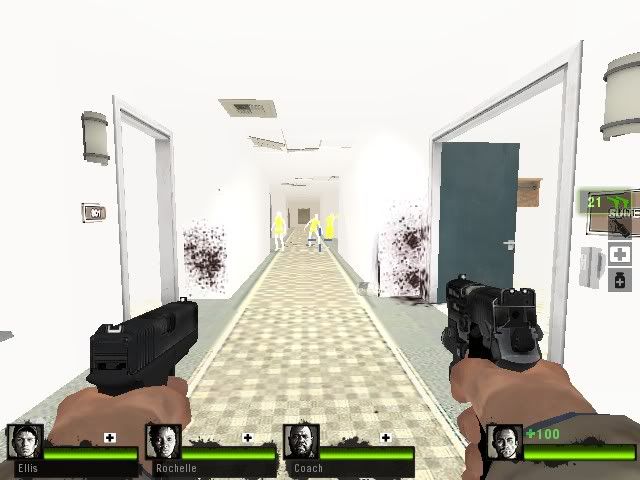
dragonlife29 said:I would like to thank this thread for pushing me in the right direction in life, for I am now part of PC gaming and I love it
I finished building it today and while there were some setbacks (didn't expect it to be a smooth process), I can honestly say I'm proud of building my own PC--especially since I'm still pretty new to everything :lol
I spent about 4 hours playing L4D2 and the difference between it and the 360 version is just...wow. Even on my 5-year-old 1024 x 768 monitor it looked incredible (I can't wait to upgrade my monitor now). All my settings were on High and I even enabled anti-aliasing and noticed the difference.
My FPS was a solid 60-61 during the heaviest of segments. Sometimes it'd be 100 or over (over 200 in the beginning of chapters) and I'd honestly feel tripped out because everything looked and flowed so smoothly. I was constantly blown away.
This is what I upgraded from, folks:
Obviously the game was an unplayable mess (1 FPS), but my curiosity and longing (and ignorance) made me curious as to how it would look. (I did use my sister's laptop once but I'd get 15 FPS at best in L4D and 5 FPS in L4D2 even with everything turned down/disabled :lol)
kinggroin said:Looks like some trippy artistic wii game
kinggroin said:Looks like some trippy artistic wii game
Veal said:I know this may seem like sacrilege, but me being a recent PC convert, this thing looks incredibly cool: http://www.newegg.com/Product/Product.aspx?Item=N82E16826793001
Does anyone here have any experience with this controller?
caliblue15 said:Why would you change your stuff around all the time?
Shambles said:The real shock is how he forgot what twist ties are called!


twdnewh_k said:How good are plasmas with a PC connected ?
I currently have a 720p plasma and thinking of an upgrade. I'd prefer to go plasma again, but I'll be doing a lot of pc gaming on it and would like to know how they fare when compared to to LEDs .
I wont be using the tv as a full time monitor, just gaming.
Thnx
Lime said:You adjust overscan in the Catalyst Control Center.
But check out if your TV is set to "Just Scan" when using HDMI. It sounds like it's your TV's fault (unless it doesn't have 1:1 pixel mapping?)
Schmattakopf said:So I need a new PC.
a) My lurker frienddirected me to this thread, and we put this Newegg list together. $541 + shipping, after MIR and the combo on the mobo/CPU. Small HDD because I already have a big one for storage, although maybe I should consider a small SSD instead?who reads GAF more than I do
b) I don't know how relevant this is but what I want, more than an expensive machine that can play Crysis on max settings, is something that's highly upgradeable.
c) How much of a difference does faster RAM or CFX/SLI make?
d) Are these still relevant? Hazaro's last guide and the TechReport builds from 1 Nov.
Dark Octave said:Very cool stuff here. I'm about to go PC as well thanks to Gaf.
It would be very helpful if as many people as possible posted prices next to each item they list. My GF and I came to the conclusion that $1500 to $2000 would be the price for a decent setup $1000 of that is graphics cards, she wants two. I can't remember the parts names but I'd like to see some alternative setups price per part. My thinking is that if it can run Crysis maxed at 60fps then I couldn't care less about what is in it. And realistically I would like to spend $500 to $700 instead of $1500 to $2000. Is this possible for what I want?
What resolution? People always forget to mention this, and it's very important.Dark Octave said:Very cool stuff here. I'm about to go PC as well thanks to Gaf.
It would be very helpful if as many people as possible posted prices next to each item they list. My GF and I came to the conclusion that $1500 to $2000 would be the price for a decent setup $1000 of that is graphics cards, she wants two. I can't remember the parts names but I'd like to see some alternative setups price per part. My thinking is that if it can run Crysis maxed at 60fps then I couldn't care less about what is in it. And realistically I would like to spend $500 to $700 instead of $1500 to $2000. Is this possible for what I want?
My Samsung plasma gets lots of image retention with a PC connected. If you're using it mainly for gaming, it should be alright. Leaving it at the desktop for any length of time may cause icons and the task bar to stay on screen for a while.twdnewh_k said:How good are plasmas with a PC connected ?
I currently have a 720p plasma and thinking of an upgrade. I'd prefer to go plasma again, but I'll be doing a lot of pc gaming on it and would like to know how they fare when compared to to LEDs .
I wont be using the tv as a full time monitor, just gaming.
Thnx
1080p probably. This is what I'm confused about. There are higher resolutions than that I'm sure. We'd be playing on a 1080p 60".opticalmace said:What resolution? People always forget to mention this, and it's very important.
Thanks for the response. What do you think about an SSD and did you mean the Phenom 945?TheExodu5 said:Everything looks spot on, though I'd bump the PSU to a Corsair 650TX just to give you a little more breathing room if ever you wanted to put a higher powered GPU in there.
I haven't seen that case before...looks like a really nice case for the money. Should allow for very easy upgrading and decent cable management.
Faster RAM doesn't make much of a difference.
edit: since you're getting an aftermarket cooler, I'd suggest getting the AMD Phenom 940 instead of the Athlon 640.
Dark Octave said:Very cool stuff here. I'm about to go PC as well thanks to Gaf.
It would be very helpful if as many people as possible posted prices next to each item they list. My GF and I came to the conclusion that $1500 to $2000 would be the price for a decent setup $1000 of that is graphics cards, she wants two. I can't remember the parts names but I'd like to see some alternative setups price per part. My thinking is that if it can run Crysis maxed at 60fps then I couldn't care less about what is in it. And realistically I would like to spend $500 to $700 instead of $1500 to $2000. Is this possible for what I want?
OEM Phenom II 940 is a better choice and costs less than the Athlon:Schmattakopf said:Thanks for the response. What do you think about an SSD and did you mean the Phenom 945?
Thanks for the info. That's a lot to chew on. So much that I didn't think to consider before. Very helpful and great thread.TheExodu5 said:Scale things down for your first PC until you know exactly what kind of experience you want. If you want to go the route of extreme upgradability, I'd suggest spending just a little bit more on the case and PSU. I'd try to put something together than can easily support a dual high end GPU setup like you want, but only start off with a single GPU.
I'll throw out some suggestions:
Core i5 760 - $200
Motherboard - $130
Cooler Master HAF X - $200
Corsair HX 850 - $170
GTX 580 - $500
1TB HDD - $70
DVD-RW - $20
Windows - $100
That comes to about $1400. If you really want to ensure you can run dual GTX 580, then you might want to bump the Corsair 850 to a 1000, though that's around $50 more. The 850 should be able to run it fine, but having a bigger PSU means it won't be running as hard, and as hot.
A Cooler Master HAF 922 would do as well, but with dual high end GPUs, the bigger HAF X would be nice, especially since it will allow such good air flow and even easier cable management.
Better CPU but is it worth going back to AM2+?·feist· said:OEM Phenom II 940 is a better choice and costs less than the Athlon:
$95.99
http://www.newegg.com/Product/Product.aspx?Item=N82E16819103644&cm_re=940-_-19-103-644-_-Product
It doesn't come with a cooler. but since you are already buying a HSF, you're set to overclock it.

