
Did you have to extend your contract another year?DopeyFish said:sweet. upgraded to the iphone 3gs for $299 through Rogers, convinced the CSR that the system access fee is really part of my wireless spending, and that my initial activation fee is still part of revenue :lol
-
Hey Guest. Check out your NeoGAF Wrapped 2025 results here!
You are using an out of date browser. It may not display this or other websites correctly.
You should upgrade or use an alternative browser.
You should upgrade or use an alternative browser.
iPhone - Official Thread
- Thread starter imastalker co.
- Start date
- Status
- Not open for further replies.
That is how we all felt when we first got our iPhone.trupclow said:Ok, so I have to say, that this freaking phone is the greatest device I have ever owned.

Gary Whitta
Member
Holy crap, inundated with buyers! Maybe I should re-list it at a higher price
jonnybryce
Member
MrOctober said:Yeah I might rub one out tonight.
:lol
Has anyone used the CalDAV sync for Google or Yahoo calender?
Gary Whitta said:Holy crap, inundated with buyers! Maybe I should re-list it at a higher price
Yeah, iPhones sell like crazy on Craigslist and eBay. People want them and don't care what model or price they are. My brother thought he'd get 150 but ended up getting 330, and the listing only lasted a day or two.
Don't be afraid to ask for high, someone will buy it. My friend was saying he's just going to put it up for 190 buy it now to be done with it and I had to convince him that he's an idiot and to let people battle it out.
krypt0nian
Banned
What are OG Edge 16g phones going for generally now on CL?
Manics said:Did you have to extend your contract another year?
yeah, both voice and data
Crazymoogle
Member
I hear the 10MB podcast limit is gone? What about with apps?
I thought the SAF fee was part of the spending. Hmm. Maybe I should go back to the 6GB plan. It was weird, the Rogers CSR offered to reduce my bill by going down to the 500MB value pack (which I guess makes sense given my 600MB lifetime download) but with the video store and uncapped Podcasts I'm having second thoughts...
DopeyFish said:yeah, both voice and data
I thought the SAF fee was part of the spending. Hmm. Maybe I should go back to the 6GB plan. It was weird, the Rogers CSR offered to reduce my bill by going down to the 500MB value pack (which I guess makes sense given my 600MB lifetime download) but with the video store and uncapped Podcasts I'm having second thoughts...
Gary Whitta
Member
So what are people doing with these used iPhones that they buy? Just put their own SIM card in? The one I'm looking to sell doesn't have a SIM card (I transferred it to my 3GS) and after doing a complete wipe it now says "insert a valid SIM card with no PIN lock to activate iPhone."
Corwood Rep
Member
So, read there's a 3.0 unlock tool coming out soon for the 3G. So I run that, unlock/jailbreak it, wipe the harddrive, remove the SIM card, and put the sumbitch on craigslist, right?
And then I can buy a 3GS and put in my old SIM card and I'll have my old number, right? I really have no damn idea how number porting actually works. If I sell the old phone before buying the new one, that doesn't somehow fuck up my contract or anything, right?
And then I can buy a 3GS and put in my old SIM card and I'll have my old number, right? I really have no damn idea how number porting actually works. If I sell the old phone before buying the new one, that doesn't somehow fuck up my contract or anything, right?
skartizzle
Member
Anyone new 3GS owners having problems with the AIM application? Hard to read the conversation and my dialog/text input box doesn't show up like on other people's iPhones.
iPhone 3G S and Pre head-to-head benchmarks: iPhone wins
http://www.engadgetmobile.com/2009/...e-head-to-head-benchmarks-iphone-barely-wins/
Update: Anandtech had some uncharacteristically bad math going on -- the 3G S is actually 21 percent faster than the Pre, which is actually quite notable considering the similar hardware and WebKit-based browsers.

http://www.engadgetmobile.com/2009/...e-head-to-head-benchmarks-iphone-barely-wins/
Update: Anandtech had some uncharacteristically bad math going on -- the 3G S is actually 21 percent faster than the Pre, which is actually quite notable considering the similar hardware and WebKit-based browsers.
I got an iPhone 3Gs (my first iPhone). Unfortunately, half way through my checkout the register crashed and i just noticed that they charged me twice for the phone and the applecare. The AT&T store hasn't been answering the phone and wont return my calls.
I'm gonna have to crack some skulls on monday.
I'm gonna have to crack some skulls on monday.
kairu said:I got an iPhone 3Gs (my first iPhone). Unfortunately, half way through my checkout the register crashed and i just noticed that they charged me twice for the phone and the applecare. The AT&T store hasn't been answering the phone and wont return my calls.
I'm gonna have to crack some skulls on monday.
wow, i would be cracking some skull right now if that happened to me.
jonnybryce
Member
neojubei said:iPhone 3G S and Pre head-to-head benchmarks: iPhone wins
http://www.engadgetmobile.com/2009/...e-head-to-head-benchmarks-iphone-barely-wins/
Update: Anandtech had some uncharacteristically bad math going on -- the 3G S is actually 21 percent faster than the Pre, which is actually quite notable considering the similar hardware and WebKit-based browsers.
I'm really happy this happened. While the Pre wasn't speedy launching apps or lightning fast browsing the web (still was faster than the iPhone 3G), it was on Sprint, which had super cheap plans which included all the features. I returned my Pre and hoped the 3GS would follow through as everything I hoped for and expected, and I'm super satisfied. I definitely have noticed it being faster than the Pre for browsing, especially rendering and panning around the page (the Pre especially has trouble pinching, it's often blocky and slow to react). The 3GS is almost everything I've wanted iPhone to be all along and I definitely prefer it to the Pre.

Gary Whitta
Member
I think I've decided not to sell my 3G after all. Read some horror stories online about how it's not particularly difficult to recover data even after a complete wipe. I had way too much stuff on the old phone that I wouldn't want a stranger getting their hands on. I think instead I'll just stick it in a drawer as an emergency backup.
neojubei said:wow, i would be cracking some skull right now if that happened to me.
I tried calling the store a few times today and they wouldn't pick up. I left some messages, but they didn't call back. I'll try calling tomorrow as well. The AT&T store where I bought it at is like an hour away so I'll just go in on Monday.
I am not happy, though.
The iPhone itself is awesome.
Technosteve
Banned
I use this phone to much I need to check out the extra battery add on would be worth it
I need to check out the extra battery add on would be worth it
D
Deleted member 22576
Unconfirmed Member
I wonder if that has changed now there is remote wipe.Gary Whitta said:I think I've decided not to sell my 3G after all. Read some horror stories online about how it's not particularly difficult to recover data even after a complete wipe. I had way too much stuff on the old phone that I wouldn't want a stranger getting their hands on. I think instead I'll just stick it in a drawer as an emergency backup.

Lazslo
Member
So I just got the invisibleSHIELD from zagg after I dropped my first iPhone in a puddle and it cracked
I love this product- It's a little pricey but well worth it, I really recommend it to anyone who doesn't want a bulky case but wants reliable protection. There is even a life time guarantee witch it nice. Really psyched on this product.
I love this product- It's a little pricey but well worth it, I really recommend it to anyone who doesn't want a bulky case but wants reliable protection. There is even a life time guarantee witch it nice. Really psyched on this product.
Gary Whitta said:I think I've decided not to sell my 3G after all. Read some horror stories online about how it's not particularly difficult to recover data even after a complete wipe. I had way too much stuff on the old phone that I wouldn't want a stranger getting their hands on. I think instead I'll just stick it in a drawer as an emergency backup.
That's what I am doing.
kairu said:I tried calling the store a few times today and they wouldn't pick up. I left some messages, but they didn't call back. I'll try calling tomorrow as well. The AT&T store where I bought it at is like an hour away so I'll just go in on Monday.
I am not happy, though.
The iPhone itself is awesome.
Customer service should be open tomorrow unless it isn't 24hr service.
On a side note, I figured out how to sync google calender to the iPhone.
Would like to see those stories, links please?Gary Whitta said:I think I've decided not to sell my 3G after all. Read some horror stories online about how it's not particularly difficult to recover data even after a complete wipe. I had way too much stuff on the old phone that I wouldn't want a stranger getting their hands on. I think instead I'll just stick it in a drawer as an emergency backup.
Anyway, there is a program called iWipe on Cydia that will purge deleted files by "zeroing out the free space on your iPhone." I think there is another in the Appstore that you can check out as well but can't recall the name right now.
Gary Whitta said:I think I've decided not to sell my 3G after all. Read some horror stories online about how it's not particularly difficult to recover data even after a complete wipe. I had way too much stuff on the old phone that I wouldn't want a stranger getting their hands on. I think instead I'll just stick it in a drawer as an emergency backup.
They did add a secure erase in the OS 2.0 update last year (Settings > General > Reset > Erase All Content and Settings). Maybe the article you read was pre-2.0 update? I'm pretty sure you'll be safe doing that.
Hey guys, prolly a silly question but where do videos I buy off of iTunes go on my device? I bought an episode of battlestar galactica and I think I watched it, then I plugged my phone onto my computer to charge it and now it's gone. I really wanna watch BSG :lol
btw I'm posting this from my iPhone so awesome!!!
btw I'm posting this from my iPhone
so awesome!!!Gary Whitta
Member
That's what I did - took over an hour, which does suggest a very comprehensive wipe - but since the phone has no SIM card in it, after it booted back up after the wipe it's now stuck on an activation screen that says "insert a valid SIM card with no PIN unlock to activate iPhone". Will a buyer be able to insert their own SIM card and use the phone or did I just brick it? :lolSean said:They did add a secure erase in the OS 2.0 update last year (Settings > General > Reset > Erase All Content and Settings). Maybe the article you read was pre-2.0 update? I'm pretty sure you'll be safe doing that.
Gary Whitta
Member
Facebook app just updated - "support for 3.0" - checking it out now, it seems to have fixed the borked camera shutter, not sure what else.
A jailbreak/unlock will fix that. The unlock for the 3G will be out soon. Check this site.Gary Whitta said:That's what I did - took over an hour, which does suggest a very comprehensive wipe - but since the phone has no SIM card in it, after it booted back up after the wipe it's now stuck on an activation screen that says "insert a valid SIM card with no PIN unlock to activate iPhone". Will a buyer be able to insert their own SIM card and use the phone or did I just brick it? :lol
You could also get a bit more money if you sell the phone unlocked because people are lazy/too stupid to do it themselves.
iPhone 3G S Accessibility Options
Wow
There is an Accessibility option in general settings
Invert Screen Color-White on Black
Voice Over
Zoom
Speak Auto-test
Mono Audio
Wow
Yes, an AT&T sim card will work. If it's a sim card for another network the phone will need the unlock that Constanza mentioned.Gary Whitta said:That's what I did - took over an hour, which does suggest a very comprehensive wipe - but since the phone has no SIM card in it, after it booted back up after the wipe it's now stuck on an activation screen that says "insert a valid SIM card with no PIN unlock to activate iPhone". Will a buyer be able to insert their own SIM card and use the phone or did I just brick it? :lol
jonnybryce
Member
Charred Greyface said:iPhone 3G S Accessibility Options
Wow
Yes, an AT&T sim card will work. If it's a sim card for another network the phone will need the unlock that Constanza mentioned.
The white on black is awesome sounding in theory but it fucks with all the colors, including websites and apps. It makes the wallpaper white which is one step closer to my dream of an all white, front back and wallpaper, iPhone, but not at the expense of everrrryyyything looking shitty. Was cool to play around with for 5 seconds though, thanks for the info.
p.s. the wake up standby screen while charging screen in white on black mode looks so awesome!
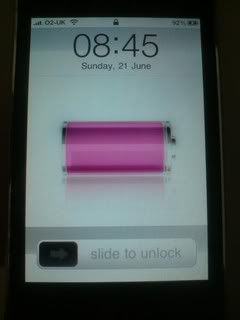
jonnybryce said:p.s. the wake up standby screen while charging screen in white on black mode looks so awesome!
Screenshots please (press the home button and on/off button at the same time, you should hear a shutter sound indicating the picture was saved to your camera roll)robertsan21
Member
where is the videofeature they promised in 3.0?
I cant seem to find it anywhere on my phone
I cant seem to find it anywhere on my phone
Charred Greyface said:
I tried that and it takes the picture of it being normal, shame but I have to do it with another camera. You'll get to see in a minute but the battery is purple pink.
robertsan21 said:where is the videofeature they promised in 3.0?
I cant seem to find it anywhere on my phone
Camera, bottom right toggles between stills and video...
robertsan21
Member
SnakeXs said:Camera, bottom right toggles between stills and video...
nope not there... I got the 3G model.. not 3GS...... but wasnt the video in the firmware update so no matter what phone you have Video will work?
robertsan21 said:nope not there... I got the 3G model.. not 3GS...... but wasnt the video in the firmware update so no matter what phone you have Video will work?
Nope only 3GS has video
3GS only.robertsan21 said:nope not there... I got the 3G model.. not 3GS...... but wasnt the video in the firmware update so no matter what phone you have Video will work?
robertsan21
Member
Cyport said:Nope only 3GS has video
why is that? we know Video works on the 3G model... I have had when I jailbroke the phone and downloaded a Video app from cydia... so there is no reason why this couldnt have been in the 3.0 release...
robertsan21 said:why is that? we know Video works on the 3G model... I have had when I jailbroke the phone and downloaded a Video app from cydia... so there is no reason why this couldnt have been in the 3.0 release...
my guess is Apple want you to upgrade the model and with each upgrade they'll slowly add on more, hence no iSight on 3GS as that will be revealed in a newer iPhone down the line.
Cyport said:my guess is Apple want you to upgrade the model and with each upgrade they'll slowly add on more, hence no iSight on 3GS as that will be revealed in a newer iPhone down the line.
That, or they'd rather do it right or not at all. Having seen a jailbroken OG iPhone doing video I can definitely say it's pretty awful.
robertsan21
Member
anyone know of a good videoconverter for my divx,avi files on my comuter so I can transfer them and play on iPhone?
I also would like to know if you guys know of any good SOLAR CHARGER for the iPhone?
I also would like to know if you guys know of any good SOLAR CHARGER for the iPhone?
Napoleonthechimp
Member
http://handbrake.fr/ for windows and mac is free and very good (I can't comment on the windows version).robertsan21 said:anyone know of a good videoconverter for my divx,avi files on my comuter so I can transfer them and play on iPhone?
johnFkennedy
Member
Holy crap the white on black setting is dope. Also the ipod+nike stuff is pretty neat as well.
That white on black setting is 3gs only? or 3.0 firmware, or it just one of those jailbreak thingamajig.johnFkennedy said:Holy crap the white on black setting is dope. Also the ipod+nike stuff is pretty neat as well.
Raytow said:That white on black setting is 3gs only? or 3.0 firmware, or it just one of those jailbreak thingamajig.
Only 3GS, heres a list of what it can do
VoiceOver - annoying to use but can be useful, not for me
Zoom - quite cool but pointless again
White on Black - cool effect but again not needed
Mono Audio - best addition for me! As I am deaf I hear with an implant in one ear and this makes the headphones play mono on both earphones. I use my own implant plug though which is even better as I have 100% pure sound from iPhone :lol
Speak Auto-text - most useful of the lot, just speaks the auto corrections when u make a mistake.
Solideliquid
Member
Anyone find a way to copy multiple pictures from the camera roll and paste into an email?

SuperPac
Member
In the camera roll you tap the share button at the bottom of the screen, then tap the photos you want to send (I've only done like 3 at once), then tap done. The photos you selected will all come up in the email compose window.Solideliquid said:Anyone find a way to copy multiple pictures from the camera roll and paste into an email?
- Status
- Not open for further replies.