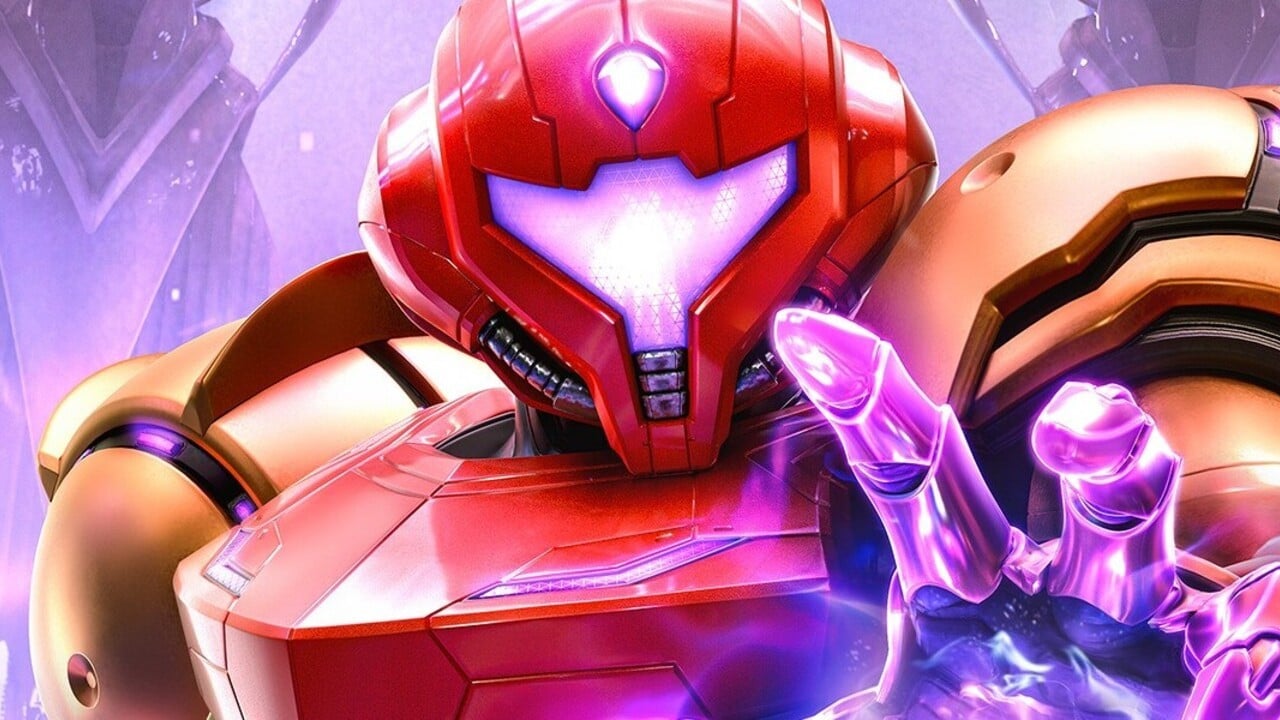
Metroid Prime 4 (Switch 2) Digital Foundry tech review - Brilliant at both 60hz and 120hz, Amazing HDR

LordOcidax

Member


Let's get straight to the point: Metroid Prime 4 is an exceptional Switch 2 release, with brilliant performance in both 60fps and 120fps in both docked and handheld configurations. John Linneman goes into depth on Retro Studios' audiovisuals, its excellent HDR and intriguing presentation.

00:00 - Introduction
02:34 - The Presentation
05:31 - Visor Effects and More
07:42 - Performance and Quality Modes
10:28 - Performance Tests
11:45 - Mind-blowing HDR
14:02 - Loading is Quick
15:51 - The Sound
16:50 - Soundtrack Demonstration
18:32 - Game Impressions and Wrap-up
 
Does it even work on Switch 2? I had to turn it off for the whole system with MK.

I followed this:


I guess I'll find out in a couple of days. One thing they added is on the first screen you can now see a peak brightness number so it should be easier to set. I still cant get one of the suns to disappear though. Even when turning on HGIG.
 
Last edited:


Let's get straight to the point: Metroid Prime 4 is an exceptional Switch 2 release, with brilliant performance in both 60fps and 120fps in both docked and handheld configurations. John Linneman goes into depth on Retro Studios' audiovisuals, its excellent HDR and intriguing presentation.

00:00 - Introduction
02:34 - The Presentation
05:31 - Visor Effects and More
07:42 - Performance and Quality Modes
10:28 - Performance Tests
11:45 - Mind-blowing HDR
14:02 - Loading is Quick
15:51 - The Sound
16:50 - Soundtrack Demonstration
18:32 - Game Impressions and Wrap-up

Nintendo Life review, sound pretty sweet.
 
Nintendo back on top.
Showing the industry how to do good HDR
No other game looked this good.

They are the apple of gaming.
They don't adapt new tech day one.
They only use it when it's perfected by them.

Like nintendo online gaming

Leaving See Ya GIF by MOODMAN
 
Last edited:
Haven't watched the video yet, just going to, but I'd be wary of DF saying HDR is "amazing" in a game, I think they have at best medium level understanding of what makes a good HDR image, since most of the HDR videos they put out (like when they encode the video in HDR and it says "DF HDR" or whatever at the start of the video, I don't just mean their videos discussing HDR) look horrendous.

HDR is a mixed bag on Switch 2 even when you have HGIG and set it up right ime, with MKW night time looked a lot better in HDR for me, but day time had a wrong look to it. I think its just a subpar implementation.

Any game thats had it added after the fact I say turn it off completely, like Echoes of Wisdom, it fucks the colour and fucks the contrast of the image. DK: Bananza was also a mixed bag, but mostly better in HDR, still I find it frustrating how it can't just be all round better.

This is why I'm excited if they're saying MP4 is "amazing", hopefully finally a proper perfect HDR implement on Switch 2.

Hopefully I have my HDR is set properly.

What model TV do you have again?

I presume it would be auto disabled when you put HGIG on, but you don't have Dynamic Tonemapping or any kind of "dynamic contrast" sounding setting on while HGIG is on? That would break that calibration page probably.

You can press a button now and see the nits value of the test pattern so worst case you can just set it to your TV's HDR 10% window peak brightness. Which you can look up on rtings but I'll tell you if you tell me the model.
 
Just shame the outstanding HDR implementation has to contend with that shitty, low cost, cheap out LCD screen Nintendo put in it.

Might be worth playing when the OLED version drops in 2028.
 
Surprised and glad to hear that the HDR is actually done well here. Good to hear after the previous disappointing quality of HDR in previous Switch titles.
 
Samsung QN90A
Some LCD panels can struggle with this, although you do have one of the much better ones. You just have to get it as close as possible and make sure the next test for the brightness is correct, although this has a little bit of range to it, and will depend on personal preference as well. Try to turn off as much of the automatic post processing on your display.
 
Samsung QN90A

you have to turn off dynamic tone mapping to get accurate results on those calibration setting screens.

but your TV has a peak brightness of around 1500 nits. the Switch 2 allows you now to see the nits setting. so set it accordingly there.

then on the second screen you should put it all the way to the left, and then from there do 4 clicks to the right.
that should give you a decent paper white setting.
 
Last edited:
What model TV do you have again?

I presume it would be auto disabled when you put HGIG on, but you don't have Dynamic Tonemapping or any kind of "dynamic contrast" sounding setting on while HGIG is on? That would break that calibration page probably.

You can press a button now and see the nits value of the test pattern so worst case you can just set it to your TV's HDR 10% window peak brightness. Which you can look up on rtings but I'll tell you if you tell me the model.

QN90A. I've tried toggling HGIG in the Game Mode menu. It probably just doesn't play nice with the local dimming algorithm of the Mini LED. I know Vincent from HDTVTEST said it shouldn't matter and his settings will work for all TVs. One thing I've observed that's weird is that some Youtube HDR videos will put my TV in HGIG tonemapping mode as the only option in Picture Settings with the rest greyed out, but the Switch 2 does not, nor does it give me the option for HGIG tonemapping in the Picture settings.
 
Last edited:
you have to turn off dynamic tone mapping to get accurate results on those calibration setting screens.

but your TV has a peak brightness of around 1500 nits. the Switch 2 allows you now to see the nits setting. so set it accordingly there.

then on the second screen you should put it all the way to the left, and then do 4 clicks to the right.
that should give you a decent paper white setting.
The 21.0.0 firmware update helps a lot to adjusts the HDR settings correctly.
 
Samsung QN90A

Basically what Kev (and Mozza) said, but I'd keep the peak brightness to 1450 to be safe, because this TV naturally overbrightens HDR due to its inaccurate EOTF tracking (its not a big deal) even though it does it less in Game Mode.

I still don't understand how you can't get rid of the 2nd sun though, I have a 2016 Sony from before HGIG was a thing and the sun disappears at 1610 for me which is exactly my TVs peak brightness in Game mode.

Whats your base Picture Mode called? Like Dynamic, Standard, Cinema, etc. I presume you have that set to whatever and then Game mode is a separate toggle (and HGIG as well) on top of that?

Or is the picture preset itself actually called Game (or PC even)? I'm not super familiar with how game mode is handled on Samsungs.


See solution to this in my post below
 
Last edited:
I followed this:


I guess I'll find out in a couple of days. One thing they added is on the first screen you can now see a peak brightness number so it should be easier to set. I still cant get one of the suns to disappear though. Even when turning on HGIG.

Your black level settings are wrong then. Set your switch to limited and your tv to low black levels
 
Last edited:
QN90A. I've tried toggling HGIG in the Game Mode menu. It probably just doesn't play nice with the local dimming algorithm of the Mini LED. I know Vincent from HDTVTEST said it shouldn't matter and his settings will work for all TVs. One thing I've observed that's weird is that some Youtube HDR videos will put my TV in HGIG tonemapping mode as the only option in Picture Settings with the rest greyed out, but the Switch 2 does not, nor does it give me the option for HGIG tonemapping in the Picture settings.

Welp, I found the answer:


So just set the Swtich 2 peak brightness calibration screen to a few thousand nits as Vincent proscribes in the end of his video. Theres nothing else you can do because DTM can't be turned off.

Don't mess with the HDMI levels, leave everything on Auto in the TV and the Switch 2 and it'll work itself out. You'd know if the HDMI levels were mismatched because shadowed areas would be solid black and indecipherable or the image as washed out as the left screen in Vincent video (which is an exaggerated image for the youtube thumbnail).

Your black level settings are wrong then. Set your switch to limited and your tv to low black levels

Thats not the issue. The QN90A just has undefeatable Dynamic Tonemapping.
 
Last edited:
Which ones have poor HDR?

I forget. In their Switch 2 upgrades video they mentioned multiple games with poor and basic HDR implementations. It made me a bit concerned that maybe this would be an ongoing thing.

So I am genuinely pleased on the behalf of all Switch 2 gamers that this game has good HDR implementation.
 
Basically what Kev (and Mozza) said, but I'd keep the peak brightness to 1450 to be safe, because this TV naturally overbrightens HDR due to its inaccurate EOTF tracking (its not a big deal) even though it does it less in Game Mode.

I still don't understand how you can't get rid of the 2nd sun though, I have a 2016 Sony from before HGIG was a thing and the sun disappears at 1610 for me which is exactly my TVs peak brightness in Game mode.

Whats your base Picture Mode called? Like Dynamic, Standard, Cinema, etc. I presume you have that set to whatever and then Game mode is a separate toggle (and HGIG as well) on top of that?

Or is the picture preset itself actually called Game (or PC even)? I'm not super familiar with how game mode is handled on Samsungs.
I set my LG to the standard or natural setting, then I worked from there.
 
Last edited:
Mister Wolf Mister Wolf

Its essential that you make sure the 2nd screen (paperwhite setting) is set to no more than 4 clicks (200 nits), ignore the test patterns they are irrevelant here. Since your QN90A is doing DTM you can't stop and overbrightens images naturally I would even try 3 clicks if its still quite washed out for you, that will be 150 which I think most would find too low of a paperwhite, but again your TV is doing its own thing so might work out well.

The 21.0.0 firmware update helps a lot to adjusts the HDR settings correctly.

Before that I was driven mad counting click lol. Especially since sometimes it would double input and I'd wonder how often that was happening. When they finally exposed the nit value I was happy to see I had it at 1590 or something, only a couple of clicks out.
 
Samsung are such a bunch of numptys, I don't think the TV you have is overall bad at all, if I was to tell anyone to buy a Samsung (because they needed a super slim TV or wanted Smart Things integration usually) then I would only recommend their 90 series or their OLED, but its stuff like always on DTM or and shit like that which makes them irritating.

HDR is already a general consumer mindfuck, where you need to do a lot of research or nerd friends to even have a hope of getting things right/understanding it all.

Ironically Sony was the last brand to get their HGIG/game mode situation sorted (and even Bravia 9/A95L/Bravia 8 II still have issues) but I'd even recommend them over Samsung due to the above issues. LG has had it worked out for a long time now and lead the way, especially them having the Fine-tune Dark Areas setting for ages to (basically) fix shitty HDR implementations where the black floor is elevated. Samsung tried to copy it but its not as granular iirc.
 
Last edited:
Basically what Kev (and Mozza) said, but I'd keep the peak brightness to 1450 to be safe, because this TV naturally overbrightens HDR due to its inaccurate EOTF tracking (its not a big deal) even though it does it less in Game Mode.

I still don't understand how you can't get rid of the 2nd sun though, I have a 2016 Sony from before HGIG was a thing and the sun disappears at 1610 for me which is exactly my TVs peak brightness in Game mode.

Whats your base Picture Mode called? Like Dynamic, Standard, Cinema, etc. I presume you have that set to whatever and then Game mode is a separate toggle (and HGIG as well) on top of that?

Or is the picture preset itself actually called Game (or PC even)? I'm not super familiar with how game mode is handled on Samsungs.

The Picture Mode itself is called Game Mode. I do know the QN90A is the first of Samsung local dimming Mini LEDs so I thing its that algorithm. I just tried Donkey Kong and it looks fine.
 
Hopefully I have my HDR is set properly.

In a recent Switch 2 update they added a setting on the HDR config screen to show you what your tv's maximum nits value is (assuming you mean for your tv), which is a key value in making sure that you configure Switch 2's HDR output correctly for your particular tv.
 
Last edited:
The Picture Mode itself is called Game Mode. I do know the QN90A is the first of Samsung local dimming Mini LEDs so I thing its that algorithm. I just tried Donkey Kong and it looks fine.

See my post, #36, above for solution.

Its not the algorithm per say, you say its related though, its a choice they've made to always try and interpret the HDR signal as per their own focus testing of what people think is a "good image", ie an overbrightened one where the overall image is brighter (at the expense of some highlight detail being lost, dw about this though) and colours are pushed to more vibrant one within the gamut to make it seem like it has an edge in these areas when its side-by-side with other brands on the shop floor.

Hisense does the same thing now in their non-accurate picture modes, I used to promote them, it really works to sell people TVs and most don't care about accuracy anyway so why not eh.

So in Summary:

Turn on the nits counter in the S2's 1st calibration screen (Peak brightness), bang it to 1450 nits and set 2nd screen (Paperwhite) to 4 clicks from left for 200 nits. Then test it out in MKW with a day and a night track. If it still seems washed out then don't touch Peak brightness screen and set the Paperwhite screen to 3 clicks. Check that out.

Worst case bang Peak to a few thousand nits as per the section of Vincent's video where he talks about TVs with undefeatable DTM. Set Paperwhite to preferably 4 clicks but 3 if that looks better.


If it doesn't look right after all that then just turn it off because either the TV has made it impossible for HDR to look right without crazy amounts of trial and error or you probably just prefer the look of SDR, where the bottom and top end of the gamma is crushed to try and give a good contrast within a standard dynamic range. Often developers use HDR to show more shadow detail that users can perceive as blown out shadows, its understandable.

Fun facts: Vincent Teoh calibrated my TV personally and he told me Samsung is frustrating for him because of all this undefeatable tonemapping and fuckery... but they also pay his bills since so many have them ha. This was late 2018 and he told me on his way to calibrate a customers Q9FN alongside Samsungs first 8K: the Q900R, he was frustrated that the 8K model actually had overall worse PQ than the Q9FN despite being comically more expensive, but the customer was lost in the benefits of the 8K and wouldn't take his advice to buy something else instead.

The Q900R didn't even have an HDMI port capable of handing 8K60, it was limited to 30hz when taking 8K, and (at launch anyway) the youtube app didn't support 8K video 🤦‍♂️ I unintentionally annoyed the Samsung rep when I (genuinely excitedly) asked to see some 8K youtube content on it the day it was installed in the shop. Nearly came to blows over it lmao. Brand promotional work is funny shit.

 
Last edited:
it's not 4K... which is why it's weird that they lie to you in the menu and in marketing.

I still think that should be punishable as false advertising, and a precedent has been set for that in the UK at least. but somehow that hasn't resulted in anything since sadly.

All upscalers would be a target then. I never saw anyone complain about resolution output when there's upscalers at play.
 
See my post, #36, above for solution.

Its not the algorithm per say, you say its related though, its a choice they've made to always try and interpret the HDR signal as per their own focus testing of what people think is a "good image", ie an overbrightened one where the overall image is brighter (at the expense of some highlight detail being lost, dw about this though) and colours are pushed to more vibrant one within the gamut to make it seem like it has an edge in these areas when its side-by-side with other brands on the shop floor.

Hisense does the same thing now in their non-accurate picture modes, I used to promote them, it really works to sell people TVs and most don't care about accuracy anyway so why not eh.

Samsung always was about "pop" while Sony has always been the kings of accuracy. I cant lie though. Im a Samsung guy and I do like "pop". Gimme that vibrancy.
 
Last edited:
it's not 4K... which is why it's weird that they lie to you in the menu and in marketing.

I still think that should be punishable as false advertising, and a precedent has been set for that in the UK at least. but somehow that hasn't resulted in anything since sadly.
Are you new to video games or something?

Almost every single video game releasing on consoles is using upscalers to run games in 4K.
 
Top Bottom