
TimeEffect
Member
We'll probably see Moderator options in the next update.
How deep is Communities?
How deep is Communities?
Just got in.
Gmail throws it into the promotion section/stuff I never check,
Exactly what I was talking about when I said there has to be ways to let others accept people if not this will never work as it'd essentially be one guy accepting thousands of people.
Exactly what I was talking about when I said there has to be ways to let others accept people if not this will never work as it'd essentially be one guy accepting thousands of people.
Maybe we could make a US and EU community?

I don't think that's a good solution.
btw: How many people can join the same community?

lol so kind of pointless to do for gaf no?
Well..
1. Multiple PS4 for some, security of the save for all. Once I had a bug on Child of Light that corrupted my save before the final boss. I was able to download the version that was on the cloud created the night before automatically, so I just lost 1 hour instead of the full game.
2. See 1
3. You cannot have multiple versions of a save for all games on the hard drive, so see point 1.
4. The amount of games will increase for every user, even if it's only via PS+, so maybe you have a GTAV save that you left last year and you want to get a 100% now, so a lot of people don't usually delete old saves.
5. The standard is 10MB per save, BUT there are a lot of big names that don't use this, for example if you don't take care of The Witcher 3, you could have like 500MB of saves for that game, same situation happens with GTA.
Replays are also a save per replay, so if you play a driving game or a sports game, probably you have more saves for those games.
And let's not forget that there are lot of games that creates save data and also profile data.
6. You can only put saves, but saves are more than just progress as explained before.
So I hope that summarises the hype, also, 1GB made sense like 4 years ago, but for PS3 and Vita saves.

Why?

because there are way more people on gaf than 100?
I downloaded 3.00 Beta 2 and i don't have .PNG. i need to adjust it somewhere in options?
That's not true, I'm already in a community with more than 100.
GAF community Admin is probably asleep consider he is in the UK

The official Sony 3.0 Testing Community has over 1,500 members so I think it's unlimited (or just extremely high).
Yes, I believe it's an option since the original format is still supported
Can someone upload a pic with PNG and the old format? I want to see the difference
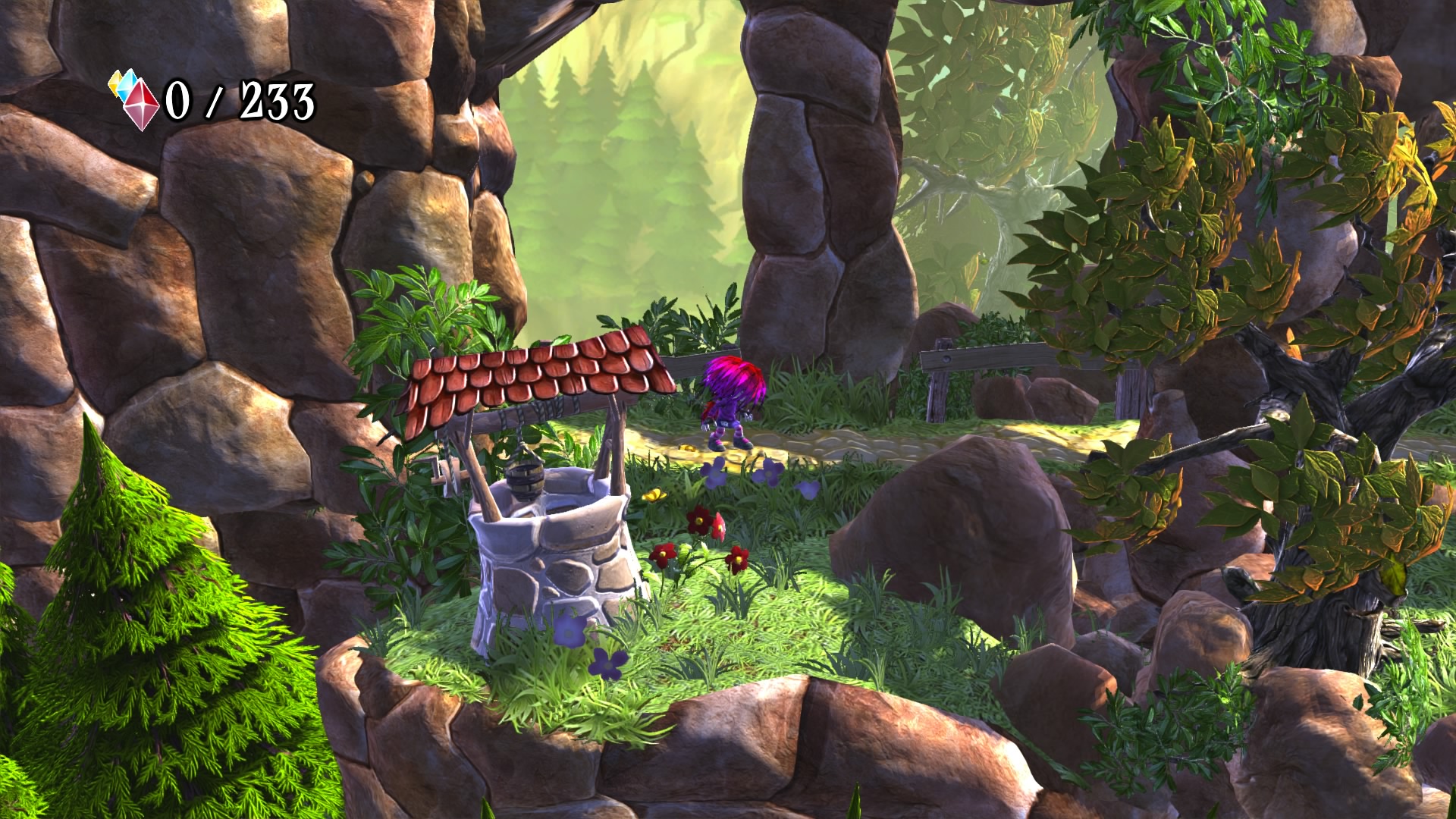
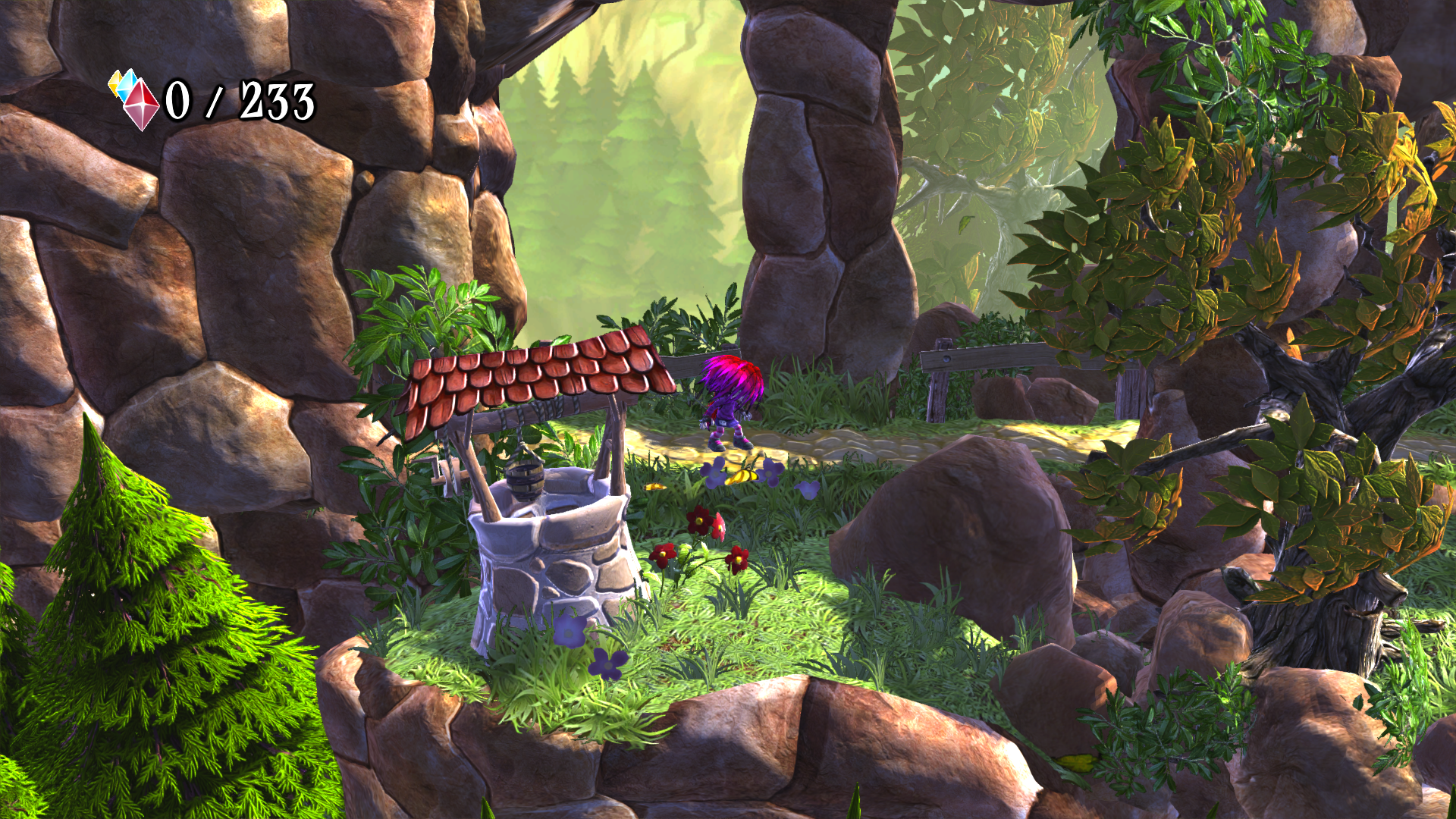
Yep, found it! Hold Share button->Option button->Share settings->Choose format
Anyway, i can see the difference in sharpness.
JPG
PNG
Oh, nice to hear. I'd love to know if you can create threads or if it's just messages atop messages with no real coherence.
Not seeing a huge difference, is it supposed to be noticeable? Everyone was hyping up PNG, so Im curious as to the difference
Not seeing a huge difference, is it supposed to be noticeable? Everyone was hyping up PNG, so Im curious as to the difference
Not seeing a huge difference, is it supposed to be noticeable? Everyone was hyping up PNG, so Im curious as to the difference
Not really seeing it in that comparison either.
Well, check the hair then. Anyway, save those shots and try to scroll them in ACD See or other similar program. I'm sure you will se the difference in sharpness, especially when it's zoomed!
One is compressed and the other is essentially a full-quality / lossless screencap. I can see the difference without even zooming, but as suggested open both in separate tabs and make sure both are 100% size, then switch between the two. If you still see no difference, see your nearest eye doctor ;PNot seeing a huge difference, is it supposed to be noticeable? Everyone was hyping up PNG, so Im curious as to the difference
Not really seeing it in that comparison either.
Not really seeing it in that comparison either.

. I am curious to see which games have the most drastic differences.
Thanks for the pic.
Can anyone elaborate on what features are included in communities or is that NDA? They mentioned photosharing and messages boards. Is it like a Steam or Facebook group?
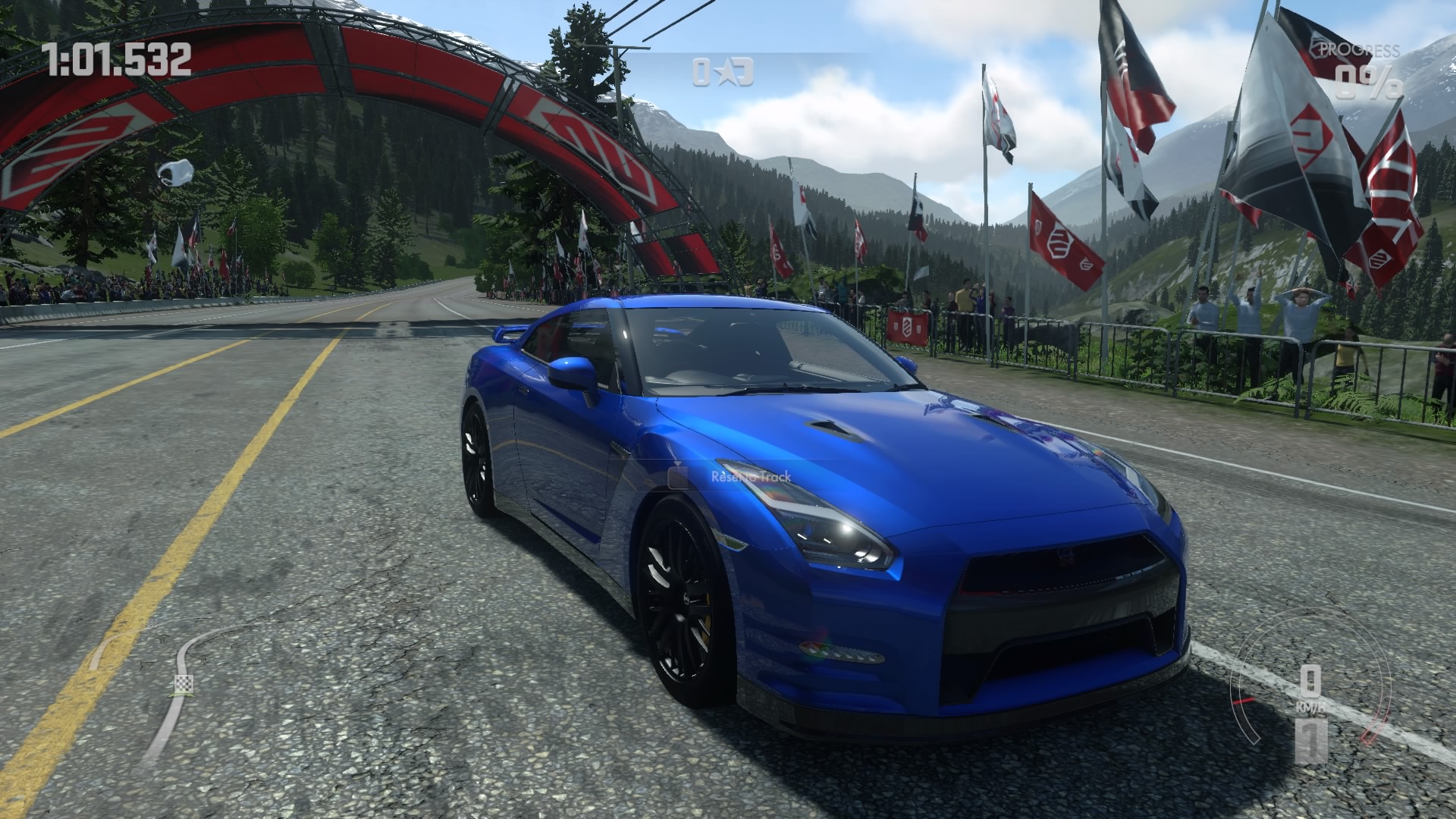
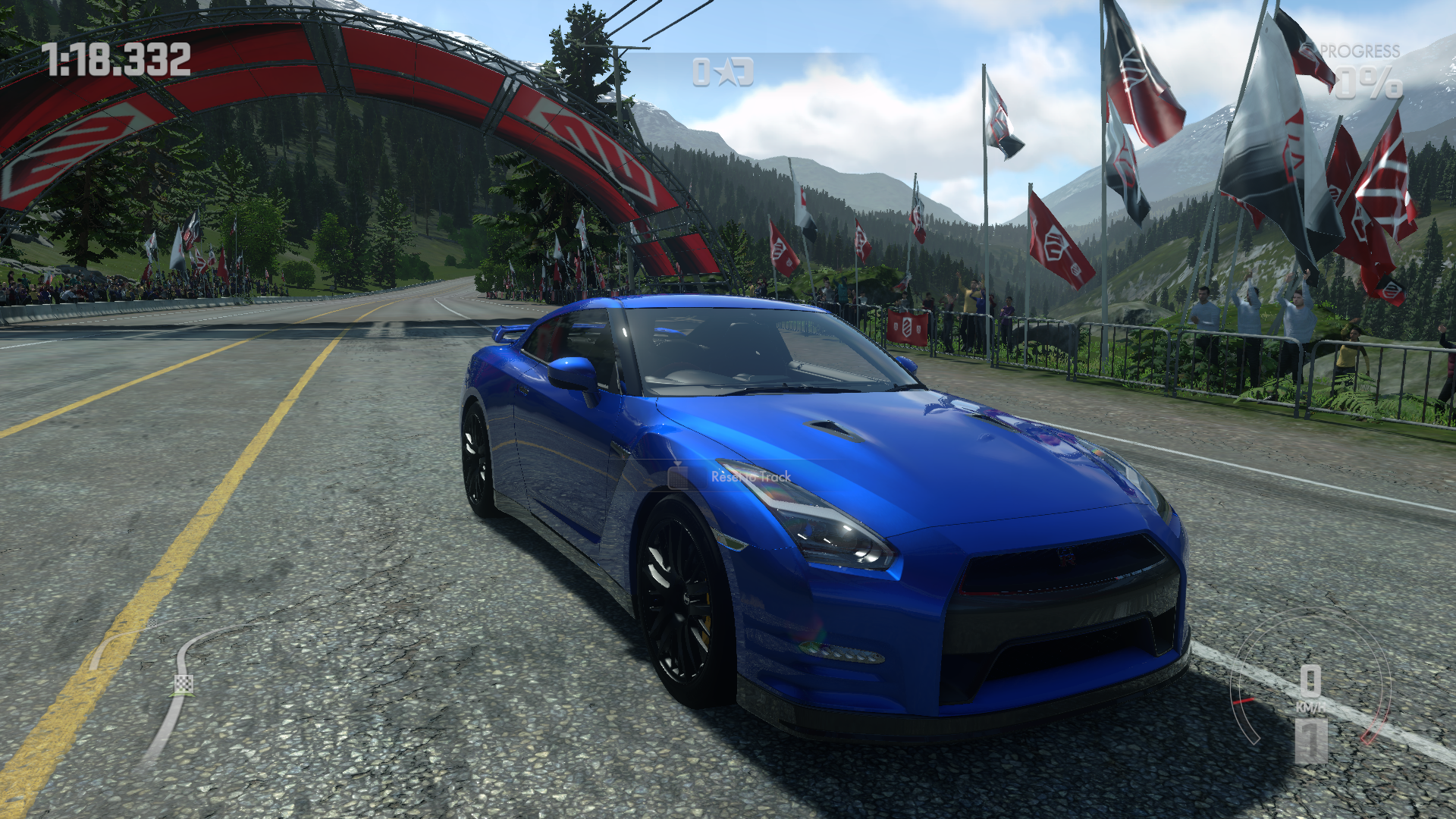
Can definitely see the difference although that's probably not the best game to illustrate it. Some decent DriveClub & Witcher 3 shots would probably do it though.Yep, found it! Hold Share button->Option button->Share settings->Screenshot settings
Anyway, i can see the difference in sharpness.
JPG
PNG
 Maybe with The Taken King?