
well mario vs dk launches in march so the classification seems logicalToday, Mario vs. Donkey Kong: Tipping Stars was classified for the Australian market.
So now there are 3 Wii U games published by Nintendo in the classification database, indicating a preparation for release:
Devil's Third
Mario Party 10
Mario vs. Donkey Kong: Tipping Stars
-
Hey Guest. Check out your NeoGAF Wrapped 2025 results here!
You are using an out of date browser. It may not display this or other websites correctly.
You should upgrade or use an alternative browser.
You should upgrade or use an alternative browser.
Wii U Games 2015
- Thread starter Captain Smoker
- Start date
well mario vs dk launches in march so the classification seems logical
And Mario party is March too right?
So I guess Devils Third may be April and just may have its own ND next month
I wonder what makes you worry it won't? I mean lately lack of content hasn't really been an issue with Nintendo games, and even the "lighter" games have had lower pricesYoshi's Woolly World looks amazing! I just hope it has enough content.
And Mario party is March too right?
So I guess Devils Third may be April and just may have its own ND next month
In EU yes don't know abou US but I think so.
Devil's Third in April would be nice. I don't know how far ahead of time things get classified but I think jariw said something about 3 month.
In EU yes don't know abou US but I think so.
Devil's Third in April would be nice. I don't know how far ahead of time things get classified but I think jariw said something about 3 month.
Yes, Nintendo's registrations for the Australian classifications have been pretty consistent in time for Wii U retail titles. It's usually around 3 months between classification and release date. If Devil's Third releases in April, it'll be 4 months between classification and release, which would be pretty standard since there was a holiday season just after the the classification.
Super Smash U had 2 months between classification, which is the shortest time span I've found for a retail title.
I've only found 2 real exceptions, where the time span has been considerably longer than 3-4 months: Bayonetta 2 and Tropical Freeze which both got 5 months between classification and release.
eShop titles don't seem to follow this pattern. Sometimes, they set the classification just a few weeks before the eShop release.
An Australian release pretty much confirms an European release as well, since they are part of the NoE territory.
Yes, Nintendo's registrations for the Australian classifications have been pretty consistent in time for Wii U retail titles. It's usually around 3 months between classification and release date. If Devil's Third releases in April, it'll be 4 months between classification and release, which would be pretty standard since there was a holiday season just after the the classification.
Super Smash U had 2 months between classification, which is the shortest time span I've found for a retail title.
I've only found 2 real exceptions, where the time span has been considerably longer than 3-4 months: Bayonetta 2 and Tropical Freeze which both got 5 months between classification and release.
eShop titles don't seem to follow this pattern. Sometimes, they set the classification just a few weeks before the eShop release.
An Australian release pretty much confirms an European release as well, since they are part of the NoE territory.
Good info, DCKTF got delayed and was pretty much done, so thats the reason it got 5 months and Bayo 2 Nintendo sat on it to release in Oct and spread out the Holiday release scheduled, the press had review copies a month before it come out.
So yea that gives me more hope Devils third will be April
ZSaberLink
Media Create Maven
In EU yes don't know abou US but I think so.
Devil's Third in April would be nice. I don't know how far ahead of time things get classified but I think jariw said something about 3 month.
Mario Party 10 is releasing March 20th in the US.
Drilbit777
Member
Oops wrong thread.
Anyways I'm excited for xenoblade chronicles X this year. Hopefully they say a release date soon
Anyways I'm excited for xenoblade chronicles X this year. Hopefully they say a release date soon
[...]
An Australian release pretty much confirms an European release as well, since they are part of the NoE territory.
PAL Land unite!
The MK8 Direct as a month before release(Direct on 30.April - Release 30. May), the Tomodachi Life Direct was 3 Month before release (Direct 10. April Release 6/7. June)
More game focused directs elude me at the moment, but going by these two directs I hope Devil's Third tends more towards the Tomodachi schedule.
Just because I really want to know more about the single player campaign and know what the Facebook hyping by Itagaki is about.

TheMoon
Member
Good info, DCKTF got delayed and was pretty much done, so thats the reason it got 5 months and Bayo 2 Nintendo sat on it to release in Oct and spread out the Holiday release scheduled, the press had review copies a month before it come out.
So yea that gives me more hope Devils third will be April
Two months actually (unless you're going by the JP release in September). EU press had review codes for Bayo2 in August!
ok, Devil third in April would make me happy.
You know what would make me happy too?
This:
You know what would make me happy too?
This:

Gaiaknight
Member
my collection so far bring on the stellar 2015 lineup!


also got sonic lost world and nintendo land physical copies
also got sonic lost world and nintendo land physical copies
TheMoon
Member
my collection so far bring on the stellar 2015 lineup!
also got sonic lost world and nintendo land physical copies
Nice collection right there.
my collection so far bring on the stellar 2015 lineup!
also got sonic lost world and nintendo land physical copies
Are they digital? External HDD?
Nice collection though.
Dead_Pixel
Banned
my collection so far bring on the stellar 2015 lineup!
also got sonic lost world and nintendo land physical copies
I'm all-digital too! Love having all the icons on screen. Any VC games in your collection?
Same here, but I use folders.I'm all-digital too! Love having all the icons on screen. Any VC games in your collection?
The MK8 Direct as a month before release(Direct on 30.April - Release 30. May), the Tomodachi Life Direct was 3 Month before release (Direct 10. April Release 6/7. June)
More game focused directs elude me at the moment, but going by these two directs I hope Devil's Third tends more towards the Tomodachi schedule.
Just because I really want to know more about the single player campaign and know what the Facebook hyping by Itagaki is about.
I guess the game-specific Directs usually appears a few weeks before the first release of the game? Tomadachi Life was released much earlier in Japan than in the rest of the world, while MK8 was released at about the same time in the whole world.
Gaiaknight
Member
Nice collection right there.
thank you

Are they digital? External HDD?
Nice collection though.
yes fully digital outside of 2 games i use a 1TB western digital hdd
I'm all-digital too! Love having all the icons on screen. Any VC games in your collection?
yes but there all shorted into different folders by system and i didnt want to clog up the page with pics lol
CitizenCope
Member
I'm really hitting a rut with gaming after a disappointing 2014. I think a purchase of my first Nintendo console in almost 20 years is in order. Was going to start a Want To Go To The Party thread as I had a lot of questions but this thread here is great. I didn't even know the WiiU did full digital games. =O
Low on funds so I think my XboxOne is going to have to go.
Once I do get it I think I'll start with Super Mario 3D World. Good choice?
Low on funds so I think my XboxOne is going to have to go.
Once I do get it I think I'll start with Super Mario 3D World. Good choice?
TheMoon
Member
I'm really hitting a rut with gaming after a disappointing 2014. I think a purchase of my first Nintendo console in almost 20 years is in order. Was going to start a Want To Go To The Party thread as I had a lot of questions but this thread here is great. I didn't even know the WiiU did full digital games. =O
Low on funds so I think my XboxOne is going to have to go.
Once I do get it I think I'll start with Super Mario 3D World. Good choice?
Yes, since that's one of the latest bundles anyway, that makes sense.
CitizenCope
Member
Yes, since that's one of the latest bundles anyway, that makes sense.
Oh really? See I'm learning something new every minute.
TheMoon
Member
Oh really? See I'm learning something new every minute.
Seems like you haven't really done any research yet, though.^^
No offense.

CitizenCope
Member
Seems like you haven't really done any research yet, though.^^
No offense.
You're right. None at all.
Haven't turned on a console since I beat Dragon Age on PS4 and failed to get into a Halo MCC match for the hundredth time.
This idea of mine is fresh and the GAF best games of 2014 certainly didn't hurt.
TheMoon
Member
You're right. None at all.
Haven't turned on a console since I beat Dragon Age on PS4 and failed to get into a Halo MCC match for the hundredth time.
This idea of mine is fresh and the GAF best games of 2014 certainly didn't hurt.
Then go ahead and ask questions. Never buy something expensive blindly
CitizenCope
Member
Then go ahead and ask questions. Never buy something expensive blindly
Ok thanks.
Mostly questions on the controller(s). Am I using the one with the screen on it for most everything? If I want to play a game with the wife do I need another controller with a screen on it or that other controller that looks closer to a 360 controller is sufficient.
I saw at a friends house tat they looked like they were using wii controllers for Smash Brothers. Can this controller be used for other games?
Also just saw the bundle you were talking about. It says 32gb. That doesn't sound like much room for digital downloads?
TheMoon
Member
Ok thanks.
Mostly questions on the controller(s). Am I using the one with the screen on it for most everything? If I want to play a game with the wife do I need another controller with a screen on it or that other controller that looks closer to a 360 controller is sufficient.
I saw at a friends house tat they looked like they were using wii controllers for Smash Brothers. Can this controller be used for other games?
Also just saw the bundle you were talking about. It says 32gb. That doesn't sound like much room for digital downloads?
I'll just give you the whole basics rundown...
First off, some basic terminology:
Wii U GamePad:
If someone talks about the gamepad, this is what they're talking about, it's your console's default controller that works with everything and isn't sold separately. You'll only ever have and need one of them. On top of the standard button layout, it has a built-in microphone, camera, motion controls (accelerometer, magnetometer and gyroscope), a sensor bar (so you can use a Wii Remote with the GamePad screen itself if you want) and the touch screen, obviously. It also has a headphone jack and a stylus in the back. Also supports rumble.
There is an optional high-capacity battery that you can buy from Nintendo's store (US) that increases the battery life from 3-5h to 5-8h. This is not required and only recommended if your setup does not allow for convenient placement of the charging cradle. You put your GamePad into the charging cradle to charge (or plug the dedicated power supply into it directly) and you can keep using it while it's charging.

Wii U Pro Controller:
This is compatible with many (not all! check the internet, eShop page of the respective game or the back of the box for compatibility!) Wii U games and works with all Wii U (!) Virtual Console games. It does not work with Wii (!) games. It's a great alternative for games that don't use many of the GamePad-exclusive features listed above due to its super comfortable ergonomics and insane battery life (up to 80 hours, yea that's not a typo. Eighty.) It does not have any motion controls, mic/headphone jack built in. Supports rumble.

Wii Remote (Plus) and Nunchuk:
You'll need these if you want to play Wii games, any Wii games. If it's a Wii game, you'll need one of these. Wii Remote and Nunchuk are also supported in some Wii U games such as Pikmin 3, New Super Mario Bros. U, Nintendo Land, Mario Party 10, etc. Again, check for compatibility. A Wii Remote Plus is the latest default Wii Remote and has the gyroscope-enhanced Wii Motion Plus add-on that Nintendo released in 2010 built-in. Anything that is just called a Wii Remote does not have it built-in. However, only very few games require this functionality (a few of the attractions in Nintendoland, Wii Sports Club and otherwise mostly Wii games like Zelda: Skyward Sword, Red Steel 2 and Wii Sports Resort and some games have slightly more accurate functionality if you use one of these). To future proof yourself, it is recommended to buy a Wii Remote Plus instead of an old standard Wii Remote, however. And preferably no cheap third party knock-offs.

For multiplayer, you will need either additional Wii U Pro Controllers or Wii Remote (+ Nunchuk). That entirely depends on the game you're playing, however. But it is recommended that you have at least one of each. A key note about one particular game, New Super Mario Bros. U, is that you need TWO controllers that are not the GamePad for two-player mode because the GamePad is reserved for a mode called Boost Mode in that game. That's the only game with this odd quirk, however.
Here's a screen for example: (also compatible with the Wii U Pro Controller, which was patched in later)

Wii Classic Controller (Pro):
It's crucial not to confuse this one with the Wii U Pro Controller! These plug into a Wii Remote and are mainly for Wii games. However, a few Wii U games also support them (Mario Kart 8, Smash, The Wonderful 101, Bayonetta 1+2). The only reason to pick one up would be to use them for Wii games that support them. The Pro variant is the one that looks like a DualShock 3 with the grips. You probably won't find the original one without the grips in stores anymore. They were mainly intended for Virtual Console games originally.

Super Smash Bros. is one of those games that is compatible with any Wii U controller imaginable, you can't go wrong with anything there (you can even use a 3DS to control it, if you have the 3DS version of Smash). Again, the back of the box or the eShop page will tell you which controllers are supported. I'm skipping over the GameCube controller since I don't think that'd be of use/interest to you with it being only compatible with Smash and all.
About storage: the 32GB of flash memory are indeed not a lot of space, however unlike your Xbox and PS systems, Wii U does not install disc-based games. Only update data (patches) will take up additional space for disc-based games. If you want to go heavy on the digital purchases you can expand the storage with an external HDD (officially compatible ones listed on Nintendo.com and there is a Wii U-HDD recommendation thread somewhere on GAF. I'm not using an external drive so I'm the wrong person to ask about those. Personally, I just delete the bigger games once I'm done with them and I don't download retail games which take up a loooot of space most of the time.
Important things about Wii backwards compatibility:
The Wii U is fully backwards compatible with Wii software and hardware. You can buy any Wii game disc and play it on your Wii U, given you own a Wii Remote (Plus) and Nunchuk. You can also access the old Wii Shop Channel and buy WiiWare and Wii Virtual Console releases (Wii U Virtual Console still does not support N64, SEGA Genesis, Master System, TG16, Neo Geo, Arcade titles). Note that the old Wii Shop is not connected to the modern eShop and your Nintendo Network ID (NNID) where all your purchases are registered. Meaning no shared wallets. In fact, Wii backwards compatibility is entirely sectioned off in "Wii Mode" which turns off all Wii U functionality and basically turns your Wii U into a Wii as long as you play the respective Wii title, including the original Wii home menu interface. This is also why the Wii U-specific controllers do not work in Wii Mode so be aware of that. There are a few more little things but I don't want to go too deep into every little feature.
Sorry for the heavy text dump^^
It all sounds probably quite complicated but it actually is very straightforward in practice.
Ok thanks.
Mostly questions on the controller(s). Am I using the one with the screen on it for most everything? If I want to play a game with the wife do I need another controller with a screen on it or that other controller that looks closer to a 360 controller is sufficient.
The main controller one with the screen is called the "Gamepad". You can only have one Gamepad per Wii U.
The other controllers that look "traditional" is called the "Wii U Pro Controller". That's the recommended secondary controller for most Wii U games, but it will not work in the Wii mode.
I saw at a friends house tat they looked like they were using wii controllers for Smash Brothers. Can this controller be used for other games?
Wiimotes are supported by many games, but not by as many as the Pro Controller.
Wiimotes are used in the Wii mode, and in games with Wii-style motion control, such as some party games (such as Mario Party 10) or Wii U Sports. The Wiimote+Nunchuck is needed for 2-player Pikmin 3.
I would not recommend to play Smash U with the Wiimote alone. Pro Controller is great there. And the Gamepad also works quite ok.
Also just saw the bundle you were talking about. It says 32gb. That doesn't sound like much room for digital downloads?
If you want much digital content, you'll need an external USB HDD (with it's own power, or powered by an Y-cable).
CitizenCope
Member
You guys went above and beyond. Thanks so much for answering my questions. Really looking forward to my purchase of a WiiU(in the next couple of weeks hopefully).
my collection so far bring on the stellar 2015 lineup!
also got sonic lost world and nintendo land physical copies
So Street Fighter 5 is a first party Sony game ? xD
So Street Fighter 5 is a first party Sony game ? xD
huh?
my collection so far bring on the stellar 2015 lineup!
also got sonic lost world and nintendo land physical copies
While admiring your collection I noticed you put them all in order of release, nice touch
Devil's Third coming out soon sounds interesting, I may get that.
TheMoon
Member
huh?
Because he has NG3RE under first-party when Nintendo only published that in NA/EU.
NamikazeBurst
Member
So Street Fighter 5 is a first party Sony game ? xD
It says "Nintendo Games", not "First-Party Games". Those games were published by Nintendo.
huh?
Ninja Gaiden, LEGO and Bayonetta are not owned by Nintendo ... they are just funded or published by Nintendo, like how Sony funded Street Fighter 5.
It says "Nintendo Games", not "First-Party Games". Those games were published by Nintendo.
That explains
Zen_Arcade
Banned
If you're getting it within the week, the Wii version of Punch-Out is on sale for $10 on the eShop. And Metroid Prime Trilogy will be $10 next week.I'm really hitting a rut with gaming after a disappointing 2014. I think a purchase of my first Nintendo console in almost 20 years is in order. Was going to start a Want To Go To The Party thread as I had a lot of questions but this thread here is great. I didn't even know the WiiU did full digital games. =O
Low on funds so I think my XboxOne is going to have to go.
Once I do get it I think I'll start with Super Mario 3D World. Good choice?
If you want a Wii U game, I think Pikmin 3 might still be my favorite game on the system.
DoctorFling
Member
my collection so far bring on the stellar 2015 lineup!
also got sonic lost world and nintendo land physical copies
Nice, but I don't know what inspired you to buy Sonic Boom.
TheMoon
Member
If you're getting it within the week, the Wii version of Punch-Out is on sale for $10 on the eShop. And Metroid Prime Trilogy will be #10 next week.
If you want a Wii U game, I think Pikmin 3 might still be my favorite game on the system.
And

Zen_Arcade
Banned
True. I'd never gotten to play the Wii Punch Out before, but the controller set up works like a dream. I almost instantly picked up exactly what I needed to do.And both of those would make excellent use of the Wii Remote Plus and Nunchuk
TheMoon
Member
True. I'd never gotten to play the Wii Punch Out before, but the controller set up works like a dream. I almost instantly picked up exactly what I needed to do.
Oh I spaced out on that part haha, I meant Prime Trilogy and Pikmin 3 ;D
But I guess Punch Out Wii qualifies, too!
It says "Nintendo Games", not "First-Party Games". Those games were published by Nintendo.
This is why I didn't understand Platy's comment.
They were under "Nintendo Games" not "First Party" lol
Interceptor
Banned
Excellent post explaining the controllers. You just forgot the TV remote and the NFC chip. ^^

EndlessFloydian
Member
Really thrilled about this year's first-party lineup.
That said, was there any new info on that "Nintendo remastered game in 2015" rumor?
I'd definitely like Sunshine HD, or even a Paper Mario collection of sorts.
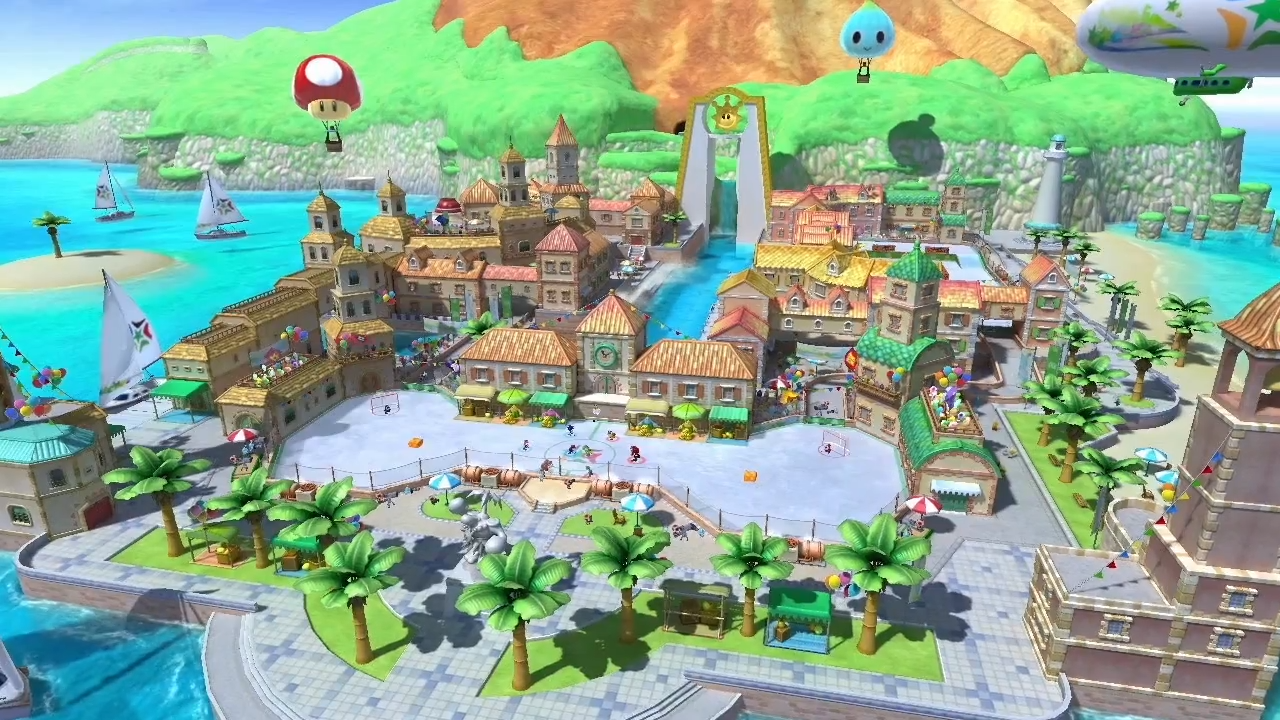
That said, was there any new info on that "Nintendo remastered game in 2015" rumor?
I'd definitely like Sunshine HD, or even a Paper Mario collection of sorts.
TheMoon
Member
Excellent post explaining the controllers. You just forgot the TV remote and the NFC chip. ^^
I found that not particularly valuable at that point^^
Just wanted to cover the parts related to controlling the games
I could write a follow-up with all the side-features and options that also delves into Off-TV and stuff.
That said, was there any new info on that "Nintendo remastered game in 2015" rumor?
No.
I am not going to lie but I had some dumb fun with the demo. You could tell that if BRB had about 6 more months and better direction they probably would have had a significantly better game. As it is, Sega sucks, and the game was pushed out too fast to make a TV show.Nice, but I don't know what inspired you to buy Sonic Boom.
I still wouldn't have paid for that game mind you. Maybe one day when it is like $9
Has anyone played Pikmin 3 with stylus controls? I read that they work fairly wellAndbothall three of those would make excellent use of the Wii Remote Plus and Nunchuk
LSauchelli
Member
Their target audiences should be completely different, so it's not a big of a stretch, I think.sörine;148837820 said:Devil's Third in April seems too soon with Splatoon in May. The games have vastly different aesthetics but would Nintendo really launch two online tps in two months?
TheMoon
Member
Has anyone played Pikmin 3 with stylus controls? I read that they work fairly well
Touch controls are amazing for Off-TV Play. But I'd still recommend that solo campaign for Wiimote+Nunchuk(+GamePad map).