• Hey Guest. Check out your NeoGAF Wrapped 2025 results here!

21:9 Gaming Thread | That cinematic feel

I got my monitor yesterday, oh what a treat, I just used it for about an hour, tried Diablo 3, Witcher 3, etc... incredible experience. Tried a movie too. Sadly my LG 29UM67-P came with three dead/stuck pixels, all to the left side, at the same height but at about 10 cm from one another. Like forming a straight line... so I'm returning it.

I feel discouraged when I turn on the computer now because the 21:9 monitor isn't there anymore.

Sorry to hear that. I was looking into buying the same one since my budget is not as hight to get the larger model. how to you fell about it ? besides of course those dead pixels.
 
So guys i'm building a new PC soon and I was looking at the AOC 34, since it has a resolution of 3440x1440 what kind of performance should I expect from a gtx970 in newer games?
 
What resolution are you upgrading from?

3440x1440 is 5 megapixels. If you're coming from 1920x1080, then that's more than 2x more pixels. Performance doesn't necessarily scale linearly with the number of pixels but it's pretty close.
 
So guys i'm building a new PC soon and I was looking at the AOC 34, since it has a resolution of 3440x1440 what kind of performance should I expect from a gtx970 in newer games?

I'm mostly getting 60fps (usually a drop into mid 50's if it does drop, very occasinally high 40's) from games like The Witcher 3 and Project Cars at the highest settings with decent quality AA etc on from a GTX970 oc'd on a 34" 2560x1080.

If you go with 3440x1440 you'll probably take a bigger hit but you should be able to drop some settings to compensate.

I kind of avoided that resolution because I knew it would be more taxing on the card, even my setup is more taxing than the standard 16:9 1080p so I expected I wouldnt get wuite the same sort of benchmarks that you'd regularly get at 1080p.
 
So guys i'm building a new PC soon and I was looking at the AOC 34, since it has a resolution of 3440x1440 what kind of performance should I expect from a gtx970 in newer games?

A neat way to get sort of an estimate of performance is to force a resolution of 1620p (2.25 x 1080p). It isn't quite as many pixels as 3440x1440 but it's pretty close.
3440x1440 = 4,953,600 pixels
2880x1620 = 4,665,600 pixels
1920x1080 = 2,073,600 pixels

If I'm doing this properly, then it should be an ok estimate that one can do immediately, and then subtract a tiny bit of performance.


I've been pretty pleased with my rigs performance on most games at that resolution so I feel like I can upgrade monitors as soon as money is right and the monitor I want is out.
 
Sorry to hear that. I was looking into buying the same one since my budget is not as hight to get the larger model. how to you fell about it ? besides of course those dead pixels.

The monitor is absolutely gorgeous. In every conceivable way. Colors, blacks, brightness. Super cool. Just had bad luck I guess. Will order a new one, no doubt about it.
 
Thanks for all the reply, it the first time I'm building a PC so coming form console I think even 30fps will be OK.

I feel like this is not a good view to have until you have some experience.

On most console games, and even PC games with controllers, 30 fps isn't as noticable, or at least not input-delay.

But when you're using a mouse and keyboard, you have to understand that the closer you get to a 1:1 movement input, the more noticeable lag is. This lag is usually from render times and framerate, and higher fps is usually a completely different level of control.

For example, limiting your display to 30fps, and simply using the desktop will feel terrible.

My two cents, anyways.
 
I feel like this is not a good view to have until you have some experience.

On most console games, and even PC games with controllers, 30 fps isn't as noticable, or at least not input-delay.

But when you're using a mouse and keyboard, you have to understand that the closer you get to a 1:1 movement input, the more noticeable lag is. This lag is usually from render times and framerate, and higher fps is usually a completely different level of control.

For example, limiting your display to 30fps, and simply using the desktop will feel terrible.

My two cents, anyways.

I tend to play lots of games with a controller so that seems to mitigate lower framerates. I went for the 3440x1440 to have more usable desktop space and was willing to compromise on framerates/resolution/settings if necessary for games. This monitor needs to last a few years, but I can always upgrade from my 970.

Also you could always run it at 2560x1080 if it doesn't look too ugly (haven't tried that personally)


btw, if anyone has a monitor that supports two inputs side-by-side, are there limitations? Trying to run my PS4 alongside my PC input and PIP works (PS4 in a window in the corner), but PBP (side by side) isn't selectable. I was wondering if you had to reduce the resolution of the PC desktop to enable that (which I don't want to do)
 
By the way, I had a problem when using the 21:9 monitor alongside my 23" 16:9 monitor, when the second monitor was connected, windows forced the 21:9 to display 1920x1080 resolution.

Is there a way to have both connected, at different resolutions?
 
Can't you hook up the 21:9 via DisplayPort? And the other monitor with something other than VGA like... DVI? What even uses VGA anymore?
 
I can, surely. Will try when I get my replacement monitor. But I still would like to know the reason I could not use them both with independent resolution. Is it because of the connections used? Vga maybe?
 
Hey guys. So I want an ultra wide curved monitor. This monitor is going to be my second monitor. I have a 144hz monitor already which I'll be keeping as a second monitor.

Anyway, I want an ultra wide curved monitor for gaming, watching movies, and productivity. Does anyone have any ideas which monitor I should be looking at? If I had to rank what I'll be using it for, it would be gaming first, watching YouTube videos/movies second, productivity third, web browsing fourth.

I hope this is the right place to ask. My sweet spot budget is $600 but I'm willing to stretch it to $800 max if absolutely necessary. Meaning no need to upgrade for a very long time!
 
Hey guys. So I want an ultra wide curved monitor. This monitor is going to be my second monitor. I have a 144hz monitor already which I'll be keeping as a second monitor.

Anyway, I want an ultra wide curved monitor for gaming, watching movies, and productivity. Does anyone have any ideas which monitor I should be looking at? If I had to rank what I'll be using it for, it would be gaming first, watching YouTube videos/movies second, productivity third, web browsing fourth.

I hope this is the right place to ask. My sweet spot budget is $600 but I'm willing to stretch it to $800 max if absolutely necessary. Meaning no need to upgrade for a very long time!

Hey there. I think I convinced a friend to get a Dell U3415w for $800 today - http://slickdeals.net/f/8046953-led...in-speakers-for-799-99-ac-more-newegg-com?v=1

Admittedly I don't know too much about these monitors but from what I've seen they have good reviews and I like my U3011 (not curved) I got a few years ago a lot so between that and the reviews I don't think you can go wrong with it. At $800 its at the top end of your budget though. If you end up finding anything better let me know and I'll pass it along to my friend.
 
Hey there. I think I convinced a friend to get a Dell U3415w for $800 today - http://slickdeals.net/f/8046953-led...in-speakers-for-799-99-ac-more-newegg-com?v=1

Admittedly I don't know too much about these monitors but from what I've seen they have good reviews and I like my U3011 (not curved) I got a few years ago a lot so between that and the reviews I don't think you can go wrong with it. At $800 its at the top end of your budget though. If you end up finding anything better let me know and I'll pass it along to my friend.

If it weren't for the backlight bleed and somewhat low refresh rate (60hz.... zzzzzz), then I'd say the Dell U3415W is perfect.

But with the 21:9 Acer Predator out soonish.... it's kinda hard to recommend it. 100hz + gsync is waaaaaay better than 60hz no gsync.
 
If it weren't for the backlight bleed and somewhat low refresh rate (60hz.... zzzzzz), then I'd say the Dell U3415W is perfect.

But with the 21:9 Acer Predator out soonish.... it's kinda hard to recommend it. 100hz + gsync is waaaaaay better than 60hz no gsync.
How much is this bad boy?
 
If it weren't for the backlight bleed and somewhat low refresh rate (60hz.... zzzzzz), then I'd say the Dell U3415W is perfect.

But with the 21:9 Acer Predator out soonish.... it's kinda hard to recommend it. 100hz + gsync is waaaaaay better than 60hz no gsync.

if it didn't cost £1000 in the UK I'd agree with you :P
 
Hey there. I think I convinced a friend to get a Dell U3415w for $800 today - http://slickdeals.net/f/8046953-led...in-speakers-for-799-99-ac-more-newegg-com?v=1

Admittedly I don't know too much about these monitors but from what I've seen they have good reviews and I like my U3011 (not curved) I got a few years ago a lot so between that and the reviews I don't think you can go wrong with it. At $800 its at the top end of your budget though. If you end up finding anything better let me know and I'll pass it along to my friend.


There just isn't much information and alot of conflicting opinions.

But basically, I narrowed it down to 3 monitors, which unfortunately go past $800.

Two of which are already out now.

LG 34UC97-S (which is a curved version of the 34UM95 *in the op*)

The Acer XR341CK

Or the Acer XR341CKA (added GSync) which is not out yet, but will be soon.

My first PC build ever and I went with 144hz... Which honestly I never used other than War Thunder. For the most part I've been gaming at 1080p 60fps. Though the general consensus is to get a 1440p ultra wide panel so you can read web browsing text better--and don't go lower than 34".

I'm still not sure which to get. I'm not sure that I care about GSync enough to wait for the Acer, or if I'll be fine with just VSync. I'm not a competitive player anymore, honestly, and I do have my 144hz monitor if I ever wanted to just switch between the two. I cannot decide :/

I just want an ultra wide panel for the wider viewing angles, color accuracy, etc. But I'm not sure if the screen tearing or stuttering, or 5ms response time will affect my enjoyment.
 
So we're expecting the Acer XR341CKA sometime in September if I understand what's been said so far? That's the monitor I really want and would gladly wait a few weeks to order one even if my build is done first week of September.
 
Dell (US) has the U3415W plus a $300 Dell eGift Card for $774 right now. Get another 5% back with the free Dell Advantage Rewards program. There's also 10% back if you have a Discover card and go through their portal.

http://slickdeals.net/f/8049005-34-dell-u3415w-3440x1440-curved-ips-led-monitor-300-egift-card-774-free-shipping?v=1

I'm looking forward to using the built in KVM features to also use it with my gaming desktop. Shadowrun: Hong Kong will be a great use with that.


That's a really good deal. How is the response time though, 8ms?
 
What happens if I connect a console to one of those monitors? Does the monitor letterbox the image or does it stretch it?
 
What happens if I connect a console to one of those monitors? Does the monitor letterbox the image or does it stretch it?
Letterbox, consoles can't output in 21:9. Or if the monitor has a zoom function you can fill the screen but that comes with its own drawbacks such as heavy upscaling and content falling of the screen.
 
Digital Foundry decided to look at 21:9 gaming and to prove to the whole world how awesome it is
http://www.eurogamer.net/articles/digitalfoundry-2015-vs-ultrawide-21-9-cinematic-pc-gaming

They also gave a shout out to this thread!
Thankfully, some help is at hand. The Flawless Widescreen team work tirelessly in making sure that key titles are properly supported, while WSGF.org is another good resource for learning more about the format. The NeoGAF 21:9 aspect ratio thread is also recommended, not just for practical advice but also for a big bunch of excellent screenshots.
 
Is this OP ever going to be updated?

AOC and DELL are making 34" 3440x1440 versions, these are not out yet, cheaper 29" models can be found - but are at 2560x1080

This info is pretty outdated. The Dell is out now. The Samsung isn't even mentioned and is arguably the best available. There's a Freesync model out now with Gsync on the way.
 
Somebody know if the problem of the AOCu3477pqu with the do 1.2 are finally solved?


I haven't heard anything. At first i thought it was the GTX 980, but later realized its the monitor. Its still easy to get around, just shut down the monitor, count to 10, and turn it back on. Easy (and kinda stupid for the money I paid but whatever).

I cannot play BF4 on this monitor anymore though. I don't know if its the motion blur, or the screen size, but some combination of those gives me a huge headache (and motion sickness).

I have no issues with Diablo 3, or Warthunder, or anything else I play.
 
I haven't heard anything. At first i thought it was the GTX 980, but later realized its the monitor. Its still easy to get around, just shut down the monitor, count to 10, and turn it back on. Easy (and kinda stupid for the money I paid but whatever).

I cannot play BF4 on this monitor anymore though. I don't know if its the motion blur, or the screen size, but some combination of those gives me a huge headache (and motion sickness).

I have no issues with Diablo 3, or Warthunder, or anything else I play.

5ms? That's not great, but it's not bad either.

Pretty sure my Dell had 4ms, and I'm able to play BF4 quite handily. Feels smooth and responsive to me, though it's nothing quite like the 120hz I was doing on my QNIX.

I don't think I'll be able to pass up the 100hz Acer when it's released. I'll just hope I can sell my Dell for a decent price then.

EDIT: Wow, apparently the Dell is 8ms by default and 5ms in "fast mode" which I don't use. I'm not sure how I'm putting up with that, but I am. I hope the Acer is better.
 
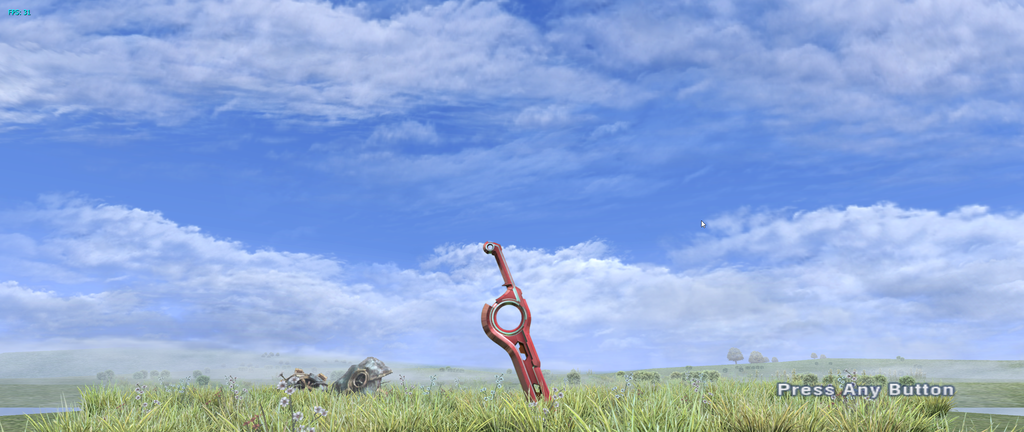
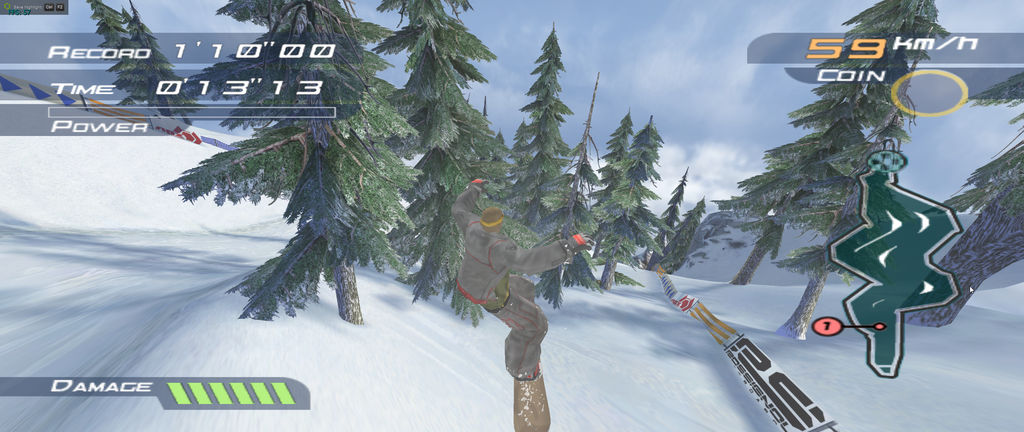
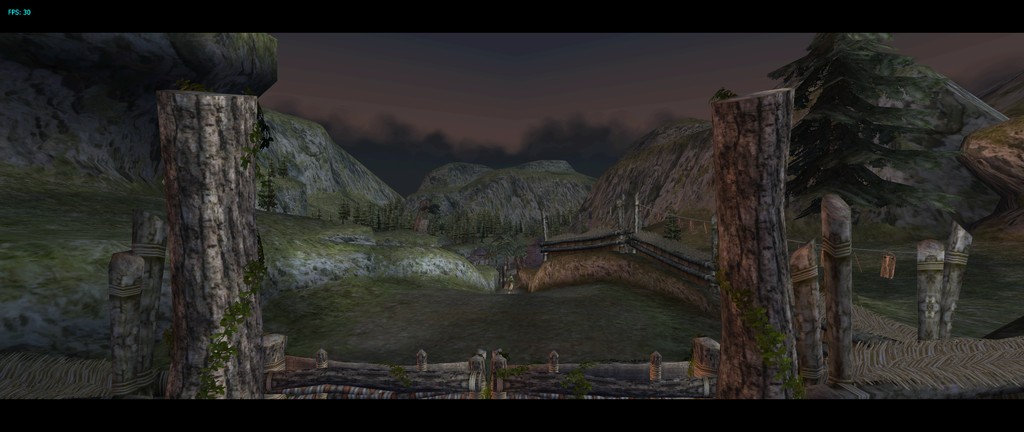
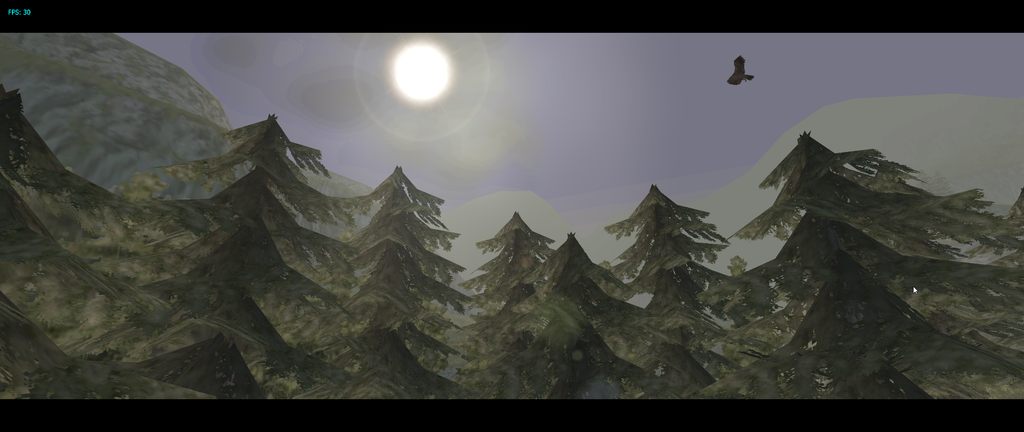
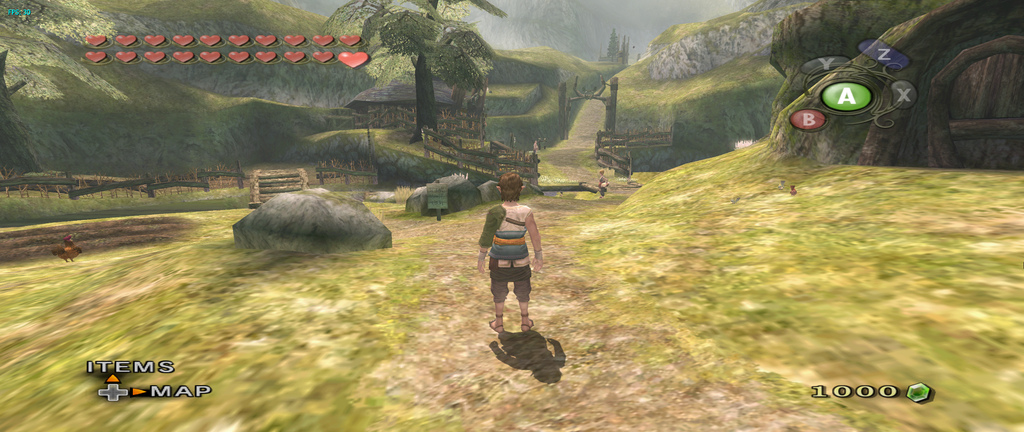
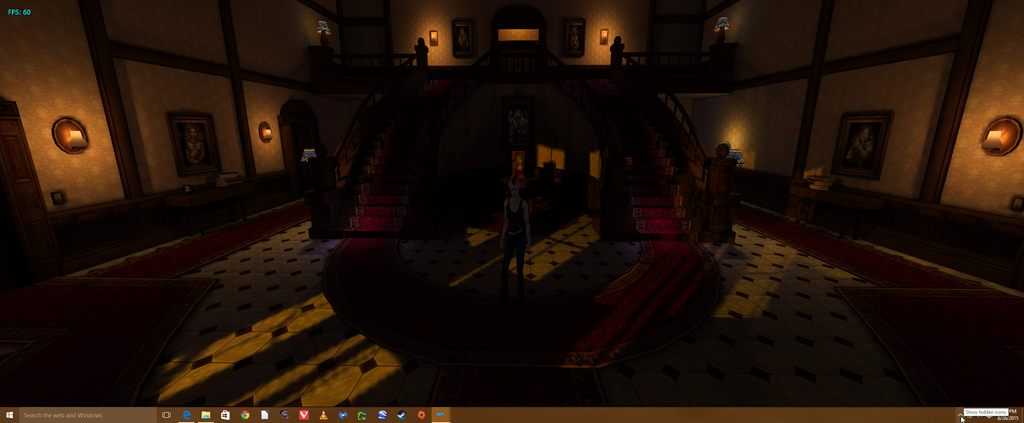
Played around on Dolphin a little bit. The cursor wasn't visible when I took the shots, I'm not sure why Greenshot captured it...

2015-08-26%2017_45_23-Dolphin%205.0-rc-19%20_%20JIT64%20DC%20_%20Direct3D%20_%20HLE%20_%20FPS_%2030%20-%20VPS_%2060%20-%20100.png


2015-08-26%2017_54_41-Dolphin%205.0-rc-19%20_%20JIT64%20DC%20_%20Direct3D%20_%20HLE%20_%20FPS_%2030%20-%20VPS_%2060%20-%20100.png

Edit: and a few more

 
Alright LG 34UM67 bros, anyone having their sound settings reverting after every monitor restart?

Nope, never happen to me.

Though what are you referring to? I use headphones and the sound settings always stay there if thats what you mean. Never use the monitor speakers really.
 
Nope, never happen to me.

Though what are you referring to? I use headphones and the sound settings always stay there if thats what you mean. Never use the monitor speakers really.

With my 760 i get sound over DisplayPort which is great but on my R9 Fury sound does not come out over DisplayPort so i have to use the audio-in port. When i restart the setting goes back to DisplayPort sound instead of staying on audio-in.
 
I made a whole bunch here - http://hardforum.com/showthread.php?t=1818014

I'm thinking of getting either the AOC or LG 34um95. The LG is cheaper but the AOC rotates into portrait mode. That is crazy ass shit!

Went with the AOC for the height adjustable stand and built in VESA mount points - I'm not wall mounting but the possibility is handy. Was also cheaper for me than the LG, was on offer at Overclockers.co.uk for £500 (think it has gone up now)
 
First time using 21:9, got my 34UM95-P since friday...

NEVER GOING BACK...

Yep..me neither although I had to return two of them because of some pretty bad bleeding in the corners. I finally got one that's not perfect but it's hardly noticeable.
 
tried it with 3 monitors. it's a gimmick.
useless in shooter.

quite cool in 3rd person games.
but at the end still useless.
 
Top Bottom