
RTX 3060
Ridiculous cost for an upscaler update
Greedvidia as always
RTX 3060

Im getting confused now. Is K going to be updated to 4.5 as well then or 4.5 will remain just with M and L?

The sharpening is stronger and there's less ghosting, but the performance cost on my RTX 4080S is quite significant.
TAA Native - 69 fps
DLAA 4.0 - 64 fps
DLAA 4.5 - 50 fps (21.8% relative difference)
DLSSQ 4.0 - 91 fps
DLSSQ 4.5 - 80 fps (12% relative difference)
This is getting so confusing, so it seems the original post I made is still valid, nvidia seem to think M is for performance otherwise it doesn't make much sense compared to K
And here's another Nvidia employee disagreeing with the above Nvidia employee:

Gotta love when Nvidia themselves don't even agree on the best way to use their tech

Am i understandin wrong or why dont you use balance 4.5 instead of Quality 4.0 since is inproving the visuals and offset the loss in performance ?lmao. Just give me the same image quality and sharpness as DLSS4 right now at 1440p quality, but without the ghosting. Im gonna avoid this for now, because K model looks much better to me minus the ghosting ofc as far as image quality and motion clarity goes

But will it run on Switch 2?Ridiculous cost for an upscaler update

For releasing a free update that is completely optional to use?Greedvidia as always

I tried it in AC shadows. It still didnt looked as good as DLSS4 quality and saw some "oil paint" effect on some object. Also i might be wrong, but i can see a small blur when moving the camera with dlss4.5 and thats not present with 4Am i understandin wrong or why dont you use balance 4.5 instead of Quality 4.0 since is inproving the visuals and offset the loss in performance ?

This is getting so confusing, so it seems the original post I made is still valid, nvidia seem to think M is for performance otherwise it doesn't make much sense compared to K

You don't have to use it, not like you own a gaming pc anywayRidiculous cost for an upscaler update
Greedvidia as always

Thanks for these comparisons! IQ is definitely improved but it seems the performance hit isn't worth it unless you're on a 5000 series card, where the hit is reportedly 3-5%.
....Although DLSSQ 4.5 looks as good (or maybe even a touch better) as DLAA 4.0 in these shots, with much better performance.... So who the fuck knows lol
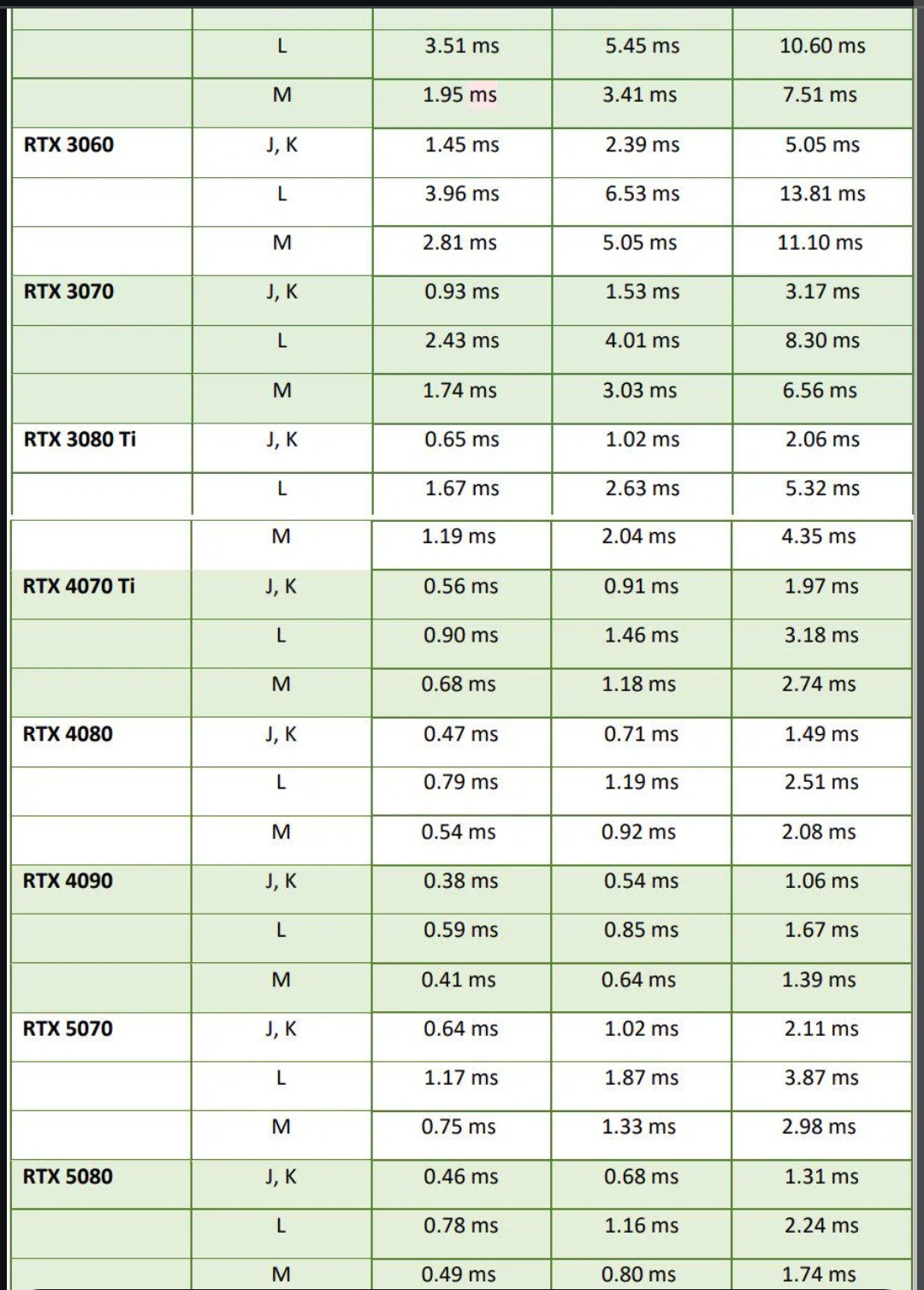

Even 5060 drop fpsRidiculous cost for an upscaler update
Greedvidia as always
Even 5060 drop fps

Output resolution is 5120x2160 with HDR enabled (12bit) using DLSS quality mode on a 5090What is your output res?

Despite the performance hit, DLSS 4.5 still makes sense in my opinion. DLSS Quality 4.5 looks very nice on my 4K panel, as good as DLAA (native) 4.0, while still running faster.Thanks for these comparisons! IQ is definitely improved but it seems the performance hit isn't worth it unless you're on a 5000 series card, where the hit is reportedly 3-5%.
Although DLSSQ 4.5 looks as good (or maybe even a touch better) as DLAA 4.0 in these shots, with much better performance.... So who the fuck knows lol


This is hilariously confusing.
I have been running Avatar with Preset K, DLSS Quality, 2xFG at 4k. Updated to Preset M and while the image felt slightly sharper I honestly couldn't see any improvement in ghosting. I also tried it with Performance just to see and the ghosting was rather bad. But these sort of things seem to be game specific in my experience.
Seems like recommendation playing at Quality is to go back to K. But then I guess there was no improvement with this release unless you play at Performance or Ultra Performance.
This is hilariously confusing.
I have been running Avatar with Preset K, DLSS Quality, 2xFG at 4k. Updated to Preset M and while the image felt slightly sharper I honestly couldn't see any improvement in ghosting. I also tried it with Performance just to see and the ghosting was rather bad. But these sort of things seem to be game specific in my experience.
Seems like recommendation playing at Quality is to go back to K. But then I guess there was no improvement with this release unless you play at Performance or Ultra Performance.
If you have Ray Reconstruction on in Avatar you aren't actually using DLSS 4.5, as RR is still limited to 4.0

Im pretty sure this DLSS4.5 meant for 4k performance stuff. It looks terrible at 1440p, especially in ARC.Here's a couple of old vs new using L with ultra performance 4k:
Coincidentally, the performance flips numbers between the two scenes. Basically, the only improvement is indeed to image quality and it is also mildly better in motion, although I personally still wouldn't use this mode. You can't really appreciate it in photos, but in the first image using 4.0 the ceiling exhibits visible sparking pixel shimmer which 4.5 does away with, and it looks much more stable during gameplay. Same goes for the shifting puddle on the floor, the shimmer is eradicated in the new version. It's a decent uplift, but nothing radical. Still, when you remember it's upscaling from 720p... very impressive stuff nonetheless.

Even 5060 drop fps

I am confused. how is M is meant to be for super performance when its taking the hit that big in fps ? at this rate if you run it in a quality upscaler, it will run worse than native -_-

but doesn't ray reconstruction ignore new presets?I have to say, Cyberpunk with 40% scaling (to 4K), path tracing and M preset looks better than the same settings using preset K, and performance difference is very small:
65.08FPS to 64.34FPS drop (benchmark) while everything looks sharper and more stable. I'm impressed.
but doesn't ray reconstruction ignore new presets?
DLSS Super Resolution is set to Balanced in that video. Nvidia wants you to use Performance instead. That should alleviate the performance hit.
Linus video makes me interested in dynamic frame generation, I'll just just lock to 118 fps on my 83"oled at 4k if it works as good as linus said.
I hate the standard version as it gives me a headache.

Jacob has been saying a lot of questionable stuff today.Again, another Nvidia employee says that M is intended for all modes, not just performance:
So honestly who the fuck knows at this point. Clear as mud.
What I can say is that in my experience and in my own 1:1 screenshot comparing, M looks better.
New presets are for SR. RR is a completely different upscaler with its own set of presets, and there were no changes in 4.5.but doesn't ray reconstruction ignore new presets?

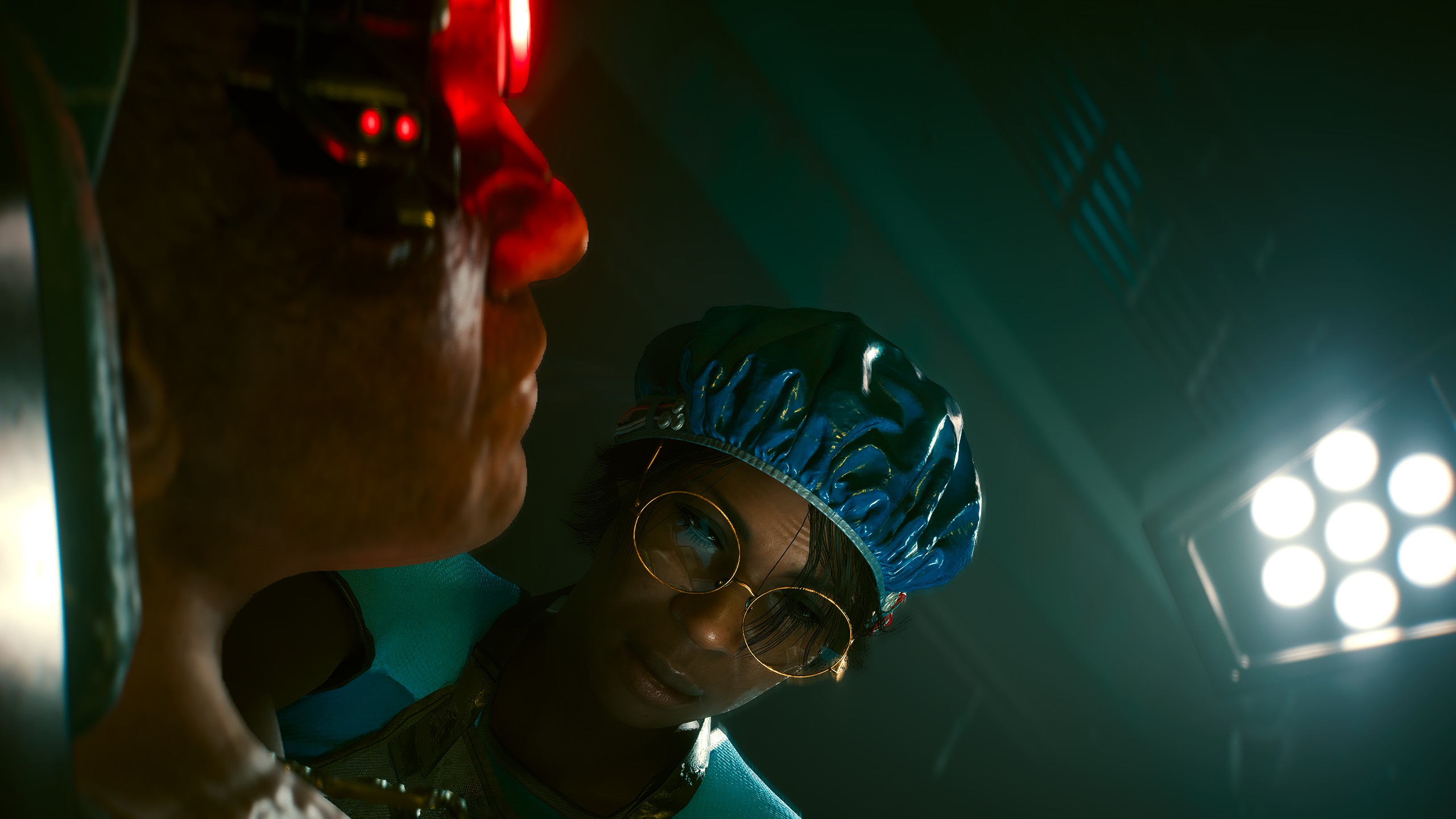
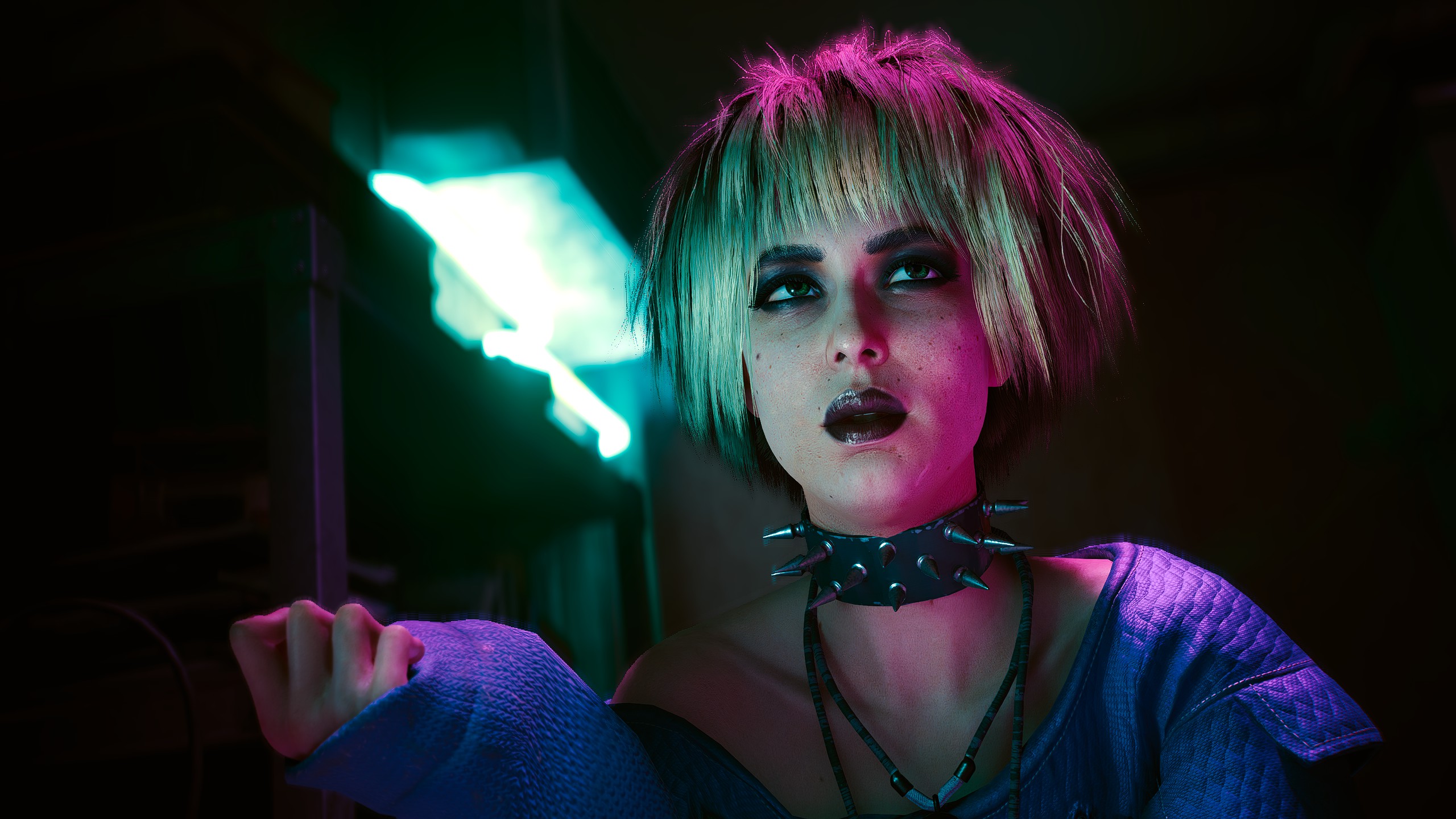
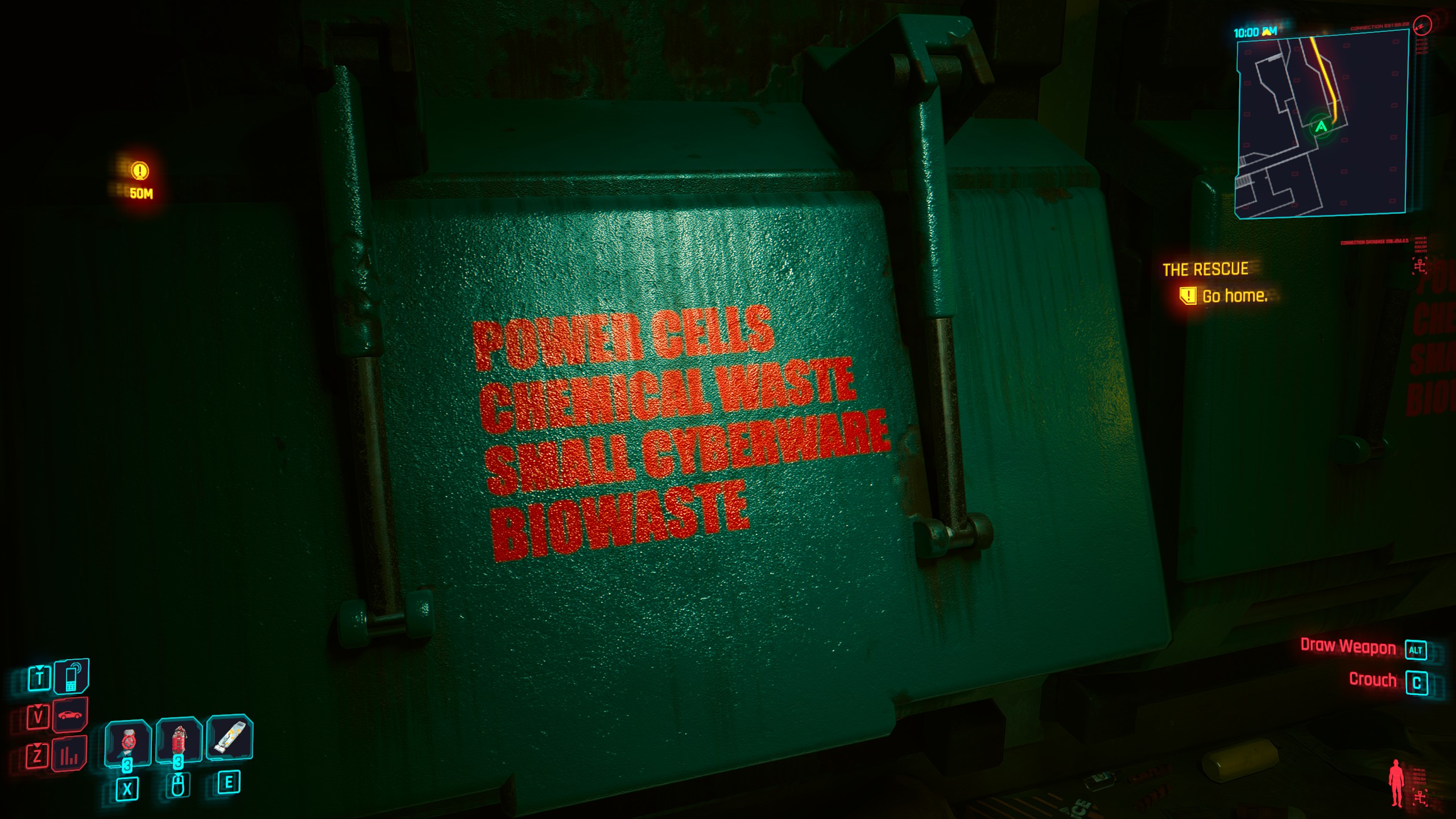

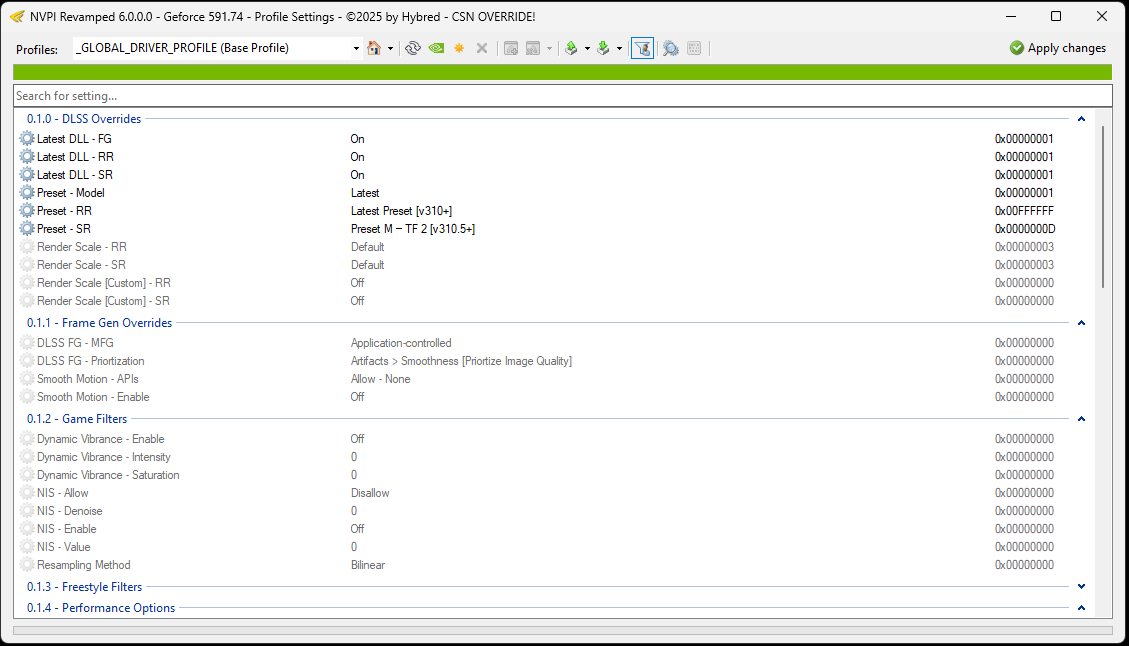
Guys, can you select the M preset in the Nvidia app or the Nvidia inspector? I dont see this letter (M preset). I can only select "use the latest", which uses the M preset in some games but not all. In Assetto Corsa Rally, the DLSS overlay says that preset M is used, but in Black Myth: Wukong, the game uses preset K even when the latest DLSS is forced.
However, I noticed that, even with the K preset, Black Myth: Wukong has better image quality. Fine details have better contrast and stand out more. DLSS FG ghosting is also nonexistent now, even when I try to look for it.
Guys, can you select the M preset in the Nvidia app or the Nvidia inspector? I dont see this letter (M preset). I can only select "use the latest", which uses the M preset in some games but not all. In Assetto Corsa Rally, the DLSS overlay says that preset M is used, but in Black Myth: Wukong, the game uses preset K even when the latest DLSS is forced.
However, I noticed that, even with the K preset, Black Myth: Wukong has better image quality. Fine details have better contrast and stand out more. DLSS FG ghosting is also nonexistent now, even when I try to look for it.
 github.com

are you on latest release?Guys, can you select the M preset in the Nvidia app or the Nvidia inspector? I dont see this letter (M preset). I can only select "use the latest", which uses the M preset in some games but not all. In Assetto Corsa Rally, the DLSS overlay says that preset M is used, but in Black Myth: Wukong, the game uses preset K even when the latest DLSS is forced.
However, I noticed that, even with the K preset, Black Myth: Wukong has better image quality. Fine details have better contrast and stand out more. DLSS FG ghosting is also nonexistent now, even when I try to look for it.
 github.com

So here's Nvidia's "final say" with DLSS 4.5:
- Even though it's 20 Series and 30 Series compatible, there's a massive performance hit because they don't support FP8 precision
- In my mind, there's no point in even considering using DLSS 4.5 for these older cards
- Model M (as well as L) benefits over past models in any mode, but the performance hit is significant enough, even on 40 and 50 Series cards, that Nvidia still recommends DLSS 4 for DLAA/DLSS Quality/DLSS Balanced for the best quality/performance ratio
- So Model M is indeed "better", but the performance hit is too large for Nvidia to recommended it with the higher quality scaling options
- Ray Reconstruction has not been updated to DLSS 4.5, so if you turn it on in any game, you will be held back to DLSS 4.0/1st gen transformer architecture regardless of your other settings
- This is just dumb. Why release DLSS 4.5 if it's not ready across all of the RTX featuresets?
Long story short is if you have the head room, Model M does appear to be the way to go for increased image quality, motion clarity, and temporal stability. But the performance hit is large enough that Nvidia doesn't feel comfortable advertising it as the "set it and forget it" model.
Honestly it's a cluster fuck and I have no idea why they even rolled this out if there's so many stipulations. As a 5090 owner I'm sticking with forcing Model M though.
Somethings funky with M.
Why is 4.5 adding more shadows? Look at far left cliffs and trees...dafuq? I checked with native as well and there are no shadows there either, it's just something that 4.5 does. Not sure if I like its over-sharpening tho. Feels like it's reconstructing and adding things by itself or maybe its just an issue with Avatar. Even the waterfall is different.
They do but, I reloaded and retested, It's always the same difference. I didnt take the shots in the same load. Always reloading. You can alsoo see the clouds that they have the same shape and position, so they dont reset after reloading the save.Never played Avatar, but do clouds cast shadows? It feels like the weather changed the scene.
It's the future whether you like it or not. I love DLSS, best AI feature for me except maybe the videos of cats playing music or shooting guns outside people's houses at 2amIs frame gen instead of native frame rate and AI upscaling instead of native resolution a bad trend or a true next generation of gaming?
We're at the point where traditional raster rendering is at a dead end getting only small incremental increases generation to generation.Is frame gen instead of native frame rate and AI upscaling instead of native resolution a bad trend or a true next generation of gaming?


