• Hey Guest. Check out your NeoGAF Wrapped 2025 results here!

"I need a new PC!" 2010 Edition

Rrang129 said:
Any thoughts?


Sc2 is badly optimized.

I'm on an sli 460 build and I get 30fps if I stare at gold minerals. But if I disable SLI and run the game with one card I get a solid 60 up until shit REALLY hits the fan, like the last mission for example. Down to 40 or something.

Nothing to get worried about.
 
1-D_FTW said:
I'm on one map in particular in Starcraft that runs like a dog. I think it's either because people aren't susceptible to framerates or they're just focused on the online portion and haven't gone through all the single-player maps.

I'm really at a loss for any other explanation. Because my computer runs all other games with framerates that are in line with benchmarks. But SC2 has some maps with serious issues. I find it hard to believe there's anything special that makes my computer struggle when the majority don't.
is it a map with the xel naga caverns tileset?
 
-COOLIO- said:
is it a map with the xel naga caverns tileset?

It's the map where you have to choose whether you want to try and save the zerg infected civilians on that chick's home planet, or just destroy the place.
 
Perhaps you guys can help me out. I have a Dell pc (slim) that i bought last year and I want to make it Gaming capable. Its a Inspiron 537s running a dual core processor @ 2.60hz each and 4GB of memory. The graphics card is an intel integrated 256mb card.

So I want to make my pc faster and am willing to spend around $200 when its all said and done. What components/cards/memory should I buy? Any help would be greatly appreciated.
 
jehuty said:
Perhaps you guys can help me out. I have a Dell pc (slim) that i bought last year and I want to make it Gaming capable. Its a Inspiron 537s running a dual core processor @ 2.60hz each and 4GB of memory. The graphics card is an intel integrated 256mb card.

So I want to make my pc faster and am willing to spend around $200 when its all said and done. What components/cards/memory should I buy? Any help would be greatly appreciated.

Can you be more specific with the exact model numbers? What would really be helpful is if you open up your case and tell us exactly what the wattage rating the power supply has inside, and if the mobo has a spare PCI-E slot. I'm not sure how "slim" your PC is but if it's the real thin ones then you're going to have to get a low-profile video card, the best of which would be the highest numbered ATI 5xxx radeon card you can afford. These generally stay at or under a $100 though so your 200 is plenty
 
Whats a good video card to get ?
I have ATI 4650 1 gig in my PC that I bought from Store.
I want to get something that can play some games. I am not a pc gamer but just a decent video card will be help full.

Can someone suggest PCI Express card I am totally clueless with that is in the market right now.
 
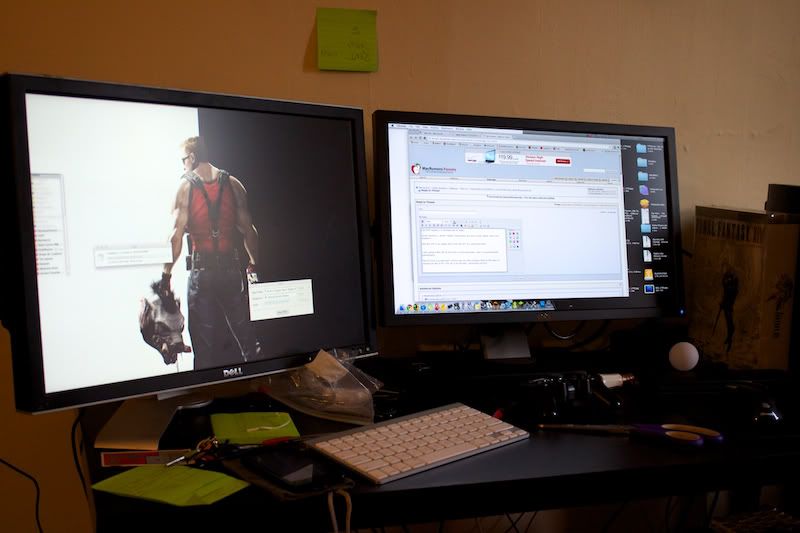
IMG_1794.jpg


Second monitor set up!
 
That it is! Going to send my old CRT HDTV home (Plasma is in the living room, CRT in here), and just use this monitor for my PS3.
 
hey guys

I was thinking of overclocking my gtx460 through MSI afterburner. How do you guys adjust the voltage (the first slide bar) and know when it's too much or not?
 
Dash Kappei said:
Ok guys I'm going fucking crazy.
Finished building my rig, all working great until... I decide I'm finally done with it and to actually put the top cover/shell/enclosure (whatever the name!) on my case (Therlmaltake DH101 htpc case, so it stays horizontal) and close it for good. Ah! Done! What a fool I was :lol As soon as I turned it on again, it powered on but oly to shut itself off immediately after, and it just kept turning itself on and off at regular intervals of like 5 seconds, non-stop, until I decided to switch off the 0/| on the back of the case's PSU. The mobo doesn't give me any beep warnings as well, to help understand what's going on, so I'm clueless.
The crazy thing is that just placing the top enclosure on the case (to have it at least semi-closed) does nothing bad: the system turns on as it should and everything goes smooth. It's only when I actually go for the "clamps" to insert the top shell properly into the case's "skeleton" that the thing goes batshit crazy, even without placing the screws in.
What the hell is going on here?!

Damn I hate this shit :-/

I figured out what it was, but I can't think of a proper solution other than letting it stay loose.
I'll explain myself:
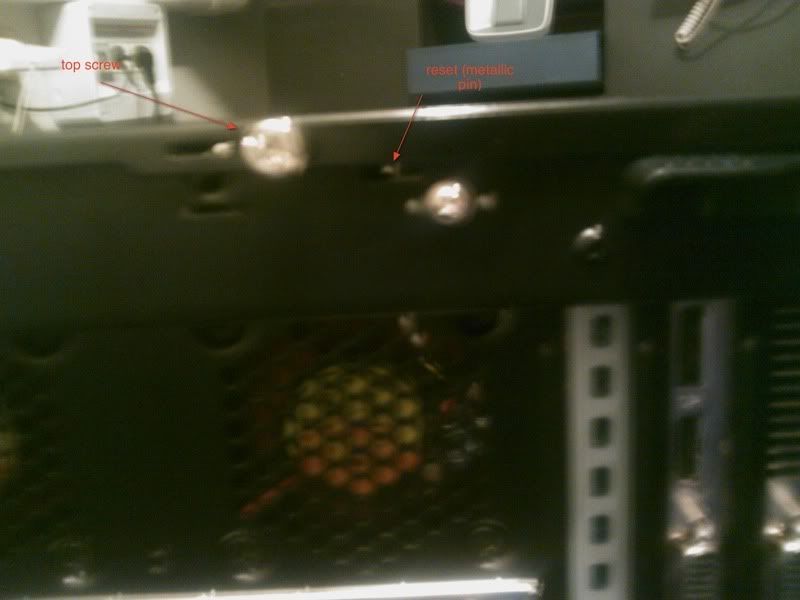
Problem is the reset pin placed on the back, which is placed exactly where it should be since there's a proper mini-van inside and the little screws come as rightly placed.
But as soon as I tighten up the big screw on the back/top of the shell (there are 3 big screws in total, one for each side left/right/top)... bam! Resets like crazy.
As I've said the only way seems to be to have it loose, but it doesn't be the proper way to have it... right??

shitty cellphone pic:


casebackresethtpc.jpg
 
Dash Kappei said:
I figured out what it was, but I can't think of a proper solution other than letting it stay loose.
I'll explain myself:
Problem is the reset pin placed on the back, which is placed exactly where it should be since there's a proper mini-van inside and the little screws come as rightly placed.
But as soon as I tighten up the big screw on the back/top of the shell (there are 3 big screws in total, one for each side left/right/top)... bam! Resets like crazy.
As I've said the only way seems to be to have it loose, but it doesn't be the proper way to have it... right??

shitty cellphone pic:


casebackresethtpc.jpg

I'm assuming the problem is there's a hole in the cover there that doesn't completely clear the switch built into the interior of the case so when you tighten it it's pressing down on the switch? If I'm understanding correctly (your pic isn't really helping :D ), a couple of options come to mind. If you have one, dremel the hole to be a bit bigger and clear the switch, or like you said, simply don't tighten down that screw since I'm sure there's more than enough available to secure the cover.

I would probably call the case maker and possibly getting a replacement top (doubt it's worth RMAing the whole case over), since if the switch is actually built into the back, then it seems like a manufacturing defect for the cover not to clear the switch properly.

 
BotoxAgent said:
hey guys

I was thinking of overclocking my gtx460 through MSI afterburner. How do you guys adjust the voltage (the first slide bar) and know when it's too much or not?
Should be around 1.1V or 1108mV. It should cap your voltage to that much.
Dash Kappei said:
I figured out what it was, but I can't think of a proper solution other than letting it stay loose.
I'll explain myself:
Problem is the reset pin placed on the back, which is placed exactly where it should be since there's a proper mini-van inside and the little screws come as rightly placed.
But as soon as I tighten up the big screw on the back/top of the shell (there are 3 big screws in total, one for each side left/right/top)... bam! Resets like crazy.
As I've said the only way seems to be to have it loose, but it doesn't be the proper way to have it... right??

shitty cellphone pic:


casebackresethtpc.jpg
That sounds like a short. What makes you think its a reset pin? What is that?
 
Finally going about to building my girlfriend a FFXIV rig. Just trying to decide on the cheapest video card/cpu combo :(. I was considering the GT 450 + an AMD X4, but I'm feeling a little wary, almost like... if I spend another 50 bucks, I can get something 30% better.
 
teiresias said:
I'm assuming the problem is there's a hole in the cover there that doesn't completely clear the switch built into the interior of the case so when you tighten it it's pressing down on the switch? If I'm understanding correctly (your pic isn't really helping :D ), a couple of options come to mind. If you have one, dremel the hole to be a bit bigger and clear the switch, or like you said, simply don't tighten down that screw since I'm sure there's more than enough available to secure the cover.

I would probably call the case maker and possibly getting a replacement top (doubt it's worth RMAing the whole case over), since if the switch is actually built into the back, then it seems like a manufacturing defect for the cover not to clear the switch properly.

Yes, you nailed it.
Sucks to to get a defect, do you think I could get the e-retailer to get it back without having to go myself thru the manufacturer for something so "trivial" (not really but... well)?
Or I guess I could live with not tighening down the screw completely...

Hazaro said:
That sounds like a short. What makes you think its a reset pin? What is that?

Nope, no short luckily. I can reset the pc by clicking it with my finger, simple as that, it's a normal reset button connected to the mobo.
It's a reset button inside the case, with a little metallic pic that goes out the case.
Problem is that covering the case and tighten up the screw doesn't leave enough space to NOT click it by default.
 
Dash Kappei said:
Yes, you nailed it.
Sucks to to get a defect, do you think I could get the e-retailer to get it back without having to go myself thru the manufacturer for something so "trivial" (not really but... well)?
Or I guess I could live with not tighening down the screw completely...


Nope, no short luckily. I can reset the pc by clicking it with my finger, simple as that, it's a normal reset button connected to the mobo.
It's a reset button inside the case, with a little metallic pic that goes out the case.
Problem is that covering the case and tighten up the screw doesn't leave enough space to NOT click it by default.

Don't use the reset button then? I've never used mine. In cases where my old PCs did freeze, I'd just hold down the power button to turn it off first before turning it back on. Just don't keep it wired to your mobo
 
Played the last 5 hours playing Crysis at very high and 1090x1080 and it was BUTTAH. Damn i was expecting much lower framerates when i turned up the settings but its faster than 95% of the console games im used to play.
 
Forgot to update with a picture when I got my rig up and running.

pc20100925.jpg


You guys/gals should post pics of your computers when they're done.

(EDIT) Yay Borman!
 
kagete said:
Don't use the reset button then? I've never used mine. In cases where my old PCs did freeze, I'd just hold down the power button to turn it off first before turning it back on. Just don't keep it wired to your mobo

I think I'll just do that, you're right :lol
 
BotoxAgent said:
hey guys

I was thinking of overclocking my gtx460 through MSI afterburner. How do you guys adjust the voltage (the first slide bar) and know when it's too much or not?
I have my voltage at 1.025 with the core at 850 MHz and the memory clock at 2000MHz and don't have any issues. I probably could go a lot higher.
 
Cdammen said:
I bought my MX518 in 2007, it's still going strong. If/when it dies I'll buy a new one. I don't think I'll ever switch mouse.
You ought to give the Logitech G5 a shot if you haven't already. Upgraded from a MX510 myself and I like the feel and grip of it a lot better. Very similar in shape and form, but the textured surface on the G5 makes it even better IMO.
 
Help! I need immediate GAF assistance!

I'm trying to install the Hyper 212+, but the retention clip only works when the fins are facing down toward the cards instead of out to the sides! Is it okay if the fan is facing down???

FITS, but WRONG WAY

IMG_2692.JPG


DOES NOT FIT, but RIGHT WAY

IMG_2693.JPG
 
Hazaro said:
More than enough [regarding GPU fan clearance].
Great to hear. I ordered the beast and I will let you guys know how she runs when she gets here. I imagine the 768MB version will do great on my 1680 X 1050 monitor.
 
Please see my above post with the pictures!! I need to know now if I should abort trying to use the Hyper 212 and just use the stock fan, or if the fan blowing down isn't going to cause damage to the other parts!! (I'm assuming up directly into the top of the case is out of the question!)

teiresias said:
Is that the wrong way though? You'd place the fan near the RAM slots and have it blow back to the IO panel where there would usually be an exhaust fan in most cases, I believe.

The retention clip won't CLOSE is the problem. It hits the pipes and stops. See how in the picture it's not lined up with the screws on the bottom? If I do it that way it won't reach!
 
RurouniZel said:
Help! I need immediate GAF assistance!

I'm trying to install the Hyper 212+, but the retention clip only works when the fins are facing down toward the cards instead of out to the sides! Is it okay if the fan is facing down???

FITS, but WRONG WAY

http://www.studio-zel.com/images/IMG_2692.JPG

DOES NOT FIT, but RIGHT WAY

http://www.studio-zel.com/images/IMG_2693.JPG
There isn't really a "right way" with most coolers. I have a 212+ in one of my builds and it's facing North-South with the fan blowing up like you have in the first picture. If anything, that would be the preferred orientation (so long as it's compatible with your case's layout) since heat rises and the fan can more easily pull cooler air from lower in the case (unless your GPU is an IE design, that may complicate things) and blow it out through the top exhaust of some cases.

The way you have it in the first picture, the heatpipes are facing East-West (with the fan blowing South-North) which helps a bit in the cooling process since the pipes are not fighting gravity like they would be in a standard East-West fan/ North-South pipe orientation.

Unike most HSFs, coolers like the Scythe Mugen 2, Thermalright Silver Arrow and Noctua NH-D14 already have their heatpipes set in an optimal position even in a standard orientation. The difference is that their fans blow East-West while their pipes are also arranged that way (though the Mugen 2 can accept fans on all four of its surfaces).
 
·feist· said:
There isn't really a "right way" with most coolers. I have a 212+ in one of my builds and it's facing North-South with the fan blowing up like you have in the first picture. If anything, that would be the preferred orientation (so long as it's compatible with your case's layout) since heat rises and the fan can more easily pull cooler air from lower in the case (unless your GPU is an IE design, that may complicate things) and blow it out through the top exhaust of some cases.

The way you have it in the first picture, the heatpipes are facing East-West (with the fan blowing South-North) which helps a bit in the cooling process since the pipes are not fighting gravity like they would be in a standard East-West fan/ North-South pipe orientation.

Unike most HSFs, coolers like the Scythe Mugen 2, Thermalright Silver Arrow and Noctua NH-D14 already have their heatpipes set in an optimal position even in a standard orientation. The difference is that their fans blow East-West while their pipes are also arranged that way (though the Mugen 2 can accept fans on all four of its surfaces).

Okay, so if the fan is pointing north, I'm okay?

Thanks!
 
To n0n44m and MysticX: thank you very much for your help. Much appreciated.

n0n44m said:
(460->receiver->TV is not an option I suppose?)

This is what I ended up doing, the sound works perfectly in bc2.

Now I have a display related problem since I started checking out some games today...
As of now I have 460 -mini hdmi to hdmi wire> receiver -hdmi wire> bravia KDL46EX500

Everything is set up to 1920x1080p 60hz.

When I try to launch any game ( I will take left 4 dead as an example) I notice that the the image is pixelated and full of artifacts (but the windows desktop is absolutely fine!).
I try to check out the properties in the game menu. The only way to make it work properly in true 1080 resolution is if I choose windowed (no border) in the l4d game menu. The image is then absolutely perfect (but not every game has that option)

I tried to make a print screen out of my display, but it outputs perfectly in paint... So I guess it's a problem with my tv.

And just for fun I plugged my graphic card to my tv via vga (with a dvi-vga adaptor) and it works fine. Is there anything I can do about it, or should I stick with the old vga?
 
New question. Do I tighten the retention clip screws all the way, or just until it's sturdy? I don't want to push the Heat Sink against the processor any more than I absolutely must, 'cause I don't want to damage it.
 
RurouniZel said:
Okay, so if the fan is pointing north, I'm okay?

Thanks!
Yeah, and with that cooler, you should have slightly better cooling performance as well. Sometimes that can translate to lower figures, while at others it may simply mean that you're able to remove heat a bit quicker (like between varying loads) even if the lowest temps are the same.
 
·feist· said:
Yeah, and with that cooler, you should have slightly better cooling performance as well. Sometimes that can translate to lower figures, while at others it may simply mean that you're able to remove heat a bit quicker (like between varying loads) even if the lowest temps are the same.

Good to know. Do you know anything in regards to my latest question?

RurouniZel said:
New question. Do I tighten the retention clip screws all the way, or just until it's sturdy? I don't want to push the Heat Sink against the processor any more than I absolutely must, 'cause I don't want to damage it.

EDIT!! NEVER MIND, there's stoppers on the bottom of the screws!
 
RurouniZel said:
New question. Do I tighten the retention clip screws all the way, or just until it's sturdy? I don't want to push the Heat Sink against the processor any more than I absolutely must, 'cause I don't want to damage it.
You're more likely to harm the motherboard than the CPU, really. If the motherboard mounting is anything like it is for Intel, just don't tighten the mounting points too much.

As for the piece that connects the HSF to the motherboard mount, as long as it feels secure and you aren't stripping the screws, you should be fine. Keep in mind the sink is never quite 100% secure and can be moved a tad, so don't worry about that and try to over tighten it.
 
RurouniZel said:
Good to know. Do you know anything in regards to my latest question?
I usually tighten lightly + quarter turn.

And don't worry about how much pressure you are putting on it, it's negligible for that setup.
 
·feist· said:
You're more likely to harm the motherboard than the CPU, really. If the motherboard mounting is anything like it is for Intel, just don't tighten the mounting points too much.

As for the piece that connects the HSF to the motherboard mount, as long as it feels secure and you aren't stripping the screws, you should be fine. Keep in mind the sink is never quite 100% secure and can be moved a tad, so don't worry about that and try to over tighten it.

Thanks so much for your help and advise! I was pretty scared for a moment there! ^^
 
Cdammen said:
Yep. On both accounts.
I bought my MX518 in 2007, it's still going strong. If/when it dies I'll buy a new one. I don't think I'll ever switch mouse.
Agreed. I've been rocking the mx518/Steelpad S&S combo since 2005. On my third mx518, but same old S&S. I really should buy another, as the bottom grip of mine is completely worn out. I just hate the "series" added to the title. I guess I just have to get used to it.
 
Mairu said:
I have my voltage at 1.025 with the core at 850 MHz and the memory clock at 2000MHz and don't have any issues. I probably could go a lot higher.
Thanks! I will try those settings.

It seems a lot of people are overclocking them with good results.
 
I'm thinking about building a new PC, it has been a long time since I last did this, but I've read through much of the thread and I THINK I have a decent selection. Does this look ok?

EVGA E758-A1 3-Way SLI (x16/x16/x8) LGA 1366 Intel X58 ATX Intel Motherboard
Model #:132-BL-E758-A1
$299.99 -$50.00 Instant $249.99
1
CORSAIR XMS3 6GB (3 x 2GB) 240-Pin DDR3 SDRAM DDR3 1600 (PC3 12800) Desktop Memory Model CMX6GX3M3C1600C7
Model #:CMX6GX3M3C1600C7
$159.99 -$5.00 Instant $154.99
1
COOLER MASTER Storm Scout SGC-2000-KKN1-GP Black Steel / Plastic ATX Mid Tower Computer Case
Model #:SGC-2000-KKN1-GP
$99.99 -$10.00 Instant $89.99
1
LITE-ON 24X DVD Writer Black SATA Model iHAS424-98 LightScribe Support
Model #:iHAS424-98
$23.99 $23.99
1
Intel Core i7-950 Bloomfield 3.06GHz LGA 1366 130W Quad-Core Processor BX80601950
Model #:BX80601950
$299.99 $299.99
1
Western Digital Caviar Black WD1501FASS 1.5TB 7200 RPM SATA 3.0Gb/s 3.5" Internal Hard Drive -Bare Drive
Model #:WD1501FASS
$109.99 $109.99
1
CORSAIR HX Series CMPSU-620HX 620W ATX12V v2.2 and EPS12V 2.91 SLI Certified CrossFire Ready 80 PLUS Certified Modular Active ...
Model #:CMPSU-620HX
$169.99 -$70.00 Instant $99.99
1
GIGABYTE GV-N460OC-1GI GeForce GTX 460 (Fermi) 1GB 256-bit GDDR5 PCI Express 2.0 x16 HDCP Ready SLI Support Video Card
Model #:GV-N460OC-1GI
Mail in Rebate Card
$234.99 -$15.00 Instant $219.99
Subtotal: $1,264.91

I'm considering stepping up to the GTX 470, but I'm not sure yet. I checked through multiple times, but I'm paranoid and don't want to buy it all and discover I missed something stupid. I have no cooler as I don't plan to immediately overclock, though I might add one on anyway.
Thanks!
 
Personally, I'd spring for a higher watt PSU in case you want to throw in another 460 down the line (you probably will). Sure, 620 will probably do the job, but I like to overshoot a bit to keep the heat down.
 
Top Bottom