• Hey Guest. Check out your NeoGAF Wrapped 2025 results here!

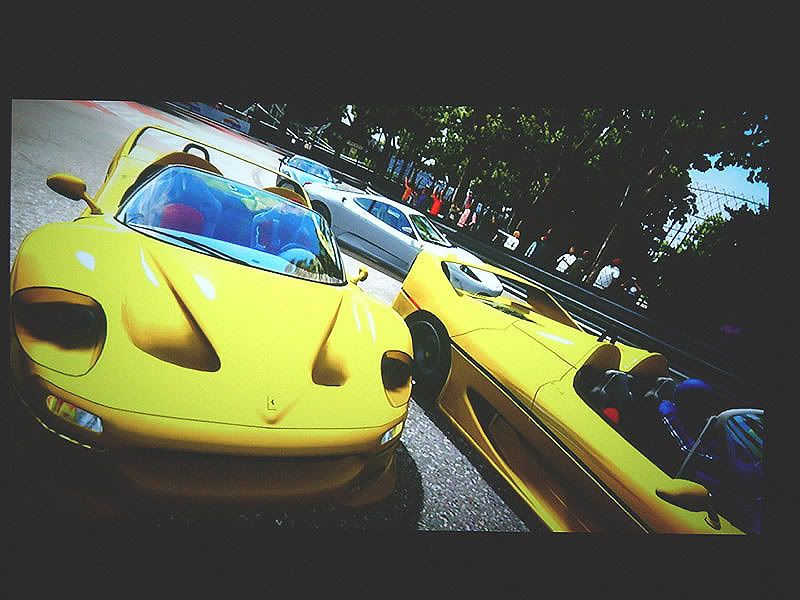
PGR3 photomode pics

op_ivy

Fallen Xbot (cannot continue gaining levels in this class)
hopefully bizarre will make it so we can transfer pics soon, but in the meantime come on GAF, lets see your best!

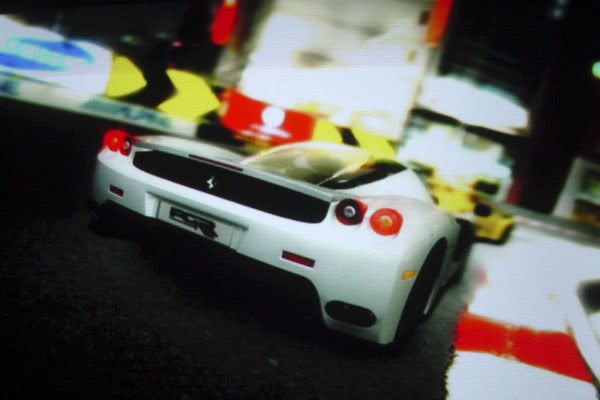
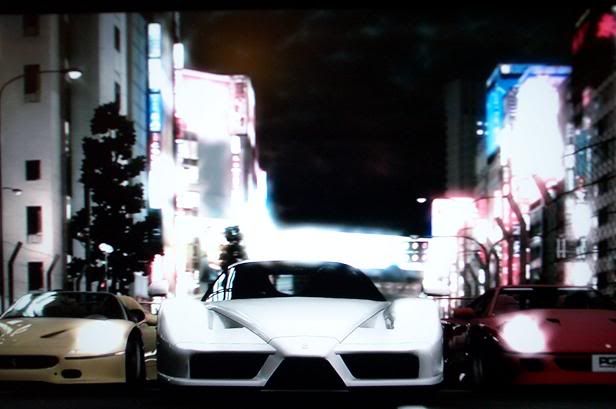
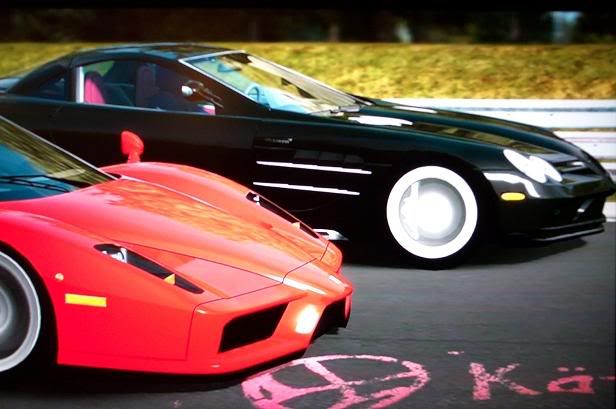
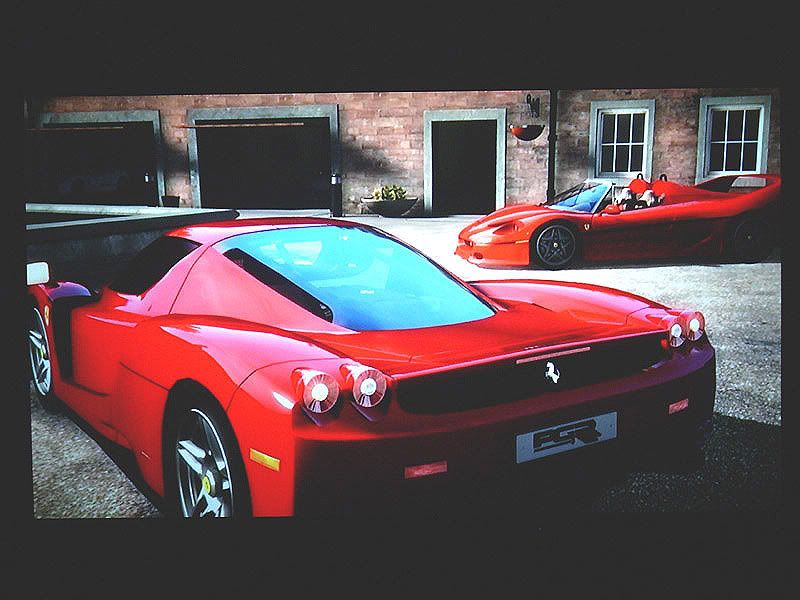
heres a few screens ripped off from the official forum. hope those guys dont mind. lovely shots in here. amazingly detailed and gorgeous game.

panny3.JPG


pgr3new2.jpg


ring20kt.jpg


enzoback.jpg


pgr3ferr.jpg


gtrconcept.jpg


pgr3f50.jpg


pgr3enzo2.jpg


if your wondering how some of these shots were made, a poster by the name of blur found a way to get outside the track in photo mode :)

1. Play a race in playtime
2. Save the replay
3. Load the replay and restart it (last icon on right)
4. Press LB on controller to select different cams
5. Select drive past cam
6. Hit photomode.........woohoooo
 
Bizarre is amazing. I wish they had released shots like this prior to the game coming out. Really, they did a horrible job of showing off just how realistic the game is.

The first in-game video I saw was a thousand times better than the E3 video.
 
These are photos, though, aren't they? (like, literally snapped with a camera).

That always adds a bit more "realism", but regardless, these shots are mindblowing. That first shot is just unreal.
 
HomerSimpson-Man said:
Holy moly! O_O

Looks almost real!!

the last one especially. i had to do a double take when i was checking out their pics to make sure they didnt sneak a real life shot in.

Gahiggidy said:

:P
 
is there a way to detach the camera from the car?

You can adjust the shutter speed to blur the background, but what if I want the background still and the car to blur?
 
mrklaw said:
is there a way to detach the camera from the car?

You can adjust the shutter speed to blur the background, but what if I want the background still and the car to blur?
You can detach the camera in photomode, but you are (or should I say were) limited to the track boundaries and to a maximum height.
You can change the focus of the camera to any point from very close to something quite far. See my 3rd image.
 
couldn't get that trick to work.
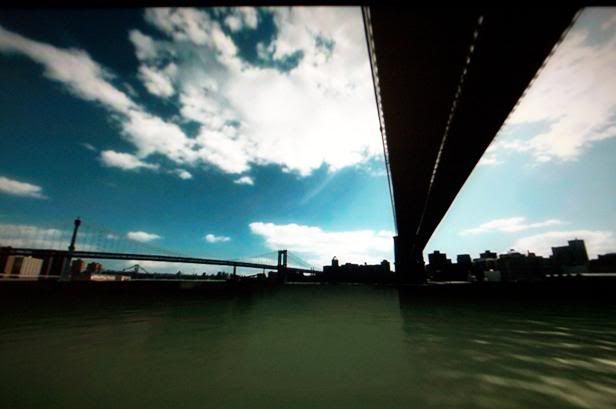
Actually somehow i menaged to put the free camera outside the fences in the middle of the crowd and roam where i wasn't supposed to, but i was still limited in height; i could get below the track as much as i wanted but not higher (see, nurburgring pic).
Does the cam become totally free with that trick ? anyone tried ?
 
So, does the game actually look that good while playing? I mean, I knew it looked hot...but these screens are just crazy good.
 
dark10x said:
So, does the game actually look that good while playing? I mean, I knew it looked hot...but these screens are just crazy good.

Looks exactly the same, unfortunately minus the perfect antialias.
And of course dof and stuff like that.
 
Blimblim said:
You can detach the camera in photomode, but you are (or should I say were) limited to the track boundaries and to a maximum height.
You can change the focus of the camera to any point from very close to something quite far. See my 3rd image.

I think what he's talking about is that the camera has the same speed properties as the car. If you had a still camera and you took a picture of a car going 200mph the car would be a blur, and the background would be clear. But in PGR3 no matter what camera you use the camera has the same speed properties as the car, so the car is clear while the background is motionblurred.

Could the OP be a little more specific on how to move the camera anywhere? Which camera angle is the "drive past cam"?

EDIT: Managed to go off the track in LV with the TV cam. Just wish I could get the camera higher.
 
eso76 said:
Looks exactly the same, unfortunately minus the perfect antialias.
And of course dof and stuff like that.

So basically, not anything like that :P

PGR3 looks really really good while you're playing, but it's still looks leagues below the photo mode shots due to the crazy AA and focus effects. It's almost the GT4 game mode -> GT4 photo mode difference.
 
Bebpo said:
So basically, not anything like that :P

PGR3 looks really really good while you're playing, but it's still looks leagues below the photo mode shots due to the crazy AA and focus effects. It's almost the GT4 game mode -> GT4 photo mode difference.

Oh god no. No no no. Not at all. Not even close.

Press start to go fullscreen, then take a picture. There really is NO difference beyond AA. There still isn't even any AF in photo mode. All of the dof/blur/exposure/sepia is all done in real-time. It's not used in-game (except for motionblur) because do you really want to play the game when it's over-exposed/sepia-toned/DOF'd?
 
Yusaku said:
Oh god no. No no no. Not at all. Not even close.

Press start to go fullscreen, then take a picture. There really is NO difference beyond AA. There still isn't even any AF in photo mode. All of the dof/blur/exposure/sepia is all done in real-time. It's not used in-game (except for motionblur) because do you really want to play the game when it's over-exposed/sepia-toned/DOF'd?
Really??!!

So the game is THIS sharp while playing??

panny3.JPG


Can't wait to try it myself.
 
Bebpo, thats not correct the models in the photo mode are exactly the same as in game, exactly, bar the AA thats added, nothing else changes. On the Bizarre forums they confirmed this, it nothing like the GT4 photo mode where the was a massive difference between the game and the photo's.
 
dark10x its not quite clear becasue of the extra AA but is dam close, also obvioulsy you don't see your car at such an angle or as close when playing.
 
dark10x said:
Really??!!

So the game is THIS sharp while playing??

panny3.JPG


Can't wait to try it myself.

He did say no difference except for AA. PGR3's photo mode is just basically the regualr engine rendering the scene at some obscenely high resolution, then super-sampling that down to 1280x720. No other FXs nor shaders beyond the game's realtime gameplay engine are used at all. It's the same models, same lighting, same textures, etc...
 
Wow, that's more impressive than I thought.

Unfortunately, I've not had a chance to try it yet (not available around here), but from the 720p movies I've seen, it didn't have that kind of impact. Of course, they weren't focusing on the cars (which is what is so impressive) so I was unable to witness such fine detail.
 
Shogmaster said:
is just basically the regualr engine rendering the scene at some obscenely high resolution, then super-sampling that down to 1280x720.
I suspect it's more likely using accumulation AA rather then SS. You get considerably better results with much fewer samples because you can control your sample distribution (poisson works wonders compared to ordered grid stuff), and more importantly it doesn't have memory overhead (you can't very well dump the game data out for every screen just because SS would take too much mem.

GT4 photomode does the same thing for AA too (+tiling to get the higher res final image).
 
dark10x said:
Really??!!

So the game is THIS sharp while playing??

panny3.JPG


Can't wait to try it myself.

Did you read the part about AA being the only thing that photomode has that the in-game engine doesn't? That picture only stands out because of the low-exposure and high contrast.

I tweaked the image in a similar way, and these are the results:

Real-time


Photo


My TV isn't the best demonstration because it's a CRT, but you can clearly see all of the lighting, HDR, shadows, blur, and adjustments to exposure and contrast are the same in both images.
 
Fafalada said:
I suspect it's more likely using accumulation AA rather then SS. You get considerably better results with much fewer samples because you can control your sample distribution (poisson works wonders compared to ordered grid stuff), and more importantly it doesn't have memory overhead (you can't very well dump the game data out for every screen just because SS would take too much mem.

GT4 photomode does the same thing for AA too (+tiling to get the higher res final image).

Wow. I didn't know anything other than Super Sampling would give you such image quality.... The photo mode in the game gives you nearly flawless AA!
 
I'll be using a CRT as well, so that's a good comparison. Of course, it's a pain in the ass to take a good snapshot of a CRT...so I'm assuming it will look even nicer in person.

I'm going to be looking at larger sets soon enough, though. Thinking of a plasma ($$) at the moment...but I might look at DLP. LCD is right the f*ck out, though. I absolutely detest those things for gaming.
 
dark10x said:
I'll be using a CRT as well, so that's a good comparison. Of course, it's a pain in the ass to take a good snapshot of a CRT...so I'm assuming it will look even nicer in person.

I'm going to be looking at larger sets soon enough, though. Thinking of a plasma ($$) at the moment...but I might look at DLP. LCD is right the f*ck out, though. I absolutely detest those things for gaming.


I've been playing PGR3 on my 19" Sony AG monitor with VGA cables. The great thing is, you can easily set the resolution to 1024x768 normal screen (4:3) in the dash. I've noticed that even though the upscaling done by the analog out chip from 1024x600 frame buffer to 1280x720 is exceptional, it does introduce some additional funkiness to the aliasing.

BTW, I've seen the game played on DLPs, LCDs, LCOS, and Plasma, but my Sony AG via VGA give the absolute best results bar none. I'm now hunting for a bigger AG monitor (especially the FW-900) instead of saving up for a DLP, just to get a slightly bigger picture.
 
Bebpo said:
So basically, not anything like that :P

PGR3 looks really really good while you're playing, but it's still looks leagues below the photo mode shots due to the crazy AA and focus effects. It's almost the GT4 game mode -> GT4 photo mode difference.

No, that's not true. Only difference is the perfect AA which makes the image sharper and clean. It uses the same models, same textures, same shadow maps, same lightning, same everything, except for dof, which is added in realtime anyway and is sometimes used during replays iirc.
The biggest difference between gameplay and photo mode is just that photo mode allowes you to zoom into details of cars and scenery you'd NEVER see otherwise.
 
Yusaku said:
Oh god no. No no no. Not at all. Not even close.

Press start to go fullscreen, then take a picture. There really is NO difference beyond AA. There still isn't even any AF in photo mode. All of the dof/blur/exposure/sepia is all done in real-time. It's not used in-game (except for motionblur) because do you really want to play the game when it's over-exposed/sepia-toned/DOF'd?

Yeah, I never said there was a difference beyond the AA and photo effects. I didn't mean to imply the models were actually different (I thought the GT4 photo mode models were the same except with super AA and photo effects).

The main gist of what I was trying to say is that I'll play the game, pause and take a picture and the picture looks waaaaaaaaaaaayyyy better than when I unpause and go back to playing. But I attribute that mainly to 16x+ AA which just makes the cars look ungodly (same with in the garage when I assume they're getting photo mode AA applied due to the low framerate).

Game still looks fantastic in motion, but the photo mode pics aren't accurate representations of how it looks when you're driving, which is what dark10x was asking.
 
Bebpo said:
Game still looks fantastic in motion, but the photo mode pics aren't accurate representations of how it looks when you're driving, which is what dark10x was asking.

It's an accurate representation of the game except for resolution/AA.
 
Shogmaster said:
It's an accurate representation of the game except for resolution/AA.

Which has a big effect on how a game looks...

I mean compare the two pics post a couple of posts above. The top one looks just ok, whereas the bottom one look "wow, this is amazing". I see a large difference between the two, but that's just me. I mean the only difference between some PS2 and Xbox versions of a game are AA, yet the one with good AA looks a ton better.
 
Just to add the to PGR3 graphics discussion, I am playing on a 51" CRT Hitachi HDTV and the game looks incredible.

However, there are 3 things that would make this game look unbelievable.

1. Full "true" 720p (you can tell this game is running lower res than other 360 games sadly)
2. AA & AF
3. 60fps

If they could have got those 3 things, this game would be absolutely unbelievable. As it is, it's still awesome. And the motion blur really actually helps out the 30fps but it's still no substitute for 60 frames. The motion blur along with 60fps would be insanely hot.
 
Motion blur of that type of just so expensive, though. Of course, I can't say just how demanding it is on the 360 graphics chip, but on my 6800, it is killer.

Trackmania Sunrise features motion blur of that level and it is a framerate killer. At 1280x800, I can get a solid 60 fps with v-sync if motion blur is disabled...but the second you enable it (which looks absolutely AWESOME), the framerate absolutely DIES (you pretty have to drop the resolution).

I still have a couple older shots I took of the game running (in low res) with the blur enabled (snapped by pressing "print screen" during the replay - as the in game utility would remove the motion blur). Always thought it looked really slick. A 60 fps version of TMS on 360 (with track editor) would just kick tons of ass.

tms_1.jpg

tms_5.jpg
 
Shogmaster said:
Wow. I didn't know anything other than Super Sampling would give you such image quality....
Well if you stick with orderedgrid - accumulationAA is mathematically equivalent to SSAA (at same number of samples). The advantage is that you can choose your own sample ordering, and that helps a great deal like I said.
Plus it trivially scales a whole lot higher - try doing 100 sample AA through super sampling ;)

I used this method to record tutorial movies on our game :P makes you really wish PS2 could do that realtime when you see it.
 
Bebpo said:
Yeah, I never said there was a difference beyond the AA and photo effects. I didn't mean to imply the models were actually different (I thought the GT4 photo mode models were the same except with super AA and photo effects).

The main gist of what I was trying to say is that I'll play the game, pause and take a picture and the picture looks waaaaaaaaaaaayyyy better than when I unpause and go back to playing. But I attribute that mainly to 16x+ AA which just makes the cars look ungodly (same with in the garage when I assume they're getting photo mode AA applied due to the low framerate).

Game still looks fantastic in motion, but the photo mode pics aren't accurate representations of how it looks when you're driving, which is what dark10x was asking.

But photomode doesn't look waaaaaaaaaaaaaayyy better than real-time.
 
Some of mine, excuse the crappy quality (camera cant adjust shutter speeds for tv pics!).
I be ze red car.

pgr311zf.jpg

my first online win :D wooosh!

pgr334ff.jpg

some flying action, my personal favorite shot so far, came out very blurry here though (focus is on my red car).

pgr348gy.jpg

same place, different angle.

pgr354mb.jpg

a nice birdseye view

pgr363gh.jpg

zoom! :lol
 
Top Bottom