• Hey Guest. Check out your NeoGAF Wrapped 2025 results here!

Steam Deck |OT| Nintendo Switch 2

The only game I haven't been able to get running on my Steam Deck is Catherine. Feels bad man.

For games that don't work now, will they eventually work in the future as Valve continues to update their OS? Like, are they constantly making changes to get unsupported games working or is that on the game developer?
 
Isn't Ally designed with being plugged in? It unlocks the 30W mode, it's obvious it was supposed to be used mostly this way.
However as with everything that means more heat, more fans and (if unplugged) short battery life.
I'll have to assume the design was first and foremost for handheld portable use given how much they seemed to gun for a slim, light build. Even if 30W TDP results in substantially better performance. But yeah, going above 30W system usage on any handheld device is going to be a really stressful time. As you say, it requires a great battery size and some great cooling capabilities. Next generation handhelds will have to trade away some of that lighter weight and slimmer build if they are to have substantial performance gains.
 
The only game I haven't been able to get running on my Steam Deck is Catherine. Feels bad man.

For games that don't work now, will they eventually work in the future as Valve continues to update their OS? Like, are they constantly making changes to get unsupported games working or is that on the game developer?
ProtonDB shows the game working since a week ago.
 
Steam Deck continues to impress. Really getting into the emulation side. It's great having a portable SNES. Still mucking about with the shaders to get a convincing CRT look.
 
The only game I haven't been able to get running on my Steam Deck is Catherine. Feels bad man.

For games that don't work now, will they eventually work in the future as Valve continues to update their OS? Like, are they constantly making changes to get unsupported games working or is that on the game developer?
I've got it running on mine last year, although todo it you already had to have a game save on steam store from pc, I started playing on pc till saved the game and then could carry on on steam deck
 
The only game I haven't been able to get running on my Steam Deck is Catherine. Feels bad man.

For games that don't work now, will they eventually work in the future as Valve continues to update their OS? Like, are they constantly making changes to get unsupported games working or is that on the game developer?
Yeah but I feel like that work has been slowing down, some games have been unsupported fora while now. They never sorted FH5 performance either, the game should run better than it does.
 
Steam Deck continues to impress. Really getting into the emulation side. It's great having a portable SNES. Still mucking about with the shaders to get a convincing CRT look.

Search for some connected projects to Mega Bezel. The TV-glow makes all the difference
 
Thing is just as I remembered - MASSIVE.

Season 3 Nbc GIF by The Office


Installing updates now, then it's screen protector time, then charge to full.
 
Finally got a OLED Steam Deck!
I also have the Legion Go, and that has been my "companion piece" along my desktop since release. Very happy with it, but it has a couple of flaws that the Steam Deck is definitly doing better.
I have previously said that I don't understand why people have so much issues with windows handhelds, but yeah.. after getting used to the simplicity of the Deck, I begin to understand.
For example: I dock my Legion Go to play on my TV, and when getting into the Game Pass app, the device will not easily let me control it with my Xbox controller. Some games in GP don't work at all with a controller when docked, and I have to connect a mouse to navigate the system when not playing handheld.

I know these things are obviously meant to be played handheld, but when docking the SD it had no issues. Worked perfect with my controller, and everything could be controlled from the couch.
The UI is so snappy and reliable, and the feel of the system is so good!
I'll definitly use it a lot from here, and will probably use the Legion Go mostly for Game Pass when away from the desktop from now on. Both devices have lots of good things going on, but the wow-factor I got from the OLED SD was very nice. If feels really nice in the hands too. Perfect combination of size and weight, although I really love the big screen on the Legion Go.

I did a couple of performance tests too, and i'm very impressed with the performance from the Deck. Despite being a bit less powerful, I got about the same FPS in Elden Ring (tested in the same spots). Very impressive! On the Legion I even have a mod to prevent shader buffering stutters, and on the SD it was silk smooth even without that mod.

So yeah, i'm officially a happy SD camper.

 
Finally got a OLED Steam Deck!
I also have the Legion Go, and that has been my "companion piece" along my desktop since release. Very happy with it, but it has a couple of flaws that the Steam Deck is definitly doing better.
I have previously said that I don't understand why people have so much issues with windows handhelds, but yeah.. after getting used to the simplicity of the Deck, I begin to understand.
For example: I dock my Legion Go to play on my TV, and when getting into the Game Pass app, the device will not easily let me control it with my Xbox controller. Some games in GP don't work at all with a controller when docked, and I have to connect a mouse to navigate the system when not playing handheld.

I know these things are obviously meant to be played handheld, but when docking the SD it had no issues. Worked perfect with my controller, and everything could be controlled from the couch.
The UI is so snappy and reliable, and the feel of the system is so good!
I'll definitly use it a lot from here, and will probably use the Legion Go mostly for Game Pass when away from the desktop from now on. Both devices have lots of good things going on, but the wow-factor I got from the OLED SD was very nice. If feels really nice in the hands too. Perfect combination of size and weight, although I really love the big screen on the Legion Go.

I did a couple of performance tests too, and i'm very impressed with the performance from the Deck. Despite being a bit less powerful, I got about the same FPS in Elden Ring (tested in the same spots). Very impressive! On the Legion I even have a mod to prevent shader buffering stutters, and on the SD it was silk smooth even without that mod.

So yeah, i'm officially a happy SD camper.
I really love being able to pop into desktop mode when I need to. I still want Valve to put out an updated image of SteamOS for my old PC.
 
Finally got a OLED Steam Deck!
I also have the Legion Go, and that has been my "companion piece" along my desktop since release. Very happy with it, but it has a couple of flaws that the Steam Deck is definitly doing better.
I have previously said that I don't understand why people have so much issues with windows handhelds, but yeah.. after getting used to the simplicity of the Deck, I begin to understand.
For example: I dock my Legion Go to play on my TV, and when getting into the Game Pass app, the device will not easily let me control it with my Xbox controller. Some games in GP don't work at all with a controller when docked, and I have to connect a mouse to navigate the system when not playing handheld.

I know these things are obviously meant to be played handheld, but when docking the SD it had no issues. Worked perfect with my controller, and everything could be controlled from the couch.
The UI is so snappy and reliable, and the feel of the system is so good!
I'll definitly use it a lot from here, and will probably use the Legion Go mostly for Game Pass when away from the desktop from now on. Both devices have lots of good things going on, but the wow-factor I got from the OLED SD was very nice. If feels really nice in the hands too. Perfect combination of size and weight, although I really love the big screen on the Legion Go.

I did a couple of performance tests too, and i'm very impressed with the performance from the Deck. Despite being a bit less powerful, I got about the same FPS in Elden Ring (tested in the same spots). Very impressive! On the Legion I even have a mod to prevent shader buffering stutters, and on the SD it was silk smooth even without that mod.

So yeah, i'm officially a happy SD camper.
Try Windows on Deck for Gamepass. You can even install on a SD Card.

I did a couple of performance tests too, and i'm very impressed with the performance from the Deck. Despite being a bit less powerful, I got about the same FPS in Elden Ring (tested in the same spots)

At the same resolution? Because Legion Go screen is 2560x1600 vs 1280x800 on Deck.
 
Try Windows on Deck for Gamepass. You can even install on a SD Card.
Do you know if it plays nice when docked and connected to external controller on the Deck? Because if it does, I will definitly tey this!
I find it strange that so many games in Game Pass don't work properly when I dock the Legion Go to the TV and use a xbox controller.
 
Do you know if it plays nice when docked and connected to external controller on the Deck? Because if it does, I will definitly tey this!
I find it strange that so many games in Game Pass don't work properly when I dock the Legion Go to the TV and use a xbox controller.
I don't have a dock so I can't say. What I know is that in Windows you may need a program called "Handheld Companion" to controllers to work with Windows Store/Gamepass games.
 
Do you know if it plays nice when docked and connected to external controller on the Deck? Because if it does, I will definitly tey this!
I find it strange that so many games in Game Pass don't work properly when I dock the Legion Go to the TV and use a xbox controller.

According to this video, to use an Xbox controller you have to turn off the "joy cons" attached to the Legion Go screen.


Kind of a crappy solution, honestly. The Rog Ally has the ability to switch "modes" for the built in controller and a "desktop" mode for external.
 
Last edited:
According to this video, to use an Xbox controller you have to turn off the "joy cons" attached to the Legion Go screen.


Kind of a crappy solution, honestly. The Rog Ally has the ability to switch "modes" for the built in controller and a "desktop" mode for external.

I've tried that as well, with no luck. Did not try with a cabled connection through my dock/hub though. But i've been using the official xbox usb dongle.

the external controller works sometimes, like when im in the Game Pass App, but I have to scroll the touchpad over the screen first. Then I can use the connected Xbox controller in the menu. But when I boot up games from the app, many of them don't work with the external controller. Others have no issues.
None of this is a issue when playing handheld, but I like to dock these things to the TV now and then, and for that purpose the Steam Deck is so much better. It's basically as easy as the Nintendo Switch, while the Go is very hit and miss for that purpose.
 
Last edited:
I've tried that as well, with no luck. Did not try with a cabled connection through my dock/hub though.

the external controller sometimes, like when im in the Game Pass App, but I have to scroll the touchpad over the screen first. Then I can use the connected Xbox controller in the menu. But when I boot up games from the app, many of them don't work with the external controller. Others have no issues.
None of this is a issue when playing handheld, but I like to dock these things to the TV now and then, and for that purpose the Steam Deck is so much better. It's basically as easy as the Nintendo Switch, while the Go is very hit and miss for that purpose.

Strange. One guy here says try putting the right detachable in FPS mode.

 
The Steam Deck is probably my favorite gaming hardware purchase of all-time. Since getting the OLED at launch I do like 80% of my gaming on it. Finishing up Octopath traveller 2 now and it's a great time, perfect handheld game.

There is just something magical about handheld gaming, I continously get surprised by how much I enjoy it and by the wealth of options from 15 years of collecting games on Steam and elsewhere. Sometime I get stuck in the try-out-games-on-the-Deck-loop. How would Bioshock 1 remastered look on this? Awesome, Dishonored? Stunning. Wolfenstein The New Order? And so on. But mostly I actually finish games to a larger extent on the Deck.
 
The Steam Deck is probably my favorite gaming hardware purchase of all-time. Since getting the OLED at launch I do like 80% of my gaming on it. Finishing up Octopath traveller 2 now and it's a great time, perfect handheld game.

There is just something magical about handheld gaming, I continously get surprised by how much I enjoy it and by the wealth of options from 15 years of collecting games on Steam and elsewhere. Sometime I get stuck in the try-out-games-on-the-Deck-loop. How would Bioshock 1 remastered look on this? Awesome, Dishonored? Stunning. Wolfenstein The New Order? And so on. But mostly I actually finish games to a larger extent on the Deck.
I feel such the same way. I'm going to be super curious to see my year in review at the end of the year to see how my playtime between the 2 stack up.
 
New CEMU version (Cemu 2.0-72 (Experimental) was released with a massive BotW performance boost on the Deck

SzOzWjk.jpg


I don't know what all of this means but I tested it briefly yesterday and in the starting area around the first tower I got values similar to those on the screenshot.
If you set you framerate to 45fps via the mod FPS++ and limit the framerate with gamescope to 40fps, you get quiete stable 40fps. However, the power consumption is then at 21W-22W.
That's why I limited it to 30 fps with FPS++ and also limited the framerate to 30fps with gamescope to compensate for the somewhat shaky graph.
This gives me a smooth 30fps, if you can call it smooth at 30fps, with a power consumption of around 18W.
It definitely runs and plays a lot better than before (I came from 2.0-42)
 
Last edited:
What do you guys do to play games through the bastard EA launcher and other launchers? I want to finish ME Legendary Edition, but the awful app man, why are EA always so annoying. I tried installing the EA app as a non-steam game and it worked, even got HDR working. Then once a month there is an update that breaks everything and you have to reinstall the app, last time it didn't find the 100 gig ME files, I just gave up.

Is the Non Steam Launcher better for that? I do Heroic for Epic and GOG (Haven't managed to get HDR to work), Lutris for Ubisoft Connect. Is the Non Steam Launcher the way to go for everything maybe? Can you do HDR through it?
 
New CEMU version (Cemu 2.0-72 (Experimental) was released with a massive BotW performance boost on the Deck

SzOzWjk.jpg


I don't know what all of this means but I tested it briefly yesterday and in the starting area around the first tower I got values similar to those on the screenshot.
If you set you framerate to 45fps via the mod FPS++ and limit the framerate with gamescope to 40fps, you get quiete stable 40fps. However, the power consumption is then at 21W-22W.
That's why I limited it to 30 fps with FPS++ and also limited the framerate to 30fps with gamescope to compensate for the somewhat shaky graph.
This gives me a smooth 30fps, if you can call it smooth at 30fps, with a power consumption of around 18W.
It definitely runs and plays a lot better than before (I came from 2.0-42)
Cemu/Emudeck is awesome.
I can't bother having the old Wii U connected anymore, but having Windwaker and Twilight Princess on the Deck is perfect. Maybe it's my imagination, but they seem to run a lot better on the Deck as well.
 
Last thing I played on my deck was Ys: The Oath in Felghana. Game plays and runs like a dream, all while almost not taking any battery out of the system, could play for hours on ends.

Games was very fun too. Light on story and heavy on combat with a bit of exploration. Quite challeging and amazing OST.
 
Last thing I played on my deck was Ys: The Oath in Felghana. Game plays and runs like a dream, all while almost not taking any battery out of the system, could play for hours on ends.

Games was very fun too. Light on story and heavy on combat with a bit of exploration. Quite challeging and amazing OST.

Welcome back bro!

Friends Hug GIF
 
Last edited:
The right trigger isn't working for me on Dave the Diver. Tried different settings and customizing things. Oh well, I can just play it on Switch or whatever.

Edit: resetting to default settings fixed it
 
Last edited:
I have to say this device saved my gaming. Living with kids and the hassle to power the TV to play on Playstation made me quit gaming apart from some quick Switch sessions. The problem was I was a life-long PC player (and I have a PS5), I know how games can be when they have great graphics and load faster (I even modded my PS4 Pro for SSD to make W3 loading faster).

Now for the past two months I always find 5-10 minutes to play a bit - just put 25 hours in a week in Fallout 4, which I got ages ago and never properly started. That is more than the total time I played PS5 in 2023.
 
I have to say this device saved my gaming. Living with kids and the hassle to power the TV to play on Playstation made me quit gaming apart from some quick Switch sessions. The problem was I was a life-long PC player (and I have a PS5), I know how games can be when they have great graphics and load faster (I even modded my PS4 Pro for SSD to make W3 loading faster).

Now for the past two months I always find 5-10 minutes to play a bit - just put 25 hours in a week in Fallout 4, which I got ages ago and never properly started. That is more than the total time I played PS5 in 2023.
Since you already have a Deck and a PS5, you can have the best of both worlds -> Chiaki
 
Now that Yuzu and Citra are down, and Emudeck no longer supports them, How do I install them?
I've sent my unit to valve for service, and while the whole experience was good and free, it arrived formated and lost the emulators...
 
Now that Yuzu and Citra are down, and Emudeck no longer supports them, How do I install them?
I've sent my unit to valve for service, and while the whole experience was good and free, it arrived formated and lost the emulators...
Plenty of people did backups, I'm sure there are still versions out there.
 
Now that Yuzu and Citra are down, and Emudeck no longer supports them, How do I install them?
I've sent my unit to valve for service, and while the whole experience was good and free, it arrived formated and lost the emulators...
You raise a very good point. How do I backup my current installation?
 
You raise a very good point. How do I backup my current installation?

You can use Clonezilla. Copy it to a USB flash drive and boot from it while you have an external drive of some kind connected that is large enough for an image. Then just follow the procedure in Clonezilla to create an image on the external drive. If anything gets screwed up or you have to send it away for service you can just restore from the image.
 
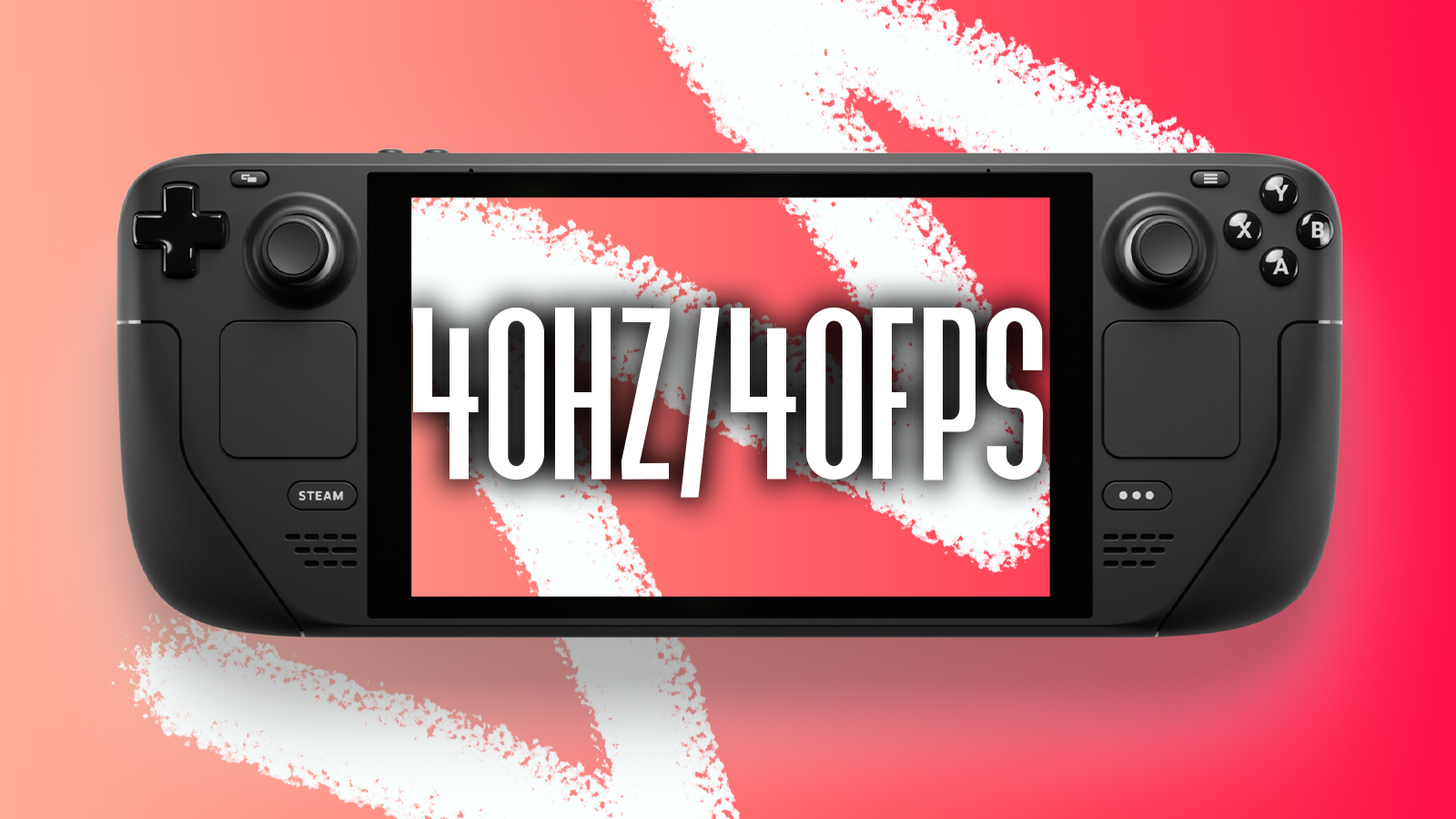
I played some Elden Ring on Deck while connected to my 4K TV. I couldn't get the option to set the display and framerate to 40 - only 60, 30, or 20. Darn.

Did they remove this option? Gonna mess around with it handheld while Elden Ring installs on my PS5.
 
I have to say this device saved my gaming. Living with kids and the hassle to power the TV to play on Playstation made me quit gaming apart from some quick Switch sessions. The problem was I was a life-long PC player (and I have a PS5), I know how games can be when they have great graphics and load faster (I even modded my PS4 Pro for SSD to make W3 loading faster).

Now for the past two months I always find 5-10 minutes to play a bit - just put 25 hours in a week in Fallout 4, which I got ages ago and never properly started. That is more than the total time I played PS5 in 2023.
I installed Chiaki on my Steam Deck and it works perfectly. I can switch between PS5 and PC when I can't be in front of the TV.
 
I played some Elden Ring on Deck while connected to my 4K TV. I couldn't get the option to set the display and framerate to 40 - only 60, 30, or 20. Darn.

Did they remove this option? Gonna mess around with it handheld while Elden Ring installs on my PS5.
Should still work
 
Made up my mind, going to buy a 64gb refurb when it's back in stock for £249 and slap a 512gb SSD in it.

Love my Switch but there's a few games I'd like to play on Deck; Sea of Thieves, Gears 5, Dayz Gone, GTA V to name a few. £300 with the SSD is a nominal investment and I'll probably recoup half of that selling it once Deck 2 is announced.

Lets go.
 
Made up my mind, going to buy a 64gb refurb when it's back in stock for £249 and slap a 512gb SSD in it.

Love my Switch but there's a few games I'd like to play on Deck; Sea of Thieves, Gears 5, Dayz Gone, GTA V to name a few. £300 with the SSD is a nominal investment and I'll probably recoup half of that selling it once Deck 2 is announced.

Lets go.

If you've not had one before you're in for a treat. The available library is absurd, and that's not even including stuff like emudeck.
 
If you've not had one before you're in for a treat. The available library is absurd, and that's not even including stuff like emudeck.
Can't wait to be honest. The 64gb was last in stock over a month ago and it typically comes in and out of stock every 2 months or so, so I'm just checking the web page daily at the moment.

Not even going in to stuff like Cyberpunk, Shadow of the Erdtree, RDR2 etc. that I'm yet to play. I'll update the thread when I eventually get my hands on one
 
Top Bottom