
Wii U Firmware Update is live everywhere. Everyone calm down.

After updating it said the console would check for SpotPass with a 1 hour interval. How can I modify this interval? I swear I cannot find the option in the Settings menu. :x
 
I guess it's time to invest in a gamepad stand for my white beauty
 
So on, we received a feature no one asked for. Now we ask for an Update for that unwished feature.

Well played Nintendo...
 
Is it up in PAL regions?
 
Does the update interfere with the Wii Homebrew? I always wanted to play my gamecube games in 16:9 with the Wii U Pro Controller, but never took the time to set it up properly.
 
A very interesting and meaningfull update. Hopefully among all the other features, I'll see also an improvment on the OS speed
 
Yes, I updated this morning (I shouldn't have, got late to work, lol). But I didn't do much. Only thing I did afterwards is load Miiverse and turned it off and left afterwards. It had a nice loading screen.

yep been up for hours (seems like it was simultaneous), someone should edit the title

Cheers. Thanks dudes.
 
After updating it said the console would check for SpotPass with a 1 hour interval. How can I modify this interval? I swear I cannot find the option in the Settings menu. :x

Go in power saving options, click yes in the spotpass optiona nd then you'll be able to select the time interval.
 
first thing I tested was youtube on the WiiU browser and it seems more stable.. but I haven't spent much time on it. Anyone else noticing if the browser is improved?
 
Never been so excited and disappointed reading one sentence. Why can't we use the Gamepad for games with controller support?

I'd love to play some Tatsunoko on the gamepad, or some Xenoblade or VC games. Seems a bit of a hassle having to use Wiimotes and Classic Controllers.
 
I'm confused here. I thought that my WiiU should be downloading firmware updates automatically in the background overnight etc...

Is that not the case or is there an option I've not selected.
 
So as suggested I deleted Netflix and redownloaded. Now it doesn't do anything. Stays on the spinning circle, forever. At least I used to get a blank screen with missing graphics :)


I'm confused here. I thought that my WiiU should be downloading firmware updates automatically in the background overnight etc...

Is that not the case or is there an option I've not selected.

Yeah I was confused about that too.
 
Never been so excited and disappointed reading one sentence. Why can't we use the Gamepad for games with controller support?

I'd love to play some Tatsunoko on the gamepad, or some Xenoblade or VC games. Seems a bit of a hassle having to use Wiimotes and Classic Controllers.
Because the Wii-Mode is not a software-emulation, creating a remapping-tool is much harder to include. Nintendo properly would need to completely change, how the internal of Wii iOS works, which could create a lot of other problems. There isn't simply a switch, you change it. It properly it would need even more time, but this is still a nice feature.
 
The browser is almost perfect now. The upload screenshot feature makes it way easier to post nice 720p screenshots here on GAF.

I noticed that the eshop and miiverse load faster and after that switching between different sections is very very fast. W101 loaded fast, but I can't tell if it's faster than before.

Going to settings and back is still on the slow side, but way faster than before.

After playing Pikmin off-screen, I find the new feature for Wii quite nice. I don't get the outrage for something that it is practically a new feature. It could be better, yes. Maybe they will be able to add some kind of Gamepad support on the Wii firmware. But no one is forcing you to use it or to pay for it.

I tested a wireless keyboard, it works perfectly.

I'm happy with the update. Now let's see what the Nintendo Direct will bring
 
I'm confused here. I thought that my WiiU should be downloading firmware updates automatically in the background overnight etc...

Is that not the case or is there an option I've not selected.

Might be because the servers were busy (with all the users downloading the update manually, and the actual update being quite big). With this update, they added an option to let you chose how often the console check for updates and stuff to download, so maybe the default value (before the update) was the problem : it might have been checking only once in a while, and it checked right before the update was actually released (plus, there was the mainteance just before).

Personally, the update started downloading the second I turned on my Wii U and went to the download manager.
 
What do you guys really need an account system for? Nintendo will replace the games on the off chance that your wii u is broken or lost. And do you really need to download your games on another wii u? Don't front you don't even know anyone else irl that owns a Wii u. And even if you did the system is tiny and you could easily bring it with you, and since your hypothetical friend has a Wii u you wouldn't need to bring the cables and game pad making the system even more portable. I guess I understand having a problem with the account system out of principal but it's still strange to me because I don't make principled stands about video games especially when they deprive me of things I'd otherwise be enjoying.
 
I'm confused here. I thought that my WiiU should be downloading firmware updates automatically in the background overnight etc...

Is that not the case or is there an option I've not selected.

You need to have agreed with the usage of Spotpass after the spring update. I think you can check it in the Settings -> Power settings (something about using standby functions)
 
Yes. I'm in NZ and as soon as I saw this thread I went and started downloading it.

Ok thanks, I think it's past time I transfered my original Wii account on the WiiU now!
No pad control is too bad (because GC controls) but that's better than it was before.
Slowly WiiU is getting there!
 
Because the Wii-Mode is not a software-emulation, creating a remapping-tool is much harder to include. Nintendo properly would need to completely change, how the internal of Wii iOS works, which could create a lot of other problems. There isn't simply a switch, you change it. It properly it would need even more time, but this is still a nice feature.


Or... they could update the gamepad firmware to act as a classic controller.
 
What do you guys really need an account system for? Nintendo will replace the games on the off chance that your wii u is broken or lost. And do you really need to download your games on another wii u? Don't front you don't even know anyone else irl that owns a Wii u. And even if you did the system is tiny and you could easily bring it with you, and since your hypothetical friend has a Wii u you wouldn't need to bring the cables and game pad making the system even more portable. I guess I understand having a problem with the account system out of principal but it's still strange to me because I don't make principled stands about video games especially when they deprive me of things I'd otherwise be enjoying.
The one thing annoying is that you'd have to send your console to Nintendo to get back all your eshop games. But it's not half as bad as it sounds, as Nintendo would take care of putting back all your digital games, saving you the pain of downloading and installing it on your own. So yeah, I agree with you.
 
maxresdefault.jpg

That's pretty cool.

You need to have agreed with the usage of Spotpass after the spring update. I think you can check it in the Settings -> Power settings (something about using standby functions)

Okay. Thanks.
 
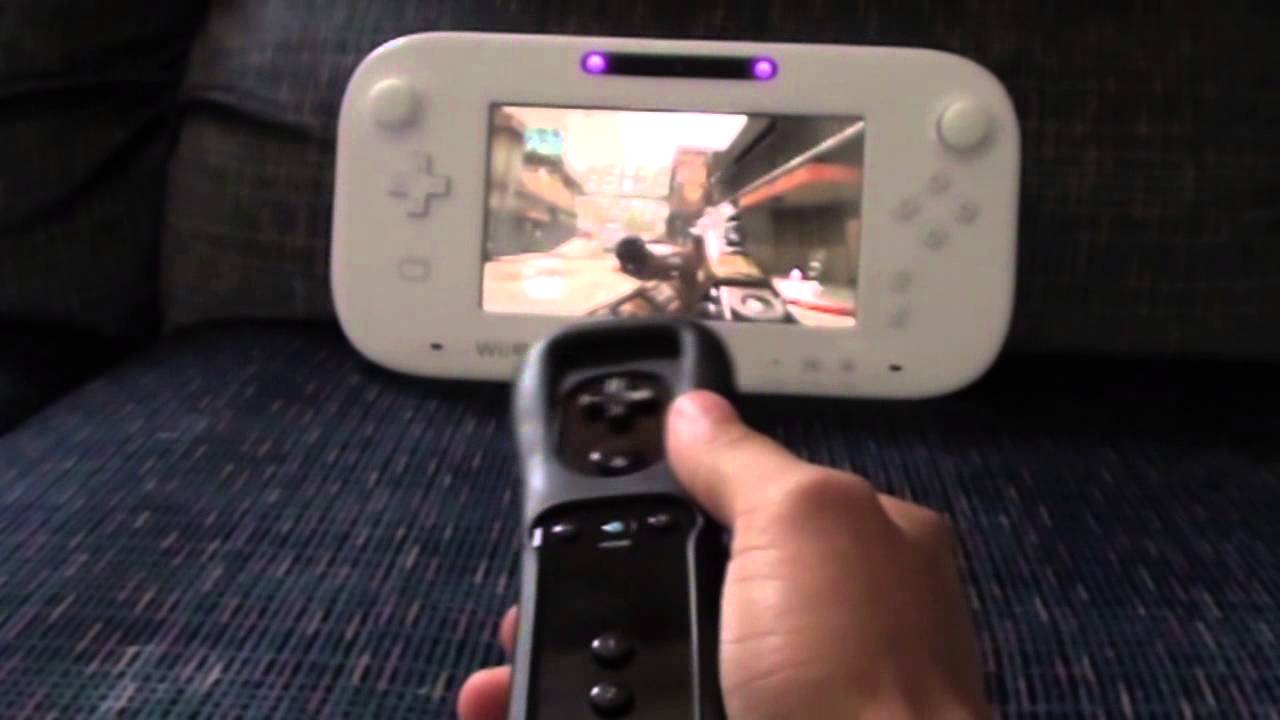
I know but you probably need some kind of stand to hold the gamepad vertically if you want to be able to aim at it with the wiimote. Not very practical. Oh well. Backward compatibility is already nice anyway.

The premium bundle has a Gamepad stand that it's perfect for that. Or you can buy it separately if you have a Basic set.
 
With the sensor bad built in the Gamepad and the stand included in the Premium bundle it seems that Nintendo planed this use of the Gamepad and wiimote together way before.
 
You need to have agreed with the usage of Spotpass after the spring update. I think you can check it in the Settings -> Power settings (something about using standby functions)

The feature is activated, and it still didn't download this update for me (and I know it works because I've had games update automatically this way). As I said, it was probably a case of the servers being too busy, or something. It's kinda hard not to have the feature activated, since you get a message on start-up with the previous firmware update : therefore, unless you said no, it can't be not activated.
 
With the sensor bad built in the Gamepad and the stand included in the Premium bundle it seems that Nintendo planed this use of the Gamepad and wiimote together way before.

well this use, for Wii U games, was not only planned but available from the launch (Call of duty). and it was also promoted during some of the first videos of the console
 
Alright, I've had enough time to tinker around with my WiiU's ins and outs, and man is there a buttload of litte but nevertheless significant features crammed into this firmware:

-Wii U menu loads much snappier than even the previous 3.1.x firmware. To test it out, I loaded Assassin's Creed 3, and it only took 2 seconds from the splash screen before blanking to the actual game. Same thing for Need for Speed Most Wanted: You see the splash screen, and before the vrooms could finish, the game is already booting up! Also everything else GAFers mentioned about eShop/Miiverse.
-Holy crap the browser: So not only is it quicker/automatically plays video content for you on the Main Screen while not obstructing your browsing experience/upload Wii U game pics with ease/USB keyboard support (fully compliant with one of those small Logitech Wii keyboards), but it also lets you copy and paste stuff, including links to images, and images from the GAF thread automatically display on the top screen when expanded/clicked.
-Somebody apparently messaged me while tinkering in Wii Mode, and when booting back up to the Wii U menu, I hear a little jingle to signify a new message had arrived. As first I didn't realize it was for messages untill I noticed the Miiverse icon resonating.

Wii Mode Stuff
-I tried out various games with eccentric display outputs, most notably Rune Factory Tides of Destiny (pseudo-widescreen), Sky Crawlers Innocent Aces (cropped up display), and MadWorld (480i Widescreen). RF and MW were displayed in a slightly stretched widescreen format, but not completely 16:9 (there were still some gaps on either side), while games natively running in 16:9 480p (such as Ganbarion's Pandora's Tower and No More Heroes 2 all appear correctly. (Sky Crawlers still looked cropped, abeit correct aspect ratio.) I was checking thoroughly to see if any image stretching was going on, as things look a teeny bit smudged.
-I noticed that No More Heroes 2 no longer has slowdown during those key cutscenes, most notably the Burger Joint cutscene right after Travis' 51st ranking (just right after he calls Sylvia). Could it be other Wii games that have suffered from slowdown have been remedied as well? Which leads me to think...could Wii U games have benefitted from this update too performance wise?
-Playing Cave Story (WiiWare) and LaMulana (WiiWare) had both yielded a 4:3 output as opposed to a pseudo stretched widescreen format from before. Here's the thing though, it looks more "correct" in this format.
-Not firmware news, but apparently KoF '99 is out on the Wii Shop Channel.

So on, we received a feature no one asked for. Now we ask for an Update for that unwished feature.

Well played Nintendo...

This. Although I finally understand the qualms GAFers have about the Gamepad needing to act as a Classic Controller, because apparently a Classic Controller plugged into the Wii Remote can let you use the analog sticks to guide the cursor. However, I am inclined to believe that the need for a Wii Remote present is absolutely necessary simply because of the OS having design elements specifically designed for Wii Remote usage (i.e. not replicable with touchpad nor GamePad's gyrometer. Also imagine tring to do slashing motions with your Gamepad...yeah, not pretty).

The next update will probabaly allow you to use the GamePad as a Classic Controller, but they'd have to sort out the conflicting inputs if one were to plug a real Classic Controller to the Wii Remote (would that interface override the GamePad?). Also it would seem using a Wii U Classic Controller would also be out of the question unless it could be paired with its own Wii Remote (in other words, a Remote per player is needed, but they could make an overridable CC(P) shell for player 1 that could be disabled if the user decides to plug in a peripheral of choice on the Wii Remote.
 
Oh I totally forgot about the Gamepad stand! Still in its box.

It's fairly useless with the better stand that serve as a charger but now it have its use with BC on it!
Premium bundle really was premium in the end!
I'm still a bit upset that I didn't get the ZombiU bundle and got Nintendo Land as a standalone instead of the other way round....then again I got ZombiU gifted...
 
Wii Mode Stuff
-I noticed that No More Heroes 2 no longer has slowdown during those key cutscenes, most notably the Burger Joint cutscene right after Travis' 51st ranking (just right after he calls Sylvia). Could it be other Wii games that have suffered from slowdown have been remedied as well? Which leads me to think...could Wii U games have benefitted from this update too performance wise?

I'm pretty sure people said Wii U's Wii Mode gave no noticeable improvement in The Last Story, before today's update. Considering its CPU usage in Dolphin (it's one of the most demanding games, if not the most) and the fact that framerate drops all over the place are easily noticeable, I would be the perfect test after today's update.

Go in power saving options, click yes in the spotpass optiona nd then you'll be able to select the time interval.
Thanks! A bit unintuitive, since it was already on “yes”.
 
For the new page: Any implications for the Wii Mode Homebrew with the new update?

I didn't find anything yet in this thread on this topic..
 
Top Bottom