• Hey Guest. Check out your NeoGAF Wrapped 2025 results here!

AMD Radeon 9070XT review thread

FSR4.1 coming soon in a future driver that can be used on Optiscaler now by just dropping the file in the game folder

Edit: you have to be on the latest Beta version that came with the Vulkan update to use it


I was checking that thread for comparisons. And the improvements for vegetation clarity are huge.
With the Quality preset it's noticeable, but with the ultra preset it's a night and day difference. Impressive stuff.
 
I replaced the amdxcffx64.dll in the driver folder, as to apply it globally and it's working fine.

JA9lnh45o2YdnSzO.jpg
Rl6HnQnLMWK9Xxew.jpg
How does it look compared to the current FSR4 version?
 

AMD Software: Adrenalin Edition 26.2.2 Release Notes


Highlights

  • New Game Support
    • Resident Evil Requiem
    • Marathon
  • Fixed Issues:
    • Intermittent application crash or driver timeout may be observed while playing Roblox Player (Car Zone Racing & Drifting) when task switching between media on Radeon™ RX 7000 series products.
    • Texture flickering or corruption may appear while using Windows desktop applications with Instant Replay and Record Desktop enabled on Radeon™ RX 7000 series products.
  • Intermittent application crash or driver timeout may be observed while loading a saved game in Cyberpunk 2077 with Path Tracing enabled. AMD is actively working on a resolution with the developer to be released as soon as possible.
  • Intermittent application crash or driver timeout may be observed while playing Battlefield™ 6 on AMD Ryzen AI 9 HX 370. AMD is actively working on a resolution with the developer to be released as soon as possible.
  • Texture flickering or corruption may appear while playing Battlefield™ 6 with AMD Record and Stream on some AMD Graphics Products.
  • AMD FSR Upscaling and AMD FSR Frame Generation may show as inactive in AMD Software: Adrenalin Edition when playing Yakuza Kiwami 3 & Dark Ties, Call of Duty®: Black Ops 7, and Resident Evil Requiem when enabled on Radeon™ RX 9000 series graphics products.

P.S. This driver still has the FSR 4.0.3 dll
 
Last edited:
Bro dumb and noob question

Which folder did you dropped the 4.10 "amdxcffx64.dll"?
The only amdxcffx64.dll on my pc is on C:\Windows\System32\DriverStore\FileRepository\... and this folder has some sort of weird protection that doesn't allow me to replace the .dll nor change the permissions.

That is the folder where I put it, replacing the old dll. I had to do it in safe mode. Jyst press F8 before Windows starts loading.

The other way is to install Optiscaler and put the new amdxcffx64.dll with the other files, where the game exe is.
 
That is the folder where I put it, replacing the old dll. I had to do it in safe mode. Jyst press F8 before Windows starts loading.

The other way is to install Optiscaler and put the new amdxcffx64.dll with the other files, where the game exe is.
Safe mode was the only way I could do it,it wouldn't give me permission in normal mode
 
Safe mode was the only way I could do it,it wouldn't give me permission in normal mode
I couldn't do it in safe mode was still getting the same error but I figured out that you have to change the owner of this folder in advanced options under permissions from SYSTEM to your account name and then enable full access permissions for your account, then copy the file and overwrite it and then delate the permissions for your account and change the owner to SYSTEM yet again for security reasons, I guess.

I also played around on Linux with it and it seems to work when I put it in Prefix of System32 folder. Which was much simpler than on Windows, lmao.

Plus I downloaded newest build of OptiScaler from their Discord and put the file in the same folder as OptiScaler and it seems to work just fine under Linux. Played a bit of No Rest for The Wicked today with friends and it seems crispier.
 
Last edited:
Safe mode was the only way I could do it,it wouldn't give me permission in normal mode
That is the folder where I put it, replacing the old dll. I had to do it in safe mode. Jyst press F8 before Windows starts loading.

The other way is to install Optiscaler and put the new amdxcffx64.dll with the other files, where the game exe is.

I couldn't do it in safe mode was still getting the same error but I figured out that you have to change the owner of this folder in advanced options under permissions from SYSTEM to your account name and then enable full access permissions for your account, then copy the file and overwrite it and then delate the permissions for your account and change the owner to SYSTEM yet again for security reasons, I guess.

I also played around on Linux with it and it seems to work when I put it in Prefix of System32 folder. Which was much simpler than on Windows, lmao.

Plus I downloaded newest build of OptiScaler from their Discord and put the file in the same folder as OptiScaler and it seems to work just fine under Linux. Played a bit of No Rest for The Wicked today with friends and it seems crispier.

I tried Safe mode, Admin CMD on Safe mode, changing ownership of the folder, and none of that worked

So I Injected with Opti on Cyberpunk. Using it on 4K XESS to FSR in performance mode It looks sharper but there are some small "granularity" on the RT reflexes that shouldn't be there.
But even with that, it looks like an improvement over 4.0 and its worth it.
 
I tried Safe mode, Admin CMD on Safe mode, changing ownership of the folder, and none of that worked
Changing ownership is not enough, then you have to add permissions for a full controll over that folder. For it not be read only.

I did it all through GUI though for what's it worth and not in safe mode. And I haven't used CMD. I have work today, I could basically just do a few screenshots how to do it after work. Because changing ownership in advanced options under permissions, when you right click isn't exactly up your face, horrible and unintuitive.

But then you can add another user just fine and I said screw it and added my own account instead of admin, just to not have additional pop-ups, lmao. And I just enabled full control with a few checkboxes for my own Windows account while adding it into permissions.

And I redid that after DLL swap to stock settings just fine.
 
Last edited:
I tried Safe mode, Admin CMD on Safe mode, changing ownership of the folder, and none of that worked

So I Injected with Opti on Cyberpunk. Using it on 4K XESS to FSR in performance mode It looks sharper but there are some small "granularity" on the RT reflexes that shouldn't be there.
But even with that, it looks like an improvement over 4.0 and its worth it.

I only had to enter safe mode and "take ownership" of the dll with a cmd.
After that, I just replaced the dlls.

Regardless, the expectation is that it will be officially released with the 36.3.1 drivers.
 
Bro dumb and noob question

Which folder did you dropped the 4.10 "amdxcffx64.dll"?
The only amdxcffx64.dll on my pc is on C:\Windows\System32\DriverStore\FileRepository\... and this folder has some sort of weird protection that doesn't allow me to replace the .dll nor change the permissions.

That is the folder where I put it, replacing the old dll. I had to do it in safe mode. Jyst press F8 before Windows starts loading.

The other way is to install Optiscaler and put the new amdxcffx64.dll with the other files, where the game exe is.
It was the same for me. Only amdxcffx64.dll was in a subfolder under FileRepository. I put the newer .dll in the root System32 folder and that worked for me.
But now if I go to System32 there is no amdxcffx64.dll there. And if I look for the file it only finds one in the original location, yet it still seems to work.
Maybe the system took the file from System32 and replaced the one in the other folder. I have no clue.
2026-02-28-130313.jpg
 
Last edited:
It was the same for me. Only amdxcffx64.dll was in a subfolder under FileRepository. I put the newer .dll in the root System32 folder and that worked for me.
But now if I go to System32 there is no amdxcffx64.dll there. And if I look for the file it only finds one in the original location, yet it still seems to work.
Maybe the system took the file from System32 and replaced the one in the other folder. I have no clue.
2026-02-28-130313.jpg

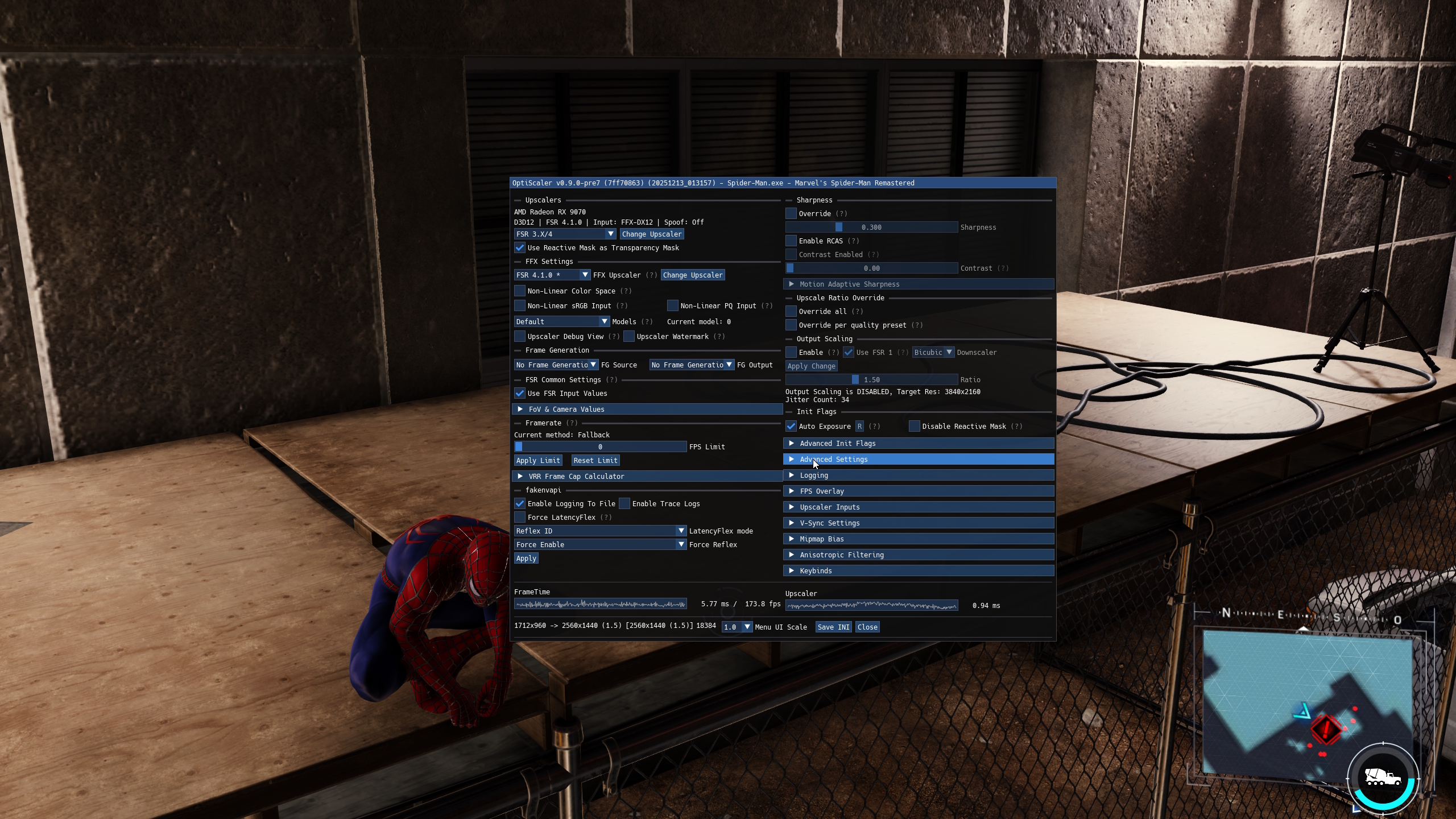
I just remembered one tip from Optiscaler. If the upscaler version has an asterisc, such as in the picture you put, it means it's reading from the driver.
If not, it means it's reading the dll from the Opptiscaler folder.
 
Will this work with other games? Or just CP2077.
It works on a few other games, but results vary. Sometimes it just works straight up bad.

I edited my post with RE9 PT working on AMD GPUs part. I wish someone would test this RR mod via Opti with RE9 on RX 9070XT as I will probably buy it but in later half of March, and I would want to know by that time if I can screw around with PT and RR through OptiScaler.
 
Last edited:
It works on a few other games, but results vary. Sometimes it just works straight up bad.

I edited my post with RE9 PT working on AMD GPUs part. I wish someone would test this RR mod via Opti with RE9 on RX 9070XT.

I just checked the Nvidia list of games with RR. There aren't many and I only have CP2077.
But I'm not in the mood to reinstall GoG and then CP2077.
Still, these are awesome news.
 
Guys how's this GPU for running local LLMs?
No idea about ROCm, but running llamacpp (Vulkan) with 2x 9070 XT was pretty similar to 2x 3090 (no nvlink) in terms of tokens-per-second generation speed. However, prompt processing speed was somewhat slower.

I'd advice looking for more recent information, since it's been ~7 months since my dumb adventures with AMD cards. But yeah, you'd be alright using it, generally speaking.
 
Cool. Don't forget to tell us how it went. And show us some pictures.

No Problem Yes GIF by Vevo
Speaking of pictures. I should Dual Boot to Windows though, I was going to show how I changed ownership and applied permissions to that folder in System32 where FSR4 DLL is stored. I just booted to CachyOS out of habit, lmao.

Sorry Gp1 Gp1
 
BTW, I did a small performance test with FSR 40.03 vs 4.1
Just loaded Lies of P, with Optiscaler. Then switched between the 2.
I got the exact same execution time for both, 0.67ms, for quality mode, 2293x960 to 2560x1440 .
So better graphics and no sacrifice to performance.
 
No idea about ROCm, but running llamacpp (Vulkan) with 2x 9070 XT was pretty similar to 2x 3090 (no nvlink) in terms of tokens-per-second generation speed. However, prompt processing speed was somewhat slower.

I'd advice looking for more recent information, since it's been ~7 months since my dumb adventures with AMD cards. But yeah, you'd be alright using it, generally speaking.
How many tokens per second did you get? I'm intending to use one, btw, mostly for chatbox with web search and copilot-like features (even my 6700 XT is working fine for the later)
 
How many tokens per second did you get? I'm intending to use one, btw, mostly for chatbox with web search and copilot-like features (even my 6700 XT is working fine for the later)
I can't give a definite answer because my memory is a mess, and the numbers varied between different models (small ones like 8B were super fast, while 27B or 32B were slower), context sizes, etc.
I'm sorry if it sounds utterly ridiculous. I remember 15, 20, 25, 35, even 40 t/s... but like, when and why - good luck recalling that shit from 8 months ago. It did feel faster than my previous RX 6800 (non-XT), so you'd notice the difference with 6700 XT too.
 
I can't give a definite answer because my memory is a mess, and the numbers varied between different models (small ones like 8B were super fast, while 27B or 32B were slower), context sizes, etc.
I'm sorry if it sounds utterly ridiculous. I remember 15, 20, 25, 35, even 40 t/s... but like, when and why - good luck recalling that shit from 8 months ago. It did feel faster than my previous RX 6800 (non-XT), so you'd notice the difference with 6700 XT too.
Oh, don't worry I get it anyway, how good do you think 7B does for coding? Currently using 14B and it's good enough for copilot-like stuff like autocomplete, documentation, quick implementations I don't know about (like some small functions doing small calculations I need), etc.
 
Oh, don't worry I get it anyway, how good do you think 7B does for coding? Currently using 14B and it's good enough for copilot-like stuff like autocomplete, documentation, quick implementations I don't know about (like some small functions doing small calculations I need), etc.
I doubt any 7B is capable enough to handle serious tasks. Also for coding you'd need either the full weights or Q8 model (high precision).

Speaking of recent models: Qwen 3.5 27B (dense, VRAM-hungry) seems to do fine, Qwen 3.5 35B (sparse, loads into RAM + only 3B in VRAM) is behind it but it's the only realistic option for a single GPU setup.
I'd say take a cautious look at Reddit's /r/LocalLLaMA/ posts, although keep in mind that people tend to over-react and over-hype things. Don't expect miracles, local LLMs aren't quite there yet to replace the giants.
 
Last edited:
I just want to say that I absolutely love the 9070 xt. It is a very good card.
Same, I was lucky to get one below MSRP right before prices went up like crazy. I'm really liking it. I love how efficient it is once you reduce the power limit and undervolt it. I went from 350W to 240W power draw while actually increasing my performance.
 
That is because the game has no denoiser for AMD. AMD's Ray Regeneration would be the solution.

Yeah, it's the first game I know that ships with no platform agnostic denosier for PT, just RR.

AW2, CP2077, even IJ all have default denoisers that can work on any hardware. But Capcom denoiser is so horrible with standard RT... it would look even worse with PT.
 
Last edited:
Yeah, it's the first game I know that ships with no platform agnostic denosier for PT, just RR.

AW2, CP2077, even IJ all have default denoisers that can work on any hardware. But Capcom denoiser is so horrible with standard RT... it would look even worse with PT.

But there is no need to use the Capcom denoiser.
There is a denoiser by AMD and another by Intel, that could be used.
 
But there is no need to use the Capcom denoiser.
There is a denoiser by AMD and another by Intel, that could be used.

I think CP always used nvidia platform agnostic denoiser (NRD) that has far better quality than this (what Capcom used).

Yeah, Ray Regeneration will probably solve this but also block RDNA2/3 GPUs from using it.
 
Last edited:
I think CP always used nvidia platform agnostic denoiser (NRD) that has far better quality than this (what Capcom used).

Yeah, Ray Regeneration will probably solve this but also block RDNA2/3 GPUs from using it.

There is no lack of good denoisers in the market. Some of then open.
Capcom just screwed up again. Then again, this is an Nvidia sponsored title, so they might have just blocked it.
 
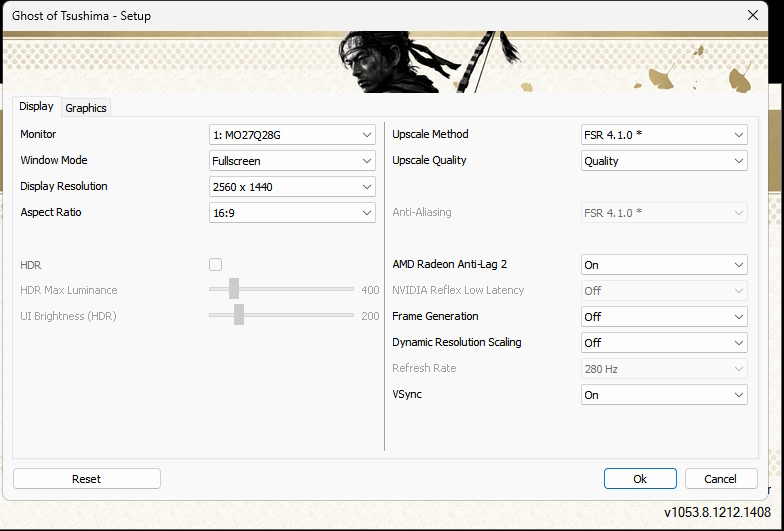
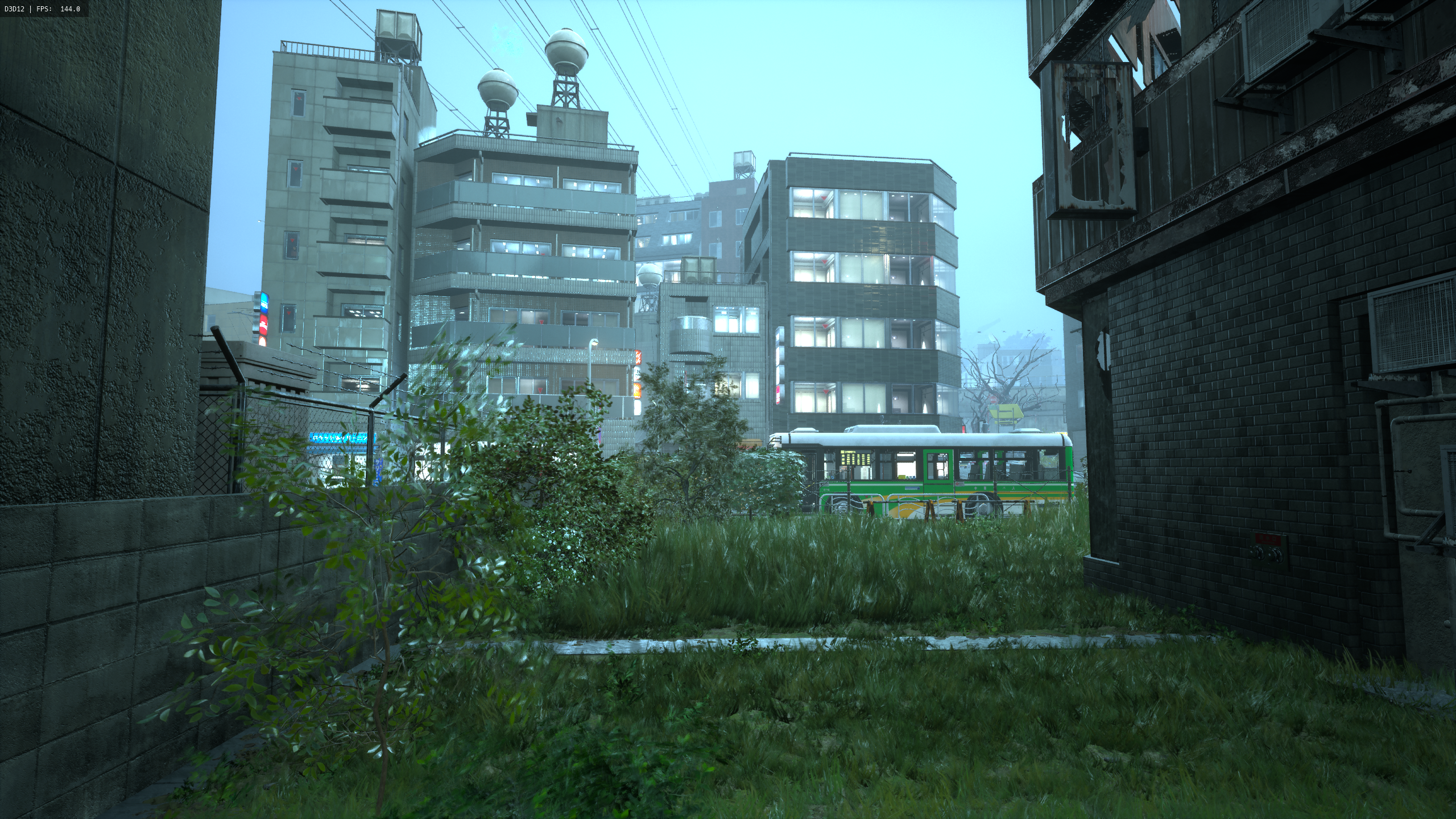
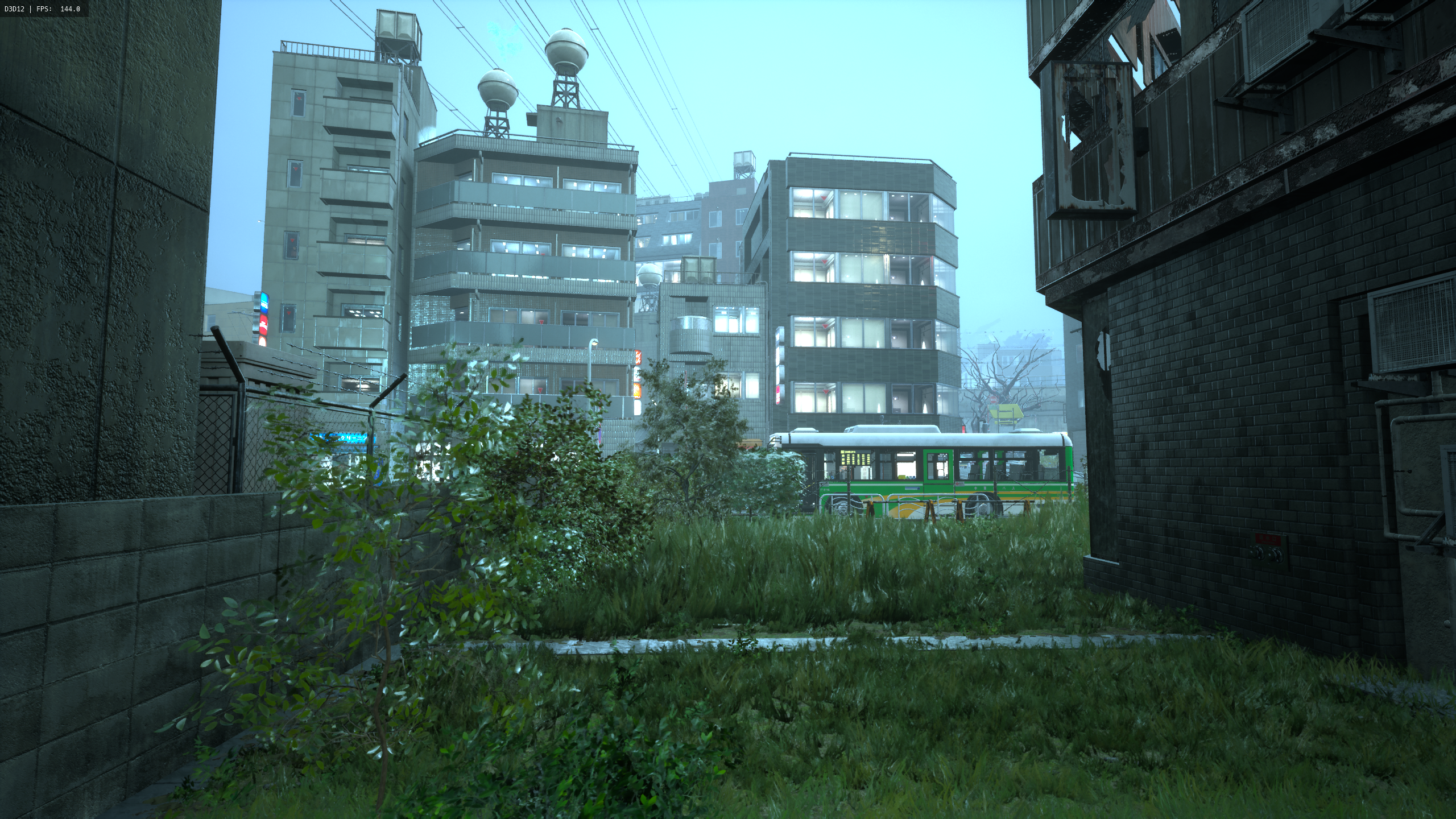
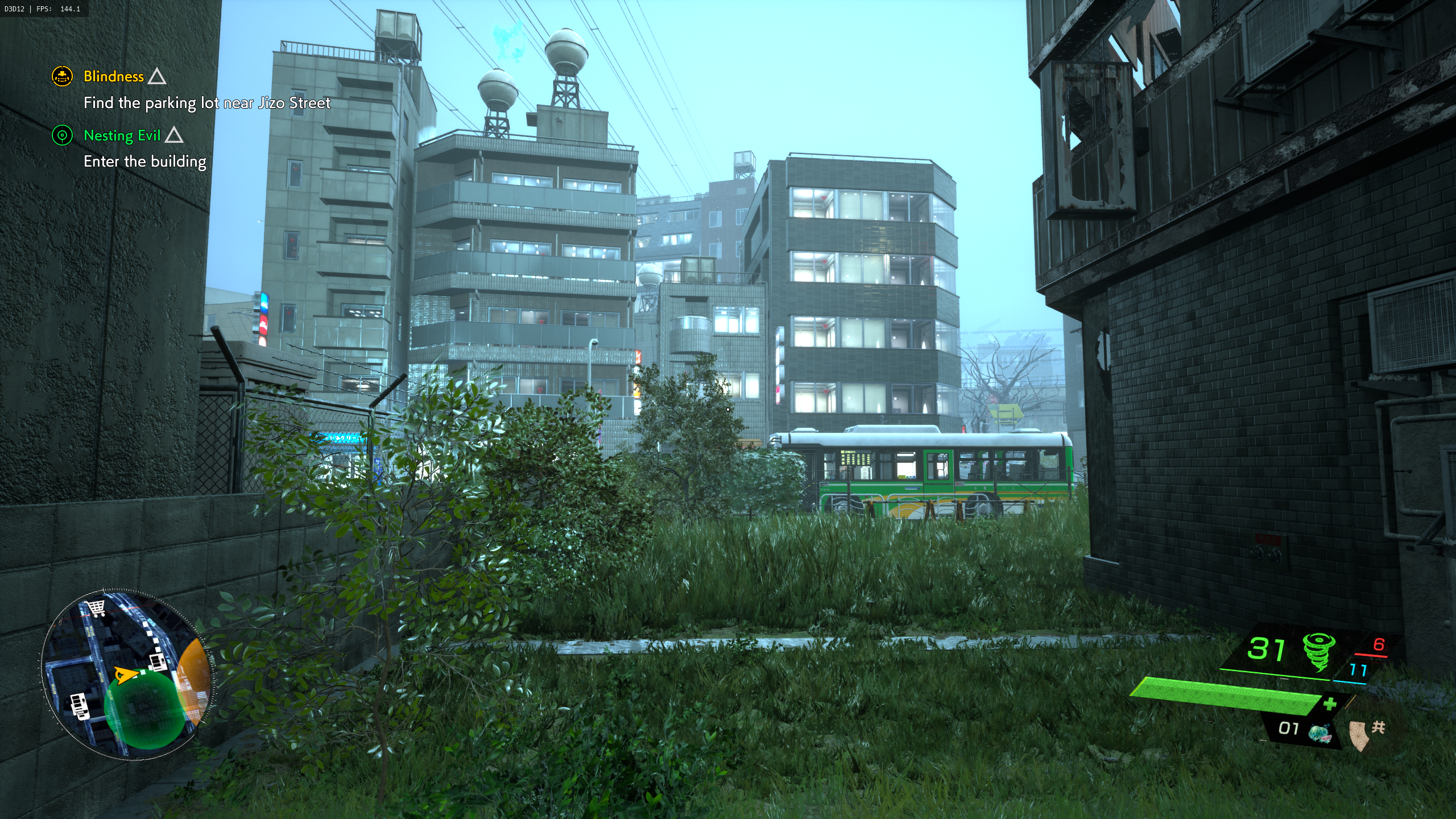
So I reinstalled GhostWire Tokyo and made a comparison between FSR2.3.4; FSR 3.1.5 and FSR4.1. All in Quality Mode. Using Optiscaler.
I picked a place with lot's of vegetation with lots of movement from wind. This is one of the worst case scenarios for a temporal upscaler.
With FSR2 there is a ton of ghosting and blur in the vegetation. Most detail is lost when there is movement. These images don't make justice to how bad it looks in motion.
With FSR3.1 there are very big improvements to vegetation in motion. But still not perfect and some detail is lost. There is also still a bit of ghosting.
FSR4.1 is pretty much perfect. Every leaf and grass bale is distinct in motion. And most detail is preserved.

rB8p0fRY2SNOhplT.png


yvw6jNNKsO7mmdnH.png


Hl8qu5w2kXxSpQCz.png
 
What happend to particles with DLSS

Nice progress, I just hope we get like a proper RT denoiser and it can actually work with all games through like OptiScaler but the future will show if its doable.

Plus RT improvments on Linux side and I would be actually pretty happy.

But we will see.
 
Top Bottom