• Hey Guest. Check out your NeoGAF Wrapped 2025 results here!

Apple iPad 2 |OT|

Status
Not open for further replies.
georgc said:
Hey gaf lovin my iPad. Just wondering if there are any fun 2player games to play with my gf? I got checkers and a few others.

1. Fruit Ninja has a fun, frantic 2 player mode.

2. you probably want to look at the gaming side thread and ask there for more game suggestions
 
MadraptorMan said:
Does the smart cover actually clean the screen like the marketing said it would? I find that hard to believe.

Not really. There's still plenty of fingerprints and stuff on my iPad 2 screen (only see it when the screen is turned off, but still - the case doesn't seem to really clean it much).

Aside from that and the back magnet being a little weak, the smart cover is pretty damn awesome.
 
I'm gonna wait a while for the perfect case that works with the wake feature. I never want to see the lock screen again. :lol
 
georgc said:
Hey gaf lovin my iPad. Just wondering if there are any fun 2player games to play with my gf? I got checkers and a few others.
Achtung, I believe it's still a FREE game, but I'm not 100% sure. Recently got a quite cool update too.

Also, Multipong. It's Pong with some really awesome twists in it.

Both games are better suited for 4 players though. Old school fun.

Be sure to check out Carcassonne too, a strategic, turn-based board game. For 2-5 players. (I prefer 1v1 or 3 player games in this one.)
 
Jasoco said:
I'm gonna wait a while for the perfect case that works with the wake feature. I never want to see the lock screen again. :lol
You know, I always wondered why the iPad had it to begin with. It was supposed to be a lock screen on iPhone so you don't accidentally unlock it in your pocket.

But,

1) you don't keep the iPad in your pocket anyway

And

2) the use of a slide switch to prevent accidental button presses is somewhat negated when there's a button right next to it that puts it in slideshow mode.
 
bob page said:
They all loaded for me, and once all loaded, the gifs were all smooth.


If you aren't full of shit, then you have just solidified my decision to ditch the xoom ffor the pad....


As soon as they are in stock.
 
kinggroin said:
If you aren't full of shit, then you have just solidified my decision to ditch the xoom ffor the pad....


As soon as they are in stock.
Do you have a friend with the iPad 2? I liked your comparison videos.
The only one I found with Xoom vs. iPad 2 is this 15 second browser load test:
http://www.youtube.com/watch?v=Ms4MbYh72bs

Though Anandtech lists page load tests at the bottom of this page:
http://www.anandtech.com/show/4215/apple-ipad-2-benchmarked-dualcore-cortex-a9-powervr-sgx-543mp2/2
 
This thing looks sexy as fuck. I want one but I already have a 4th gen Ipod Touch and it's basically the same thing but bigger.

Would love to read my manga on it tho.
 
numble said:
Do you have a friend with the iPad 2? I liked your comparison videos.
The only one I found with Xoom vs. iPad 2 is this 15 second browser load test:
http://www.youtube.com/watch?v=Ms4MbYh72bs

Though Anandtech lists page load tests at the bottom of this page:
http://www.anandtech.com/show/4215/apple-ipad-2-benchmarked-dualcore-cortex-a9-powervr-sgx-543mp2/2


Yeah, the dude who owned the ipad og is getting the upgrade next week. Expect a ton of comparisons, though I suspect the xoom to get its half baked ass handled.
 
Vyer said:
We need some more pics from GAFfers of their iPad 2s in here. Not all of us have bought one
yet
.

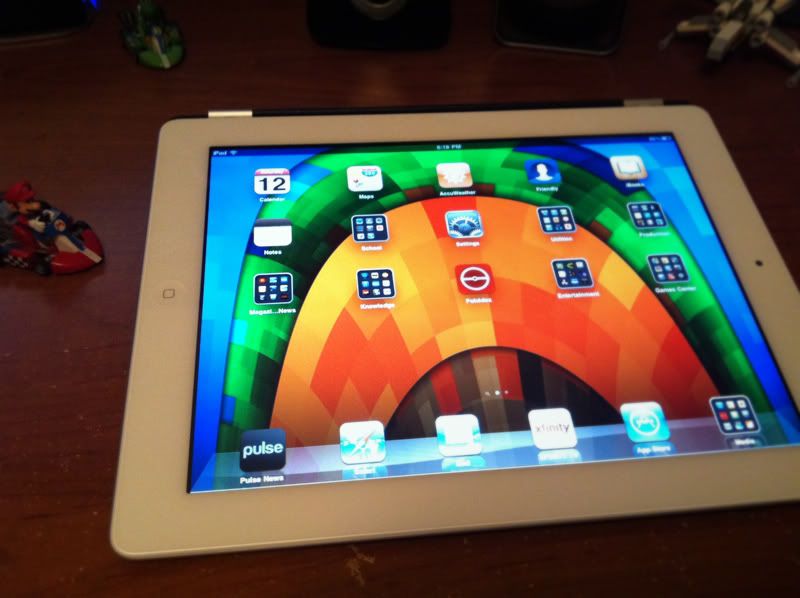
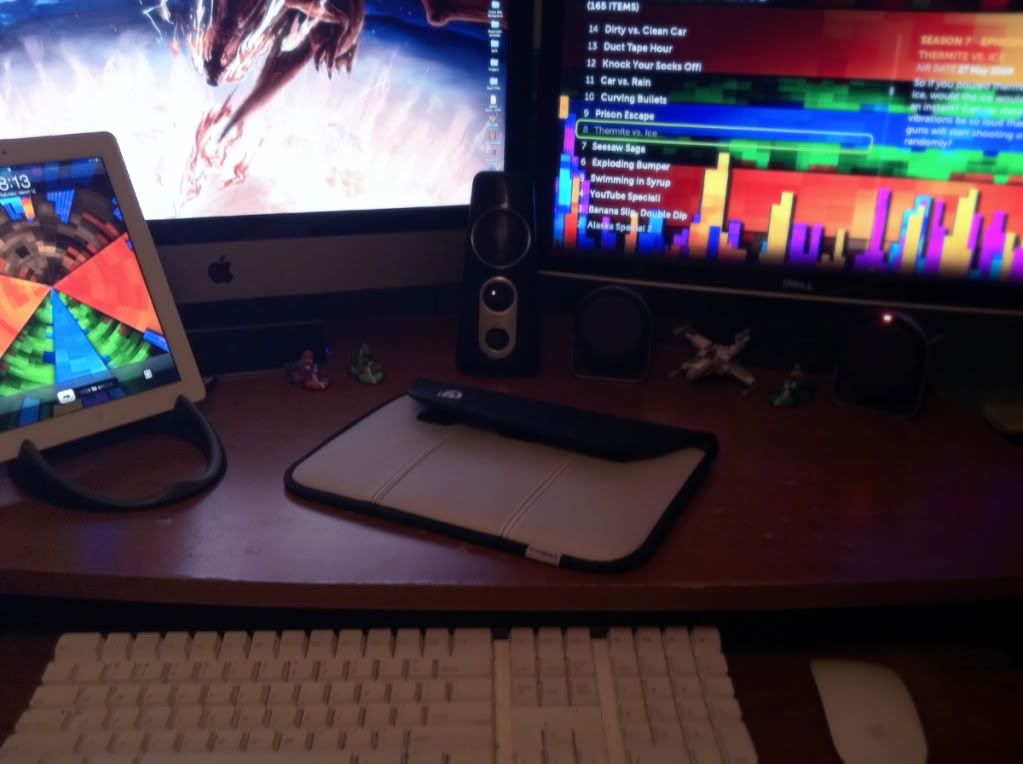
My Desk. iPad on Loop stand, makes for a great setup to run PULSE in portrait while docked. New Timbuk2 case next to it.
Desk.jpg


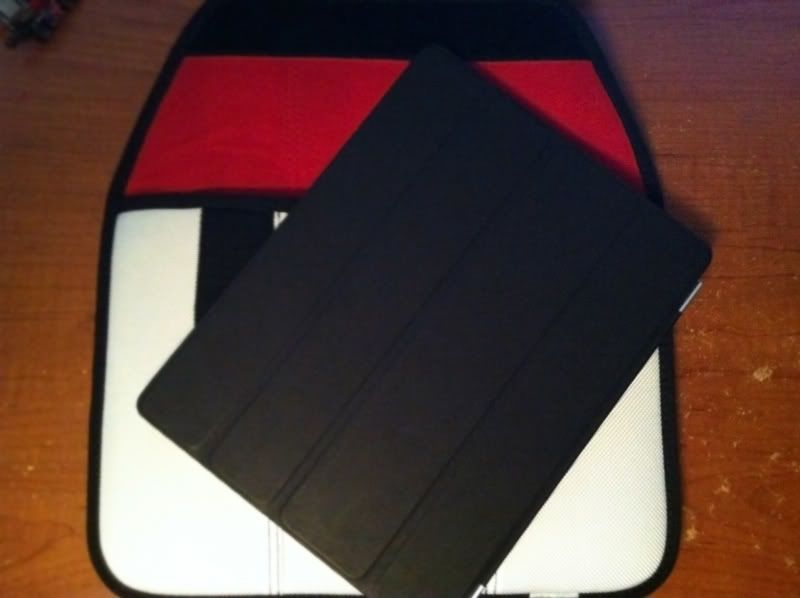
iPad using the Smart Cover, leather in black.
side.jpg


New iPad on tope of new Timbuk2 Envelope case. perfect to go with the smart cover, I can store it in there, adds for great security and carrying. Looks good too.
cases.jpg
 
captive said:
Ah is this what I just described in my post above?

I imagine a lot of people will never notice because they just don't care of if they see it they'll just shrug and carry on. But google "ipad 2" light leak and you will see that this is not just a very isolated occurrence.
 
It's funny, I didn't have buyer's remorse, more like fatigue after running around trying to get one. After the first night I was thinking it wasn't much of an upgrade though the machine itself is an intrinsic part of my everyday life. Then I picked up my old iPad that I had sold to a relative today and it seemed like a heavy, slow beast!
 
I am 0 for 2 in attempts to get an ipad2 at our local apple store.

Anyone have info on when apple usually gets their deliveries?

staff wont tell me crap.

Will try one more time tomorrow am.

Kinda sucks on apple.com the online wait is 3-4 weeks.
 
Badgerst3 said:
I am 0 for 2 in attempts to get an ipad2 at our local apple store.

Anyone have info on when apple usually gets their deliveries?

staff wont tell me crap.

Will try one more time tomorrow am.

Kinda sucks on apple.com the online wait is 3-4 weeks.

Here's a tip. It's sunday, don't bother tomorrow. No stores I know of get shipments for anything on sundays. I doubt apple is any different.

Get ready for what happened last year, long wait times and lines for the first few weeks.
 
Having a hard time struggling with not upgrading. Deep down I know that my current iPad is still amazing but I would slay a dragon for a white iPad 2 with an orange Smart Cover.

Worst of all, my tax refund is here and I could easily get one. I'm trying to think of what other things I could do with the funds but so far I'm not coming up with anything i'd enjoy more.

*whimper*
 
MikeE21286 said:
anyone not have bleeding on their screen?

I was looking over at the macrumors forums and it seems like everyone has it....

I think this is going to turn into a big deal for Apple. Mine has it (although I've certainly seen worse on the web) but for $839+ I'm not going to let this slide.
 
No the screen is on (since those are light leaks). You only notice them on very dark or black screens. You can still see them under normal conditions but it's less noticible. Rather annoying knowing their there though :/
 
BigNastyCurve said:
I think this is going to turn into a big deal for Apple.

Haha, it's launch hardware, and there's a bad batch. Apple will replace them. Everybody has a run of bad launch screens from time to time, and Apple probably rushed out a million units that were made in two months.

BigNastyCurve said:
Mine has it (although I've certainly seen worse on the web) but for $839+ I'm not going to let this slide.

Why would you? Take it in to the Apple Store and swap it out.
 
Yah I'm tired. That came out more self-righteous than it needed to be.

No apple store in my area. I'll just return it to Best Buy and wait for a new batch to get in.
 
Tobor said:
Haha, it's launch hardware, and there's a bad batch. Apple will replace them. Everybody has a run of bad launch screens from time to time, and Apple probably rushed out a million units that were made in two months.

I don't really think that's acceptable in 2011 on a 2nd gen product, though. LCD panels are old tech by now.
 
BigNastyCurve said:
I don't really think that's acceptable in 2011 on a 2nd gen product, though. LCD panels are old tech by now.

It's definitely not acceptable and you should swap yours, but this will have no real consequences for Apple.
 
lupin23rd said:
I always pick up AppleCare for my MacBooks but not for an iPod or iPhone, is it money well spent on an iPad or unnecessary?

Unless Apple start to offer cover for accidental damage I would not bother
 
Very minor bleeding on mine in the bottom right, only visible when the screen is black. Not enough for me to consider returning it over.
 
BigNastyCurve said:
I don't really think that's acceptable in 2011 on a 2nd gen product, though. LCD panels are old tech by now.

It happens. There was a batch of bad iMac screens last year or the year before. They got replaced. Life moved on.

Also, we know from the iFixit tear down that Apple is using a new process for gluing the screen compared to the old iPad. Could be some kinks in the process. /shrugs

giga said:
They're using multiple vendors for this generation, probably due to supply constraints: http://www.anandtech.com/show/4215/apple-ipad-2-benchmarked-dualcore-cortex-a9-powervr-sgx-543mp2/4

I'd guess a bad batch from one of the suppliers.

Or this. /double shrug
 
Not to mention these things happen in a small scale and small percentage. It only appears large because of the volume of people who bought it on day one. 100 bad screens out of 1mil isn't much.

Lets take things into count like that before we get up in arms.
 
I had bleeding last night, but now I can't see it. I'll keep an eye on it, and if it becomes one of those things Apple starts to acknowledge I'll take it in for a replacement.
 
Gary Whitta said:
Very minor bleeding on mine in the bottom right, only visible when the screen is black. Not enough for me to consider returning it over.
Same, hoping it doesn't get worse though.
 
Tobor said:
The yellowing on white screens is caused by glue that hasn't dried, like was said, but that will go away as the glue dries. The iPhones all cleared up rather quickly, and any iPads with that problem should clear up as well.

The light leakage is probably a batch of iPads with a defect. If I had that issue with mine, I would just take it back and get it replaced.
It was from the screens being glued to the glass...the iPads aren't constructed that way.
Keyser Soze said:
Unless Apple start to offer cover for accidental damage I would not bother
Yeah, and for the price of AppleCare you could instead put that towards a next gen upgrade fund. You can more or less stay within the 1 year warranty at all times if you sell and upgrade every year.
 
The only thing that bugs me about Friendly is that itdoesnt have notifications and badges. It's my only gripe.

Also, if I use iPhone Explorer, can I transfer my Mighty Eagle to my iPad Angry Birds? Or do I need to buy it again?
 
Status
Not open for further replies.
Top Bottom