Just upgraded from a 4070ti to a 5080 and now I have sound issues, help!

it does a crackling noise in games , I just played Re4 and it was crackling and then I disabled some drivers and it was fine and started another game like space marines and the crackling came back, I looked it up and it seems to be a driver issue, anyone had that issue before and knows how to resolve it?
 
Try reinstalling the driver. Are you using audio through the gpu?

I was using gpu audio till I went and got a decent sound card. Not saying you should go out and buy one instead of fixing your issue. Just saying, I have had my share of issues with gpu audio.

I've gotten audio cracks after windows downloaded an update. I had to restart because while I was out, windows downloaded and installed updates while I was at work. So, when I got home I was wondering why the audio was messed up.
 
Last edited:
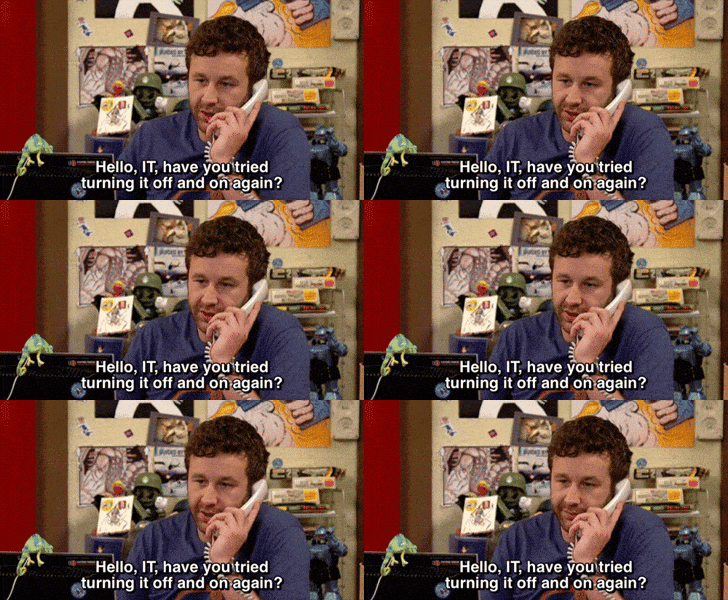
Have you tried turning it on and off?
the it crowd chris odowd GIF
 
Try reinstalling the driver. Are you using audio through the gpu?

I was using gpu audio till I went and got a decent sound card. Not saying you should go out and buy one instead of fixing your issue. Just saying, I have had my share of issues with gpu audio.

I've gotten audio cracks after windows downloaded an update. I had to restart because while I was out, windows downloaded and installed updates while I was at work. So, when I got home I was wondering why the audio was messed up.
thats a idea it should resolve the problem , but I had no problems with the 4070ti , I'm using nvidia high def audio through my tv , same hdmi from last gpu ..
i have realtek audio disabled.. not sure if I should uninstall it..
 
thats a idea it should resolve the problem , but I had no problems with the 4070ti , I'm using nvidia high def audio through my tv , same hdmi from last gpu ..
i have realtek audio disabled.. not sure if I should uninstall it..
I would trouble shoot all your audio settings to see if you can get a different result.
Outputs, etc.
 
I can't help you with this specific problem, but a small tip for the future: a 70-cent USB sound card from AliExpress can be helpful for troubleshooting sound issues.
 
ill check that out , do you have the specific name for it? thanks
Just look for a USB sound card and get the cheapest one. Ideally as part of the combo blast, so you buy three things and don't pay for shipping. You can always find something useful for a small price this way, like thermal paste, a SATA cable etc. I usually find 6 pieces so i'll even get 2 Euros discount and end up paying a criminally low price.
 
Last edited:
Check your bit depth and sample rate.

Monitor CPU load when performing tasks that cause crackling. If it's high, lowering sample rate can reduce CPU load.

See if the issue persists when switching to your motherboard's audio, which might actually be really capable depending on your motherboard.
 
Check your bit depth and sample rate.

Monitor CPU load when performing tasks that cause crackling. If it's high, lowering sample rate can reduce CPU load.

See if the issue persists when switching to your motherboard's audio, which might actually be really capable depending on your motherboard.
I haven't gotten sound cracking because of high CPU usage in something like 2 decades. That brought me back. Back, when I was rocking the audigy
 
all done and still persisting

Just a few options:

Quick fixes:
  1. Try in Nvidia Control Panel making a global frame-rate cap that matches the max of your TV/Monitor's refresh rate. I've heard that can help with audio issues.
  2. Go to Nvidia High Definition audio properties, or whatever is you default audio device, go to properties, and try different sample rates like 48kHz/16-bit or 44.1kHz.
Slightly more effort (if previous methods don't work):
  1. Set PCIe to Gen 4.0 (not Auto/Gen5) in your motherboard BIOS, as the 5080 can have audio instability on PCIe 5.0 with HDMI audio passthrough
  2. Disable NVIDIA-related audio devices in Device Manager (e.g., NVIDIA Virtual Audio if present), restart, and verify only NVIDIA High Def Audio is active for HDMI.

If none of those work, I would suggest RMA'ing the card.
 
Last edited:
Just a few options:

Quick fixes:
  1. Try in Nvidia Control Panel making a global frame-rate cap that matches the max of your TV/Monitor's refresh rate. I've heard that can help with audio issues.
  2. Go to Nvidia High Definition audio properties, or whatever is you default audio device, go to properties, and try different sample rates like 48kHz/16-bit or 44.1kHz.
Slightly more effort (if previous methods don't work):
  1. Set PCIe to Gen 4.0 (not Auto/Gen5) in your motherboard BIOS, as the 5080 can have audio instability on PCIe 5.0 with HDMI audio passthrough
  2. Disable NVIDIA-related audio devices in Device Manager (e.g., NVIDIA Virtual Audio if present), restart, and verify only NVIDIA High Def Audio is active for HDMI.

If none of those work, I would suggest RMA'ing the card.
thanks brotha! ill try all of these
 
Have you tried using the front and back 3.5mm ports and usb audio? You need to find out if it is hardware i.e. poorly shielded cables in the case picking up interference from your new graphics card or a driver issue.

Also - check the audio cables are pushed in on the motherboard - maybe you jarred one loose installing the new card.

I would also remove the new card and try booting with onboard graphics - if you have them - that would at least let you discount the card as an issue.

It could take you ages, but that's the fun of PCs. I would be more inclined to diagnose the problem than keep trying solutions - there could be hundreds.
 
Last edited:
I was watching stuff on YouTube and I noticed the picture was slow and the sound was crackling at the same time here and there...I'm wondering if it could be the psu!? It was a open box afterall...I did change the psu and gpu at the same time
 
Last edited:
Did you fully remove the drivers using DDU?

I had audio issues on my new gpu until I did this. Admittedly that was the hdmi port via gpu so odd if the audio is not going via gpu for that to be the cause.
Yeah I did! The only option was Realtek and I did remove it, but I noticed tonight not only the sound was crackling but the image was slow at te same time , I'm wondering if it could the psu not performing well..it has to be one of the 2 , it's the 2 things I changed before it turned to a shit storm
 
Have you tried new psu + old gpu? That would help detect the source of the issue.

Also have you tried rolling back to a previous driver?
 
One time my speakers were doing something like that maybe. The wires seemed to be picking up interference somehow. Wiggling the cords would sometimes fix it. I try to keep the cords away from the other cords. Sorry if this is bad advice.
 
One time my speakers were doing something like that maybe. The wires seemed to be picking up interference somehow. Wiggling the cords would sometimes fix it. I try to keep the cords away from the other cords. Sorry if this is bad advice.
Thanks for the advice, but I did notice some slowdowns , so it's not just a audio issue
 
Hope you get it fixed. I had to send in my original PS4 as somehow all of a sudden sounds stopped outputting from HDMI and you could only use it with headphones. I didn't have it for about two weeks and it was only around 6 months old so it is super annoying when you have audio issues.

Also in work on calls I'm constantly having issues swapping between speakers and headsets etc. Audio services crashing etc.
 
Last edited:
True that, I could try that! I guess I will put my old gpu in to see.. I'm so lazy I was trying not to make that happen lol
As a fellow lazyman, I understand.

Best of luck man, hooe you get that fixed soon and can enjoy your new gpu.
 
I've heard people saying the nvidia audio drivers cause issues like stutters/sound bugs/etc. Uninstall that and also make sure you lower your sample rate from your audio device(headphones/speakers/whatever ure using).
 
I was suspecting the PSU the whole time but try:

Checking different audio ports. (P2, USB and HDMI/dport)

Check if your electric grounding/ground wire is good (does your case discharge on you when you touch it?)

DDU the entire driver GPU, audio and config clean. Erase any Nvidia software, and install everything again.

Try your old psu with the new GPU, (it's harder to switch the entire PSU but something is telling me that it will fix it.)

Buy one of those cheap USB audio cards and try it.

But I still believe it's you PSU.
 
If DDU doesn't cure it, I'd return the GPU. If you really want to get extreme you could try reinstalling Windows as well. Sounds like it didn't get all it could from the wave soldering machine and there's a weak trace somewhere.
 
Last edited:
Top Bottom