• Hey Guest. Check out your NeoGAF Wrapped 2025 results here!

Linux Bros, what's the best Linux OS for gaming (GOG and Steam)?

Gamescope defaults to **immediate / mailbox-style presentation** in some setups (especially with VRR or certain compositors), but you can force other VSync behaviors using flags that control presentation timing and refresh behavior.

Here are the main ways to force non-immediate vsync modes.

---

# ✅ Force VSync in Gamescope

## 🔹 1. Use `--vsync` flag (newer versions)

Recent gamescope builds support:

```
--vsync <mode>
```

Common values:

```
--vsync immediate # no vsync (what you have now)
--vsync mailbox # low-latency vsync (if supported)
--vsync fifo # traditional vsync (double-buffered)
```

Example:

```
gamescope --vsync fifo -f -- %command%
```

If you want strict VSync:

```
gamescope --vsync fifo
```

---

## 🔹 2. Force FIFO via Vulkan present mode

Gamescope is Vulkan-based. You can force FIFO (always vsynced) with:

```
--vk-present-mode fifo
```

Example:

```
gamescope --vk-present-mode fifo -- %command%
```

This is the most reliable way if `--vsync` doesn't exist in your build.

Other modes:

```
fifo = guaranteed vsync
mailbox = low latency vsync
immediate = tearing allowed
```

---

## 🔹 3. Disable VRR (if VRR is forcing immediate-like behavior)

If you have VRR enabled, gamescope may choose mailbox/immediate behavior.

Try disabling VRR:

```
--adaptive-sync off
```

Example:

```
gamescope --adaptive-sync off --vk-present-mode fifo
```

---

## 🔹 4. Force a fixed refresh rate

If refresh rate is floating, gamescope may not block on vsync correctly.

Set refresh rate explicitly:

```
-r 60
```

Example:

```
gamescope -r 60 --vk-present-mode fifo
```

---

## 🔹 5. Steam launch option example

In Steam launch options:

```
gamescope --vk-present-mode fifo -r 60 -- %command%
```

or

```
gamescope --vsync fifo -- %command%
```

---

# ⚠️ If It Still Uses Immediate

Some builds are compiled without present mode overrides exposed. Check your version:

```
gamescope --help | grep vsync
gamescope --help | grep present
```

If neither flag exists, you're on an older build — update gamescope.

---

# 🧠 Quick Recommendation

Most reliable combo:

```
gamescope --vk-present-mode fifo --adaptive-sync off -r 60
```

I think ive tried all these - nothing worked.
 
I think ive tried all these - nothing worked.
Sorry, I don't have much experience with gamescope.

I use Feral gamemode, PROTON_NTSYNC, PROTON_ENABLE_WAYLAND and mangohud variables mostly.

And cap FPS through there, you can change type of VSYNC on Mangohud easily.
 
Last edited:
Just installed Mint. Any tips?
Install ProtonPlus through Flatpak.

Mangohud, Goverlay, Steam and Heroic for GOG.

But honestly I would recommend PikaOS over it if you want that Debian stability and simplicity, plus it's just bleeding edge enough to not give any issues. And it has newer yet stable Kernel.
 
Install ProtonPlus through Flatpak.

Mangohud, Goverlay, Steam and Heroic for GOG.

But honestly I would recommend PikaOS over it if you want that Debian stability and simplicity, plus it's just bleeding edge enough to not give any issues. And it has newer yet stable Kernel.
Maybe once get used to the UI. I just saw that its pretty much like windows, so i got it.
Any emulators for old games?
 
I'm getting a lot better FPS in Arc Raiders with Windows.

Cachy is about 20FPS down. Something must be wrong.
 
Do you use RTGI? There's a huge difference in FPS on Linux compared to Windows with Raytracing.

But Valve engineers just started merging fixes for Mesa RADV with 2x improvements in Raytracing but it could be a while till they are available to us.

 
Thanks. I'll keep an eye on it. I'll probably play on my windows boot until it's sorted
Raytracing is not that important to me but I played Arc Raiders mostly on Windows because RTGI actually made a difference.

If the fix gets implemented for Mesa and Valve figures something out for those heavy anticheat games, then and only then I'm getting rid of Windows entirely.

So far dual booting is the best of two worlds. But this could change.

Nvidia also will get deciraptor heap fixes this year so yeah. Exciting times ahead.

I hope Steam Machine will actually push devs to make some kind of new Proton AntiCheat libraries which will work with those more intensive AntiCheats. But we will see
 
Raytracing is not that important to me but I played Arc Raiders mostly on Windows because RTGI actually made a difference.

If the fix gets implemented for Mesa and Valve figures something out for those heavy anticheat games, then and only then I'm getting rid of Windows entirely.

So far dual booting is the best of two worlds. But this could change.

Nvidia also will get deciraptor heap fixes this year so yeah. Exciting times ahead.

I hope Steam Machine will actually push devs to make some kind of new Proton AntiCheat libraries which will work with those more intensive AntiCheats. But we will see
Valve can flip the script, imagine 5% cut if your game proton compatible. Basically 15% cut if you already already have 20% cut


The cut

30 to 25
25 to 20
20 to 15%
 

I've only ever used Cinnamon and KDE, but I have to say I'm really intrigued by Cosmic. It seems to hit what I would consider a sweet spot between extension-less Gnome's visual focus and KDE's all business approach. I also love the toggle for tiling. Now I know tiling exists sometimes it would be perfect.

I'll keep an eye on it - it seems to be progressing at a decent pace.
 
Maybe once i figure it out.
I am still figuring out the terminal and how to use programs.
"cd" returns you to home directory
"./" before the name of the executable is to run
"chmod +x" gives execute permission change to "-x" to remove them, this is used in case it doesn't have permission
"sudo <program>" (super user do) is used to run something as if you are the admin(root) only when a program requires to do something that requires special access like installing other programs or libraries
 
Last edited:
So I ran a few comparisons. First, Arkham Knight, max settings, native 4k. 175min/424max/297avg on Windows 11. 289min/486max/367avg on CachyOS. A pleasant surprise???


Next, Returnal, max settings, RT ON, at 4K DLAA 4.5 benchmarked out to an 84 FPS average (64 min) with Windows 11. 61 FPS average (48 min) on CachyOS. Pretty huge drop there.


So yeah, work to be done with Nvidia on the Linux side, but I had expected these results. From what I've read, there's DX12 and RT performance gaps with Linux on the Nvidia side right now. Some promising performance increases over the last year though so hopefully that continues through 2026. In the meantime, I'll probably go forward with my plan of playing older/less demanding games on Linux, and the stuff that really pushes my hardware I will play on Windows until Linux/Nvidia catches up.


Definitely going to play around a lot with emulation on Linux as well, as I've read promising things there.

Well as I learn Cachy more, I found that enabling NTSYNC and turning on the game-performance wrapper is recommended for all games. After turning both of these on, I re-ran my Returnal benchmark and got a 77 FPS average maxed out/DLAA/RT ON (vs 61 FPS before). That's only a 7 FPS drop compared to my 84 FPS Windows 11 bench, so in a much more reasonable range.


Will continue to do testing/share here. I'm having a lot of fun with this.

Was able to figure out how to replicate my undervolt/overclock in Windows that I had applied via MSI Afterburner to my Linux setup via LACT.

Now I'm able to benchmark Returnal out to a 79 average (only 5 behind Windows) while also consuming significantly less power/producing significantly less heat. Excellent stuff!

Next up is Middle-Earth: Shadow of Mordor GOTY Edition with the high-res texture pack. All settings maxed out, 8K resolution.

Windows:
  • Avg: 80.93
  • Max: 117.37
  • Min: 62.59
CachyOS:
  • Avg: 77.87
  • Max: 96.97
  • Min: 66.22

Interesting results. Lower Avg/Max but higher Min FPS. Either way, very pleased again with the CachyOS results.

There is a native Linux version of this game but I'm running the Windows version in Cachy with Proton. May have to try native Linux to see how that stacks up.
 
Last edited:
Every 5 to 10 years I go through this and always come back to windows. Without actual people working on a mainline system you will be left with incompatibility and apps that work on one distro and not thr other. Sorry not learning how to recompile drivers. Back to windows again. Unless ms makes it ad central or all Ai, then I stay. Hopefully steam is changes it.
 
Valve can flip the script, imagine 5% cut if your game proton compatible. Basically 15% cut if you already already have 20% cut
Honestly if they get down to 5%, I think the fight is already over, because a trend-line I do see Proton do with Vulkan is regularly put out better frame-times. Those 1% lows that often create what feels like stutter or lag to people, seem to be significantly reduced on Linux vs Win11, so slightly higher overall FPS wouldn't be a better experience.

Next up is Middle-Earth: Shadow of Mordor GOTY Edition with the high-res texture pack. All settings maxed out, 8K resolution.

Windows:
  • Avg: 80.93
  • Max: 117.37
  • Min: 62.59
CachyOS:
  • Avg: 77.87
  • Max: 96.97
  • Min: 66.22
Love when my point then gets reaffirmed with a benchmark right below the first post I'm responding to :LOL: I've seen min and 1% low frame-rates consistently better in Linux for a while now, which I felt the most when I tried Elden Ring out on Linux. Lower overall FPS, but not as much stutters.
 
I've only ever used Cinnamon and KDE, but I have to say I'm really intrigued by Cosmic. It seems to hit what I would consider a sweet spot between extension-less Gnome's visual focus and KDE's all business approach. I also love the toggle for tiling. Now I know tiling exists sometimes it would be perfect.
Same for me, it looks like a middle-ground between the two. Not as menu cluttered as KDE, but also adds basic options I need the Gnome tweaks app to access for Gnome because they're too minimalist.

Main thing they need is building up an extension/plugin platform like Gnome has to be able to give enough people what they want.
 
Maybe once get used to the UI. I just saw that its pretty much like windows, so i got it.
Any emulators for old games?
I'd also recommend PikaOS in the future, just because Mint will be slower to get anything game performance/driver related due to it not being a rolling release, so it will be months out of date.

You can manually add stuff, but that starts to take away from the ease of use. PikaOS kinda gives you the stability for most apps like Mint, but anything gaming/media creation related you get stuff more up to date and automated for you. KDE is pretty similar to windows, just with a deeper menu option, and PikaOS Gnome has on their welcome installer an option to select Gnome UI presets, and the traditional basically auto-installs extensions to give you a Windows-style taskbar + start menu button on the left. All with one click, just for future info.
 
I'd also recommend PikaOS in the future, just because Mint will be slower to get anything game performance/driver related due to it not being a rolling release, so it will be months out of date.

You can manually add stuff, but that starts to take away from the ease of use. PikaOS kinda gives you the stability for most apps like Mint, but anything gaming/media creation related you get stuff more up to date and automated for you. KDE is pretty similar to windows, just with a deeper menu option, and PikaOS Gnome has on their welcome installer an option to select Gnome UI presets, and the traditional basically auto-installs extensions to give you a Windows-style taskbar + start menu button on the left. All with one click, just for future info.
I don't mind waiting. I much rather spend my time, learning Linux than trying to run a game on it, or wait for the support of it.
 
I don't mind waiting. I much rather spend my time, learning Linux than trying to run a game on it, or wait for the support of it.
It's all good, go with whatever you're comfortable with. I only mention it because the gaming side of Linux is actually changing at a decent clip, and updates do add meaningful functionality.

I do like for regular app packages it goes slower like all of Debian, because I don't have to deal with as much stuff breaking or requiring maintenance from me.
 
So did my reinstall of PikaOS on this new 4TB SSD I got last Christmas, and started setting things up again. Ran into a weird issue I couldn't solve with KDE, with my very specific use case of Proton VPN. The app is designed for Gnome, so it kept having issues handshaking between Gnome's keyring and KDE's version, so it would error out trying to log on with my account credentials. Decided for expediency, I'd just go with Gnome instead.

Good news with my adventure is I did take time to try out some things I never did before:
  1. Setup experimental variable refresh rate on Gnome, which worked great on all my monitors, and in a few games.
  2. Got Steam Tinker Launch setup since BeardSpike BeardSpike mentioned it being useful for having a GUI for game launch parameters.
  3. Holy shit is Obsidian notes faster on Linux. Loaded up in 5 seconds vs 15 it takes in Win11, and I can scroll down fast with no rendering lag. Even typing is more responsive.
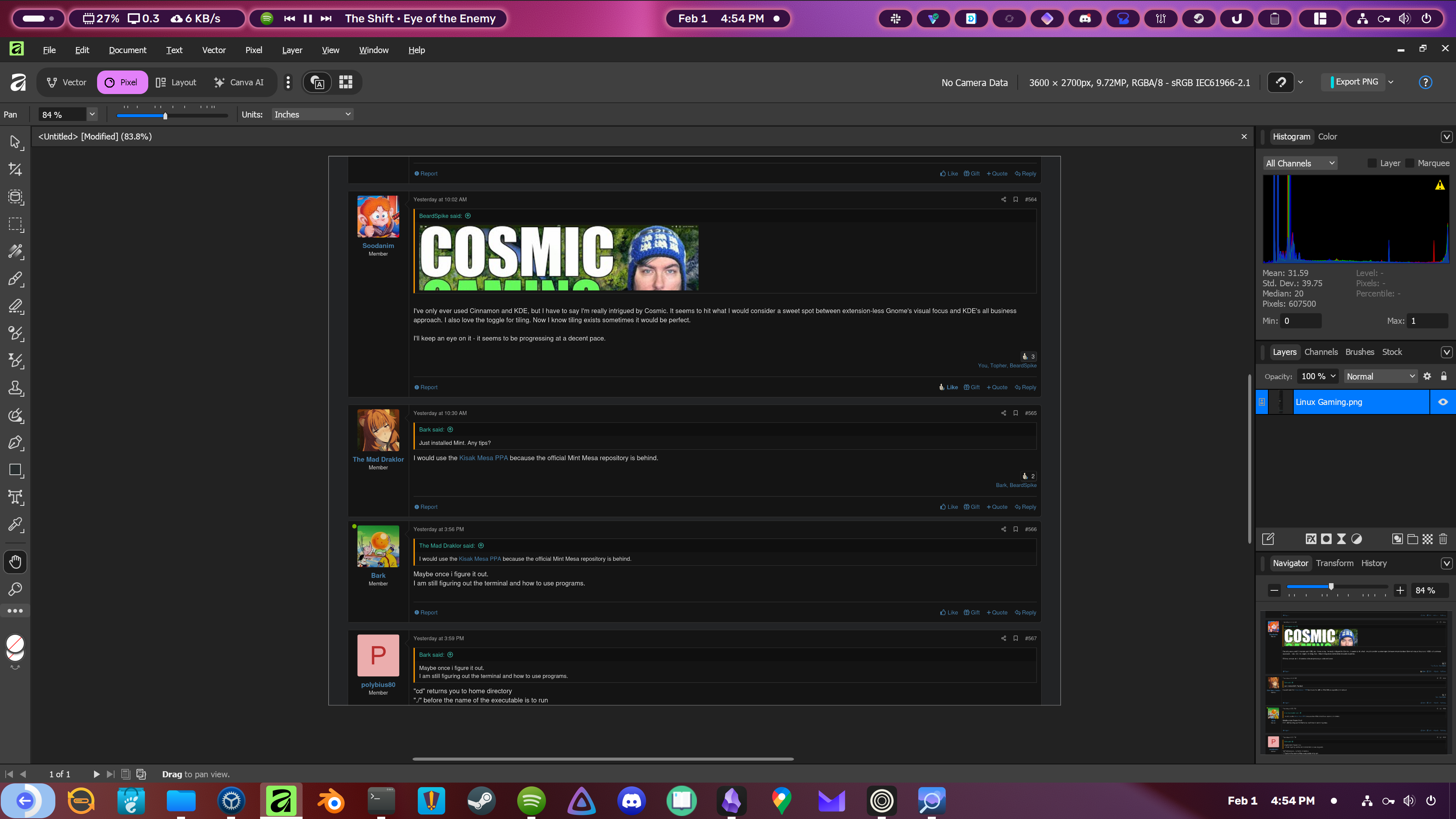
  4. I followed Mattscreative's Affinity On Linux project to get the new Affinity Suite installed on Linux. Here's proof:
4019eIb4mhA5TEwp.png

I just had to install the Unbuntu/Debian dependencies, and then just do the curl command for the GUI installer. Literally a one-click button press, enter password for sudo, and click a few Windows emulated through Wine prompts. After that saw the UI scaling was off, but the GUI installer literally had a DPI configuration tool so I upped it to 200% to match my 4k monitor. Also had a small cursor due to using variable refresh rate with different scaled monitors, but I just set the xcursor size to the default 48 on the desktop entry's "exec=" variable to fix it.

It said PikaOS might need the appimage version, but I saw a recent update to the repository, and the full Python GUI installer just worked...so documentation hasn't been updated likely. Took like 15mins, and it's kinda wild to be able to crop, do layer effects, and it just works like I'm in Windows. Affinity Suite is close enough to Adobe Photoshop/Illustrator/InDesign caliber, while being free to use like GIMP.
 
Last edited:
That is cool looking. I just figured out what appimages are. Rather confused how they work, unlike the software manager
 
That is cool looking. I just figured out what appimages are. Rather confused how they work, unlike the software manager

I don't know how they work either. Just that you can drag them around anywhere and double click the file and the app just pops up lol.

I'm a fan of these containerized delivery methods and I like how they have difference paradigms. Not only might you have a preference, but it lets us all see how they work out there in the greater ecosystem. If one turns out to be the best, that's cool in a way. If multiple ways can all co-exist and thrive, that's cool in another way.

In fact, I was going to answer C crackajack when they mentioned that some projects should be unified. : yo man it's a double-edged sword. Go up a level and you have windows and linux itself as a choice. Linux is not a copy of windows. It's chasing certain functionalities, but the way the os and ecosystem work is rightfully it's own thing or it would hardly have a point of existing.
 
That is cool looking. I just figured out what appimages are. Rather confused how they work, unlike the software manager
I don't know how they work either. Just that you can drag them around anywhere and double click the file and the app just pops up lol.
Easy comparison of how I think of them is Flatpaks or the Software store is liking downloading apps on the Windows Store, while Appimages are basically exe installers on Windows. They basically bundle everything inside them with instructions on installing them. Windows also has MSI installers, portable installations, winget...really Windows has plenty of fragmented formats, except that exe is so dominant over the rest.

I do notice appimages tend to have faster boot times and no permissions issue because they are sandboxed like Flatpaks. I just tried the Python installer because it implied it had more features, so not sure what limitations for Affinity the appimage install method has.
 
Last edited:
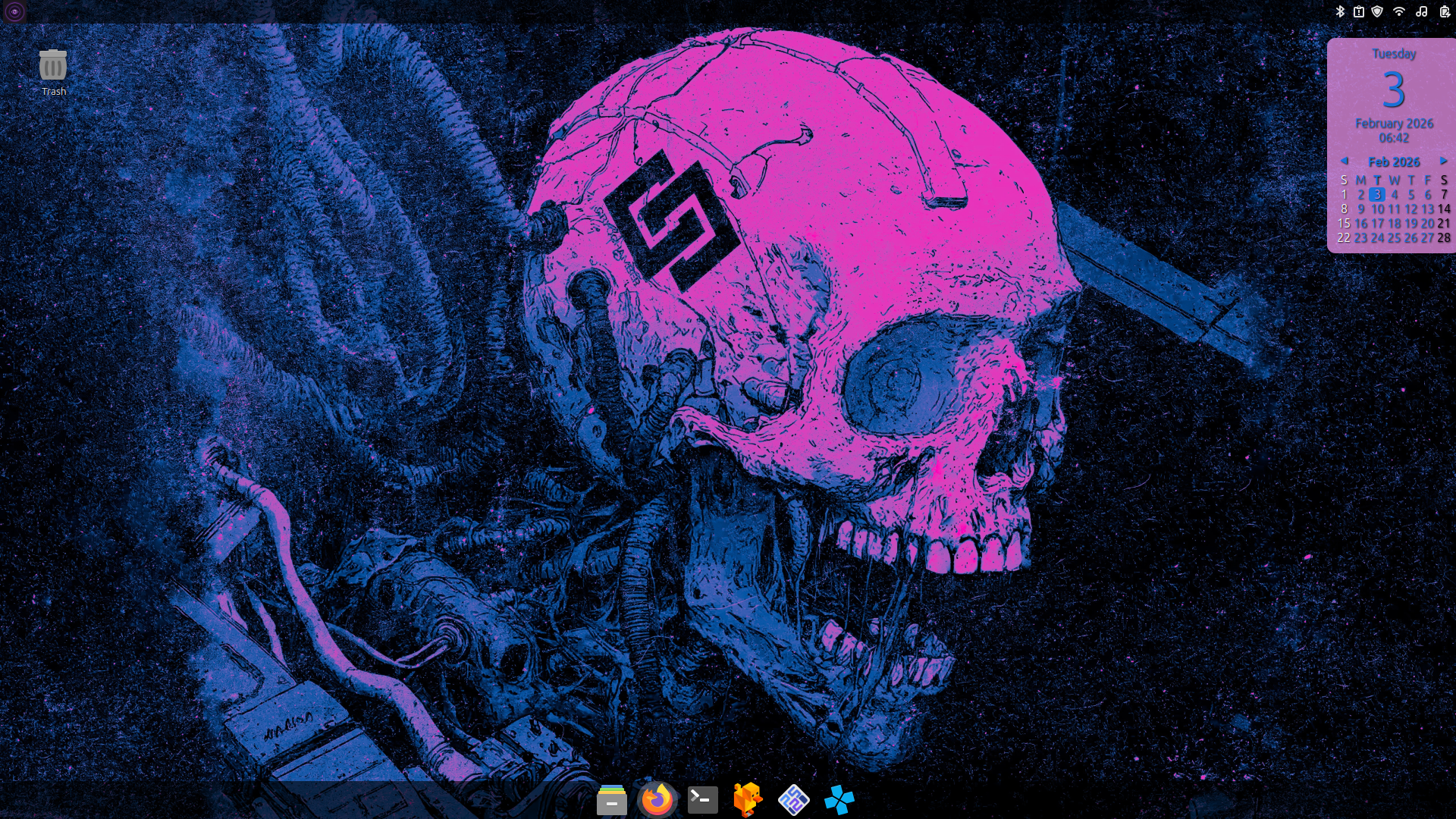
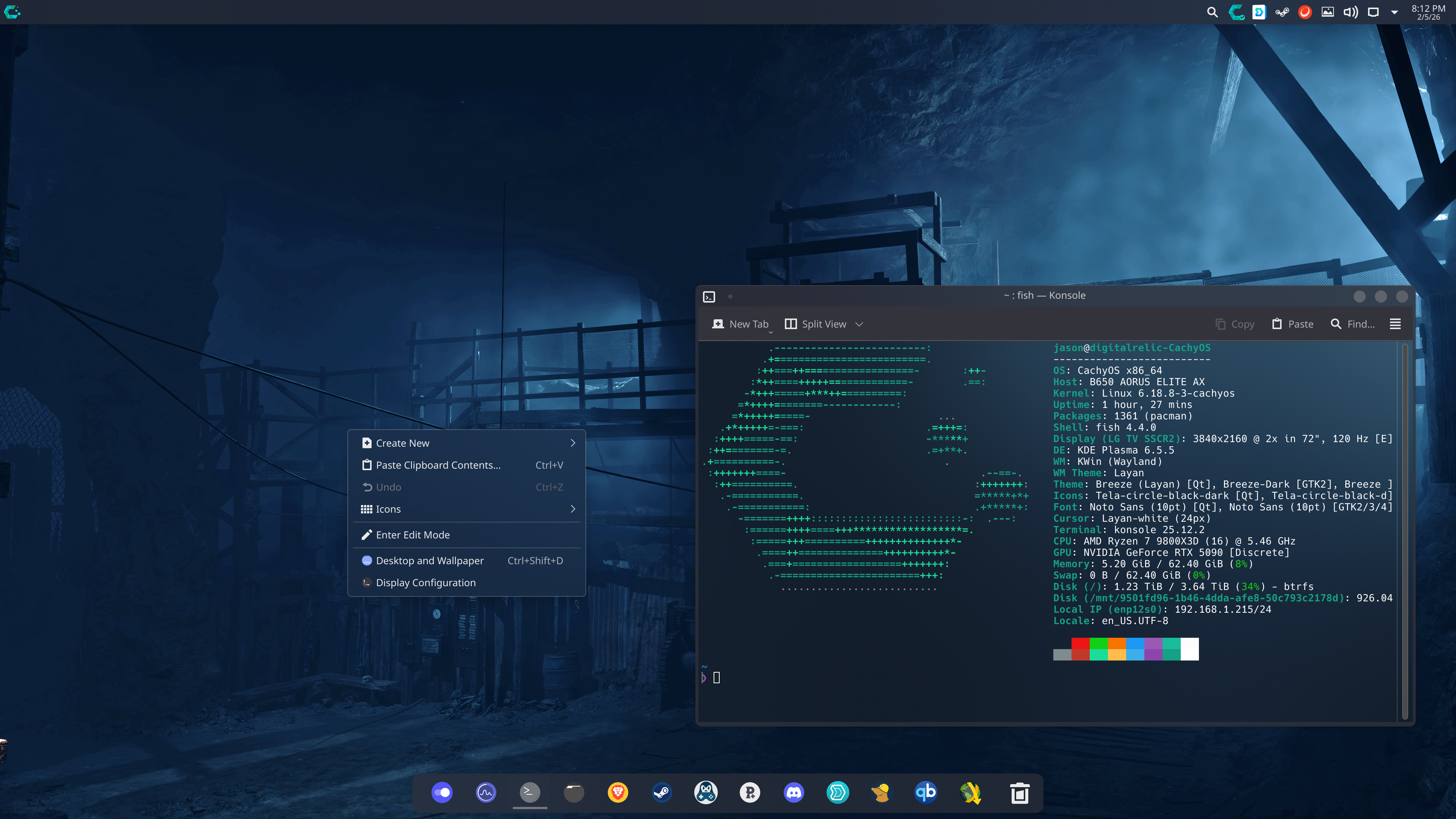
So I'm clearly a Linux noob, as I didn't even realize you could competely change themes globally. And of course there's a breadth of beautiful community created themes available. Also figured out how to set up a random rotation of wallpapers cycling through all of the thousands of gaming screenshots I've taken through the years.

Pretty happy with how things are looking:

vGi0hLULeP6BoRSn.png
 
Last edited:
So I'm clearly a Linux noob, as I didn't even realize you could competely change themes globally. And of course there's a breadth of beautiful community created themes available. Also figured out how to set up a random rotation of wallpapers cycling through all of the thousands of gaming screenshots I've taken through the years.

Pretty happy with how things are looking:

vGi0hLULeP6BoRSn.png

Yeah, love the customization of it all.

48kdj6CuKFgC7bYD.png
 
For new people experimenting with Cachy, it's a good idea to enable Cachy Update in the CachyOS Hello app otherwise the system will only update when you tell it to. Cachy Update will notify you when new updates are ready to install. If you're not in the habit of doing regular software updates it can lead to security issues if your packages get super out-of-date. Cachy update can be found in Apps/Tweaks in CachyOS Hello.
 
Last edited:
For new people experimenting with Cachy, it's a good idea to enable Cachy Update in the CachyOS Hello app otherwise the system will only update when you tell it to. Cachy Update will notify you when new updates are ready to install. If you're not in the habit of doing regular software updates it can lead to security issues if your packages get super out-of-date. Cachy update can be found in Apps/Tweaks in CachyOS Hello.

Yeah, Cachy Update has been great. It automatically cleans up any dormant or unneeded update related files as well during the update process.
 
Last edited:
Still going through my new PikaOS install getting everything situated.

Main thing I was toying around with because I heard the Nvidia support was better now for the GamePadUI, or the Steam Deck interface that enhances Big Picture Mode.

Before I even set it up, I tried installing Decky Loader, and then connected my Gamesir G7 Pro controller. Not only did Steam pick up the controller, it remembered the name I gave it on Windows, and double tapping the xbox button opened Big Picture Mode. Guide/Xbox button + A brought up the right panel like Steam Deck options button.

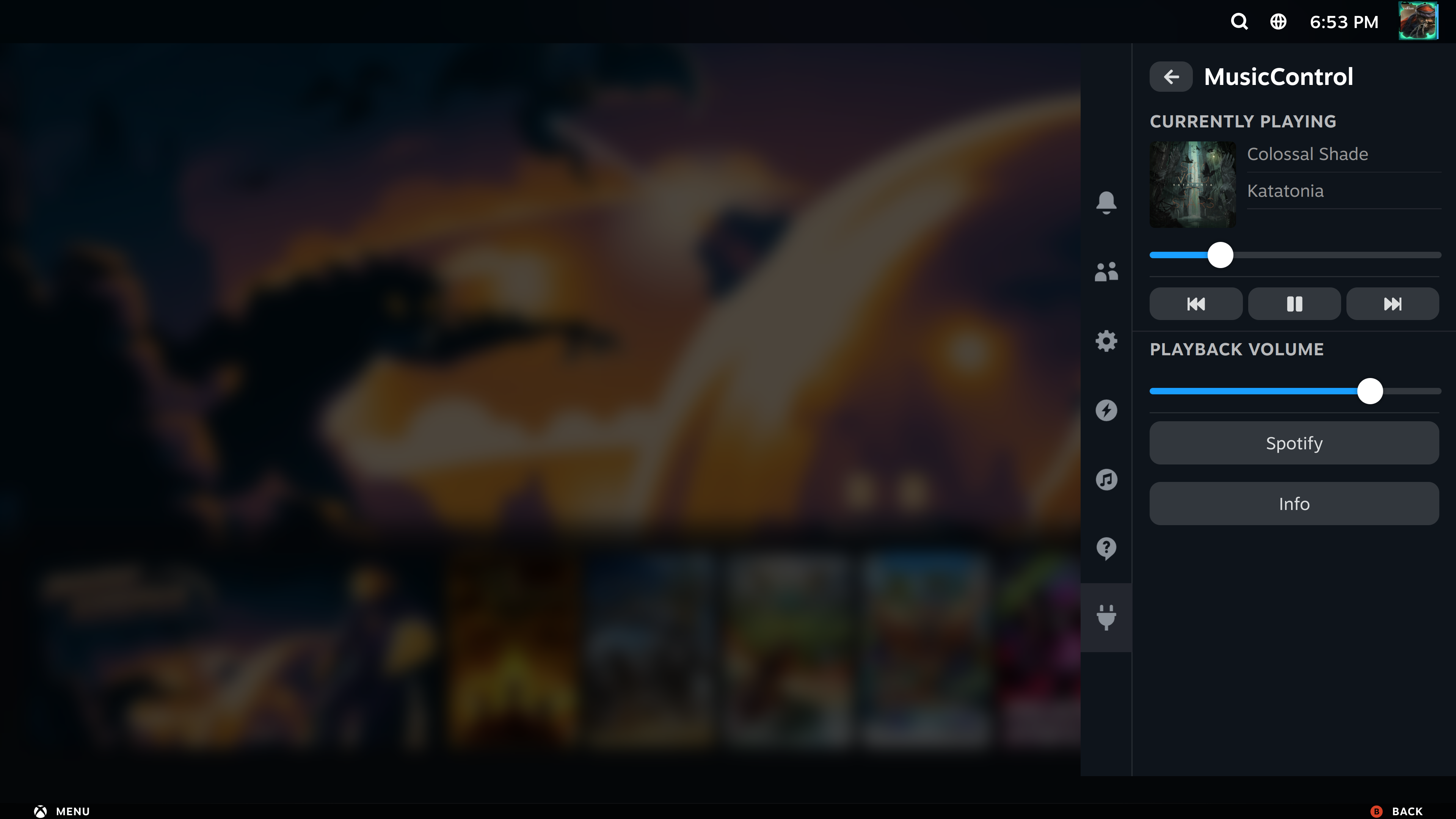
Pretty soon I just started installing plugins, all of but 1 working perfectly, and pretty soon I had this:
sxAy7Mxtglrxbaai.png


The Music Control plugin immediately picked up the Spotify flatpak app playing Katatonia (great band), and I could adjust the volume, pause, skip tracks, etc. Also could easily change audio devices to my headphones from my speaker as well, just using my gamepad.
  • The blurry part in the background (above) is a CSS Loader skin that changes the UI to different templates, so I picked one that showed more game art.
  • Audio Loader worked, so I could replace the UI navigation sounds with my personal favorites from Monster Hunter (worked perfect).
  • ProtonDB Badges worked perfectly, adding compatibility badge tiers with links that took me to Proton DB pages for games, and let me fill out my own reports if I want.
  • HLTB for Deck, also just worked perfect, adding HowLongToBeat metrics on game pages to see avg completion times for users.
Only thing I couldn't get to work was the EmuDecky plugin, that didn't show most of the options, and I'm unsure if that's just because I did the normal Linux PC device on the Emudeck install, instead of Steam Deck.

Lastly, on my G7 Pro controller, the share button actually brought up the Gnome screenshot tool as its default, which was interesting. So far super impressed, and I wish these plugins just worked on the normal desktop interface (specifically Proton DB Badges + HLTB for Deck).
 
Last edited:
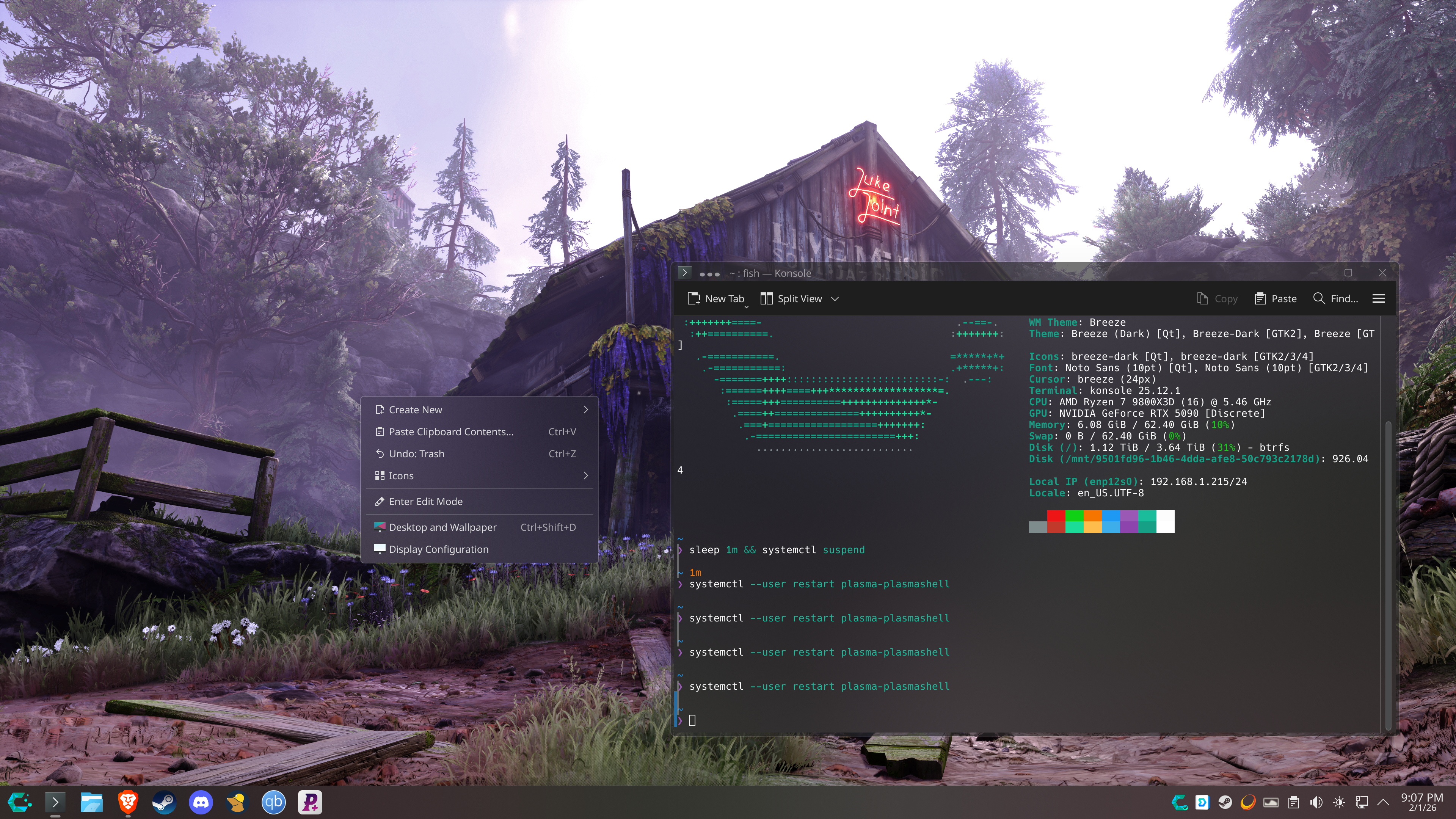
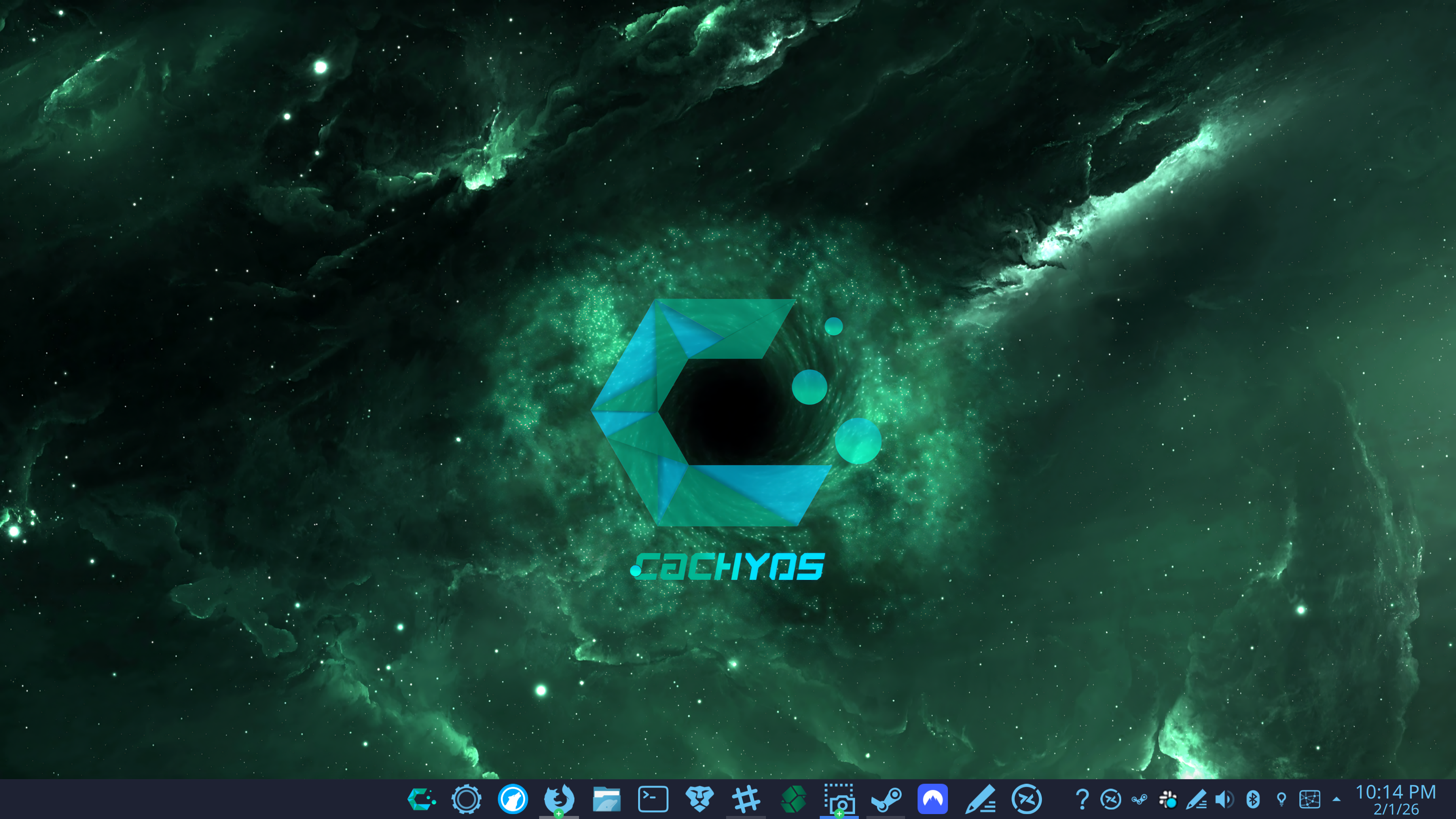
My desktop.
Need to figure out a theme for the wallpaper, cause i really like this. I even changed the icon the menu icon. A bit proud.
HWWDtBICWyJGMxeZ.png
489VUPAMWCy8Yk5g.png
 
Thought this was funny. Day before he had a lot of issues. Shut it off, booted it up the next day (didn't do anything else).... everything is running perfect :messenger_tears_of_joy: he has a 4090, its drivers was causing the issues.

 
Last edited:
Thought this was funny. Day before he had a lot of issues. Shut it off, booted it up the next day (didn't do anything else).... everything its running perfect :messenger_tears_of_joy: he has a 4090, its drivers was causing the issues.


Yeah, he is also talking about these "shader pre-processing" thing from steam. I have tried this and it always just takes extremely long and I cannot see any difference compared when I switch it off and just go instantly into a game. 🤷‍♂️
 
Thought this was funny. Day before he had a lot of issues. Shut it off, booted it up the next day (didn't do anything else).... everything is running perfect :messenger_tears_of_joy: he has a 4090, its drivers was causing the issues.


Yeah, I feel his pain when I first tried Bazzite. The system is pretty sit and forget, but it makes a silly omission by not strongly telling you after that initial install of the OS when you're at the first welcome screen...ANY new kernel updates, graphic drivers, firmware and system-wide changes only activate AFTER you reboot because they're baked into your image. This lets you easily switch back to previous images at boot of all that older stuff in case any new update breaks something. They lightly suggest it, and don't explain the implications well..guarantee graphic drivers or firmware did Jeff in.

System app packages (rpm), flatpaks, appimage apps, and distrobox containers do update during your current session on the fly though.

Yeah, he is also talking about these "shader pre-processing" thing from steam. I have tried this and it always just takes extremely long and I cannot see any difference compared when I switch it off and just go instantly into a game. 🤷‍♂️
I've mostly heard the benefits are for weaker/older hardware (think old GPUs or handhelds), but the better/newer your hardware is the diminishing return you're gonna get on it helping with shader stutter.
 
Last edited:
I've mostly heard the benefits are for weaker/older hardware (think old GPUs or handhelds), but the better/newer your hardware is the diminishing return you're gonna get on it helping with shader stutter.
With Evil West stutter it helped me tremendously as the game doesn't pre compile shaders.

But with No Rest for The Wicked this doesn't help, it could be traversal stutter instead of shader compilation stutter
 
With Evil West stutter it helped me tremendously as the game doesn't pre compile shaders.

But with No Rest for The Wicked this doesn't help, it could be traversal stutter instead of shader compilation stutter
Oh yeah, that is another benefit if the game just does no pre-process at all. I do wish Valve tutorialized aspects of Steam more, especially their intended use-case.
 
Thought this was funny. Day before he had a lot of issues. Shut it off, booted it up the next day (didn't do anything else).... everything is running perfect :messenger_tears_of_joy: he has a 4090, its drivers was causing the issues.


Bazzite applies some software/driver updates on reboot. So what probably happened was that the OS pulled an update that fixed his issue but it didn't apply till the next boot.
 
Last edited:
Very exciting! I feel very lucky that this has apparently been a problem for ~8 years and is getting fixed right as I jump into the Linux world.
Yeah. And Valve posted on their blog they indeed are working on improving Raytracing performance for AMD, so apparently when they drop Steam Machine Mesa should be patched for me too.

vdb vdb

Honestly, I can't wait since I'm only waiting for this and new Steam Controller.
 
Last edited:
Yeah. And Valve posted on their blog they indeed are working on improving Raytracing performance for AMD, so apparently when they drop Steam Machine Mesa should be patched for me too.

vdb vdb

Honestly, I can't wait since I'm only waiting for this and new Steam Controller.

I'm concerned that Wayland breaks the Steam Overlay though, so until that's resolved I don't think Steam Input will work properly.
 
I've been using Bazzite for a few months now and been having a good time.

I'm also using it for web development which has been a little bit of a headache. Bazzite is an immutable distro so installing certain things becomes more difficult, but I've made it work. I'm dual booting Windows on this machine so I could do all my development there too but I'd rather not. I think I will get a different Linux distro soon. Maybe just Ubuntu (good thing I finished college already). Then I won't have to boot into Windows when I want to use GameMaker. GameMaker and some very taxing modern games are the only reason I use Windows now.
 
Messed around with a few more things in my PikaOS install, including trying a new application launcher. I really liked using Raycast [link] on Windows, because it has a pretty strong plugin ecosystem to integrate it with many different apps, and this app ports most of its plugins/functionality over to Linux called:

Vicinae [link]

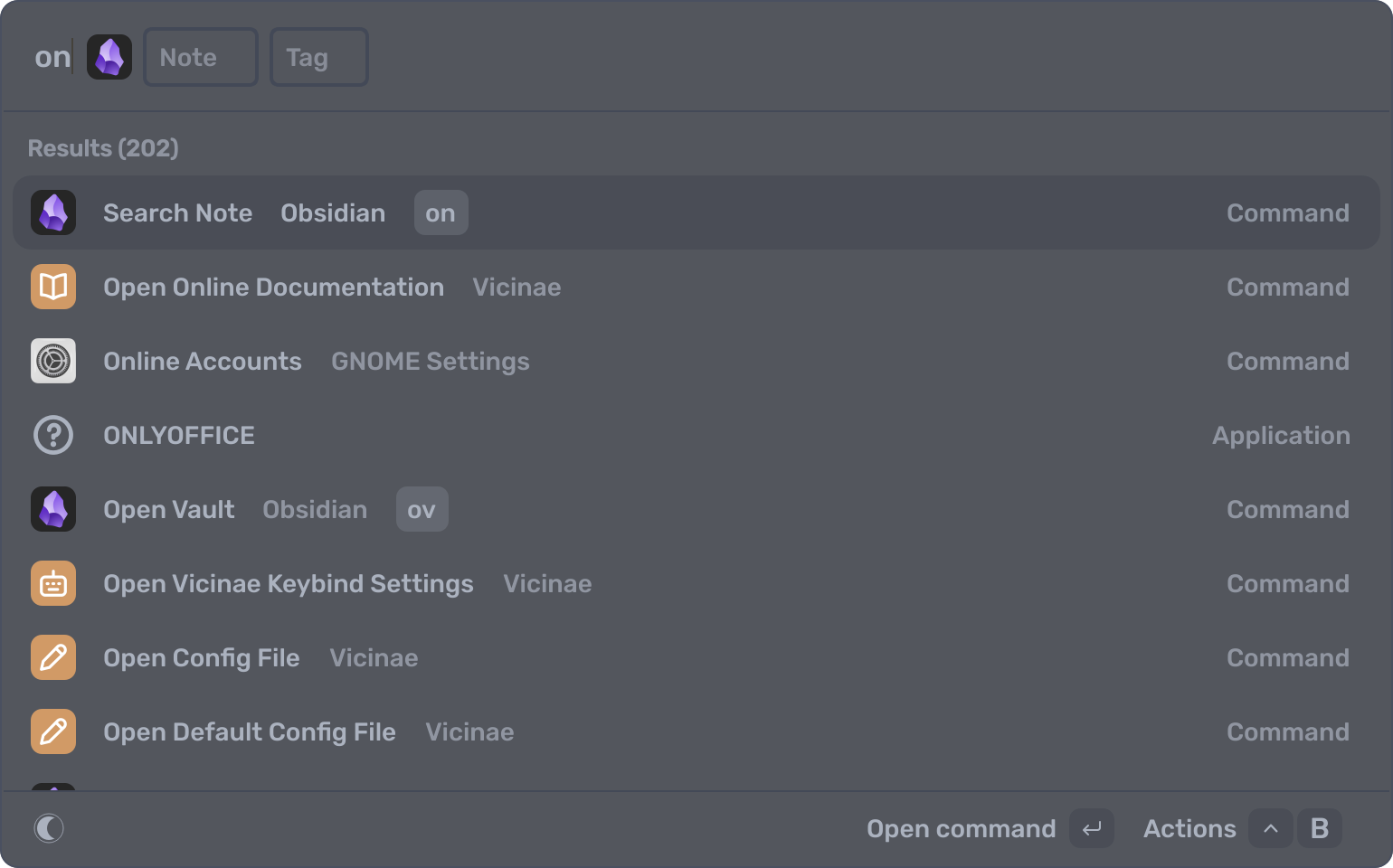
Basically an application launcher lets you hit a shortcut, like ctrl+space to bring up a field to type on, and as you type it will contextually pick up apps or files on your device.

The real power is calling extensions using commands though, where for example I do all my notes/research in this app Obsidian [link] (it's free too):
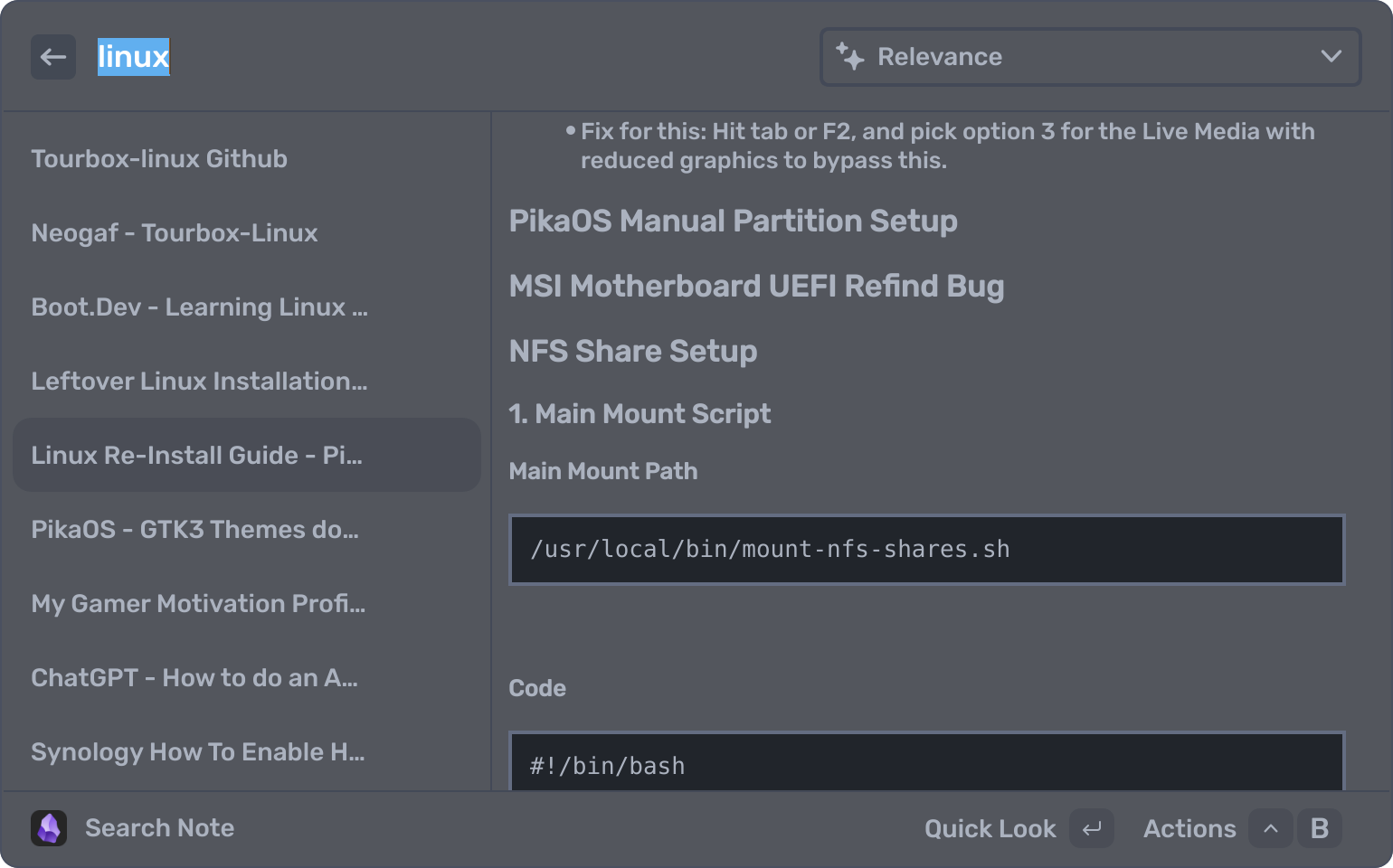
  1. If I type "on", then tap spacebar, anything I now type after is searching through my Obsidian vault for that note by name like "linux".
  2. I can then scroll/arrow keys down the list of notes, click/hit enter to view a preview, and if I move my mouse over the preview scroll through it.
  3. Then if I hit enter again...it will open Obsidian the app to that note immediately.
mLCw97h1HMFueVov.png
t8p6WRjKy5K9yscW.png


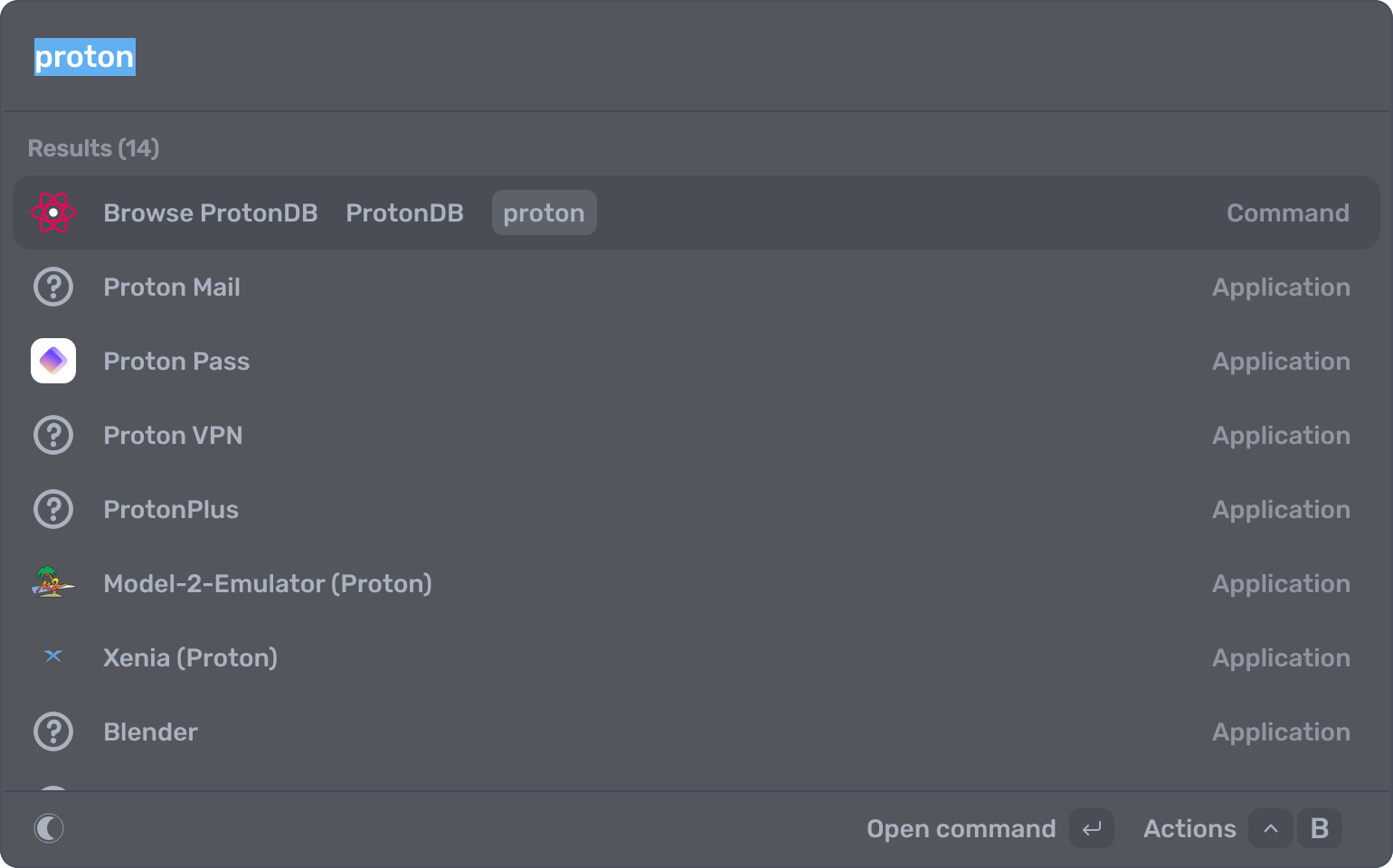
Also thought this might be useful with ProtonDB, since the decky load extension for the badges only works in Big Picture Mode, and not on the desktop. So on Vicinae, I just type store, hit down to go to raycasts plugin store, and added the ProtonDB extension:
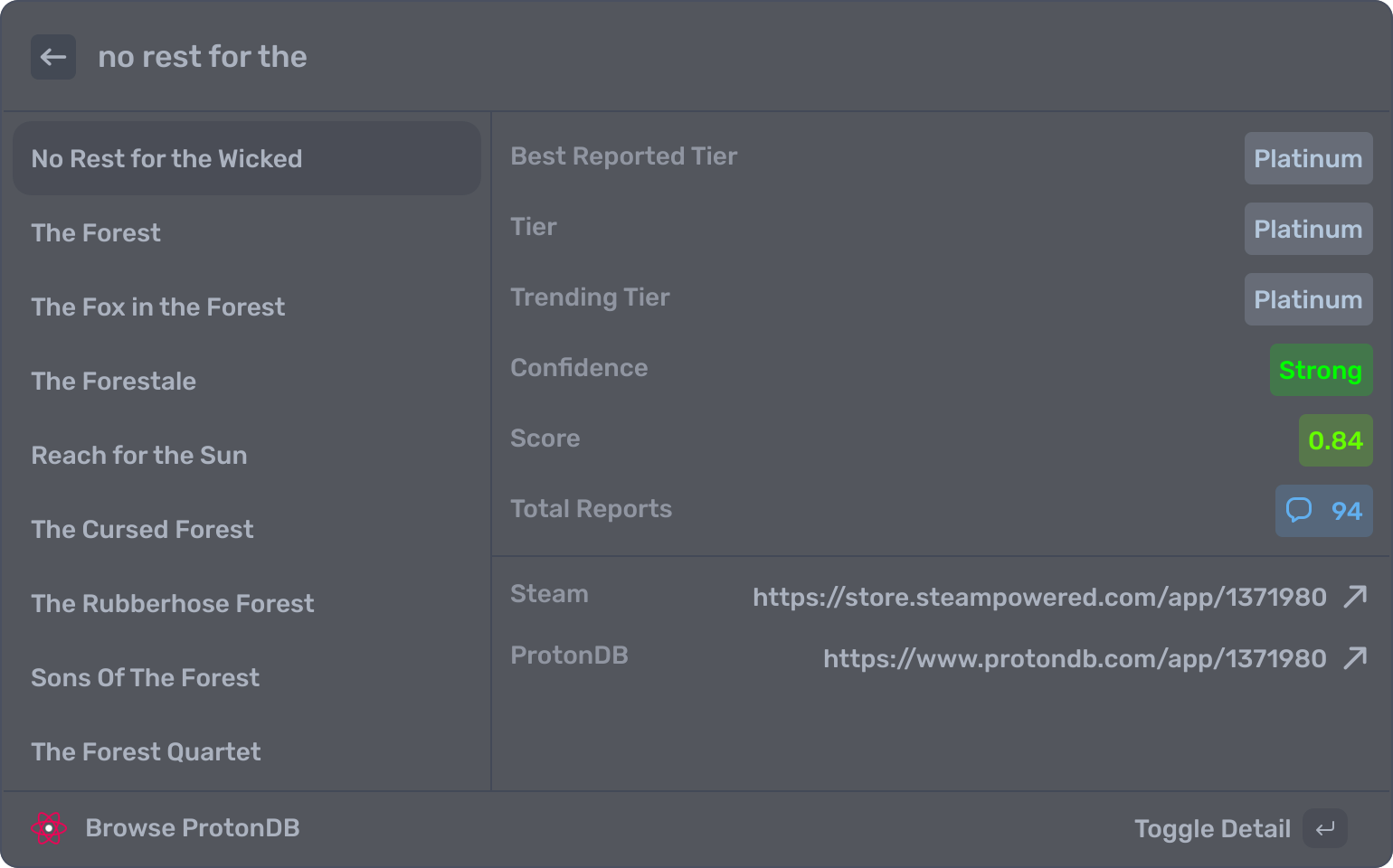
  1. Now when I type "proton", then hit space, anything I type after is searching the ProtonDB database by game name
  2. Say I recently bought Moon Studios "No Rest for the Wicked", now I can see it's ProtonDB grade, report count, Steam store link, and ProtonDB page filled with discussions to fix any problems.
FuMQWs7oVUOtgaZm.png
yCx5EeNzYoloBdFq.png


Just two examples, you can also do AI search on it to pull up on your browser, control your Home Assistant devices, control Gnome/KDE settings, and even sleep/lock/shutdown your pc by typing.
 
Last edited:
Yeah. And Valve posted on their blog they indeed are working on improving Raytracing performance for AMD, so apparently when they drop Steam Machine Mesa should be patched for me too.

vdb vdb

Honestly, I can't wait since I'm only waiting for this and new Steam Controller.
Yeah, only a few things left, and I'll be able to drop Windows completely.
 
Top Bottom